2ASTRCN-0000B1CatchX Pro
Ningbo Pelican Smart Fishing Tackle Co., Ltd.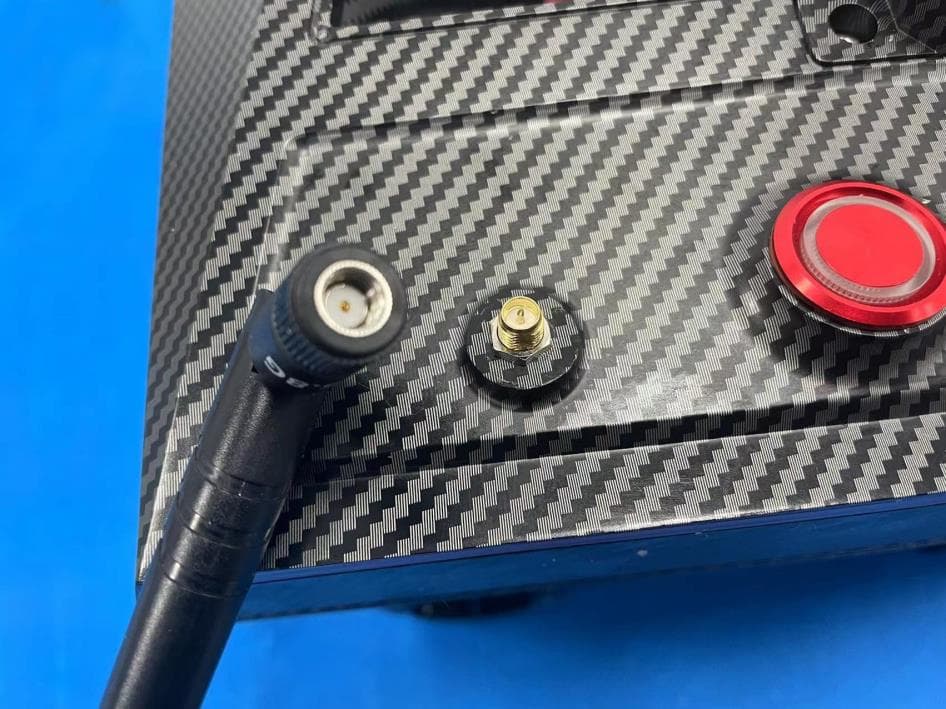
Click to zoom
Application Details
- Equipment Class
- NII - Unlicensed National Information Infrastructure TX
- Date of Grant
- Mar 01, 2023
- Application Purpose
- Original Equipment
- Date of Application
- Mar 01, 2023
- Equipment Note
- CatchX Pro
- Frequency Range
- 5745.00000000 - 5825.00000000
- Country
- China
Documents & Files
Document Text
Text extracted from the exhibit documents filed with the FCC. Open a document above to read the original.
Users Manual
1 CATCHX PRO Edited on 2022/11/11 Please visit https://rippton.com/tutorial to watch the video tutorial of CatchX PRO. PLEASE READ SECTION 6 AND 7 IN THE USER MANUAL BEFORE READING THIS GUIDE. 2 INTRODUCTION Dear Customer, Thank you for purchasing the CatchX Pro bait boat. CatchX Pro is an advanced smart fishing bait boat, which has a payload of 3kg and a range of 300 meters. With the ergonomic handle, it is easy to carry around with. You can control the CatchX Pro either by our app named “Rippton” or the remoter control. Hope you will enjoy every fishing journey with company of CatchX Pro. Before we start learning how to use it, please download the Rippton App on your mobile device. You can find the Rippton App on the Google Play Store, Samsung Galaxy Apps and App Store. Installing the app requires Android System 8.0 or above and iOS 11.0 or above. Download the RIPPTON App Search for “RIPPTON” on the Google Play Store, Samsung Galaxy Apps or App Store or scan this QR code to install the app on your mobile device. 3 1. Installation of the Batteries 2. Control of LED Light Belt Double click the power button of the remote control to switch on/off both of the head LED light belt and the tail light belt. 3. Attach the Fishing Line Open the two battery compartments and place two fully-charged batteries in respectively. Use your hand or your own screwdriver to unlock the battery compartments. 4 Press the button shown in square above to open hook release mechanism which will be open for 5 seconds and close automatically. And attach the fishing line when it is open. Note: CatchX Basic Version has one antenna, and CatchX Pro Version has two antennas. 4. How to Use the Remote Control Warm Reminder: Please pay attention to the top bar of the remote screen before controlling your boat. 4.1 Brief The CatchX Pro bait boat is capable of covering 300 meters controlled by its remote control. The remote control is equipped with a display screen and buttons of different functions as the image below shows. Please refer to Section 6&7 of the User Manual for detailed function description. 5 4.2 Preparation of the Remote Controller Step 1 Screw the rack Step 2 Install the antenna Step 3 Attach your mobile device to the mobile device holder clamp 6 4.3 Operation of the Joystick 4.4 Releasing Berley and Hooked Fishing Line by the remote If you intend to use the remote to release berley and/or fishing line,please make sure the screen on the remote shows M (manual mode). TIP: Move the joystick to the right to the maximum extent for 3 seconds to unlock. 7 For more details of using the remote control, please refer to Section 6&7 of the User Manual. 5. How to Use Your Mobile Device to Control Notice: Preloading the map on the APP When using the CatchX Pro in any new area, before connecting the CatchX Pro to your mobile device, it is always necessary to enter the Rippton app first with internet connection, enter the operation interface (refer to 5.2.1 and 5.2.2 below) to finish preloading the map where you intend to fish at. If you intend to release hopper 1, press the button HOPPER1, and long press the CONFIRM button, or long press the button Shortcut A to open hopper 1 without pressing the CONFIRM Button. Shortcut B is for hopper 2. 2 1 If you intend to release the hook, press the HOOK RELEASE button, wait till the screen shows “hook selected” and then long press the CONFIRM button. 8 5.1 Connection Step 1: Open Wi-Fi setting on your phone and find “IN_xxxxxx” Step 2: Tap the “IN_xxxxxx”” and enter the password 12345678. Note: For the connection with the Hydrobat smart fish finder, please read the manual for the fish finder separately. 5.2 Operation Step 1: Open the Rippton app and tap “Device” on the top. Step 2: Find the CatchX Pro and tap “Enter”. 9 Before setting a mission, please check the image below to understand what each icon stands for. 10 The Learner Mode (sailing range limited within 100m) is automatically on the first time you enter the page. It can be turned off in Parameter of Common Set. Step 3: Calibration A. After the boat connected with the APP, please tap the cog icon on top right of the APP interface to enter “COMMON SETTINGS”. 11 B. Tap the ellipsis icon on bottom right, then choose “CALIBRATE” after the boat has been put on the water surface and well connected to the remote. The boat will automatically finish the calibration on water by itself. Note: It’s always necessary to calibrate the CatchX Pro at new locations where are 3km away from the last you have used the boat at. 12 Step 4: Set a Route for Casting Mission 4.1 Tap the “Mission Management” button (in square 1) on the top of left side to start setting a route for your casting mission. Press the green button to confirm (in square 2). 4.2 Tap the “H” button (in square 3) to set the home point for the mission. Move the map to set the “H” icon at your desired spot as the home point. Re-tap the “H” button to confirm. 4.3 After the home point has been set, long press the point you want in the green circle until the prompt box pops up. 4.4 Tap “Confirm”. Repeat the above-mentioned process if you want to add more waypoints (but no more than 2 waypoints). 13 4.5 If you want to delete the selected waypoint, tap it and then select “Delete” in the prompt box. Step 5: Select the Hoppers There are two ways to select hoppers, which directly decides the mode of the mission: fully automatic and half automatic. Fully Automatic ✓ Before performing the mission, tap the selected waypoint, and then tap “Hopper Selection” to confirm which hopper or fishing line to be released on which waypoint. ✓ Half Automatic. ✓ If you start a task without selecting hoppers before the CatchX Pro begins to sail, you need to confirm which hopper to be released every time CatchX Pro reaches a selected waypoint. 14 NOTE: The CatchX Pro will return to the home point automatically after the mission is completed. If you intend to cancel the ongoing mission, there are two methods…
Text truncated - open the document above for the full version.
Attestation Statements
Ningbo Pelican Smart Fishing Tackle Co., Ltd 2.911 (d)(5)(i) Equipment Type Attestation v1.2 Section 2.911(d)(5)(i) Certification – Equipment Type Company name: Ningbo Pelican Smart Fishing Tackle Co., Ltd Address: No.16, Yongchang Road, Chengdong Industrial Park, Xiangshan County, Ningbo City, Zhejiang Province, China Product Name: CatchX Pro FCC ID: 2ASTRCN-0000B1 Model(s): CN-0000B1AP01 2.911(d)(5)(i) Equipment Type We, Ningbo Pelican Smart Fishing Tackle Co., Ltd certify that the equipment for which authorization is sought through certification is not: Prohibited from receiving an equipment authorization pursuant to § 2.903; of the FCC rules. Identified as an equipment type in the “Covered List” NOTE 1 Yours sincerely, Signature: Name: Tina LEI Date: 2023/2/10 Title: Manager Company name: Ningbo Pelican Smart Fishing Tackle Co., Ltd NOTE 1 “Covered List”; is the List of Equipment and Services Covered By Section 2 of The Secure Networks Act, available at https://www.fcc.gov/supplychain/coveredlist References; 1) 986446 D01 Covered Equipment v01 https://apps.fcc.gov/oetcf/kdb/forms/FTSSearchResultPage.cfm?switch=P&id=325672 2) Federal Register document 2022-28263 published on 02/06/23 https://www.federalregister.gov/documents/2023/02/06/2022-28263/protecting-against-national-security-threats-to-the-com munications-supply-chain-through-the
Attestation Statements
Ningbo Pelican Smart Fishing Tackle Co., Ltd 2.911 (d)(5)(ii) Applicant Attestation v1.3 Section 2.911(d)(5)(ii) Certification – Applicant (Covered List ) Company name: Ningbo Pelican Smart Fishing Tackle Co., Ltd Address: No.16, Yongchang Road, Chengdong Industrial Park, Xiangshan County, Ningbo City, Zhejiang Province, China Product Name: CatchX Pro FCC ID: 2ASTRCN-0000B1 Model(s): CN-0000B1AP01 2.911(d)(5)(ii) Applicant filing We, Ningbo Pelican Smart Fishing Tackle Co., Ltd certify that, as of the date of the filing of the application, the applicant is not on the “Covered List” NOTE 1 , established pursuant to § 1.50002 of this chapter, as an entity producing covered communications equipment. Yours sincerely, Signature: Name: Tina LEI Date: 2023/2/10 Title: Manager Company name: Ningbo Pelican Smart Fishing Tackle Co., Ltd NOTE 1 “Covered List”; is the List of Equipment and Services Covered By Section 2 of The Secure Networks Act, available at https://www.fcc.gov/supplychain/coveredlist References; 1) 986446 D01 Covered Equipment v01 https://apps.fcc.gov/oetcf/kdb/forms/FTSSearchResultPage.cfm?switch=P&id=325672 2) Federal Register document 2022-28263 published on 02/06/23 https://www.federalregister.gov/documents/2023/02/06/2022-28263/protecting-against-national-security-threats-to-the-com munications-supply-chain-through-the
Attestation Statements
Ningbo Pelican Smart Fishing Tackle Co., Ltd U.S. Agent Designation for Service of Process (Applicant and U.S. Agent are Separate Parties) TO: ATTENTION: FCC Certification – Section 2.911(d)(7) Information Designated U.S. Agent Company Name: Baihetian Innovative Solutions FRN: 0033401605 Contact Name: Kenneth Young Street Address: 6837 Chase Rd City/Province/Zip: Dearborn, MI 48126 Telephone No: 313-395-3113 Email: [email protected] This letter is to confirm that we (“the Designated U.S. Agent) have accepted the responsibility to act as the Designated U.S. Agent for Service of Process as required by section 47 CFR 2.911(d)(7) on behalf of the Applicant noted below. U.S. Agent Signature: Date: Signed by (Printed Name/Title): The Applicant acknowledges that they must maintain an agent for no less than one year after terminating all marketing and importation OR the conclusion of any Commission-related proceeding involving the equipment. The applicant further acknowledges their responsibility to inform the FCC whenever the Designated U.S. Agent information above changes. Applicant Company name: Ningbo Pelican Smart Fishing Tackle Co., Ltd Grantee Code: 2ASTR FCC ID: 2ASTRCN-0000B1 Contact Name: Tina LEI Street Address: No.16, Yongchang Road, Chengdong Industrial Park, Xiangshan County, City/Province/Zip: Ningbo City, Zhejiang Province, China Telephone No: 86-18801620274 Email: [email protected] Applicant Signature: Date: 2023.2.21 Signed by (Printed Name/Title): Tina LEI/ Manager Feb 21, 2023 Kenneth Young/ Manager Federal Communications Commission 7435 Oakland Mills Road Columbia, MD 21046
Cover Letter(s)
Software Configuration Control Declaration Ningbo Pelican Smart Fishing Tackle Co., Ltd Software Configuration Control Declaration Date: 2023/02/10 Federal Communications Commission 7435 Oakland Mills Road Columbia, MD 21046 USA Attn: OET Dept. Product: CatchX Pro Model Number: CN-0000B1AP01 Regarding FCC Country Code Selection guidelines identified in KDB 594280 D01 Software Configuration Control v02r01. “All applications for equipment authorization for transmitters that can have radio parameters, or other technical parameters, reported to the Commission set by software must have an attestation indicating that no third party will have software, or configuration control, to program the device out of compliance of the technical rules under which it has been certified.” We declare that no third party will have software, or configuration control, to program the device out of compliance of the technical rules under which it has been certified. Name: Tina LEI Title: Manager Signatureof applicant:
Cover Letter(s)
Ningbo Pelican Smart Fishing Tackle Co., Ltd Agent Authorization Company: Ningbo Pelican Smart Fishing Tackle Co., Ltd Address: No.16, Yongchang Road, Chengdong Industrial Park, Xiangshan County, Ningbo City, Zhejiang Province, China Product Name: CatchX Pro Model Number(s): CN-0000B1AP01 FCC ID: 2ASTRCN-0000B1 We authorize MiCOM Labs Inc., 575 Boulder Court, Pleasanton, California 94566, USA, to act on our behalf on all matters concerning the certification of above named equipment. We declare that MiCOM Labs Inc. is allowed to forward all information related to the approval and certification of equipment to the regulatory agencies as required and to discuss any issues concerning the approval application. Any and all acts carried out by MiCOM Labs on our behalf shall have the same effect as acts of our own. Signature: Date: 2023/02/10 Name: Tina LEI Title: Manager Company: Ningbo Pelican Smart Fishing Tackle Co., Ltd
Cover Letter(s)
Ningbo Pelican Smart Fishing Tackle Co., Ltd Office of Engineering Technology Federal Communications Commission 7435 Oakland Mills Road Columbia, MD 21046 USA Date: 2023/02/10 Subject; Request for Confidentiality FCC ID: 2ASTRCN-0000B1 To Whom It May Concern, Pursuant to the provisions of the Commission’s rules Title 47 Sections §0.457 and §0.459, we are requesting the Commission to withhold the following attachment(s) as confidential documents from public disclosure indefinitely. These documents contain detailed system and equipment descriptions and are considered as proprietary information in operation of the equipment. The public disclosure of these documents might be harmful to our company and would give competitors an unfair advantage in the market. Schematic Diagram Block Diagram Operational Description SOFTWARE SECURITY REQUIREMENTS FOR U-NII DEVICES In additional to above mentioned documents, in order to comply with the marketing regulations in Title 47 CFR §2.803 and the importation rules in Title 47 CFR §2.1204, while ensuring that business sensitive information remains confidential until the actual marketing of newly authorized devices, we request Short Term Confidentiality of the following attachment(s); User Manual For 45 days, pursuant to Public Notice DA 04-1705. OR For 180 days pursuantto KDB 726920 D01. It is our understanding that all measurement test reports, FCC ID label format and correspondence during the certification review process cannot be granted as confidential documents and this information will be available for public review once the grant of equipment authorization is issued. Sincerely, Signature: Name: Tina LEI Title: Manager
External Photos
External Photos Antenna A 5.8G Antenna B 5.8G
ID Label/Location Info
Size:40*20mm FCC ID: 2ASTRCN-0000B1 This device complies with Part 15 of the FCC Rules. Operation is subject to the following two conditions:(1)This device may not cause harmful interfer ence, and (2) this device must accept any interference received, including interference that may cause undesired operation. Label Location
RF Exposure Info
FCC §15.247 (i), §2.1091 – RF Exposure FCC ID: 2ASTRCN-0000B1 Applied procedures / limit According to FCC §15.247(i) and §1.1307(b)(1), systems operating under the provisions of this section shall be operated in a manner that ensures that the public is not exposed to radio frequency energy level in excess of the Commission’s guidelines. Limits for Occupational / Controlled Exposure Frequency Range (MHz) Electric Field Strength (E) (V/m) Magnetic Field Strength (H) (A/m) Power Density (S) (mW/ cm 2 ) Averaging Time |E| 2 ,|H| 2 or S (minutes) 0.3-3.0 614 1.63 (100)* 6 3.0-30 1842 / f 4.89 / f (900 / f)* 6 30-300 61.4 0.163 1.0 6 300-1500 F/300 6 1500-100,000 5 6 Note: ƒ is frequency in MHz * = Power density limit is applicable at frequencies greater than 100 MHz Limits for General Population / Uncontrolled Exposure Frequency Range (MHz) Electric Field Strength (E) (V/m) Magnetic Field Strength (H) (A/m) Power Density (S) (mW/ cm 2 ) Averaging Time |E| 2 ,|H| 2 or S (minutes) 0.3-1.34 614 1.63 (100)* 30 1.34-30 824/f 2.19/f (180/f)* 30 30-300 27.5 0.073 0.2 30 300-1500 F/1500 30 1500-100,000 1.0 30 Note: f = frequency in MHz * = Plane-wave equivalent power density MPE PREDICTION Predication of MPE limit at a given distance, Equation from OET Bulletin 65, Edition 97-01 Where: S = power density P = power input to antenna G = power gain of the antenna in the direction of interest relative to an isotropic radiator R = distance to the center of radiation of the antenna, R=0.2m TEST RESULTS For the Max simultaneous transmission MPE Conclusion: For the max Power Density(S)(mW/ cm2) : 0.06191<1, the SAR testing is not required Tune up Produce power Maximu m peak output power (dBm) Output power to antenna (mW) Antenna Gain (numeric) Power Density (S) (mW/ cm2) Limit (mW/ cm2) Result 802.11 b/g/n 18±1 19 79.43 1.50 (1.77dBi) 0.02371 1 Pass 802.11 U- NII-3 19±1 20 100 1.92 (2.84dBi) 0.03820 1 Pass Evaluation mode Power Density/Limit Sum of the MPE rate Limit Result 802.11 b/g/n 0.02371 0.06191 1 Pass 802.11 U-NII-3 0.03820
Test Report
1 Performanceparameters(VSWR,EfficiencyandGain,DirectionalGraph) (VSWR) 2 Efficiency and Gain Hside 3 E1side E2side 4 3D Pattern 3D Pattern 5 3D Pattern
Test Report
No.:BCTC/RF-EMC-005 Page: 1 of 63 Edition:A.5 TEST REPORT Shenzhen BCTC Testing Co., Ltd. Report No.: BCTC2212116652-2E Applicant: Ningbo Pelican Smart Fishing Tackle Co., Ltd Product Name: CatchX Pro Model/Type reference: CN-0000B1AP01 Tested Date: 2022-12-19 to 2023-01-09 Issued Date: 2023-01-11 Report No.: BCTC2212116652-2E No.:BCTC/RF-EMC-005 Page: 2 of 63 Edition:A.5 FCC ID: 2ASTRCN-0000B1 The test report is effective only with both signature and specialized stamp.This result(s) shown in this report refer only to the sample(s) tested. Without written approval of Shenzhen BCTC Testing Co., Ltd, this report can’t be reproduced except in full.The tested sample(s) and the sample information are provided by the client. Product Name: CatchX Pro Trademark: N/A Model/Type reference: CN-0000B1AP01 Prepared For: Ningbo Pelican Smart Fishing Tackle Co., Ltd Address: No.16, Yongchang Road, Chengdong Industrial Park, Xiangshan County, Ningbo City, Zhejiang Province, China Manufacturer: Ningbo Pelican Smart Fishing Tackle Co., Ltd Address: No.16, Yongchang Road, Chengdong Industrial Park, Xiangshan County, Ningbo City, Zhejiang Province, China Prepared By: Shenzhen BCTC Testing Co., Ltd. Address: 1-2/F., Building B, Pengzhou Industrial Park, No.158, Fuyuan 1st Road, Zhancheng, Fuhai Subdistrict, Bao'an District, Shenzhen, Guangdong, China Sample Received Date: 2022-12-19 Sample tested Date: 2022-12-19 to 2023-01-09 Issue Date: 2023-01-11 Report No.: BCTC2212116652-2E Test Standards: FCC Part15 15.407 ANSI C63.10-2013 KDB 662911 D01 v02r01 KDB 789033 D02 v02r01 Test Results: PASS Remark: This is WIFI-5GHz band radio test report. Tested by: Approved by: Eric Yang/Project Handler Zero Zhou/Reviewer Report No.: BCTC2212116652-2E No.:BCTC/RF-EMC-005 Page: 3 of 63 Edition:A.5 Table Of Content Test Report Declaration Page 1. Version .................................................................................................................. 5 2. Test Summary ....................................................................................................... 6 3. Measurement Uncertainty ..................................................................................... 7 4. Product Information And Test Setup ..................................................................... 8 4.1 Product Information ............................................................................................... 8 4.2 Test Setup Configuration ...................................................................................... 9 4.3 Support Equipment ............................................................................................... 9 4.4 Channel List ........................................................................................................ 10 4.5 Test Mode ........................................................................................................... 11 4.6 Table Of Parameters Of Text Software Setting ................................................... 11 4.7 Antenna ............................................................................................................... 11 5. Test Facility And Test Instrument Used ............................................................... 12 5.1 Test Facility ......................................................................................................... 12 5.2 Test Instrument Used .......................................................................................... 12 6. Conducted Emissions .......................................................................................... 14 6.1 Block Diagram Of Test Setup .............................................................................. 14 6.2 Limit .................................................................................................................... 14 6.3 Test procedure .................................................................................................... 14 6.4 EUT operating Conditions ................................................................................... 14 6.5 Test Result .......................................................................................................... 15 7. Radiated Emissions ............................................................................................. 17 7.1 Block Diagram Of Test Setup .............................................................................. 17 7.2 Limit .................................................................................................................... 18 7.3 Test procedure .................................................................................................... 19 7.4 EUT operating Conditions ................................................................................... 20 7.5 Test Result .......................................................................................................... 20 8. Power Spectral Density Test ............................................................................... 26 8.1 Block Diagram Of Test Setup .............................................................................. 26 8.2 Limit .................................................................................................................... 26 8.3 Test procedure .................................................................................................... 27 8.4 EUT operating Conditions ................................................................................... 27 8.5 Test Result .......................................................................................................... 28 9. 26dB & 6dB & 99% Emission Bandwidth ............................................................ 33 9.1 Block Diagram Of Test Setup .............................................................................. 33 9.2 Limit .......................................................................................…
Text truncated - open the document above for the full version.
Test Setup Photos
Conducted emissions Radiated Measurement Photos
Contact Information
Applicant
Tina LEI
Technical Contact
Test Firm
Shenzhen BCTC Testing Co., Ltd.Sally He
[email protected]15999690624
Technical Specifications
| # | Rule Parts | Frequency Range | Power Output |
|---|---|---|---|
| 1 | 15E | 5.75 GHz - 5.83 GHz | 88.92 mW |
Other Applications from Ningbo Pelican Smart Fishing Tackle Co., Ltd.
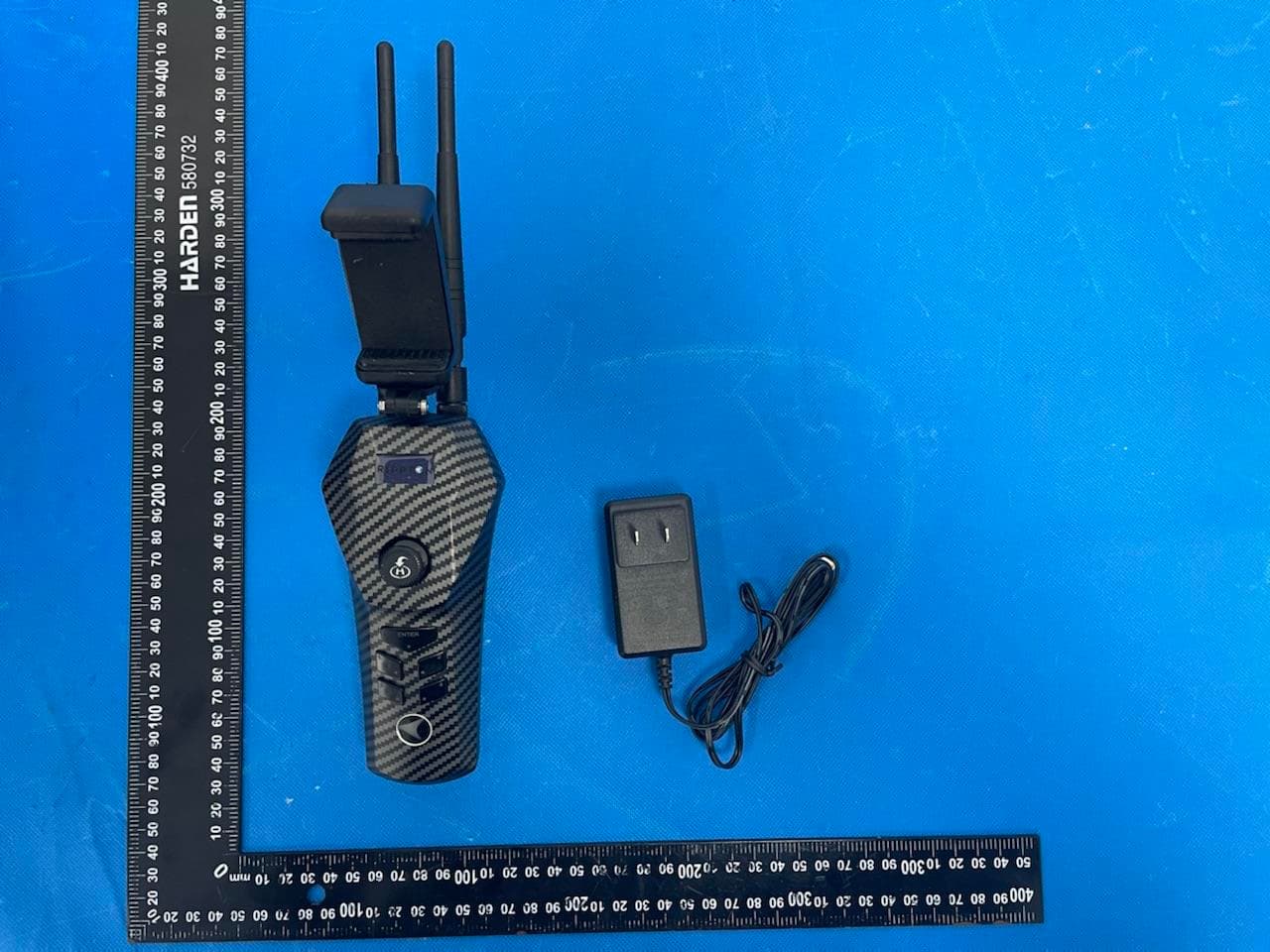
2ASTRCN-0000B1AP01
Feb 27, 2023CatchX Pro
Equipment Class
NII - Unlicensed National Information Infrastructure TX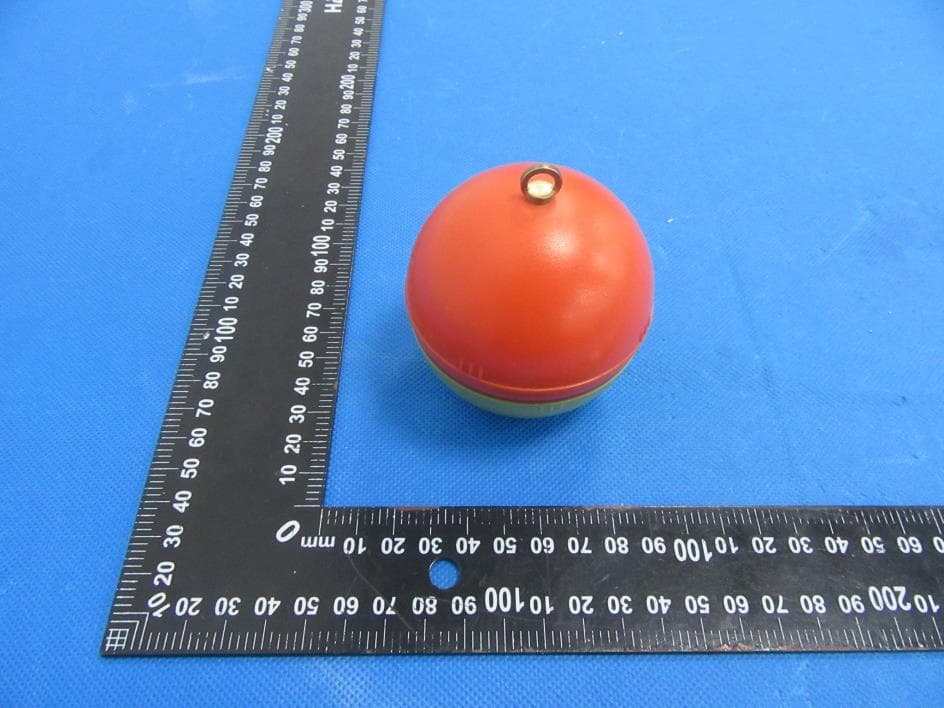
2ASTR-W1AP01
Dec 01, 2022Smart Visual Fish Finder
Equipment Class
DTS - Digital Transmission System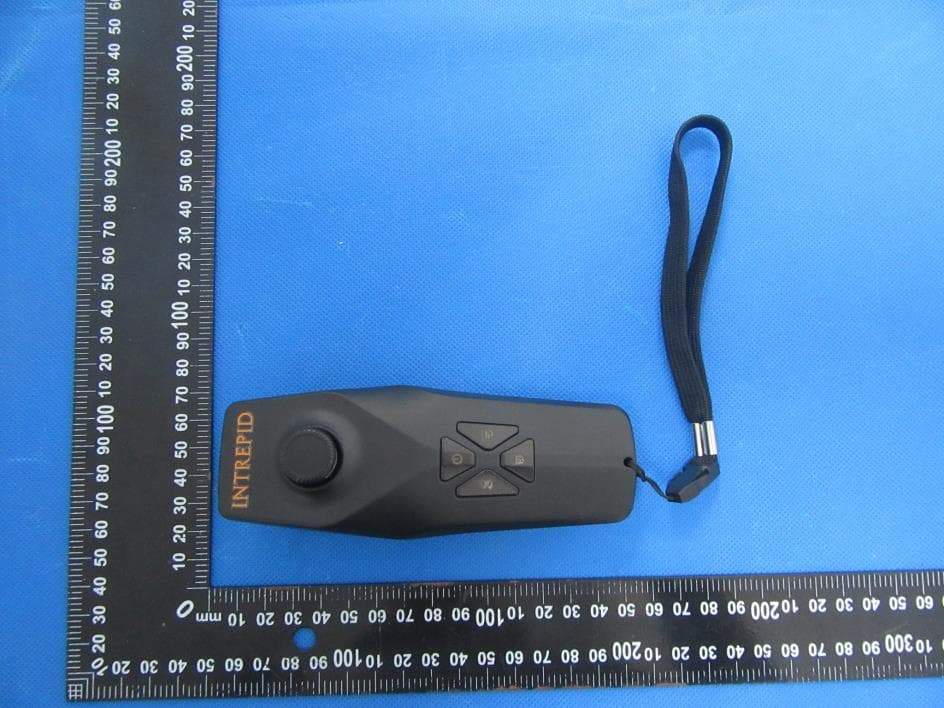
2ASTR-EU02
Nov 23, 2022Remote
Equipment Class
DTS - Digital Transmission System
2ASTRM1
Jul 28, 2021LureMate Fishing Tracker
Equipment Class
DTS - Digital Transmission System