2ASV5-EAR102bone conduction headphones bluetooth
Akaso Tech LLC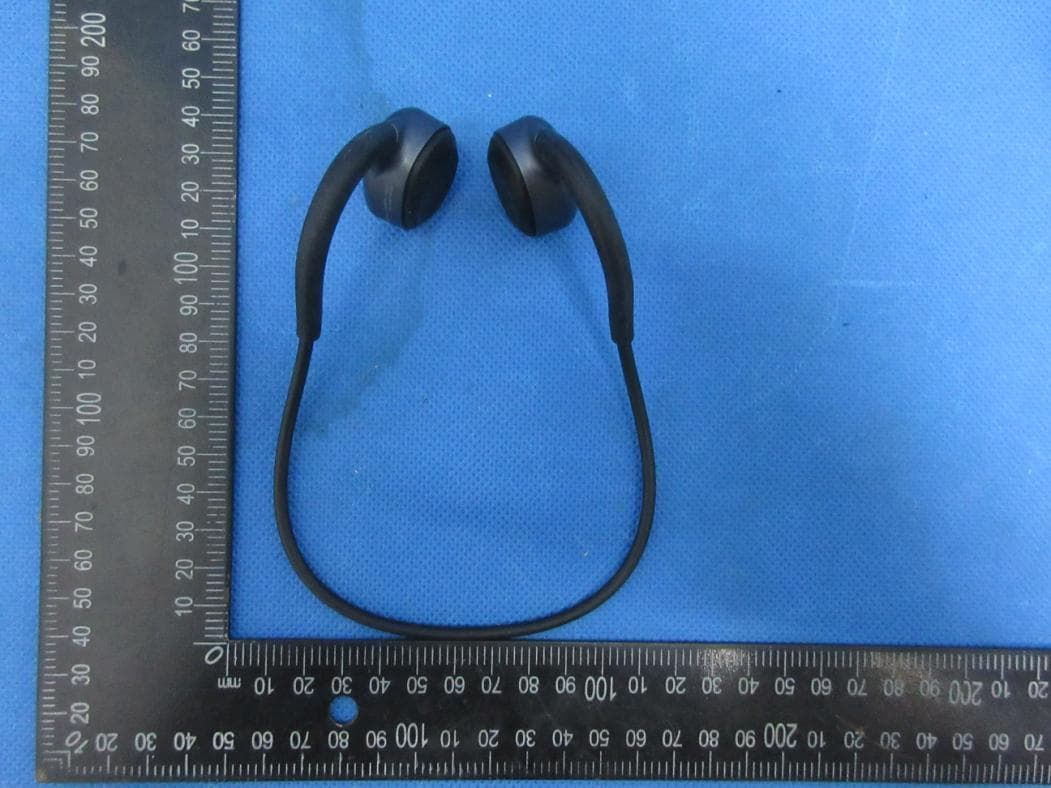
Click to zoom
Application Details
- Equipment Class
- DTS - Digital Transmission System
- Date of Grant
- Apr 15, 2020
- Application Purpose
- Original Equipment
- Date of Application
- Apr 15, 2020
- Equipment Note
- bone conduction headphones bluetooth
- Frequency Range
- 2402.00000000 - 2480.00000000
- Company
- Akaso Tech LLC
- Country
- United States
Documents & Files
Document Text
Text extracted from the exhibit documents filed with the FCC. Open a document above to read the original.
Users Manual
2. Reject the Incoming Call If you want to reject the incoming call, long press the MTB for 1-2 seconds, the call will be hung up. 3. Redial the Phone number If you want to make a phone call, then double press the MTB, Areo Lite will automatically redial the last dialed number in the call records listing of your phone. Note: If your Areo Lite simultaneously connects with two cellphones, it will automatically redial the last dialed number of the first paired phone. Factory Reset When Areo Lite is on, simultaneously long press Vol + and Vol - for 4 seconds, it will come to Factory Reset mode. Wake up Phone Voice Assistant In the Standby mode, long press the MTB for almost 1 second, it will wake up the Voice Assistant of the first paired phone(if your Areo Lite have simultaneously connected with two cellphones). Low Battery Notice When the power is too low, your Areo Lite will enter into low battery notice mode, the LED shows red and the voice prompt “Low Battery, Please Charge” can be heard every 1 minute. After the voice prompt is played for 5 times, your Areo Lite will automatically turn off. Power Off Long press MTB for 3 seconds, Aero Lite will turn off after the LED indicator shows red for 1 second and the voice prompt "power off" can be heard. Charging Insert 5V Micro USB cable into the charging port and wait for 3 seconds, Areo Lite is charging when the LED shows solid red light; when the LED turns solid blue light, charging is completed. Multifunction Button Maltifunction Analysis Power on Power off Play/Pause Music Volume Control Switch Music Factory Reset Answer/End Incoming Call Reject the Incoming Call Reject the Incoming Call Long press the MTB for 2 seconds Long press MTB for 3 seconds Single press the MTB for one time Single press Vol+ or Vol- Long press Vol+ or Vol- Simultaneously long press Vol+ and Vol- for 4 seconds Single press the MTB Long press the MTB for 1-2 seconds Double press the MTB Unable to turn on Unable to connect No sound in the call The battery power is too low Out of the connection range Bluetooth Connection failed / Bluetooth Phone Call mode hasn't been turned up. Please charge in time Please move the Areo Lite and the phone that needs to connect with within 10 meters. (Sometimes it also depends on the Bluetooth function of your phone, please check in.) Re-connect the phone/ Turn up the Bluetooth Call Mode of your phone. Maltifunction SolutionPossible Cause SpecificationsStorage and Maintenance 1. Store your headphones in a cool, dry place. Operating temperature -10~45°C (14-113°F). Working in a cold/hot environment or in a highly humid place can reduce battery life. After storing for a long time, please charge it before use. 2. This BT headset is water resistant, but not completely waterproof. It can't be placed in water for a long time and cannot be used for diving. If there is water, wipe it off with a clean soft cloth. 3. Clean the headphones with a soft, dry cloth. 4. Keep the headphones away from any sharp objects. 5. Do not place the headphones under a very high or low temperature environment. Contact Us If you have any questions, please feel free to contact us by email or telephone, and we will respond as soon as possible. E-mail: [email protected] Tel: (888) 466-9222 (US) Mon-Fri (except holiday) 9am-5pm (EST) Official website: www.akasotech.com Brand Model Number Weight Physical Dimension Appearance Color CPU Bluetooth Version Bluetooth Protocol Areo Lite 34g 137*102*49mm(reference) Dark Grey Qualcomm 3003 5.0 A2DP/AVRCP/EDR/HFP/HSP Bluetooth Work Range Working Frequency Transimit Power Microphone Speaker Sound Frequency Battery Capacity Waterproof Grade Charge Port Working Time 10M(33 feet) 2402MHz-2480MHz Class2(-6dbm-≤4 dbm) Bone Conducting Speaker 300Mw*2 20Hz-20KHz 150mAh, Lithium 5 hours IPX5, Sweatproof Micro USB 7 8 9 10 11 USB USER MANUAL AKASO Aero Lite Bone Conduction Headphones V1.0 Package Contents Bone Conduction Headphones, Noise-reducing Earplugs, User Manual, USB Charging (USB in Micro). Wearing Method As shown, hand the earphones behind your neck while the speaker is attached to the cheekbones in front of yoru ears, rather than on your ears. What is Bone conduction Bone conduction technology delivers sound through your cheekbones, ensuring your ears remain completely open to ambient sounds for maximum situational awareness during long-term wear. Product InstructionPower On Long press MTB for 2 seconds, Aero Lite will turn on when the LED indicator shows blue light for 1 second and voice prompt "power on" can be heard. Bluetooth Connection 1. Bluetooth Pairing If it is the first time that your cellphone or another Bluetooth devices connect with Aero Lite, then long press the MTB for 4 seconds, Aero Lite enters into Pairing Mode, and the red and blue lights flash at the same time, with the voice prompt “pairing” can be heard. 2. Bluetooth Connection Open the Bluetooth in your cellphone and enter into Bluetooth Searching Mode, when "Aero lite" appears in the BT list, then just click it. The connection is successful when the BLUE blinks on LED disappear. Once your cellphone connected with Areo Lite for one time, it will automatically connect with your cellphone next time. Note: The Bluetooth work range supports up to 10 meters, so if Areo Lite is away from 10 meters with your cellphone, it will disconnect. Areo Lite will automatically re-connect with the cellphone if it gets back into the connection range within 5 minutes. And, Areo Lite will automatically turn off if it disconnects with your phone in more than 5 minutes. Vol + Vol - Multifunction Button(MTB) Micro USB Charging Port Turn on the Bluetooth of Cellphone A again, Cellphone A with automatically connect with Areo Lite. Thus, your Areo Lite simultaneously and successfully connect with two cellphones. 3. Multipoint Connection Areo Lite can simultaneously connect with two cellphones at most. Follow above method to connect cellphone A successfully, then turn off the Bluetoo…
Text truncated - open the document above for the full version.
External Photos
ATTACHMENT PHOTOGRAPHS OF EUT Photo 1 Photo 2 Photo 3 Photo 4 Photo 5 Photo 6
ID Label/Location Info
Process: silk screen colour : Area silk screen PANTONE 425C FCC ID:2ASV5-EAR102
Internal Photos
ATTACHMENT PHOTOGRAPHS OF EUT Photo 1 Photo 2 Photo 3 Photo 4 BT ANT Photo 5 Photo 6
Operational Description
Akaso Tech LLC Declaration concerning Antenna Specification It is hereby declared that the product Model No.: Aero lite FCC ID: 2ASV5-EAR102 fulfills the requirement in FCC test relating to the antenna type. The device specified above confirms to the FCC recommendations for internal antenna type(s) described below: Model No. of antenna: N/A Type of antenna: Ceramic antenna Gain of the antenna: 5.54 dBi Frequency range: 2402-2480 MHz The mounting of the antenna is fixed to the radio module and no other antenna should be used. Company name: Akaso Tech LLC Address: 15726 CRABBS BRANCH WAY DERWOOD, MD 20855 City: DERWOOD ZIP / Postal code: 20855 Country: United states Place: Sindy Chan Date: 2020/04/08 Signature: version01
RF Exposure Info
FCC ID: 2ASV5-EAR102 Portable device According to §15.247(e)(i) and §1.1307(b)(1), systems operating under the provisions of this section shall be operated in a manner that ensures that the public is not exposed to radio frequency energy level in excess of the Commission’s guidelines. According to KDB447498 D01 General RF Exposure Guidance V06 The 1-g SAR and 10-g SAR test exclusion thresholds for 100 MHz to 6 GHz at test separation distances ≤ 50 mm are determined by: [(max. power of channel, including tune-up tolerance, mW)/(min. test separation distance, mm)]·[√f(GHZ)] ≤ 3.0 for 1-g SAR and ≤ 7.5 for 10-g extremity SAR, where: • f(GHZ) is the RF channel transmit frequency in GHz • Power and distance are rounded to the nearest mW and mm before calculation • The result is rounded to one decimal place for comparison When the minimum test separation distance is < 5 mm, a distance of 5 mm is applied to determine SAR test exclusion. BT: Modulation Channel Freq. (GHz) Conduct ed power (dBm) Conducte d power (mW) Tune-up power (dBm) Max tune-up power (dBm) Max tune-up power (mW) Distance (mm) Result calculatio n SAR Exclusion threshold SAR test exclusion 2.402 -6.2730.24-7±1-60.25<50.077863.00YES 2.44 -7.8300.16-7±1-60.25<50.078473.00YES 2.480 -7.5410.18-7±1-60.25<50.079113.00YES 2.402 -5.6950.27-5±1-40.40<50.123403.00YES 2.44 -5.7420.27-5±1-40.40<50.124373.00YES 2.480 -5.5110.28-5±1-40.40<50.125393.00YES 2.402 -7.7370.17-7±1-60.25<50.077863.00YES 2.44 -7.8970.16-7±1-60.25<50.078473.00YES 2.480 -7.2140.19-7±1-60.25<50.079113.00YES 2.402 -7.5790.17-7±1-60.25<50.077863.00YES 2.44 -7.6410.17-7±1-60.25<50.078473.00YES 2.480 -7.8160.17-7±1-60.25<50.079113.00YES 8-DPSK GFSK (BLE) GFSK π/4- DQPSK Conclusion: For the max result : 0.12539W/Kg ≤ 3.0 for 1g SAR, No SAR is required. Signature: Date: 2020-04-16 NAME AND TITLE (Please print or type): Alex Li /Manager COMPANY (Please print or type): Shenzhen NTEK Testing Technology Co., Ltd./ 1/F, Building E, Fenda Science Park, Sanwei Community, Xixiang Street Bao’an District, Shenzhen P.R. China.
Test Report
Report No.: S20030400501002 Version.1.3 Page 1 of 47 RADIO TEST REPORT FCC ID: 2ASV5-EAR102 Product: bone conduction headphones bluetooth Trade Mark:AKASO Model No.:Aero lite Family Model:N/A Report No.:S20030400501002 Issue Date:28 Mar. 2020 Prepared for Akaso Tech LLC 15726 CRABBS BRANCH WAY DERWOOD, MD 20855 Prepared by Shenzhen NTEK Testing Technology Co., Ltd. 1/F, Building E, Fenda Science Park, Sanwei Community, Xixiang Street Bao’an District, Shenzhen 518126 P.R. China Tel.: +86-755-6115 6588 Fax.: +86-755-6115 6599 Website:http://www.ntek.org.cn Report No.: S20030400501002 Version.1.3 Page 2 of 47 TABLE OF CONTENTS 1 TEST RESULT CERTIFICATION ............................................................................................................. 3 2 SUMMARY OF TEST RESULTS .............................................................................................................. 4 3 FACILITIES AND ACCREDITATIONS ..................................................................................................... 5 3.1 FACILITIES ....................................................................................................................................... 5 3.2 LABORATORY ACCREDITATIONS AND LISTINGS ........................................................................ 5 3.3 MEASUREMENT UNCERTAINTY .................................................................................................... 5 4 GENERAL DESCRIPTION OF EUT ........................................................................................................ 6 5 DESCRIPTION OF TEST MODES ........................................................................................................... 8 6 SETUP OF EQUIPMENT UNDER TEST ................................................................................................. 9 6.1 BLOCK DIAGRAM CONFIGURATION OF TEST SYSTEM .............................................................. 9 6.2 SUPPORT EQUIPMENT ................................................................................................................. 10 6.3 EQUIPMENTS LIST FOR ALL TEST ITEMS ................................................................................... 11 7 TEST REQUIREMENTS ......................................................................................................................... 13 7.1 CONDUCTED EMISSIONS TEST .................................................................................................. 13 7.2 RADIATED SPURIOUS EMISSION ................................................................................................ 16 7.3 6DB BANDWIDTH ........................................................................................................................... 25 7.4 DUTY CYCLE .................................................................................................................................. 26 7.5 PEAK OUTPUT POWER ................................................................................................................. 28 7.6 POWER SPECTRAL DENSITY ...................................................................................................... 29 7.7 CONDUCTED BAND EDGE MEASUREMENT .............................................................................. 31 7.8 SPURIOUS RF CONDUCTED EMISSIONS ................................................................................... 32 7.9 ANTENNA APPLICATION ............................................................................................................... 33 8 TEST RESULTS ..................................................................................................................................... 34 8.1 MAXIMUM CONDUCTED OUTPUT POWER ............................................................................................ 34 8.2 OCCUPIED CHANNEL BANDWIDTH . . . . . . . . . . . . . . . . . . . . . . . . . . . . . . . . . . . . . . . . . . . . . . . . . . . . . . . . . . . . . . . . . . . . . . . . . . . . . . . . . . . . . . . . . . . . . . . . . . . . . . . 3 6 8.3 MAXIMUM POWER SPECTRAL DENSITY LEVEL ..................................................................................... 40 8.4 BAND EDGE ...................................................................................................................................... 42 8.5 CONDUCTED RF SPURIOUS EMISSION . . . . . . . . . . . . . . . . . . . . . . . . . . . . . . . . . . . . . . . . . . . . . . . . . . . . . . . . . . . . . . . . . . . . . . . . . . . . . . . . . . . . . . . . . . . . . . . . 4 4 Report No.: S20030400501002 Version.1.3 Page 3 of 47 1 TEST RESULT CERTIFICATION Applicant’s name ......................... : Akaso Tech LLC Address ....................................... : 15726 CRABBS BRANCH WAY DERWOOD, MD 20855 Manufacturer's Name .................. : Akaso Tech LLC Address ....................................... : 15726 CRABBS BRANCH WAY DERWOOD, MD 20855 Product description Product name .............................. : bone conduction headphones bluetooth Model and/or type reference ..... : Aero lite Family Model ............................... : N/A Measurement Procedure Used: APPLICABLE STANDARDS APPLICABLE STANDARD/ TEST PROCEDURE TEST RESULT FCC 47 CFR Part 2, Subpart J FCC 47 CFR Part 15, Subpart C ANSI C63.10-2013 KDB 558074 D01 15.247 Meas Guidance v05r02 Complied This device described above has been tested by Shenzhen NTEK Testing Technology Co., Ltd., and the test results show that the equipment under test (EUT) is in compliance with the FCC requirements. And it is applicable only to the tested sample identified in the report. This report shall not be reproduced except in full, without the written approval of Shenzhen NTEK Testing Technology Co., Ltd., this document may be altered or revised by Shenzhen NTEK Testing Technology Co., Ltd., personnel only, and shall be noted in the revision of the document. The test results of…
Text truncated - open the document above for the full version.
Test Setup Photos
FCC ID: 2ASV5-EAR102 Radiated Measurement Photos FCC ID: 2ASV5-EAR102 Conducted Measurement Photos
Contact Information
Applicant
Sindy Chan
Test Firm
Shenzhen NTEK Testing Technology Co., Ltd.Alex Li
[email protected]+86-755-6115-9384
Technical Specifications
| # | Rule Parts | Frequency Range | Power Output |
|---|---|---|---|
| 1 | 15C | 2.40 GHz - 2.48 GHz | 240.00 µW |
Other Applications from Akaso Tech LLC
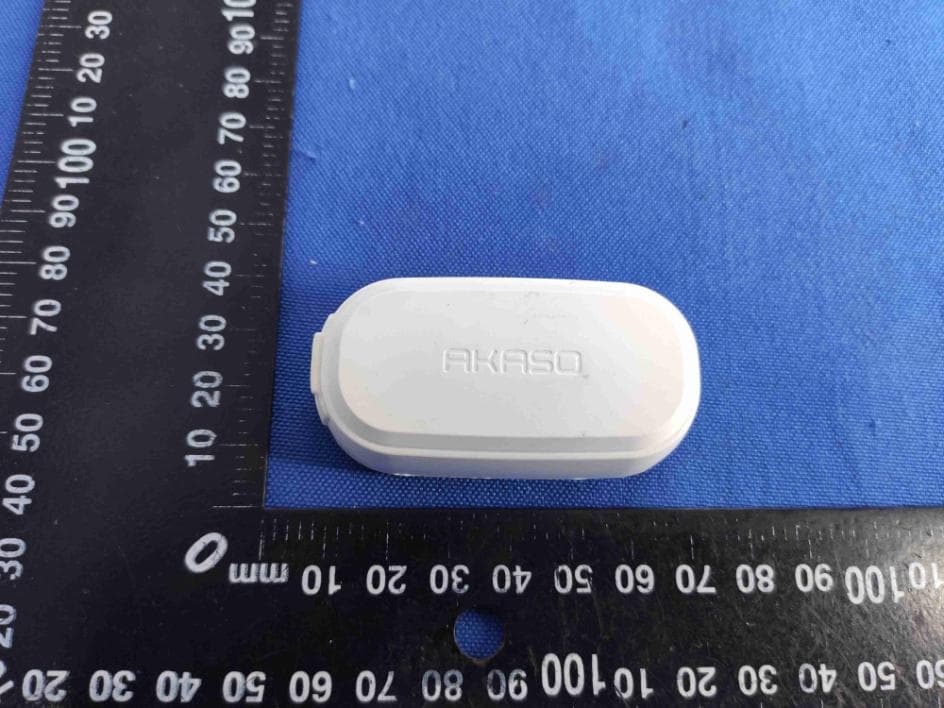
2ASV5-KEYCHAIN
Dec 16, 2020Action Camera
Equipment Class
DTS - Digital Transmission System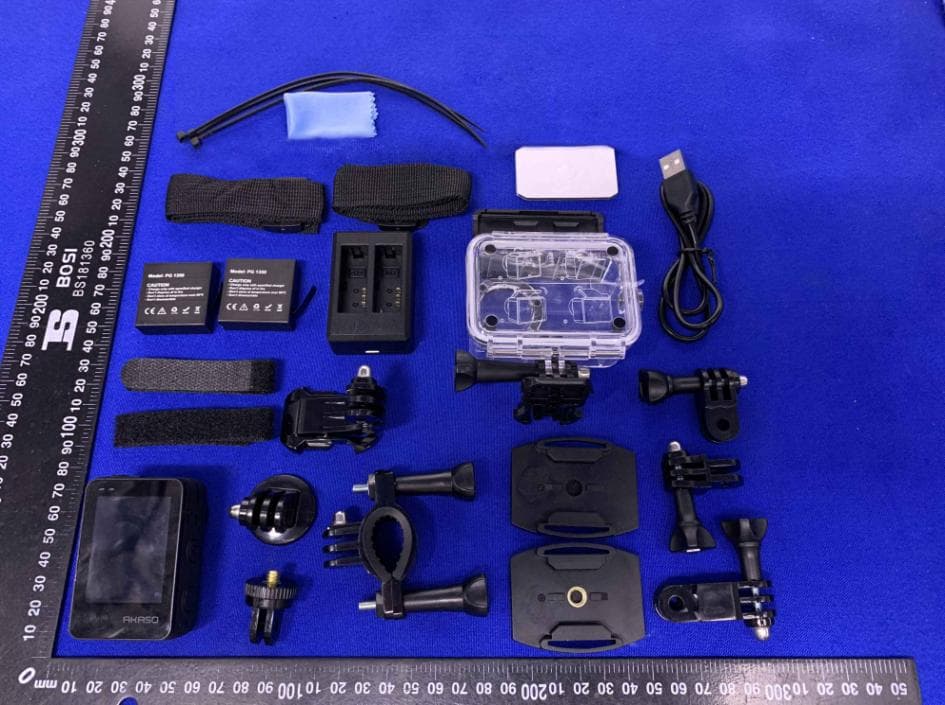
2ASV5-ATC001
Jul 26, 2020Action Camera
Equipment Class
DTS - Digital Transmission System