2AUOUC6Smartphone with BT, WIFI, GSM, WCDMA, LTE and NFC
Rhino Mobility LLC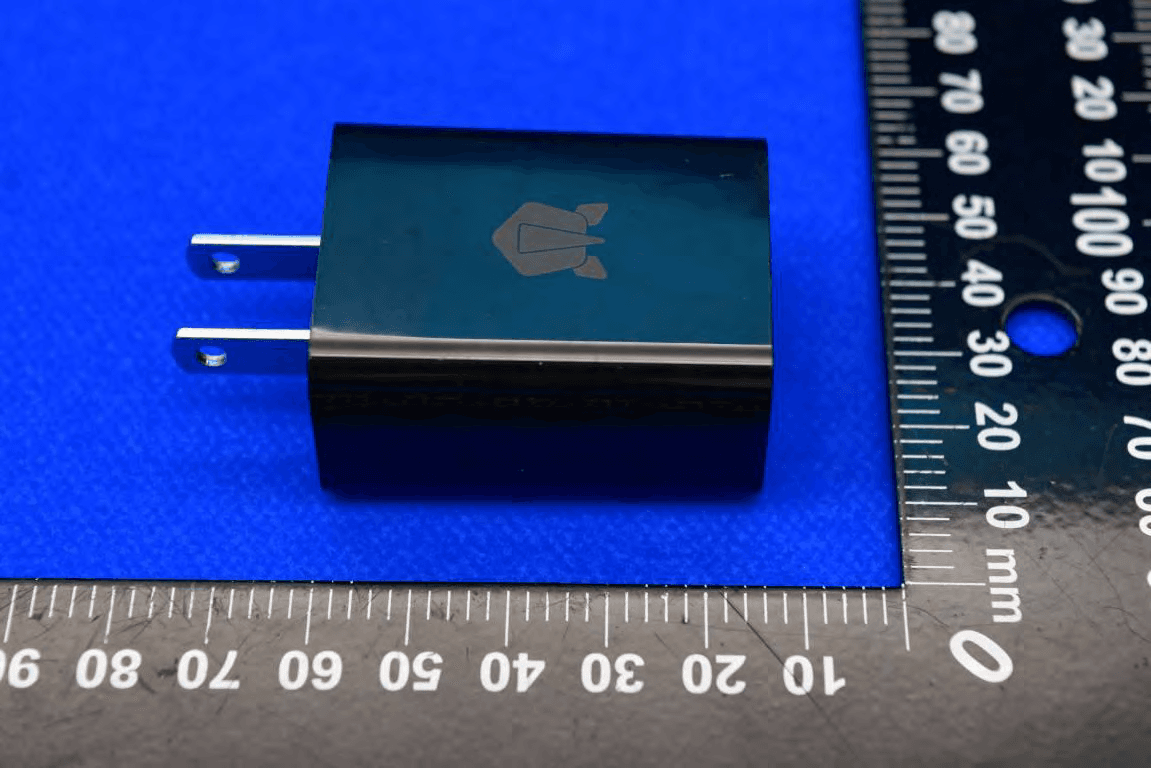
Click to zoom
Application Details
- Equipment Class
- DSS - Part 15 Spread Spectrum Transmitter
- Date of Grant
- Jul 08, 2023
- Application Purpose
- Original Equipment
- Date of Application
- Jul 04, 2023
- Equipment Note
- Smartphone with BT, WIFI, GSM, WCDMA, LTE and NFC
- Frequency Range
- 2402.00000000 - 2480.00000000
- Company
- Rhino Mobility LLC
- Country
- United States
Documents & Files
Document Text
Text extracted from the exhibit documents filed with the FCC. Open a document above to read the original.
Users Manual
1 C6 User Manual 2 Product Overview Front View 3 Back View 4 Assembling MicroSD Card (if applicable) 1. Pull out the card holder on the left side of the phone. 2. Put the microSD card into the microSD card slot of the card tray, and then push the card tray into the phone. Assembling SIM Card (if applicable) 1. Pull out the card holder on the left side of the phone. 2. Put the SIM card into the SIM card slot of the card tray, and then push the card tray into the phone. Assembling Battery This device has a Non-removable battery,Do not attempt to remove the battery or try to disassemble the smartphone as this could result in personal injury. 5 Getting Started Turning Phone On/Off To turn on phone 1. Press and hold the power key for a few seconds until you see the RHINO welcome screen. To turn off phone 1. Press and hold the power key and volume up 2. Select Power Off. Unlocking the Screen The screen is locked by default when you turn on the phone. To unlock the screen- 1. Press the power key. 2. Place finger on center of screen and swipe up. 3. If you previously set up an unlock security option, draw a pattern, use your fingerprint, or enter PIN. 6 Locking the Screen To lock the screen, press the power key. Note: It is recommended to lock the screen to protect your information and reduce battery usage. You can set up your phone to automatically lock after a certain period of time. To do so, press finger on bottom-center of screen, and swipe up to open All Apps. Tap Settings → Display → Screen timeout. Fingerprint Sensor Security Option To set up the Fingerprint Security Option, press finger on bottom-center of screen, and swipe up to open All Apps. Tap Settings → Security → Fingerprint and follow the on-screen instructions. Note: After setting up the fingerprint option, please allow the phone display to go to sleep naturally (default is 1 minute) before the first use. This process must be followed every time a fingerprint is changed. Using Touch Screen All of the functions of the phone, except for power and volume, are performed on the touch screen. The following finger actions may help you easily understand how to use the touch screen. 7 Tap: With your finger, touch an item (ie: application or widget) to run it, or access a menu or option. Double tap: Tap an item twice with your finger. Drag: Tap and hold your finger on an item, then slide it without losing contact with the screen. Swipe: Place your finger on an empty space of the screen and move the screen up or down or left or right. Pinch: Place two fingers on the screen and move them apart to zoom into a picture, document or webpage; or move them together to zoom out. Select and tap: Tap an item in the list of options available. Press and hold: Press a key or any item for a few seconds until a list of options appears. Cautions: Do not use sharp tools that can scratch the touch screen. 8 Key Functions Back Key Tap to return to the previous screen and exit the running application. Tap to close the on-screen keyboard in text input mode. Home Key Tap to return to the main screen. Tap and hold to open the Google search. Recent Apps Key Tap to open the applications list used recently. Screen Orientation For optimal viewing experience, the screen orientation changes automatically depending on how you hold the phone. 9 Note: To enable or disable auto-rotate, place finger on top-center of screen, and slide down to view Status and Notification panel, then tap the Auto-rotate icon. Status Bar The Status bar at the top of the screen includes notifications from various apps, current time, and the states of various items such as battery status, WLAN status, Signal status, and so on. 10 Status and Notification Panel The Status panel displays status icons to show the current state of your phone, such as battery charging progress, alarms, Bluetooth, and so on. The Notification panel displays notification icons to inform you of new email, messages, and so on. To view both panels, place finger on top-center of screen, and slide down, then tap an icon to view details. 11 Apps and Widgets Apps: Software that allows you to perform a specific task. Your phone is preloaded with a variety of applications, and additional applications can be downloaded from the Play Store. Widgets: A small application which resides on the home screen and provides quick and easy access to information. Connecting to The Internet Using Wi-Fi Note: The range and quality of the WiFi signal is affected by the distance between the phone and the wireless router, the number of connected devices, infrastructure, and objects through which the signal is transmitted. 1. Press finger on bottom-center of screen and swipe up to open All Apps. 2. Tap Settings → Network & internet → Internet →Wi-Fi. 3. Drag the slider to the On position. 4. Phone will scan for WLAN networks in range. 5. Tap the network you want to connect to. 6. Type a password (if connecting to a secure network). 12 7. Tap Connect to connect to the selected WiFi network. Connecting to The Internet Using Mobile Broadband 1. Press finger on bottom-center of screen and swipe up to open All Apps. 2. Tap Settings → Network & internet → Internet→Wi-Fi. 3. Drag the slider to the Off position. 4. The phone will search for the carrier signal and connect to the network. When the phone is connected to a mobile broadband network, the network type appears in the status bar. Note: On the LTE/HSPA+ models, if both WiFi and mobile broadband networks are available, the phone gives priority to WiFi connection. Phone Maintenance/Safety The following list shows how to maintain your phone, together with precautions to take. Keep your phone and its accessories out of the reach of pets. If children use the phone, make sure that they use it properly. 13 Maintain your phone in dry conditions and keep it within normal operating temperatures. Do not try to dry your phone in a microwave oven. If you do, sparks can occur and cause …
Text truncated - open the document above for the full version.
Attestation Statements
Rhino Mobility LLC To: Federal Communications Commission Date: 2023/06/26 7435 Oakland Mills Road Columbia, MD 21046 USA Attestation Certification designating a U.S. Agent for Service of Process Section 2.911(d)(7) (KDB 986446 D01 Covered Equipment) Rhino Mobility LLC as required by section 2.911(d)(7), designate below contact located in the United States for purposes of acting as the applicant’s agent for service of process. The applicant also acceptance to maintain an agent for no less than one year after the grantee has terminated all marketing and importation or the conclusion of any Commission-related proceeding involving the equipment. Type of Equipment subject to FCC Certification: Smartphone FCC ID: 2AUOUC6 FRN: 0028837490 Sincerely yours, Applicant/Grantee US Agent _________________ ___________________ (Signature) (Signature) Rhino Mobility LLC Rhino Mobility LLC RP Gill RP Gill Director Director [email protected] [email protected] 8 The Green, Suite A, Dover, Delaware,19901, USA
Attestation Statements
Rhino Mobility LLC To: Federal Communications Commission Date: 2023/06/26 7435 Oakland Mills Road Columbia, MD 21046 USA Attestation Section 2.911(d)(5)(ii) (KDB 986446 D01 Covered Equipment) Rhino Mobility LLC (“the applicant”) certifies that the equipment for which authorization is sought is not “covered” equipment prohibited from receiving an equipment authorization pursuant to section 2.903 of the FCC rules. Rhino Mobility LLC (“the applicant”) certifies that, as of the date of the filing of the application, the applicant is not identified on the Covered List as an entity producing “covered” equipment. Type of Equipment subject to FCC Certification: FCC ID: 2AUOUC6 If you have any questions, please feel free to contact me Contact Person: RP Gill Position in the Company: Director Date of Signature: 2023-06-26 ___________________________ Signatory (signature of the applicant)
Cover Letter(s)
Rhino Mobility LLC UNII Declaration Letter We have declared below featured for FCC equipment authorization, device FCC ID: 2AUOUC6 (1) DFS Device -- Master, Client with Radar detection capability , Client without radar detection capability, N/A (2) Active / Passive Scanning , adhoc mode access point capability Frequency Band (MHz) Active Scanning (the device can transmit a probe (beacon)) Passive scanning (where the device is can listen only with no probes) Ad Hoc Mode capability Access point capability 2412 – 2462 MHz Yes, No Yes, No Yes, No Yes, No 2422 – 2452 MHz Yes, No Yes, No Yes, No Yes, No 5745 – 5825 MHz Yes, No Yes, No Yes, No Yes, No 5755 – 5795 MHz Yes, No Yes, No Yes, No Yes, No 5180 – 5240 MHz Yes, No Yes, No Yes, No Yes, No 5190 – 5230 MHz Yes, No Yes, No Yes, No Yes, No 5260 – 5320 MHz Yes, No Yes, No Yes, No Yes, No 5270 – 5310 MHz Yes, No Yes, No Yes, No Yes, No 5500 – 5700 MHz Yes, No Yes, No Yes, No Yes, No 5510 – 5670 MHz Yes, No Yes, No Yes, No Yes, No (3) Country code selection ability - Yes , No If no, pls explain how was implemented : Country is selected as US by default and user can not change the country code. (4) Meet 15.202 requirement - Yes , No , pls check below : A master device is defined as a device operating in a mode in which it has the capability to transmit without receiving an enabling signal. In this mode it is able to select a channel and initiate a network by sending enabling signals to other devices A client device is defined as a device operating in a mode in which the transmissions of the device are under control of the master. A device in client mode is not able to initiate a network. (5) For client devices that have software configuration control to operate in different modes (active scanning in some and passive scanning in others) in different bands (devices with multiple equipment classes or those that operate on non-DFS frequencies) or modular devices which configure the modes of operations through software, the application must provide software and operations description on how the software and / or hardware is implemented to ensure that proper operations modes can not be modified by end user or an installer. Apply , No Apply , (If apply , pls help to provide explanation on how it was implement (By hardware or software , and how software was controlled) The device configuration can not be modified by user as program is not exposed to user by any means. Hardware does not allow USB connection for user which is must to change the configuration. If you have any questions, please feel free to contact me at the address shown below. Signatory: Contact name: RP Gill Title: Director Tel: 3054962132 Email: [email protected] Company name: Rhino Mobility LLC
Cover Letter(s)
Rhino Mobility LLC Date: 2023/06/26 To: Federal Communications Commission, Authorization & Evaluation Division, 7435 Oakland Mills Road, Columbia, MD 21046 Re: Request of Confidentiality for FCC ID: 2AUOUC6 To Whom it may concern: Pursuant to sections 0.457 and 0.459 of Commission’s Rules (CFR 47), and Section 552(b)(4) of the Freedom of Information Act, Rhino Mobility LLC hereby requests confidentiality and treatment of certain information accompanying this application. The materials contain trade secrets and proprietary information not customarily released to the public. The public disclosure of these matters might be harmful to the Applicant and provide unjustified benefits to its competitors. We are also hereby request Short-Term Confidentiality for 180 days from grant date as outlined in Public Notice DA04-1705. This provision will give Rhino Mobility LLC temporary confidentiality of commercially sensitive information prior to product release. The requested Permanent and Short-Term Confidential exhibits are listed as follows: PERMANENT AND SHORT-TERM CONFIDENTIAL LIST Exhibit Description PERMANENT 1 Block Diagram 2 Operational Description 3 Schematics 4 BOM 5 Tune up procedure SHORT-TERM 6 External Photos 7 Internal Photos 8 Test-Setup Photos 9 User Manual The Applicant understands that pursuant to Rule 0.457, disclosure of this application and all accompanying documentations, where applicable, will not be made public before the date of the Grant for this application. Signatory: Contact name: RP Gill Title: Director Tel: 3054962132 Email: [email protected] Company name: Rhino Mobility LLC
Cover Letter(s)
Rhino Mobility LLC Federal Communications Commission Office of Engineering and Technology Laboratory Division 7435 Oakland Mills Rd. Columbia MD 21046 Attn: Office of Engineering and Technology FCC ID: 2AUOUC6 To whom it may concern: Rhino Mobility LLC hereby declares that the MIF values detailed below are based on worst case operating modes for all air interfaces for which the HAC M-rating is provided based on the current methodology ANSI C63.19 2011 with pre-determined MIF values which provided by Speag. UID Communication System Name MIF(dB) 10021 GSM-FDD(TDMA,GMSK) 3.63 10025 EDGE-FDD (TDMA, 8PSK, TN 0) 3.75 10460 UMTS-FDD(WCDMA, AMR) -25.43 10225 UMTS-FDD (HSPA+) -20.39 10169 LTE-FDD(SC-FDMA,1RB,20MHz,QPSK) -15.63 10170 LTE-FDD(SC-FDMA,1RB,20MHz,16-QAM) -9.76 10181 LTE-FDD(SC-FDMA,1RB,15MHz,QPSK) -15.63 10175 LTE-FDD(SC-FDMA,1RB,10MHz,QPSK) -15.63 UID Communication System Name MIF(dB) 10177 LTE-FDD(SC-FDMA,1RB,5MHz,QPSK) -15.63 10184 LTE-FDD(SC-FDMA,1RB,3MHz,QPSK) -15.62 Rhino Mobility LLC 10187 LTE-FDD(SC-FDMA,1RB,1.4MHz,QPSK) -15.62 10172 LTE-TDD (SC-FDMA, 1 RB, 20 MHz, QPSK) -1.62 10173 LTE-TDD (SC-FDMA, 1 RB, 20 MHz, 16-QAM) -1.44 10240 LTE-TDD (SC-FDMA, 1 RB, 15 MHz, QPSK) -1.62 10237 LTE-TDD (SC-FDMA, 1 RB, 10 MHz, QPSK) -1.62 10234 LTE-TDD (SC-FDMA, 1 RB, 5 MHz, QPSK) -1.62 10231 LTE-TDD (SC-FDMA, 1 RB, 3 MHz, QPSK) -1.62 10228 LTE-TDD (SC-FDMA, 1 RB, 1.4 MHz, QPSK) -1.62 10061 IEEE 802.11b WiFi 2.4 GHz (DSSS, 11 Mbps) -2.02 10077 IEEE 802.11g WiFi 2.4 GHz (DSSS/OFDM, 54 Mbps) 0.12 10427 IEEE 802.11n (HT Greeneld, 150 Mbps, 64-QAM) -13.44 10069 IEEE 802.11a/n WiFi 5 GHz (OFDM, 54 Mbps) -3.15 10616 IEEE 802.11ac WiFi (40MHz, MCS0, 90pc duty cycle) -5.57 Sincerely, Signature Date: 2023-06-26
External Photos
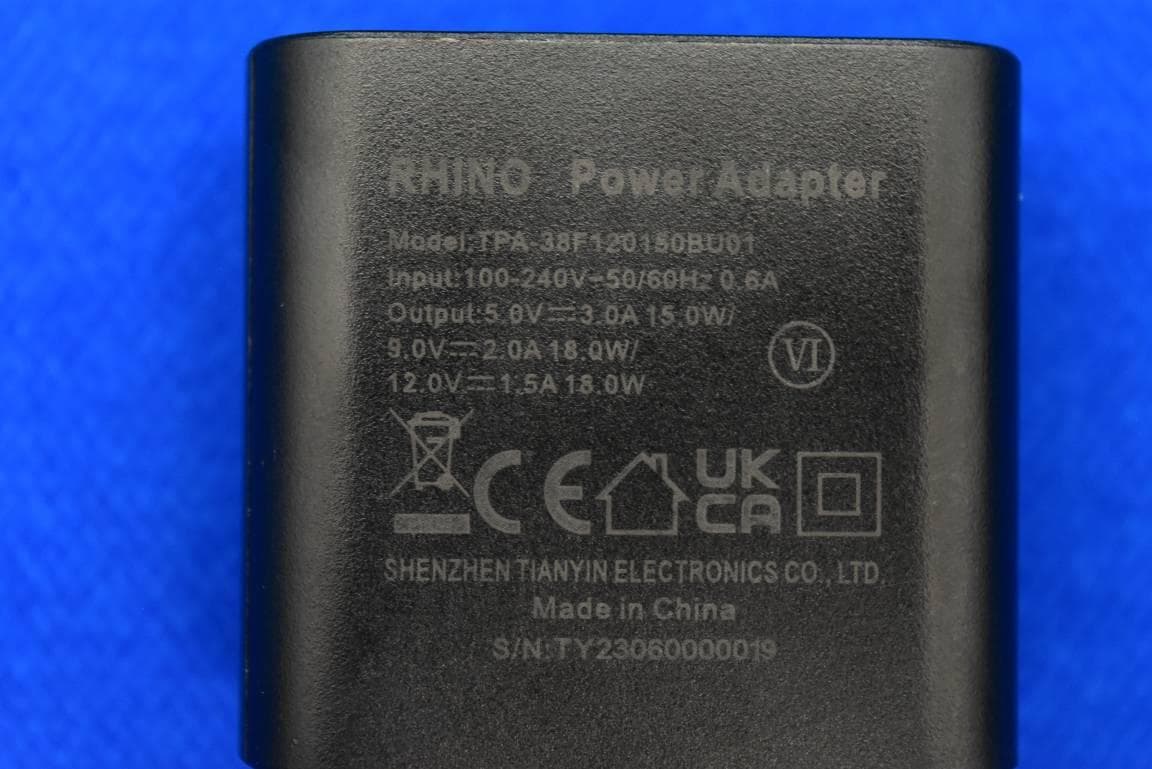
FCC ID: 2AUOUC6 External Photos 1.EUT front view 2.EUT rear view 3.EUT left side view 4.EUT right side view 5.EUT top view 6.EUT bottom view 7.Accessories
ID Label/Location Info
1、 Label 2、 Label location(on the back)
Internal Photos
FCC ID: 2AUOUC6 Internal Photos 1. EUT uncover view 2. Antenna view NFC Antenna WWAN Main Antenna WWAN Aux Antenna BT/2.4G WIFI/5G WIFI Antenna
RF Exposure Info
MORLAB Shenzhen Morlab Communications Technology Co., Ltd. FL.1-3, Building A, FeiYang Science Park, No.8 LongChang Road, Block67, BaoAn District, ShenZhen , GuangDong Province, P. R. China Tel: 86-755-36698555 Fax: 86-755-36698525 Http://www.morlab.cn E-mail: [email protected] REPORT No.:SZ23020326S01 Annex C Plots of System Performance Check Test Laboratory: Shenzhen Morlab Communications Technology Co., Ltd. Date: 2023.4.30 System Check_750MHz_Head Communication System: UID 0, CW (0); Frequency: 750 MHz;Duty Cycle: 1:1 Medium: HSL_750 Medium parameters used: f = 750 MHz; σ = 0.917 S/m; ε r = 42.238; ρ = 1000 kg/m 3 Ambient Temperature:23.2 °C; Liquid Temperature:22.1 °C DASY5 Configuration: - Probe: EX3DV4 - SN7608; ConvF(10.45, 10.45, 10.45) @ 750 MHz; Calibrated: 2023.3.15 - Sensor-Surface: 2mm (Mechanical Surface Detection) - Electronics: DAE4 Sn480; Calibrated: 2022.6.22 - Phantom: SAM 2; Type: QD000P40CC; Serial: TP:1464 - Measurement SW: DASY52, Version 52.10 (4); SEMCAD X Version 14.6.14 (7501) CW750/Area Scan (81x81x1): Interpolated grid: dx=1.500 mm, dy=1.500 mm Maximum value of SAR (interpolated) = 2.43 W/kg CW750/Zoom Scan (5x5x7)/Cube 0: Measurement grid: dx=8mm, dy=8mm, dz=5mm Reference Value = 51.31 V/m; Power Drift = 0.04 dB Peak SAR (extrapolated) = 3.41 W/kg SAR(1 g) = 2.24 W /kg; SAR(10 g) = 1. 49 W/kg Maximum value of SAR (measured) = 2.43 W/kg 0 dB = 2.43 W/kg MORLAB Shenzhen Morlab Communications Technology Co., Ltd. FL.1-3, Building A, FeiYang Science Park, No.8 LongChang Road, Block67, BaoAn District, ShenZhen, GuangDong Province, P. R. China Tel: 86-755-36698555 Fax: 86-755-36698525 Http://www.morlab.cn E-mail: [email protected] REPORT No.:SZ23020326S01 Test Laboratory: Shenzhen Morlab Communications Technology Co., Ltd. Date: 2023.5.5 System Check_900MHz_Head Communication System: UID 0, CW (0); Frequency: 900 MHz;Duty Cycle: 1:1 Medium: HSL_900 Medium parameters used: f = 900 MHz; σ = 0.953 S/m; ε r = 42.276; ρ = 1000 kg/m 3 Ambient Temperature:23.2 °C; Liquid Temperature:22.2 °C DASY5 Configuration: - Probe: EX3DV4 - SN7608; ConvF(10, 10, 10) @ 900 MHz; Calibrated: 2023.3.15 - Sensor-Surface: 2mm (Mechanical Surface Detection) - Electronics: DAE4 Sn480; Calibrated: 2022.6.22 - Phantom: SAM 2; Type: QD000P40CC; Serial: TP:1464 - Measurement SW: DASY52, Version 52.10 (4); SEMCAD X Version 14.6.14 (7501) CW900/Area Scan (71x71x1): Interpolated grid: dx=1.500 mm, dy=1.500 mm Maximum value of SAR (interpolated) = 1.84 W/kg CW900/Zoom Scan (5x5x7)/Cube 0: Measurement grid: dx=8mm, dy=8mm, dz=5mm Reference Value = 43.63 V/m; Power Drift = -0.04 dB Peak SAR (extrapolated) = 2.51 W/kg SAR(1 g) = 2.82 W/kg; SAR(10 g) = 1.85 W/kg Maximum value of SAR (measured) = 1.79 W/kg 0 dB = 1.79 W/kg MORLAB Shenzhen Morlab Communications Technology Co., Ltd. FL.1-3, Building A, FeiYang Science Park, No.8 LongChang Road, Block67, BaoAn District, ShenZhen, GuangDong Province, P. R. China Tel: 86-755-36698555 Fax: 86-755-36698525 Http://www.morlab.cn E-mail: [email protected] REPORT No.:SZ23020326S01 Test Laboratory: Shenzhen Morlab Communications Technology Co., Ltd. Date: 2023.4.25 System Check_1800MHz_Head Communication System: UID 0, CW (0); Frequency: 1800 MHz;Duty Cycle: 1:1 Medium: HSL_1800 Medium parameters used: f = 1800 MHz; σ = 1.367 S/m; ε r = 39.92; ρ = 1000 kg/m 3 Ambient Temperature:23.2 °C; Liquid Temperature:22.1 °C DASY5 Configuration: - Probe: EX3DV4 - SN7608; ConvF(8.4, 8.4, 8.4) @ 1800 MHz; Calibrated: 2023.3.15 - Sensor-Surface: 2mm (Mechanical Surface Detection) - Electronics: DAE4 Sn480; Calibrated: 2022.6.22 - Phantom: SAM 2; Type: QD000P40CC; Serial: TP:1464 - Measurement SW: DASY52, Version 52.10 (4); SEMCAD X Version 14.6.14 (7501) CW1800/Area Scan (81x81x1): Interpolated grid: dx=1.500 mm, dy=1.500 mm Maximum value of SAR (interpolated) = 7.78 W/kg CW1800/Zoom Scan (5x5x7)/Cube 0: Measurement grid: dx=8mm, dy=8mm, dz=5mm Reference Value = 72.68 V/m; Power Drift = -0.11 dB Peak SAR (extrapolated) = 12.5 W/kg SAR(1 g) = 9.77 W/kg; SAR(10 g) = 5.14 W/kg Maximum value of SAR (measured) = 7.55 W/kg 0 dB = 7.55 W/kg MORLAB Shenzhen Morlab Communications Technology Co., Ltd. FL.1-3, Building A, FeiYang Science Park, No.8 LongChang Road, Block67, BaoAn District, ShenZhen, GuangDong Province, P. R. China Tel: 86-755-36698555 Fax: 86-755-36698525 Http://www.morlab.cn E-mail: [email protected] REPORT No.:SZ23020326S01 Test Laboratory: Shenzhen Morlab Communications Technology Co., Ltd. Date: 2023.5.8 System Check_2000MHz_Head Communication System: UID 0, CW (0); Frequency: 2000 MHz;Duty Cycle: 1:1 Medium: HSL_2000 Medium parameters used: f = 2000 MHz; σ = 1.404 S/m; ε r = 39.639; ρ = 1000 kg/m 3 Ambient Temperature:23.2 °C; Liquid Temperature:22.3 °C DASY5 Configuration: - Probe: EX3DV4 - SN7608; ConvF(8.13, 8.13, 8.13) @ 2000 MHz; Calibrated: 2023.3.15 - Sensor-Surface: 2mm (Mechanical Surface Detection) - Electronics: DAE4 Sn480; Calibrated: 2022.6.22 - Phantom: SAM 2; Type: QD000P40CC; Serial: TP:1464 - Measurement SW: DASY52, Version 52.10 (4); SEMCAD X Version 14.6.14 (7501) CW2000/Area Scan (81x81x1): Interpolated grid: dx=1.500 mm, dy=1.500 mm Maximum value of SAR (interpolated) = 7.98 W/kg CW2000/Zoom Scan (5x5x7)/Cube 0: Measurement grid: dx=8mm, dy=8mm, dz=5mm Reference Value = 75.51 V/m; Power Drift = -0.18 dB Peak SAR (extrapolated) = 13.3 W/kg SAR(1 g) = 10.27 W/kg; SAR(10 g) = 5.31 W/kg Maximum value of SAR (measured) = 7.89 W/kg 0 dB = 7.89 W/kg MORLAB Shenzhen Morlab Communications Technology Co., Ltd. FL.1-3, Building A, FeiYang Science Park, No.8 LongChang Road, Block67, BaoAn District, ShenZhen, GuangDong Province, P. R. China Tel: 86-755-36698555 Fax: 86-755-36698525 Http://www.morlab.cn E-mail: [email protected] REPORT No.:SZ23020326S01 Test Laboratory: Shenzhen Morlab Communications Technology Co., Ltd. Date: 2023.5.11 System Check_2300MHz_Head Communication System: UID 0, CW (0); Frequency: 2300 MHz;Duty Cycle: 1:1 Medium: HSL_2300 Medium par…
Text truncated - open the document above for the full version.
RF Exposure Info
MORLAB Shenzhen Morlab Communications Technology Co., Ltd. FL.1-3, Building A, FeiYang Science Park, No.8 LongChang Road, Block67, BaoAn District, ShenZhen , GuangDong Province, P. R. China Tel: 86-755-36698555 Fax: 86-755-36698525 Http://www.morlab.cn E-mail: [email protected] REPORT No.:SZ23020326S01 Annex D Plots of Maximum SAR Test Results Test Laboratory: Shenzhen Morlab Communications Technology Co., Ltd. Date: 2023.5.5 GSM850_GPRS(2 TX slots)_Right Cheek_Ch189 Communication System: UID 0, GSM850(class 10) (0); Frequency: 836.4 MHz;Duty Cycle: 1:4.15 Medium: HSL_900 Medium parameters used: f = 836.4 MHz; σ = 0.945 S/m; ε r = 42.728; ρ = 1000 kg/m 3 Ambient Temperature:23.2 °C; Liquid Temperature: 22.2 °C DASY5 Configuration: - Probe: EX3DV4 - SN7608; ConvF(10.45, 10.45, 10.45) @ 836.4 MHz; Calibrated: 2023.3.15 - Sensor-Surface: 2mm (Mechanical Surface Detection) - Electronics: DAE4 Sn480; Calibrated: 2022.6.22 - Phantom: SAM 2; Type: QD000P40CC; Serial: TP:1464 - Measurement SW: DASY52, Version 52.10 (4); SEMCAD X Version 14.6.14 (7501) Ch189/Area Scan (71x81x1): Interpolated grid: dx=1.500 mm, dy=1.500 mm Maximum value of SAR (interpolated) = 0.635 W/kg Ch189/Zoom Scan (5x5x7)/Cube 0: Measurement grid: dx=8mm, dy=8mm, dz=5mm Reference Value = 4.163 V/m; Power Drift = 0.07 dB Peak SAR (extrapolated) = 0.655 W/kg SAR(1 g) = 0.500 W/kg; SAR(10 g) = 0.377 W/kg Maximum value of SAR (measured) = 0.569 W/kg 0 dB = 0.569 W/kg MORLAB Shenzhen Morlab Communications Technology Co., Ltd. FL.1-3, Building A, FeiYang Science Park, No.8 LongChang Road, Block67, BaoAn District, ShenZhen, GuangDong Province, P. R. China Tel: 86-755-36698555 Fax: 86-755-36698525 Http://www.morlab.cn E-mail: [email protected] REPORT No.:SZ23020326S01 Test Laboratory: Shenzhen Morlab Communications Technology Co., Ltd. Date: 2023.4.25 GSM1900_GPRS(2 TX slots)_Right Cheek_Ch661 Communication System: UID 0, PCS1900(Class 10) (0); Frequency: 1880 MHz;Duty Cycle: 1:4.15 Medium: HSL_1900 Medium parameters used: f = 1880 MHz; σ = 1.373 S/m; ε r = 39.767; ρ = 1000 kg/m 3 Ambient Temperature:23.2 °C; Liquid Temperature:22.1 °C DASY5 Configuration: - Probe: EX3DV4 - SN7608; ConvF(8.11, 8.11, 8.11) @ 1880 MHz; Calibrated: 2023.3.15 - Sensor-Surface: 2mm (Mechanical Surface Detection) - Electronics: DAE4 Sn480; Calibrated: 2022.6.22 - Phantom: SAM 2; Type: QD000P40CC; Serial: TP:1464 - Measurement SW: DASY52, Version 52.10 (4); SEMCAD X Version 14.6.14 (7501) Ch661/Area Scan (71x81x1): Interpolated grid: dx=1.500 mm, dy=1.500 mm Maximum value of SAR (interpolated) = 0.235 W/kg Ch661/Zoom Scan (5x5x7)/Cube 0: Measurement grid: dx=8mm, dy=8mm, dz=5mm Reference Value = 5.323 V/m; Power Drift = -0.02 dB Peak SAR (extrapolated) = 0.229 W/kg SAR(1 g) = 0.143 W/kg; SAR(10 g) = 0.088 W/kg Maximum value of SAR (measured) = 0.180 W/kg 0 dB = 0.180 W/kg MORLAB Shenzhen Morlab Communications Technology Co., Ltd. FL.1-3, Building A, FeiYang Science Park, No.8 LongChang Road, Block67, BaoAn District, ShenZhen, GuangDong Province, P. R. China Tel: 86-755-36698555 Fax: 86-755-36698525 Http://www.morlab.cn E-mail: [email protected] REPORT No.:SZ23020326S01 Test Laboratory: Shenzhen Morlab Communications Technology Co., Ltd. Date: 2023.4.25 WCDMA Band II_RMC 12.2Kbps_Right Cheek_Ch9400 Communication System: UID 0, UMTS-FDD (0); Frequency: 1880 MHz;Duty Cycle: 1:1 Medium: HSL_1900 Medium parameters used: f = 1880 MHz; σ = 1.373 S/m; ε r = 39.767; ρ = 1000 kg/m 3 Ambient Temperature:23.2 °C; Liquid Temperature:22.1 °C DASY5 Configuration: - Probe: EX3DV4 - SN7608; ConvF(8.11, 8.11, 8.11) @ 1880 MHz; Calibrated: 2023.3.15 - Sensor-Surface: 2mm (Mechanical Surface Detection) - Electronics: DAE4 Sn480; Calibrated: 2022.6.22 - Phantom: SAM 2; Type: QD000P40CC; Serial: TP:1464 - Measurement SW: DASY52, Version 52.10 (4); SEMCAD X Version 14.6.14 (7501) Ch9400/Area Scan (71x81x1): Interpolated grid: dx=1.500 mm, dy=1.500 mm Maximum value of SAR (interpolated) = 0.111 W/kg Ch9400/Zoom Scan (5x5x7)/Cube 0: Measurement grid: dx=8mm, dy=8mm, dz=5mm Reference Value = 4.230 V/m; Power Drift = 0.04 dB Peak SAR (extrapolated) = 0.115 W/kg SAR(1 g) = 0.070 W/kg; SAR(10 g) = 0.043 W/kg Maximum value of SAR (measured) = 0.0908 W/kg 0 dB = 0.0908 W/kg MORLAB Shenzhen Morlab Communications Technology Co., Ltd. FL.1-3, Building A, FeiYang Science Park, No.8 LongChang Road, Block67, BaoAn District, ShenZhen, GuangDong Province, P. R. China Tel: 86-755-36698555 Fax: 86-755-36698525 Http://www.morlab.cn E-mail: [email protected] REPORT No.:SZ23020326S01 Test Laboratory: Shenzhen Morlab Communications Technology Co., Ltd. Date: 2023.4.25 WCDMA Band IV_RMC 12.2Kbps_Right Cheek_Ch1413 Communication System: UID 0, UMTS-FDD (0); Frequency: 1732.6 MHz;Duty Cycle: 1:1 Medium: HSL_1800 Medium parameters used: f = 1733 MHz; σ = 1.39 S/m; ε r = 39.364; ρ = 1000 kg/m 3 Ambient Temperature:23.2 °C; Liquid Temperature:22.1 °C DASY5 Configuration: - Probe: EX3DV4 - SN7608; ConvF(8.4, 8.4, 8.4) @ 1733 MHz; Calibrated: 2023.3.15 - Sensor-Surface: 2mm (Mechanical Surface Detection) - Electronics: DAE4 Sn480; Calibrated: 2022.6.22 - Phantom: SAM 2; Type: QD000P40CC; Serial: TP:1464 - Measurement SW: DASY52, Version 52.10 (4); SEMCAD X Version 14.6.14 (7501) Ch1413/Area Scan (71x81x1): Interpolated grid: dx=1.500 mm, dy=1.500 mm Maximum value of SAR (interpolated) = 0.177 W/kg Ch1413/Zoom Scan (5x5x7)/Cube 0: Measurement grid: dx=8mm, dy=8mm, dz=5mm Reference Value = 3.862 V/m; Power Drift = -0.14 dB Peak SAR (extrapolated) = 0.185 W/kg SAR(1 g) = 0.118 W/kg; SAR(10 g) = 0.072 W/kg Maximum value of SAR (measured) = 0.148 W/kg 0 dB = 0.148 W/kg MORLAB Shenzhen Morlab Communications Technology Co., Ltd. FL.1-3, Building A, FeiYang Science Park, No.8 LongChang Road, Block67, BaoAn District, ShenZhen, GuangDong Province, P. R. China Tel: 86-755-36698555 Fax: 86-755-36698525 Http://www.morlab.cn E-mail: [email protected] REPORT No.:SZ23020326S01 Test Laboratory: Shenzhen Morlab Communications…
Text truncated - open the document above for the full version.
RF Exposure Info
MORLAB Shenzhen Morlab Communications Technology Co., Ltd. FL.1-3, Building A, FeiYang Science Park, No.8 LongChang Road, Block67, BaoAn District, ShenZhen , GuangDong Province, P. R. China Tel: 86-755-36698555 Fax: 86-755-36698525 Http://www.morlab.cn E-mail: [email protected] REPORT No.:SZ23020326S01 Annex E Conducted Power Note: Conducted power unit: dBm The target power was recorded in the manufacture document. 128189251128189251 824.2836.4848.8824.2836.4848.8 32.2832.3032.2533.0023.2823.3023.2524.00 32.2432.2832.2233.0023.2423.2823.2224.00 29.5129.5629.5230.5023.5123.5623.5224.500.05 26.5726.5926.5227.5022.3122.3322.2623.240.07 24.5424.5724.5525.5021.5421.5721.5522.500.03 26.3626.4226.3927.0017.3617.4217.3918.000.06 24.1524.2124.1825.0018.1518.2118.1819.000.06 22.0722.0922.1023.0017.8117.8317.8418.740.03 20.0220.0520.0421.0017.0217.0517.0418.000.03 Max.32.30Max.23.56 512661810512661810 1850.218801909.81850.218801909.8 29.3129.3529.3330.0020.3120.3520.3321.00 29.3029.3329.3130.0020.3020.3320.3121.00 28.1828.2228.1529.0022.1822.2222.1523.000.07 26.1326.2026.1727.0021.8721.9421.9122.740.07 24.2224.2624.1925.0021.2221.2621.1922.000.07 25.1625.2425.1826.0016.1616.2416.1817.000.08 24.3324.4124.3625.0018.3318.4118.3619.000.08 22.1022.1522.1323.0017.8417.8917.8718.740.05 20.2020.2820.2421.0017.2017.2817.2418.000.08 Max.29.35Max.22.22 926294009538131214131513413241824233 1852.418801907.61712.41732.61752.6826.4836.4846.6 3GPP Rel 99RMC 12.2Kbps23.4623.4823.4524.0023.5123.5723.5524.0023.2523.3223.2924.00 3GPP Rel 6HSDPA Subtest-122.2922.1722.1223.0022.5422.6022.6423.5022.2522.1122.2423.00 3GPP Rel 6HSDPA Subtest-222.3022.1922.0623.0022.6422.5722.6823.5022.2922.1822.1923.00 3GPP Rel 6HSDPA Subtest-321.8221.6421.5422.5022.2121.9922.1423.0021.7221.6121.6622.50 3GPP Rel 6HSDPA Subtest-421.8221.6821.5122.5022.2421.9422.1323.0021.7321.5821.6922.50 3GPP Rel 8DC-HSDPA Subtest-122.1922.1522.1623.0022.5122.4822.6223.5022.3622.0222.3623.00 3GPP Rel 8DC-HSDPA Subtest-222.4222.2022.0623.0022.6022.5222.7523.5022.3122.2022.1323.00 3GPP Rel 8DC-HSDPA Subtest-321.7021.7221.5522.5022.3222.0722.1823.0021.8021.7321.5422.50 3GPP Rel 8DC-HSDPA Subtest-421.7621.6121.5922.5022.3021.8822.1723.0021.6821.5321.7322.50 3GPP Rel 6HSUPA Subtest-121.1821.0821.0122.0021.5722.6422.7723.5022.2622.1722.1423.00 3GPP Rel 6HSUPA Subtest-221.1821.0721.0322.0021.5622.1422.2123.0021.7521.7021.6822.50 3GPP Rel 6HSUPA Subtest-320.8920.7620.6921.5021.5622.6022.6523.5022.2222.1322.1023.00 3GPP Rel 6HSUPA Subtest-422.1822.0822.0423.0022.5422.6322.6823.5022.2422.1422.3223.00 3GPP Rel 6HSUPA Subtest-521.0820.9520.8922.0021.4521.4322.7023.0022.2322.1522.3123.00 3GPP Rel 7 HSPA+ (16QAM) Subtest-120.8220.7020.6421.5021.1821.1321.1922.0020.7120.7220.7621.50 Cable Loss0.8Cable Loss0.8Cable Loss0.6 Max.23.48Max.23.57Max.23.32 GSM850Burst Average Power (dBm)Frame-Average Power (dBm) TX Channel Full Power Frequency (MHz) GSM 1 Tx slot GPRS 1 Tx slot GPRS 2 Tx slots Tune-up Limit (dBm) Tune-up Limit (dBm) Ch Delta > 0.5 0.08 GPRS 3 Tx slots GPRS 4 Tx slots EDGE 1 Tx slot EDGE 2 Tx slots EDGE 3 Tx slots EDGE 4 Tx slots Mode AttenuatorCable Loss : 0.6 GSM1900Burst Average Power (dBm)Frame-Average Power (dBm) TX Channel Frequency (MHz) GSM 1 Tx slot GPRS 1 Tx slot Tune-up Limit (dBm) Ch Delta > 0.5 0.05 GPRS 2 Tx slots GPRS 3 Tx slots GPRS 4 Tx slots EDGE 1 Tx slot EDGE 2 Tx slots EDGE 3 Tx slots EDGE 4 Tx slots Mode AttenuatorCable Loss : 0.8 BandWCDMA Band II (dBm)WCDMA Band IV (dBm)WCDMA Band V (dBm) TX Channel Frequency (MHz) Tune-up Limit (dBm) Tune-up Limit (dBm) Tune-up Limit (dBm) Attenuator Mode Tune-up Limit (dBm) MORLAB Shenzhen Morlab Communications Techno…
Text truncated - open the document above for the full version.
Contact Information
Applicant
Saqib Ghouri(Director)
Test Firm
Shenzhen Morlab Communications Technology Co. Ltd.Mr. Su Feng
[email protected]+86 755 36698566
Technical Specifications
| # | Rule Parts | Frequency Range | Power Output |
|---|---|---|---|
| 1 | 15C | 2.40 GHz - 2.48 GHz | 10.50 mW |
Other Applications from Rhino Mobility LLC
2AUOUC6R
Nov 30, 2023Smartphone with BT, WIFI, GSM, WCDMA, LTE and NFC
Equipment Class
DXX - Part 15 Low Power Communication Device Transmitter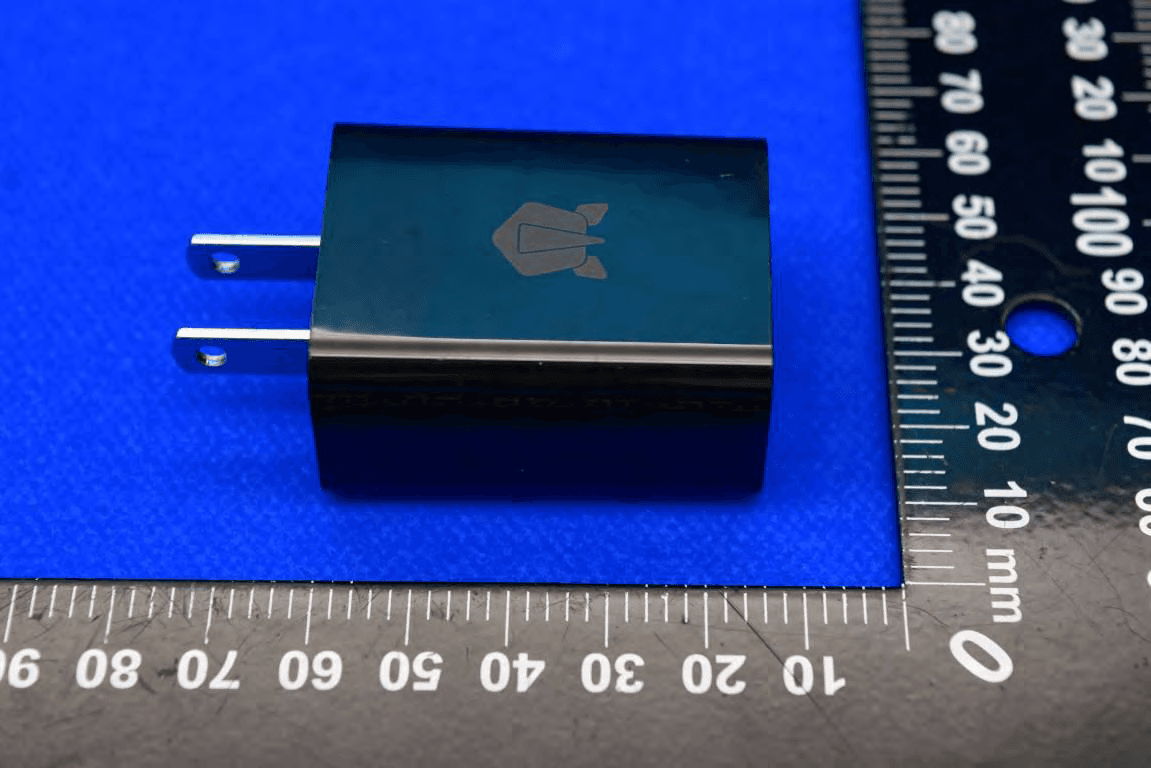
2AUOUC6D
Nov 08, 2023Tablet with BT, WIFI, WCDMA, LTE and NFC
Equipment Class
DTS - Digital Transmission System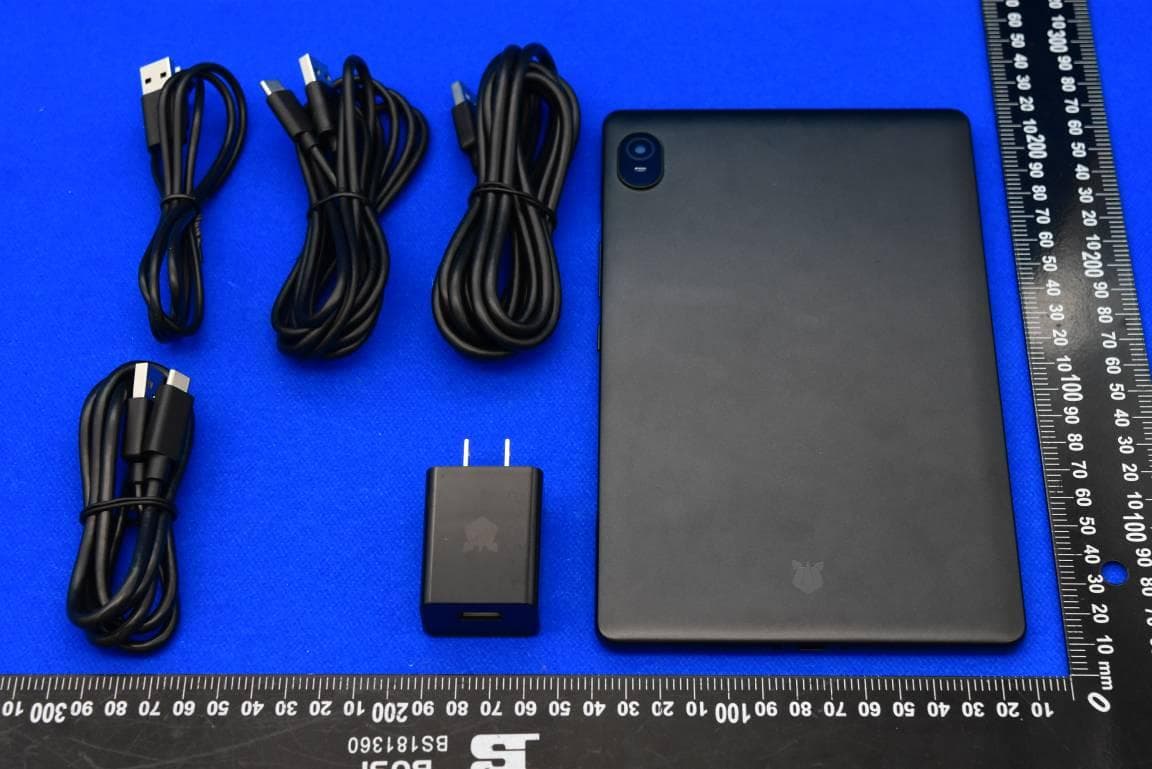
2AUOUT80
Jul 10, 2023Tablet with BT, WIFI, WCDMA, LTE and NFC
Equipment Class
NII - Unlicensed National Information Infrastructure TX2AUOUPA1NA
Jul 27, 2022Smart Phone
Equipment Class
JBP - Part 15 Class B Computing Device Peripheral
2AUOUM10P
Apr 23, 2021Tablet with printer
Equipment Class
NII - Unlicensed National Information Infrastructure TX