2AUPH-VX230Marine Stereo
Velex Tech Ltd.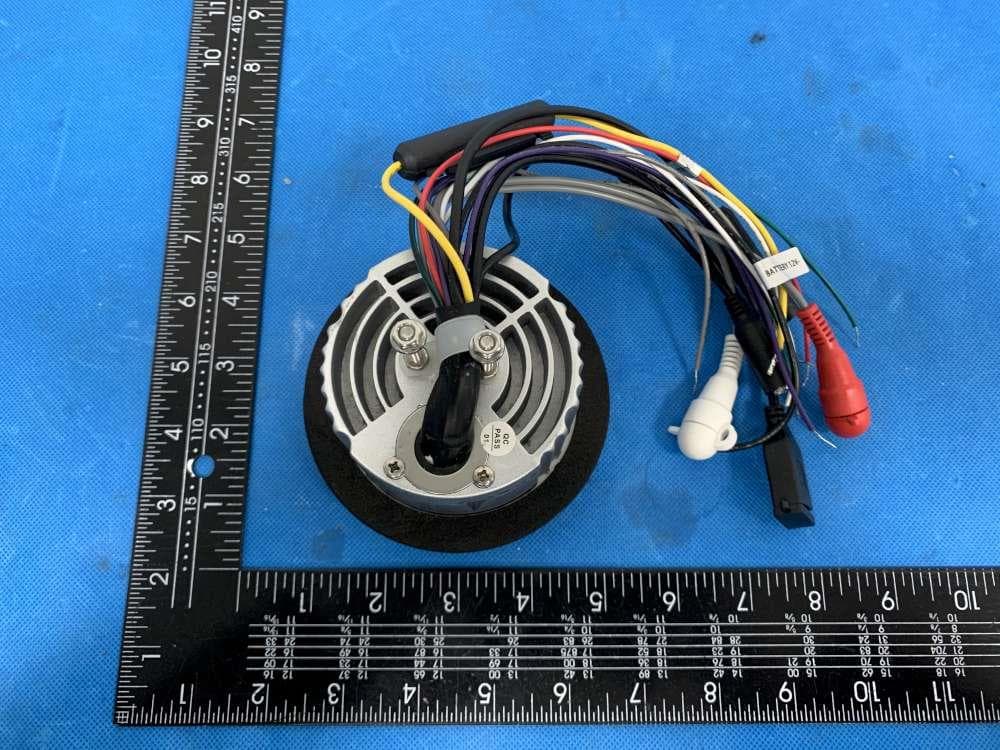
Click to zoom
Application Details
- Equipment Class
- DXX - Part 15 Low Power Communication Device Transmitter
- Date of Grant
- Mar 10, 2021
- Application Purpose
- Original Equipment
- Date of Application
- Mar 10, 2021
- Equipment Note
- Marine Stereo
- Frequency Range
- 2402.00000000 - 2480.00000000
- Company
- Velex Tech Ltd.
- Country
- China
Documents & Files
Document Text
Text extracted from the exhibit documents filed with the FCC. Open a document above to read the original.
Users Manual
Quick Start Guide VX230 Instruction Manual For Gauge Hole Receivers Not all features listed in this QSG are available on all models. www.velextech.com THIS PACKAGE CONTAINS Marine Media Player with Bluetooth x 1 U mounting bracket (Pre-installed) x 1 Screw Posts (Pre-installed) x 2 Hex Nuts (Pre-installed) x 2 User Manual x 1 Mounting &Wiring Please read entire manual before installation. Before You Start Disconnect negative battery terminal. Consult a qualified technician for instruction. Avoid installing the unit where it would be subject to high temperatures, such as from direct sunlight, or where it would be subject to dust, dirt or excessive vibration. Getting Started Once a suitable location has been decided, drill the hole and secure the stereo using the metal mounting bracket. Color Connection Red12V Ignition / Accessory Yellow Battery Black Ground Grey Right Front (+) Grey/Black Right Front(-) White Left Front (+) White/Black Left Front (-) Violet Right Rear(+) Violet/Black Right Rear(-) Green Left Rear(+) Green/Black Left Rear(-) Tip: When a suitable ground wire is not present in the vehicle wiring harness. Connect the black ground wire to the vehicle chassis. Fuse: When replacing the fuse, make sure new fuse is the correct type and amperage. Using an incorrect fuse could damage the radio. Mounting Bracket Installation Mounting the Radio 1.Choose a mounting location on the dash board or instrument panel that will allow room behind to run radio cables to the power source. Consider how you will use the AUX IN, LINE OUT and USB connectors and route the appropriate extension cables to an accessible area. 2.Cut a hole (Diameter: 80mm/3.15 inch)in the dash board using the template provided on page 8. At least 3.5 inch depth is needed to mount the radio. IMPORTANT! Do not mount this unit where it can be submerged in water. 3.Attach the included screw posts (A) to the back of the radio. 4.Place the radio in front of the dashboard opening so the wiring can be brought through the opening. 5.After completing the wiring connections(page 2), turn the radio on to confirm operation (vehicle accessary switch must be on). If the radio does not operate. Recheck all wiring until the problem is corrected. Once proper operation is achieved, turn the accessory switch off and proceed with final mounting of the radio. Refer to the wiring diagram. NOTE: Before final installation, test the wiring connections to make sure the unit is connected properly and the system works. 6.Insert the radio into the mounting hole. 7.Place the 'U' bracket (B) over the screw posts and secure the radio to the dash using the included hex nuts (C). A C B 3 Inch Hole Control Locations - Receiver 1 4 23 5 68 1 Power/Source 2 3 4 Tune Up/Next Track Volume Up Volume Down 5 Band/Scan 6 7 8 Tune Down/Previous Track Play/Pause/MUTE Setting/Clock 7 BLUETOOTH BLUETOOTH VX-230 BND SCN SEL CLK SRC Radio (AM/FM) Tuner Operation Please connect to AM/FM aerial (not included) to ensure good radio reception. Automatically Store Station: Switch to FM mode, long press BND for 2-3 seconds. Switch between Manual / AUTO search – Press << or >> button for 2 seconds to switch between Manual / AUTO search. When Manual is selected, short press >> button to move radio frequency up one step at a time, press << button momentarily to move down one step at a time. 5 seconds time out to quit and LCD display ‘RECOVERY’ and then back to the selected frequency. When AUTO is selected, short press >> or << button to seek the next strong station, 5 seconds time out to quit and LCD display ‘RECOVERY’ and back to the station frequency. Pick up Preset: Short press >> button and jump to the next Preset station; General Operation Power on/off -- Press the ' ' button to turn the unit on. Short press seconds to turn the unit off. Changing Modes Press 'SRC' to select between Radio (AM/FM), USB, Auxiliary and Bluetooth Music. Modes of operation are shown in the LCD display. Volume --- Adjust volume using volume up/down button. Auxiliary inputs Insert a 3.5mm connector in the AUX port, the other end of 3.5mm connector to the headphone output of an audio device (3.5 mm audio cable sold separately ). SEL-Press SEL to select the audio setup menu option, VOL/BASS/TREBLE/ BALANCE/FADE/LOUD(ON/OFF), EQ (Class/Pop/Off), STEREO/MONO,DX/LOCAL, AREA EURO/USA, TIME SETTING AND RESET (FACTORY DEFAULT). The relative icon will be displayed on LCD. ' ' for 3 Rock USB Operation (MP3/WMA) To play MP3/WMA files, insert an USB device (not supplied) ocntaining MP3/WMA files. Switch to USB mode, the radio will automatically play music file from it’s first track. Track Select-Press >> to skip to the beginning of the next track. Press << to skip to the beginning of the previous track. Press and hold BND button for 3 seconds to enter Track search from 0001-9999. Track 0000 will be displayed on LCD, press VOL+ or VOL- to adjust the track number then press ‘SEL’ button to confirm the selection. Pause Press >II button to temporarily stop playback. Press > II button again to resume playback. Fast forward and reverse Press and hold >> or << to fast forward or reverse a track. Bluetooth Operation Preparation-Before using a Bluetooth device, it must be paired and connected. Ensure that Bluetooth is activated on your device before beginning the pairing process. Pairing To pair your smart phone to VX230, press the SRC button to select 'BT' mode, the 'CONNECT' will be flash on the LCD screen. Activate the Bluetooth on your smartphone to search for new devices. Connect with the device name ' VELEX ' when found. (If pin number is required by smart phone, please enter '0000'). Once pairing is successful, 'CONNECTED' will be displayed on the screen. Press >> or << button to select next or previous track. Press >II button to pause or continue play back. Clock Display and Adjustment Press SEL momentarily for several times until LCD display AM/PM + 0000, press and hold SEL for 2-3 seconds to enter Time Setting…
Text truncated - open the document above for the full version.
Attestation Statements
Velex Tech Ltd. Model Difference Product Name: Marine Stereo Model Number: VX230 VX100, VX100G, VX100B, VX100GR, VX100BK, VX110, VX110B, VX110G, VX230W, VX230B, VX230G, VX280, VX280D, VX502, VX505, HMR-110, HMR-100GR, HMR-100BK, HMR230, HMR-230W, HMR-230BK, HMR-230GR FCC Identifier: 2AUPH-VX230 All the models are the same circuit and RF module, except the mode names and outlook color. Regards Sincerely Client’s signature Client’s name / title: Hauer Huang / Manager Contact information: 2F, Bldg F, Jin Guang Industry Park, 17-1 Pingxi South Road, Pingdi, Shenzhen, China
Cover Letter(s)
Velex Tech Ltd. 1/1 Letter of Authorization Company: Velex Tech Ltd. Address: 2F, Bldg F, Jin Guang Industry Park, 17-1 Pingxi South Road, Pingdi, Shenzhen, China Product Name: Marine Stereo Model Number: VX230 VX100, VX100G, VX100B, VX100GR, VX100BK, VX110, VX110B, VX110G, VX230W, VX230B, VX230G, VX280, VX280D, VX502, VX505, HMR-110, HMR-100GR, HMR-100BK, HMR230, HMR-230W, HMR-230BK, HMR-230GR FCC Identifier: 2AUPH-VX230 We authorize LGAI Technological Center S.A., Ronda de la Font del Carme, s/n, 08193 Bellaterra, Spain, to act on our behalf on all matters concerning the above named equipment. Any individual within LGAI Technological Center S.A. is authorized to act on our behalf and take action on the application. We declare that authorize LGAI Technological Center S.A., Ronda de la Font del Carme, s/n, 08193 Bellaterra, Spain, is allowed to forward all information related to the approval project to the Federal Communication Commission and to discuss any issues concerning the approval application. Any and all acts carried out by LGAI Technological Center S.A. on our behalf shall have the same effect as acts of our own. Name: Hauer Huang Date: 2021-03-02 Title: Manager Signature of applicant:
Cover Letter(s)
Velex Tech Ltd. 1/1 Office of Engineering Technology Federal Communications Commission 7435 Oakland Mills Road Columbia, MD 21046 Date: 2021-03-02 Subject: Request for Confidentiality FCC ID: 2AUPH-VX230 To Whom It May Concern, Pursuant to the provisions of Sections 0.457 and 0.459 of Commission's rules (47CFR0.457, 0.459), we are requesting the Commission to withhold the following attachment(s) as confidential document from public disclosure. Exhibits Long-Term Confidentiality Short-Term Confidentiality NOTE 2 ID Label/Location No No Attestation Statement No No External Photos No ☐ Block Diagram ☒ ☐ Schematics ☒ ☐ Test Report No No Test Setup Photos No ☐ User’s Manual No ☐ Internal Photos No ☐ Parts List / Tune Up ☐ ☐ RF Exposure Info No No Operational Description ☒ ☐ Cover Letter(s) No No SDR Software / Security Info ☐ No NOTE 1: Long-Term Confidentiality may be permitted under special conditions (See II. LONG-TERM CONFIDENTIALITY, Section 3 of KDB 726920, use last in force) NOTE 2: Short-Term Confidentiality can be requested for a maximum of 180 days from the date of the grant. Above mentioned document contains detailed system and equipment description are considered as proprietary information in operation of the equipment. The public disclosure of above documents might be harmful to our company and would give competitor an unfair advantage in the market. It is our understanding that all measurement test reports, FCC ID label format and correspondent during certification review process cannot be granted as confidential documents and those information will be available for public review once the grant of equipment authorization is issued. Sincerely, Signature: Name: Hauer Huang Title: Manager
External Photos
Model:VX230
ID Label/Location Info
Size:17*10.5mm M/N: VX230 FCC ID: 2AUPH-VX230 Label location
Internal Photos
Antenna location
Test Report
Global United Technology Services Co., Ltd. Report No.: GTSL202102000057F01 Authorized Signature: Robinson Luo Laboratory Manager This results shown in this test report refer only to the sample(s) tested, this test report cannot be reproduced, except in full, without prior written permission of the company. The report would be invalid without specific stamp of test institute and the signatures of compiler and approver. Page 1 of 30 + TEST REPORT Applicant: Velex Tech Ltd. Address of Applicant: 2F, Bldg F, Jin Guang Industry Park, 17-1 Pingxi South Road, Pingdi, Shenzhen, China Manufacturer: Velex Tech Ltd. Address of Manufacturer: 2F, Bldg F, Jin Guang Industry Park, 17-1 Pingxi South Road, Pingdi, Shenzhen, China Equipment Under Test (EUT) Product Name: Marine Stereo Model No.: VX230 VX100, VX100G, VX100B, VX100GR, VX100BK, VX110, VX110B, VX110G, VX230W, VX230B, VX230G, VX280, VX280D, VX502, VX505, HMR-110, HMR-100GR, HMR-100BK, HMR230, HMR-230W, HMR-230BK, HMR-230GR Trade Mark: Velex, Heradio FCC ID: 2AUPH-VX230 Applicable standards: FCC CFR Title 47 Part 15 Subpart C Section 15.249 Date of sample receipt: Feb. 05, 2021 Date of Test: Feb. 05, 2021 - Mar. 02, 2021 Date of report issued: Mar. 02, 2021 Test Result: PASS * * In the configuration tested, the EUT complied with the standards specified above. Report No.: GTSL202102000057F01 Global United Technology Services Co., Ltd. No. 123-128, Tower A, Jinyuan Business Building, No.2, Laodong Industrial Zone, Xixiang Road, Baoan District, Shenzhen, Guangdong, China 518102 Telephone: +86 (0) 755 2779 8480 Fax: +86 (0) 755 2779 8960 Page 2 of 30 Version Version No. Date Description 00 Mar. 02, 2021 Original Prepared By: Date: Mar. 02, 2021 Project Engineer Check By: Date: Mar. 02, 2021 Reviewer Report No.: GTSL202102000057F01 Global United Technology Services Co., Ltd. No. 123-128, Tower A, Jinyuan Business Building, No.2, Laodong Industrial Zone, Xixiang Road, Baoan District, Shenzhen, Guangdong, China 518102 Telephone: +86 (0) 755 2779 8480 Fax: +86 (0) 755 2779 8960 Page 3 of 30 2 Contents Page 1 COVER PAGE .............................................................................................................................................1 2 VERSION ...................................................................................................................................................2 3 CONTENTS ...............................................................................................................................................3 4 TEST SUMMARY ......................................................................................................................................4 4.1 MEASUREMENT UNCERTAINTY .............................................................................................................4 5 GENERAL INFORMATION .......................................................................................................................5 5.1 GENERAL DESCRIPTION OF EUT ..........................................................................................................5 5.2 TEST MODE .........................................................................................................................................7 5.3 DESCRIPTION OF SUPPORT UNITS ........................................................................................................7 5.4 DEVIATION FROM STANDARDS ..............................................................................................................7 5.5 ABNORMALITIES FROM STANDARD CONDITIONS ....................................................................................7 5.6 TEST FACILITY ....................................................................................................................................8 5.7 TEST LOCATION ..................................................................................................................................8 5.8 ADDITIONAL INSTRUCTIONS ..................................................................................................................8 6 TEST INSTRUMENTS LIST ......................................................................................................................9 7 TEST RESULTS AND MEASUREMENT DATA .....................................................................................11 7.1 ANTENNA REQUIREMENT ....................................................................................................................11 7.2 CONDUCTED EMISSIONS ....................................................................................................................12 7.3 RADIATED EMISSION METHOD ............................................................................................................13 7.3.1 Field Strength of The Fundamental Signal ..................................................................................15 7.3.2 Spurious emissions .....................................................................................................................16 7.3.3 Bandedge emissions ...................................................................................................................21 7.4 20DB OCCUPY BANDWIDTH ...............................................................................................................22 8 TEST SETUP PHOTO .............................................................................................................................24 9 EUT CONSTRUCTIONAL DETAILS .......................................................................................................25 Report No.: GTSL202102000057F01 Global United Technology Services Co., Ltd. No. 123-128, Tower A, Jinyuan Business Building, No.2, Laodong Industrial Zone, Xixiang Road, Baoan District, Shenzhen, Guangdong, China 518102 Telephone: +86 (0) 755 2779 8480 Fax: +86 (0) 755 2779 8960 Page 4 of 30 3 Test Summary Test Item Section in CFR 4…
Text truncated - open the document above for the full version.
Test Setup Photos
Measurement Photos Model:VX230
Contact Information
Applicant
Hauer Huang
Technical Contact
Global United Technology Services Co. Ltd.robinson lo
[email protected]86-0-755-2779-8480
Shenzhen · China
Test Firm
Global United Technology Services Co. Ltd.Robinson Lo
Technical Specifications
| # | Rule Parts | Frequency Range | Power Output |
|---|---|---|---|
| 1 | 15C | 2.40 GHz - 2.48 GHz | - |
Other Applications from Velex Tech Ltd.
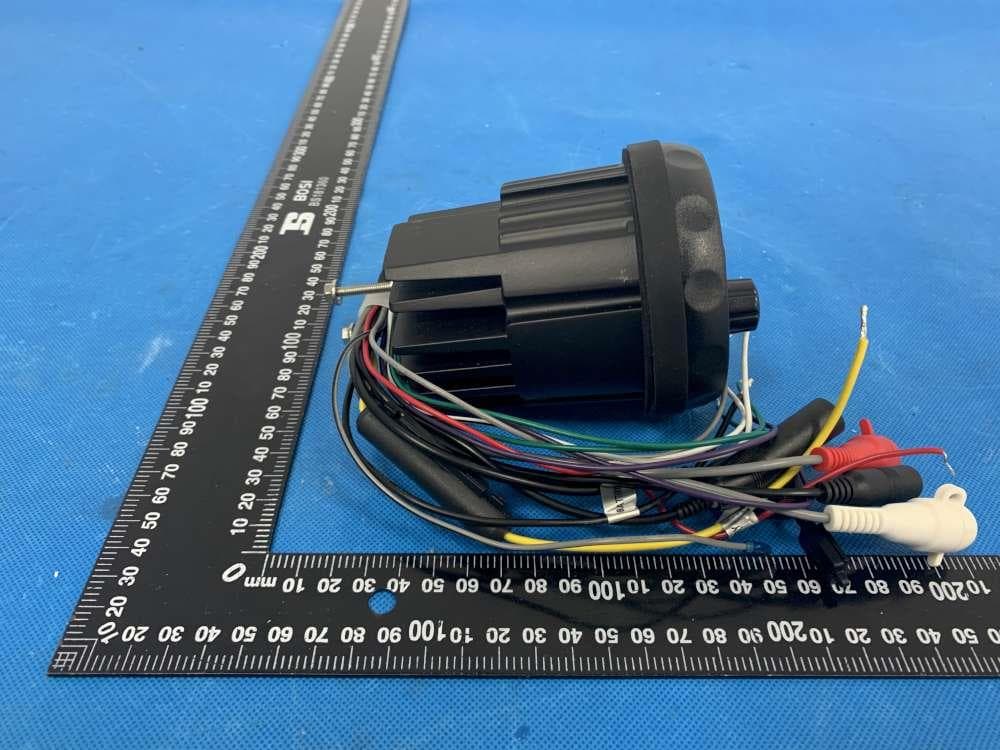
2AUPH-VX163
Mar 11, 2021Marine Stereo
Equipment Class
DXX - Part 15 Low Power Communication Device Transmitter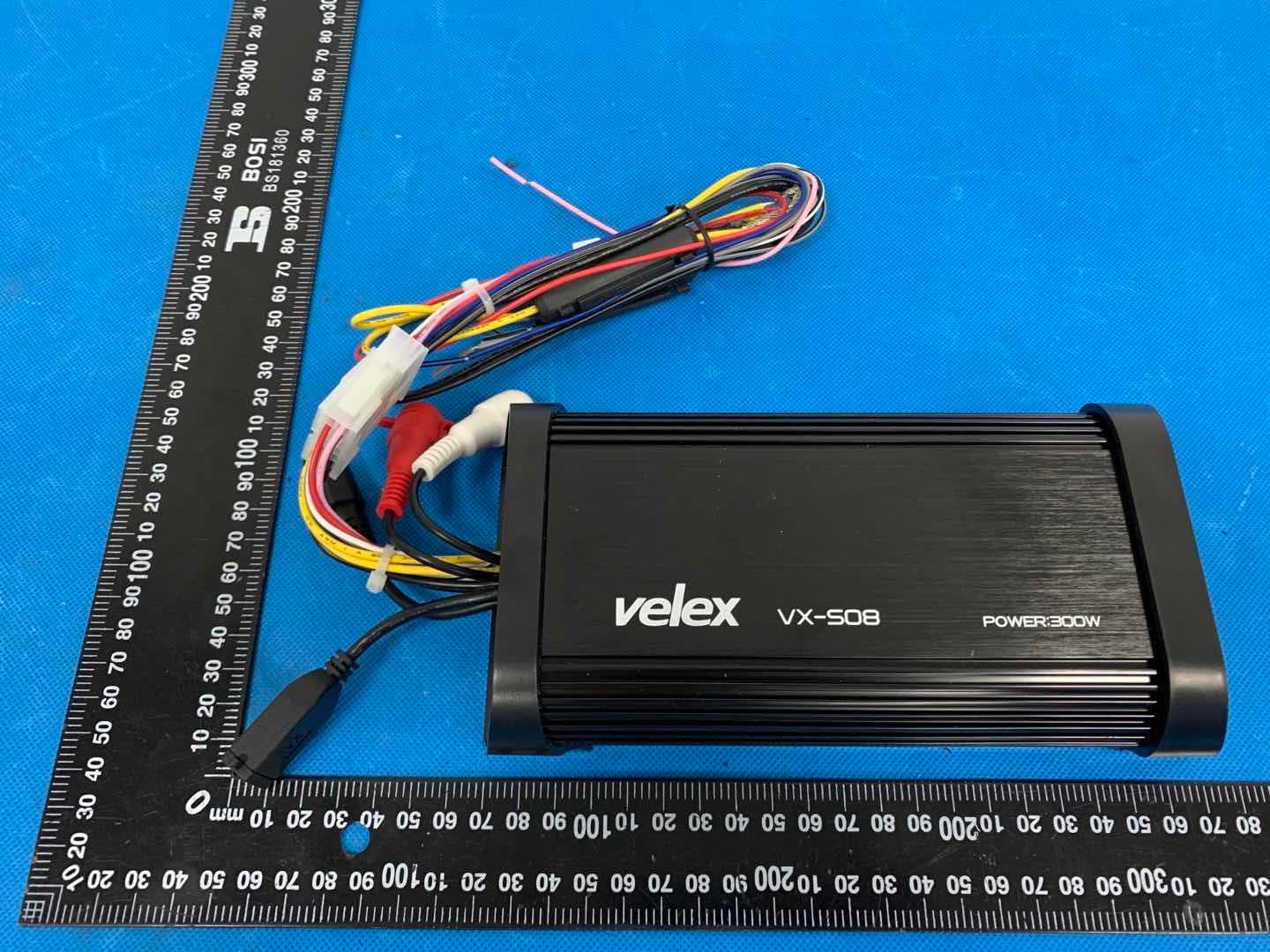
2AUPH-VX508
Mar 11, 2021Marine Amp
Equipment Class
DXX - Part 15 Low Power Communication Device Transmitter