2AVIA-ITFITP007Bluetooth Tripod Selfstick
SAMSUNG TRADING(SHANGHAI)CO.,LTD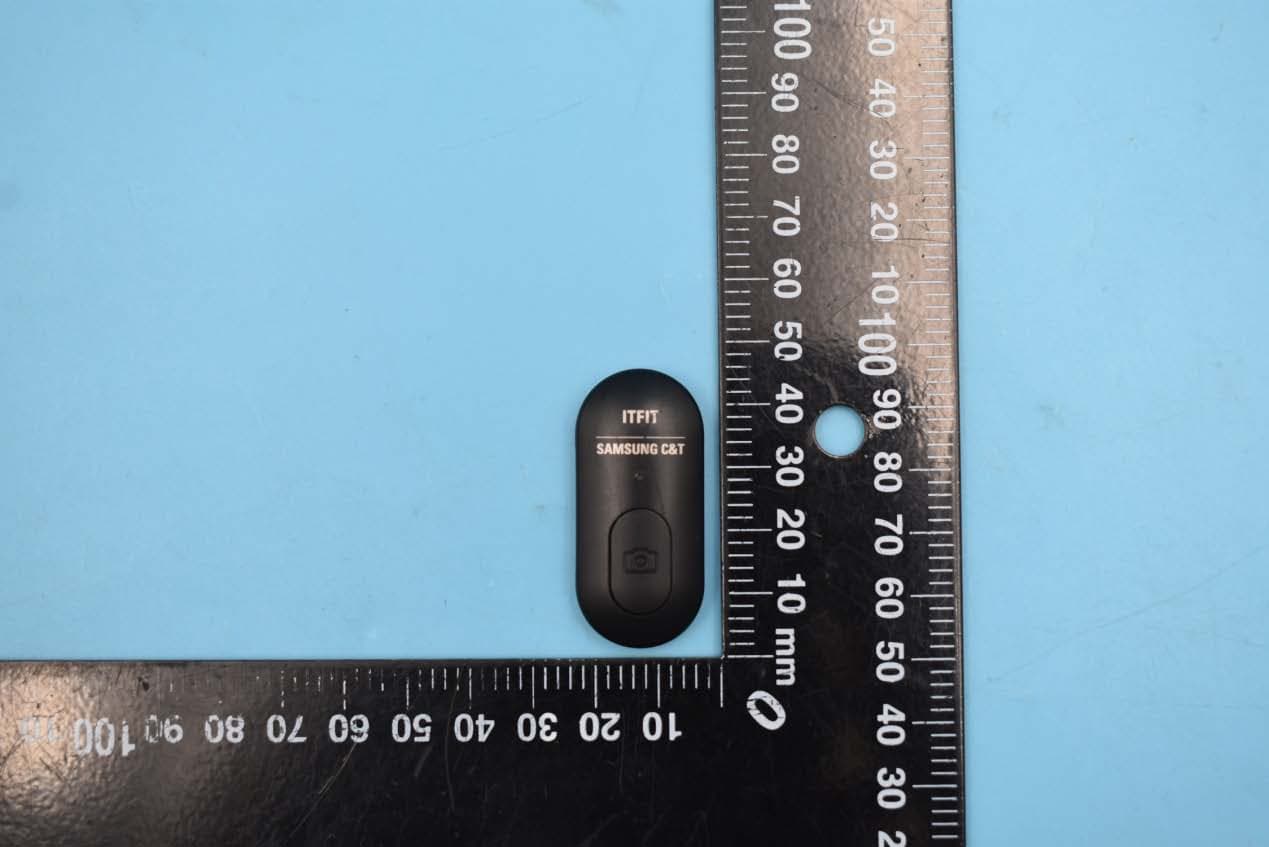
Click to zoom
Application Details
- Equipment Class
- DSS - Part 15 Spread Spectrum Transmitter
- Date of Grant
- Jan 07, 2020
- Application Purpose
- Original Equipment
- Date of Application
- Jan 07, 2020
- Equipment Note
- Bluetooth Tripod Selfstick
- Frequency Range
- 2402.00000000 - 2480.00000000
- Country
- China
Documents & Files
Document Text
Text extracted from the exhibit documents filed with the FCC. Open a document above to read the original.
Users Manual
User Manual 1. Press and hold the Capture Button for 2 seconds to power on. Enable the Bluetooth on the mobile phone to start searching and click “ITFIT Selfie P007” on the searched device list. The green indicator will go off after successful connection. 2. Go to Camera App mode and start to take selfies. Take the remote control from the selfie stick for long-distance photographing. Press the Capture Button to take a photo or record a video ( under the REC mode). Take the remote control from the selfie stick, push the rear cover at the direction of the arrow, and take off the rear cover for battery replacement. 1. In case of no operation within 3 minutes after Bluetooth is connected, the selfie stick will automatically enter the Sleep Mode. Press the Capture Button again to restore connection. In the event of no operation after 6 hours in the Sleep Mode, the selfie stick will automatically power off. 2. In case of low battery during the use of the selfie stick, the indicator will turn red and flash. Please replace the battery in a timely manner. P r oduct Description Q uick G uide User No tes C o ntents 1. Upper Fixator 2. Phone Holder 3. Lower Fixator 4. Rotational Axis 5. Extendable Stick 6. Remote Control Indicator 7. Capture Button 8. Tripod 5 4 6 7 2 3 8 1 Bluetooth Tripod Selfstick*1 User Manual*1 Bluetooth Tripod Selfstick Remote Control Unfold the tripod in the bottom, push the extendable stick up and place the tripod on a flat surface. Tripod Press and hold the Capture Button for 3 seconds and the green indicator will flash for 3 times before going off. Power Off Do not move the phone by force after it’s clamped in case of damage to the phone shell. Preventive Measure 2. Pull the upper fixator up to snap the phone into the holder. 1. Insert the phone into the lower fixator slantwise. 1. Hold the phone with one hand and pull the upper fixator up. 2. Slide the phone out. 1. Extend the selfie stick to the proper length and start to take selfies. Barrier-free Operation within 10 Meters 2. Unfold the tripod, push the extendable stick up and place the tripod on a flat surface. Start to take selfies. User Manual Reminders 1. Watch your hands during use. 2. The product is not designed for children under 14 years old. Do not swallow it. 3. Do not dismantle or modify the product. 4. Do not store the product in a humid environment. 5. Keep the product away from heat sources. 6. Do not expose the product to water or other liquids in case of damage. Warnings How to Install it How to Replace BatteryProduct Specifications How to Take off the Phone How to Use it ENENEN ENENEN Bluetooth Tripod Selfstick 3V China 142g ABS+ Aluminum Alloy 207mm 75mAh Product Name Model No Rated Voltage Place of Origin Weight Materials Length of Storage Battery Capacity -20°C~+53°C Product operating temperature range The device has been evaluated to meet general RF exposure requirement, The device can be used in portable exposure condition without restriction Federal Communication Commission (FCC) Radiation Exposure Statement Power is so low that no RF exposure calculation is needed. This device complies with part 15 of the FCC rules. Operation is subject to the following two conditions: (1)this device may not cause harmful interference, and (2) this device must accept any interference received, including interference that may cause undesired operation. NOTE: The manufacturer is not responsible for any radio or TV interference caused by unauthorized modifications or changes to this equipment. Such modifications or changes could void the user’s authority to operate the equipment. Made in China Manufacturer:Winners' Sun Plastic & Electronics (Shenzhen) Co., Ltd. Address: 1/F-4/F of Factory 6 & 3/F of Factory 2, Detai Industrial Park, 496 Huarong Road, Langkou Community, Dalang Sub- district, Longhua District, Shenzhen Guangdong, China Copyright@2020 ITFIT All rights reserved Bluetooth Tripod Selfstick ITFIT Selfie P007
External Photos
FCC ID:2 AV I A-ITFITP007 External Photos 1. EUT front view 2. EUT rear view 3. EUT left side view 4. EUT right side view 5. EUT top view 6. EUT bottom view 7. Accessories
ID Label/Location Info
1.Label 2.Label location
Internal Photos
FCC ID:2 AV I A-ITFITP007 Internal Photos 1. EUT uncover view 2. Antenna view BR Antenna
Test Report
NOTE: This document is issued by MORLAB, the test report shall not be reproduced except in full without prior written permission of the company. The test results apply only to the particular sample(s) tested and to the specific tests carried out which is available on request for validation and information confirmed at our website. MORLAB SHENZHEN MORLAB COMMUNICATIONS TECHNOLOGY Co., Ltd. FL1-3, Building A, FeiYang Science Park, No.8 LongChang Road, Block67, BaoAn District, ShenZhen , GuangDong Province, P. R. China Tel: 86-755-36698555 Fax: 86-755-36698525 Http://www.morlab.cn E-mail: [email protected] Page 1 of 46 REPORT No.:SZ19120280W01 TEST REPORT APPLICANT : SAMSUNG TRADING(SHANGHAI)CO.,LTD PRODUCT NAME : Bluetooth Tripod Selfstick MODEL NAME : ITFIT Selfie P007 BRAND NAME : SAMSUNG C&T ITFIT FCC ID : 2AVIA-ITFITP007 STANDARD(S) : 47 CFR Part 15 Subpart C RECEIPT DATE : 2019-12-23 TEST DATE : 2019-12-24 to 2019-12-27 ISSUE DATE : 2019-12-31 Edited by: Zeng Xiaoying (Rapporteur) Approved by: Peng Huarui ( Supervisor ) MORLAB SHENZHEN MORLAB COMMUNICATIONS TECHNOLOGY Co., Ltd. FL1-3, Building A, FeiYang Science Park, No.8 LongChang Road, Block67, BaoAn District, ShenZhen , GuangDong Province, P. R. China Tel: 86-755-36698555 Fax: 86-755-36698525 Http://www.morlab.cn E-mail: [email protected] Page 2 of 46 REPORT No.:SZ19120280W01 DIRECTORY 1. Technical Information ꞏꞏꞏꞏꞏꞏꞏꞏꞏꞏꞏꞏꞏꞏꞏꞏꞏꞏꞏꞏꞏꞏꞏꞏꞏꞏꞏꞏꞏꞏꞏꞏꞏꞏꞏꞏꞏꞏꞏꞏꞏꞏꞏꞏꞏꞏꞏꞏꞏꞏꞏꞏꞏꞏꞏꞏꞏꞏꞏꞏꞏꞏꞏꞏꞏꞏꞏꞏꞏꞏꞏꞏꞏꞏꞏꞏꞏꞏꞏꞏꞏꞏꞏ 4 1.1. Applicant and Manufacturer Information ꞏꞏꞏꞏꞏꞏꞏꞏꞏꞏꞏꞏꞏꞏꞏꞏꞏꞏꞏꞏꞏꞏꞏꞏꞏꞏꞏꞏꞏꞏꞏꞏꞏꞏꞏꞏꞏꞏꞏꞏꞏꞏꞏꞏꞏꞏꞏꞏꞏꞏꞏꞏꞏꞏꞏ 4 1.2. Equipment Under Test (EUT) Description ꞏꞏꞏꞏꞏꞏꞏꞏꞏꞏꞏꞏꞏꞏꞏꞏꞏꞏꞏꞏꞏꞏꞏꞏꞏꞏꞏꞏꞏꞏꞏꞏꞏꞏꞏꞏꞏꞏꞏꞏꞏꞏꞏꞏꞏꞏꞏꞏꞏꞏꞏꞏꞏꞏ 4 1.3. The Channel Number and Frequency ꞏꞏꞏꞏꞏꞏꞏꞏꞏꞏꞏꞏꞏꞏꞏꞏꞏꞏꞏꞏꞏꞏꞏꞏꞏꞏꞏꞏꞏꞏꞏꞏꞏꞏꞏꞏꞏꞏꞏꞏꞏꞏꞏꞏꞏꞏꞏꞏꞏꞏꞏꞏꞏꞏꞏꞏꞏꞏꞏ 5 1.4. Test Standards and Results ꞏꞏꞏꞏꞏꞏꞏꞏꞏꞏꞏꞏꞏꞏꞏꞏꞏꞏꞏꞏꞏꞏꞏꞏꞏꞏꞏꞏꞏꞏꞏꞏꞏꞏꞏꞏꞏꞏꞏꞏꞏꞏꞏꞏꞏꞏꞏꞏꞏꞏꞏꞏꞏꞏꞏꞏꞏꞏꞏꞏꞏꞏꞏꞏꞏꞏꞏꞏꞏꞏꞏꞏ 6 1.5. Environmental Conditions ꞏꞏꞏꞏꞏꞏꞏꞏꞏꞏꞏꞏꞏꞏꞏꞏꞏꞏꞏꞏꞏꞏꞏꞏꞏꞏꞏꞏꞏꞏꞏꞏꞏꞏꞏꞏꞏꞏꞏꞏꞏꞏꞏꞏꞏꞏꞏꞏꞏꞏꞏꞏꞏꞏꞏꞏꞏꞏꞏꞏꞏꞏꞏꞏꞏꞏꞏꞏꞏꞏꞏꞏꞏꞏ 7 2. 47 CFR Part 15C Requirements ꞏꞏꞏꞏꞏꞏꞏꞏꞏꞏꞏꞏꞏꞏꞏꞏꞏꞏꞏꞏꞏꞏꞏꞏꞏꞏꞏꞏꞏꞏꞏꞏꞏꞏꞏꞏꞏꞏꞏꞏꞏꞏꞏꞏꞏꞏꞏꞏꞏꞏꞏꞏꞏꞏꞏꞏꞏꞏꞏꞏꞏꞏꞏꞏꞏꞏꞏꞏꞏꞏ 8 2.1. Antenna Requirement ꞏꞏꞏꞏꞏꞏꞏꞏꞏꞏꞏꞏꞏꞏꞏꞏꞏꞏꞏꞏꞏꞏꞏꞏꞏꞏꞏꞏꞏꞏꞏꞏꞏꞏꞏꞏꞏꞏꞏꞏꞏꞏꞏꞏꞏꞏꞏꞏꞏꞏꞏꞏꞏꞏꞏꞏꞏꞏꞏꞏꞏꞏꞏꞏꞏꞏꞏꞏꞏꞏꞏꞏꞏꞏꞏꞏꞏꞏꞏꞏ 8 2.2. Hopping Mechanism ꞏꞏꞏꞏꞏꞏꞏꞏꞏꞏꞏꞏꞏꞏꞏꞏꞏꞏꞏꞏꞏꞏꞏꞏꞏꞏꞏꞏꞏꞏꞏꞏꞏꞏꞏꞏꞏꞏꞏꞏꞏꞏꞏꞏꞏꞏꞏꞏꞏꞏꞏꞏꞏꞏꞏꞏꞏꞏꞏꞏꞏꞏꞏꞏꞏꞏꞏꞏꞏꞏꞏꞏꞏꞏꞏꞏꞏꞏꞏꞏꞏꞏ 8 2.3. Number of Hopping Frequency ꞏꞏꞏꞏꞏꞏꞏꞏꞏꞏꞏꞏꞏꞏꞏꞏꞏꞏꞏꞏꞏꞏꞏꞏꞏꞏꞏꞏꞏꞏꞏꞏꞏꞏꞏꞏꞏꞏꞏꞏꞏꞏꞏꞏꞏꞏꞏꞏꞏꞏꞏꞏꞏꞏꞏꞏꞏꞏꞏꞏꞏꞏꞏꞏꞏꞏꞏꞏ 9 2.4. Duty Cycle of Test Signal ꞏꞏꞏꞏꞏꞏꞏꞏꞏꞏꞏꞏꞏꞏꞏꞏꞏꞏꞏꞏꞏꞏꞏꞏꞏꞏꞏꞏꞏꞏꞏꞏꞏꞏꞏꞏꞏꞏꞏꞏꞏꞏꞏꞏꞏꞏꞏꞏꞏꞏꞏꞏꞏꞏꞏꞏꞏꞏꞏꞏꞏꞏꞏꞏꞏꞏꞏꞏꞏꞏꞏꞏꞏꞏꞏ 11 2.5. Maximum Peak Conducted Output Power ꞏꞏꞏꞏꞏꞏꞏꞏꞏꞏꞏꞏꞏꞏꞏꞏꞏꞏꞏꞏꞏꞏꞏꞏꞏꞏꞏꞏꞏꞏꞏꞏꞏꞏꞏꞏꞏꞏꞏꞏꞏꞏꞏꞏꞏꞏꞏꞏꞏꞏꞏꞏ 12 2.6. Maximum Average Conducted Output Power ꞏꞏꞏꞏꞏꞏꞏꞏꞏꞏꞏꞏꞏꞏꞏꞏꞏꞏꞏꞏꞏꞏꞏꞏꞏꞏꞏꞏꞏꞏꞏꞏꞏꞏꞏꞏꞏꞏꞏꞏꞏꞏꞏꞏꞏꞏꞏ 15 2.7. Bandwidth ꞏꞏꞏꞏꞏꞏꞏꞏꞏꞏꞏꞏꞏꞏꞏꞏꞏꞏꞏꞏꞏꞏꞏꞏꞏꞏꞏꞏꞏꞏꞏꞏꞏꞏꞏꞏꞏꞏꞏꞏꞏꞏꞏꞏꞏꞏꞏꞏꞏꞏꞏꞏꞏꞏꞏꞏꞏꞏꞏꞏꞏꞏꞏꞏꞏꞏꞏꞏꞏꞏꞏꞏꞏꞏꞏꞏꞏꞏꞏꞏꞏꞏꞏꞏꞏꞏꞏꞏꞏꞏꞏꞏꞏꞏꞏ 17 2.8. Carried Frequency Separation ꞏꞏꞏꞏꞏꞏꞏꞏꞏꞏꞏꞏꞏꞏꞏꞏꞏꞏꞏꞏꞏꞏꞏꞏꞏꞏꞏꞏꞏꞏꞏꞏꞏꞏꞏꞏꞏꞏꞏꞏꞏꞏꞏꞏꞏꞏꞏꞏꞏꞏꞏꞏꞏꞏꞏꞏꞏꞏꞏꞏꞏꞏꞏꞏꞏꞏꞏꞏ 20 2.9. Time of Occupancy (Dwell time) ꞏꞏꞏꞏꞏꞏꞏꞏꞏꞏꞏꞏꞏꞏꞏꞏꞏꞏꞏꞏꞏꞏꞏꞏꞏꞏꞏꞏꞏꞏꞏꞏꞏꞏꞏꞏꞏꞏꞏꞏꞏꞏꞏꞏꞏꞏꞏꞏꞏꞏꞏꞏꞏꞏꞏꞏꞏꞏꞏꞏꞏꞏꞏꞏꞏ 22 2.10. Conducted Spurious Emissions ꞏꞏꞏꞏꞏꞏꞏꞏꞏꞏꞏꞏꞏꞏꞏꞏꞏꞏꞏꞏꞏꞏꞏꞏꞏꞏꞏꞏꞏꞏꞏꞏꞏꞏꞏꞏꞏꞏꞏꞏꞏꞏꞏꞏꞏꞏꞏꞏꞏꞏꞏꞏꞏꞏꞏꞏꞏꞏꞏꞏꞏꞏꞏꞏꞏ 25 2.11. Conducted Emission ꞏꞏꞏꞏꞏꞏꞏꞏꞏꞏꞏꞏꞏꞏꞏꞏꞏꞏꞏꞏꞏꞏꞏꞏꞏꞏꞏꞏꞏꞏꞏꞏꞏꞏꞏꞏꞏꞏꞏꞏꞏꞏꞏꞏꞏꞏꞏꞏꞏꞏꞏꞏꞏꞏꞏꞏꞏꞏꞏꞏꞏꞏꞏꞏꞏꞏꞏꞏꞏꞏꞏꞏꞏꞏꞏꞏꞏꞏꞏꞏꞏ 30 2.12. Restricted Frequency Bands ꞏꞏꞏꞏꞏꞏꞏꞏꞏꞏꞏꞏꞏꞏꞏꞏꞏꞏꞏꞏꞏꞏꞏꞏꞏꞏꞏꞏꞏꞏꞏꞏꞏꞏꞏꞏꞏꞏꞏꞏꞏꞏꞏꞏꞏꞏꞏꞏꞏꞏꞏꞏꞏꞏꞏꞏꞏꞏꞏꞏꞏꞏꞏꞏꞏꞏꞏꞏꞏꞏ 32 2.13. Radiated Emission ꞏꞏꞏꞏꞏꞏꞏꞏꞏꞏꞏꞏꞏꞏꞏꞏꞏꞏꞏꞏꞏꞏꞏꞏꞏꞏꞏꞏꞏꞏꞏꞏꞏꞏꞏꞏꞏꞏꞏꞏꞏꞏꞏꞏꞏꞏꞏꞏꞏꞏꞏꞏꞏꞏꞏꞏꞏꞏꞏꞏꞏꞏꞏꞏꞏꞏꞏꞏꞏꞏꞏꞏꞏꞏꞏꞏꞏꞏꞏꞏꞏꞏꞏꞏ 36 Annex A Test Uncertainty ꞏꞏꞏꞏꞏꞏꞏꞏꞏꞏꞏꞏꞏꞏꞏꞏꞏꞏꞏꞏꞏꞏꞏꞏꞏꞏꞏꞏꞏꞏꞏꞏꞏꞏꞏꞏꞏꞏꞏꞏꞏꞏꞏꞏꞏꞏꞏꞏꞏꞏꞏꞏꞏꞏꞏꞏꞏꞏꞏꞏꞏꞏꞏꞏꞏꞏꞏꞏꞏꞏꞏꞏꞏꞏꞏꞏꞏꞏꞏꞏ 43 Annex B Testing Laboratory Information ꞏꞏꞏꞏꞏꞏꞏꞏꞏꞏꞏꞏꞏꞏꞏꞏꞏꞏꞏꞏꞏꞏꞏꞏꞏꞏꞏꞏꞏꞏꞏꞏꞏꞏꞏꞏꞏꞏꞏꞏꞏꞏꞏꞏꞏꞏꞏꞏꞏꞏꞏꞏꞏꞏꞏꞏꞏꞏꞏ 44 MORLAB SHENZHEN MORLAB COMMUNICATIONS TECHNOLOGY Co., Ltd. FL1-3, Building A, FeiYang Science Park, No.8 LongChang Road, Block67, BaoAn District, ShenZhen , GuangDong Province, P. R. China Tel: 86-755-36698555 Fax: 86-755-36698525 Http://www.morlab.cn E-mail: [email protected] Page 3 of 46 REPORT No.:SZ19120280W01 Change History Version Date Reason for change 1.0 2019-12-31 First edition MORLAB SHENZHEN MORLAB COMMUNICATIONS TECHNOLOGY Co., Ltd. FL1-3, Building A, FeiYang Science Park, No.8 LongChang Road, Block67, BaoAn District, ShenZhen , GuangDong Province, P. R. China Tel: 86-755-36698555 Fax: 86-755-36698525 Http://www.morlab.cn E-mail: [email protected] Page 4 of 46 REPORT No.:SZ19120280W01 1. Technical Information Note: Provide by applicant. 1.1. Applicant and Manufacturer Information Applicant: SAMSUNG TRADING(SHANGHAI)CO.,LTD Applicant Address: China (Shanghai) Pilot Free Trade Zone C Zone the building of Waigaoqiao Rm.526 Shanghai China Manufacturer: Winners'Sun Plastic & Electronic (Shenzhen) Co., Ltd. Manufacturer Address: Detai Industrial Park, 496 Huarong Road, Langkou Community, Dalang Sub-district, Longhua District, Shenzhen, Guangdong, China 1.2. Equipment Under Test (EUT) Description Product Name: Bluetooth Tripod Selfstick Serial No: (N/A, marked #1 by test site) Hardware Version: V1.0 Software Version: V0.1 Equipment Type: Bluetooth classic Bluetooth Version: 5.1 Modulation Type: FHSS (GFSK) Operating Frequency Range: 2402MHz-2480MHz Antenna Type: PCB Antenna Antenna Gain: 2.3dBi Accessory Information: Battery Brand Name: Panasonic Model No.: CR1620 Capacity: 75.00mAh Rated Voltage: 3.00V Charge Limit: N/A Note 1: We use the dedicated software to control the EUT into the test mode, and then use MT8852B base station to control the EUT continuous transmission. Note 2: For a more detailed description, please refer to Specification or User’s Manual supplied by the applicant and/or manufacturer. MORLAB SHENZHEN MORLAB COMMUNICATIONS TECHNOLOGY Co., Ltd. FL1-3, Building A, FeiYang Science Park, No.8 LongChang Road, Block67, BaoAn District, ShenZhen , GuangDong Province, P. R. China Tel: 86-755-36698555 Fax: 86-755-36698525 Http://www.morlab.cn E-mail: [email protected] Page 5 of 46 REPORT No.:SZ19120280W01 1.3. The Channel Number and Frequency Channel Freq…
Text truncated - open the document above for the full version.
Test Setup Photos
FCC ID:2 AV I A-ITFITP007 Test Setup Photos 1. Radiated emission (9KHz-30MHz) 2. Radiated emission (30MHz-1GHz) 3. Radiated emission (above 1GHz) 4. RF measurement setup (BT classic)
Contact Information
Applicant
Ying Kang(Deputy Manager)
Test Firm
Shenzhen Morlab Communications Technology Co. Ltd.Mr. Su Feng
[email protected]+86 755 36698566
Technical Specifications
| # | Rule Parts | Frequency Range | Power Output |
|---|---|---|---|
| 1 | 15C | 2.40 GHz - 2.48 GHz | 1.00 mW |
Other Applications from SAMSUNG TRADING(SHANGHAI)CO.,LTD
2AVIAEF-M3400
May 13, 2021Samsung Bluetooth Mouse Slim
Equipment Class
DTS - Digital Transmission System
2AVIAEF-DT500
Nov 04, 2020Samsung A7
Equipment Class
DTS - Digital Transmission System
2AVIA2020UVBOX
May 20, 2020ITFIT UV STERILIZER WITH WIRELESS CHARGING
Equipment Class
8CC - Part 18 Consumer Device