2AVIT-TW301ANC Wireless Earbuds
Earfun Technology (HK) Limited
Click to zoom
Application Details
- Equipment Class
- DSS - Part 15 Spread Spectrum Transmitter
- Date of Grant
- Nov 05, 2020
- Application Purpose
- Original Equipment
- Date of Application
- Nov 05, 2020
- Equipment Note
- ANC Wireless Earbuds
- Frequency Range
- 2402.00000000 - 2480.00000000
- Country
- Hong Kong
Documents & Files
Document Text
Text extracted from the exhibit documents filed with the FCC. Open a document above to read the original.
Users Manual
EarFun Free Pro ANC Wireless Earbuds 01 EarFun Free Pro USB-C Cable Ear HooksS, M, L Touch multifunction control 1 LED indicator2Charging contactor3Microphone4 Charging dock5Charging case indicator6Charging case 7 USB-C charging port 8 User Manual 01 Charging Case Ear Tips (XS, S, M, L) What’s in the Box 1 Product Diagram 2 1 1 4 5 6 8 3 2 7 02 Connect USB-C cable for charging Wireless charging(not included) Charging 3 1.Open or close the charging case to activate the LED battery indicator. 2.Remove the film on the earbuds when taking them out of the charging case for the first time. 3.Fully charge both the earbuds and the charging case before the first-time use . 4.The charging case must be close that earbuds can start charging. 5. Fully dry off the earbuds and the USB port before charging. first-time use Red –Charging Green –Charging complete or Remove the film for the first-time use LR Please charge 30% Green Orange Red Red flash 30% 10% 1% Open or close 03 Bluetooth profileA2DP, AVRCP, HFP Bluetooth frequency2.402GHz-2.48GHz Battery capacity50mAh x 2(earbuds); 400mAh(charging case) Maximum working range15m(without obstacle) Playtime Up to 7 hours, Totally 32 hours with the charging case; (varies by volume level and audio content) Charging time 1hour(for earbuds); 2 hours(for charging case via USB-C); 3.5 hours(for charging case via wireless charger) Dimentions 66.70mm x 25.00mm x 30.77mm Weight42g InputDC 5V / 1A Specifications 4 Ho w t o Fit 5 1. Choose the ear tips that fit your ears the best. 2. Identify the left and right earbuds. 3. Insert the earbuds into the canal of your ears. 4. Turn and find the most comfortable position. Note: If the earbuds is not worn correctly, it may affect the noise cancelling effect. 04 Pairing Your Earbuds 6 1. First time pairing with device Step 1: Open the charging case, earbuds will automatically power on and enter into pairing mode. Step 2: Activate Bluetooth on your Bluetooth-enabled device and search for other Bluetooth devices. Step 3: Select “EarFun Free Pro” from the list of Bluetooth devices shown (if a password is needed, type ‘0000’). Step 1. Unpair the earbud from the Bluetooth-enabled device when it’s connected. The earbud will lose Bluetooth connection to the current device and enter into pairing mode Step 2. Search on the new device and connect. 2. Connect to a New Device Option A Step 1. Place both earbuds back into the charging case and keep the cover open, then press and hold the charging case button for 3 seconds until the pairing indicator on charging case flash white and green alternately and rapidly. Step 2. Search on the new device and connect. Notes: The earbuds will automatically connect with the device they were last paired with when the case is open. Each earbud could be used independently. EarFun Free Pro EarFun Free Pro EarFun Free Pro 05 Functions 7 Power on/off Open the charging case, the earbuds will automatically power on. Place the earbuds back into the charging case. Close the case and the earbuds will automatically power off. Step 1. Make sure earbuds are power on, and then touch and hold the both earbuds touch button at the same time for at least 3s until flash the blue, the earbuds will into pairing mode. Step 2. Search on the new device and connect. 3 S Option B Power on Power off Playing music Play/Pause L/R R Tap twice (L/R) X 2 Tap triple (R) X 3 Next track L R EarFun Free Pro 06 Hands free conversation Volume up L/R L Tap once (R) X 1 Tap once (L) X 1 Volume down Answer/End a call L/R L/R Tap twice (L/R) X 2 Tap and hold for 2s (L/R) 2 S Reject a call Activate the voice assistant Voice assistant R Tap and hold for 2 seconds (R) 2 S Answer and transfer two calls L/R Tap triple (L/R) X 3 07 Reset and Reconnecting 8 If you fail to build connection between two earbuds, or between earbuds and Bluetooth device, please try the following steps: 1. Place both earbuds into the charging case. 2. Keep the charging case open, then touch and hold the button on each earbud at the same time for at least 10s until they flash in purple then earbuds have been reset successfully. 3. Delete the old connection from the Bluetooth device and reconnect “EarFun Free Pro”. Flash in purple EarFun Free Pro >10 S Noise cancelling control Noise cancelling ambient sound normal L Tap triple (L) X 3 Noise cancelling control Low Latency ON/OFF R Tap and hold for 2 seconds (R) 2 S 08 Troubleshooting 9 Q: Can I use both earphones separately? A: Yes, each earbud could be used independently. Q: The earphones are turning on, but it doesn’t connect to my device? A: To connect the earbuds to your device, please check if the Bluetooth of the device is on at first, then select ’EarFun Free Pro’ on the Bluetooth list to get paired. If the earbuds still can’t connect to your device, please try to reset it, or contact our customer support. Q: Why the connection is not stable and cuts out intermittently? A: Please make sure there are no objects between the earphones and your Bluetooth device, and make sure there is no radio or WIFI interference nearby. Q: What is the range of Bluetooth earphones? A: Bluetooth earphones have maximum range of 49 feet (15m, no obstacle). However, the actual range will depend on usage and environment. Q: Is there volume control on the earphones? A: Yes, touch L earbud once decreases the volume and touch R once could increase it. Q: My earphones will not switch on. A: Please recharge it and make sure it has enough battery power. If it is fully charged and still nothing happens or if you are not able to charge the unit, please contact our customer support for warranty cover. Q: Is the charging case waterproof? A: No, the earbuds are IPX5 sweat waterproof, but the charging case is not waterproof. Q: Will the earbuds shut off automatically? A: The earbuds will remain on as long as they are connected to a device. If no audio is in use, they will enter power-saving mode and wake up once audio is played. If the earbuds are not con…
Text truncated - open the document above for the full version.
Attestation Statements
Earfun Technology (HK) Limited Add: FLAT/RM A 9F, SILVERCORP INTERNATIONAL TOWER 707-713 NATHAN ROAD MONGKOK KL HONG KONG Tel: +8615989596589 Fax: +8618018710764 Email: [email protected] Date: 2020-11-02 FEDERAL COMMUNICATIONS COMMISSION Authorization and Evaluation Division 7435 Oakland Mills Road Columbia, MD 21046 Dear Sir/Madam, We, Earfun Technology (HK) Limited, hereby authorize Bay Area Compliance Laboratories Corp. to act as a laboratory for testing and test report generation for the following project(s): (Product name: ANC Wireless Earbuds, FCC ID:2AVIT-TW301 Model name: TW301) The chipset AB1562F supports BT and BLE Mode, but for this device, BLE Mode was disable by software. Sincerely Yours, Client’s signature Printed Name: Rocky Deng Title: Manager
Cover Letter(s)
Earfun Technology (HK) Limited Add: FLAT/RM A 9F, SILVERCORP INTERNATIONAL TOWER 707-713 NATHAN ROAD MONGKOK KL HONG KONG Tel: +8615989596589 Fax: +8618018710764 Email: [email protected] Date: 2020-11-02 To whom it may concern Dear Sir/Madam, We, Earfun Technology (HK) Limited , hereby authorize Bay Area Compliance Laboratories Corp. to act as a laboratory for testing and test report generation for the following project(s): (Product name: ANC Wireless Earbuds, FCC ID:2AVIT-TW301 Model name: TW301) The right headset and left headset have the same circuit diagram, PCB layout, antenna and key components. R L Sincerely, Signature: Printed Name: Rocky Deng Title: Manager
Cover Letter(s)
QA-FR-170-B Earfun Technology (HK) Limited Add: FLAT/RM A 9F, SILVERCORP INTERNATIONAL TOWER 707-713 NATHAN ROAD MONGKOK KL HONG KONG Tel: +8615989596589 Fax: +8618018710764 Email: [email protected] FCC Authorization Date: 2020-11-02 FEDERAL COMMUNICATIONS COMMISSION Authorization and Evaluation Division 7435 Oakland Mills Road Columbia, MD 21046 Subject: Agent Authorization To whom it may concern: We , Earfun Technology (HK) Limited, Hereby authorizes Bay Area Compliance Laboratories Corporation to act on its behalf in all matters relating to application for Equipment authorization, including the signing of all documents relating to these matters. All acts carried out by Bay Area Compliance Laboratory Corporation on our behalf shall have the same effect as our own action. We, the undersigned, hereby certify that we are not subject to a denial of federal benefits, that includes FCC benefits, pursuant to Section 5301 of the Anti-Drug Abuse Act of 1988, 21 U.S.C. 862. This authorization is valid until further written notice from the applicant. Sincerely Yours, Client’s signature Printed Name: Rocky Deng Title: Manager
Cover Letter(s)
QA-FR-171-A Earfun Technology (HK) Limited Add: FLAT/RM A 9F, SILVERCORP INTERNATIONAL TOWER 707-713 NATHAN ROAD MONGKOK KL HONG KONG Tel: +8615989596589 Fax: +8618018710764 Email: [email protected] FCC Confidential Authorization Date: 2020-11-02 FEDERAL COMMUNICATIONS COMMISSIONS Authorization and Evaluation Division 7435 Oakland Mills Road Columbia, MD 21046 Subject: Confidentiality Request regarding application for certification of FCC ID:2AVIT-TW301 In accordance with Sections 0.457 and 0.459 of the Commission’s Rules, Earfun Technology (HK) Limited hereby requests long-term confidential treatment of information accompanying this application as outlined below: Block Diagram Schematics Operation Description The above materials contain proprietary and confidential information not customarily released to the public. The public disclosure of these materials provides unjustified benefits to its competitors in the market. Sincerely, Signature: Printed Name: Rocky Deng Title: Manager
Cover Letter(s)
QA-FR-170-B Earfun Technology (HK) Limited Add: FLAT/RM A 9F, SILVERCORP INTERNATIONAL TOWER 707-713 NATHAN ROAD MONGKOK KL HONG KONG Tel: +8615989596589 Fax: +8618018710764 Email: [email protected] Date: 2020-11-02 FEDERAL COMMUNICATIONS COMMISSION Authorization and Evaluation Division 7435 Oakland Mills Road Columbia, MD 21046 Dear Sir/Madam: (Product name: ANC Wireless Earbuds, FCC ID:2AVIT-TW301 Model name: TW301) We, Earfun Technology (HK) Limited, hereby submits justification for placing the ID label to the charging box, the device is unquestionably too small for the ID label to be printed. The measurement of headset: Length (30.17mm)*Width (19.05mm)*High (23.43mm), label: Length 37.30(mm)*Width 12.90(mm), charging box: 66.70(mm)*25.00(mm)*30.77(mm). Refer to the above quote, as the headset is too small for the ID label to be printed, so the ID label will be moved to the bottom of the charging box. For details, please see below photos: Sincerely Yours, Client’s signature Printed Name: Rocky Deng Title: Manager Headset Label Charging box mm mm mm mm mm mm mm
External Photos
EXHIBIT B - EUT EXTERNAL PHOTOGRAPHS Left Right
Internal Photos
EXHIBIT C - EUT INTERNAL PHOTOGRAPHS left Antenna Right Antenna
Test Report
FCC PART 15.247 TEST REPORT For Earfun Technology (HK) Limited FLAT/RM A 9F,SILVERCORP INTERNATIONAL TOWER 707-713 NATHAN ROAD MONGKOK KL, HONG KONG FCC ID: 2AVIT-TW301 Report Type: Original Report Product Name: ANC Wireless Earbuds Re port Number: RDG200915004-00B Re port Date: 2020-10-30 Reviewed By: Ivan Cao Assistant Manager Test Laboratory: Bay Area Compliance Laboratories Corp. (Dongguan) No.69 Pulongcun, Puxinhu Industry Area, Tangxia, Dongguan, Guangdong, China Tel: +86-769-86858888 Fax: +86-769-86858891 www.baclcorp.com.cn Bay Area Compliance Laboratories Corp. (Dongguan) Report No.: RDG200915004-00B Page 2 of 49 TABLE OF CONTENTS GENERAL INFORMATION ....................................................................................................................................... 4 PRODUCT DESCRIPTION FOR EQUIPMENT UNDER TEST (EUT) ..................................................................................... 4 OBJECTIVE ................................................................................................................................................................... 4 RELATED SUBMITTAL(S)/GRANT(S) ............................................................................................................................. 4 TEST METHODOLOGY .................................................................................................................................................. 4 MEASUREMENT UNCERTAINTY .................................................................................................................................... 5 TEST FACILITY ............................................................................................................................................................. 5 DECLARATIONS ............................................................................................................................................................ 5 SYSTEM TEST CONFIGURATION .......................................................................................................................... 6 DESCRIPTION OF TEST CONFIGURATION ...................................................................................................................... 6 EUT EXERCISE SOFTWARE .......................................................................................................................................... 6 EQUIPMENT MODIFICATIONS ....................................................................................................................................... 6 BLOCK DIAGRAM OF TEST SETUP ................................................................................................................................ 6 SUMMARY OF TEST RESULTS ............................................................................................................................... 7 FCC §15.247 (i) & §1.1310 & §2.1093- RF EXPOSURE ............................................................................................ 8 APPLICABLE STANDARD .............................................................................................................................................. 8 FCC §15.203 - ANTENNA REQUIREMENT ............................................................................................................. 9 APPLICABLE STANDARD .............................................................................................................................................. 9 ANTENNA CONNECTOR CONSTRUCTION ...................................................................................................................... 9 FCC §15.209, §15.205 & §15.247(d) - SPURIOUS EMISSIONS ............................................................................. 10 APPLICABLE STANDARD ............................................................................................................................................ 10 EUT SETUP ................................................................................................................................................................ 10 EMI TEST RECEIVER & SPECTRUM ANALYZER SETUP .............................................................................................. 11 TEST PROCEDURE ...................................................................................................................................................... 11 CORRECTED AMPLITUDE & MARGIN CALCULATION ................................................................................................. 11 TEST EQUIPMENT LIST AND DETAILS ......................................................................................................................... 12 TEST DATA ................................................................................................................................................................ 12 FCC §15.247(a) (1) - CHANNEL SEPARATION TEST ......................................................................................... 18 APPLICABLE STANDARD ............................................................................................................................................ 18 TEST EQUIPMENT LIST AND DETAILS ......................................................................................................................... 18 TEST PROCEDURE ...................................................................................................................................................... 18 TEST DATA ................................................................................................................................................................ 18 FCC §15.247(a) (1) – 20 dB BANDWIDTH TESTING ............................................................................................ 24 APPLICABLE STANDARD .................................................................................................................…
Text truncated - open the document above for the full version.
Test Setup Photos
EXHIBIT D - TEST SETUP PHOTOGRAPHS Radiated Emission Below 1GHz View Radiated Emission Above 1GHz View
Contact Information
Applicant
Rocky Deng
Test Firm
Bay Area Compliance Laboratories Corp.(Dongguan)David Zhang
[email protected]0086 0769 86858888
Technical Specifications
| # | Rule Parts | Frequency Range | Power Output |
|---|---|---|---|
| 1 | 15C | 2.40 GHz - 2.48 GHz | 4.00 mW |
Other Applications from Earfun Technology (HK) Limited
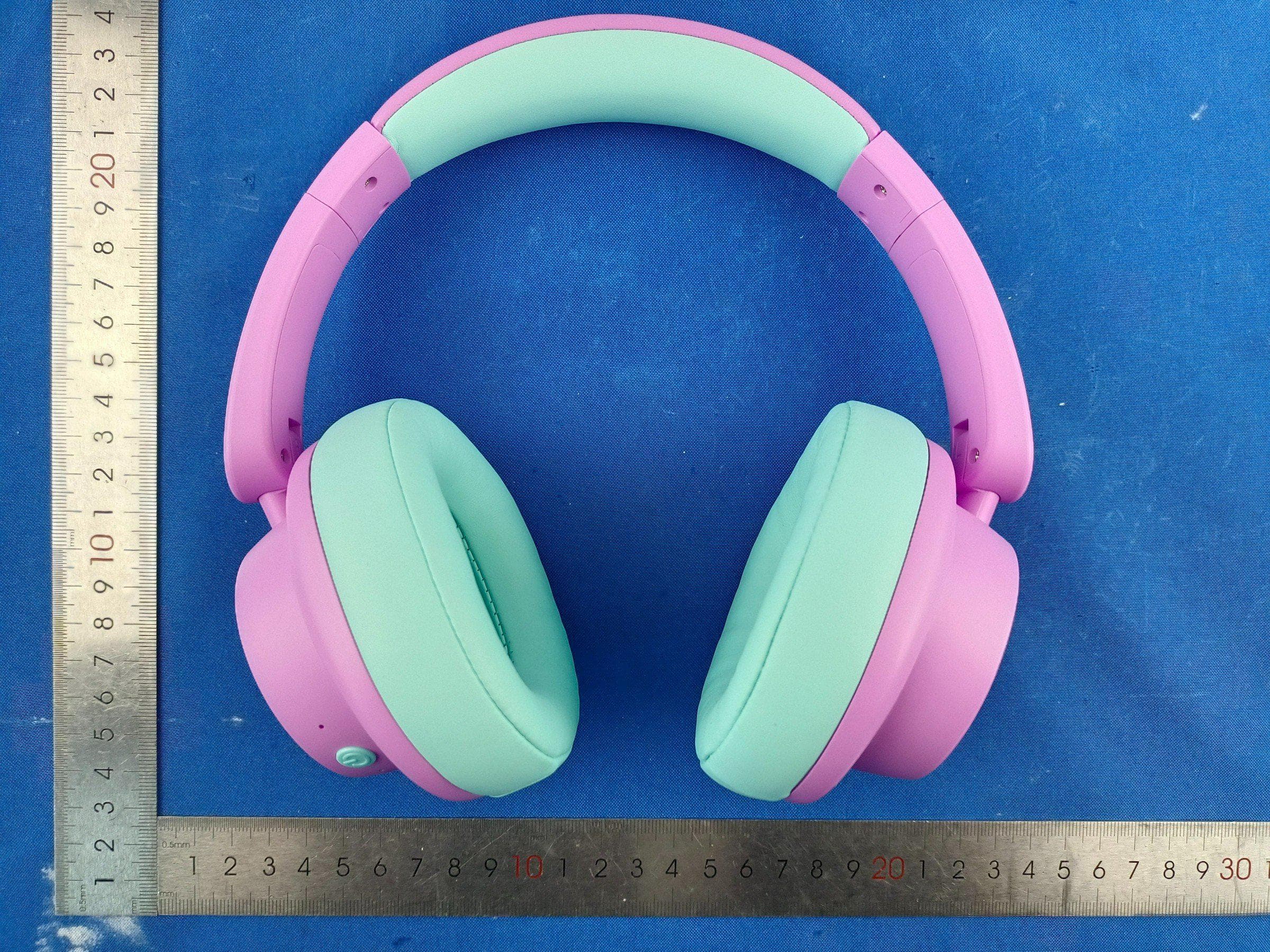
2AVIT-K5
Jul 09, 2026Wireless Headphones
Equipment Class
DSS - Part 15 Spread Spectrum Transmitter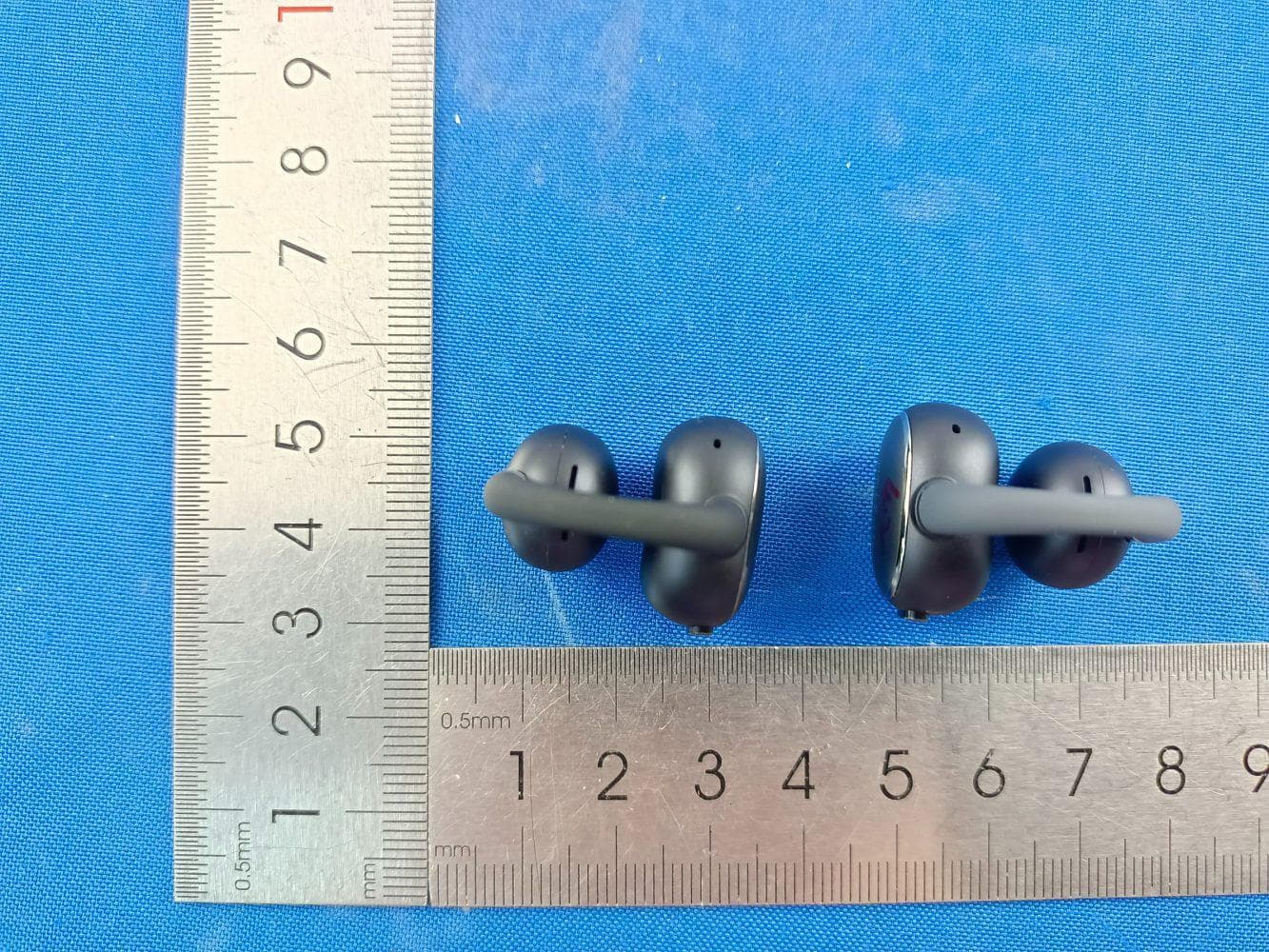
2AVIT-CW200
Jan 29, 2026Open-Ear Wireless Earbuds
Equipment Class
DTS - Digital Transmission System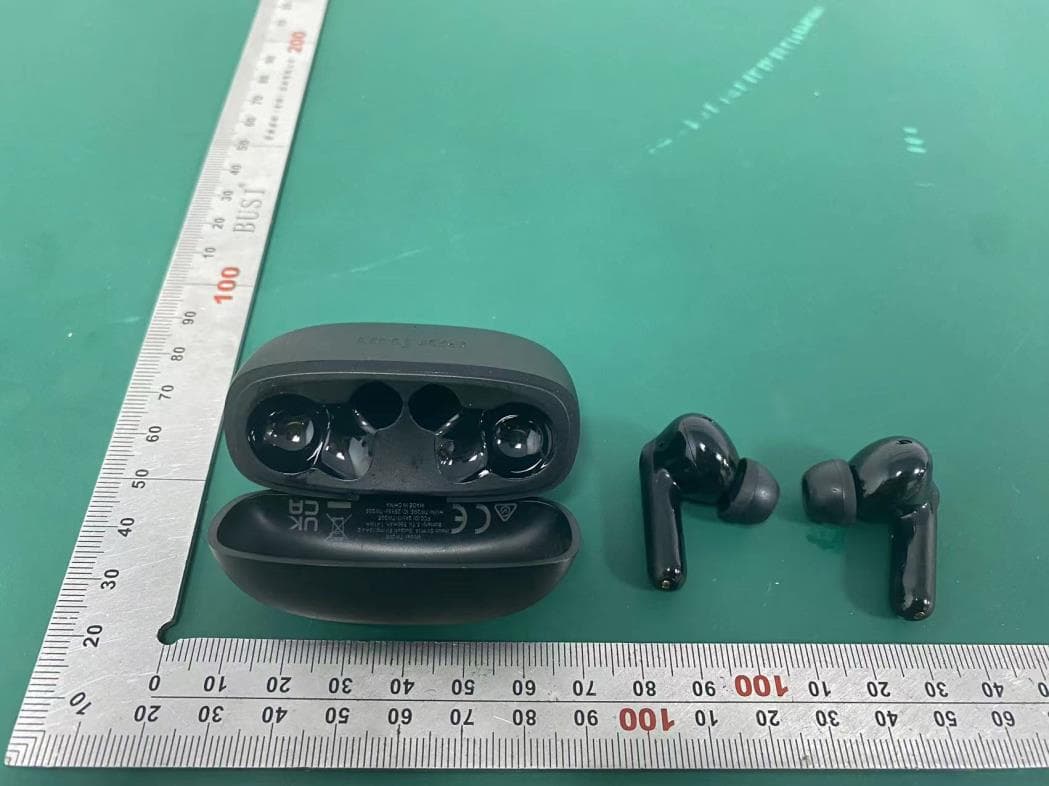
2AVIT-TW205
Aug 05, 2024True Wireless Earbuds
Equipment Class
DSS - Part 15 Spread Spectrum Transmitter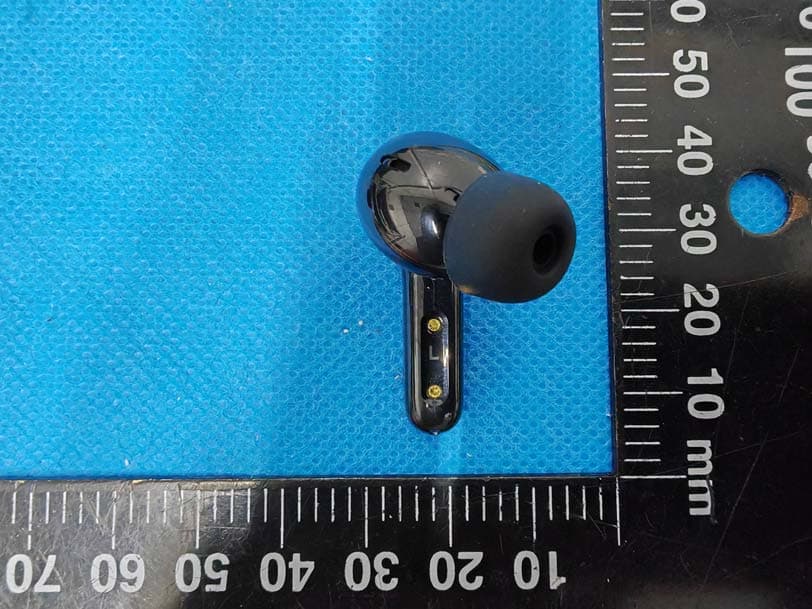
2AVIT-TW600L
Jun 26, 2024ANC Wireless Earbuds
Equipment Class
DTS - Digital Transmission System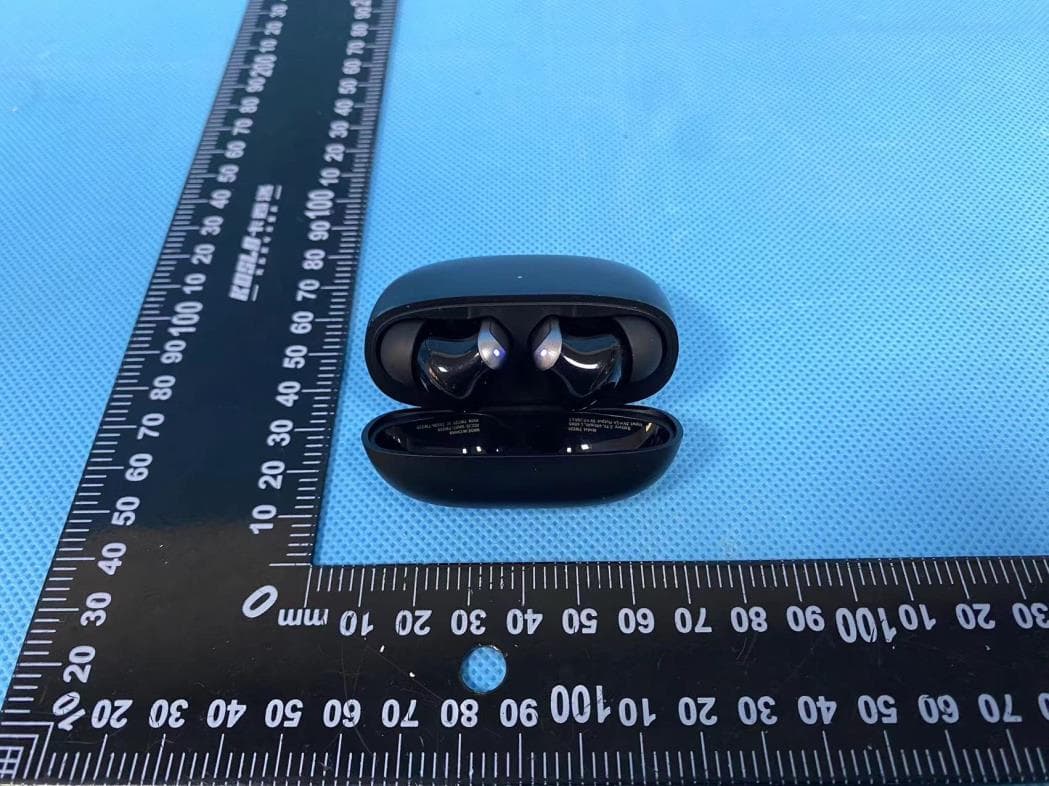
2AVIT-TW220
May 07, 2024ANC Wireless Earbuds
Equipment Class
DSS - Part 15 Spread Spectrum Transmitter