2AVRVCTAC02GALILEO Alarm Clock and Bluetooth Speaker
DP AUDIO VIDEO LLC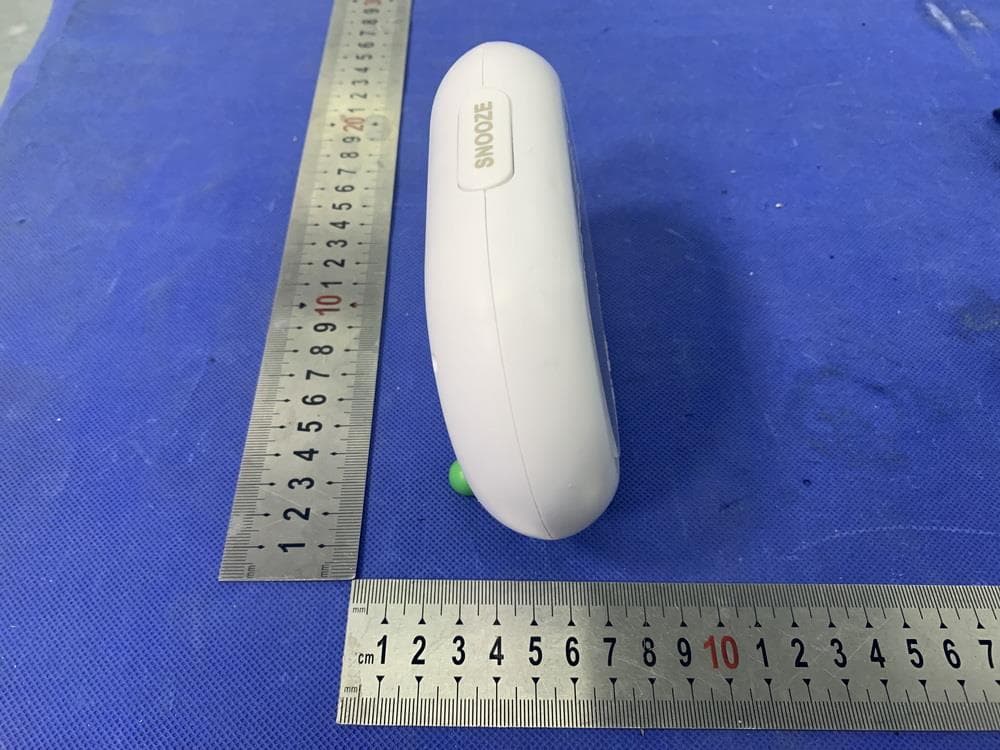
Click to zoom
Application Details
- Equipment Class
- DSS - Part 15 Spread Spectrum Transmitter
- Date of Grant
- Jun 07, 2022
- Application Purpose
- Original Equipment
- Date of Application
- Jun 07, 2022
- Equipment Note
- GALILEO Alarm Clock and Bluetooth Speaker
- Frequency Range
- 2402.00000000 - 2480.00000000
- Company
- DP AUDIO VIDEO LLC
- Country
- United States
Documents & Files
Document Text
Text extracted from the exhibit documents filed with the FCC. Open a document above to read the original.
Users Manual
Alarm Clock & Bluetooth ® Speaker CTAC02 GALILEO Quick Start Guide Read Before Use Protect your device from impact from bumps and falls. Avoid using this device in strong magnetic and static environments as much as possible. If the device comes into contact with water or any other liquid, power it off immediately and wait for it to dry completely before turning it on again. Do not clean the device with any cleaning products containing chemicals, to avoid damage caused by corrosion and dampness. When cleaning is necessary, use a dry, soft cloth. Please do not disassemble the device by yourself; doing so will void the warranty. Product Overview 1 3 2 5 4 6789 10 11 1. Snooze Button 2. Sleep Sound Timer 3. Button Controls 4. Alarm Knob 5. Time Knob 6. Power Switch 1. Volume Down: Press to decrease volume 2. Pause / Play: Press to pause or play the music 3. Volume Up: Press to increase volume 4. Sleep Sounds: Press to turn on sleep sounds; press again to set sleep sounds timer to 15, 30, or 60 minutes, respectively 5. Modes: Press to switch between modes (FM Radio Mode, Bluetooth ® Setup, Snooze Sound Setup, Alarm Song Setup) 6. Previous / Next: Press once to skip to the next track. Press twice to return to the previous track 7. USB Charging Port 8. Micro USB Clock Charging Port 9. AUX In 10. Reset Button 11. Alarm Switch Product Overview (continued) Button Controls Turn the TIME knob to adjust the clock’s time. Turn the ALARM knob to set up the alarm. Make sure the ALARM SWITCH is also set to ON. To snooze the alarm: Press the top SNOOZE BUTTON once. The alarm will snooze for 10 minutes. To turn off the alarm: Flip the ALARM SWITCH to OFF. Time and Alarm Setup To set up the Alarm Sound, press the MODES button until you hear the “Set Up Alarm Song” voice prompt. To set up the Snooze Sound, press the MODES button until you hear the “Set Up Snooze Sound” voice prompt. To play sleep sounds, press the SLEEP SOUNDS button. Press the SLEEP SOUNDS button again to turn on the timer. The blue light indicator will turn on, allowing you to set the timer to 15, 30 or 60 minute intervals. Use the PREV/NEXT button to select your desired alarm song. Press the MODES button again to confirm your selection. Use the PREV/NEXT button to select your desired snooze sound. Press the MODES button again to confirm your selection. Set Alarm Sound Set Snooze Sound Sleep Sounds Note: When the alarm is not ringing, you may press the SNOOZE button to play the snooze sound. Press the button again to pause the sound. FM Radio Bluetooth ® Setup Press the MODES button until you hear the “FM Radio” voice prompt. Press and hold the same MODES button to scan radio stations automatically. Press the MODES button until you hear the “Bluetooth Setup” voice prompt. Enter Bluetooth ® settings on your smartphone or other Bluetooth ® -enabled device, and search for “GALILEO”. Tap to connect to Bluetooth ® . Note: Press the PREV/NEXT button once to search forward; press twice to return to the previous station. For optimal radio reception, plug one end of the included AUX cable into the clock’s AUX input. If you want to search radio stations manually, press the PREV/NEXT button. Note: To turn off sleep sounds, press the SLEEP SOUNDS button again after the 60 minute timer is enabled. Insert an AUX cable to automatically play music from any device compatible with an AUX cable. Insert the included micro USB cable to charge the alarm clock through the CLOCK CHARGE port. NOTE: You will need to connect the USB end of the cable into a wall adapter or computer (not included). Charge your mobile phone or other portable device by plugging in your device’s USB charging cable (sold separately) into the clock’s USB CHARGE port. AUX Charging the Clock Charging Other Devices Using a paper clip, press and hold the RESET button for 3 seconds to reset the alarm clock to factory default settings. You may illuminate the clock face by pressing and holding the SNOOZE button when the clock is turned on. Press and hold the SNOOZE button again to turn the lamp off. Resetting the Clock Lamp SNOOZE Built-in Lights and Night Light 5 Preloaded Alarm Sounds FM Radio Function Bluetooth ® Speaker Sleep Sound Machine Sleep Sound Timer Bluetooth ® 5.1 3.5mm AUX In Up to 10 Hours of Play Time Charging Time: 2.5 Hours Working Distance: 32 ft Audio Amplifier & Volume Adjustment Micro USB Charging Portable Charger Function Battery Capacity: 2000mAh Speaker: 2*3w Power Output: 6W Frequency Response: 100Hz ~ 20kHz+ / -3dB Specifications This device complies with Part 15 of the FCC Rules. Operation is subject to the following two conditions: (1)This device may not cause harmful interference. (2)This device must accept any interference received, including interference that may cause undesired operation. 2. Changes or modifications not expressly approved by the party responsible for compliance could void the user authority to operate the equipment. Note:This equipment has been tested and found to comply with the limits for a class B digital device,pursuant to Part 15 of the FCC Rules. These limits are designed to provide reasonable protection against harmful interference in a residential installation. This equipment generates uses and can radiate radio frequence energy and,if not installed and used in accordance with the instructions,may cause harmful interference to radio communications.However,there is no guarantee that interference will not occur in a particular installation.if this equipmemt does cause harmful interference to radio or television reception,which can be determined by turning the equipment off and on,the user is encouraged to try to correct the interference by one or more of the following measures: - Reorient or relocate the receiving antenna. - Increase the separation between the equipment and receiver. - Connect the equipment into an autlet on a circuit different from that to which the receiver is connected. - Consult the dealer or an ex…
Text truncated - open the document above for the full version.
Cover Letter(s)
DP AUDIO VIDEO LLC 2022-05-26 Eurofins Electrical and Electronic Testing NA, Inc. 914 West Patapsco Avenue Baltimore, MD 21230 RE: CONFIDENTIALITY REQUEST FOR (EUT Name: GALILEO Alarm Clock and Bluetooth Speaker /Model: CTAC02/FCC ID: 2AVRVCTAC02) To Whom It May Concern: This letter serves as an official request for confidentiality under sections 0.457 and 0.459 of CFR 47. We have requested that the (Block Diagram ,Operational Description,Schematics) required to be submitted with this application be permanently withheld from public review. The above materials contain trade secrets and proprietary information not customarily released to the public. The public disclosure of these materials may be harmful to the applicant and provide unjustified benefits to its competitors. Please contact me if there is any information you may need. Sincerely, Roy Ryan Manager DP AUDIO VIDEO LLC 920 MALCOLM AVE LA CA 90024 USA
Cover Letter(s)
DP AUDIO VIDEO LLC 2022-05-26 Eurofins Electrical and Electronic Testing NA, Inc. 914 West Patapsco Avenue Baltimore, MD 21230 RE: LETTER OF AGENT AUTHORIZATION To Whom It May Concern: We, the undersigned, hereby authorize DongGuan Anci Electronic Technology Co., Ltd. to act on our behalf in all matters relating to application for equipment authorization, including the signing of all documents relating to these matters. We also hereby certify that no party to the application authorized hereunder is subject to the denial of benefits, including FCC benefits, pursuant to Section 5301 of the Anti-Drug Abuse Act of 1988, 21 U.S.C.853(a). This agreement expires one year from the current date. Sincerely, Roy Ryan Manager DP AUDIO VIDEO LLC 920 MALCOLM AVE LA CA 90024 USA
ID Label/Location Info
Label: Model:CTAC02 FCC ID: 2AVRVCTAC02 Rating:DC 5V, 1A Made in China This device complies with Part 15 of the FCC Rules. Operation is subject to the following two conditions:(1)This device may not cause harmful interference.(2)This device must accept any interference received, including interference that may ause undesired operation. Label location:
Internal Photos
FM ANT BT ANT
RF Exposure Info
RF EXPOSURE EVALUATION EUT Specification EUT GALILEO Alarm Clock and Bluetooth Speaker Model Number CTAC02 FCC ID 2AVRVCTAC02 Antenna gain (Max) -0.58dBi Operation Frequency BT: 2402-2480MHz Input Rating DC 5V, 1A Classification Per Stipulated Test Standard §15.247(i), §2.1093 Modulation GFSK, π/4-DQPSK Max. output power 3.69dBm(0.0023W) Test Requirement: According to §15.247(i) and §1.1307(b)(1), systems operating under the provisions of this section shall be operated in a manner that ensures that the public is not exposed to radio frequency energy level in excess of the Commission’s guidelines. Routine SAR evaluation refers to that specifically required by §2.1093, using measurements or computer simulation. When routine SAR evaluation is not required, portable transmitters with output power greater than the applicable low threshold require SAR evaluation to quality for TCB approval. One antenna is available for the EUT. The minimum separation distance is 5mm. BT DSS: According to KDB 447498, no stand-alone required for BT antenna, and no simultaneous SAR measurement is required. Signature: Alan He Date: 2022-05-25 Transmit Frequency (MHz) Mode Measured Power (dBm) Tune up Power (dBm) Max tune up power(dBm) Calculation Result 1-g SAR 2402 GFSK 2.6 3±1 4 0.778639 3 2441 GFSK 3.17 3±1 4 0.784935 3 2480 GFSK 2.31 2±1 3 0.628346 3 2402 Π/4-DQ PSK 3.10 3±1 4 0.778639 3 2441 Π/4-DQ PSK 3.58 3±1 4 0.784935 3 2480 Π/4-DQ PSK 3.69 4±1 5 0.995905 3
Test Report
Report No.: E01A220450459F01101 1 of 76 DongGuan Anci Electronic Technology Co., Ltd 1-2 Floor, Building A, No.11, Headquarters 2 Road, Songshan Lake Hi-tech Industrial Development Zone, Dongguan City, Guangdong Pr., China. Phone: 86-769- 8507 5888; Fax: 86-769- 8507 5898 E-mail: [email protected] Rev. 1.0 ELECTROMAGNETIC EMISSIONS COMPLIANCE REPORT INTENTIONAL RADIATOR CERTIFICATION TO FCC PART 15 SUBPART C REQUIREMENT OF GALILEO Alarm Clock and Bluetooth Speaker Model No.: CTAC02 Trademark: Core Innovations FCC ID: 2AVRVCTAC02 Report No.: E01A220450459F01101 Issue Date: June 01, 2022 Prepared for DP AUDIO VIDEO LLC 920 MALCOLM AVE LA CA 90024 USA Prepared by Dong Guan Anci Electronic Technology Co., Ltd. 1-2 Floor, Building A, No.11, Headquarters 2 Road, Songshan, Lake Hi-tech Industrial Development Zone, Dongguan City, Guangdong Pr., China. This report shall not be reproduced, except in full, without the written approval of Dong Guan Anci Electronic Technology Co., Ltd. Report No.: E01A220450459F01101 2 of 76 TRF No.: FCC 15.247/A Rev. 1.0 VERIFICATION OF COMPLIANCE Applicant: DP AUDIO VIDEO LLC 920 MALCOLM AVE LA CA 90024 USA Manufacturer: Dongguan Aideji Technology Co.,Ltd Room 818, 7 East Second Street, Wusha Xingfa South Road, Chang'an Town, Dongguan City, Guangdong Province, China Product Description: GALILEO Alarm Clock and Bluetooth Speaker Trade Mark: Core Innovations Model Number: CTAC02 We hereby certify that: The above equipment was tested by Dong Guan Anci Electronic Technology Co., Ltd.The test data, data evaluation, test procedures, and equipment configurations shown in this report were made in accordance with the procedures given in ANSI C63.10-2013 and the energy emitted by the sample EUT tested as described in this report is in compliance with conducted and radiated emission limits of FCC Rules Part 15.247(2021). Date of Test : May 25, 2022 to May 31, 2022 Prepared by : Tomas Yang/Editor Reviewer & Authorized Signer : Alan He/ Supervisor Report No.: E01A220450459F01101 3 of 76 TRF No.: FCC 15.247/A Rev. 1.0 Modified Information Version Summary Revision Date Report No. Ver.1.0 Original Report / E01A220450459F01101 Report No.: E01A220450459F01101 4 of 76 TRF No.: FCC 15.247/A Rev. 1.0 Table of Contents 1. GENERAL INFORMATION ......................................................................................................... 6 1.1 PRODUCT DESCRIPTION ............................................................................................................................. 6 1.2 TEST METHODOLOGY ................................................................................................................................. 6 1.3 TEST FACILITY ............................................................................................................................................. 7 2. SYSTEM TEST CONFIGURATION............................................................................................... 8 2.1EUT CONFIGURATION ................................................................................................................................. 8 2.2 EUT EXERCISE..................................................................................................................................... 8 2.3 TEST PROCEDURE..................................................................................................................................... 8 2.4CONFIGURATION OF TESTED SYSTEM ........................................................................................................ 9 3. SUMMARY OF TEST RESULTS ................................................................................................. 10 4. DESCRIPTION OF TEST MODES .............................................................................................. 11 5. TEST SYSTEM UNCERTAINTY .................................................................................................. 12 6. CONDUCTED EMISSIONS TEST ............................................................................................... 13 6.1MEASUREMENT PROCEDURE: ................................................................................................................... 13 6.2 TEST SET-UP (BLOCK DIAGRAM OF CONFIGURATION) ......................................................................... 13 6.3MEASUREMENT EQUIPMENT USED: .......................................................................................................... 13 6.4 MEASUREMENT RESULT: .......................................................................................................................... 13 CONDUCTED MEASUREMENT PHOTOS: ......................................................................................................... 15 6.5 CONDUCTED MEASUREMENT PHOTOS: ................................................................................................... 16 7. RADIATED EMISSION TEST ....................................................................................................... 17 7.1MEASUREMENT PROCEDURE .................................................................................................................... 17 7.2TEST SET-UP (BLOCK DIAGRAM OF CONFIGURATION) .......................................................................... 19 7.3 MEASUREMENT EQUIPMENT USED: ......................................................................................................... 20 7..4 RADIATED EMISSION LIMIT ...................................................................................................................... 21 7.5 MEASUREMENT RESULT ......................................................................................................................... 22 7.5 RADIATED MEASUREMENT PHOTOS: ....................................................................................................... 31 8. CHANNEL SEPARATION TEST ............................................................…
Text truncated - open the document above for the full version.
Contact Information
Applicant
Roy Ryan
Test Firm
Guangdong GTG Testing Technology Co., Ltd.Kingbo Hu
[email protected]86-769- 8507 5888
Technical Specifications
| # | Rule Parts | Frequency Range | Power Output |
|---|---|---|---|
| 1 | 15C | 2.40 GHz - 2.48 GHz | 2.30 mW |
Other Applications from DP AUDIO VIDEO LLC
2AVRVBS500HT
Sep 10, 2024Hot Tub & Pool Bluetooth Floating Speaker
Equipment Class
DSS - Part 15 Spread Spectrum Transmitter
2AVRV-DG3200
Jul 21, 202432inch Rollable Smart Touchscreen TV
Equipment Class
DTS - Digital Transmission System
2AVRVKRMIC200
Jul 10, 2024Portable Karaoke Machine
Equipment Class
DSS - Part 15 Spread Spectrum Transmitter
2AVRVCC2400
Jan 16, 2024AIO computer
Equipment Class
DTS - Digital Transmission System
2AVRVCTP100LG
Jan 08, 2024Professional Wireless Thermal Printer
Equipment Class
DSS - Part 15 Spread Spectrum Transmitter