2AWLG-MEB11V6Maestro Ebook11
Evolve 3 Holdings Pty Ltd
Click to zoom
Application Details
- Equipment Class
- NII - Unlicensed National Information Infrastructure TX
- Date of Grant
- May 09, 2021
- Application Purpose
- Original Equipment
- Date of Application
- May 09, 2021
- Equipment Note
- Maestro Ebook11
- Frequency Range
- 5745.00000000 - 5825.00000000
- Company
- Evolve 3 Holdings Pty Ltd
- Country
- Australia
Documents & Files
Document Text
Text extracted from the exhibit documents filed with the FCC. Open a document above to read the original.
Users Manual
Pa ckage contents Product name: Maestro Ebook11 Product Model numbers: Maestro‐EBook11G Brand name: Evolve III Power adapter (100V‐240V) X TM Quick guide Import ant safety and legal information Remove all components from the packaging and remove the packaging material, including the protective film. Check to ensure that the delivery is complete. If you find that there are missing or damaged components, contact customer service immediately. Technical specifications Processor (CPU): Intel® Celeron® N4120Processor (up to 2.2GHz) quad core* Operating system: Windows 10 Pro RAM/Internal storage: 4GB/64GB Graphics unit (GPU): Intel® HD Graphics 600 (C)* Screen size: 11.6” Display: TN display (1366*768; 16:9) Camera: Front: 2MP Interfaces: 1x Mini‐HDMI®, audio out/MIC in (3.5mm), 1x USB2.0, 1x USB3.0, Card slot: 1x TF card slot , 1x SIM card slot. Network: WIFI 802.11 ac/b/g/n, Bluetooth 4.0 More: Hall‐Sensor, Analogue‐microphone, Stereo speaker Size: 277mm x190.3 mm x17.8mm Weight: approx.1000g Material/Color: PC + ABS︱Cool Grey Battery: Li‐polymer (charging via PD adapter) Operation and storage Temperatures: between 5°C to 30°C Relative humidity: of 30% to 70% Quick guide Charging the Notebook Please charge your Notebook fully before using it for the first time. Connect the DC plug on the supplied power adapter to the charging socket (PD adapter) on the Notebook. Then plug the power adapter into a socket. The charging LED lights up while the device is charging. Only leave the power adapter connected to the socket until the battery of the Notebook is fully charged. In addition, always disconnect the power adapter from the Notebook when you are not charging the Notebook. Turning on the Notebook for the first time Bring the screen upwards until it is standing at a minimum angle of 90° to the keyboard. Press the on/off switch for about 5 seconds to switch on the Notebook. The setup assistant will then appear on the screen. Follow the setup assistant instructions to set up your Notebook. During the start‐up, the wizard prompts you to register for your Microsoft account. If you do not yet have a Microsoft account, please set up one here. After completion of the start‐up, your Notebook is configured. This may take several minutes to complete. Do not turn off the Notebook during this time ! Unlocking the display As soon as the device has been set up (and every time it is subsequently switched on and booted up), the lock screen appears, Press any key on the keyboard to unlock the screen. If your Notebook is password‐protected, you must then enter the password. Start menu To display the start menu, click the Windows icon in the bottom left of the display or press the the Windows button on the keyboard. Press the icon a second time to hide the Start menu. The Start menu consists of the classic navigation list (A) and a useful app area (B) to the right of the navigation list. Among other things, the navigation list includes a link to open Settings (cog wheel icon).In the app area, you can pin apps and favorites in the form of live tiles and organize them. In the navigation list (A) you find a list of all installed apps in alphabetical order. An alphabetic quick access to the navigation list appears when you click on a respective first letter. The Action Center The Info Center is a bar with quick links to some important Notebook functions, which you can either display or hide. To access the Info Center click the memo symbol in the bottom fight ‐hand corner. Activating WIFI and opening the browser a. Call up Settings(see “Start menu”). b In the settings, click “Network & Internet”. c Click “ WiFi” on the left in the next screen. d Click the slider or the word “Off”. The word “On” now appears next to the slider.The Notebook searches for all available for all available wireless networks nearby and then displays them as a list (“Show available networks”). e Click the network that you wish to connect to. f Enter the network key (password) if necessary. g . Click “Connect”. The Notebook connects to the selected network. The button for launching the Internet browser can be found on the task bar at the bottom of the display. Click the little blue “e” to launch the browser. To enter an Internet address (URL), click the search bar displayed centrally at the top of the window. Reset If the Notebook “freezes” and no longer responds, you can reset it. Please and hold down then on/off switches off. Wait for about 20 seconds and then turn the Notebook on normally. Any files that have not been saved will be lost when the Notebook is reset. Switching off the Notebook Standby Briefly press the on/off switch on the device to activate the standby mode. Press it again quickly to take the Notebook out of standby mode. Shutting down Open the Start menu. Click“Ф” in the bottom area of the Start menu and then tap “Shut down”. The Notebook shuts down. Saving energy Deactivate the WIFI function when it is not in use. Only leave the power adapter connected to the socket until the Notebook’s battery is fully charged. In addition, always disconnect the power adapter form the Notebook when you are not charging the Notebook. Reduce the display brightness under “System” →“Display” in the settings. Activate standby mode or turn off the Notebook completely if you are not using the Notebook. General safety information WARNING Risk of multiple injuries due ton reduced physical, sensory or mental capabilities and/or lack of knowledge or practical experience Children and vulnerable individuals may only use the device under direct supervision. Risk of electric shock or electrocution from live components Do not insert objects into the device’s ventilation slots. Do not open the power adapter. Do not touch the power adapter if you hands are wet. Do not short out the device and/or charger. Fire hazard andor risk of burns from damaged or leaking batteries Do not use or charge the device if the battery if damaged or leaking. Do not use or charge the…
Text truncated - open the document above for the full version.
Attestation Statements
Evolve 3 Holdings Pty Ltd PO BOX 6222, NARRAWEENA NSW, Australia, 2099 Tel: +61400665466 Email: [email protected] Attestation Letter Date: 2021-03-27 FEDERAL COMMUNICATIONS COMMISSIONS Authorization and Evaluation Division 7435 Oakland Mills Road Columbia, MD 21046 Dear Sir or Madam: We, Evolve 3 Holdings Pty Ltd, hereby declare that our product Maestro Ebook11, Model: Maestro-EBook11G,FCC ID:2AWLG-MEB11V6, has the ability to work in 2.4G and 5G 4 frequency bands: 5150~5250MHz, 5250~5350MHz, 5470~5725MHz, 5725~5850MHz. For the purpose of marketing, thefrequency of the procuct sold in U.S. are programmed and locked to work only in 2.4G,5150~5250MHz and 5725~5850MHz. The other frequency bands 5250~5350MHz,5470~5725MHz are disabled by firmware in factory. The end user or any other parties can not have the capability to activate the other frequency bands. We applied for testing frequency bands: 2.4G and 5180~5240MHz, 5745-5825MHz for the United States this time in BACL. Sincerely, Signature RAY PAOLA CEO
Cover Letter(s)
Evolve 3 Holdings Pty Ltd PO BOX 6222, NARRAWEENA NSW, Australia, 2099 Tel: +61400665466 Email: [email protected] FCC Confidential Authorization Date: 2021-03-27 FEDERAL COMMUNICATIONS COMMISSIONS Authorization and Evaluation Division 7435 Oakland Mills Road Columbia, MD 21046 Subject: Confidentiality Request regarding application for certification of FCC ID: 2AWLG-MEB11V6 In accordance with Sections 0.457 and 0.459 of the Commission’s Rules, Evolve 3 Holdings Pty Ltd hereby requests long-term confidential treatment of information accompanying this application as outlined below: • Block Diagram • Schematics • Operation Description The above materials contain proprietary and confidential information not customarily released to the public. The public disclosure of these materials provides unjustified benefits to its competitors in the market. Sincerely Yours, Signature: RAY PAOLA CEO
External Photos
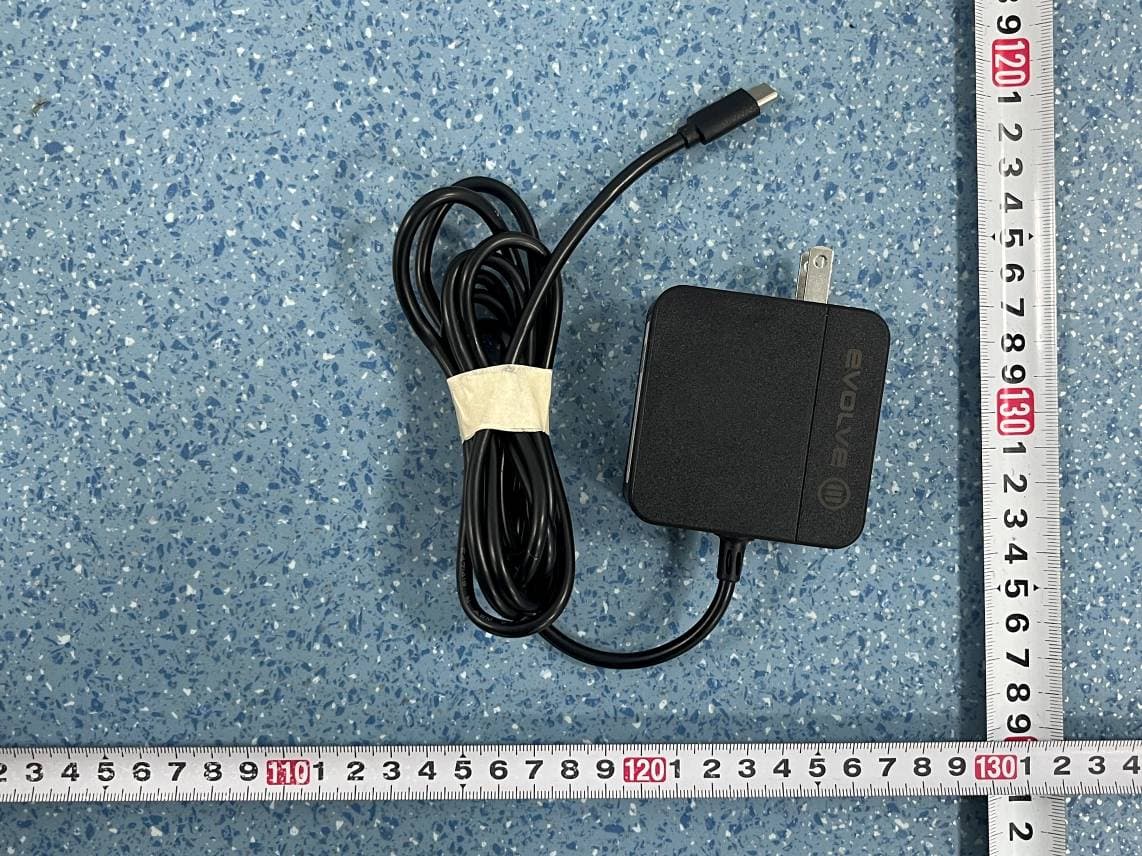
EXHIBIT B - EUT EXTERNAL PHOTOGRAPHS Port Port
ID Label/Location Info
AA AA
Internal Photos
EXHIBIT C - EUT INTERNAL PHOTOGRAPHS Antenna 0(WIFI) Antenna 1(BT+WIFI) Chip1 Antenna 1 Antenna 0 Battery 1# Battery 2#
RF Exposure Info
Bay Area Compliance Laboratories Corp. (Dongguan) Report No.: RSZ210305002-00C Page 12 of 85 FCC §15.407 (f) & §1.1310 & §2.1093- RF Exposure Applicable Standard According to§15.407(f) and §1.1310, systems operating under the provisions of this section shall be operated in a manner that ensure that the public is not exposed to radio frequency energy level in excess of the Commission’s guideline. According to KDB447498 D01 General RF Exposure Guidance v06: The 1-g and 10-g SAR test exclusion thresholds for 100 MHz to 6 GHz at test separation distances ≤ 50 mm are determined by: [(max. power of channel, including tune-up tolerance, mW)/(min. test separation distance, mm)] ꞏ [√f(GHz)] ≤ 3.0 for 1-g SAR and ≤ 7.5 for 10-g extremity SAR, where • f(GHz) is the RF channel transmit frequency in GHz • Power and distance are rounded to the nearest mW and mm before calculation • The result is rounded to one decimal place for comparison • 3.0 and 7.5 are referred to as the numeric thresholds in the step 2 below The test exclusions are applicable only when the minimum test separation distance is ≤ 50 mm and for transmission frequencies between 100 MHz and 6 GHz. When the minimum test separation distance is < 5 mm, a distance of 5 mm according to 5) in section 4.1 is applied to determine SAR test exclusion. Measurement Result The max conducted power including tune-up tolerance is 7.5 dBm (5.62 mW). [(max. power of channel, mW)/(min. test separation distance, mm)][√f(GHz)] =5.62/5*(√5825) = 2.7< 3.0 Result: Compliance. The stand-alone SAR evaluation is not necessary.
Test Report
FCC PART 15.407 TEST REPORT For Evolve 3 Holdings Pty Ltd PO BOX 6222, NARRAWEENA NSW 2099, AUSTRALIA Report Type: Original Report Product Name: Maestro Ebook11 Report Number: RSZ210305002-00C Re port Date: 2021-04-19 Reviewed By: Ivan Cao Assistant Manager Test Laboratory: Bay Area Compliance Laboratories Corp. (Dongguan) No.12, Pulong East 1 st Road, Tangxia Town, Dongguan, Guangdong, China Tel: +86-769-86858888 Fax: +86-769-86858891 www.baclcorp.com.cn FCC ID:2AWLG-MEB11V6 Bay Area Compliance Laboratories Corp. (Dongguan) Report No.: RSZ210305002-00C Page 2 of 85 TABLE OF CONTENTS GENERAL INFORMATION ....................................................................................................................................... 4 PRODUCT DESCRIPTION FOR EQUIPMENT UNDER TEST (EUT) ..................................................................................... 4 OBJECTIVE ................................................................................................................................................................... 4 TEST METHODOLOGY .................................................................................................................................................. 4 MEASUREMENT UNCERTAINTY .................................................................................................................................... 5 TEST FACILITY ............................................................................................................................................................. 5 DECLARATIONS ............................................................................................................................................................ 5 SYSTEM TEST CONFIGURATION .......................................................................................................................... 6 DESCRIPTION OF TEST CONFIGURATION ...................................................................................................................... 6 EUT EXERCISE SOFTWARE .......................................................................................................................................... 6 EQUIPMENT MODIFICATIONS ..................................................................................................................................... 10 SUPPORT EQUIPMENT LIST AND DETAILS .................................................................................................................. 10 SUPPORT CABLE LIST AND DETAILS .......................................................................................................................... 10 BLOCK DIAGRAM OF TEST SETUP .............................................................................................................................. 10 SUMMARY OF TEST RESULTS ............................................................................................................................. 11 FCC §15.407 (f) & §1.1310 & §2.1093- RF Exposure ............................................................................................... 12 APPLICABLE STANDARD ............................................................................................................................................ 12 FCC §15.203- ANTENNA REQUIREMENT ............................................................................................................ 13 APPLICABLE STANDARD ............................................................................................................................................ 13 ANTENNA CONNECTOR CONSTRUCTION .................................................................................................................... 13 FCC §15.207(a)– CONDUCTED EMISSIONS ......................................................................................................... 14 APPLICABLE STANDARD ............................................................................................................................................ 14 EUT SETUP ................................................................................................................................................................ 14 EMI TEST RECEIVER SETUP ....................................................................................................................................... 14 CORRECTED AMPLITUDE & MARGIN CALCULATION ................................................................................................. 15 TEST EQUIPMENT LIST AND DETAILS ......................................................................................................................... 15 TEST PROCEDURE ...................................................................................................................................................... 15 TEST DATA ................................................................................................................................................................ 16 FCC §15.209, §15.205 , §15.407(b) –UNWANTED EMISSION .............................................................................. 18 APPLICABLE STANDARD ............................................................................................................................................ 18 EUT SETUP ................................................................................................................................................................ 19 EMI TEST RECEIVER & SPECTRUM ANALYZER SETUP .............................................................................................. 20 TEST PROCEDURE ...................................................................................................................................................... 20 CORRECTED AMPLITUDE & MARGIN CALCULATION ................................................................................................. 21 TEST EQUIPMENT LIST AND DETA…
Text truncated - open the document above for the full version.
Test Setup Photos
EXHIBIT D - TEST SETUP PHOTOGRAPHS Conducted Emissions Front View Conducted Emissions Side View Radiated Emission Below 1GHz View Radiated Emission Above 1GHz View
Contact Information
Applicant
RAY PAOLA(CEO)
Test Firm
Bay Area Compliance Laboratories Corp.(Dongguan)David Zhang
[email protected]0086 0769 86858888
Technical Specifications
| # | Rule Parts | Frequency Range | Power Output |
|---|---|---|---|
| 2 | 15E | 5.75 GHz - 5.83 GHz | 6.00 mW |
Other Applications from Evolve 3 Holdings Pty Ltd
2AWLG-T3P116V1
Feb 18, 2024Laptop
Equipment Class
DSS - Part 15 Spread Spectrum Transmitter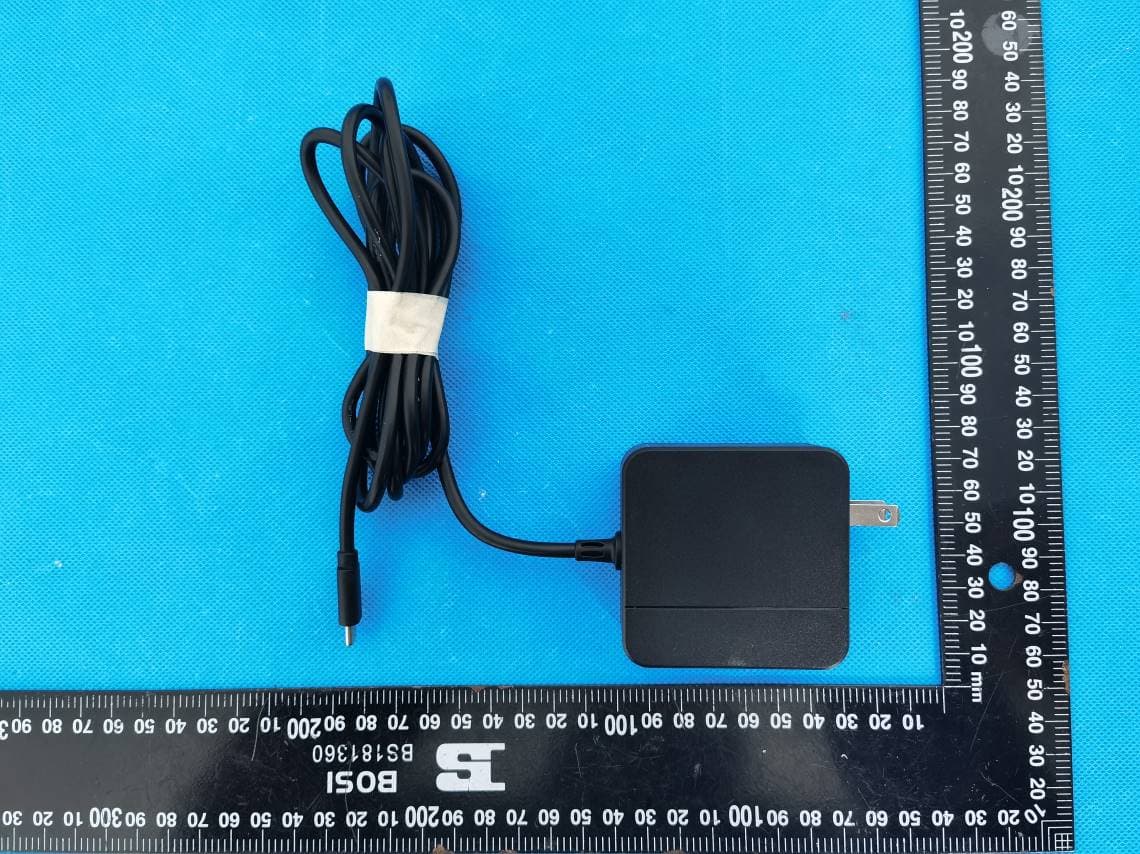
2AWLG-T3P1165GV1
Feb 18, 2024Laptop
Equipment Class
NII - Unlicensed National Information Infrastructure TX
2AWLG-EVOXSV1
Dec 05, 2023Cloud Gaming console
Equipment Class
DSS - Part 15 Spread Spectrum Transmitter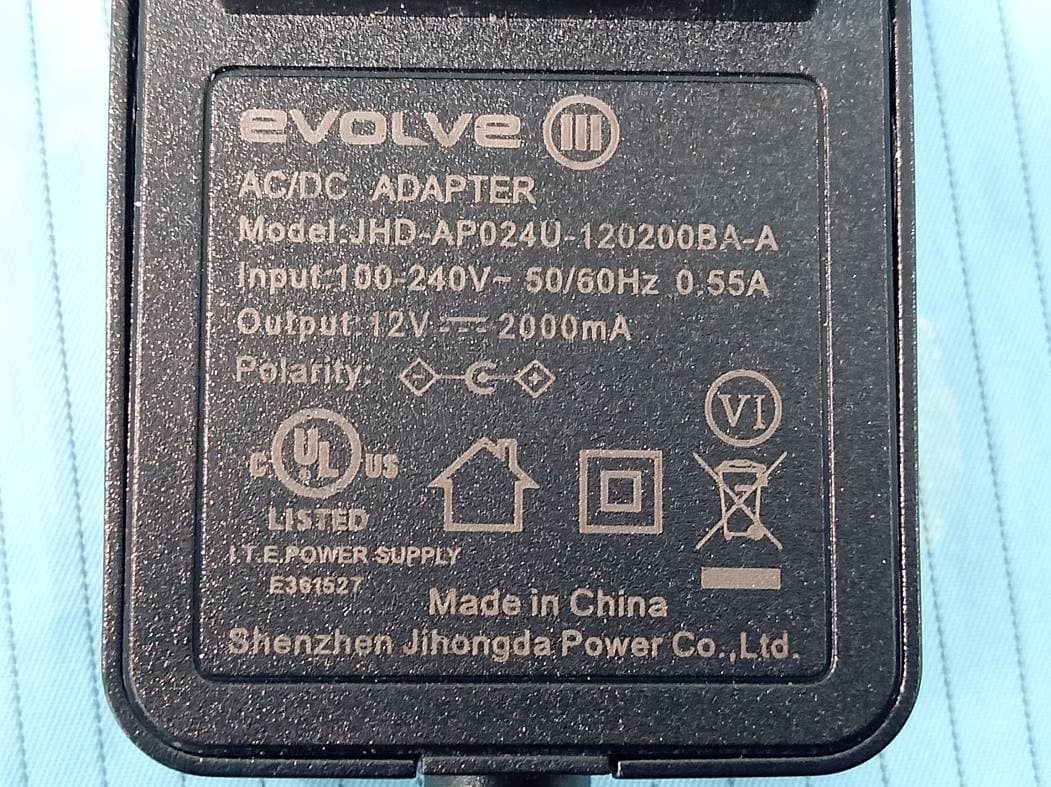
2AWLG-MEB11V5
Feb 10, 2021Maestro EBook
Equipment Class
JBC - Part 15 Class B Computing Device/Personal Computer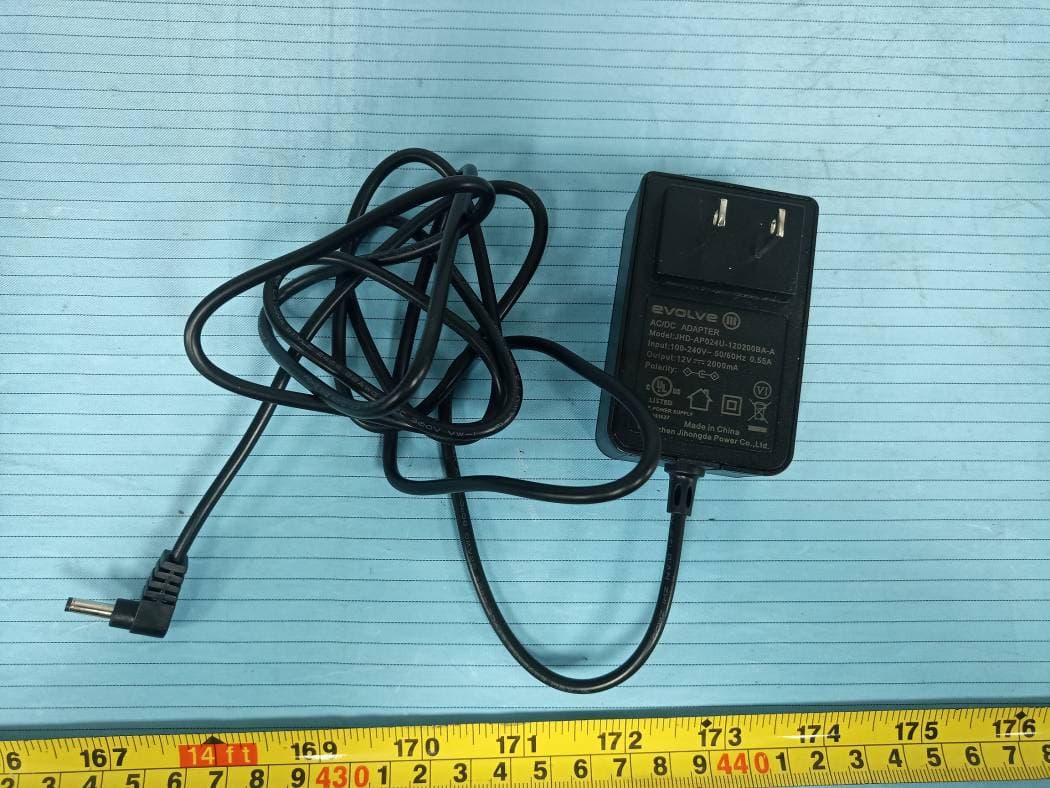
2AWLG-MEB11V4
Jan 03, 2021Notebook
Equipment Class
DSS - Part 15 Spread Spectrum Transmitter