2AXGD-RLS5CRobotic Vacuum Cleaner
Dreame Trading (Tianjin) Co.,Ltd.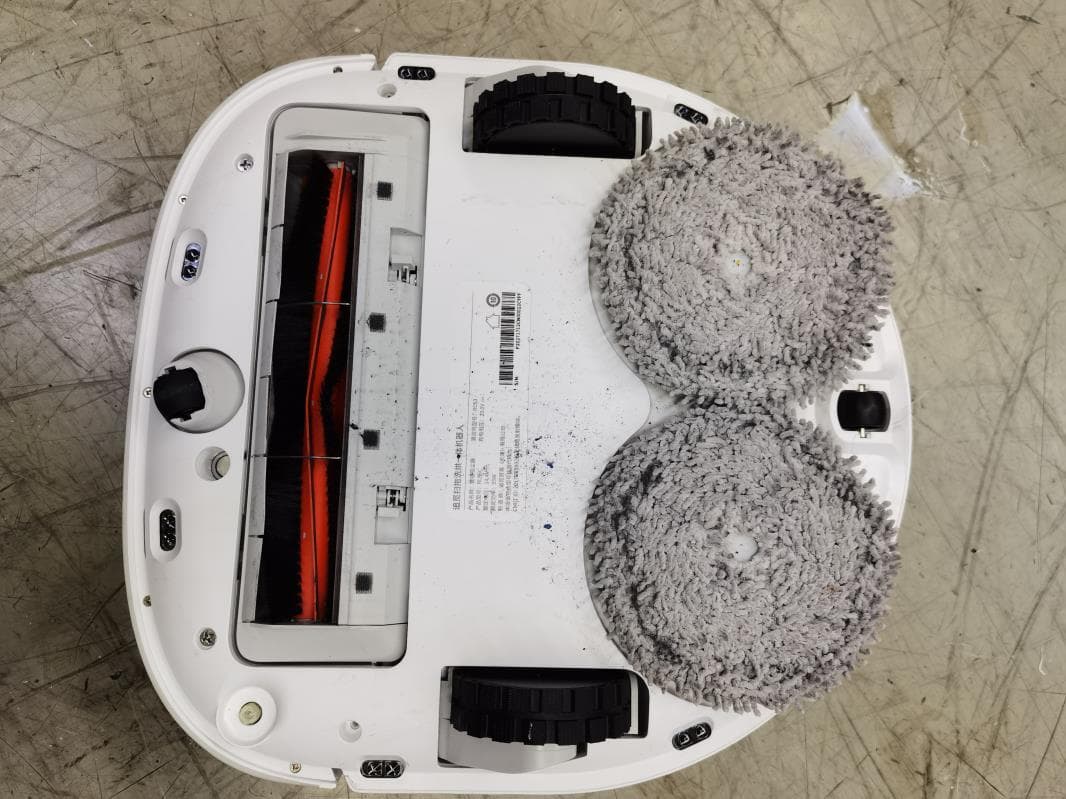
Click to zoom
Application Details
- Equipment Class
- DXT - Part 15 Low Power Transceiver, Rx Verified
- Date of Grant
- Sep 05, 2021
- Application Purpose
- Original Equipment
- Date of Application
- Sep 05, 2021
- Equipment Note
- Robotic Vacuum Cleaner
- Frequency Range
- 915.00000000 - 915.00000000
- Country
- China
Documents & Files
Document Text
Text extracted from the exhibit documents filed with the FCC. Open a document above to read the original.
Users Manual
此页面非印刷内容 追觅扫拖洗烘一体机器人 A00 2021/07/26 说明书 物料名称 设计时间 版本号 项目名称 陈祺臣 210mm*140mm 四色印刷 尺寸要求: 胶装工艺: 颜色及专色: 字体要求: 材质: 材质工艺要求: 设计师 审核 批准 料号 封面:157g哑粉纸,单面过油; 内页:68g哑粉纸; 04170500000563 RLS5C-NA-A00 For more information, please visit www.dreame-technology.com Manufactured by: Dreame Trading (Tianjin) Co., Ltd. Room 2112-1-1, South District, Finance and Trade Center, No.6975 Yazhou Road, Dongjiang Bonded Port Area, Tianjin Pilot Free Trade Zone, Tianjin, China Made in China • The word "dreame" is the abbreviation of Dreame Technology Co., Ltd. and its subsidiaries in China. It is the transliteration of the company's Chinese name " 追觅 ", which means striving for excellence in every endeavor and reflects the company's vision of continuous pursuit, exploration and search in technology. • Dreame est l'abréviation de l'entreprise chinoise Dreame Technology Co. et ses filiales, qui est la traduction phonétique du nom chinois de l'entreprise, reflétant la vision de l'entreprise qui consiste à poursuivre, explorer et rechercher constamment les avancées technologiques. • La palabra "dreame" es la abreviatura de Dreame Technology Co., Ltd. y sus subsidiarias en China. Es la transliteración del nombre chino de "Dreame", que significa luchar por la excelencia en cada esfuerzo y refleja la visión de la compañía de continuamente buscar, explorar e investigar en tecnologás. W10 Self-Cleaning Robot Vacuum and Mop User Manual Before using the appliance, read this manual carefully and keep it for future reference. Contents User Manual Manuel d'utilisation Manual de usuario EN FR ES 1 25 49 1 EN Safety Information IMPORTANT SAFETY INSTRUCTIONS When using an electrical appliance, basic precautions should always be followed, including the following: WARNING – To reduce the risk of fire, electric shock, or injury: · Do not use outdoors or on wet surfaces. · Do not allow to be used as a toy. Close attention is necessary when used by or near children, pets or plants. · Use only as described in this manual. Use only manufacturer’s recommended attachments. · Do not use with damaged cord or plug. If appliance is not working as it should, has been dropped, damaged, left outdoors, or dropped into water, return it to a service center. · Do not pull or carry by cord, use cord as a handle, close a door on cord, or pull cord around sharp edges or corners. Do not run appliance over cord. Keep cord away from heated surfaces. · Do not unplug by pulling on cord. To unplug, grasp the plug, not the cord. · Do not handle charger, including charger plug, and charger terminals with wet hands. · Do not put any object into openings. Do not use with any opening blocked; keep free of dust, lint, hair, and anything that may reduce air flow. · Keep hair, loose clothing, fingers, and all parts of body away from openings and moving parts. · Do not use to pick up flammable or combustible liquids, such as gasoline, or use in areas where they may be present. · Do not pick up anything that is burning or smoking, such as cigarettes, matches, or hot ashes. · Do not use without dust bag. · Prevent unintentional starting. Ensure the switch is in the off-position before connecting to battery pack, picking up or carrying the appliance. Carrying the appliance with your finger on the switch or energizing appliance that have the switch on invites accidents. READ ALL INSTRUCTIONS BEFORE USING (THIS APPLIANCE), Failure to follow the warnings and instructions may result in electric shock, fire and/or serious injury. 2 EN Safety Information · Do not use and store in extremely hot or cold environments (below 0°C/ 32 °F or above 40°C/104 °F). Please charge the robot in temperature above 0°C/ 32 °F and below 40°C/104 °F. · Recharge only with the charger specified by the manufacturer. A charger that is suitable for one type of battery pack may create a risk of fire when used with another battery pack. · Use appliances only with specifically designated battery packs. Use of any other battery packs may create a risk of injury and fire. · When battery pack is not in use, keep it away from other metal objects, like paper clips, coins, keys, nails, screws or other small metal objects, that can make a connection from one terminal to another. Shorting the battery terminals together may cause burns or a fire. · Under abusive conditions, liquid may be ejected from the battery; avoid contact. If contact accidentally occurs, flush with water. If liquid contacts eyes, additionally seek medical help. Liquid ejected from the battery may cause irritation or burns. · Do not use a battery pack or appliance that is damaged or modified. Damaged or modified batteries may exhibit unpredictable behavior resulting in fire, explosion or risk of injury. · Do not expose a battery pack or appliance to fire or excessive temperature. Exposure to fire or temperature above 130°C may cause explosion. · Follow all charging instructions and do not charge the battery pack or appliance outside of the temperature range specified in the instructions. Charging improperly or at temperatures outside of the specified range may damage the battery and increase the risk of fire. · Have servicing performed by a qualified repair person using only identical replacement parts. This will ensure that the safety of the product is maintained. · Do not modify or attempt to repair the appliance or the battery pack except as indicated in the instructions for use and care. · Place the cords from other appliances out of the area to be cleaned. · Do not operate the vacuum in a room where an infant or child is sleeping. · Do not operate the vacuum in an area where there are lit candles or fragile objects on the floor to be cleaned. · Do not operate the vacuum in a room that has lit candles on furniture that the vacuum may accidentally hit or bump into. · Do not allow children to sit on the vacuum. · Do not use the vacuum on a wet surface. 3 EN Safety Information · Use only with RCS3 supply unit. · Unplug the self-wash base before…
Text truncated - open the document above for the full version.
Users Manual
17 EN Fresh Tank * Clean the filter media once every 3 months 1. Open the fresh tank cover, move the hose to the side to remove and clean the filter media as shown in the diagram. 2. Put the filter meida and hose back. Waste Tank 1. Take out the waste tank, open the waste tank cover, and then dump the wastewater. 2. Clean the waste tank with water and put it back to the base. Note: The floating ball in the waste tank is a moving part. Do not clean the floating ball excessively in case of affecting its functions. * Clean after each use Routine Maintenance 18 EN 1. Press the clips on both sides of the bottom of the base to remove the washboard. 3. Wipe the bottom of the base with a dry cloth. 2. Use the provided cleaning tool to clean the washboard completely. 4. Insert the washboard into the base as shown in the diagram, making sure that both clips are in place. Washboard * Clean once every 2 weeks Routine Maintenance Note: Make sure that the washboard brackets are in place. Click Click 19 EN Press the brush guard clips inwards to remove the brush guard and lift the brush out of the robot. Pull out the brush covers as shown in the diagram. Use the provided cleaning tool to remove the hair tangled in the brush. Cleaning the Main Brush Note: Do not pull out the hair tangled in the brush excessively. Otherwise, the main brush may be damaged. Remove and clean the side brush. Cleaning the Side Brush Cleaning the Universal Wheel/Auxiliary Wheel Note: · Use a tool such as a small screwdriver to separate the axle and tire of the universal wheel. Do not use excessive force. · Rinse the universal wheel under the running water and put it back after drying it completely. Routine Maintenance 20 EN Note: Wet cloth can damage sensitive elements within the robot and base. Please use dry cloth for cleaning. Robot Sensors and Charging Contacts Robot Restarting Battery The robot contains a high-performance lithium-ion battery pack. Make sure that the battery remains well-charged for daily use to maintain optimal battery performance. If the robot is not used for an extended period of time, turn it off and put it away. To prevent damages from over-discharging, charge the robot at least once every three months. Routine Maintenance Wipe sensors and charging contacts of the robot by using a soft, dry cloth: · Cliff sensors at the bottom of the robot · Charging contacts at the back of the robot · Return-to-base sensor at the front of the robot · Bumper at the front of the robot · LDS on the top of the robot Cliff Sensors Self-Wash Base Charging Contacts and Overflow Sensor LDS Charging Contacts Return-to-Base Sensor Bumper Charging Contacts Overflow Sensor If the robot stops responding or cannot be turned off, press and hold down the button for 10 seconds to forcefully turn it off. Then, press and hold the button for 3 seconds to turn the robot on. 21 EN If the base does not work properly, an error icon and message will be displayed on the display screen. Read the message and handle the issue based on the following table. Errors Error IconError MessageSolution Insufficient Water in Fresh TankAdd a sufficient amount of water to the fresh tank. Fresh Tank Not InstalledPut the fresh tank in place. Waste Tank Malfunction Put the waste tank in place. Empty the wastewater. Washboard Not Installed Check whether the washboard is installed and whether the clips on both sides of the washboard are in place. Abnormal Washboard Water LevelCheck whether the waste port is clogged. If yes, clean it. Robot Malfunction Check whether an exception occurs to the robot. Please refer to the "FAQ" section in this manual for troubleshooting. 22 EN ProblemSolution The robot will not turn on. The battery is low. Recharge the robot on the base and try again. The ambient temperature is too low (below 0° C) or too high (above 40° C). The operating temperature of the robot is 0° C to 40° C. The robot will not charge. The base is unplugged. Make sure that both ends of the power cord are plugged in. Poor contact. Wipe the charging contacts of the base and robot. The robot will not return to the base. There are obstructions around the base. Place the base in a more open area. Wipe the signaling area of the base. Moving the robot may cause it to re-position itself or re-map its surroundings. If the robot is too far from the base, it might not be able to automatically return to the base, in which case you need to manually place the robot onto the base. The robot is malfunctioning.Turn off the robot and then restart it. The robot is making a strange noise. The main brush, side brush, or main wheels may be entangled with hair or debris. Turn off the robot and remove any hair or debris. The suction power is weak while cleaning. The dust bin is full. Empty the dust bin. The filter is clogged. Clean the filter. The main brush is entangled with hair or debris. Remove the hair and debris tangled around the main brush. FAQ 23 EN FAQ ProblemSolution The robot is not able to connect to Wi-Fi. An exception occurs while connecting to Wi-Fi. Reset the Wi-Fi network and try again. The positioning permission is not enabled. Make sure that the positioning permission on the Mi Home/ Xiaomi Home app is enabled. The Wi-Fi signal is weak. Make sure that the robot is within the range of your Wi-Fi signal. 5 GHz Wi-Fi is not supported. Make sure that the robot connects to the 2.4 GHz Wi-Fi. The entered Wi-Fi username or password is incorrect. Enter the correct username and password. The robot will not clean automatically at the scheduled time. The robot has low battery. The scheduled cleaning will not start unless the battery level is over 15%. The robot will not resume cleaning after charging. Make sure that the robot is not set to the Do Not Disturb (DND) mode, which will prevent it from resuming cleaning. The robot does not resume cleaning when it is manually recharged or placed onto the base. The mop pad is not able to rotate.The mop pad may be entangled with hair o…
Text truncated - open the document above for the full version.
Users Manual
37 FR Cartographie rapide Mode d’utilisation N'installez pas la serpillière. Placez le robot sur la base, et le robot s'allume automatiquement. La première fois que vous utilisez le robot, créez une carte en suivant les instructions de l'application. Le robot se déplace pour scanner l'environnement et construit une carte sans nettoyage. Lorsque le robot revient à la base, une carte est crée et sauvegardée automatiquement. Commencer le nettoyage Remarque : · Le robot doit être entièrement chargé avant de l'utiliser. Ne déplacez pas manuellement le robot lorsqu'il est en train de nettoyer. · Si la batterie est devenue trop faible pendant le nettoyage, le robot retourne à la base et reprend le nettoyage après avoir rechargé sa batterie. · La fonction Reprendre le nettoyage doit être activée sur l'APP préablement. Allumer/éteindre Mode nettoyage Une fois le robot allumé, il nettoie chaque pièce en commençant par le long des bords et des murs, puis en procédant à un nettoyage en forme de S. Le robot retourne automatiquement à la base pour charger sa batterie après le nettoyage. Appuyez sur le bouton et maintenez-le enfoncé pendant 3 secondes pour allumer le robot. Lorsque le voyant d’alimentation devient blanc, le robot est en mode veille. Pour éteindre le robot, appuyez sur le bouton pendant 3 secondes lorsque le robot est à l'arrêt. Appuyez brièvement sur les boutons et de la base, et le robot commence à nettoyer. Pause/Veille Remarque : · Le robot s'éteint automatiquement s'il reste en mode veille pendant plus de 12 heures. · Si le robot est mis en pause et placé sur la base, le processus de nettoyage en cours se termine. Nettoyage local Lorsque le robot est en train de nettoyer, appuyez brièvement sur un bouton du robot ou sur le bouton de la base pour mettre le robot en pause. Si le robot se met en pause pendant plus de 10 minutes, il passe automatiquement en mode veille, et le voyant d'alimentation et le voyant de charge s'éteignent. Appuyez sur un bouton du robot ou de la base, ou tapez sur l'APP pour réveiller le robot. Lorsque le robot est en pause ou en veille, appuyez sur le bouton pendant 3 secondes pour activer le mode de nettoyage local. Dans ce mode, le robot nettoie une zone de forme carrée de 1,5 × 1,5 mètre autour de lui et revient à son point de départ une fois le nettoyage terminé. Plus de fonctionnalités concernant l'APP Une carte doit être crée avant d'utiliser les fonctions précédentes. Suivez les instructions de l'application pour utiliser d'autres fonctions. Le logiciel de l'application est en cours de mise à jour, l'interface utilisateur réelle de l'application peut être différente de celle indiquée dans ce manuel. Veuillez suivre les instructions en fonction de la version réelle de l'application. 38 FR Fonction de balayage 1. Installez la serpillière3. Placez le réservoir d'eau propre dans la base 2. Ajoutez de l'eau dans le réservoir d'eau propre MAX Mode d’utilisation jusqu'à la ligne MAX Remarque : N'utilisez pas de détergent ni de désinfectant. Sinon, les fonctions de la base peuvent être compromises. 39 FR 6. Nettoie la serpillière A C B A C B Remarque : · Si le robot n'est pas sur la base, veuillez le remettre en place avant de le démarrer. · Le robot nettoiera la serpillière avant le nettoyage, veuillez attendre patiemment que le nettoyage de la serpillière soit terminé · Ne déplacez pas manuellement la base, le réservoir d'eau propre, le réservoir d'eau sale ou la planche à laver la serpillière pendant le nettoyage. Itinéraire de balayage Une fois que le robot termine le nettoyage et retourne à la charge, la base commence à nettoyer et à sécher la serpillière. 4. Démarrez le balayage5. Retour à l'auto-lavage Pendant le balayage, le robot retourne à la base pour que la serpillière soit nettoyée selon les conditions de nettoyage définies dans l'APP. Le robot reprend le nettoyage après le nettoyage de la serpillière. Mode d’utilisation Appuyez brièvement sur le bouton . Le robot part de la base et passe la serpillière dans la maison en fonction du plan de nettoyage optimal programmé par la carte. Remarque : · Si vous voulez nettoyer la serpillière à tout moment, appuyez sur le bouton de la base et maintenez-le enfoncé pendant 3 secondes. · Durant le nettoyage de serpillière, si l'eau dans le réservoir d'eau propre est insuffisante ou si le réservoir d'eau sale est plein, le robot enverra un message vocal ou l'APP enverra une notification. · Après le nettoyage de la serpillière, nettoyez le réservoir d'eau sale à temps pour éviter les moisissures ou les odeurs. 40 FR Bac à poussière et filtre Maintenance de routine 1. Ouvrez le couvercle du robot et appuyez sur l'attache du bac à poussière pour le retirer. 3. Retirez le filtre et tapez doucement sur son panier. 2. Ouvrez le couvercle du bac et videz le bac comme indiqué sur le schéma. Remarque : Veuillez ne pas nettoyer le filtre avec des brosses ou les doigts. * Nettoyez-les après chaque utilisation 4. Rincez le bac à poussière et le filtre sous l'eau courante et séchez-les complètement avant de les réinstaller. Remarque : · Rincez le bac à poussière et le filtre à l'eau claire uniquement. N'utilisez pas de détergent. · N'utilisez le bac à poussière et le filtre que lorsqu'ils sont complètement secs. 41 FR Réservoir d'eau propre * Nettoyez le média filtrant une fois tous les 3 mois 1. Ouvrez le couvercle du réservoir d'eau propre, déplacez le tuyau sur le côté pour retirer et nettoyer le média filtrant comme indiqué sur le schéma. 2. Remettez le média filtrant et le tuyau en place. Réservoir d'eau sale 1. Sortez le réservoir d'eau sale, ouvrez le couvercle du réservoir d'eau sale, puis videz les eaux usées. 2. Nettoyez le réservoir d'eau sale avec de l'eau et remettez-le sur la base. Remarque : La boule flottante du réservoir d'eau sale est une pièce mobile. Veuillez ne pas nettoyer excessivement la boule flottante au risque d'affecter ses fonctions. * Nettoyez-le après chaque utilisation Maintenance de routine…
Text truncated - open the document above for the full version.
Users Manual
57 ES Depósito de polvo Filtro Cubierta de Depósito de Basura Pinza del depósito de basura Base de Autolavado Área de señalización Contactos de carga Puerto de Alimentación Sensores de Desbordamiento Descripción general del producto Soporte de Tabla Lavadora Sensores de Desbordamiento Base de Autolavado Trasera 58 ES Ordenar el entorno doméstico Guarde los cables de alimentación y los objetos pequeños para evitar que el robot se enrede y quede atrapado. Abra la puerta de la habitación que va a limpiar y coloque los muebles en el lugar apropiado para hacer más espacio. Para evitar que el robot no reconozca el área a limpiar, no permanezca de pie delante del robot, en el umbral, el pasillo o lugares estrechos. Antes de que empiece a limpiar,utilice la barrera física en el borde de las escaleras y el sofá para garantizar un funcionamiento seguro y fluido del aspirador robot. 59 ES 1. Quite las tiras protectoras 2. Instale el cepillo lateral Preparativos antes del Uso Nota: Instale los cepillos laterales hasta que encajen en su sitio. 3. Coloque la base contra la pared y cárguela Nota: · Quite cualquier objeto que esté a menos de 1,5 m del frente y 0,5 m de cada lado de la base. · Asegúrese de que ningún objeto pueda bloquear el área de señalización. Dentro del Mejor Alcance de Wi-Fi · Instale la base en un lugar lo más abierto posible con buena señal Wi-Fi. · Coloque el robot en la base, y el robot se encenderá automáticamente y comenzará a cargar. · Se recomienda cargar completamente el robot antes del primer uso. Una vez que el robot está completamente cargado, el indicador de estado se ilumina en blanco durante 10 minutos y luego la luz se apaga. Clic > 1,5 m > 0,5 m > 0,5 m 60 ES Este producto funciona con la aplicación Mi Home/Xiaomi Home. Controla tu dispositivo e interactúa con él y otros dispositivos inteligentes del hogar con la aplicación Mi Home/Xiaomi Home. 1. Descargue la Aplicación Mi Home/Xiaomi Home Escanee el código QR del aparato para descargar e instalar la aplicación Mi Home / Xiaomi Home. 2. Añadir dispositivo 3. Restablecer Wi-Fi Nota: Si el robot no puede conectarse a su móvil, reinicie la red Wi-Fi y vuelva a intentarlo. Indicador de Wi-Fi · Parpadea lentamente: Esperando conexión · Parpadea rápidamente: Conectando · Encendida: Conectado Conectar con la aplicación Mi Home / Xiaomi Home xxxxxx' s home No home environment info Devices Rooms Scanning for devices nearby... What should I do if I cannot find devices? Nota: · Solo admite Wi-Fi de 2,4 GHz. · El software de la aplicación se está actualizando, las operaciones actuales pueden ser diferentes de las instrucciones en este manual. Siga las instrucciones basadas en la versión más nueva de la aplicación. Debajo de la Tapa Abra la aplicación Mi Home / Xiaomi Home y toque "" en la esquina superior derecha para ingresar en la página Agregar Dispositivo. Luego, toque "" en la esquina superior derecha, escanee el código QR en el dispositivo para agregar "Dreame Bot W10", y conecta el dispositivo como se le indique. Mantenga pulsados al mismo tiempo los botones y hasta que escuche: «Esperando configuración de red». Cuando el indicador parpadee lentamente, el Wi-Fi se habrá restablecido correctamente. 61 ES Mapeo Rápido Modo de uso No instale la almohadilla trapeadora. Coloque el robot en la base y el robot se encenderá automáticamente. La primera vez que usa el robot, por favor cree un mapa como se indica en la aplicación. Luego, el robot se mueve para escanear el entorno y crear un mapa sin iniciar la limpieza. Una vez que el robot regrese a la base, el mapa se generará y se guardará automáticamente. Nota: · Asegúrese de que el robot esté completamente cargado antes de usarlo. No mueva manualmente el robot cuando está limpiando. · Si la batería se agota durante la limpieza, el robot regresa a la base y reanuda la limpieza después de cargar la batería. La función Reanudar Limpieza debe estar activada en la aplicación de antemano. Modo de limpieza Después de encender el robot, él se pondrá a limpiar cada habitación siguiendo primero los bordes y las paredes y luego en un patrón en forma de S. El robot regresará automáticamente a la base para cargar la batería después de la limpieza. Encender/apagar Mantenga pulsado el botón durante 3 segundos para encender el robot. Una vez que el indicador de encendido se vuelva completamente blanco, el robot entrará en modo de espera. Para apagar el robot, mantenga pulsado el botón durante 3 segundos mientras esté parado. Empezar la limpieza Presione brevemente los botones y de la base y el robot comenzará a limpiar. Nota: · El robot se apagará automáticamente si se mantiene en modo Suspensión durante más de 12 horas. · Si el robot es pausado y colocado en la base, la limpieza actual se finalizará. Pausa/Dormir Cuando el robot está limpiando, presione brevemente cualquier botón del robot o el botón de la base para pausar el robot. Si el robot se detiene durante más de 10 minutos, ingresa automáticamente al modo de dormir y los indicadores de encendido y de carga dejarán de brillar. Presione cualquier botón del robot o la base o toque la aplicación para activar el robot. Limpieza Localizada Cuando el robot está en pausa o en espera, presione y mantenga presionado el botón durante 3 segundos para activar el modo de limpieza localizada. En este modo, el robot limpiará un área cuadrada de 1,5 × 1,5 metros a su alrededor y regresará a su punto de partida una vez que se complete la limpieza localizada. Más Funciones de la aplicación A map must be built before using the preceding functions. Follow the instructions on the app to use more functions. The app software is upgrading, and the actual app user interface may be different from the statements in this manual. Please follow the instructions based on the current app version. 62 ES Función de Trepado 1. Coloque la almohadilla trapeadora3. Coloque el tanque fresco en la base 2. Agregue agua al tanque fresco MAX Modo de uso A la línea MAX Nota: N…
Text truncated - open the document above for the full version.
Cover Letter(s)
Dreame Trading (Tianjin) Co.,Ltd. Authority to Act as Agent Date: Aug 5, 2021 American Certification Body, Inc. 6731 Whittier Avenue Suite C110 McLean, VA 22101 To Whom It May Concern: _____Intertek Testing Service Shanghai______ is authorized to act on our behalf, until otherwise notified, for applications to American Certification Body, Inc. (ACB). We certify that we are not subject to denial of federal benefits, that includes FCC benefits, pursuant to Section 5301 of the Anti-Drug Abuse Act of 1988, 21 U.S.C. 862. Further, no party, as defined in 47 CFR 1.2002 (b), to the application is subject to denial of federal benefits, that includes FCC benefits. We also declare that the information provided to the FCC is true and correct to the best of our knowledge (47 CFR 2.911(d)) and we have been informed of the grantee responsibilities (47 CFR 2.909) with regard to certified equipment. Thank you, Agency Agreement Expiration Date: _____Dec 31, 2022 By: _______________ ____ _ Joyce Mo____________ (Signature 1 ) (Print name) Title: ______ Certified Engineer____________________ On behalf of: __ Dreame Trading (Tianjin) Co.,Ltd.________________ (Company Name) Telephone: _____ 13451734209___________________ 1 - Must be signed by applicant contact given for applicant on the FCC site, or by the authorized agent if an appropriate authorized agent letter has been provided. Letters should be placed on appropriate letterhead.
Cover Letter(s)
Dreame Trading (Tianjin) Co.,Ltd. Request for Confidentiality Date: Aug 5, 2021 Subject: Confidentiality Request for: __FCC ID: 2AXGD- RLS5C Pursuant to FCC 47 CFR 0.457(d) and 0.459, the applicant requests that a part of the subject FCC application be held confidential. Type of Confidentiality Requested Exhibit ☐ Short Term ☒ Permanent Block Diagrams ☒ Short Term External Photos ☒ Short Term ☐ Permanent * 1 Internal Photos ☐ Short Term ☒ Permanent Operation Description/Theory of Operation ☐ Short Term ☐ Permanent Parts List & Placement/BOM ☐ Short Term ☐ Permanent Tune-Up Procedure ☐ Short Term ☒ Permanent Schematics ☒ Short Term Test Setup Photos ☒ Short Term ☐ Permanent * 3 User’s Manual ______ Dreame Trading (Tianjin) Co.,Ltd. has spent substantial effort in developing this product and it is one of the first of its kind in industry. Having the subject information easily available to "competition" would negate the advantage they have achieved by developing this product. Not protecting the details of the design will result in financial hardship. Permanent Confidentiality: The applicant requests the exhibits listed above as permanently confidential be permanently withheld from public review due to materials that contain trade secrets and proprietary information not customarily released to the public. Short-Term Confidentiality: The applicant requests the exhibits selected above as short term confidential be withheld from public view for a period of ___(180) 2 ___ days from the date of the Grant of Equipment Authorization and prior to marketing. This is to avoid premature release of sensitive information prior to marketing or release of the product to the public. Applicant is also aware that they are responsible to notify ACB in the event information regarding the product or the product is made available to the public before the requested period has expired. ACB will then release the documents listed above for public disclosure pursuant to FCC Public Notice DA 04-1705. NOTE for Industry Canada Applications: IC currently only distinguishes Permanent Confidentiality exhibits as shown above. Short Term confidentiality is not considered applicable to IC applications. Sincerely, By: Joyce Mo (Signature/Title 3 ) (Print name) 1 - The asterisked items (*) require further information to be provided to ACB before permanent confidentiality will be extended to these exhibits. Please refer to FCC KDB 726920 and the specific Document link for D01 found at: https://apps.fcc.gov/oetcf/kdb/forms/FTSSearchResultPage.cfm?switch=P&id=41731 and review section II, 3) regarding specific information that must accompany these requests. 2 - Please refer to http://acbcert.com/documents/misc-docs/Memo-Short-Term-Vs-Standard-Confidentiality.pdf for complete details. 3 - Must be signed by applicant contact given for applicant on the FCC site, or by the authorized agent if an appropriate authorized agent letter has been provided. Letters should be placed on appropriate letterhead.
External Photos
FCC ID: 2AXGD-RLS5C IC: 26444-RLS5C Page 1 of 3 External Picture FCC ID: 2AXGD-RLS5C IC: 26444-RLS5C Page 2 of 3 FCC ID: 2AXGD-RLS5C IC: 26444-RLS5C Page 3 of 3
ID Label/Location Info
主机铭牌 2021/07/26 审核料号批准 陈祺臣 80g白色合成背不干胶纸覆哑膜 背不干胶 思源黑体 技术参数: 字体要求 图标尺寸 尺寸要求: 颜色及专色: 材质要求: 材质工艺要求 设计师 设计时间 版本号 项目名称 图纸提供单位 高度5.1mm K:100 PANTONE 11 C 100mm 32mm SN码请按照编码规则自行生成,保证可扫 SN条码,请保证可扫,且条码一致 编码规则: P2028 9B27 CN 00001 PF(18位,中间无空格) 备注说明: 第1~5位:机种型号代码 例如:P2016 第6~9位: 生产日期如:9B27日期代码参考具体说明 第10~11位:CN-中国、EU-欧洲、KR-韩国等 第12~16位:流水号码滚动00001~99999 第17~18位:代表电源板工厂代码(两位) 第19~20位:代表组件工厂代码(两位) (SN码由追觅自主打印) 粘贴示意 P202704170700001760 Auto-Empty Robot Vacuum and Mop Name: Robtic Vacuum Cleaner Model: RLS5C Rated Voltage: 14.4 V Rated Power: 55 W Manufactured by: Dreame Trading (Tianjin) Co., Ltd. Self-wash Base Model: RCS3 Charging Voltage: 20.0 V S/N: P20279B27CN00001CYKF 追觅创新科技(苏州)有限公司 追觅扫拖洗烘一体机器人 A00 Self-Cleaning Robot Vacuum and Mop S/N: P20279B27CN00001KF Conforms to UL Std. 1017 Certified to CSA Std. C22.2 No. 243 Contains FCC ID: 2AATL-6188SUF IC: 12425A-6188SUF IC: 26444-RLS5C FCC ID: 2AXGD-RLS5C 5018500 Model: RLS5C Rated Voltage: 14.4 V For Household Use Only/Pour usage domestique seulement Use Indoor Only/Utiliser à l’intérieur seulement For use only with Dreame Trading (Tianjin) Co., Ltd. RCS3 self-wash base./Pour emploi seulement avec Dreame Trading (Tianjin) Co., Ltd. RCS3 base d'auto-lavage. Dreame Trading (Tianjin) Co., Ltd. Production Date: Made in China 08/2021 根据实际日期来修改(红色线框无需印刷)
Internal Photos
FCC ID: 2AXGD-RLS5C IC: 26444-RLS5C Page 1 of 9 Internal Picture FCC ID: 2AXGD-RLS5C IC: 26444…
Text truncated - open the document above for the full version.
Contact Information
Applicant
Joyce Mo(Certified engineer)
Technical Contact
Intertek Testing Services ShanghaiTeddy Yin
[email protected]86 21 61215198
Building No.86 · Shanghai · China
Test Firm
Intertek Testing Services ShanghaiLeah Xu
[email protected]+86 21 61278200
Technical Specifications
| # | Rule Parts | Frequency Range | Power Output |
|---|---|---|---|
| 1 | 15C | 915 MHz - 915 MHz | - |
Other Applications from Dreame Trading (Tianjin) Co.,Ltd.
2AXGD-B311
Feb 05, 2026Dreame NAVO Smart Lock A10
Equipment Class
DXX - Part 15 Low Power Communication Device Transmitter2AXGD-B811
Feb 05, 2026Dreame Navo Smart Handle
Equipment Class
DXX - Part 15 Low Power Communication Device Transmitter2AXGD-C031
Jan 27, 2026Dreame Floor Lamp F11P
Equipment Class
DTS - Digital Transmission System2AXGD-A371
Jan 09, 2026Dreame NAVO Elite 1 OutCam
Equipment Class
DTS - Digital Transmission System
2AXGD-RPM1GA
Dec 26, 2023Robot vacuum cleaner
Equipment Class
DTS - Digital Transmission System