2AXJ4BE79BE16000 Whole Home Mesh Wi-Fi 7 System
TP-Link Corporation Limited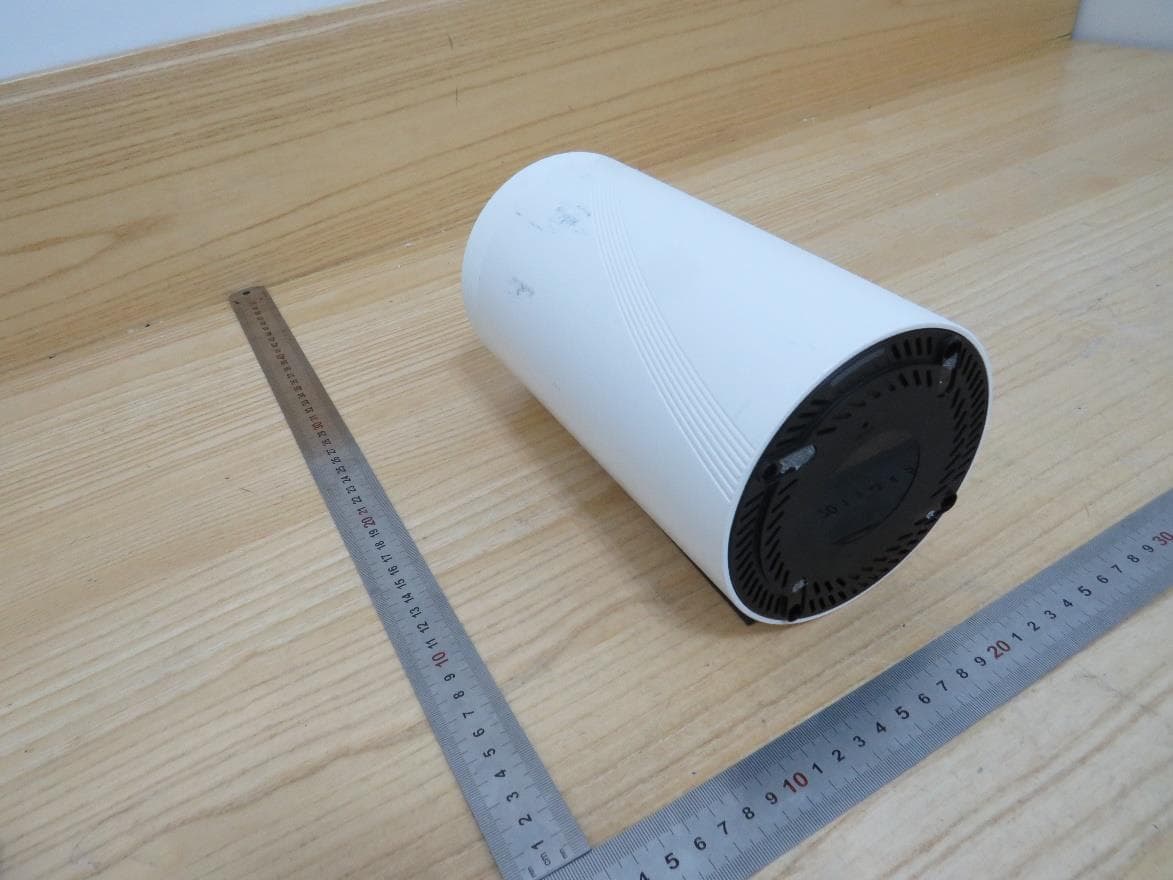
Click to zoom
Application Details
- Equipment Class
- 6PP - 15E 6 GHz Subordinate Indoor Device
- Date of Grant
- Oct 10, 2023
- Application Purpose
- Original Equipment
- Date of Application
- Oct 06, 2023
- Equipment Note
- BE16000 Whole Home Mesh Wi-Fi 7 System
- Frequency Range
- 5925.00000000 - 7125.00000000
- Company
- TP-Link Corporation Limited
- Country
- Hong Kong
Documents & Files
Document Text
Text extracted from the exhibit documents filed with the FCC. Open a document above to read the original.
Users Manual
Deco BE16000 User Guide BE16000 Whole Home Mesh Wi-Fi 7 System 1910013436 REV1.0.0 © 2023 TP-Link Contents About This Guide ····················································1 Appearance ·······························································2 Set Up Your Deco ···················································3 Troubleshooting ······················································8 Authentication ··························································9 1 About This Guide This guide provides a brief introduction to BE16000 Whole Home Mesh Wi-Fi 7 System and regulatory information. Features available in Deco may vary by model and software version. Deco availability may also vary by region or ISP. All images, steps, and descriptions in this guide are only examples and may not reflect your actual Deco experience. Conventions In this guide, the following conventions are used: Convention Description Deco Stands for Deco Whole Home Mesh Wi-Fi System/ Unit. Underline Hyperlinks are in teal and underlined. You can click to redirect to a website or a specific section. Teal Key information appears in teal, including management page text such as menus, items, buttons and so on. Note: Ignoring this type of note might result in a malfunction or damage to the device. Tips: Indicates important information that helps you make better use of your device. More Info • Specific product information can be found on the product page at https://www.tp-link.com. • A Technical Community is provided for you to discuss our products at https://community.tp-link.com. • Our Technical Support contact information can be found at the Help center of the Deco app and the Contact Technical Support page at https://www.tp-link.com/support. Speed/Coverage/Device Quantity Disclaimer Maximum wireless signal rates are the physical rates derived from IEEE Standard 802.11 specifications. Actual wireless data throughput and wireless coverage, and quantity of connected devices are not guaranteed and will vary as a result of network conditions, client limitations, and environmental factors, including building materials, obstacles, volume and density of traffic, and client location. MU-MIMO Disclaimer Use of MU-MIMO requires clients to also support MU-MIMO. IoT Compatibility Disclaimer IoT compatibility refers only to smart devices that can be controlled via the Deco app. Other wireless devices can still connect to Deco for normal Wi-Fi use. Seamless Roaming Disclaimer Clients need to support 802.11k/v/r and may require additional set up. Performance may vary depending on the client device. HomeShield Disclaimer HomeShield includes the Free Basic Plan. Fees apply for the Pro Plan. Visit tp-link.com/homeshield for more information. 2 Appearance Each Deco has an LED that changes color according to its status, a WPS button, four 2.5 Gbps WAN/LAN ports, a USB port, a power slot, and a Reset button. See the explanation below: Tip: The product label can be found at the bottom of the product. Pulse Yellow: Deco is resetting. Solid Yellow: Deco is starting up. Pulse Blue: Deco is ready for setup. Solid Blue: Deco is setting up. Pulse Green: Deco is upgrading firmware. Solid Green: Deco is all set up and connected. Pulse Red: The satellite Deco is disconnected from the main Deco. Solid Red: Deco has an issue. For connecting Deco to your modem, the Ethernet outlet, or for other internet services. Press this WPS button, and immediately press the WPS button on your client device to start the WPS process. For connecting a USB storage device to Deco. For connecting Deco to the power socket via the provided power adapter. Press for 1 second and release to reset Deco to factory default settings. The light changing from pulsing yellow to solid yellow indicated a successful reset. Reset Button 4× 2.5 Gbps WAN/LAN Ports WPS Button USB 3.0 Port Power Slot 3 Set Up Your Deco First let's start by setting up the Deco network. Get the TP-Link Deco app for iOS or Android, then follow the app to walk through the setup. 1. Get the Deco app Scan the QR code below or go to Google Play or the App Store to download the Deco app. Install the app on your Android or iOS smartphone or tablet. or 2. Log in or sign up with TP-Link ID Open the app and log in with your TP-Link ID. If you don’t have a TP-Link ID, create one first. Note: If you forgot your login password, tap Forgot Password?. The app will help you reset your password. 3. Select your Deco model Search for and select your Deco model. If you have more than one Deco model, tap the question below the search box to check how to maximize the overall network. 4 4. Plug in your Deco Power off your modem. Connect your Deco to the modem and power them both on. If you don't have a modem, connect your Deco directly to the Ethernet outlet. 5. Wait until Deco's LED pulses blue Wait until your Deco's LED pulses blue, then your phone/tablet will connect to the Deco's default Wi-Fi automatically. 6. Specify your Deco's location Select or custom a location for your Deco. The location will be used as the name of your Deco. 5 9. Create your MLO network Set a network name and a password. The MLO network enables Wi-Fi 7 clients to connect to multiple bands simultaneously. 8. Create your Wi-Fi network Set a network name and a password. These will be the name and password you use to connect your devices to Wi-Fi. 7. Connect your Deco to the internet Select the internet connection type and enter the information. If you are not sure, contact your internet service provider. 6 10. Keep your Deco up-to-date Set auto update time. This allows your Deco to automatically update to the latest firmware which provides better network experience. 12. Use Deco's Combo Pair The Combo pair includes an Ethernet port and an SFP+ port. Only one port in the pair can be used at a time. 11. Connect to your Wi-Fi network Connect your phone/tablet to the Deco's Wi-Fi. 7 14. Add more Decos Plug in the other included Decos, and they will automatic…
Text truncated - open the document above for the full version.
Attestation Statements
TP-LinkCorporationLimited 050222-17 AuthoritytoActasAgent Date:April24,2023 AmericanCertificationBody,Inc. 313ParkAvenue Suite300 FallsChurch,VA22046 ToWhomItMayConcern: ULVerificationServices(Guangzhou)Co.,Ltd,SongShanLakeBranch__isauthorizedtoactonour behalf,untilotherwisenotified,forapplicationstoAmericanCertificationBody,Inc.(ACB). Wecertifythatwearenotsubjecttodenialoffederalbenefits,thatincludesFCCbenefits,pursuantto Section5301oftheAnti-DrugAbuseActof1988,21U.S.C.862.Further,noparty,asdefinedin47 CFR1.2002(b),totheapplicationissubjecttodenialoffederalbenefits,thatincludesFCCbenefits. WealsodeclarethattheinformationprovidedtotheFCCistrueandcorrecttothebestofour knowledge(47CFR2.911(d))andwehavebeeninformedofthegranteeresponsibilities(47CFR 2.909)withregardtocertifiedequipment. Thankyou, AgencyAgreementExpirationDate:____4 /24/2024 By:_____________________________________SarahWang_____________ (Signature 1 )(Printname) Title:__________LeadofProductCertificationTeam________________ Onbehalfof:_________TP-LinkCorporationLimited._________________________________ (CompanyName) Telephone:_______________+8675526615494___________________ 1 -MustbesignedbyapplicantcontactgivenforapplicantontheFCCsite,orbytheauthorizedagentifanappropriateauthorizedagent letterhasbeenprovided.Lettersshouldbeplacedonappropriateletterhead.
Cover Letter(s)
TP-Link Corporation Limited. 050222-17 Request for Confidentiality Date: July 6, 2023 Subject: Confidentiality Request for: ___ 2AXJ4BE79 _____ Pursuant to FCC 47 CFR 0.457(d) and 0.459 and/or IC RSP-100, Section 12.4, the applicant requests that a part of the subject application(s) be held confidential. Type of Confidentiality Requested Exhibit ☐ Short Term ☒ Permanent Block Diagrams ☐ Short Term --------------------------- External Photos ☐ Short Term ☐ Permanent * 1 Internal Photos ☐ Short Term ☒ Permanent Operation Description/Theory of Operation ☐ Short Term ☐ Permanent Parts List & Placement/BOM ☐ Short Term ☐ Permanent Tune-Up Procedure ☐ Short Term ☒ Permanent Schematics ☐ Short Term --------------------------- Test Setup Photos ☐ Short Term ☐ Permanent * 1 User’s Manual TP-Link Corporation Limited.has spent substantial effort in developing this product and it is one of the first of its kind in industry. Having the subject information easily available to "competition" would negate the advantage they have achieved by developing this product. Not protecting the details of the design will result in financial hardship. Permanent Confidentiality: The applicant requests the exhibits listed above as permanently confidential be permanently withheld from public review due to materials that contain trade secrets and proprietary information not customarily released to the public. Short-Term Confidentiality for FCC Applications: The applicant requests the exhibits selected above as short term confidential be withheld from public view for a period of __ (specify number of days not to exceed 180) 2 ___ days from the date of the Grant of Equipment Authorization and prior to marketing. This is to avoid premature release of sensitive information prior to marketing or release of the product to the public. Applicant is also aware that they are responsible to notify ACB in the event information regarding the product or the product is made available to the public before the requested period has expired. ACB will then release the documents listed above for public disclosure pursuant to FCC Public Notice DA 04-1705. Short Term Confidentiality for Industry Canada Applications: Starting May 2022, ISED will recognize short term confidentiality on certain exhibits until the intended date of marketing. The applicant requests the exhibits selected above as short term confidential be withheld from public view until: (specify ISED expiration date / date of marketing) . Sincerely, By: ___ __________ Sarah Wang ______________ (Signature/Title 3 ) (Print name) 1 - The asterisked items (*) require further information to be p rovided to ACB before p ermanent confidentiality will be extended to these exhibits. Please refer to FCC KDB 726920 and the sp ecific Document link for D01 found at: http s://ap p s.fcc.gov/oetcf/kdb/forms/FTSSearchResultPage.cfm?switch=P&id=41731 and review section II, 3) regarding sp ecific information that must accomp any these requests. 2 - Please refer to http s://acbcert.com/documents/misc-docs/M emo-Short-Term-Vs-Standard-Confidentiality .p df for comp lete details. 3 - M ust be signed by ap p licant contact given for ap p licant on the FCC site, or by the authorized agent if an ap p rop riate authorized agent TP-Link Corporation Limited. 050222-17 letter has been p rovided. Letters should be p laced on ap p rop riate letterhead.
Cover Letter(s)
012423-17 rev2 TP-Link Corporation Limited Certification Application Attestation Statements Date: March 1, 2023 American Certification Body, Inc. 313 Park Avenue Suite 300 Falls Church, VA 22046 T o Whom It May Concern: Statement for 47 CFR section 2.911(d)(5)(i) ______ TP-Link Corporation Limited______ certifies that as of the date of the application the equipment for which authorization is sought is not “covered” equipment 1 prohibited from receiving an equipment authorization pursuant to section 2.903 of the FCC rules. If the equipment for which the applicant seeks authorization is produced by any of the entities identified on the current Covered List, including affiliates or subsidiaries of the named companies, the applicant must include an explanation on why the equipment is not “covered” equipment. Additional Explanation: <N/A> Statement for 47 CFR section 2.911(d)(5)(ii) ______ TP-Link Corporation Limited______ (“the applicant”) certifies that, as of the date of the filing of this application, the applicant ☐ - is / ■- is not identified on the Covered List as an entity producing “covered” equipment. Thank you, By: _________________________ Sarah Wang (Signature 2 ) (Print name) Title: __ Regulatory Compliance Manager __ Company: __ TP-Link Corporation Limited_ Telephone: ___ 00852-37585053 ______ 1 - The Commission’s Covered List is published by the Public Safety and Homeland Security Bureau and posted on the Commission’s website. This Covered List, which is periodically updated, identifies particular equipment, produced by particular entities, that constitutes “covered” equipment. https://www.fcc.gov/supplychain/coveredlist . 2 - Letters should be placed on appropriate letterhead.
Cover Letter(s)
TP-Link Corporation Limited Room 901, 9/F. , New East Ocean Centre, 9 Science Museum Road, Tsim Sha Tsui, Kowloon, Hong Kong Confirmation Letter We, TP-Link Corporation Limited FCC ID: 2AXJ4BE79 the product: BE16000 Whole Home Mesh Wi-Fi 7 System And model name: Deco BE79, Deco BE16000 Deco BE16000 have the same technical construction including circuit diagram, PCB Layout, components and component layout, all electrical construction and mechanical construction with Deco BE79.The difference lies only the model number and Deco BE79 one more 10 GHz Combo, all the RF circuit, parameter, antennas are the same. Sincerely, By: __________________________ __________ Sa ra h Wang ______________ (Signature/Title 1 ) (Print name) 1 - M ust be signed by ap p licant contact given for ap p licant on the FCC site, or by the authorized agent if an ap p rop riate authorized agent letter has been p rovided. Letters should be p laced on ap p rop riate letterhead.
Cover Letter(s)
Declaration of Frequency Stability We [TP-Link Corporation Limited] ensure that the product (FCC ID: 2AXJ4BE79) meets e-CFR Title 47 section 15.407(g) and KDB 789033 D02v02r01 frequency stability such that the emissions are maintained within the band of operation under all conditions of normal operation as specified in the user's manual. Sincerely, Name: Sarah Wang Position: Regulatory Compliance Manager Date: 2023-7-6
Cover Letter(s)
Declaration of Conformity We Name: TP-Link Corporation Limited Address: Room 901, 9/F., New East Ocean Centre, 9 Science Museum Road, Tsim Sha Tsui, Kowloon, Hongkong Declare that: Product: BE16000 Whole Home Mesh Wi-Fi 7 System FCC ID: 2AXJ4BE79 Model: Deco BE79, Deco BE16000 Brand: tp-link Product which bears the above FCC ID is also compliant with the FCC requirements for sDOC. And the sDOC procedure shall be carried out prior to marketing the device in the US. Sincerely, Name: Sarah Wang Position: Regulatory Compliance Manager Date: 2023-7-6
Cover Letter(s)
TP-Link Corporation Limited. Room 901, 9/F. , New East Ocean Centre, 9 Science Museum Road, Tsim Sha Tsui, Kowloon, Hong Kong Letter of Declaration on Indoor Subordinate Operation Date: 2023-09-21 FCC ID : 2AXJ4BE79 To Whom It May Concern: We, TP-Link Corporation Limited., attest that this device under FCC ID 2AXJ4BE79 complies with device protocol requirements and operational restrictions: Protocol attestation statement: 1. This device will always be under the control of a low-power indoor AP and will only initiate brief messages to be under the control of an indoor low-power AP. These brief messages will only occur if the subordinate has detected a low-power indoor AP operating on a channel. These brief messages will have a time-out mechanism such that if it does not receive a response from an AP it will not continually repeat the request. 2. Once under control of an indoor access point, a subordinate will initiate connections with clients, other access points, or other subordinate devices at a lower power or equal to the power advertised by the access point controlling the subordinate and never above the maximum output power allowed by the FCC grant for equipment class 6PP. 3. An 11ax/11be IEEE device's Transmit Power Envelope element has information fields for power limits for connecting client/subordinate devices. The TPE information is contained in this device signals and used by connecting client/subordinate to ensure that it knows the regulatory TX powers it is allowed to transmit at. There is a regulatory info field in this device beacon and probe response frames which details this device type when the client/subordinate associates to this device. Statement acknowledging device restrictions: 1. This device was supplied power from a wired connection, has an integrated antenna, is not battery- powered, and does not have a weatherized enclosure. 2. This device's operation will not be allowed on oil platforms, cars, trains, boats, and aircraft, except that operation of this device is permitted in the 5.925–6.425 GHz bands in large aircraft while flying above 10,000 feet. 3. This device is prohibited for control of or communications with unmanned aircraft systems, including drones. 4. When configured for subordinate mode, this device has no direct connection to the internet. Respectfully, Applicant's company name : TP-Link Corporation Limited. Applicant's company address : Room 901, 9/F. , New East Ocean Centre, 9 Science Museum Road, Tsim Sha Tsui, Kowloon, Hong Kong Signature : Name and Job Title : Regulatory Compliance Manager E-mail : [email protected] Tel. : 86-755-21534921
Cover Letter(s)
Non-SDR (Software Defined Radio) Cover Letter Refer to KDB 442812 D01 SDR apps Guide v02r03. The following six questions can be used for determining if a radio can elect to be, or must be an SDR. 1. Can the RF parameters of the device be altered through software? Yes - go to 2. No, not an SDR No 2. Can third parties not permitted by the Commission through specific filings modify, configure, or load different software, or make configuration settings to operate the device or host hardware radio frequency parameters (frequency range, modulation type, maximum output power or other radio parameters) in any other way than granted (or expected to be granted)? Yes, must be an SDR. No - go to 3. No 3. Is the device capable of operating in any other in any other way than granted, or will be, granted? Yes, - go to 4. No - go to 5. No 4. Is this a Part 15 client Device as defined in Section 15.202 (as opposed to a master device)? Yes, qualifies as a part 15 client devices - go to 5. No, must be an SDR. 5. Does the manufacturer elect SDR? Yes, elects to be an SDR. No, Not an SDR No Conclusion: According to the above questions reply, we can confirm this device (FCC ID: 2AXJ4BE79) must be a Non-SDR device. Name: Sarah Wang Position: Regulatory Compliance Manager Date: 2023-7-6
Cover Letter(s)
Attestation Letter Federal Communications Commission Authorization and Evaluation Division We Name: TP-Link Corporation Limited Address: Room 901, 9/F., New East Ocean Centre, 9 Science Museum Road, Tsim Sha Tsui, Kowloon, Hongkong Declare that the device does not support channel 12 ~ 13 in 2.4GHz band and any non-US channels in all the operational mode(s) for the following product. Product: BE16000 Whole Home Mesh Wi-Fi 7 System FCC ID: 2AXJ4BE79 Model: Deco BE79, Deco BE16000 Brand: tp-link Sincerely, Name: Sarah Wang Position: Regulatory Compliance Manager Date: 2023-7-6
External Photos
Appendix I External Photographs Page 2 of 7 View of EUT-1-Deco BE79 View of EUT-2-Deco BE79 Page 3 of 7 View of EUT-3-Deco BE79 View of EUT-4-Deco BE79 Page 4 of 7 View of EUT-5-Deco BE79 View of EUT-6-Deco BE79 Page 5 of 7 View of EUT-1-Deco BE16000 View of EUT-2-Deco BE16000 Page 6 of 7 View of EUT-3-Deco BE16000 View of EUT-4-Deco BE16000 Page 7 of 7 View of EUT-5-Deco BE16000 View of EUT-6-Deco BE16000
ID Label/Location Info
C B A 12 C 345678 B E D D A 9 料号:7202509008 12345 E 6789 Pantone 877C 白色 Pantone 877C Pantone 877C Deco BE16000(US) 1.0_产品规格标贴 A1 100#珠光合成纸+雾膜 Seven-236 Deco BE16000(US) 1.0 陈映徽 2023-06-01 文字转曲(来料效果图) MADE IN CHINA BE16000 Whole Home Mesh Wi-Fi 7 System Model: Deco BE16000 FCC ID: 2AXJ4BE79 Power: 12V 3.3A Model:Deco BE16000(US) Ver:1.0 S/N:XXXXXXXXXXXXX MAC:XX-XX-XX-XX-XX-XX SSID:Deco_XXXX PASSWORD:XXXXXXXXXXXXXXXX 17mm 5.5mm 5.5mm 无加密则无需打印PASSWORD, 打印示意如下: MAC:XX-XX-XX-XX-XX-XX SSID:Deco_XXXX 备注: 1)S/N码由工厂用 23*6(7210500124) 空白标贴打印,贴于产品规格标贴指定位置; 2)MAC地址 、SSID、PASSWORD由工厂直接打印于产品规格标贴指定位置。 MAC:条码由“XXXXXXXXXXXX”生成,文本格式写成“XX-XX-XX-XX-XX-XX”;具体内容以软件生成为准 SSID:“Deco_”为固定内容,XXXX为MAC地址后四位(大写),具体内容以软件生成为准 PASSWORD:有加密则对应生成“XXXXXXXXXXXXXXXX”16位密码,无加密则无需打印。 3)图示条码均为示意,具体请以生产实际为准。 二维码制:QR CODE; 二维码尺寸:10*10 mm;误差要求正负1MM; 二维码内容:WIFI:T:Type;S:SSID;P:PASSWORD;M:Model;C:Country;V:Version;; Type(加密方式)默认写WPA;SSID(默认网络名)按要求生成;PASSWORD(密码)有加密则对应生成 (期望16位长度预留),无加密则为空;model(机型)字段按分配数据打印,但只需打印产品型号(如无分 配数据,可在BOM描述的字段中获取),不打印本地化,pack数,版本号等信息;Country(国家码)和 Version(版本号)都默认从ERP上导出 扫描显示内容示例:WIFI:T:WPA;S:Deco_XXXX;P:XXXXXXXXXXXXXXXX;M:Deco M4;C:US;V:1.0;; 无加密时,扫描显示内容示例:WIFI:T:WPA;S:Deco_XXXX;P:;M:Deco M4;C:US;V:1.0;; Suite 901, New East Ocean Centre, Tsim Sha Tsui, Hong Kong TP-Link Corporation Limited This device complies with part 15 of the FCC Rules. Operation is subject to the following two conditions: (1) This device may not cause harmful interference. (2) This device must accept any interference received, including interference that may cause undesired operation. Indoor use only
Internal Photos
Appendix II Internal Photographs Page 2 of 14 Internal View of EUT-1-Deco BE79 Internal View of EUT-2-Deco BE79 Page 3 of 14 Internal View of EUT-3-Deco BE79 Internal View of EUT-4-Deco BE79 2.4G & 5G WiFi Antenna 5 Page 4 of 14 Internal View of EUT-5-Deco BE79 Internal View of EUT-6-Deco BE79 Page 5 of 14 Internal View of EUT-7-Deco BE79 Internal View of EUT-8-Deco BE79 2.4G & 5G WiFi Antenna 6 Page 6 of 14 Internal View of EUT-9-Deco BE79 Internal View of EUT-10-Deco BE79 Page 7 of 14 Internal View of EUT-11-Deco BE79 Internal View of EUT-12-Deco BE79 Page 8 of 14 Internal View of EUT-13-Deco BE79 Internal View of EUT-1-Deco BE16000 Page 9 of 14 Internal View of EUT-2-Deco BE16000 Internal View of EUT-3-Deco BE16000 Page 10 of 14 Internal View of EUT-4-Deco BE16000 Internal View of EUT-5-Deco BE16000 2.4G & 5G WiFi Antenna Page 11 of 14 Internal View of EUT-6-Deco BE16000 Internal View of EUT-7-Deco BE16000 2.4G & 5G WiFi Antenna Page 12 of 14 Internal View of EUT-8-Deco BE16000 Internal View of EUT-9-Deco BE16000 Page 13 of 14 Internal View of EUT-10-Deco BE16000 Internal View of EUT-11-Deco BE16000 Page 14 of 14 Internal View of EUT-12-Deco BE16000 Internal View of EUT-13-Deco BE16000
RF Exposure Info
The results reported herein have been performed in accordance with the laboratory’s terms of accreditation. This report shall not be reproduced except in full without the written approval of the Laboratory. The results in this report apply to the test sample(s) mentioned above at the time of the testing period only and are not to be used to indicate applicability to other similar products. FCC RF EXPOSURE REPORT For BE16000 Whole Home Mesh Wi-Fi 7 System MODEL NUMBER: Deco BE79, Deco BE16000 REPORT NUMBER: 4790853724-RF-3 ISSUE DATE: July 17, 2023 FCC ID: 2AXJ4BE79 Prepared for TP-Link Corporation Limited Room 901, 9/F. , New East Ocean Centre, 9 Science Museum Road, Tsim Sha Tsui, Kowloon, Hong Kong Prepared by UL Verification Services (Guangzhou) Co., Ltd, Song Shan Lake Branch Building 10, Innovation Technology Park, No. 1, Li Bin Road, Song Shan Lake Hi- Tech Development Zone Dongguan, 523808, People’s Republic of China Tel: +86 769 22038881 Fax: +86 769 33244054 Website: www.ul.com REPORT NO.: 4790853724-RF-3 Page 2 of 8 UL Verification Services (Guangzhou) Co., Ltd, Song Shan Lake Branch FORM No.: 10-SL-F0112 This report shall not be reproduced except in full, without the written approval of UL Verification Services (Guangzhou) Co., Ltd, Song Shan Lake Branch. Revision History Rev. Issue Date Revisions Revised By V0 July 4, 2023 Initial Issue V1 July 17, 20233 Added WIFI 5G UNII-2A and UNII-2C and WIFI 6E Denny Huang REPORT NO.: 4790853724-RF-3 Page 3 of 8 UL Verification Services (Guangzhou) Co., Ltd, Song Shan Lake Branch FORM No.: 10-SL-F0112 This report shall not be reproduced except in full, without the written approval of UL Verification Services (Guangzhou) Co., Ltd, Song Shan Lake Branch. TABLE OF CONTENTS 1. ATTESTATION OF TEST RESULTS ................................................................................. 4 2. TEST METHODOLOGY ..................................................................................................... 5 3. FACILITIES AND ACCREDITATION ................................................................................. 5 4. DESCRIPTION OF EUT ..................................................................................................... 6 5. REQUIREMENT ................................................................................................................. 7 REPORT NO.: 4790853724-RF-3 Page 4 of 8 UL Verification Services (Guangzhou) Co., Ltd, Song Shan Lake Branch FORM No.: 10-SL-F0112 This report shall not be reproduced except in full, without the written approval of UL Verification Services (Guangzhou) Co., Ltd, Song Shan Lake Branch. 1. ATTESTATION OF TEST RESULTS Applicant Information Company Name: TP-Link Corporation Limited Address: Room 901, 9/F. , New East Ocean Centre, 9 Science Museum Road, Tsim Sha Tsui, Kowloon, Hong Kong Manufacturer Information Company Name: TP-Link Corporation Limited Address: Room 901, 9/F. , New East Ocean Centre, 9 Science Museum Road, Tsim Sha Tsui, Kowloon, Hong Kong EUT Information EUT Name: BE16000 Whole Home Mesh Wi-Fi 7 System Model: Deco BE79, Deco BE16000 Sample Received Date: Please refer to clause 5.1. DESCRIPTION OF EUT Sample ID: June 5, 2023 Date of Tested: June 24, 2023 to July 16, 2023 Prepared By: Checked By: Kebo Zhang Denny Huang Senior Project Engineer Senior Project Engineer Approved By: Stephen Guo Operations Manager APPLICABLE STANDARDS STANDARD TEST RESULTS FCC 47CFR§2.1091 PASS KDB-447498 D01 V06 PASS REPORT NO.: 4790853724-RF-3 Page 5 of 8 UL Verification Services (Guangzhou) Co., Ltd, Song Shan Lake Branch FORM No.: 10-SL-F0112 This report shall not be reproduced except in full, without the written approval of UL Verification Services (Guangzhou) Co., Ltd, Song Shan Lake Branch. 2. TEST METHODOLOGY The tests documented in this report were performed in accordance with 47 CFR FCC Part 2 Subpart J, section 2.1091 and KDB 447498 D01 General RF Exposure Guidance v06. 3. FACILITIES AND ACCREDITATION Accreditation Certificate A2LA (Certificate No.: 4102.01) UL Verification Services (Guangzhou) Co., Ltd. Song Shan Lake Branch. has been assessed and proved to be in compliance with A2LA. FCC (FCC Designation No.: CN1187) UL Verification Services (Guangzhou) Co., Ltd. Song Shan Lake Branch. Has been recognized to perform compliance testing on equipment subject to the Commission's Delcaration of Conformity (DoC) and Certification rules ISED (Company No.: 21320) UL Verification Services (Guangzhou) Co., Ltd. Song Shan Lake Branch. has been registered and fully described in a report filed with ISED. The Company Number is 21320 and the test lab Conformity Assessment Body Identifier (CABID) is CN0046. VCCI (Registration No.: G-20019, R-20004, C-20012 and T-20011) UL Verification Services (Guangzhou) Co., Ltd. Song Shan Lake Branch. has been assessed and proved to be in compliance with VCCI, the Membership No. is 3793. Facility Name: Chamber D, the VCCI registration No. is G-20019 and R-20004 Shielding Room B , the VCCI registration No. is C-20012 and T-20011 Note 1: All tests measurement facilities use to collect the measurement data are located at Building 10, Innovation Technology Park, Song Shan Lake Hi tech Development Zone, Dongguan, 523808, China Note 2: The test anechoic chamber in UL Verification Services (Guangzhou) Co., Ltd. Song Shan Lake Branch had been calibrated and compared to the open field sites and the test anechoic chamber is shown to be equivalent to or worst case from the open field site. Note 3: For below 30MHz, lab had performed measurements at test anechoic chamber and comparing to measurements obtained on an open field site. And these measurements below 30MHz had been correlated to measurements performed on an OFS. REPORT NO.: 4790853724-RF-3 Page 6 of 8 UL Verification Services (Guangzhou) Co., Ltd, Song Shan Lake Branch FORM No.: 10-SL-F0112 This report shall not be reproduced except in full, without the written approval of UL Verification Services (Guan…
Text truncated - open the document above for the full version.
Test Report
Product Model: Deco BE79(3-pack)(US) Version: 1.0 Manufacturer: Date: Checked By: TP-Link Corporation Limited Room 901, 9/F. , New East Ocean Centre, 9 Science Museum Road, Tsim Sha Tsui, Kowloon, Hong Konga TEL: 00852-37585503 http://www.tp-link.com/en Manufacturer: Index I. Antenna Distribution ........................................................................................ 3 II. Electrical Characteristics ................................................................................ 4 III. Antenna Peak Gain........................................................................................... 5 IV. Antenna Radiation Pattern .............................................................................. 5 Page 3 Version:1.0 Issue Date: I. Antenna Distribution Deco BE79(3-pack)(US) Page 4 Version:1.0 Issue Date: II.Electrical Characteristics Ant1 Frequency 6745~7125MHz Impedance 50Ohm Antenna Type Dipole Antenna Gain 2.94dBi@6745~7125MHz Radiation pattern Omni-Directional Ant2 Frequency 6745~7125MHz Impedance 50Ohm Antenna Type Dipole Antenna Gain 2.99dBi@6745~7125MHz Radiation pattern Omni-Directional Ant3 Frequency 6105~6425MHz Impedance 50Ohm Antenna Type Dipole Antenna Gain 2.98dBi@6105~6425MHz Radiation pattern Omni-Directional Ant4 Frequency 6105~6425MHz Impedance 50Ohm Antenna Type Dipole Antenna Gain 2.95dBi@6105~6425MHz Radiation pattern Omni-Directional Ant5 Frequency 2400 ~ 2500MHz & 5150 ~ 5850MHz Impedance 50Ohm Antenna Type Dipole Antenna Gain 1.99dBi@2400~2500MHz 2.97dBi@5150~5850MHz Radiation pattern Omni-Directional Ant6 Frequency 2400 ~ 2500MHz & 5150 ~ 5850MHz Impedance 50Ohm Antenna Type Dipole Antenna Gain 1.95dBi@2400~2500MHz 2.97dBi@5150~5850MHz Radiation pattern Omni-Directional Page 5 Version:1.0 Issue Date: III.Antenna Peak Gain Ant1 Frequency(MHz) 6725 6775 6825 6875 6925 6975 7025 7075 7125 Gain(dBi) 2.40 2.80 2.90 2.91 2.65 2.94 2.66 2.67 2.60 Ant2 Frequency(MHz) …
Text truncated - open the document above for the full version.
Contact Information
Applicant
Sarah Wang
Test Firm
UL Verification Services (Guangzhou) Co., Ltd.Stephen Guo
[email protected]+86 0769 33817120
Technical Specifications
| # | Rule Parts | Frequency Range | Power Output |
|---|---|---|---|
| 1 | 15E | 5.92 GHz - 7.13 GHz | 728.00 mW |
Other Applications from TP-Link Corporation Limited
2AXJ4TXE50UH
Jan 28, 2024AXE3000 Wi-Fi 6E High Gain Wireless USB Adapter
Equipment Class
NII - Unlicensed National Information Infrastructure TX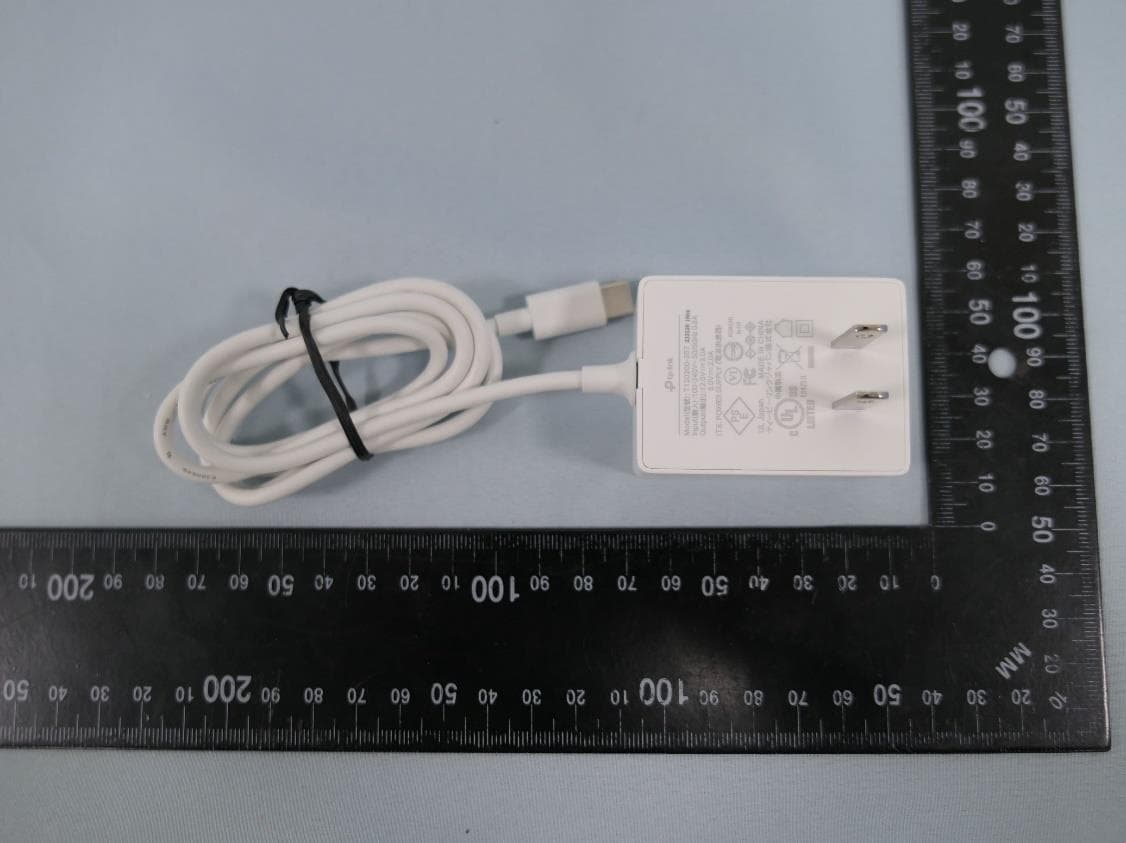
2AXJ4AIRE5
Jan 15, 2024AX3000 Wi-Fi 6 Air Range Extender
Equipment Class
DTS - Digital Transmission System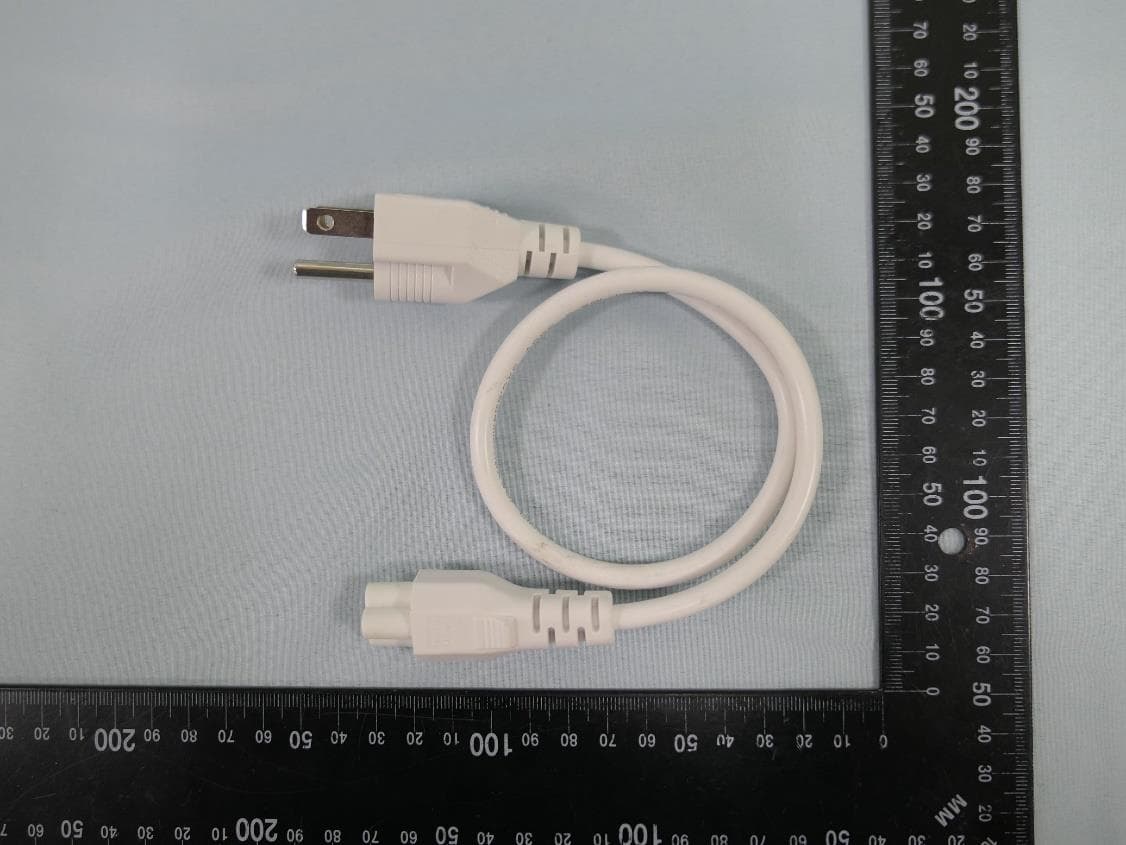
2AXJ4EAP115BRG
Jan 11, 20245GHz 300Mbps Long-range Indoor/Outdoor Access Point
Equipment Class
NII - Unlicensed National Information Infrastructure TX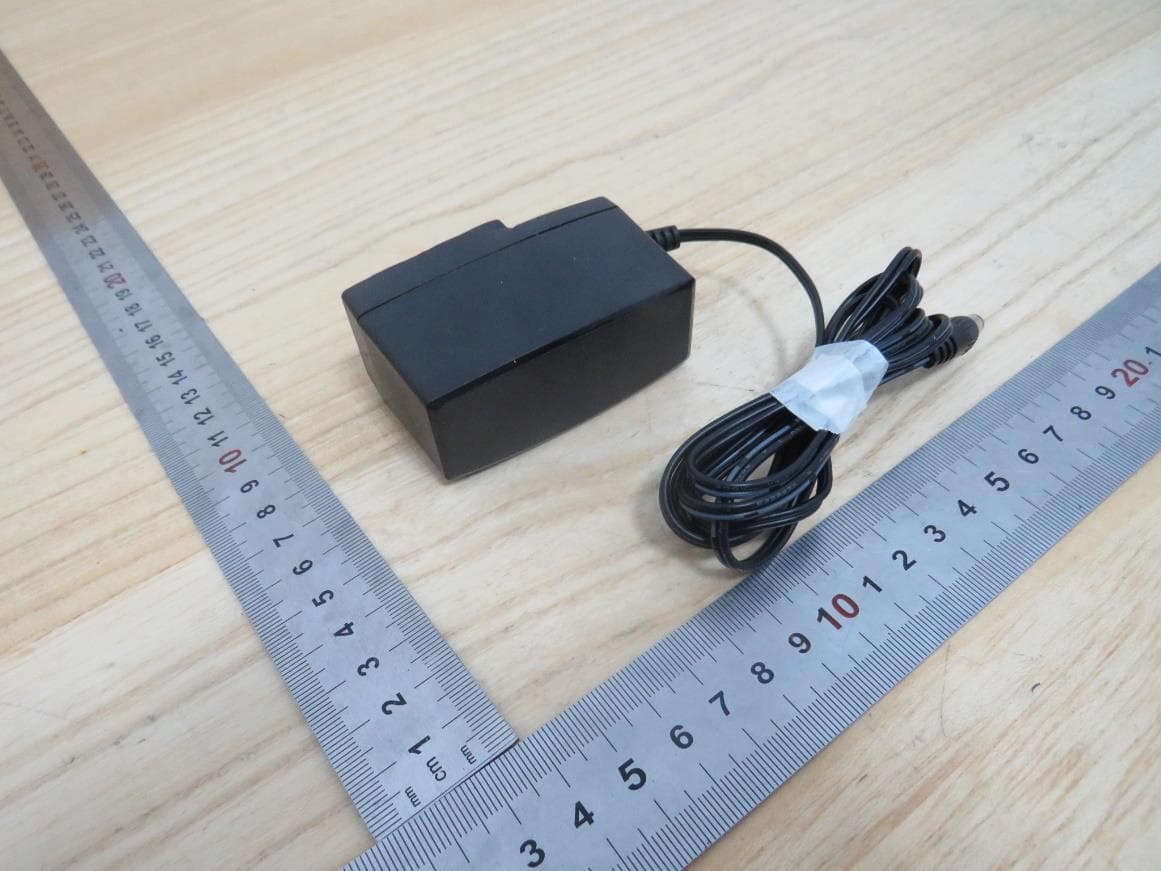
2AXJ4HX510V2
Jan 10, 2024AX3000 Whole Home Mesh Wi-Fi AP
Equipment Class
NII - Unlicensed National Information Infrastructure TX
2AXJ4EAP215BRG
Dec 11, 20235GHz 867Mbps Long-range Indoor/Outdoor Access Point
Equipment Class
NII - Unlicensed National Information Infrastructure TX