2AXJ4C500Outdoor Pan/Tilt Security Wi-Fi Camera
TP-Link Corporation Limited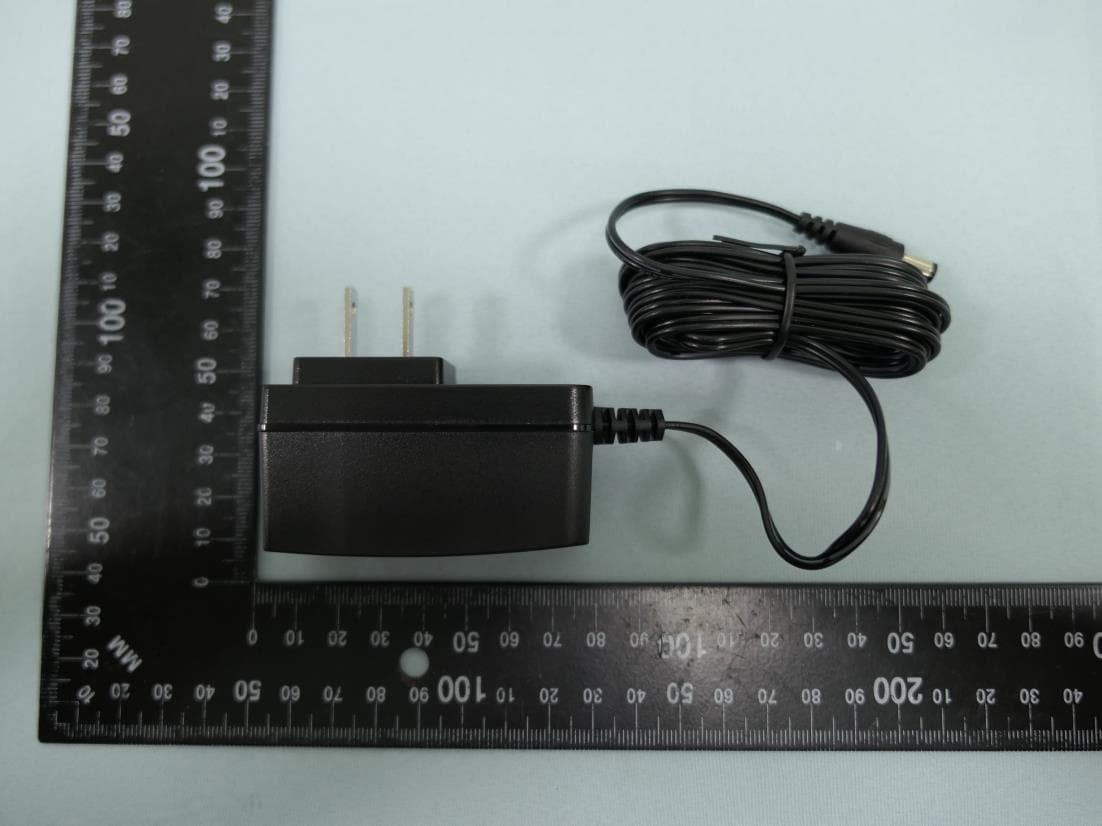
Click to zoom
Application Details
- Equipment Class
- DTS - Digital Transmission System
- Date of Grant
- Jan 20, 2023
- Application Purpose
- Original Equipment
- Date of Application
- Jan 15, 2023
- Equipment Note
- Outdoor Pan/Tilt Security Wi-Fi Camera
- Frequency Range
- 2412.00000000 - 2462.00000000
- Company
- TP-Link Corporation Limited
- Country
- Hong Kong
Documents & Files
Document Text
Text extracted from the exhibit documents filed with the FCC. Open a document above to read the original.
Users Manual
User Guide Outdoor Pan/Tilt Security Wi-Fi Camera ©2022 TP-Link 1910013289 REV1.0.0 Contents About This Guide ···········································································1 Introduction ······················································································2 Appearance ······················································································3 Set Up Your Camera ·····································································5 Set Up Using Amazon Frustration-Free Setup ··············6 Install a microSD Card ······························································10 Mount Your Camera···································································11 Install Waterproof Items ··························································13 How to Reset Your Camera ···················································14 Authentication ··············································································15 1 About This Guide This guide provides a brief introduction to the Outdoor Pan/Tilt Security Wi-Fi Camera and the Tapo app, as well as regulatory information. Please note that features available in Tapo may vary by model and software version. Tapo availability may also vary by region. All images, steps, and descriptions in this guide are only examples and may not reflect your actual Tapo Camera experience. Conventions In this guide, the following convention is used: Convention Description Blue Key information appears in blue, including management page text such as menus, items, buttons and so on. Underline Hyperlinks are in blue and underlined. You can click to redirect to a website. Note: Ignoring this type of note might result in a malfunction or damage to the device. More Info • Specifications can be found on the product page at https://www.tapo.com. • Our Technical Support and troubleshooting information can be found at https://www.tapo.com/support/. 2 Introduction Tapo C500 is a full-featured weatherproof security camera that you can access from anywhere. Receive instant notifications and check feeds when the motion is detected. Moreover, the automatic siren system will trigger light and sound to frighten away unwanted visitors after the camera detects motion. Day or night, rain or shine, the Tapo camera protects what you love most. • Smart Person Detection and Motion Tracking – Smart AI identifies a person while tracking motion with high-speed rotation, notifying users as needed. • 1080p Full HD – Reveal clear and sharp images while ensuring high network speed. • 360° Visual Coverage – Provide 360° horizontal & 130° vertical range to cover every corner. • Customizable Alarm – Record your customized audio as an alarm to extend your usages. • Flexible Storage Options – Save recorded videos to an installed microSD card (up to 512 GB)*, or use Tapo Care** cloud storage service. * microSD card must be purchased separately. ** Subscribe for cloud storage at https://www.tapo.com/tapocare/ • IP65 Water & Dust Resistant – Offer excellent waterproof and dustproof performance for outdoor scenarios. • Physical Privacy Mode – Maintain your privacy with the lens physically blocked by the housing. • Night Vision (up to 98 ft) – Ensure your safety by providing a clear visual distance of up to 98 ft even in total darkness. • Two-Way Audio – Communicate remotely with a delivery person in real time. • Multiple Installation Choices – Use the mounting screws, template and loops‡ to install on any wall, ceiling or pole for the perfect view—wherever you want. • Position Anywhere You Need – Use the mounting screws, template and loops* to install on any wall, ceiling or pole for the perfect view—wherever you want. * Loops (purchased separately) are needed for pole mounting. 3 Appearance 2 1 3 4 6 7 7 5 1 3 Lens 4 System LED 2 Microphone IR LEDs Reset Hold for 5 seconds to reset the camera. microSD Card Slot Speaker Insert a microSD card* for local recording. * microSD card is not included. 6 5 microSD 4 Blinking red and green Blinking red slowly Solid amber Blinking red quickly Solid red Solid green Blinking green quickly Starting up Connected to the cloud Ready for setup Connecting to Wi-Fi Connected to Wi-Fi Camera resetting Camera updating System LED Indication 5 Set Up Your Camera Follow the steps below to get started with your new camera, or you can follow the setup video at https://www.tp-link.com/support/setup-video/. Step 1. Download Tapo App Get the Tapo app from the App Store or Google Play, or by scanning the QR code below. Step 2. Log In Open the app, and log in with your TP-Link ID. If you don't have an account, create one first. Step 3. Add Your Camera Tap the button in the app and select your model. Follow app instructions to complete the setup. OR 6 Set Up Using Amazon Frustration-Free Setup What is Amazon Frustration-Free Setup? Amazon Frustration-Free Setup can help connect and set up Tapo smart devices in fewer steps, without having to remember and re-enter your Wi-Fi password on each device. To use this feature, confirm the following: ● The new Tapo device supports Amazon FFS. ● You have an Amazon FFS enabled Alexa device or router. ● You have saved your Wi-Fi information to Amazon by using Alexa echo. ● Your Tapo device and router are on the same network as your Alexa echo. LED Indications during Amazon Frustration-Free Setup LEDStatus Blinking amber and greenReady for setup Blinking amberFFS setup in progress Solid greenWorking properly If the LED does not turn solid green after a long time, you can try to add the Tapo device manually. (Press the Reset button on your Tapo device once. Then open the Tapo app, tap the + button on the page, select your device model, and follow the app instructions. ) 7 1. Open the Amazon Alexa app. Then tap More and select Skills & Games. How to use Amazon Frustration-Free Setup with Tapo devices 2. Enter Tapo in the search bar and choose Tapo. 8 3. Tap the ENABLE TO USE button. 4. Log in with your TP…
Text truncated - open the document above for the full version.
Cover Letter(s)
Confidentiality Request Letter Federal Communications Commission Authorization and Evaluation Division FCC ID: 2AXJ4C500 Confidentiality Request Pursuant to Sections 0.457 and 0.459 of the Commission’s Rules, we hereby request confidential treatment of information accompanying this application as outlined below: 1. Block Diagram 2. Schematics 3. Operational Description The above materials contain trade secrets and proprietary information not customarily released to the public. The public disclosure of these matters might be harmful to the applicant and provide unjustified benefits to its competitors. The applicant understands that pursuant to Rule 0.457, disclosure of this application and all accompanying documentation will not be made before the date of the Grant for this application. Sincerely, Name: Sarah Wang Position: Regulatory Compliance Manager Date: 2023-1-9
Cover Letter(s)
Declaration of Authorization We Name: TP-Link Corporation Limited Address: Room 901, 9/F., New East Ocean Centre, 9 Science Museum Road, Tsim Sha Tsui, Kowloon, Hongkong Declare that: Name Representative of agent: Marlin Chen Agent Company name: MRT Technology (Suzhou) Co., Ltd Address: D8 Building, Youxin Industrial Park, No.2 Tian'edang Rd., Wuzhong Economic Development Zone City: Suzhou Country: China is authorized to apply for Certification of the following product(s): Product: Outdoor Pan/Tilt Security Wi-Fi Camera FCC ID: 2AXJ4C500 Model: Tapo C500 Brand: tp-link Sincerely, _________________ Name: Sarah Wang Position: Regulatory Compliance Manager Date: 2023-1-9
External Photos
Report No.: 2212TW0106-External Photo Product: Outdoor Pan/Tilt Security Wi-Fi Camera Brand Name: tp-link Model Number: Tapo C500 1 of 8 External Photograph ( 1 ) EUT Photo ( 2 ) EUT Photo Report No.: 2212TW0106-External Photo 2 of 8 ( 3 ) EUT Photo ( 4 ) EUT Photo Report No.: 2212TW0106-External Photo 3 of 8 ( 5 ) EUT Photo ( 6 ) EUT Photo Report No.: 2212TW0106-External Photo 4 of 8 ( 7 ) EUT Photo ( 8 ) EUT Photo (Brand: tp-link, M/N: T120100-2B1) Report No.: 2212TW0106-External Photo 5 of 8 ( 9 ) EUT Photo (Brand: tp-link, M/N: T120100-2B1) ( 10 ) EUT Photo (Brand: tp-link, M/N: T120100-2B1) Report No.: 2212TW0106-External Photo 6 of 8 ( 11 ) EUT Photo (Brand: tp-link, M/N: T120100-2B1) ( 12 ) EUT Photo (Brand: tp-link, M/N: T120100-2B1) Report No.: 2212TW0106-External Photo 7 of 8 ( 13 ) EUT Photo (Brand: tp-link, M/N: T120100-2B1) ( 14 ) EUT Photo (Brand: tp-link, M/N: T120100-2B1) Report No.: 2212TW0106-External Photo 8 of 8 ( 15 ) EUT Photo (Brand: tp-link, M/N: T120100-2B1)
ID Label/Location Info
Label Label Location
Internal Photos
Report No.: 2212TW0106-Internal Photo Product: Outdoor Pan/Tilt Security Wi-Fi Camera Brand Name: tp-link Model Number: Tapo C500 1 of 8 Internal Photograph ( 1 ) EUT Photo ( 2 ) EUT Photo Report No.: 2212TW0106-Internal Photo 2 of 8 ( 3 ) EUT Photo ( 4 ) EUT Photo Report No.: 2212TW0106-Internal Photo 3 of 8 ( 5 ) EUT Photo ( 6 ) EUT Photo Report No.: 2212TW0106-Internal Photo 4 of 8 ( 7 ) EUT Photo ( 8 ) EUT Photo Report No.: 2212TW0106-Internal Photo 5 of 8 ( 9 ) EUT Photo ( 10 ) EUT Photo Report No.: 2212TW0106-Internal Photo 6 of 8 ( 11 ) EUT Photo ( 12 ) EUT Photo Report No.: 2212TW0106-Internal Photo 7 of 8 ( 13 ) EUT Photo ( 14 ) EUT Photo Report No.: 2212TW0106-Internal Photo 8 of 8 ( 15 ) EUT Photo ( 16 ) EUT Photo
RF Exposure Info
MRT Technology (Taiwan) Co., Ltd Report No.: 2212TW0106-U2 Phone: +886-3-3288388 Report Version 1.0 Web: www.mrt-cert.com Issue Date: 2023-01-13 Page Number: 1 of 11 RF Exposure Evaluation Declaration FCC ID : 2AXJ4C500 Applicant : TP-Link Corporation Limited Application Type : Certification Product : Outdoor Pan/Tilt Security Wi-Fi Camera Model No. : Tapo C500 Brand Name : tp-link FCC Classification : Digital Transmission System (DTS) FCC Rule Part(s) : FCC Part 2.1091 Result : Complies Test By : ( Owen Tsai ) Reviewed By : ( Paddy Chen ) Approved By : ( Chenz Ker) The test results relate only to the samples tested. The test results shown in the test report are traceable to the national/international standards through the calibration of the equipment and evaluated measurement uncertainty herein. The test report shall not be reproduced except in full without the written approval of MRT Technology (Taiwan) Co., Ltd. Report No.: 2212TW0106-U2 Page Number: 2 of 11 Revision History Report No. Version Description Issue Date Note 2212TW0106-U2 1.0 Original Report 2023-01-13 Valid Report No.: 2212TW0106-U2 Page Number: 3 of 11 CONTENTS Description Page 1. General Information ............................................................................................................... 4 2. INTRODUCTION ...................................................................................................................... 5 2.1. Scope............................................................................................................................. 5 2.2. MRT Test Location ......................................................................................................... 5 3. PRODUCT INFORMATION ...................................................................................................... 6 3.1. Feature of Equipment under Test ................................................................................... 6 3.2. Product Specification Subjective to this Report .............................................................. 6 3.3. Applied Standards .......................................................................................................... 6 4. RF Exposure Evaluation ........................................................................................................ 7 4.1. Limits ............................................................................................................................. 7 4.2. MPE Exemptions ........................................................................................................... 8 4.3. Calculated Result ......................................................................................................... 11 Report No.: 2212TW0106-U2 Page Number: 4 of 11 1. General Information Applicant TP-Link Corporation Limited Applicant Address Room 901, 9/F., New East Ocean Centre, 9 Science Museum Road, Tsim Sha Tsui, Kowloon, Hongkong Manufacturer TP-Link Corporation Limited Manufacturer Address Room 901, 9/F., New East Ocean Centre, 9 Science Museum Road, Tsim Sha Tsui, Kowloon, Hongkong Test Site MRT Technology (Taiwan) Co., Ltd Test Site Address No. 38, Fuxing Second Rd., Guishan Dist., Taoyuan City 333, Taiwan (R.O.C) MRT FCC Registration No. 291082 Test Device Serial No. N/A Production Pre-Production Engineering Test Facility / Accreditations 1. MRT facility is a FCC registered (Reg. No. 291082) test facility with the site description report on file and is designated by the FCC as an Accredited Test Firm. 2. MRT facility is an IC registered (MRT Reg. No. 21723) test laboratory with the site description on file at Industry Canada. 3. MRT Lab is accredited to ISO 17025 by the Taiwan Accreditation Foundation (TAF Cert. No. 3261) in EMC, Telecommunications and Radio testing for FCC (Designation Number: TW3261), Industry Taiwan, EU and TELEC Rules. Report No.: 2212TW0106-U2 Page Number: 5 of 11 2. INTRODUCTION 2.1. Scope Measurement and determination of electromagnetic emissions (EMC) of radio frequency devices including intentional and/or unintentional radiators for compliance with the technical rules and regulations of the Federal Communications Commission and the Innovation, Science and Economic Development Canada and Certification and Engineering Bureau. 2.2. MRT Test Location The map below shows the location of the MRT LABORATORY, its proximity to the Taoyuan City. These measurement tests were conducted at the MRT Technology (Taiwan) Co., Ltd. Facility located at No.38, Fuxing 2nd Rd., Guishan Dist., Taoyuan City 33377, Taiwan (R.O.C). Report No.: 2212TW0106-U2 Page Number: 6 of 11 3. PRODUCT INFORMATION 3.1. Feature of Equipment under Test Product Name: Outdoor Pan/Tilt Security Wi-Fi Camera Model No.: Tapo C500 Brand Name: tp-link Wi-Fi Specification: 802.11b/g/n Accessory Adapter BRAND: tp-link MODEL: T120100-2B1 INPUT: 100 - 240V ~ 50/60Hz 0.3A. OUTPUT: DC 12.0V 1A 3.2. Product Specification Subjective to this Report Note: For other features of this EUT, test report will be issued separately. 3.3. Applied Standards According to the specifications of the manufacturer, the EUT must comply with the requirements of the following standards: ⚫ FCC Part 2.1091 & KDB 447498 D04 Interim General RF Exposure Guidance v01 Frequency Range: 802.11b/g/n-HT20: 2412 ~ 2462MHz Channel Number: 802.11b/g/n-HT20: 11 Type of Modulation: 802.11b: DSSS 802.11g/n: OFDM Data Rate: 802.11b: 1/2/5.5/11Mbps 802.11g: 6/9/12/18/24/36/48/54Mbps 802.11n: up to 72.2Mbps Antenna Type: Dipole Antenna Antenna Peak Gain: 2.0dBi Report No.: 2212TW0106-U2 Page Number: 7 of 11 4. RF Exposure Evaluation 4.1. Limits According to FCC §1.1310: The criteria listed in the following table shall be used to evaluate the environment impact of human exposure to radio frequency (RF) radiation as specified in §1.1307(b) Limits For Maximum Permissible Exposure (MPE) Frequency Range (MHz) Electric Field Strength (V/m) Magnetic Field Strength (A/m) Power Dens…
Text truncated - open the document above for the full version.
Test Report
Product Model: Tapo C500 1.0 Version: 1.0 Date: Checked By: TP-Link Corporation Limited Room 901, 9/F. , New East Ocean Centre, 9 Science Museum Road, Tsim Sha Tsui, Kowloon, Hong Kong Index I. Antenna Distribution ........................................................................................ 3 II. Electrical Characteristics ................................................................................ 3 III. Antenna Peak Gain........................................................................................... 4 IV. Antenna Radiation Pattern .............................................................................. 5 Page 3 Version:1.0 Issue Date:2022-11-16 I. Antenna Distribution Tapo C500 1.0 II. Electrical Characteristics Ant Frequency 2400~2500MHz Impedance 50Ohm Antenna Type Dipole Antenna Gain 2.0dBi@2400~2500MHz Radiation pattern Omni-Directional Page 4 Version:1.0 Issue Date:2022-11-16 III. Antenna Peak Gain Ant Frequency(MHz) 2400 2410 2420 2430 2440 2450 2460 2470 2480 2490 2500 Gain(dBi) 1.74 1.96 1.15 1.27 1.41 2.00 1.57 1.66 1.75 1.80 1.87 Page 5 Version:1.0 Issue Date:2022-11-16 IV. Antenna Radiation Pattern Ant
Test Setup Photos
Report No.: 2212TW0106-Setup Photo Product: Outdoor Pan/Tilt Security Wi-Fi Camera Brand Name: tp-link Model Number: Tapo C500 1 of 3 Test Photograph Description: Front View of Conducted Emission Test Setup Description: Back View of Conducted Emission Test Setup Report No.: 2212TW0106- Setup Photo 2 of 3 Description: Radiated Emission Test Setup for Below 1GHz Description: Radiated Emission Test Setup for Above 1GHz Report No.: 2212TW0106- Setup Photo 3 of 3 Description: Conducted Test Setup
Contact Information
Applicant
Sarah Wang
Technical Contact
MRT Technology (Suzhou) Co., LtdRobin Wu
[email protected]86-512-66308358
D8 Building, Youxin Industrial Park, · Suzhou · China
Non-Technical Contact
MRT Technology (Suzhou) Co., LtdRobin Wu
[email protected]0512-66308358
Test Firm
MRT Technology (Taiwan) Co.,LtdChenz Ker
Technical Specifications
| # | Rule Parts | Frequency Range | Power Output |
|---|---|---|---|
| 1 | 15C | 2.41 GHz - 2.46 GHz | 74.10 mW |
Other Applications from TP-Link Corporation Limited
2AXJ4TXE50UH
Jan 28, 2024AXE3000 Wi-Fi 6E High Gain Wireless USB Adapter
Equipment Class
NII - Unlicensed National Information Infrastructure TX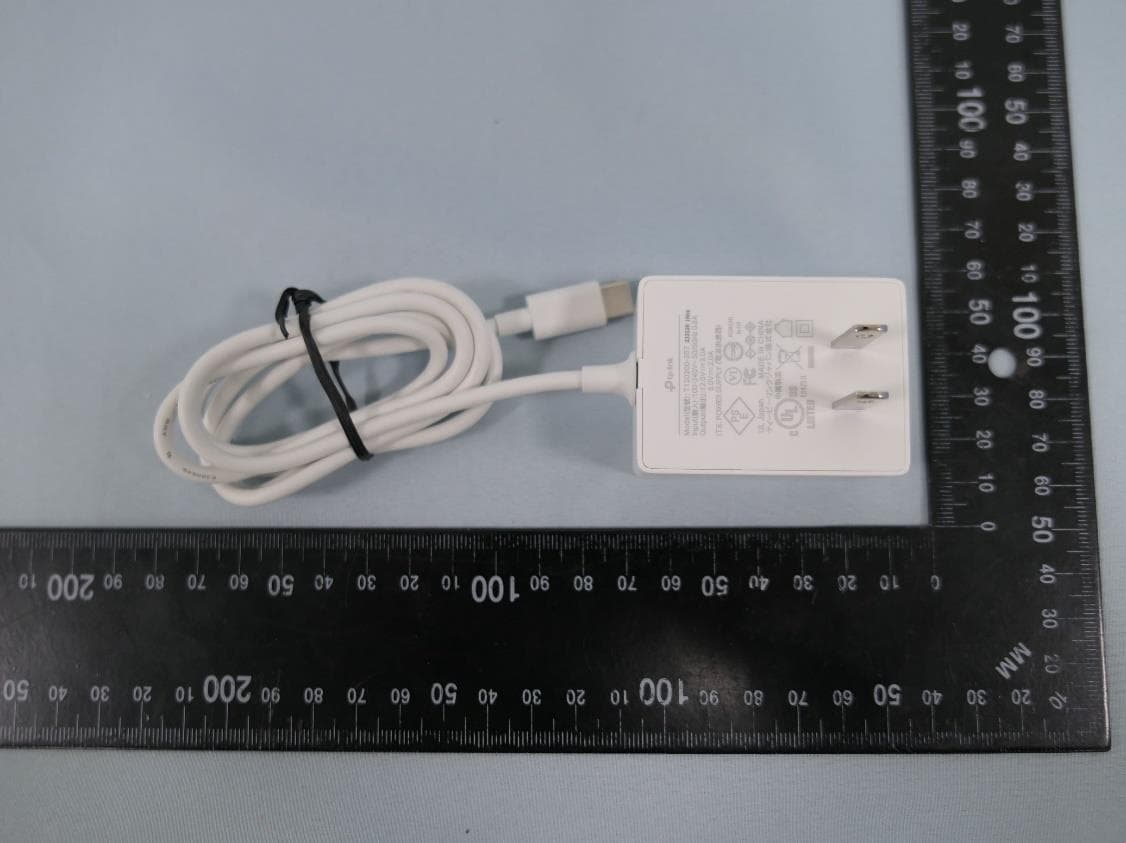
2AXJ4AIRE5
Jan 15, 2024AX3000 Wi-Fi 6 Air Range Extender
Equipment Class
DTS - Digital Transmission System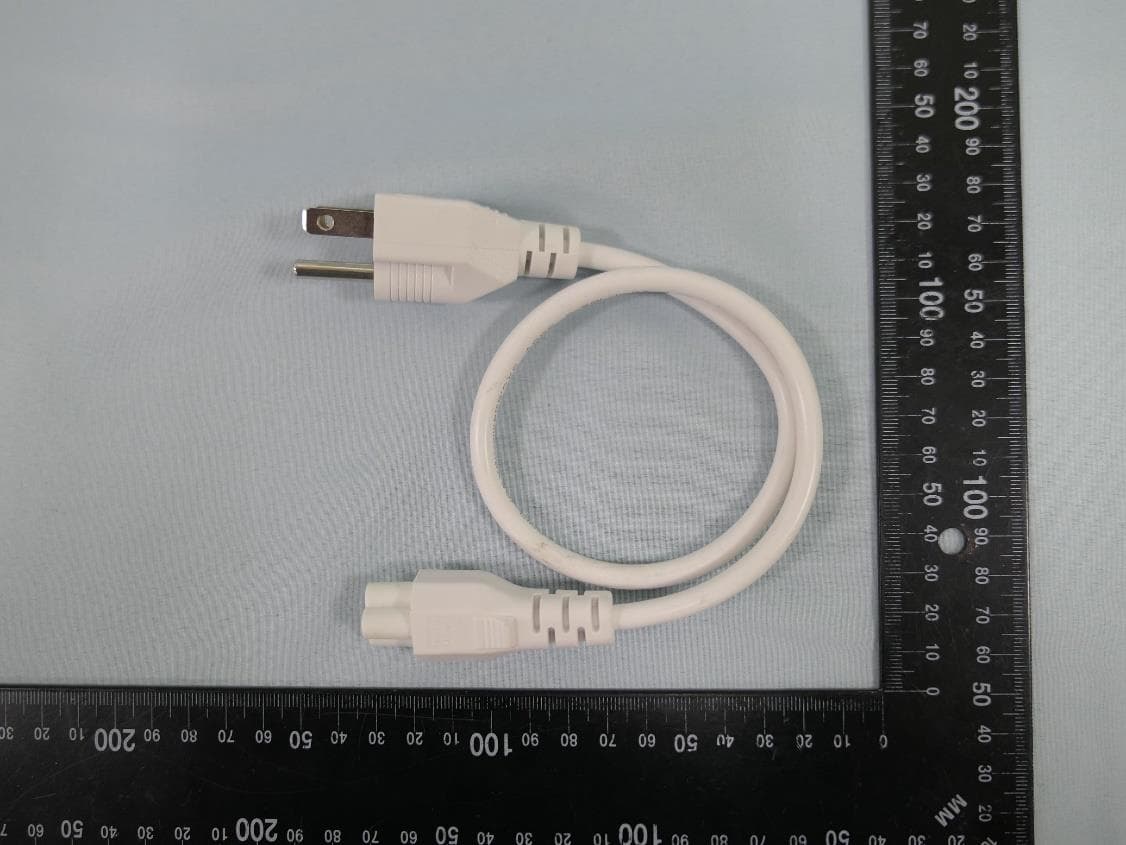
2AXJ4EAP115BRG
Jan 11, 20245GHz 300Mbps Long-range Indoor/Outdoor Access Point
Equipment Class
NII - Unlicensed National Information Infrastructure TX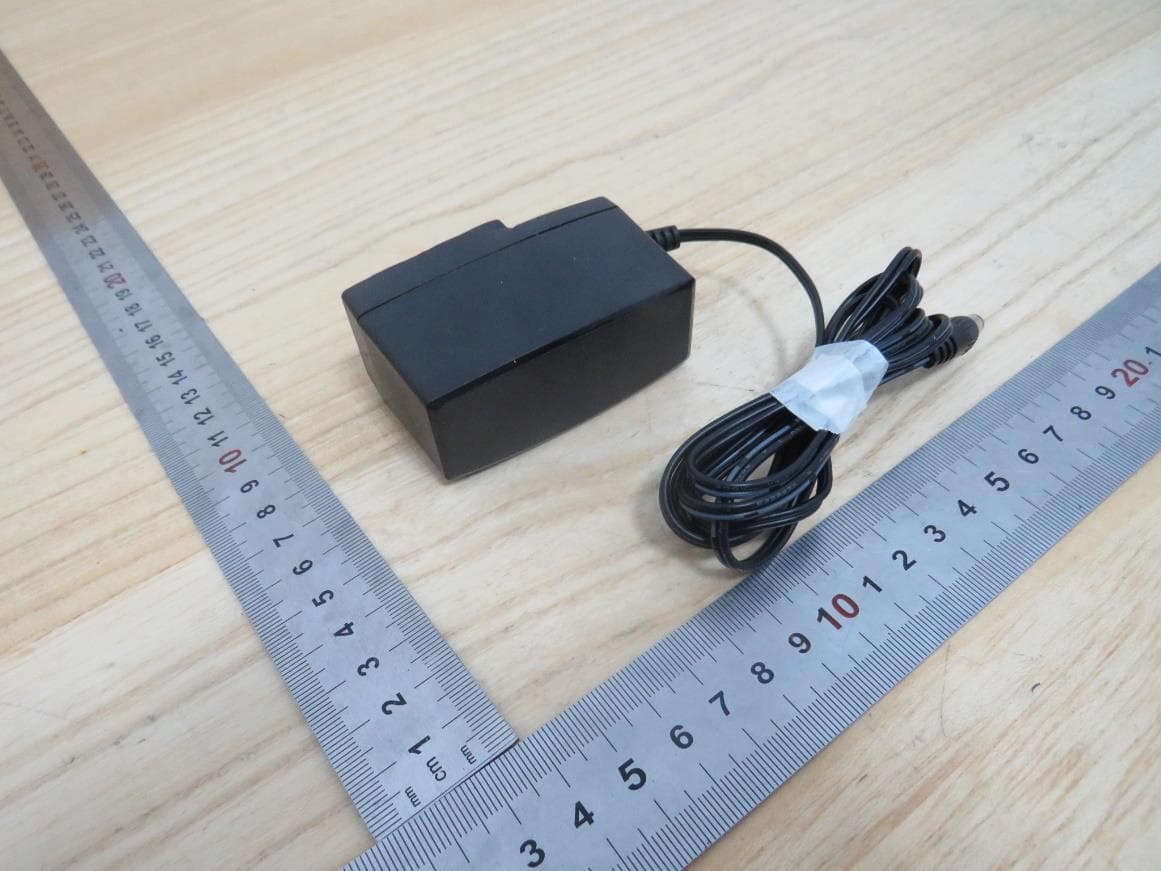
2AXJ4HX510V2
Jan 10, 2024AX3000 Whole Home Mesh Wi-Fi AP
Equipment Class
NII - Unlicensed National Information Infrastructure TX
2AXJ4EAP215BRG
Dec 11, 20235GHz 867Mbps Long-range Indoor/Outdoor Access Point
Equipment Class
NII - Unlicensed National Information Infrastructure TX