2AXJ4KL400Kasa Smart Light Strip, Multicolor
TP-Link Corporation Limited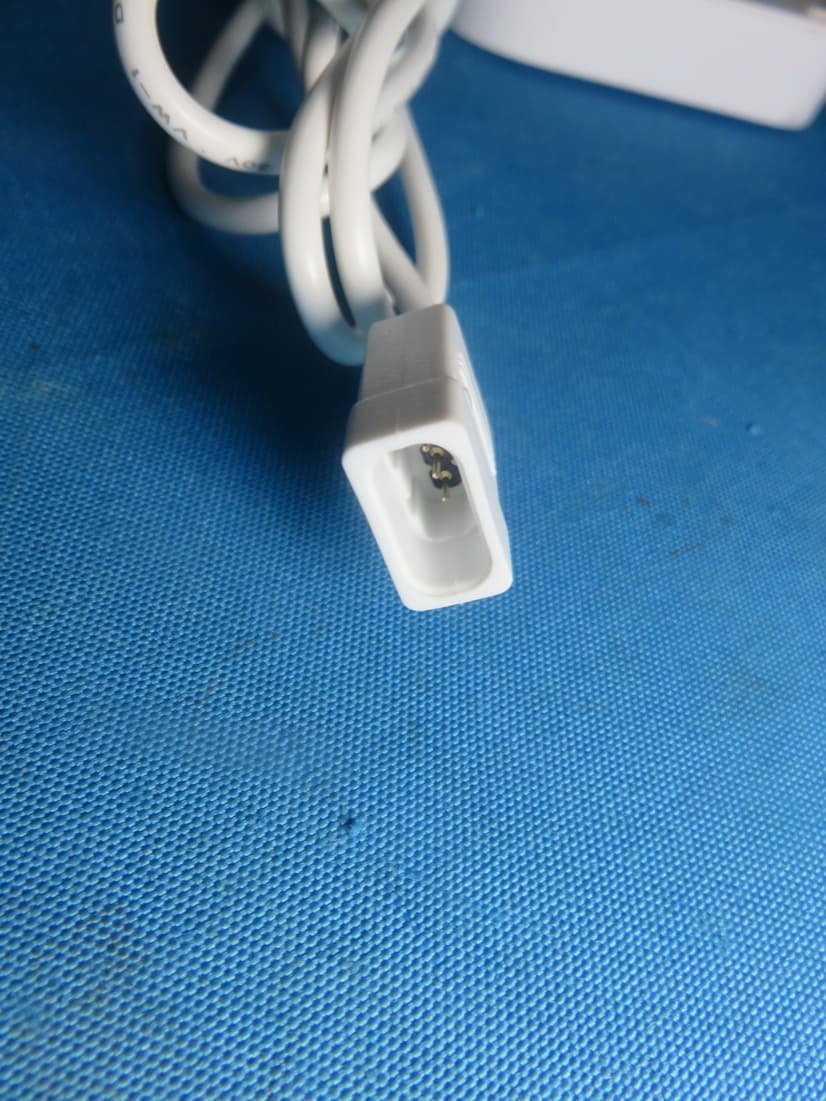
Click to zoom
Application Details
- Equipment Class
- DTS - Digital Transmission System
- Date of Grant
- Jun 27, 2021
- Application Purpose
- Original Equipment
- Date of Application
- Jun 27, 2021
- Equipment Note
- Kasa Smart Light Strip, Multicolor
- Frequency Range
- 2412.00000000 - 2462.00000000
- Company
- TP-Link Corporation Limited
- Country
- Hong Kong
Documents & Files
Document Text
Text extracted from the exhibit documents filed with the FCC. Open a document above to read the original.
Users Manual
User Guide Kasa Smart Light Strip, Multicolor KL400L5 / KL400L10 1910013038 REV1.0.0 © 2021 TP-Link Contents About This Guide ····················································1 Introduction ·······························································2 Set Up Your Smart Light Strip ··························3 Mount Your Smart Light Strip ··························4 Main Device Control ··············································5 Configure Your Smart Light Strip ···················6 Create Scenes························································10 Reset Your Smart Light Strip ··························12 Discover Kasa ·························································13 Authentication ························································14 1 About This Guide This guide provides a brief introduction to Smart Light Strip and the Kasa Smart app, as well as regulatory information. Features available in Smart Light Strip may vary by model and software version. Smart Light Strip availability may also vary by region or ISP. All images, steps, and descriptions in this guide are only examples and may not reflect your actual Smart Light Strip experience. Conventions In this guide, the following convention is used: Convention Description Teal Key information appears in teal, including management page text such as menus, items, buttons and so on. Underline Hyperlinks are in teal and underlined. You can click to redirect to a website. Support • Specific product information can be found on the product page at https://www.tp-link.com/en/. • A Technical Community is provided for you to discuss our products at https://community.tp-link.com/en. • Our Technical Support contact information can be found at the Help center of the Kasa Smart app and the Contact Technical Support page at https://www.tp-link.com/en/support/. • Videos about how to configure the Smart Light Strip features can be found on the Setup Videos page at https://www.tp-link.com/en/support/setup-video/#smart-bulbs. 2 Introduction The Smart Light Strip is part of the Kasa smart home family of products, including plugs, switches, cameras and more. You can simply download the Kasa Smart app, connect to Wi-Fi and enjoy. No special hardware is needed. 16 color zones and millions of colors are available for you to pick from and create your own scenes. You can also control multiple smart home devices with the Kasa Smart app or use your voice for added convenience. With Kasa, your home is never more than a few taps away. • Multicolor - Offers endless lighting possibilities with 16 million colors and dimming capabilities. • Voice Control - Turn on or off, and change colors with simple voice commands. • Set Schedules - Run your light strip automatically to fit any event with the Kasa Smart app. • Flexible and Easy Install - The flexibility to bend and cut† allows you to stick it or place it in the exact spot you desire. • Group and Scenes - Combine your strip with other Kasa devices for seamless control with a single tap. 3 Set Up Your Smart Light Strip Follow the steps below to set up your Smart Light Strip via the Kasa Smart app. Step 1. Download Kasa Get the Kasa Smart app from the App Store or Google Play. Step 2. Connect to Network Connect your mobile device to a 2.4GHz Wi-Fi network. Step 3. Log In Open the app, and log in with your TP-Link ID. If you don't have an account, create one first. Note: If you forgot your login password, tap Forgot password? on the login page, the app will guide you through the rest. Step 4. Add Devices Tap the button in the app and select Device to add your new Smart Light Strip. Follow app instructions to complete the setup. 4 Main Device Control After you successfully set up your Smart Light Strip, you will see the Devices page on the Kasa Smart app. You can add new devices, control multiple devices simultaneously in a group, configure account settings, and more. Add a Group Tap > Group to add a group for controlling multiple devices simultaneously. Configure Kasa Settings Swipe right and you can configure settings for your Kasa account or get more information about Kasa. Devices Page On the Devices page, you can instantly turn on/off the Smart Light Strip, adjust brightness or change colors. ON OFF 5 Configure Your Smart Light Strip On the Devices page, tap a Smart Light Strip and you can adjust the light brightness or color, set schedules, save a shortcut for a light effect, track energy consumption and configure the Smart Light Strip settings. Power On/Off At One Tap Quickly power on or off your Smart Light Strip with a single button. Adjust Brightness Dim your Smart Light Strip with a range from 1% to 100%. Adjust Color Choose a preferred color for your Smart Light Strip. 6 Configure Your Smart Light Strip On the Devices page, tap a Smart Light Strip and you can adjust the light brightness or color, set schedules, save a shortcut for a light effect, track energy consumption and configure the Smart Light Strip settings. Add Effects Tap to add or customize light effects and apply to your Smart Light Strip. Add Schedules Tap to add schedules to simplify your daily routine by creating automatic On/Off actions. 7 Track Energy Usage Tap to view and track energy consumption of your Smart Light Strip. Configure Your Smart Light Strip On the Devices page, tap a Smart Light Strip and you can adjust the light brightness or color, set schedules, save a shortcut for a light effect, track energy consumption and configure the Smart Light Strip settings. Configure Device Settings Tap to configure device settings and check device information. 8 Create Scenes A scene is a preset group of smart devices that can be programmed, customized and activated simultaneously at the touch of a button from your smartphone or tablet, allowing you to easily set your mood, activity or fit any special occasion. This page allows you to preset how your smart home devices should act automatically at special occasions. 1. On …
Text truncated - open the document above for the full version.
Cover Letter(s)
TP-Link Corporation Limited Authority to Act as Agent Date: 2021-06-23 American Certification Body, Inc. 6731 Whittier Avenue Suite C110 McLean, VA 22101 To Whom It May Concern: BTL Inc./Rose Liu is authorized to act on our behalf, until otherwise notified, for applications to American Certification Body, Inc. (ACB). We certify that we are not subject to denial of federal benefits, that includes FCC benefits, pursuant to Section 5301 of the Anti-Drug Abuse Act of 1988, 21 U.S.C. 862. Further, no party, as defined in 47 CFR 1.2002 (b), to the application is subject to denial of federal benefits, that includes FCC benefits. Thank you, Agency Agreement Expiration Date: 2022-06-23 By: ______ ____________________ _______Abby Liang________ (Signature 1 ) (Print name) Title: Regulatory Compliance Manager On behalf of: TP-Link Corporation Limited (Company Name) Telephone: 00852-37585503 1 - Must be signed by applicant contact given for applicant on the FCC site, or by the authorized agent if an appropriate authorized agent letter has been provided. Letters should be placed on appropriate letterhead.
Cover Letter(s)
TP-Link Corporation Limited Request for Confidentiality Date: 2021-06-23 Subject: Confidentiality Request for: 2AXJ4KL400 Pursuant to FCC 47 CRF 0.457(d) and 0.459 and IC RSP-100, Section12.4, the applicant requests that a part of the subject FCC application be held confidential. Type of Confidentiality Requested Exhibit Short Term Permanent Block Diagrams Short Term External Photos Short Term Permanent* 1 Internal Photos Short Term Permanent Operation Description/Theory of Operation Short Term Permanent Parts List & Placement/BOM Short Term Permanent Tune-Up Procedure Short Term Permanent Schematics Short Term Test Setup Photos Short Term Permanent* 3 User’s Manual TP-Link Corporation Limited____ has spent substantial effort in developing this product and it is one of the first of its kind in industry. Having the subject information easily available to "competition" would negate the advantage they have achieved by developing this product. Not protecting the details of the design will result in financial hardship. Permanent Confidentiality: The applicant requests the exhibits listed above as permanently confidential be permanently withheld from public review due to materials that contain trade secrets and proprietary information not customarily released to the public. Short-Term Confidentiality: The applicant requests the exhibits selected above as short term confidential be withheld from public view for a period of ___(specify number of days not to exceed 180) 2 ___ days from the date of the Grant of Equipment Authorization and prior to marketing. This is to avoid premature release of sensitive information prior to marketing or release of the product to the public. Applicant is also aware that they are responsible to notify ACB in the event information regarding the product or the product is made available to the public. ACB will then release the documents listed above for public disclosure pursuant to FCC Public Notice DA 04-1705. NOTE for Industry Canada Applications: IC currently only distinguishes Permanent Confidentiality exhibits as shown above. Short Term confidentiality is not considered applicable to IC applications. Sincerely, By: Regulatory Compliance Manager _Abby Liang__________ 1 - The asterisked items (*) require further information to be provided to ACB before permanent confidentiality will be extended to these exhibits. Please refer to FCC KDB 726920 and the specific Document link for D01 found at: https://apps.fcc.gov/oetcf/kdb/forms/FTSSearchResultPage.cfm?switch=P&id=41731 and review section II, 3) regarding specific information that must accompany these requests. 2 - Please refer to http://acbcert.com/documents/misc-docs/Memo-Short-Term-Vs-Standard-Confidentiality.pdf for complete details. TP-Link Corporation Limited (Signature/Title 3 ) (Print name) 3 - Must be signed by applicant contact given for applicant on the FCC site, or by the authorized agent if an appropriate authorized agent letter has been provided. Letters should be placed on appropriate letterhead.
Cover Letter(s)
Model Declaration Letter We, the undersigning company Company Name: TP-Link Corporation Limited Address: Room 901, 9/F. , New East Ocean Centre, 9 Science Museum Road, Tsim Sha Tsui, Kowloon, Hong Kong Hereby confirm that the following products: Product description: Kasa Smart Light Strip, Multicolor Type designation: KL400L5, KL400L10 Trademark: tp-link That All versions of the Model KL400L5 and KL400L10 are electrically equal except the following difference: KL400L5 and KL400L10 are two lamp strip products, which are composed of adapter + controller + lamp strip. The controllers are the same, the difference is that the adapter for KL400L5 is 12V1A, KL400L10 is 12V1.5A, and the corresponding length of lamp strip is 5M and 10M. Date: 2021.06.23 Name: Abby Liang Telephone: 00852-37585503 E-mail: [email protected] Signature:
Cover Letter(s)
TP-Link Corporation Limited Wi-Fi Channel 12 and 13 Declaration Letter Date: 2021-06-23 We, the undersigned company Company Name: TP-Link Corporation Limited Address: Room 901, 9/F. , New East Ocean Centre, 9 Science Museum Road, Tsim Sha Tsui, Kowloon,Hong Kong Declare that: Product description: Kasa Smart Light Strip, Multicolor Type designation: KL400L5, KL400L10 Brand: tp-link FCC ID: 2AXJ4KL400 Only channels 1~11 will be used in USA. Country code selection is disabled. If you have any questions regarding the authorization, please do not hesitate to contact us, thank you~ Sincerely, Signature: ________________________ Name: Abby Liang Tel: 00852-37585503 Email: [email protected]
External Photos
Project No.: 2105C099 Page 1 of 17 ATTACHMENT PHOTOGRAPHS OF EUT Project No.: 2105C099 Page 2 of 17 Model: KL400L5 Project No.: 2105C099 Page 3 of 17 Project No.: 2105C099 Page 7 of 17 Model: KL400L10 Project No.: 2105C099 Page 8 of 17 Project No.: 2105C099 Page 14 of 17 Adapter: T120100-2B1 Project No.: 2105C099 Page 15 of 17 Project No.: 2105C099 Page 16 of 17 Adapter: T120150-2B1 Project No.: 2105C099 Page 17 of 17
ID Label/Location Info
白色 Pantone Cool Gray 4C 菲林图 尺寸:31.9*25.7mm 颜色:Pantone Cool Gray 4C 效果图 KL400L5(US) 1.0_控制器镭雕 A2 控制盒-85 KL400L5(US) 1.0 陈映徽 2021-6-23 修改IC ID 尺寸图 47 3.69±0.3mm3.69±0.3mm 2.17±0.3mm 21±0.8mm Kasa Smart Light Strip, Multicolor Model: KL400L5 Input: 12V 1.0A FCC ID: 2AXJ4KL400 IC: 26583-KL400 HVIN: KL400L5 CAN ICES-005(B)/NMB-005(B) RoHS 39.98 85.98 MAC:XX-XX-XX-XX-XX-XX MAC地址由工厂使用7210500003_25×7mm_空白标贴 打印后贴于壳体指定位置。
ID Label/Location Info
白色 Pantone Cool Gray 4C 菲林图 尺寸:31.9*25.7mm 颜色:Pantone Cool Gray 4C MAC地址由工厂使用7210500003_25×7mm_空白标贴 打印后贴于壳体指定位置。 效果图 KL400L10(US) 1.0_控制器镭雕 A2 控制盒-85 KL400L10(US) 1.0 陈映徽 2021-06-23 更改IC ID 尺寸图 47 3.69±0.3mm3.69±0.3mm 2.17±0.3mm 21±0.8mm Kasa Smart Light Strip, Multicolor Model: KL400L10 Input: 12V 1.5A 39.98 85.98 MAC:XX-XX-XX-XX-XX-XX FCC ID: 2AXJ4KL400 IC: 26583-KL400 HVIN: KL400L10 CAN ICES-005(B)/NMB-005(B) RoHS
Internal Photos
Project No.: 2105C099 Page 2 of 17 Model: KL400L5 Project No.: 2105C099 Page 4 of 17 Project No.: 2105C099 Page 5 of 17 Antenna Project No.: 2105C099 Page 6 of 17 Project No.: 2105C099 Page 7 of 17 Model: KL400L10 Project No.: 2105C099 Page 9 of 17 Project No.: 2105C099 Page 10 of 17 Antenna Project No.: 2105C099 Page 11 of 17 Project No.: 2105C099 Page 12 of 17 LED Light Project No.: 2105C099 Page 13 of 17
RF Exposure Info
Report No.: BTL-FCCP-2-2105C099 Page 1 of 4 FCC RF EXPOSURE REPORT FCC ID: 2AXJ4KL400 Project No. : 2105C099 Equipment : Kasa Smart Light Strip, Multicolor Brand Name : tp-link Model Name : KL400L10, KL400L5 Applicant : TP-Link Corporation Limited Address : Room 901, 9/F. , New East Ocean Centre, 9 Science Museum Road, Tsim Sha Tsui, Kowloon, Hong Kong Manufacturer : TP-Link Corporation Limited Address : Room 901, 9/F. , New East Ocean Centre, 9 Science Museum Road, Tsim Sha Tsui, Kowloon, Hong Kong Date of Receipt : May 18, 2021 Date of Test : May 19, 2021 ~ Jun. 08, 2021 Issued Date : Jun. 28, 2021 Report Version : R01 Test Sample : Engineering Sample No.: DG2021051898 Standard(s) : FCC Guidelines for Human Exposure IEEE C95.1 & FCC Part 2.1091 FCC Title 47 Part 2.1091, OET Bulletin 65 Supplement C The above equipment has been tested and found compliance with the requirement of the relative standards by BTL Inc. Prepared by : Antony Liang Approved by : Ethan Ma Add: No.3, Jinshagang 1st Road, Shixia, Dalang Town,Dongguan, Guangdong, China. Te l : +86-769-8318-3000 Web: www.newbtl.com Report No.: BTL-FCCP-2-2105C099 Page 2 of 4 REPORT ISSUED HISTORY Report Version Description Issued Date R00 Original Issue Jun. 08, 2021 R01 Modify the comment of ACB. Jun. 08, 2021 Report No.: BTL-FCCP-2-2105C099 Page 3 of 4 1. TEST FACILITY The test facilities used to collect the test data in this report is at the location of No.3,Jinshagang 1st Road, Shixia, Dalang Town, Dongguan, Guangdong, China. BTL's Test Firm Registration Number for FCC: 357015 BTL's Designation Number for FCC: CN1240 2. MPE CALCULATION METHOD Calculation Method of RF Safety Distance: where: S = power density P = power input to the antenna G = power gain of the antenna in the direction of interest relative to an isotropic radiator R = distance to the center of radiation of the antenna Table for Filed Antenna: Ant. Brand P/N Antenna Type Connector Gain (dBi) 1 N/A IFA N/A 2.5 Note:The antenna gain is provided by the manufacturer. Report No.: BTL-FCCP-2-2105C099 Page 4 of 4 3. TEST RESULTS For 2.4GHz: Antenna Gain (dBi) Antenna Gain (numeric) Max. Average Output Power (dBm) Max. Average Output Power (mW) Power Density (S) (mW/cm 2 ) Limit of Power Density (S) (mW/cm 2 ) Test Result 2.5 1.7783 18.70 74.1310 0.02624 1 Complies Note: The calculated distance is 20 cm. Output power including tune up tolerance. End of Test Report
Test Report
Report No.: BTL-FCCP-1-2105C099 Page 1 of 118 FCC Radio Test Report FCC ID: 2AXJ4KL400 This report concerns: Original Grant Project No. : 2105C099 Equipment : Kasa Smart Light Strip, Multicolor Brand Name : tp-link Model Name : KL400L10, KL400L5 Applicant : TP-Link Corporation Limited Address : Room 901, 9/F. , New East Ocean Centre, 9 Science Museum Road, Tsim Sha Tsui, Kowloon, Hong Kong Manufacturer : TP-Link Corporation Limited Address : Room 901, 9/F. , New East Ocean Centre, 9 Science Museum Road, Tsim Sha Tsui, Kowloon, Hong Kong Date of Receipt : May 18, 2021 Date of Test : May 19, 2021 ~ Jun. 08, 2021 Issued Date : Jun. 28, 2021 Report Version : R01 Test Sample : Engineering Sample No.: DG2021051898 for conducted, DG2021051897 for radiated. Standard(s) : FCC CFR Title 47, Part 15, Subpart C FCC KDB 558074 D01 15.247 Meas Guidance v05r02 ANSI C63.10-2013 The above equipment has been tested and found compliance with the requirement of the relative standards by BTL Inc. Prepared by : Antony Liang Approved by : Ethan Ma Add: No.3, Jinshagang 1st Road, Shixia, Dalang Town,Dongguan, Guangdong, China. Te l : +86-769-8318-3000 Web: www.newbtl.com Report No.: BTL-FCCP-1-2105C099 Page 2 of 118 Declaration BTL represents to the client that testing is done in accordance with standard procedures as applicable and that test instruments used has been calibrated with standards traceable to international standard(s) and/or national standard(s). BTL's reports apply only to the specific samples tested under conditions. It is manufacture’s responsibility to ensure that additional production units of this model are manufactured with the identical electrical and mechanical components. BTL shall have no liability for any declarations, inferences or generalizations drawn by the client or others from BTL issued reports. The report must not be used by the client to claim product certification, approval, or endorsement by NVLAP, NIST, A2LA, or any agency of the U.S. Government. This report is the confidential property of the client. As a mutual protection to the clients, the public and ourselves, the test report shall not be reproduced, except in full, without our written approval. BTL’s laboratory quality assurance procedures are in compliance with the ISO/IEC 17025 requirements, and accredited by the conformity assessment authorities listed in this test report. BTL is not responsible for the sampling stage, so the results only apply to the sample as received. The information, data and test plan are provided by manufacturer which may affect the validity of results, so it is manufacturer’s responsibility to ensure that the apparatus meets the essential requirements of applied standards and in all the possible configurations as representative of its intended use. Limitation For the use of the authority's logo is limited unless the Test Standard(s)/Scope(s)/Item(s) mentioned in this test report is (are) included in the conformity assessment authorities acceptance respective. Please note that the measurement uncertainty is provided for informational purpose only and are not use in determining the Pass/Fail results. Report No.: BTL-FCCP-1-2105C099 Page 3 of 118 Table of Contents Page REPORT ISSUED HISTORY 6 1 . SUMMARY OF TEST RESULTS 7 1.1 TEST FACILITY 8 1.2 MEASUREMENT UNCERTAINTY 8 1.3 TEST ENVIRONMENT CONDITIONS 8 2 . GENERAL INFORMATION 9 2.1 GENERAL DESCRIPTION OF EUT 9 2.2 DESCRIPTION OF TEST MODES 10 2.3 PARAMETERS OF TEST SOFTWARE 11 2.4 DUTY CYCLE 12 2.5 BLOCK DIAGRAM SHOWING THE CONFIGURATION OF SYSTEM TESTED 13 2.6 SUPPORT UNITS 13 3 . AC POWER LINE CONDUCTED EMISSIONS 14 3.1 LIMIT 14 3.2 TEST PROCEDURE 14 3.3 DEVIATION FROM TEST STANDARD 14 3.4 TEST SETUP 15 3.5 EUT OPERATION CONDITIONS 15 3.6 TEST RESULTS 15 4 . RADIATED EMISSIONS 16 4.1 LIMIT 16 4.2 TEST PROCEDURE 16 4.3 DEVIATION FROM TEST STANDARD 17 4.4 TEST SETUP 18 4.5 EUT OPERATION CONDITIONS 19 4.6 TEST RESULTS - 9 KHZ TO 30 MHZ 19 4.7 TEST RESULTS - 30 MHZ TO 1000 MHZ 19 4.8 TEST RESULTS - ABOVE 1000 MHZ 19 5 . BANDWIDTH 20 5.1 LIMIT 20 5.2 TEST PROCEDURE 20 5.3 DEVIATION FROM STANDARD 20 5.4 TEST SETUP 20 Report No.: BTL-FCCP-1-2105C099 Page 4 of 118 Table of Contents Page 5.5 EUT OPERATION CONDITIONS 20 5.6 TEST RESULTS 20 6 . MAXIMUM AVERAGE OUTPUT POWER 21 6.1 LIMIT 21 6.2 TEST PROCEDURE 21 6.3 DEVIATION FROM STANDARD 21 6.4 TEST SETUP 21 6.5 EUT OPERATION CONDITIONS 21 6.6 TEST RESULTS 21 7 . CONDUCTED SPURIOUS EMISSIONS 22 7.1 LIMIT 22 7.2 TEST PROCEDURE 22 7.3 DEVIATION FROM STANDARD 22 7.4 TEST SETUP 22 7.5 EUT OPERATION CONDITIONS 22 7.6 TEST RESULTS 22 8 . POWER SPECTRAL DENSITY 23 8.1 LIMIT 23 8.2 TEST PROCEDURE 23 8.3 DEVIATION FROM STANDARD 23 8.4 TEST SETUP 23 8.5 EUT OPERATION CONDITIONS 23 8.6 TEST RESULTS 23 9 . MEASUREMENT INSTRUMENTS LIST 24 10 . EUT TEST PHOTO 26 APPENDIX A - AC POWER LINE CONDUCTED EMISSIONS 31 APPENDIX B - RADIATED EMISSION - 9 KHZ TO 30 MHZ 34 APPENDIX C - RADIATED EMISSION - 30 MHZ TO 1000 MHZ 39 APPENDIX D - RADIATED EMISSION- ABOVE 1000 MHZ 42 APPENDIX E - BANDWIDTH 103 APPENDIX F - MAXIMUM AVERAGE OUTPUT POWER 107 APPENDIX G - CONDUCTED SPURIOUS EMISSIONS 109 Report No.: BTL-FCCP-1-2105C099 Page 5 of 118 Table of Contents Page APPENDIX H - POWER SPECTRAL DENSITY 116 Report No.: BTL-FCCP-1-2105C099 Page 6 of 118 REPORT ISSUED HISTORY Report Version Description Issued Date R00 Original Issue. Jun. 08, 2021 R01 Added the product version(PMN, hardware version and software version) in chapter 2.1. Jun. 28, 2021 Report No.: BTL-FCCP-1-2105C099 Page 7 of 118 1. SUMMARY OF TEST RESULTS Test procedures according to the technical standard(s): FCC CFR Title 47, Part 15, Subpart C Standard(s) Section Test Item Test Result Judgment Remark 15.207 AC Power Line Conducted Emissions APPENDIX A PASS ------ 15.247(d) 15.205(a) 15.209(a) Radiated Emissions APPENDIX B APPENDIX C APPENDIX D PASS ------ 15.247(a)(2) Bandwidth APPENDIX E PASS ------ 15.247(b)(3) Maximum Average Output Power APPENDIX F PASS ------ 15…
Text truncated - open the document above for the full version.
Test Report
Report No.: BTL-FCCP-1-2105C099 Page 114 of 118 Test Mode TX N(HT20) Mode Reference Level-CH01 Reference Level-CH06 Reference Level-CH11 Bandedge-CH01 Bandedge-CH11 Report No.: BTL-FCCP-1-2105C099 Page 115 of 118 CH01 – 10th Harmonic of the fundamental frequency CH06 – 10th Harmonic of the fundamental frequency CH11 – 10th Harmonic of the fundamental frequency Report No.: BTL-FCCP-1-2105C099 Page 116 of 118 APPENDIX H - POWER SPECTRAL DENSITY Report No.: BTL-FCCP-1-2105C099 Page 117 of 118 Te s t Mode TX B Mode Channel Frequency (MHz) Power Spectral Density (dBm/3kHz) Max. Limit (dBm/3kHz) Result 01 2412 -4.22 8.00 Complies 06 2437 -3.85 8.00 Complies 11 2462 -4.03 8.00 Complies CH01 CH06 CH11 Test Mode TX G Mode Channel Frequency (MHz) Power Spectral Density (dBm/3kHz) Max. Limit (dBm/3kHz) Result 01 2412 -6.25 8.00 Complies 06 2437 -7.01 8.00 Complies 11 2462 -7.31 8.00 Complies CH01 CH06 CH11 Report No.: BTL-FCCP-1-2105C099 Page 118 of 118 Test Mode TX N(HT20) Mode Channel Frequency (MHz) Power Spectral Density (dBm/3kHz) Max. Limit (dBm/3kHz) Result 01 2412 -6.70 8.00 Complies 06 2437 -6.83 8.00 Complies 11 2462 -6.73 8.00 Complies CH01 CH06 CH11 End of Test Report
Test Setup Photos
Report No.: BTL-FCCP-1-2105C099 Page 26 of 118 10. EUT TEST PHOTO AC Power Line Conducted Emissions Test Photos Report No.: BTL-FCCP-1-2105C099 Page 27 of 118 Radiated Emissions Test Photos 9 kHz to 30 MHz Report No.: BTL-FCCP-1-2105C099 Page 28 of 118 Radiated Emissions Test Photos 30 MHz to 1 GHz Report No.: BTL-FCCP-1-2105C099 Page 29 of 118 Radiated Emissions Test Photos Above 1 GHz Report No.: BTL-FCCP-1-2105C099 Page 30 of 118 Conducted Test Photos
Contact Information
Applicant
Sarah Wang
Technical Contact
BTL Inc.Steven Lu
[email protected]86-769-83183000
No.3 Jinshagang 1st Rd, Shixia, Dalang · Dongguan · China
Non-Technical Contact
BTL Inc.Rose Liu
[email protected]86-769-83183000
Test Firm
BTL Inc.Sophia Huang
[email protected]+86-769-83183000
Technical Specifications
| # | Rule Parts | Frequency Range | Power Output |
|---|---|---|---|
| 1 | 15C | 2.41 GHz - 2.46 GHz | 70.80 mW |
Other Applications from TP-Link Corporation Limited
2AXJ4TXE50UH
Jan 28, 2024AXE3000 Wi-Fi 6E High Gain Wireless USB Adapter
Equipment Class
NII - Unlicensed National Information Infrastructure TX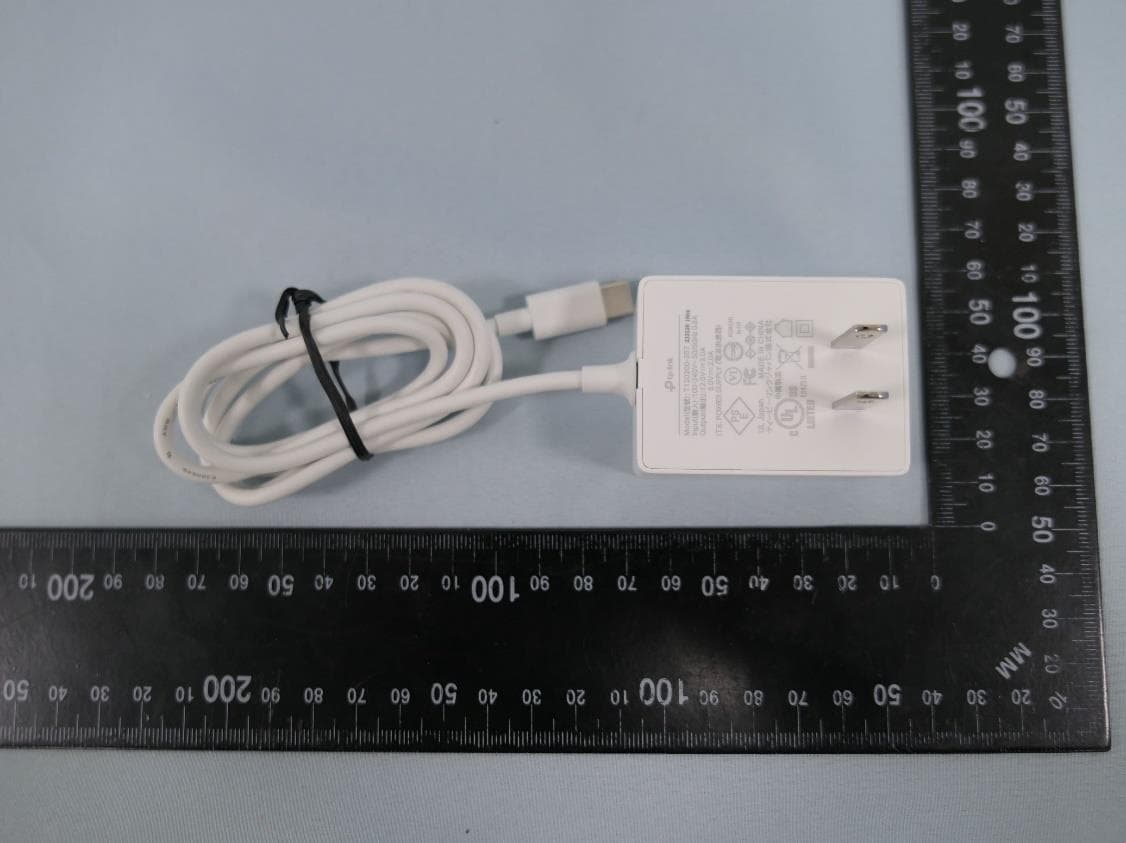
2AXJ4AIRE5
Jan 15, 2024AX3000 Wi-Fi 6 Air Range Extender
Equipment Class
DTS - Digital Transmission System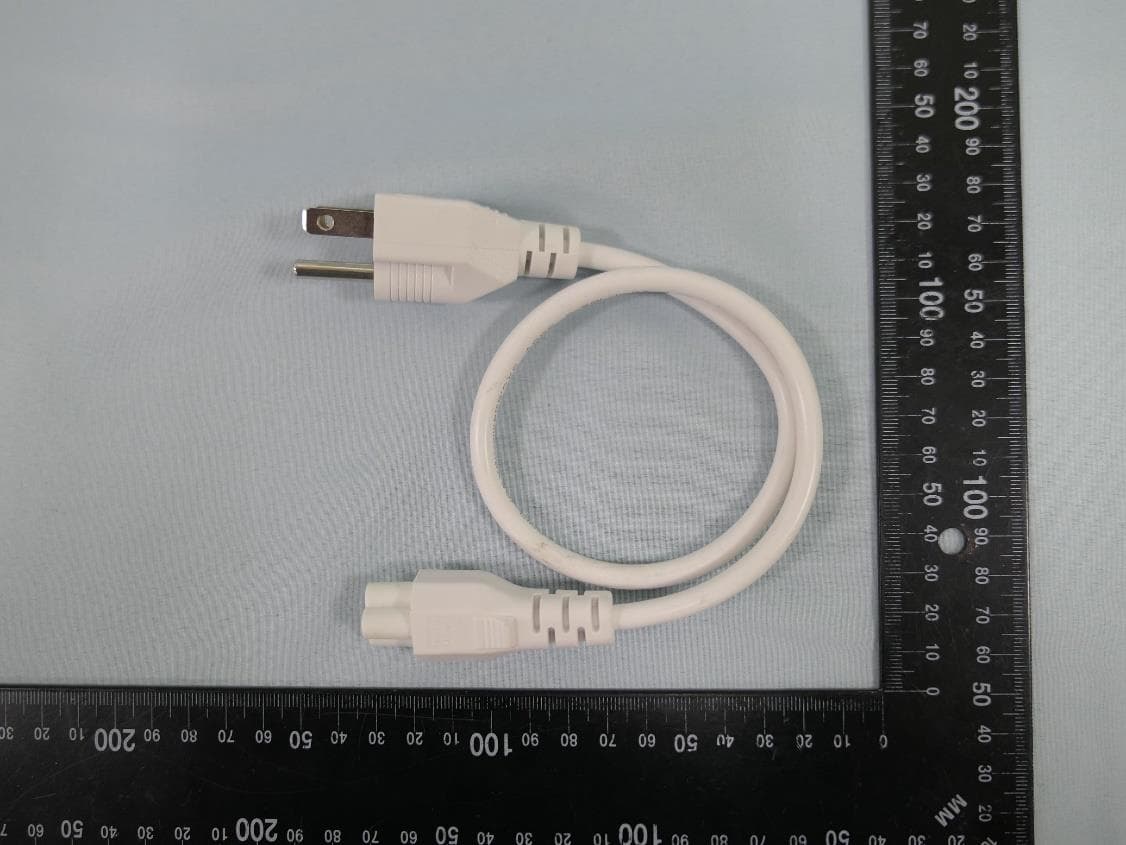
2AXJ4EAP115BRG
Jan 11, 20245GHz 300Mbps Long-range Indoor/Outdoor Access Point
Equipment Class
NII - Unlicensed National Information Infrastructure TX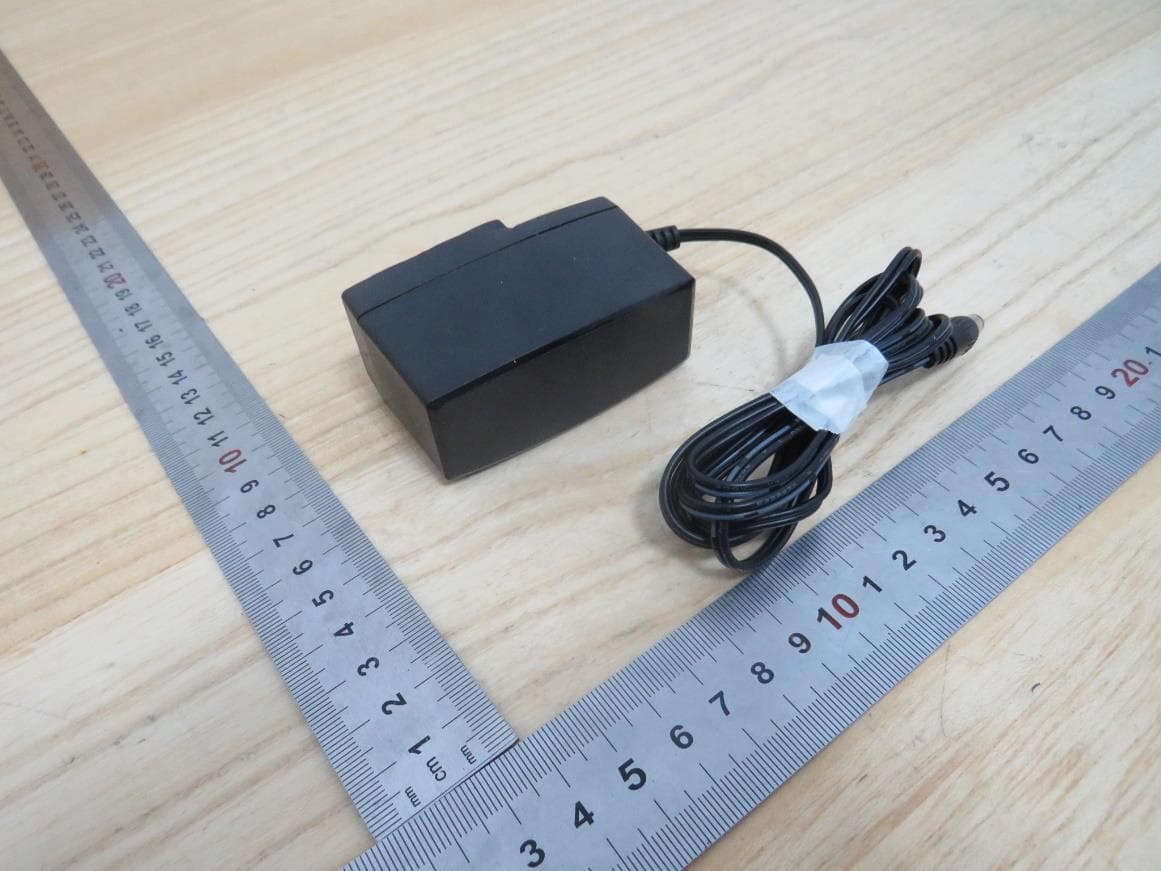
2AXJ4HX510V2
Jan 10, 2024AX3000 Whole Home Mesh Wi-Fi AP
Equipment Class
NII - Unlicensed National Information Infrastructure TX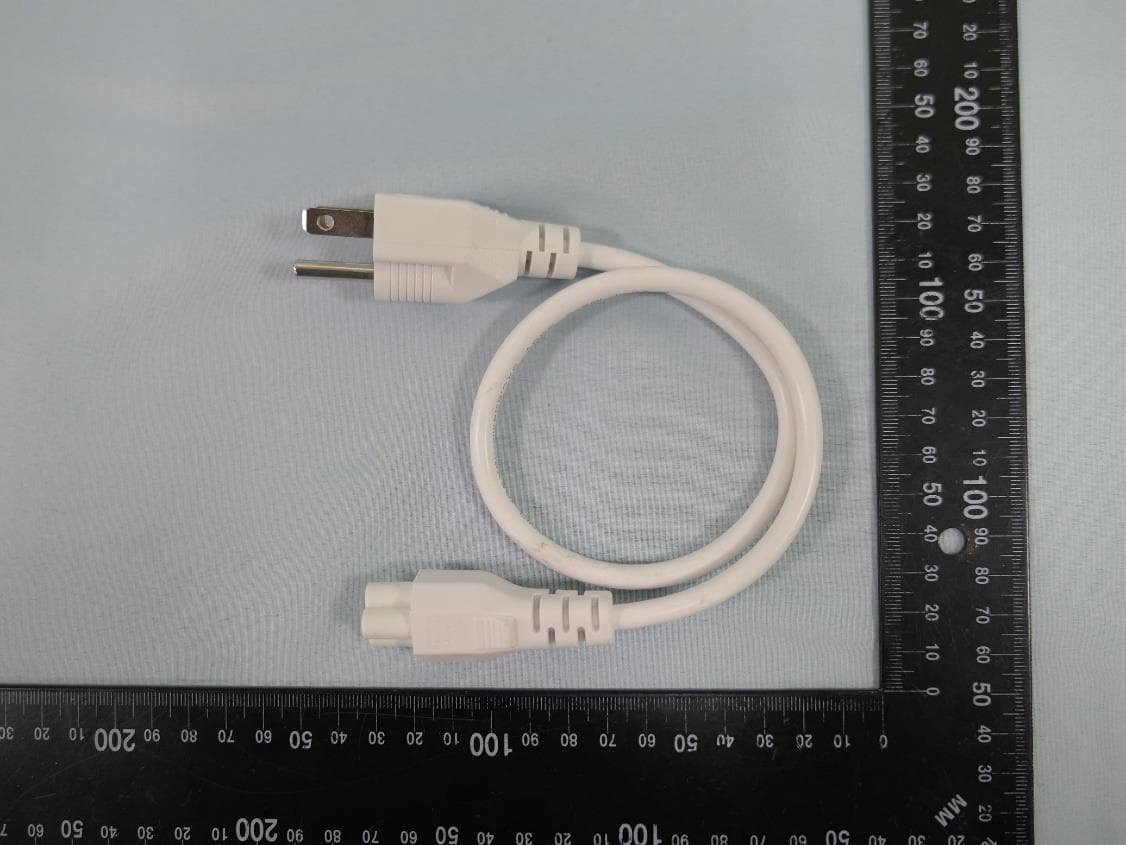
2AXJ4EAP215BRG
Dec 11, 20235GHz 867Mbps Long-range Indoor/Outdoor Access Point
Equipment Class
NII - Unlicensed National Information Infrastructure TX