2AXJ4T2UBNANOAC600 Nano Wi-Fi Bluetooth 4.2 USB Adapter
TP-Link Corporation Limited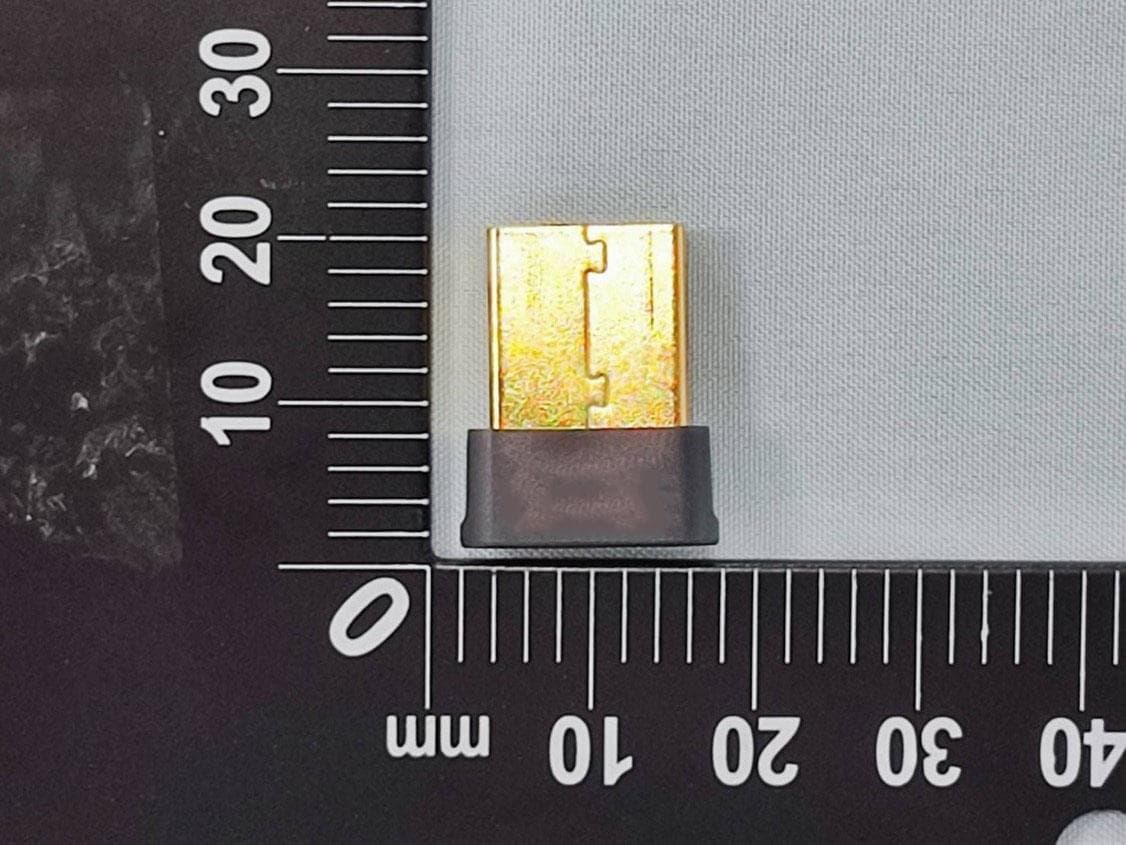
Click to zoom
Application Details
- Equipment Class
- NII - Unlicensed National Information Infrastructure TX
- Date of Grant
- Jul 17, 2022
- Application Purpose
- Original Equipment
- Date of Application
- Jul 17, 2022
- Equipment Note
- AC600 Nano Wi-Fi Bluetooth 4.2 USB Adapter
- Frequency Range
- 5745.00000000 - 5825.00000000
- Company
- TP-Link Corporation Limited
- Country
- Hong Kong
Documents & Files
Document Text
Text extracted from the exhibit documents filed with the FCC. Open a document above to read the original.
Users Manual
© 2022 TP-Link REV1.0.0 1910013209 User Guide AC600 Nano Wi-Fi Bluetooth 4.2 USB Adapter Archer T2UB Nano Contents About This Guide 1 Chapter 1 Get to Know About Your Adapter 2 1. 1. Product Overview . . . . . . . . . . . . . . . . . . . . . . . . . . . . . . . . . . . . . . . . . . . . . . . . . . . . .3 1. 2. LED Status. . . . . . . . . . . . . . . . . . . . . . . . . . . . . . . . . . . . . . . . . . . . . . . . . . . . . . . . . . . .3 Chapter 2 Connect to a Computer 4 Chapter 3 Use the Adapter 6 3. 1. Install Wi-Fi & Bluetooth Drivers. . . . . . . . . . . . . . . . . . . . . . . . . . . . . . . . . . . . . . . .7 3. 2. Pair with Bluetooth Deivces. . . . . . . . . . . . . . . . . . . . . . . . . . . . . . . . . . . . . . . . . . . .8 3. 3. Join a Wireless Network. . . . . . . . . . . . . . . . . . . . . . . . . . . . . . . . . . . . . . . . . . . . . . .8 3. 4. Uninstall Drivers. . . . . . . . . . . . . . . . . . . . . . . . . . . . . . . . . . . . . . . . . . . . . . . . . . . . . . .8 Appendix: Troubleshooting 9 1 About This Guide This guide is a complement to Quick Installation Guide. The Quick Installation Guide instructs you on quick installation, and this guide provides the product overview and detailed instructions for each steps. When using this guide, please notice that features of the adapter may vary slightly depending on the model and software version you have. All screenshots, images, parameters and descriptions documented in this guide are used for demonstration only. Conventions In this guide, the following conventions are used: Convention Description Teal Italic Hyperlinks are in teal italic. You can click to redirect to a website or a specific section. Teal Contents to be emphasized and texts on the web page are in teal, including the menus, items, buttons, etc. Note: Ignoring this type of note might result in a malfunction or damage to the device. Tips: Indicates important information that helps you make better use of your device. Maximum wireless signal rates are the physical rates derived from IEEE Standard 802.11 specifications. Actual wireless data throughput and wireless coverage, and quantity of connected devices are not guaranteed and will vary as a result of network conditions, AP limitations, and environmental factors, including building materials, obstacles, volume and density of traffic, and AP location. Use of MU-MIMO, 256-QAM and WPA3 requires clients to also support the corresponding features. To ensure compatibility, you may need to update the adapter’s drivers after an OS update. You can check the full list of supported operating systems in the download center at tp-link.com/download-center. More Info • The latest software and utility can be found at https://www.tp-link.com/download-center. • The Quick Installation Guide (QIG) can be found where you find this guide or inside the package of the product. • Specifications can be found on the product page at https://www.tp-link.com. • A Community is provided for you to discuss our products at https://community.tp-link.com. • Our Technical Support contact information can be found at the Contact Technical Support page at https://www.tp-link.com/support. Chapter 1 Get to Know About Your Adapter This chapter introduces what the adapter can do and shows its appearance. This chapter contains the following sections: • Product Overview • LED Status 3 Chapter 1 Get to Know about Your Adapter 1 1 Product Overview TP-Link Wireless USB Adapter connects your computer to a Wi-Fi network for smooth HD video, voice streaming and online gaming. • Small, unobtrusive design allows you to plug it in and forget it is even there • Blazing fast wireless data transmission rates of up to 433 Mbps at 5 GHz and 200 Mbps at 2.4 GHz • Utilizes 802.11ac standard and is backward compatible with 802.11a/b/g/n • Supports 256QAM technology, 33% faster on 2.4GHz • Supports ad-hoc and infrastructure mode • Supports WEP, WPA/WPA2/WPA3, WPA-PSK/ WPA2-PSK, WPA3-SAE • Supports Windows 1 2 LED Status You can check the adapter’s working status by following the LED Explanation table. Status Indication Off The driver is not installed. The adapter is not detected. OnThe driver has been installed successfully. Tips: If the LED is off, try these troubleshooting tips: 1. Check if the adapter is recognized and enabled or not. Refer to Appendix: Troubleshooting for detailed instructions. 2. Remove and reinsert the adapter. 3. Reinstall the software, if necessary. Chapter 2 Connect to a Computer This chapter introduces how to connect the adapter to your computer. 5 Chapter 2 Connect to a Computer Before you start using your adapter, insert the adapter into a USB port on your computer directly. * The image is for demonstration only. Chapter 3 Use the Adapter This chapter introduces how to install your adapter’s Wi-Fi and Bluetooth drivers, use your adapter to join a wireless network and pair with Bluetooth devices, and uninstall your adapter in a Windows system. The adapter is equipped with a Setup Wizard, which can guide you through the installation process. This chapter includes the following sections: • Install Wi-Fi & Bluetooth Driverss • Pair with Bluetooth Deivces • Join a Wireless Network • Uninstall Drivers 7 Chapter 3 Windows 3 1 Install Wi-Fi & Bluetooth Drivers Before You Start: If you plan on using Bluetooth and already have connected Bluetooth devices, proceed with step 1. Otherwise, skip to step 2. 1 Disable Bluetooth. Right-click My Computer, select Manage, go to Device Manager. Expand the Bluetooth node to find your existing Bluetooth device. Right-click the existing Bluetooth device and select Disable. Note: Make sure you have disabled all existing Bluetooth devices (both built-in and third party). 2 Insert the resource CD into your CD drive and run the Autorun.exe from the pop-up Autoplay window. Note: 1. You can also download the driver or check the new release at https://www tp-link com/download- center. 2. In some operating systems, t…
Text truncated - open the document above for the full version.
Cover Letter(s)
Attestation Letter Federal Communications Commission Authorization and Evaluation Division We Name: TP-Link Corporation Limited Address: Room 901, 9/F., New East Ocean Centre, 9 Science Museum Road, Tsim Sha Tsui, Kowloon, Hongkong Declare that the device does not support channel 12 ~ 13 in 2.4GHz band and any non-US channels in all the operational mode(s) for the following product. Product: AC600 Nano Wi-Fi Bluetooth 4.2 USB Adapter FCC ID: 2AXJ4T2UBNANO Model: Archer T2UB Nano Brand: tp-link Sincerely, _________________ Name: Sarah Wang Position: Regulatory Compliance Manager Date: 2022-07-05
Cover Letter(s)
Confidentiality Request Letter Federal Communications Commission Authorization and Evaluation Division FCC ID: 2AXJ4T2UBNANO Confidentiality Request Pursuant to Sections 0.457 and 0.459 of the Commission’s Rules, we hereby request confidential treatment of information accompanying this application as outlined below: 1.Block Diagram 2.Schematics 3.Operational Description The above materials contain trade secrets and proprietary information not customarily released to the public. The public disclosure of these matters might be harmful to the applicant and provide unjustified benefits to its competitors. The applicant understands that pursuant to Rule 0.457, disclosure of this application and all accompanying documentation will not be made before the date of the Grant for this application. Sincerely, _________________ Name: Sarah Wang Position: Regulatory Compliance Manager Date: 2022-07-05
Cover Letter(s)
Declaration of Authorization We Name: TP-Link Corporation Limited Address: Room 901, 9/F., New East Ocean Centre, 9 Science Museum Road, Tsim Sha Tsui, Kowloon, Hongkong Declare that: Name Representative of agent: Marlin Chen Agent Company name: MRT Technology (Suzhou) Co., Ltd Address: D8 Building, Youxin Industrial Park, No.2 Tian'edang Rd., Wuzhong Economic Development Zone City: Suzhou Country: China is authorized to apply for Certification of the following product(s): Product: AC600 Nano Wi-Fi Bluetooth 4.2 USB Adapter FCC ID: 2AXJ4T2UBNANO Model: Archer T2UB Nano Brand: tp-link Sincerely, _________________ Name: Sarah Wang Position: Regulatory Compliance Manager Date: 2022-07-05
Cover Letter(s)
Declaration of Conformity We Name: TP-Link Corporation Limited Address: Room 901, 9/F., New East Ocean Centre, 9 Science Museum Road, Tsim Sha Tsui, Kowloon, Hongkong Declare that: Product: AC600 Nano Wi-Fi Bluetooth 4.2 USB Adapter FCC ID: 2AXJ4T2UBNANO Model: Archer T2UB Nano Brand: tp-link Product which bears the above FCC ID is also compliant with the FCC requirements for sDOC. And the sDOC procedure shall be carried out prior to marketing the device in the US. Sincerely, _________________ Name: Sarah Wang Position: Regulatory Compliance Manager Date: 2022-07-05
Cover Letter(s)
Non-SDR (Software Defined Radio) Cover Letter Date: 2022-06-01 Refer to KDB 442812 D01 SDR apps Guide v02r03. The following six questions can be used for determining if a radio can elect to be, or must be an SDR. 1. Can the RF parameters of the device be altered through software? Yes - go to 2. No, not an SDR No 2. Can third parties not permitted by the Commission through specific filings modify, configure, or load different software, or make configuration settings to operate the device or host hardware radio frequency parameters (frequency range, modulation type, maximum output power or other radio parameters) in any other way than granted (or expected to be granted)? Yes, must be an SDR. No - go to 3. No 3. Is the device capable of operating in any other in any other way than granted, or will be, granted? Yes, - go to 4. No - go to 5. No 4. Is this a Part 15 client Device as defined in Section 15.202 (as opposed to a master device)? Yes, qualifies as a part 15 client devices - go to 5. No, must be an SDR. 5. Does the manufacturer elect SDR? Yes, elects to be an SDR. No, Not an SDR No Conclusion: According to the above questions reply, we can confirm this device (FCC ID: 2AXJ4T2UBNANO & IC: 26583- T2UBNANO) must be a Non-SDR device. __________________ Name: Sarah Wang Position: Regulatory Compliance Manager Date: 2022-07-05
External Photos
Report No.: External Photo Product: AC600 Nano Wi-Fi Bluetooth 4.2 USB Adapter Brand Name: tp-link Model Number: Archer T2UB nano 1 of 3 External Photograph (1) EUT Photo (2) EUT Photo Report No.: External Photo 2 of 3 (3) EUT Photo (4) EUT Photo Report No.: External Photo 3 of 3 (5) EUT Photo (6) EUT Photo
ID Label/Location Info
0.906±0.2mm 0.5±0.2mm 1.25±0.2mm 0.5±0.2mm 1.762±0.2mm
Internal Photos
Report No.: Internal Photo Product: AC600 Nano Wi-Fi Bluetooth 4.2 USB Adapter Brand Name: tp-link Model Number: Archer T2UB Nano 1 of 5 Internal Photograph (1) EUT Photo (2) EUT Photo Report No.: Internal Photo 2 of 5 (3) EUT Photo (4) EUT Photo Report No.: Internal Photo 3 of 5 (5) EUT Photo (6) EUT Photo Report No.: Internal Photo 4 of 5 (7) EUT Photo (8) EUT Photo Report No.: Internal Photo 5 of 5 (9) EUT Photo
RF Exposure Info
MRT Technology (Suzhou) Co., Ltd Report No.: 2204RSU006-U1 Phone: +86-512-66308358 Report Version: V02 Web: www.mrt-cert.com Issue Date: 2022-07-15 1 of 56 SAR MEASUREMENT REPORT FCC ID: 2AXJ4T2UBNANO Applicant: TP-Link Corporation Limited Product: AC600 Nano Wi-Fi Bluetooth 4.2 USB Adapter Model No.: Archer T2UB Nano Brand Name: tp-link FCC Rule Part(s): FCC 47 CFR Part 2.1093 Result: Complies Test Date: 2022-06-10 Reviewed By: Kevin Guo Approved By: Robin Wu The test results relate only to the samples tested. This equipment has been shown to be capable of compliance with the applicable technical standards as indicated in the measurement report and was tested in accordance with the measurement procedures specified in IEEE1528, KDB 447498 and KDB 865664. Test results reported herein relate only to the item(s) tested. The test report shall not be reproduced except in full without the written approval of MRT Technology (Suzhou) Co., Ltd. Report No.: 2204RSU006-U1 2 of 56 Revision History Report No. Version Description Issue Date Note 2204RSU006-U1 Rev. 01 Initial Report 2022-07-08 Invalid 2204RSU006-U1 Rev. 02 Updated the product information 2022-07-15 Valid Report No.: 2204RSU006-U1 3 of 56 CONTENTS Description Page 1. General Information ................................................................................................................................. 5 1.1. Applicant ........................................................................................................................................ 5 1.2. Manufacturer .................................................................................................................................. 5 1.3. Testing Facility ............................................................................................................................... 5 1.4. Product Information ........................................................................................................................ 6 1.5. Radio Specification ........................................................................................................................ 6 1.6. Antennas Details ............................................................................................................................ 7 2. Summary of Test Result .......................................................................................................................... 8 2.1. Test Standards ............................................................................................................................... 8 2.2. Environment Condition ................................................................................................................... 8 2.3. RF Exposure Limits ........................................................................................................................ 8 2.4. Test Result Summary .................................................................................................................... 9 3. Specific Absorption Rate (SAR) ............................................................................................................ 10 3.1. Introduction .................................................................................................................................. 10 3.2. Definition ...................................................................................................................................... 10 4. DASY6 Measurement System................................................................................................................ 11 4.1. Introduction .................................................................................................................................. 11 4.2. DASY6 Measurement System Diagram ...................................................................................... 11 4.3. System Components Details........................................................................................................ 12 5. The SAR Measurement Procedure ....................................................................................................... 23 5.1. Measurement Process Diagram .................................................................................................. 23 5.2. Test Position Definition ................................................................................................................ 24 5.3. Test Procedure ............................................................................................................................ 27 6. System Verificaiton ................................................................................................................................ 29 6.1. Tissue Check ............................................................................................................................... 29 6.2. System Check .............................................................................................................................. 32 7. Analysis and Results ............................................................................................................................. 34 7.1. Antenna Location ......................................................................................................................... 34 7.2. Conducted Power ........................................................................................................................ 35 7.3. SAR Exclusion Analysis ............................................................................................................... 38 7.4. SAR Test Results ......................................................................................................................... 39 7.5. Estimated SAR Calculation .......................................................................................................... 41 8. Simultaneous Transmission Analysis .......................…
Text truncated - open the document above for the full version.
RF Exposure Info
Return Loss and Impedance Indicated By Head Tissue Meas. Items Original Value Current Value Deviation Return Loss(dB) -29.0 -27.73 -4.38% Impedance 53.7Ω - 0.01jΩ 51.46Ω - 1.61Ω -2.24Ω Real part -1.60Ω Imaginary part Test Date: 2022/05/18
Test Report
MRT Technology (Taiwan) Co., Ltd Report No.: 2204TW0108-U4 Phone: +886-3-3288388 Report Version: 1.0 Web: www.mrt-cert.com Issue Date: 2022-07-07 FCC ID: 2AXJ4T2UBNANO Page Number: 1 of 222 FCC ID : 2AXJ4T2UBNANO Applicant : TP-Link Corporation Limited Application Type : Certification Product : AC600 Nano Wi-Fi Bluetooth 4.2 USB Adapter Model No. : Archer T2UB Nano Brand Name : tp-link FCC Classification : Unlicensed National Information Infrastructure (NII) FCC Rule Part(s) : Part15 Subpart E (Section 15.407) Received Date : April 19, 2022 Test Date : April 21, 2022 ~ May 28, 2022 RF MEASUREMENT REPORT Tested By : ( Owen Tsai ) Reviewed By : ( Paddy Chen ) Approved By : ( Chenz Ker) The test results relate only to the samples tested. This equipment has been shown to be capable of compliance with the applicable technical standards as indicated in the measurement report and was tested in accordance with the measurement procedures specified in KDB 789033 D02v02r01. Test results reported herein relate only to the item(s) tested. The test report shall not be reproduced except in full without the written approval of MRT Technology (Taiwan) Co., Ltd. Report No.: 2204TW0108-U4 FCC ID: 2AXJ4T2UBNANO Page Number: 2 of 222 Revision History Report No. Version Description Issue Date Note 2204TW0108-U4 1.0 Original Report 2022-07-07 Valid Report No.: 2204TW0108-U4 FCC ID: 2AXJ4T2UBNANO Page Number: 3 of 222 CONTENTS Description Page General Information ....................................................................................................................... 6 1. INTRODUCTION ..................................................................................................................... 7 1.1. Scope ........................................................................................................................... 7 1.2. MRT Test Location ....................................................................................................... 7 2. PRODUCT INFORMATION ..................................................................................................... 8 2.1. Equipment Description .................................................................................................. 8 2.2. Product Specification Subjective to this Report ............................................................. 8 2.3. Working Frequencies for this report .............................................................................. 9 2.4. Test Mode .................................................................................................................... 9 2.5. Configuration of Test System ...................................................................................... 10 2.6. Test System Details .................................................................................................... 10 2.7. Description of Test Software ....................................................................................... 10 2.8. Applied Standards ....................................................................................................... 11 2.9. Duty Cycle ................................................................................................................... 11 2.10. Test Configuration ...................................................................................................... 12 2.11. EMI Suppression Device(s)/Modifications ................................................................... 12 2.12. Labeling Requirements ............................................................................................... 12 3. DESCRIPTION OF TEST ...................................................................................................... 13 3.1. Evaluation Procedure ................................................................................................. 13 3.2. AC Line Conducted Emissions ................................................................................... 13 3.3. Radiated Emissions .................................................................................................... 14 4. ANTENNA REQUIREMENTS ................................................................................................ 15 5. TEST EQUIPMENT CALIBRATION DATE ............................................................................ 16 6. MEASUREMENT UNCERTAINTY ......................................................................................... 17 7. TEST RESULT ...................................................................................................................... 18 7.1. Summary .................................................................................................................... 18 7.2. 26dB Bandwidth Measurement ................................................................................... 19 7.2.1. Test Limit .................................................................................................................... 19 7.2.2. Test Procedure used ................................................................................................... 19 7.2.3. Test Setting ................................................................................................................. 19 7.2.4. Test Setup .................................................................................................................. 19 7.2.5. Test Result .................................................................................................................. 20 7.3. 6dB Bandwidth Measurement ..................................................................................... 29 Report No.: 2204TW0108-U4 FCC ID: 2AXJ4T2UBNANO Page Number: 4 of 222 7.3.1. Test Limit .................................................................................................................... 29 7.3.2. Test Procedure used .................................................................................…
Text truncated - open the document above for the full version.
Test Report
Report No.: 2204TW0108-U3 FCC ID: 2AXJ4T2UBNANO Page Number: 71 of 126 EUT AC600 Nano Wi-Fi Bluetooth 4.2 USB Adapter Date of Test 2022-04-23 Factor BBHA 9120D Temp. / Humidity 23C /63% Polarity Horizontal Site / Test Engineer AC1 / Kaunaz Test Mode 802.11b_TX_CH 1_ANT 0 Test Voltage By Notebook PC No Frequency (MHz) Reading (dBuV) C.F (dB/m) Measurement (dBuV/m) Margin (dB) Limit (dBuV/m) Height (cm) Angle (deg) Remark (QP/PK/AV) 1 * 2386.250 19.59 32.27 51.86 -2.14 54.00 100 285 Average 2 2390.000 17.29 32.28 49.57 -4.43 54.00 100 285 Average 3 2411.000 73.74 32.36 106.10 N/A N/A 100 285 Average Note: 1. " *", means this data is the worst emission level. 2. C.F (Correction Factor) = Antenna Factor (dB)+ Cable Loss (dB). 3. Measurement (dBuV/m) = Reading(dBuV) + C.F (Correction Factor). 4. The emission levels of other frequencies are very lower than the limit and not show in test report. Report No.: 2204TW0108-U3 FCC ID: 2AXJ4T2UBNANO Page Number: 72 of 126 EUT AC600 Nano Wi-Fi Bluetooth 4.2 USB Adapter Date of Test 2022-04-23 Factor BBHA 9120D Temp. / Humidity 23C /63% Polarity Vertical Site / Test Engineer AC1 / Kaunaz Test Mode 802.11b_TX_CH 1_ANT 0 Test Voltage By Notebook PC No Frequency (MHz) Reading (dBuV) C.F (dB/m) Measurement (dBuV/m) Margin (dB) Limit (dBuV/m) Height (cm) Angle (deg) Remark (QP/PK/AV) 1 * 2385.875 30.09 32.27 62.36 -11.64 74.00 220 265 Peak 2 2390.000 27.37 32.28 59.65 -14.35 74.00 220 265 Peak 3 2412.125 75.66 32.36 108.02 N/A N/A 220 265 Peak Note: 1. " *", means this data is the worst emission level. 2. C.F (Correction Factor) = Antenna Factor (dB)+ Cable Loss (dB). 3. Measurement (dBuV/m) = Reading(dBuV) + C.F (Correction Factor). 4. The emission levels of other frequencies are very lower than the limit and not show in test report. Report No.: 2204TW0108-U3 FCC ID: 2AXJ4T2UBNANO Page Number: 73 of 126 EUT AC600 Nano Wi-Fi Bluetooth 4.2 USB Adapter Date of Test 2022-04-23 Factor BBHA 9120D Temp. / Humidity 23C /63% Polarity Vertical Site / Test Engineer AC1 / Kaunaz Test Mode 802.11b_TX_CH 1_ANT 0 Test Voltage By Notebook PC No Frequency (MHz) Reading (dBuV) C.F (dB/m) Measurement (dBuV/m) Margin (dB) Limit (dBuV/m) Height (cm) Angle (deg) Remark (QP/PK/AV) 1 * 2386.250 18.33 32.27 50.60 -3.40 54.00 220 265 Average 2 2390.000 16.31 32.28 48.59 -5.41 54.00 220 265 Average 3 2411.125 72.45 32.36 104.81 N/A N/A 220 265 Average Note: 1. " *", means this data is the worst emission level. 2. C.F (Correction Factor) = Antenna Factor (dB)+ Cable Loss (dB). 3. Measurement (dBuV/m) = Reading(dBuV) + C.F (Correction Factor). 4. The emission levels of other frequencies are very lower than the limit and not show in test report. Report No.: 2204TW0108-U3 FCC ID: 2AXJ4T2UBNANO Page Number: 74 of 126 EUT AC600 Nano Wi-Fi Bluetooth 4.2 USB Adapter Date of Test 2022-04-23 Factor BBHA 9120D Temp. / Humidity 23C /63% Polarity Horizontal Site / Test Engineer AC1 / Kaunaz Test Mode 802.11b_TX_CH 6_ANT 0 Test Voltage By Notebook PC No Frequency (MHz) Reading (dBuV) C.F (dB/m) Measurement (dBuV/m) Margin (dB) Limit (dBuV/m) Height (cm) Angle (deg) Remark (QP/PK/AV) 1 * 2313.800 30.19 32.01 62.20 -11.80 74.00 150 285 Peak 2 2390.000 28.60 32.28 60.89 -13.11 74.00 150 285 Peak 3 2437.110 75.56 32.45 108.01 N/A N/A 150 285 Peak 4 2483.500 27.24 32.62 59.86 -14.14 74.00 150 285 Peak 5 2490.880 28.01 32.65 60.66 -13.34 74.00 150 285 Peak Note: 1. " *", means this data is the worst emission level. 2. C.F (Correction Factor) = Antenna Factor (dB)+ Cable Loss (dB). 3. Measurement (dBuV/m) = Reading(dBuV) + C.F (Correction Factor). 4. The emission levels of other frequencies are very lower than the limit and not show in test report. Report No.: 2204TW0108-U3 FCC ID: 2AXJ4T2UBNANO Page Number: 75 of 126 EUT AC600 Nano Wi-Fi Bluetooth 4.2 USB Adapter Date of Test 2022-04-23 Factor BBHA 9120D Temp. / Humidity 23C /63% Polarity Horizontal Site / Test Engineer AC1 / Kaunaz Test Mode 802.11b_TX_CH 6_ANT 0 Test Voltage By Notebook PC No Frequency (MHz) Reading (dBuV) C.F (dB/m) Measurement (dBuV/m) Margin (dB) Limit (dBuV/m) Height (cm) Angle (deg) Remark (QP/PK/AV) 1 2314.560 16.84 32.01 48.85 -5.15 54.00 150 285 Average 2 2390.000 16.27 32.28 48.55 -5.45 54.00 150 285 Average 3 2435.970 72.39 32.45 104.84 N/A N/A 150 285 Average 4 2483.500 15.65 32.62 48.27 -5.73 54.00 150 285 Average 5 * 2488.410 16.44 32.64 49.08 -4.92 54.00 150 285 Average Note: 1. " *", means this data is the worst emission level. 2. C.F (Correction Factor) = Antenna Factor (dB)+ Cable Loss (dB). 3. Measurement (dBuV/m) = Reading(dBuV) + C.F (Correction Factor). 4. The emission levels of other frequencies are very lower than the limit and not show in test report. Report No.: 2204TW0108-U3 FCC ID: 2AXJ4T2UBNANO Page Number: 76 of 126 EUT AC600 Nano Wi-Fi Bluetooth 4.2 USB Adapter Date of Test 2022-04-23 Factor BBHA 9120D Temp. / Humidity 23C /63% Polarity Vertical Site / Test Engineer AC1 / Kaunaz Test Mode 802.11b_TX_CH 6_ANT 0 Test Voltage By Notebook PC No Frequency (MHz) Reading (dBuV) C.F (dB/m) Measurement (dBuV/m) Margin (dB) Limit (dBuV/m) Height (cm) Angle (deg) Remark (QP/PK/AV) 1 * 2320.640 30.11 32.03 62.14 -11.86 74.00 220 265 Peak 2 2390.000 28.61 32.28 60.90 -13.10 74.00 220 265 Peak 3 2437.110 75.46 32.45 107.91 N/A N/A 220 265 Peak 4 2483.500 27.73 32.62 60.35 -13.65 74.00 220 265 Peak 5 2495.440 28.73 32.66 61.40 -12.60 74.00 220 265 Peak Note: 1. " *", means this data is the worst emission level. 2. C.F (Correction Factor) = Antenna Factor (dB)+ Cable Loss (dB). 3. Measurement (dBuV/m) = Reading(dBuV) + C.F (Correction Factor). 4. The emission levels of other frequencies are very lower than the limit and not show in test report. Report No.: 2204TW0108-U3 FCC ID: 2AXJ4T2UBNANO Page Number: 77 of 126 EUT AC600 Nano Wi-Fi Bluetooth 4.2 USB Adapter Date of Test 2022-04-23 Factor BBHA 9120D Temp. / Humidity 23C /63% Polarity Vertical Site / Test Engineer AC1 / Kaunaz Test Mode 802.11b_TX_CH 6_ANT 0 Test…
Text truncated - open the document above for the full version.
Test Report
MRT Technology (Taiwan) Co., Ltd Report No.: 2204TW0108-U5 Phone: +86-512-66308358 Report Version: 1.0 Web: www.mrt-cert.com Issue Date: 2022-07-07 FCC ID: 2AXJ4T2UBNANO Page Number: 1 of 25 FCC ID : 2AXJ4T2UBNANO APPLICANT : TP-Link Corporation Limited Application Type : Certification Product : AC600 Nano Wi-Fi Bluetooth 4.2 USB Adapter Model No. : Archer T2UB Nano Brand Name : tp-link FCC Classification : Unlicensed National Information Infrastructure (UNII) FCC Rule Part(s) : Part 15.407 Test Procedure(s) : Master Device Client Device without radar detection Client Device with radar detection Received Date : April 19, 2022 Test Date : April 25, 2022 DFS MEASUREMENT REPORT Tested By : ( Owen Tsai ) Reviewed By : ( Paddy Chen ) Approved By : ( Chenz Ker) The test results relate only to the samples tested. This equipment has been shown to be capable of compl…
Text truncated - open the document above for the full version.
Contact Information
Applicant
Sarah Wang
Technical Contact
MRT Technology (Suzhou) Co., LtdRobin Wu
[email protected]86-512-66308358
D8 Building, Youxin Industrial Park, · Suzhou · China
Non-Technical Contact
MRT Technology (Suzhou) Co., LtdRobin Wu
[email protected]86-512-66308358
Test Firm
MRT Technology (Taiwan) Co.,LtdChenz Ker
Technical Specifications
| # | Rule Parts | Frequency Range | Power Output |
|---|---|---|---|
| 4 | 15E | 5.75 GHz - 5.83 GHz | 66.80 mW |
Other Applications from TP-Link Corporation Limited
2AXJ4TXE50UH
Jan 28, 2024AXE3000 Wi-Fi 6E High Gain Wireless USB Adapter
Equipment Class
NII - Unlicensed National Information Infrastructure TX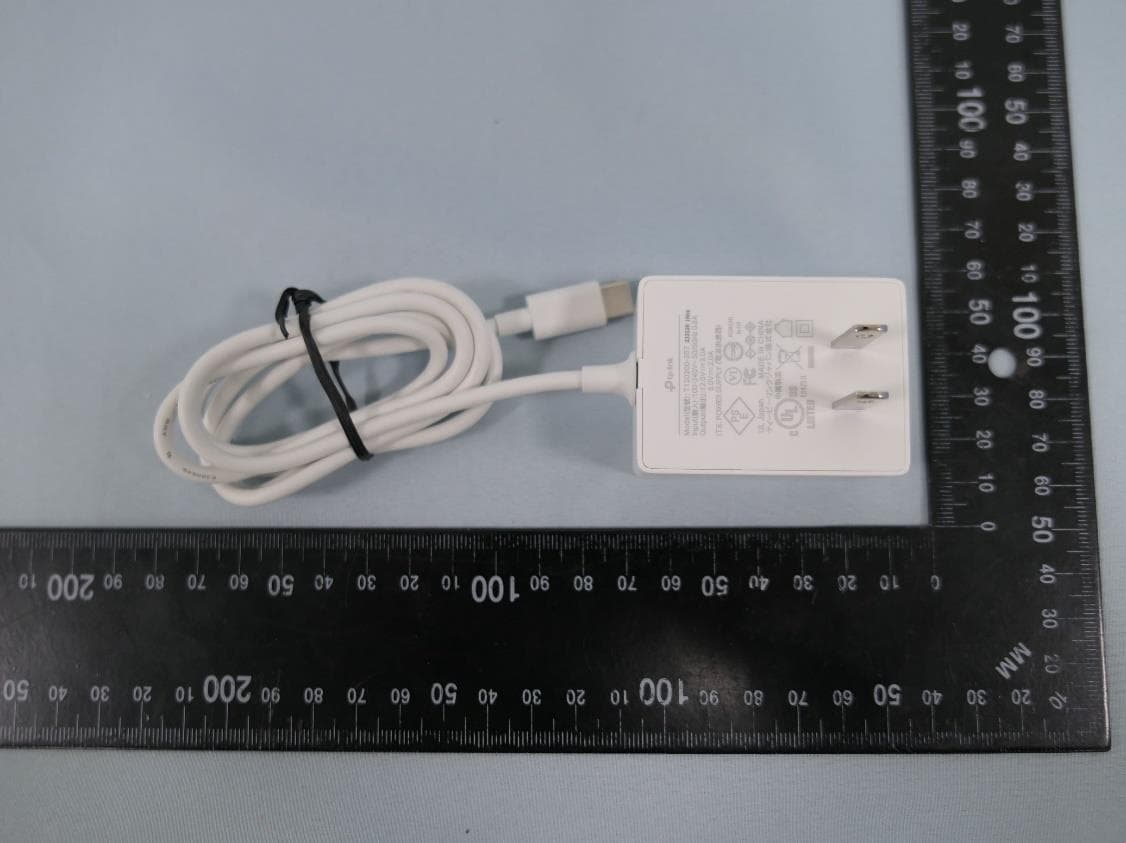
2AXJ4AIRE5
Jan 15, 2024AX3000 Wi-Fi 6 Air Range Extender
Equipment Class
DTS - Digital Transmission System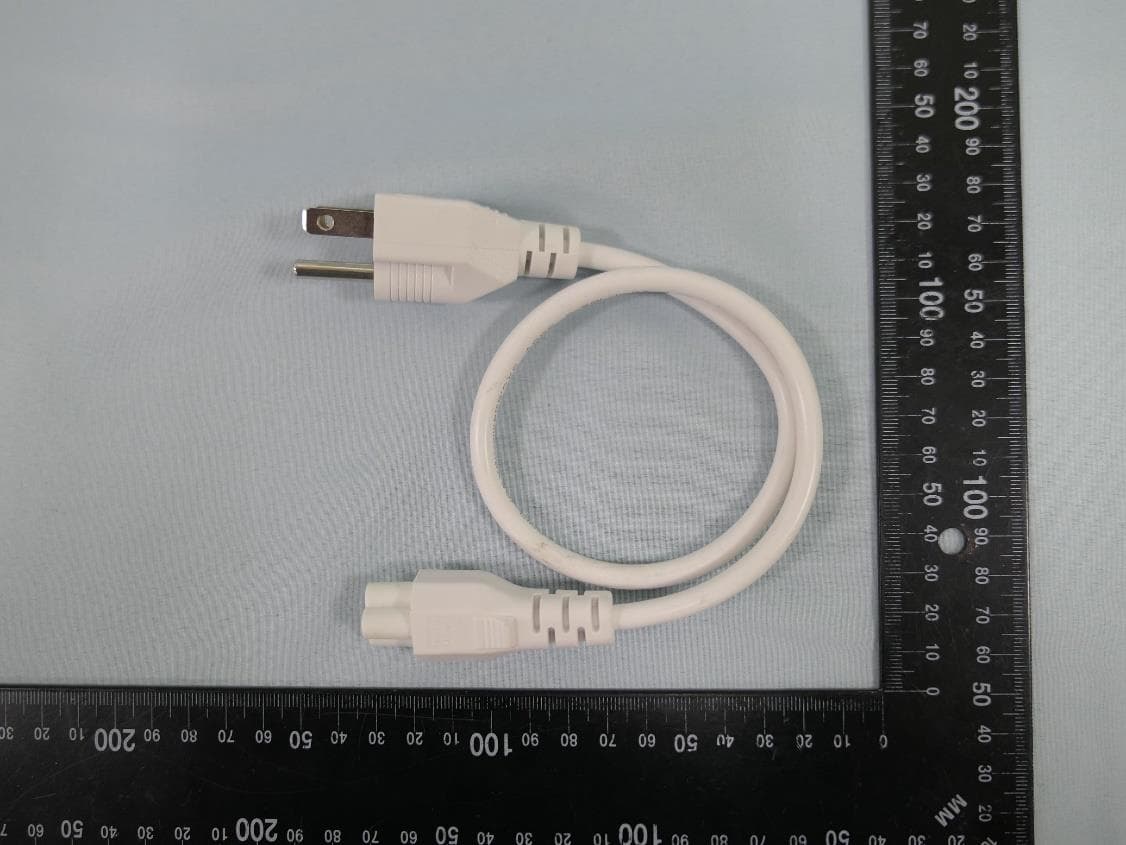
2AXJ4EAP115BRG
Jan 11, 20245GHz 300Mbps Long-range Indoor/Outdoor Access Point
Equipment Class
NII - Unlicensed National Information Infrastructure TX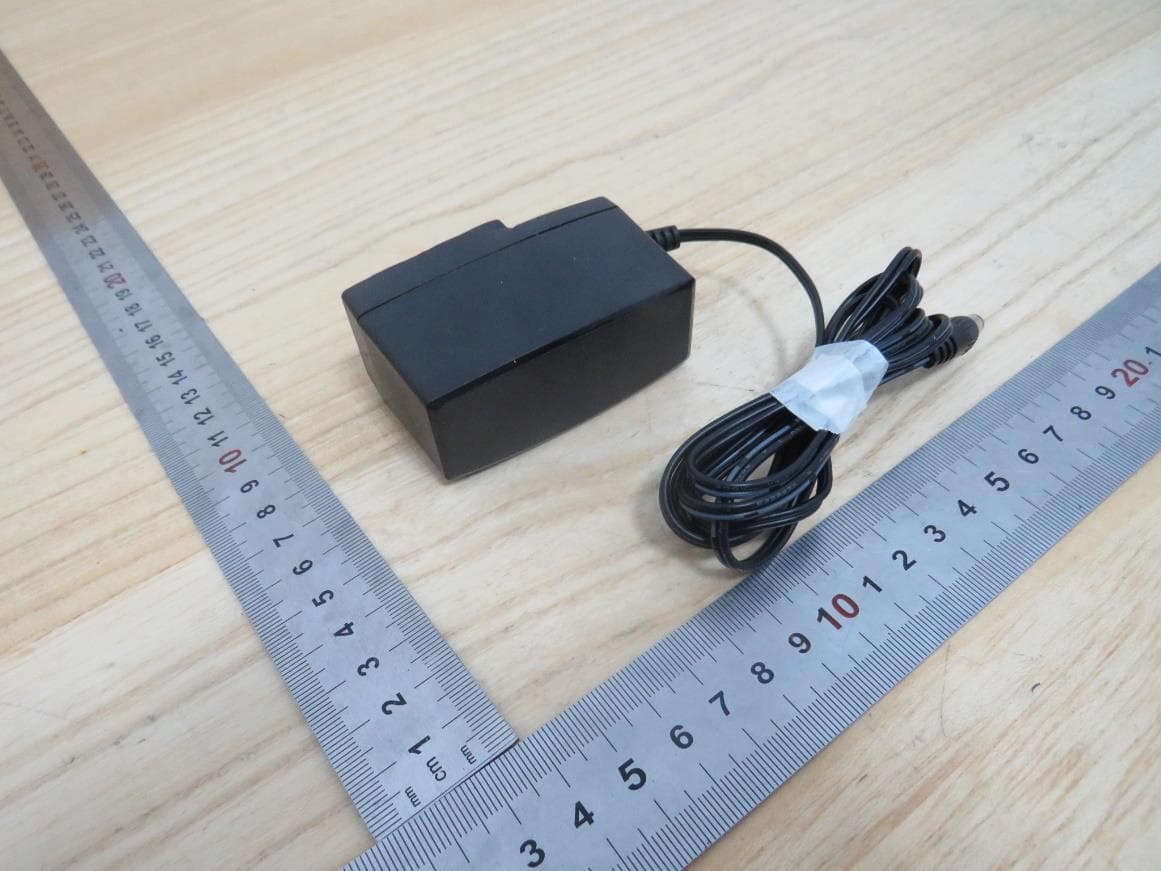
2AXJ4HX510V2
Jan 10, 2024AX3000 Whole Home Mesh Wi-Fi AP
Equipment Class
NII - Unlicensed National Information Infrastructure TX
2AXJ4EAP215BRG
Dec 11, 20235GHz 867Mbps Long-range Indoor/Outdoor Access Point
Equipment Class
NII - Unlicensed National Information Infrastructure TX