2AXJ4X95AX7800 Whole Home Mesh Wi-Fi 6 System
TP-Link Corporation Limited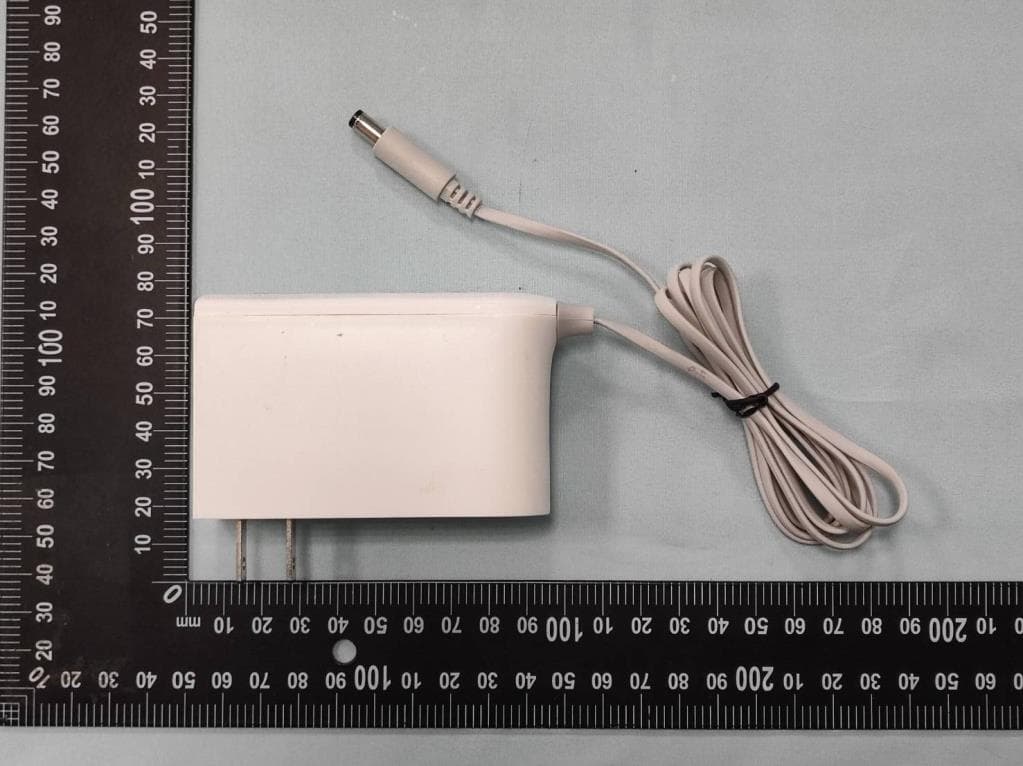
Click to zoom
Application Details
- Equipment Class
- DTS - Digital Transmission System
- Date of Grant
- Oct 26, 2022
- Application Purpose
- Original Equipment
- Date of Application
- Oct 23, 2022
- Equipment Note
- AX7800 Whole Home Mesh Wi-Fi 6 System
- Frequency Range
- 2412.00000000 - 2462.00000000
- Company
- TP-Link Corporation Limited
- Country
- Hong Kong
Documents & Files
Document Text
Text extracted from the exhibit documents filed with the FCC. Open a document above to read the original.
Users Manual
1910012699 REV1.0.0 User Guide AX7800 Tri-Band Mesh Wi-Fi 6 System Deco X95 Whole Home Mesh Wi-Fi 6 System Superior Mesh Wi-Fi, Everywhere 1910013232 REV1.0.0 © 2022 TP-Link Contents About This Guide ···············································1 Appearance ··························································2 Set Up Your Deco ··············································3 Add More Decos ················································6 Dashboard ·····························································7 Check Deco Status ··········································8 Manage Connected Devices ······················9 Create New Networks ···································10 Remove/Reboot Deco ··································12 HomeShield ························································13 Wi-Fi Settings·····················································14 Deny List ·······························································15 Online Update ···················································16 Advanced Features ········································17 WPS ·········································································22 Weekly/Monthly Reports ·····························23 Managers ·····························································24 FAQ ··········································································25 Authentication ···················································26 1 About This Guide This guide provides a brief introduction to Deco Whole Home Mesh Wi-Fi 6 System and the Deco app, as well as regulatory information. Features available in Deco may vary by model and software version. Deco availability may also vary by region or ISP. All images, steps, and descriptions in this guide are only examples and may not reflect your actual Deco experience. Conventions In this guide, the following conventions are used: Convention Description Deco Stands for Deco Whole Home Mesh Wi-Fi System/Unit. Underline Hyperlinks are in teal and underlined. You can click to redirect to a website or a specific section. Teal Key information appears in teal, including management page text such as menus, items, buttons and so on. Note: Ignoring this type of note might result in a malfunction or damage to the device. Tips: Indicates important information that helps you make better use of your device. More Info • Specific product information can be found on the product page at https://www.tp-link.com. • A Technical Community is provided for you to discuss our products at https://community.tp-link.com. • Our Technical Support contact information can be found at the Help center of the Deco app and the Contact Technical Support page at https://www.tp-link.com/support. • Videos about how to configure the Deco can be found on the Setup Videos page at https://www.tp-link.com/support/setup-video/#deco Speed/Coverage/Device Quantity Disclaimer Maximum wireless signal rates are the physical rates derived from IEEE Standard 802.11 specifications. Actual wireless data throughput and wireless coverage, and quantity of connected devices are not guaranteed and will vary as a result of network conditions, client limitations, and environmental factors, including building materials, obstacles, volume and density of traffic, and client location. MU-MIMO Disclaimer Use of MU-MIMO requires clients to also support MU-MIMO. IoT Compatibility Disclaimer IoT compatibility refers only to smart devices that can be controlled via the Deco app. Other wireless devices can still connect to Deco for normal Wi-Fi use. Seamless Roaming Disclaimer Clients need to support 802.11k/v/r and may require additional set up. Performance may vary depending on the client device. HomeShield Disclaimer HomeShield includes the Free Basic Plan. Fees apply for the Pro Plan. Visit tp-link.com/homeshield for more information. 2 Appearance Each Deco has an LED that changes color according to its status, three RJ-45 Ethernet ports, a power slot, and a Reset button. See the explanation below: Tip: The product label can be found at the bottom of the product. Yellow pulse: Deco is resetting. Yellow solid: Deco is starting up. Blue pulse: Deco is ready for setup or WPS in progress. Blue solid: Deco is setting up. Green pulse: Deco is upgrading firmware. Green solid: Deco is registered and all is well. Red pulse: Deco is disconnected from main Deco. Red solid: Deco has an issue. 1×2.5Gbps Ethernet port + 2×1Gbps Ethernet ports: For connecting Deco to your modem, the Ethernet outlet or other internet devices. Reset Button: Press for 1 second to reset Deco to factory default settings. The light changing from pulsing yellow to solid yellow indicates a successful reset. Power Slot: For connecting Deco to the power socket via the provided power adapter. 3 Set Up Your Deco The intuitive Deco app guides you through an easy setup process that gets each unit up and running and all your devices connected and online. Follow the steps below to set up your Deco Whole Home Mesh Wi-Fi 6 System. 1. Download and install the Deco app Scan the QR code below or go to Google Play or Apple App Store to download the Deco app. Install the app on your Android or iOS smartphone or tablet. or 2. Log in or sign up with TP-Link ID Open the app. Use your TP-Link ID to log in. If you don’t have a TP-Link ID, sign up first. Note: If you forgot your login password, tap Forgot password?. The Deco app will guide you through the rest. 3. Connect Deco to your modem Power off your modem. Connect your Deco to the modem and power them both on. If you don't have a modem, connect the Ethernet outlet directly to your Deco. 4 4. Select a location Select a location for this Deco. If its location is not listed, you can create a new one by choosing Custom. 5. Set up internet connection Select the internet connection type and enter the information. If you are not sure, contact your internet service provider. 6. Create your Wi-Fi network Set a network name and a …
Text truncated - open the document above for the full version.
Users Manual
9 Tap a client on the Devices list to check the details Manage Connected Devices In the Overview page, you can check the working status of all the connected devices, view the device details, or change the device settings. Tap Belongs to to add a unique profile for the device and manage its online activities Tap to manage the device settings 10 Create New Networks On the Deco app, you can create different Deco networks bound to your TP-Link ID, and manage them conveniently from the Deco app with one account. You can also help family or friends by managing their network on your Deco app. Two methods are provided as below to create a new network: from the Overview page or the Menu page. Method 1. Create a new network from the Overview page Tap > Create New Network Then follow the app instruction to complete the setup 11 Tap to open the Menu Tap > CREATE NEW NETWORK Follow app instruction to complete the setup Create New Networks On the Deco app, you can create different Deco networks bound to your TP-Link ID, and manage them conveniently from the Deco app with one account. You can also help family or friends by managing their network on your Deco app. Two methods are provided as below to create a new network: from the Overview page or the Menu page. Method 2. Create a new network from the Menu page 12 Remove/Reboot Deco You can remove or reboot your Deco easily on the Deco app. Follow the steps below. Tap to remove or reboot the Deco Note: If the LED light of Deco does not turns pulsing blue after tapping Remove, refer to Appearance to use the reset button to reset it. Tap to check all Deco's status Tap a Deco unit to enter the details 13 HomeShield Whether protecting your network from malicious attacks, managing your family's online activities, or prioritizing devices to get better performance, TP-Link HomeShield provides you a kit of basic (free) and Pro (charged) features to enhance your whole home network with enhanced security. An overview of HomeShield features are shown below. • What is HomeShield: tp-link.com/homeshield • How to use HomeShield features and upgrade to HomeShield Pro: go to the product support page at https://www.tp-link.com and refer to TP-Link HomeShield User Guide. Weekly/Monthly Reports: Review a weekly or a monthly list of usage, such as security threats, top visited contents, and more, to better manage your family’s online activities. HomeShield Pro subscription: To enjoy more features, you can upgrade to HomeShield Pro. Scan: Examine your network regularly to identify the potential risks, thus improving your network performance and security. Real-Time Protection: Real-Time Protection is for Pro users only. There are three ways to ensure your home network and your IoT devices remains safe: (1) block malicious websites, protect your home network and applications against external attacks and eliminate vulnerabilities; (2) prevent infected devices from sending sensitive information or security threats to clients outside your network; (3) identify IoT devices and immediately monitor their security performance once they join the network. Parental Controls: Create profiles for family members and specify the devices that belong to each. Set individualized parental controls including when and for how long each person can access the internet. Block inappropriate content and pause the internet if necessary. QoS: Prioritize the connection of a particular device for a set duration, such as a family member’s laptop for one hour during a video call. 14 Wi-Fi Settings You can change the network name and password of your main network, create a separate network for guests to guarantee the security and privacy of your main network, and shake your device to share the network details easily with family and friends. Manage your main network (eg. change your Wi-Fi network name and password) Tap > Wi-Fi Enable guest network Shake to share your network 15 Deny List Compile a deny list to avoid the specified devices to access to your network, ensuring the safety of your personal information shared in the network. Tap > Deny List Add clients to list Add other devices to listManage the deny list 16 Online Update TP-Link is dedicated to improving product features and providing a better customer experience. An up-to-date firmware provides better and more stable network performance. Always update your Deco to the latest firmware version when prompted in the Deco app. Tap > Update Deco Follow app instructions to update your Deco to the latest version Tip: If the firmware update fails, please reboot the main Deco, move the Satellite Deco closer to the main Deco, then try to update again. 17 Advanced Features Additional features are available under the Advanced menu. You can modify WAN settings (IPv4 & IPv6), add IPv6 firewall rules, modify LAN IP, set up DHCP server, enable VLAN/IPTV/MAC Clone mode, reserve the same IP address for a specific device, set up port forwarding rules to make your local computers accessible to other devices over the internet, enable TP-Link DDNS, SIP ALG, fast roaming and beamforming, control Deco's LED, change the working mode, and configure the notification settings. Tap > Advanced View IPv4 details or change the internet connection type Enable IPv6 to set up an IPv6 internet connection Add IPv6 firewall rules to allow specific devices to access the specified services 18 Modify LAN IP to avoid IP address confict Change DHCP server settings Enable IPTV/VLAN mode to support IPTV services Enable MAC Clone if Deco fails to connect to the internet Tip: For more about MAC Clone, refer to https:// www.tp-link.com/support/faq/2925/ 19 Reserve IP addresses for specific devices to recognize and manage the device more easily Set up port forwarding rules to enable devices in your network accessible over the internet with safety Register a TP-Link DDNS domain name to access your router and local servers using a domain name Enable SIP ALG to communicate with SIP (Session Initiat…
Text truncated - open the document above for the full version.
Cover Letter(s)
Attestation Letter Federal Communications Commission Authorization and Evaluation Division We Name: TP-Link Corporation Limited Address: Room 901, 9/F., New East Ocean Centre, 9 Science Museum Road, Tsim Sha Tsui, Kowloon, Hongkong Declare that the device does not support channel 12 ~ 13 in 2.4GHz band and any non-US channels in all the operational mode(s) for the following product. Product: AX7800 Whole Home Mesh Wi-Fi 6 System FCC ID: 2AXJ4X95 Model: Deco X95 Brand: tp-link Sincerely, _________________ Name: Sarah Wang Position: Regulatory Compliance Manager Date: 2022-09-16
Cover Letter(s)
Confidentiality Request Letter Federal Communications Commission Authorization and Evaluation Division FCC ID: 2AXJ4X95 Confidentiality Request Pursuant to Sections 0.457 and 0.459 of the Commission’s Rules, we hereby request confidential treatment of information accompanying this application as outlined below: 1. Block Diagram 2. Schematics 3. Operational Description The above materials contain trade secrets and proprietary information not customarily released to the public. The public disclosure of these matters might be harmful to the applicant and provide unjustified benefits to its competitors. The applicant understands that pursuant to Rule 0.457, disclosure of this application and all accompanying documentation will not be made before the date of the Grant for this application. Sincerely, _________________ Name: Sarah Wang Position: Regulatory Compliance Manager Date: 2022-09-16
Cover Letter(s)
Declaration of Authorization We Name: TP-Link Corporation Limited Address: Room 901, 9/F., New East Ocean Centre, 9 Science Museum Road, Tsim Sha Tsui, Kowloon, Hongkong Declare that: Name Representative of agent: Marlin Chen Agent Company name: MRT Technology (Suzhou) Co., Ltd Address: D8 Building, Youxin Industrial Park, No.2 Tian'edang Rd., Wuzhong Economic Development Zone City: Suzhou Country: China is authorized to apply for Certification of the following product(s): Product: AX7800 Whole Home Mesh Wi-Fi 6 System FCC ID: 2AXJ4X95 Model: Deco X95 Brand: tp-link Sincerely, _________________ Name: Sarah Wang Position: Regulatory Compliance Manager Date: 2022-09-16
Cover Letter(s)
Declaration of Conformity We Name: TP-Link Corporation Limited Address: Room 901, 9/F., New East Ocean Centre, 9 Science Museum Road, Tsim Sha Tsui, Kowloon, Hongkong Declare that: Product: AX7800 Whole Home Mesh Wi-Fi 6 System FCC ID: 2AXJ4X95 Model: Deco X95 Brand: tp-link Product which bears the above FCC ID is also compliant with the FCC requirements for sDOC. And the sDOC procedure shall be carried out prior to marketing the device in the US. Sincerely, _________________ Name: Sarah Wang Position: Regulatory Compliance Manager Date: 2022-09-16
External Photos
Report No.: 2207TW0118-U1~U4 Product: AX7800 Whole Home Mesh Wi-Fi 6 System Brand Name: tp-link Model Number: Deco X95 1 of 7 External Photograph (1) EUT Photo (2) EUT Photo Report No.: 2207TW0118-U1~U4 2 of 7 (3) EUT Photo (4) EUT Photo Report No.: 2207TW0118-U1~U4 3 of 7 (5) EUT Photo (6) EUT Photo Report No.: 2207TW0118-U1~U4 4 of 7 (7) Adapter (Brand: TP-Link Technologies Co., Ltd. ,M/N: T120250-2B4) (8) Adapter (Brand: TP-Link Technologies Co., Ltd. ,M/N: T120250-2B4) Report No.: 2207TW0118-U1~U4 5 of 7 (9) Adapter (Brand: TP-Link Technologies Co., Ltd. ,M/N: T120250-2B4) (10) Adapter (Brand: TP-Link Technologies Co., Ltd. ,M/N: T120250-2B4) Report No.: 2207TW0118-U1~U4 6 of 7 (11) Adapter (Brand: TP-Link Technologies Co., Ltd. ,M/N: T120250-2B4) (12) Adapter (Brand: TP-Link Technologies Co., Ltd. ,M/N: T120250-2B4) Report No.: 2207TW0118-U1~U4 7 of 7 (13) Adapter (Brand: TP-Link Technologies Co., Ltd. ,M/N: T120250-2B4)
ID Label/Location Info
C B A 12 C 345678 B E D D A 9 料号: 12345 与上一版的区别 E 6789 颜 色 名 称 版 本 材 质 模 具 机型版本号 logo 底色 文字 其它 结构工程师 硬件工程师 产品工程师 平面负责人 记 录 完成日期 设 计 Deco X95(US) 1.6_底壳镭雕 A1 旋风209,壳体底壳6142507785 Deco X95(US) 1.6 庄剧慈 2022-06-28 Pantone Cool Gray 6C 文件转曲(镭雕效果图) 底壳镭雕尺寸图 颜色:Pantone Cool Gray 6C 尺寸:33.3mm×30.7mm 字体:TP-Link Aktiv Regular/Bold 颜色:Pantone Cool Gray 6C 菲林图 文件转曲(镭雕效果图) 尺寸:8.4×1.8 mm 颜色:Pantone Cool Gray 6C 菲林图: Power接口icon尺寸图 1.2±0.3 3.9±0.3 注: 端口icon与按键的中 心线水平居中对齐 注: 1. S/N码、产品型号、MAC码、默认SSID打印至20*5mm空白标贴(7210500231) 后粘贴于壳体指定位置。MAC条码由“XXXXXXXXXXXX”生成,文本打印成: XX-XX-XX-XX-XX-XX。 3. 图示条形码仅为示意,具体以生产实际为准。 IC: 26583-X95 FCC ID: 2AXJ4X95 AX7800 Whole Home Mesh Wi-Fi 6 System Model: Deco X95 Power: 12V 2.5A 7785 This device complies with part 15 of the FCC Rules. Operation is subject to the following two conditions:(1) This device may not cause harmful interference, and (2) this device must accept any interference received, including interference that may cause undesired operation. MAC:XX-XX-XX-XX-XX-XX US/1.6 SSID: Deco_XXXX S/N:XXXXXXXXXXXXX MADE IN VIETNAM
Internal Photos
Report No.: 2207TW0118-U1~U4 Product: AX7800 Whole Home Mesh Wi-Fi 6 System Brand Name: tp-link Model Number: Deco X95 1 of 15 Internal Photograph (1) EUT Photo (2) EUT Photo Report No.: 2207TW0118-U1~U4 2 of 15 (3) EUT Photo (4) EUT Photo Report No.: 2207TW0118-U1~U4 3 of 15 (5) EUT Photo (6) EUT Photo Report No.: 2207TW0118-U1~U4 4 of 15 (7) EUT Photo (8) EUT Photo Report No.: 2207TW0118-U1~U4 5 of 15 (9) EUT Photo (10) EUT Photo Report No.: 2207TW0118-U1~U4 6 of 15 (11) EUT Photo (12) EUT Photo Report No.: 2207TW0118-U1~U4 7 of 15 (13) EUT Photo (14) EUT Photo Report No.: 2207TW0118-U1~U4 8 of 15 (15) EUT Photo (16) EUT Photo Report No.: 2207TW0118-U1~U4 9 of 15 (17) EUT Photo (18) EUT Photo Report No.: 2207TW0118-U1~U4 10 of 15 (19) EUT Photo (20) EUT Photo Report No.: 2207TW0118-U1~U4 11 of 15 (21) EUT Photo (22) EUT Photo Report No.: 2207TW0118-U1~U4 12 of 15 (23) EUT Photo (24) EUT Photo Report No.: 2207TW0118-U1~U4 13 of 15 (25) EUT Photo (26) EUT Photo Report No.: 2207TW0118-U1~U4 14 of 15 (27) EUT Photo (28) EUT Photo Report No.: 2207TW0118-U1~U4 15 of 15 (29) EUT Photo
RF Exposure Info
MRT Technology (Taiwan) Co., Ltd Report No.: 2207TW0118-U4 Phone: +886-3-3288388 Report Version 1.0 Web: www.mrt-cert.com Issue Date: 2022-09-30 FCC ID: 2AXJ4X95 Page Number: 1 of 13 RF Exposure Evaluation Declaration FCC ID : 2AXJ4X95 Applicant : TP-Link Corporation Limited Application Type : Certification Product : AX7800 Whole Home Mesh Wi-Fi 6 System Model No. : Deco X95 Brand Name : tp-link FCC Classification : Digital Transmission System (DTS) Unlicensed National Information Infrastructure (NII) Received Date : July 19, 2022 Test By : ( Fran Chen ) Reviewed By : ( Paddy Chen ) Approved By : ( Chenz Ker) The test results relate only to the samples tested. The test results shown in the test report are traceable to the national/international standards through the calibration of the equipment and evaluated measurement uncertainty herein. The test report shall not be reproduced except in full without the written approval of MRT Technology (Taiwan) Co., Ltd. Report No.: 2207TW0118-U4 FCC ID: 2AXJ4X95 Page Number: 2 of 13 Revision History Report No. Version Description Issue Date Note 2207TW0118-U4 1.0 Original Report 2022-09-30 Valid Report No.: 2207TW0118-U4 FCC ID: 2AXJ4X95 Page Number: 3 of 13 CONTENTS Description Page 1. INTRODUCTION .................................................................................................................... 5 1.1. Scope .......................................................................................................................... 5 1.2. MRT Test Location ....................................................................................................... 5 2. PRODUCT INFORMATION .................................................................................................... 6 2.1. Feature of Equipment under Test ................................................................................. 6 2.2. Description of Available Antennas ................................................................................ 6 2.3. Applied Standards ........................................................................................................ 6 3. RF Exposure Evaluation ...................................................................................................... 7 3.1. Limits ........................................................................................................................... 7 3.2. MPE Exemptions ......................................................................................................... 8 3.3. Calculated Result ........................................................................................................ 11 Appendix A : External Photograph ...........................................................................................12 Appendix B : Internal Photograph ............................................................................................13 Report No.: 2207TW0118-U4 FCC ID: 2AXJ4X95 Page Number: 4 of 13 General Information Applicant TP-Link Corporation Limited Applicant Address Room 901, 9/F., New East Ocean Centre, 9 Science Museum Road, Tsim Sha Tsui, Kowloon, Hongkong Manufacturer TP-Link Corporation Limited Manufacturer Address Room 901, 9/F., New East Ocean Centre, 9 Science Museum Road, Tsim Sha Tsui, Kowloon, Hongkong Test Site MRT Technology (Taiwan) Co., Ltd Test Site Address No. 38, Fuxing Second Rd., Guishan Dist., Taoyuan City 333, Taiwan (R.O.C) MRT FCC Registration No. 291082 Test Device Serial No. N/A Production Pre-Production Engineering Test Facility / Accreditations 1. MRT facility is a FCC registered (Reg. No. 291082) test facility with the site description report on file and is designated by the FCC as an Accredited Test Firm. 2. MRT facility is an IC registered (MRT Reg. No. 21723) test laboratory with the site description on file at Industry Canada. 3. MRT Lab is accredited to ISO 17025 by the Taiwan Accreditation Foundation (TAF Cert. No. 3261) in EMC, Telecommunications and Radio testing for FCC (Designation Number: TW3261), Industry Taiwan, EU and TELEC Rules. Report No.: 2207TW0118-U4 FCC ID: 2AXJ4X95 Page Number: 5 of 13 1. INTRODUCTION 1.1. Scope Measurement and determination of electromagnetic emissions (EMC) of radio frequency devices including intentional and/or unintentional radiators for compliance with the technical rules and regulations of the Federal Communications Commission and the Innovation, Science and Economic Development Canada and Certification and Engineering Bureau. 1.2. MRT Test Location The map below shows the location of the MRT LABORATORY, its proximity to the Taoyuan City. These measurement tests were conducted at the MRT Technology (Taiwan) Co., Ltd. Facility located at No.38, Fuxing 2nd Rd., Guishan Dist., Taoyuan City 33377, Taiwan (R.O.C). Report No.: 2207TW0118-U4 FCC ID: 2AXJ4X95 Page Number: 6 of 13 2. PRODUCT INFORMATION 2.1. Feature of Equipment under Test 2.2. Description of Available Antennas Antenna Type Frequency Band (MHz) T X Paths Max Antenna Gain (dBi) CDD Directional Gain (dBi) For Power For PSD Dipole Antenna 2412 ~ 2462 2 2.0 2.0 5.01 5150 ~ 5350 4 1.0 1.0 7.02 5470 ~ 5850 2 1.0 1.0 4.01 Note: 1. The EUT supports Cyclic Delay Diversity (CDD) mode, and CDD signals are correlated. If all antennas have the same gain, GANT, Directional gain = GANT + Array Gain, where Array Gain is as follows. • For power spectral density (PSD) measurements on all devices, Array Gain = 10 log (NANT/ NSS) dB; • For power measurements on IEEE 802.11 devices, Array Gain = 0 dB for NANT ≤ 4; 2.3. Applied Standards According to the specifications of the manufacturer, the EUT must comply with the requirements of the following standards: ⚫ FCC Part 2.1091 & KDB 447498 D04 Interim General RF Exposure Guidance v01 Product Name: AX7800 Whole Home Mesh Wi-Fi 6 System Model No.: Deco X95 Brand Name: tp-link Wi-Fi Specification: 802.11a/b/g/n/ac/ax Adapter: MODEL: T120250-2B4 INPUT: 100 - 240V ~ 50/60Hz 0.8A. OUTPUT: DC 1…
Text truncated - open the document above for the full version.
Test Report
MRT Technology (Taiwan) Co., Ltd Report No.: 2207TW0118-U1 Phone: +886-3-3288388 Report Version: 1.0 Web: www.mrt-cert.com Issue Date: 2022-09-30 FCC ID: 2AXJ4X95 Page Number: 1 of 180 FCC ID : 2AXJ4X95 Applicant : TP-Link Corporation Limited Application Type : Certification Product : AX7800 Whole Home Mesh Wi-Fi 6 System Model No. : Deco X95 Brand Name : tp-link FCC Classification : Digital Transmission System (DTS) FCC Rule Part(s) : Part15 Subpart C (Section 15.247) Received Date : July 19 ,2022 Test Date : August 2~22 ,2022 RF MEASUREMENT REPORT The test results relate only to the samples tested. This equipment has been shown to be capable of compliance with the applicable technical standards as indicated in the measurement report and was tested in accordance with the measurement procedures specified in ANSI C63.10-2013. Test results reported herein relate only to the item(s) tested. The test report shall not be reproduced except in full without the written approval of MRT Technology (Taiwan) Co., Ltd. Test By : ( Fran Chen ) Reviewed By : ( Paddy Chen ) Approved By : ( Chenz Ker) Report No.: 2207TW0118-U1 FCC ID: 2AXJ4X95 Page Number: 2 of 180 Revision History Report No. Version Description Issue Date Note 2207TW0118-U1 1.0 Original Report 2022-09-30 Valid Report No.: 2207TW0118-U1 FCC ID: 2AXJ4X95 Page Number: 3 of 180 CONTENTS Description Page 1. INTRODUCTION ...................................................................................................................... 6 1.1. Scope ............................................................................................................................. 6 1.2. MRT Test Location ......................................................................................................... 6 2. PRODUCT INFORMATION ...................................................................................................... 7 2.1. Feature of Equipment under Test ................................................................................... 7 2.2. Product Specification Subjective to this Report ............................................................... 7 2.3. Working Frequencies for this report ................................................................................ 8 2.4. Description of Available Antennas ................................................................................... 8 2.5. Test Mode ....................................................................................................................... 9 2.6. Configuration of Test System .......................................................................................... 9 2.7. Description of Test Software ......................................................................................... 10 2.8. Applied Standards ........................................................................................................ 10 2.9. Duty Cycle .................................................................................................................... 10 2.10. Test Configuration ...................................................................................................... 11 2.11. EMI Suppression Device(s)/Modifications .................................................................. 12 2.12. Labeling Requirements .............................................................................................. 12 3. DESCRIPTION of TEST ......................................................................................................... 13 3.1. Evaluation Procedure ................................................................................................... 13 3.2. AC Line Conducted Emissions ...................................................................................... 13 3.3. Radiated Emissions ...................................................................................................... 14 4. ANTENNA REQUIREMENTS................................................................................................. 15 5. TEST EQUIPMENT CALIBRATION DATE ............................................................................. 16 6. MEASUREMENT UNCERTAINTY ......................................................................................... 17 7. TEST RESULT ....................................................................................................................... 18 7.1. Summary ...................................................................................................................... 18 7.2. 6dB Bandwidth Measurement ....................................................................................... 19 7.2.1. Test Limit ................................................................................................................... 19 7.2.2. Test Procedure used.................................................................................................. 19 7.2.3. Test Setting ............................................................................................................... 19 7.2.4. Test Setup ................................................................................................................. 19 7.2.5. Test Result ................................................................................................................ 20 7.3. Output Power Measurement ......................................................................................... 24 7.3.1. Test Limit ................................................................................................................... 24 7.3.2. Test Procedure Used ................................................................................................. 24 7.3.3. Test Setting ............................................................................................................... 24 7.3.4. Test Setup ..........................................................................................…
Text truncated - open the document above for the full version.
Test Report
Report No.: 2207TW0118-U1 FCC ID: 2AXJ4X95 Page Number: 40 of 180 802.11 g CH06 (2437MHz) 802.11 g CH06 (2437MHz) 802.11 g CH06 (2437MHz) 802.11 g CH11 (2462MHz) 802.11 g CH11 (2462MHz) 802.11 g CH11…
Text truncated - open the document above for the full version.
Contact Information
Applicant
Sarah Wang
Technical Contact
MRT Technology (Suzhou) Co., LtdRobin Wu
[email protected]+86-512-66308358
D8 Building, Youxin Industrial Park, No.2Tian'edan · Suzhou · China
Test Firm
MRT Technology (Taiwan) Co.,LtdChenz Ker
Technical Specifications
| # | Rule Parts | Frequency Range | Power Output |
|---|---|---|---|
| 1 | 15C | 2.41 GHz - 2.46 GHz | 924.70 mW |
Other Applications from TP-Link Corporation Limited
2AXJ4TXE50UH
Jan 28, 2024AXE3000 Wi-Fi 6E High Gain Wireless USB Adapter
Equipment Class
NII - Unlicensed National Information Infrastructure TX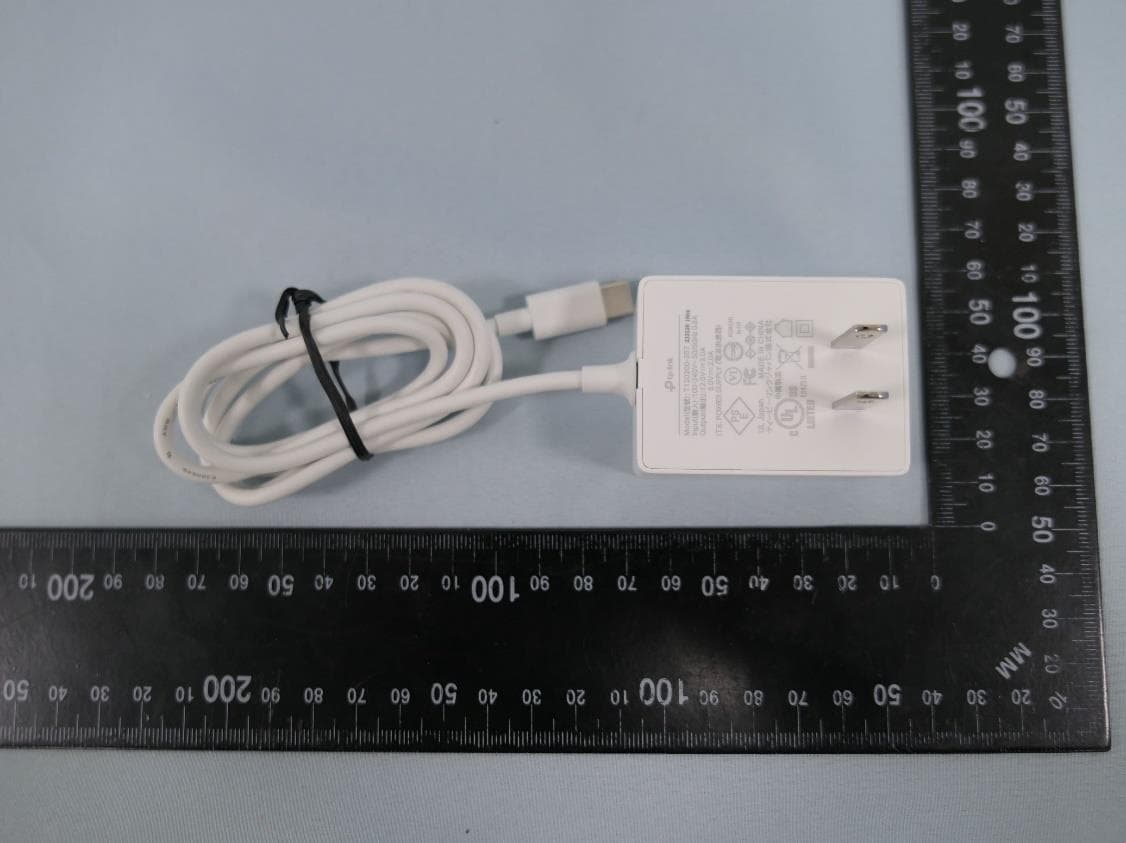
2AXJ4AIRE5
Jan 15, 2024AX3000 Wi-Fi 6 Air Range Extender
Equipment Class
DTS - Digital Transmission System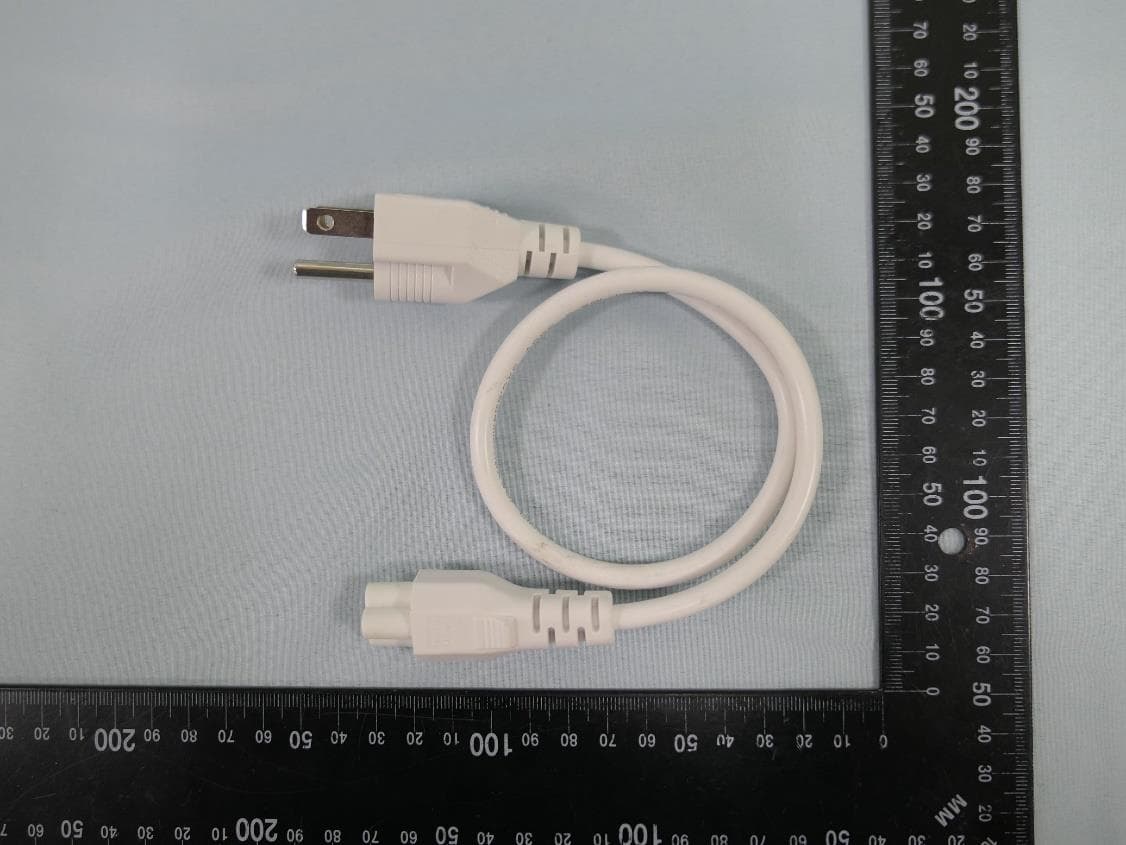
2AXJ4EAP115BRG
Jan 11, 20245GHz 300Mbps Long-range Indoor/Outdoor Access Point
Equipment Class
NII - Unlicensed National Information Infrastructure TX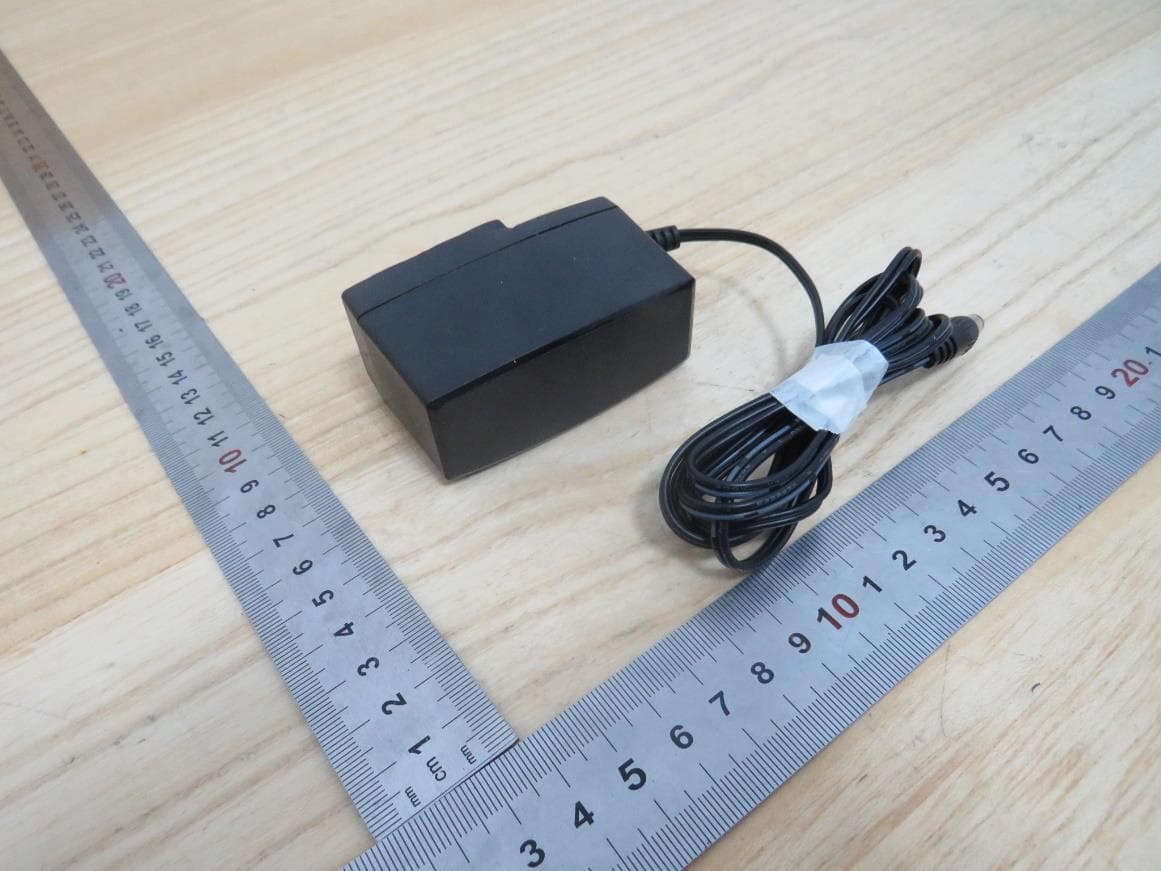
2AXJ4HX510V2
Jan 10, 2024AX3000 Whole Home Mesh Wi-Fi AP
Equipment Class
NII - Unlicensed National Information Infrastructure TX
2AXJ4EAP215BRG
Dec 11, 20235GHz 867Mbps Long-range Indoor/Outdoor Access Point
Equipment Class
NII - Unlicensed National Information Infrastructure TX