2AYLJ405Health & Fitness Smartwatch
Shenzhen Yingkeda Technology Co., Ltd.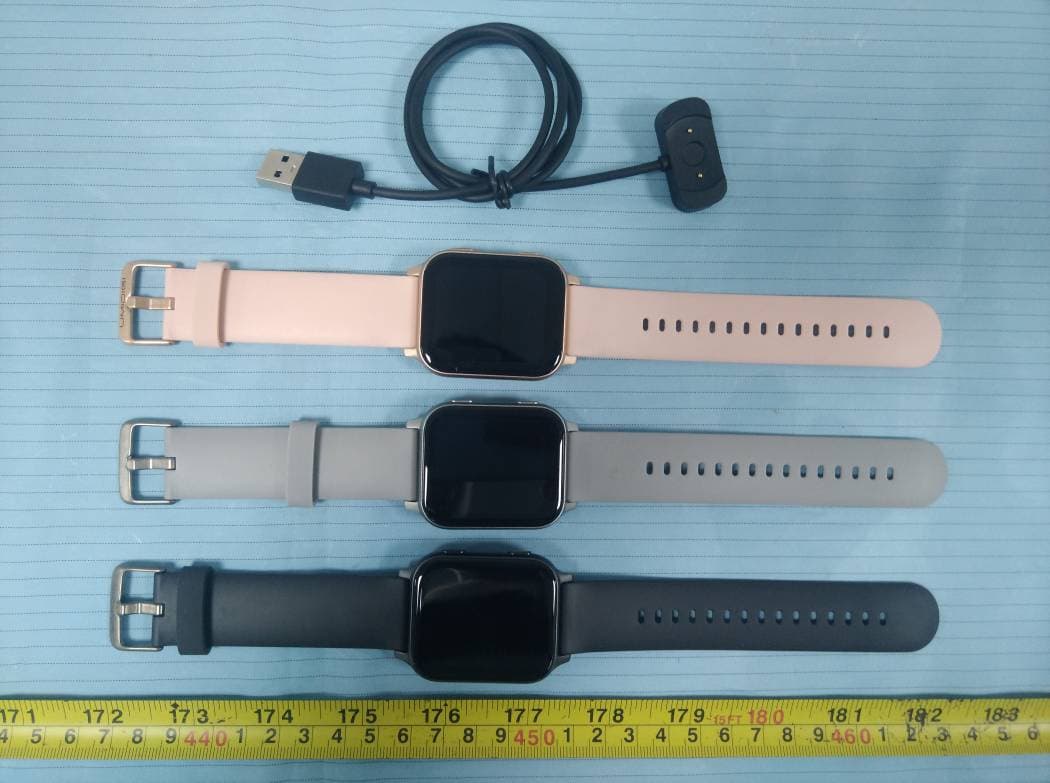
Click to zoom
Application Details
- Equipment Class
- DTS - Digital Transmission System
- Date of Grant
- Jan 31, 2021
- Application Purpose
- Original Equipment
- Date of Application
- Jan 31, 2021
- Equipment Note
- Health & Fitness Smartwatch
- Frequency Range
- 2402.00000000 - 2480.00000000
- Country
- China
Documents & Files
Document Text
Text extracted from the exhibit documents filed with the FCC. Open a document above to read the original.
Users Manual
Operating Instructions Please read the instructions carefully and keep it safe. GT01 01 English Language Catalogue 11 Deutsch 21 Italiano 31 Español 51 日本語 41 Français Key definition 01 Click to enter "Menu” Enter sport mode (customizable) Instruction for Use Replace the strap Connect and charge the watch according to the picture. It needs to be charged to activate the watch when it is started for the first time. Charging schematic Wear/Install Wear the device a inger's distance froam the wrist bone and adjust the tightness of the wristband to a comfortable position. Flp the switch and take out the wristband. Tip: Wearing too loosely may affect the accuracy ofheart rate data. Bind Watch Download and install App You can set up the watch through the OyeFit app for iOS or Android devices. The steps are shown as follows: Notes: The hardware platform of the equipment system shall meet requirements. IOS 8.0 version or above Andriod 4.4 system or above ②Check the Bluetooth address in the settings-about of the watch. Bind process ①please charge to activate the watch before you use it. 02 Correct operation: Scan the QR code below or download the OyeFit app with watch through the mobile app store. Wrong operation: Pair the watch directly with the bluetooth in your mobile phone’s settings. Bind Watch ③Turn on the Bluetooth on your mobile phone ④Open “OyeFit”APP, register, add device. ⑤Select product model: GT01 ⑥Click the next step ⑦Select watch Bluetooth address ⑧Show successful addition ⑨Click to view now to enter the operation interface ● “OyeFit” prompt you to enable GPS and Bluetooth, and authorize “OyeFit” to get access to the GPS onyour mobile phone. ●After binding the Apple phone, you need to pair the GT01 watch with the phone's Bluetooth so that the watch can provide various information. During binding process, will Notes: 03 The data is synchronized in real time.and the sports mode can save a biece of sports information shown as follows: Synchronous Data Swipe the screen to enter different Swipe down:Shortcut interface message notification Swipe right: Current status Swipe left: Heart rate Main interface operation 04 Function Introduction Enter the sports menu, you can choose different sports mode. Can monitor your heart rate (real-time monitoring of the heart rate switch, please turn on the APP) Monitoring blood oxygen levels. Control music play on your mobile phone (watch cannot store music) For information prompt, set it in the APP inadvance to display synchron- ously. Real-time display of weather and temperature in the area. After connecting the device can remote contral the camera . on your phone. Before use, please calibrate the compass. 05 Stopwatch Set the function 06 Female menstrual cycle Turn on the flashlight, the screen can be used as a backup light source. The alarm function only supports setting time on the App. Activity status of the day Monitor sleep quality. Timer Breath training Notes: For more functions and operation, please check the “OyeFit”software of the mobile. Exercise record Function Introduction ①Enter sports Click the sports icon select the sports type > During sports.Pause motion:Long press the key, prompt pause/restore, click Restore. Exercise: Click to resume exercise. Stop exercise: Remind whether to end this exercise Select “Yes”. enter the sports ② ③ automatic timing. Start sports Heart rate test Note: Please wear the strap tightly to test accurately when testing heart rate. Model Range of charging temperature: 10°C-45 Battery life: Actual battery life and charging time will vary depending on usage and environment, etc. °C Waterproof: Not suitable for diving, swimming in the sea, or sauna. But suitable for swimming in swimming pool or in shower (cold water) and shallow beach. Product Parameters Battery capacity Charging time Waterproof level Operating temperature GT01 400mAh about 2.5 hours 5ATM -20°C-45°C Accelerator sensor Geomagnetic sensor Optical hear t rate sensor Screen type Charging voltage Battery life Weight of product 1.7-inch color screen 5V±0.2V 7-15days 46.2g W i th GPS GPS sensor 07 It is recommended to wear and maintain according to the following three points: ① Keep the product clean; ② Keep the product dry; ③ Do not wear it too tight. * Do not use household cleaners to clean the watch, but use the soap free detergent. * It is recommended to use alcohol to scrub stains that are not easy to remove. Cleaning and Maintenance Frequently Asked 1 、 Handy APP does not search for watches ①It is recommended to use Bluetooth after the Restart the phone and restart then connect again. ② We recommend using all programs close, then the Bluetooth restart and connect heart. ③ check your cellphone system Android 4.4 or IOS 8.0 and higher Versions meet. 2.The watch received no alerts, text messages ①You need to turn on the smart reminder function and the call reminder switch in the APP, and synchronize to the watch. ②The phone needs to be paired with the watch via Bluetooth. ③You need to keep your watch connected to Bluetooth. Note: The Android system may not be able to display the name of the caller due to some national policy approval applications. The IOS system can display the name of the caller normally. 3. Bluetooth is often disconnected ① If the distance between the watch and the mobile phone is too far, the connection effect of more than 10m bluetooth is obviously weakened. ② Whether there is a shield between the watch and the mobile phone, the human body, wearing metal jewelry, etc., will interfere with the bluetooth connection signal. ③ Whether the bluetooth function of the mobile phone is abnormal. 4.How to restart: Restart mode: long press the key,prompt whether to restart/shut down, select restart。 08 Frequently Asked Battery warhing Do not disassemble, bore or damage the battery. Do not disasse-mble the built-in batteries of non- replaceable battery devices. Do not use sharp objects to remove the battery. Safety and Product Information Note…
Text truncated - open the document above for the full version.
Attestation Statements
Shenzhen Yingkeda Technology Co., Ltd. 3rd and 4th floors, 88, Xingwang Road, Sigang, Henggang Street, Longgang District, Shenzhen., China Tel: 0755-28690966 E-mail: [email protected] Attestation Letter FEDERAL COMMUNICATIONS COMMISSIONS Authorization and Evaluation Division 7435 Oakland Mills Road Columbia, MD 21046 Date: 2021-01-04 To Whom It May Concern, The BT chip, model Nordic 52840, installed in our product: Product Name: Health & Fitness Smartwatch, Model: GT01, FCC ID: 2AYLJ405, supports BLE1M functions. For use in the USA market, this chip will not support or enable BDR, EDR and BLE2M functions. The BDR and EDR and BLE2M function was disabled to use by manufacture in the software, the end user has no capability to activate it. Sincerely, Signature Printed Name: Yongfa Chen Title: Project Manager
Cover Letter(s)
Shenzhen Yingkeda Technology Co., Ltd. 3rd and 4th floors, 88, Xingwang Road, Sigang, Henggang Street, Longgang District, Shenzhen., China Tel: 0755-28690966 E-mail: [email protected] Date: 2021/01/04 FEDERAL COMMUNICATIONS COMMISSIONS Authorization and Evaluation Division 7435 Oakland Mills Road Columbia, MD 21046 Dear Sir or Madam: We Shenzhen Yingkeda Technology Co., Ltd. hereby declare that we have a product named as Health & Fitness Smartwatch, (model:GT01, FCC ID: 2AYLJ405) was tested by BACL, Meanwhile, for our marketing purpose, we would like to list a series model (GT01S, GT01H, Uwatch 5, Uwatch 5S) on reports and certificate, all the models are identical in mainboard and all the components, Only the appearance color is different. We confirm that all information above is true, and we’ll be responsible for all the consequences. Please contact me if you have any question. Sincerely Yours, Signature: Yongfa Chen Project Manager
Cover Letter(s)
Shenzhen Yingkeda Technology Co., Ltd. 3rd and 4th floors, 88, Xingwang Road, Sigang,Henggang Street,Longgang District, Shenzhen., China Tel: 0755-28690966 E-mail: [email protected] QA-FR-170-B 7/29/2014 FCC Authorization Date: 2021-01-04 FEDERAL COMMUNICATIONS COMMISSIONS Authorization and Evaluation Division 7435 Oakland Mills Road Columbia, MD 21046 Subject: Agent Authorization To whom it may concern: We Shenzhen Yingkeda Technology Co., Ltd., the undersigned, hereby authorizes Bay Area Compliance Laboratories Corporation to act on its behalf in all matters relating to application for Equipment authorization, including the signing of all documents relating to these matters. All acts carried out by Bay Area Compliance Laboratories Corporation on our behalf shall have the same effect as our own action. We, the undersigned, hereby certify that we are not subject to a denial of federal benefits, that includes FCC benefits, pursuant to Section 5301 of the Anti-Drug Abuse Act of 1988, 21 U.S.C. 862. This authorization is valid until further written notice from the applicant. Sincerely Yours, Signature: Yongfa Chen Project Manager
Cover Letter(s)
Shenzhen Yingkeda Technology Co., Ltd. 3rd and 4th floors, 88, Xingwang Road, Sigang,Henggang Street,Longgang District, Shenzhen., China Tel: 0755-28690966 E-mail: [email protected] FCC Confidential Authorization Date: 2021-01-04 FEDERAL COMMUNICATIONS COMMISSIONS Authorization and Evaluation Division 7435 Oakland Mills Road Columbia, MD 21046 Subject: Confidentiality Request regarding application for certification of FCC ID: 2AYLJ405 In accordance with Sections 0.457 and 0.459 of the Commission’s Rules, Shenzhen Yingkeda Technology Co., Ltd. hereby requests long-term confidential treatment of information accompanying this application as outlined below: • Block Diagram • Schematics • Operation Description The above materials contain proprietary and confidential information not customarily released to the public. The public disclosure of these materials provides unjustified benefits to its competitors in the market. Sincerely Yours, Signature: Yongfa Chen Project Manager
External Photos
Bay Area Compliance Laboratories Corp. (Shenzhen) Project No.: RSZ201215006-RF Page 1 of 4 EXHIBIT B - EUT EXTERNAL PHOTOGRAPHS Bay Area Compliance Laboratories Corp. (Shenzhen) Project No.: RSZ201215006-RF Page 2 of 4 Bay Area Compliance Laboratories Corp. (Shenzhen) Project No.: RSZ201215006-RF Page 3 of 4 Bay Area Compliance Laboratories Corp. (Shenzhen) Project No.: RSZ201215006-RF Page 4 of 4
ID Label/Location Info
Bay Area Compliance Laboratories Corp. (Shenzhen) Project No.: RSZ201215006-RF EXHIBIT A - FCC ID LABEL AND LOCATION FCC ID Label FCC ID Label Location Information The label shown shall be permanently affixed at a conspicuous location on the device and be readily visible to the user at the time purchase (Labeling requirements per 2.925)
Internal Photos
Bay Area Compliance Laboratories Corp. (Shenzhen) Project No.: RSZ201215006-RF Page 1 of 6 EXHIBIT C - EUT INTERNAL PHOTOGRAPHS Bay Area Compliance Laboratories Corp. (Shenzhen) Project No.: RSZ201215006-RF Page 2 of 6 Bay Area Compliance Laboratories Corp. (Shenzhen) Project No.: RSZ201215006-RF Page 3 of 6 Antenna Bay Area Compliance Laboratories Corp. (Shenzhen) Project No.: RSZ201215006-RF Page 4 of 6 Bay Area Compliance Laboratories Corp. (Shenzhen) Project No.: RSZ201215006-RF Page 5 of 6 Bay Area Compliance Laboratories Corp. (Shenzhen) Project No.: RSZ201215006-RF Page 6 of 6 Battery Label
Test Report
Note: This report may contain data that are not covered by the A2LA accreditation and are marked with an asterisk “★”. BACL is not responsible for the authenticity of any test data provided by the applicant. Data included from the applicant that may affect test results are marked with an asterisk ’*’. Customer model name, addresses, names, trademarks etc. are not considered data. This report cannot be reproduced except in full, without prior written approval of the Company. Unless otherwise stated the results shown in this test report refer only to the sample(s) tested. This report is valid only with a valid digital signature. The digital signature may be available only under the Adobe software above version 7.0. FCC PART 15.247 TEST REPORT For Shenzhen Yingkeda Technology Co., Ltd. 3rd and 4th floors, 88, Xingwang Road, Sigang, Henggang Street, Longgang District, Shenzhen., China FCC ID: 2AYLJ405 Report Type: Original Report Product Type: Health & Fitness Smartwatch Re port Number: RSZ201215006-00 Re port Date: 2021-01-04 Reviewed B y: Jimmy Xiao RF Engineer Prepared By: Bay Area Compliance Laboratories Corp. (Shenzhen) 6/F., West Wing, Third Phase of Wanli Industrial Building, Shihua Road, Futian Free Trade Zone, Shenzhen, Guangdong, China Tel: +86-755-33320018 Fax: +86-755-33320008 www.baclcorp.com.cn Bay Area Compliance Laboratories Corp. (Shenzhen) Report No.: RSZ201215006-00 FCC Part 15.247 Page 2 of 36 TABLE OF CONTENTS GENERAL INFORMATION ....................................................................................................................................... 4 PRODUCT DESCRIPTION FOR EQUIPMENT UNDER TEST (EUT) ..................................................................................... 4 OBJECTIVE ................................................................................................................................................................... 4 TEST METHODOLOGY .................................................................................................................................................. 4 MEASUREMENT UNCERTAINTY .................................................................................................................................... 5 SYSTEM TEST CONFIGURATION .......................................................................................................................... 6 DESCRIPTION OF TEST CONFIGURATION ...................................................................................................................... 6 EQUIPMENT MODIFICATIONS ....................................................................................................................................... 6 EUT EXERCISE SOFTWARE .......................................................................................................................................... 6 DUTY CYCLE ................................................................................................................................................................ 6 SUPPORT EQUIPMENT LIST AND DETAILS .................................................................................................................... 7 EXTERNAL I/O CABLE .................................................................................................................................................. 7 BLOCK DIAGRAM OF TEST SETUP ................................................................................................................................ 7 SUMMARY OF TEST RESULTS ............................................................................................................................... 8 TEST EQUIPMENT LIST ........................................................................................................................................... 9 FCC§15.247 (i), §1.1307 (b) (1) & §2.1093 – RF EXPOSURE ..................................................................................... 10 APPLICABLE STANDARD ............................................................................................................................................ 10 FCC §15.203 - ANTENNA REQUIREMENT ........................................................................................................... 11 APPLICABLE STANDARD ............................................................................................................................................ 11 ANTENNA CONNECTOR CONSTRUCTION .................................................................................................................... 11 FCC §15.207 (a) – AC LINE CONDUCTED EMISSIONS ..................................................................................... 12 APPLICABLE STANDARD ............................................................................................................................................ 12 EUT SETUP ................................................................................................................................................................ 12 EMI TEST RECEIVER SETUP ....................................................................................................................................... 12 TEST PROCEDURE ...................................................................................................................................................... 12 CORRECTED FACTOR & MARGIN CALCULATION ....................................................................................................... 13 TEST DATA ................................................................................................................................................................ 13 FCC §15.209, §15.205 & §15.247(d) - SPURIOUS EMISSIONS ............................................................................. 16 APPLICABLE STANDARD ....................................................................................................…
Text truncated - open the document above for the full version.
Test Setup Photos
Bay Area Compliance Laboratories Corp. (Shenzhen) Report No.: RSZ201215006-RF Page 1 of 2 EXHIBIT D - TEST SETUP PHOTOGRAPHS Conducted Emissions - Front View Conducted Emissions - Side View Bay Area Compliance Laboratories Corp. (Shenzhen) Report No.: RSZ201215006-RF Page 2 of 2 Radiated Emissions View (Below 1 GHz) Radiated Emissions View (Above 1 GHz)
Contact Information
Applicant
Yongfa Chen(Manager)
Test Firm
Bay Area Compliance Laboratories Corp. (Shenzhen)Well Wang
[email protected]+86 (0) 755 33320018
Technical Specifications
| # | Rule Parts | Frequency Range | Power Output |
|---|---|---|---|
| 1 | 15C | 2.40 GHz - 2.48 GHz | 1.00 mW |
Other Applications from Shenzhen Yingkeda Technology Co., Ltd.

2AYLJ-ABF5X
Aug 03, 2022TWS headset
Equipment Class
DSS - Part 15 Spread Spectrum Transmitter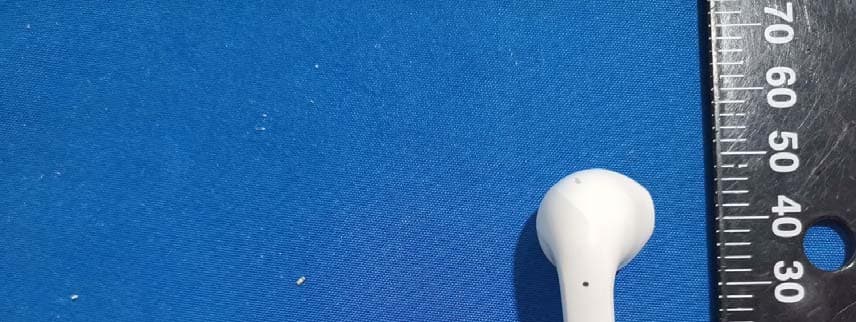
2AYLJ-AIR5X
Apr 26, 2021AirBuds
Equipment Class
DSS - Part 15 Spread Spectrum Transmitter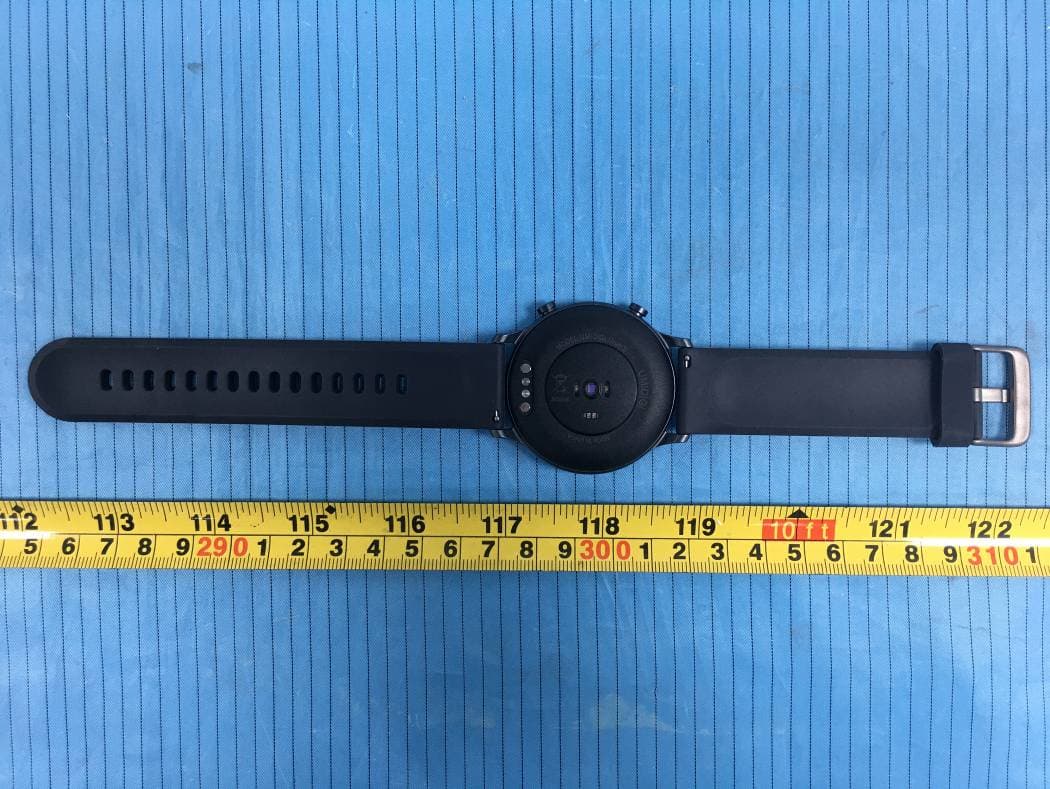
2AYLJ406
Feb 21, 2021Health & Fitness Smartwatch
Equipment Class
DTS - Digital Transmission System