A5M-MFPM7208W1Multifunction Digital Product (Copier/Printer/Scanner)
Lenovo (Beijing) Limited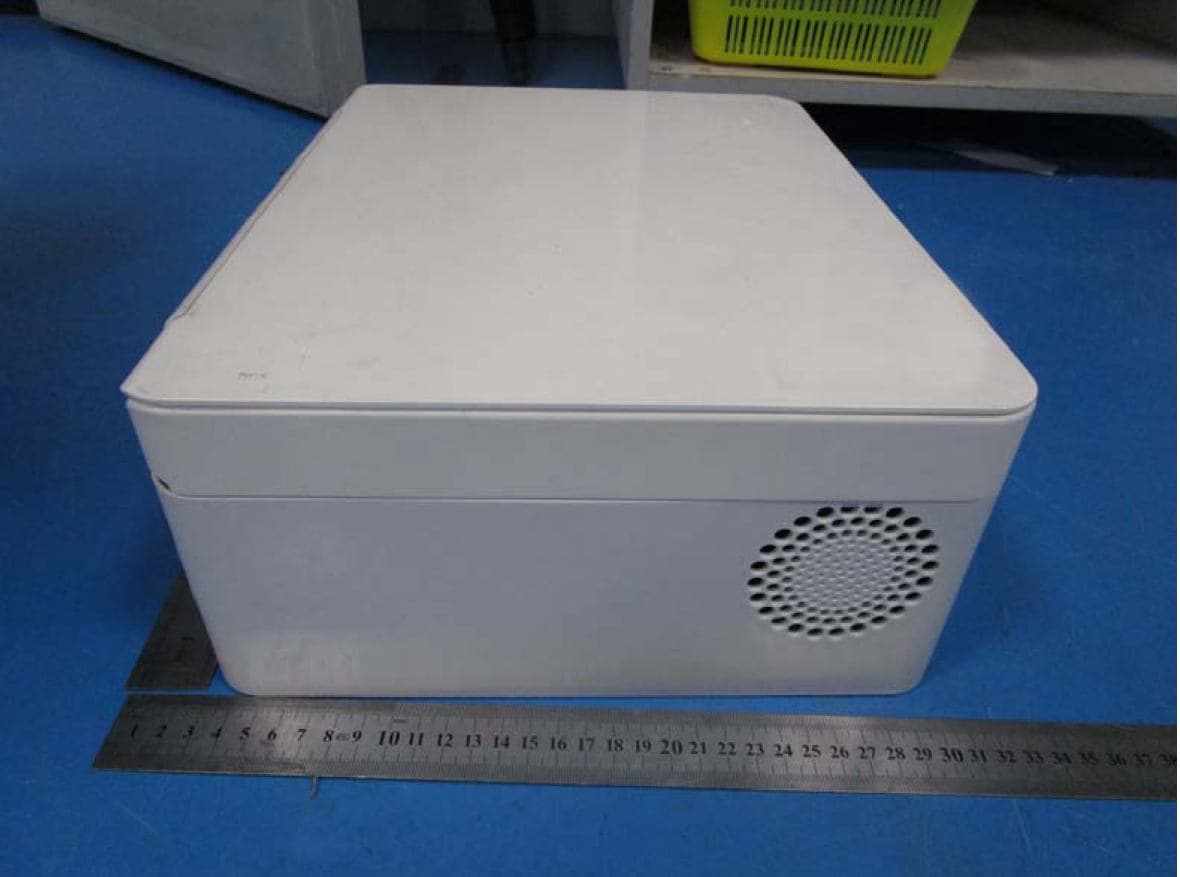
Click to zoom
Application Details
- Equipment Class
- JBP - Part 15 Class B Computing Device Peripheral
- Date of Grant
- Jul 07, 2015
- Application Purpose
- Original Equipment
- Date of Application
- Jul 07, 2015
- Equipment Note
- Multifunction Digital Product (Copier/Printer/Scanner)
- Company
- Lenovo (Beijing) Limited
- Country
- China
Documents & Files
Document Text
Text extracted from the exhibit documents filed with the FCC. Open a document above to read the original.
Users Manual
M7208W/M7208 用户手册 Multifunction Laser Printer User Manual ATTENTION: Read these instructions carefully before using this product to ensure correct operation. Keep this User Manual in a safe place for future reference. 1 Thank you for buying a Lenovo product! Please read the documentation included with this product carefully before setup and use to ensure correct operation. Lenovo (Beijing) Limited is not liable for any loss incurred through failure to operate this product as instructed in and required by this User Manual, or from any failure to operate the product correctly caused by misunderstandings, except where such loss is caused by Lenovo professional maintenance personnel. Lenovo (Beijing) Limited has taken great care to ensure the accuracy of this User Manual but cannot guarantee it is free from all errors. Lenovo (Beijing) Limited is committed to constantly improving product functions and services. The company reserves the right to modify any product, software or application described in this User Manual, and the contents of the User Manual itself, without prior notice. This user manual aims to help you use this product correctly and does not contain any description about the software and hardware configurations of this product. Please refer to your contract (if any) or packing list, or contact your dealer for the product configuration. Images in this user manual are for reference only. In case of any inconsistency between any individual image and the physical product, the physical product shall prevail. © 2012 Lenovo (Beijing) Limited. This user manual is subject to the protection of copyright laws and regulations. This User Manual may not be copied or transcribed by any means, transmitted over a wired or wireless network by any means, or translated into any other language without prior written permission from Lenovo (Beijing) Limited. Lenovo, and other Lenovo trademarks or logos are trademarks or registered trademarks of Lenovo (Beijing) Limited or its subsidiaries in Chinese mainland and/or other countries/ regions. Other names and products mentioned in this manual may be the registered trademarks or trademarks of Lenovo (Beijing) Limited or other companies. If you discover any inconsistency between the physical product and this manual, want to get the latest information, or have questions and advice for us, please call us or go to our website: http://www.lenovo.com Technical support: 0086 10 400-810-1234 (Please call 0086 10 58511600 from areas where the 400 code cannot be used) Disclaimer 2 Please do not copy or print any item prohibited from copying by law. In general, copying or printing the items below are regarded as illegal according to local bylaws: Banknotes Revenue stamps Bonds or other debt certificates Bank books Compulsory military service documents or draft documents Stocks Bank drafts Checks Passport Driver's license Welfare documents Immigration documents Checks or drafts issued by government agencies Identity documents Badges or medals Stamps (either obsolete or not) Works under copyright protection are not allowed to be copied. Some works under copyright protection can be partially copied for "fair use". Multiple copies will be regarded as improper use. Artworks are considered to be works under copyright protection. The above list is for reference only and is not all-inclusive. The company is not liable for its integrity and accuracy. If you have questions regarding the legality of copying or printing an item, please consult a legal adviser. Legal Prohibition 3 Table of Contents Disclaimer ...................................................................................1 Legal Prohibition .........................................................................2 1 Guide to Components..............................................................7 Exterior ................................................................................7 Interior .................................................................................8 2 Setting up the Printer ...............................................................9 2.1 Unpacking .....................................................................9 2.2 Opening the Paper Feed .............................................10 2.3 Loading Paper .............................................................11 2.4 Connecting the Printer to a Power Socket ..................13 2.5 Starting the Printer ......................................................13 2.6 Installing Printer Drivers and VOP Software ...............14 Quickly Installation .....................................................15 Wi-Fi Config and Installation ......................................20 Installing Wi-Fi Printer Drivers ....................................20 Upgrading Printer Drivers ...........................................21 Uninstalling Printer Drivers .........................................22 2.7 Printing a Test Page ....................................................23 2.8 Printing a Configuration Page .....................................23 3 Print Media ............................................................................24 3.1 Supported Paper ........................................................24 Paper Sizes ................................................................24 Paper Types ...............................................................24 Paper Capacity ...........................................................24 3.2 Non-Recommended Paper Types ...............................25 3.3 Print Area .....................................................................26 4 Printing ..................................................................................27 4 4.1 Print Jobs ....................................................................27 Printing with a Printer Driver ......................................27 Printing with VOP .......................................…
Text truncated - open the document above for the full version.
ID Label/Location Info
Label Location
Test Report
FCC ID:A5M-MFPM7208W1 Report No. SET2015-07006 CCIC-SET/T-I (00) Page 1 of 61 EMC TEST REPORT Report No.: SET2015-07006 Product: Multifunction Digital Product (Copier/Printer/Scanner) Model No. : M7208、M7208W FCC ID: A5M-MFPM7208W1 Applicant: Lenovo (Beijing) Limited Issued by: CCIC Southern Electronic Product Testing (Shenzhen) Co., Ltd. Lab Location: Building 28/29, Shigudong, Xili Industrial Area, Xili Street, Nanshan District, Shenzhen, Guangdong, China Te l : 86 755 26627338 Fax: 86 755 26627238 This test report consists of 61 pages in total. It may be duplicated completely for legal use with the approval of the applicant. It should not be reproduced except in full, without the written approval of our laboratory. The client should not use it to claim product endorsement by CCIC-SET. The test results in the report only apply to the tested sample. The test report shall be invalid without all the signatures of testing engineers, reviewer and approver. Any objections must be raised to CCIC-SET within 15 days since the date when the report is received. It will not be taken into consideration beyond this limit . FCC ID:A5M-MFPM7208W1 Report No. SET2015-07006 CCIC-SET/T-I (00) Page 2 of 61 Te s t R e p o r t Product ............................. Multifunction Digital Product (Copier/Printer/Scanner) Model No. ....................... M7208、M7208W Applicant ......................... . Lenovo (Beijing) Limited Applicant Address ........... No.6,Chuang Ye Road, Shangdi Information Industry Base, Haidian District, Beijing, China 100085 Manufacturer .................. . Lenovo (Beijing) Limited Manufacturer Address .... No.6,Chuang Ye Road, Shangdi Information Industry Base, Haidian District, Beijing, China 100085 Test Standards.................. FCC PART 15 Subpart B ANSI C63.4: 2009 Test Result ........................ PASS Te s t e d b y ......................... May. 25. 2015 Signature, Date Reviewed by .................... . May. 25. 2015 Signature, Date Approved by .................... . May. 25. 2015 Signature, Date FCC ID:A5M-MFPM7208W1 Report No. SET2015-07006 CCIC-SET/T-I (00) Page 3 of 61 Table of Contents 1 General Information ........................................................................................................... 4 1.1 Description of EUT ................................................................................................... 4 1.2 EUT Information ....................................................................................................... 4 1.3 Highest Frequency Generated or Used in The Device or on Which the Device Operates ........................................................................................................................ 4 2 Test Facilities and Configuration ........................................................................................ 5 2.1 Environmental Conditions ........................................................................................ 5 2.2 Measurement Uncertainty ........................................................................................ 5 2.3 Associated Equipments ............................................................................................ 5 2.4 Cables Used ............................................................................................................ 5 2.5 Test Configure .......................................................................................................... 6 2.6 Measurement Equipments Used .............................................................................. 7 3 Summary of Test Results ................................................................................................... 8 4 Emission Test ..................................................................................................................... 9 4.1 EUT Setup and Operation ........................................................................................ 9 4.2 Mains Terminal Disturbance Voltage Measurement ............................................... 10 4.2.1 Limits of Mains Terminal Disturbance Voltage ........................................ 10 4.2.2 Test Procedure ........................................................................................... 10 4.2.3 Test Setup ................................................................................................... 10 4.2.4 Test Result ................................................................................................. 11 4.3 Radiated Emission Test .............................................................................................. 24 4.3.1 Limits of Radiated Emission ..................................................................... 24 4.3.2 Test Procedure ........................................................................................... 24 4.3.3 Test Setup ................................................................................................... 25 4.3.4 Test Results ................................................................................................ 25 Appendix I:Photographs of the EUT ................................................................................. 50 Appendix II:Photographs of EMC Test Configuration ....................................................... 60 FCC ID:A5M-MFPM7208W1 Report No. SET2015-07006 CCIC-SET/T-I (00) Page 4 of 61 1 General Information 1.1 Description of EUT Product: Multifunction Digital Product(Copier/Printer/Scanner) Model No.: M7208、M7208W Brand Name: Lenovo Serial No.: MF201502077 I/O Ports: USB Accessories: Power cable ,USB cable Note: The EUT is class B information technology equipment according to FCC PART 15. For more detailed features description about the EUT, please refer to User’s Manual. Perform ElectroMagnetic Interference measurement in accordance with FCC 47CFR [Codes of Federal Regulations] Part 15 and ANSI C63.4: 2009 for FCC ID The EUT have Wifi module, which ha…
Text truncated - open the document above for the full version.
Test Setup Photos
1. Mains Terminal Disturbance Voltage Measurement 2. Radiated Field Strength Measurement
Contact Information
Applicant
Yang Liu(Compliance Engineer)
Test Firm
CCIC-SETQi Zhu
Technical Specifications
| # | Rule Parts | Frequency Range | Power Output |
|---|---|---|---|
| 1 | 15B | - | - |
Other Applications from Lenovo (Beijing) Limited
A5M-PBZT10300A
Sep 18, 2026PORTABLE POWER STATION
Equipment Class
DTS - Digital Transmission SystemA5MH50
Aug 21, 2026TALIX H50 Noise Cancelling Over-ear Headphones
Equipment Class
DTS - Digital Transmission SystemA5MWT1206
Jul 30, 2026wegear T10 True Wireless Earbuds
Equipment Class
DSS - Part 15 Spread Spectrum Transmitter
A5M-M830
Jul 16, 2026Lenovo Al Mouse
Equipment Class
DTS - Digital Transmission System
A5M-SE01
Jul 07, 2026Lenovo Pen Pro for Googlebook
Equipment Class
DTS - Digital Transmission System