AJDK056Bluetooth CD RDS RECEIVER
Pioneer Corporation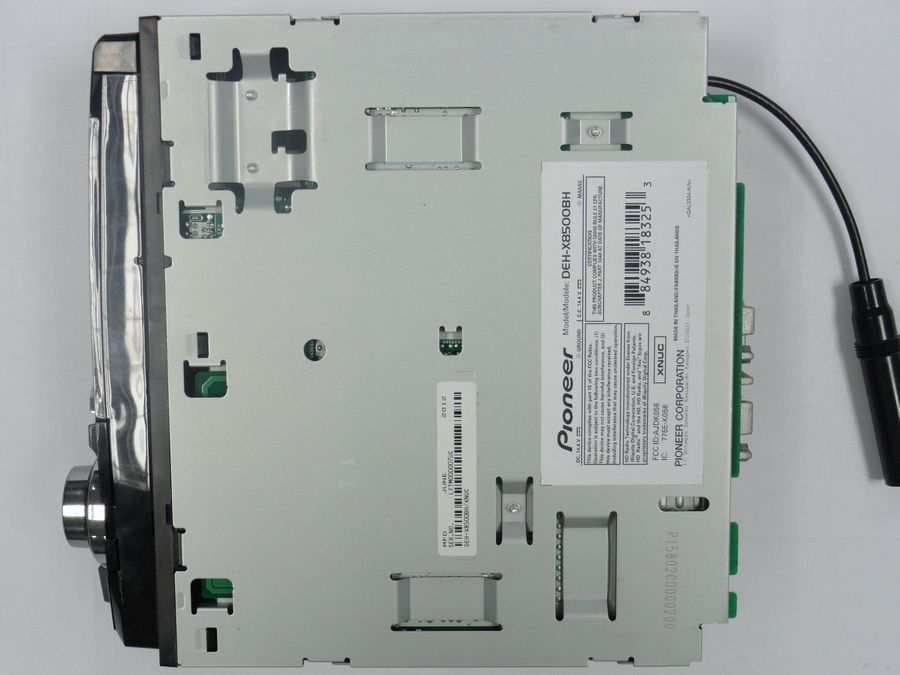
Click to zoom
Application Details
- Equipment Class
- DSS - Part 15 Spread Spectrum Transmitter
- Date of Grant
- Sep 24, 2012
- Application Purpose
- Original Equipment
- Date of Application
- Sep 24, 2012
- Equipment Note
- Bluetooth CD RDS RECEIVER
- Frequency Range
- 2402.00000000 - 2480.00000000
- Company
- Pioneer Corporation
- Country
- Japan
Documents & Files
Document Text
Text extracted from the exhibit documents filed with the FCC. Open a document above to read the original.
Users Manual
Owner ’ s Manual CD RDS RECEIVERDEH-X8500BHDEH-X7500HDDEH-X8500BSDEH-X7500S English Before you startInformation to User 2 The Safety of Your Ears is in Your Hands 3 About this unit 3 After-sales service for Pioneer products 3 If you experience problems 3 Visit our website 3 About this manual 4 Using this unitHead unit 4 Remote control 4 Set up menu 5 Basic operations 5 Use and care of the remote control 6 Frequently used menu operations 6 Tuner 6 Tuner 8 CD/CD-R/CD-RW and USB storage devices 8 iPod 10 Using Bluetooth wireless technology 11 Using smartphone applications 14 Audio adjustments 16 Using different entertainment displays 16 Selecting the illumination color 17 Customizing the illumination color 17 About MIXTRAX 17 MIXTRAX menu 17 System menu 18 Initial menu 19 System menu 20 Using an AUX source 20 Turning the display off or on 20 If an unwanted display appears 20 Available accessoriesSiriusXM Satellite Radio 20 InstallationConnections 22 Installation 23 Installing the microphone 25 Additional informationTroubleshooting 26 Error messages 26 Handling guidelines 28 Compressed audio compatibility (disc, USB) 29 iPod compatibility 29 Sequence of audio files 30 Bluetooth profiles 30 Copyright and trademark 30 Specifications 31 Thank you for purchasing this PIONEER productTo ensure proper use, please read through thismanual before using this product. It is especiallyimportant that you read and observe WARN- ING s and CAUTION s in this manual. Please keep the manual in a safe and accessible place forfuture reference. FCC ID: AJDK056MODEL NO.: DEH-X8500BH/DEH-X8500BSIC: 775E-K056This device complies with Part 15 of FCCRules and Industry Canada licence-exemptRSS standard(s). Operation is subject to thefollowing two conditions: (1) this device maynot cause interference, and (2) this devicemust accept any interference, including inter-ference that may cause undesired operationof this device.This transmitter must not be co-located or op-erated in conjunction with any other antennaor transmitter.The antenna for Bluetooth cannot be removed(or replaced) by user.This equipment complies with FCC/IC radia-tion exposure limits set forth for an uncon-trolled environment and meets the FCC radiofrequency (RF) Exposure Guidelines in Sup-plement C to OET65 and RSS-102 of the ICradio frequency (RF) Exposure rules. Thisequipment has very low levels of RF energythat it deemed to comply without maximumpermissive exposure evaluation (MPE). But itis desirable that it should be installed and op-erated keeping the radiator at least 20 cm ormore away from person ’ s body (excluding ex- tremities: hands, wrists, feet and ankles). MODEL NO.: DEH-X7500HD/DEH-X7500SThis device complies with Part 15 of the FCCRules. Operation is subject to the followingtwo conditions:(1) this device may not cause harmful interfer-ence, and (2) this device must accept any in-terference received, including interferencethat may cause undesired operation. Information to User Alteration or modifications carried out with-out appropriate authorization may invalidatethe user ’ s right to operate the equipment. Contents 2 Section Before you start En 01 NoteThis equipment has been tested and foundto comply with the limits for a Class B digitaldevice, pursuant to Part 15 of the FCC Rules.These limits are designed to provide reason-able protection against harmful interferencein a residential installation. This equipmentgenerates, uses and can radiate radio fre-quency energy and, if not installed and usedin accordance with the instructions, maycause harmful interference to radio commu-nications. However, there is no guaranteethat interference will not occur in a particu-lar installation. If this equipment does causeharmful interference to radio or television re-ception, which can be determined by turningthe equipment off and on, the user is encour-aged to try to correct the interference by oneor more of the following measures:- Reorient or relocate the receiving antenna.- Increase the separation between the equip-ment and receiver.- Connect the equipment into an outlet on acircuit different from that to which the re-ceiver is connected.- Consult the dealer or an experienced radio/TV technician for help. The Safety of Your Ears is inYour HandsGet the most out of your equipment by playing itat a safe level — a level that lets the sound come through clearly without annoying blaring or dis-tortion and, most importantly, without affectingyour sensitive hearing. Sound can be deceiving.Over time, your hearing “ comfort level ” adapts to higher volumes of sound, so what sounds “ nor- mal ” can actually be loud and harmful to your hearing. Guard against this by setting yourequipment at a safe level BEFORE your hearingadapts. ESTABLISH A SAFE LEVEL:! Set your volume control at a low setting. ! Slowly increase the sound until you can hearit comfortably and clearly, without distortion. ! Once you have established a comfortablesound level, set the dial and leave it there. BE SURE TO OBSERVE THEFOLLOWING GUIDELINES:! Do not turn up the volume so high that youcan ’ t hear what ’ s around you. ! Use caution or temporarily discontinue usein potentially hazardous situations. ! Do not use headphones while operating amotorized vehicle; the use of headphonesmay create a traffic hazard and is illegal inmany areas. About this unitThe tuner frequencies on this unit are allocatedfor use in North America. Use in other areasmay result in poor reception. WARNING Handling the cord on this product or cords asso-ciated with accessories sold with the productmay expose you to chemicals listed on proposi-tion 65 known to the State of California andother governmental entities to cause cancer andbirth defect or other reproductive harm. Wash hands after handling. CAUTION:USE OF CONTROL OR ADJUSTMENT ORPERFORMANCE OF PROCEDURESOTHER THAN THOSE SPECIFIED HEREINMAY RESULT IN HAZARDOUS RADIATIONEXPOSURE.CAUTION:THE USE OF OPTICAL INSTRUMENTSWITH THIS PRODUCT WILL INCREASEEYE HAZARD. CAU…
Text truncated - open the document above for the full version.
Users Manual
Owner ’ s Manual Mode d ’ emploi Manual de instrucciones CD RDS RECEIVERAUTORADIO CD RDSREPRODUCTOR DE CD CON RECEPTOR RDSDEH-X9500BHS <QRD3154-A/S>1 EnglishEspañolFrançais Before you startInformation to User 2 The Safety of Your Ears is in Your Hands 3 About this unit 3 After-sales service for Pioneer products 3 If you experience problems 3 About this manual 3 Visit our website 3 Using this unitHead unit 4 Remote control 4 Set up menu 4 Basic operations 4 Use and care of the remote control 5 Frequently used menu operations 5 Tuner 6 CD/CD-R/CD-RW and USB storage devices 7 iPod 9 Using Bluetooth wireless technology 10 Using smartphone applications 13 Audio adjustments 15 Using different entertainment displays 16 Selecting the illumination color 16 Customizing the illumination color 16 About MIXTRAX 17 MIXTRAX menu 17 System menu 18 Set up menu 18 System menu 19 Using an AUX source 19 Turning the display off or on 19 If an unwanted display appears 19 Available accessoriesSiriusXM Satellite Radio 19 InstallationConnections 22 Installation 23 Installing the microphone 24 Additional informationTroubleshooting 25 Error messages 25 Handling guidelines 28 Compressed audio compatibility (disc, USB) 29 iPod compatibility 29 Sequence of audio files 30 Bluetooth profiles 30 Copyright and trademark 30 Specifications 31 Thank you for purchasing this PIONEER productTo ensure proper use, please read through thismanual before using this product. It is especiallyimportant that you read and observe WARN- ING s and CAUTION s in this manual. Please keep the manual in a safe and accessible place forfuture reference. FCC ID: AJDK056MODEL NO.: DEH-X9500BHSIC: 775E-K056This device complies with Part 15 of FCCRules and Industry Canada licence-exemptRSS standard(s). Operation is subject to thefollowing two conditions: (1) this device maynot cause interference, and (2) this devicemust accept any interference, including inter-ference that may cause undesired operationof this device.This transmitter must not be co-located or op-erated in conjunction with any other antennaor transmitter.The antenna for Bluetooth cannot be removed(or replaced) by user.This equipment complies with FCC/IC radia-tion exposure limits set forth for an uncon-trolled environment and meets the FCC radiofrequency (RF) Exposure Guidelines in Sup-plement C to OET65 and RSS-102 of the ICradio frequency (RF) Exposure rules. Thisequipment has very low levels of RF energythat it deemed to comply without maximumpermissive exposure evaluation (MPE). But itis desirable that it should be installed and op-erated keeping the radiator at least 20 cm ormore away from person ’ s body (excluding ex- tremities: hands, wrists, feet and ankles). Information to User Alteration or modifications carried out with-out appropriate authorization may invalidatethe user ’ s right to operate the equipment. NoteThis equipment has been tested and foundto comply with the limits for a Class B digitaldevice, pursuant to Part 15 of the FCC Rules.These limits are designed to provide reason-able protection against harmful interferencein a residential installation. This equipmentgenerates, uses and can radiate radio fre-quency energy and, if not installed and usedin accordance with the instructions, maycause harmful interference to radio commu-nications. However, there is no guaranteethat interference will not occur in a particu-lar installation. If this equipment does causeharmful interference to radio or television re-ception, which can be determined by turningthe equipment off and on, the user is encour-aged to try to correct the interference by oneor more of the following measures:- Reorient or relocate the receiving antenna.- Increase the separation between the equip-ment and receiver.- Connect the equipment into an outlet on acircuit different from that to which the re-ceiver is connected.- Consult the dealer or an experienced radio/TV technician for help. Contents 2 Section Before you start En 01 <QRD3154-A/S>2 The Safety of Your Ears is inYour HandsGet the most out of your equipment by playing itat a safe level — a level that lets the sound come through clearly without annoying blaring or dis-tortion and, most importantly, without affectingyour sensitive hearing. Sound can be deceiving.Over time, your hearing “ comfort level ” adapts to higher volumes of sound, so what sounds “ nor- mal ” can actually be loud and harmful to your hearing. Guard against this by setting yourequipment at a safe level BEFORE your hearingadapts. ESTABLISH A SAFE LEVEL:! Set your volume control at a low setting. ! Slowly increase the sound until you can hearit comfortably and clearly, without distortion. ! Once you have established a comfortablesound level, set the dial and leave it there. BE SURE TO OBSERVE THEFOLLOWING GUIDELINES:! Do not turn up the volume so high that youcan ’ t hear what ’ s around you. ! Use caution or temporarily discontinue usein potentially hazardous situations. ! Do not use headphones while operating amotorized vehicle; the use of headphonesmay create a traffic hazard and is illegal inmany areas. About this unitThe tuner frequencies on this unit are allocatedfor use in North America. Use in other areasmay result in poor reception. WARNING Handling the cord on this product or cords asso-ciated with accessories sold with the productmay expose you to chemicals listed on proposi-tion 65 known to the State of California andother governmental entities to cause cancer andbirth defect or other reproductive harm. Wash hands after handling. CAUTION:USE OF CONTROL OR ADJUSTMENT ORPERFORMANCE OF PROCEDURESOTHER THAN THOSE SPECIFIED HEREINMAY RESULT IN HAZARDOUS RADIATIONEXPOSURE.CAUTION:THE USE OF OPTICAL INSTRUMENTSWITH THIS PRODUCT WILL INCREASEEYE HAZARD. CAUTION ! Do not allow this unit to come into contactwith liquids. Electrical shock could result.Also, damage to this unit, smoke, and over-heating could result from contact withliquids. ! Always keep the volume low enough to h…
Text truncated - open the document above for the full version.
Users Manual
Avant de commencerLa protection de votre ouïe est entre vos mains 34 Quelques mots sur cet appareil 35 Service après-vente des produits Pioneer 35 Si vous rencontrez des problèmes 35 Quelques mots sur ce mode d ’ emploi 35 Visitez notre site Web 35 Utilisation de cet appareilAppareil central 36 Télécommande 36 Menu de configuration 36 Opérations de base 37 Utilisation et entretien de la télécommande 38 Opérations de menu fréquemment utilisées 38 Syntoniseur 38 Syntoniseur 40 CD/CD-R/CD-RW et périphériques de stockage USB 41 iPod 43 Utilisation de la technologie sans fil Bluetooth 44 Utilisation d ’ applications de smartphone 47 Réglages sonores 50 Utilisation des divers affichages divertissants 51 Choix de la couleur de l ’ éclairage 51 Personnalisation de la couleur d ’ éclairage 52 À propos de MIXTRAX 52 Menu MIXTRAX 52 Menu système 53 Menu de configuration 54 Menu système 55 Utilisation d ’ une source AUX 55 Mise en service ou hors service de l ’ affichage 55 Si un écran non souhaité s ’ affiche 55 Accessoires disponiblesRadio Satellite SiriusXM 55 InstallationConnexions 58 Installation 59 Installation du microphone 60 Informations complémentairesDépannage 62 Messages d ’ erreur 62 Conseils sur la manipulation 65 Formats audio compressés compatibles (disque, USB) 66 Compatibilité iPod 67 Séquence des fichiers audio 67 Profils Bluetooth 67 Droits d ’ auteur et marques commerciales 67 Caractéristiques techniques 68 Nous vous remercions d ’ avoir acheté cet ap- pareil PIONEER.Pour garantir une utilisation correcte, lisez bience mode d ’ emploi avant d ’ utiliser cet appareil. Il est particulièrement important que vous lisiez etrespectiez les indications ATTENTION et PRÉ- CAUTION de ce mode d ’ emploi. Conservez-le dans un endroit sûr et facilement accessible pourtoute consultation ultérieure. ID FCC : AJDK056MODÈLE Nº : DEH-X8500BH/DEH-X8500BSIC : 775E-K056Le présent appareil est conforme aux la partie15 des règles de la FCC et CNR d ’ Industrie Ca- nada applicables aux appareils radio exemptsde licence. L ’ exploitation est autorisée aux deux conditions suivantes: (1) l ’ appareil ne doit pas produire de brouillage, et (2) l ’ utilisa- teur de l ’ appareil doit accepter tout brouillage radioélectrique subi, même si le brouillageest susceptible d ’ en compromettre le fonc- tionnement.L ’ antenne de Bluetooth ne peut pas être sup- primé (ou remplacé) par l ’ utilisateur. Cet équipement est conforme aux limitesd ’ exposition aux rayonnements énoncées pour un environnement non contrôlé et res-pecte les règles les radioélectriques (RF) de laFCC lignes directrices d'exposition dans leSupplément C à OET65 et d ’ exposition aux fré- quences radioélectriques (RF) CNR-102 del ’ IC. Cet équipement émet une énergie RF très faible qui est considérée conforme sans éva-luation de l ’ exposition maximale autorisée. Cependant, cet équipement doit être installéet utilisé en gardant une distance de 20 cmou plus entre le dispositif rayonnant et lecorps (à l ’ exception des extrémités : mains, poignets, pieds et chevilles). La protection de votre ouïeest entre vos mainsPour assurer le rendement optimal de votre ma-tériel et – plus important encore – la protection de votre ouïe, réglez le volume à un niveau rai-sonnable. Pour ne pas altérer votre sens de laperception, le son doit être clair mais ne pro-duire aucun vacarme et être exempt de toutedistorsion. Votre ouïe peut vous jouer des tours.Avec le temps, votre système auditif peut eneffet s ’ adapter à des volumes supérieurs, et ce qui vous semble un « niveau de confort normal» pourrait au contraire être excessif et contri-buer à endommager votre ouïe de façon perma-nente. Le réglage de votre matériel à un volumesécuritaire AVANT que votre ouïe s ’ adapte vous permettra de mieux vous protéger. CHOISISSEZ UN VOLUMESÉCURITAIRE :! Réglez d ’ abord le volume à un niveau infé- rieur. ! Montez progressivement le volume jusqu ’ à un niveau d ’ écoute confortable ; le son doit être clair et exempt de distorsions. ! Une fois que le son est à un niveau confor-table, ne touchez plus au bouton du volume. N ’ OUBLIEZ PAS DE RESPECTER LES DIRECTIVES SUIVANTES :! Lorsque vous montez le volume, assurez-vous de pouvoir quand même entendre cequi se passe autour de vous. ! Faites très attention ou cessez temporaire-ment l ’ utilisation dans les situations pouvant s ’ avérer dangereuses. ! N ’ utilisez pas des écouteurs ou un casque d ’ écoute lorsque vous opérez un véhicule motorisé ; une telle utilisation peut créer desdangers sur la route et est illégale à de nom-breux endroits. Table des matières 34 Section Avant de commencer Fr 01 <QRD3150-A/N>34 Quelques mots sur cet appareilLes fréquences du syntoniseur de cet appareilsont attribuées pour une utilisation en Amériquedu Nord. Son utilisation dans d ’ autres régions peut se traduire par une réception de mauvaisequalité. PRÉCAUTION ! Ne laissez pas cet appareil entrer en contactavec des liquides. Cela pourrait provoquerune électrocution. Tout contact avec des li-quides pourrait également provoquer desdommages, de la fumée et une surchauffede l ’ appareil. ! Maintenez le niveau d ’ écoute à une valeur telle que vous puissiez entendre les sons pro-venant de l ’ extérieur. ! Évitez tout contact avec l ’ humidité. ! Si la batterie est débranchée ou déchargée,le contenu de la mémoire sera effacé. RemarqueLes opérations de réglage des fonctions sont va-lidées même si le menu est annulé avant laconfirmation des opérations. Service après-vente desproduits PioneerVeuillez contacter le revendeur ou le distributeurauprès duquel vous avez acheté cet appareilpour le service après-vente (y compris les condi-tions de garantie) ou pour toute autre informa-tion. Dans le cas où les informationsnécessaires ne sont pas disponibles, veuillezcontacter les sociétés indiquées ci-dessous :N ’ expédiez pas l ’ appareil pour réparation à l ’ une des adresses figurant ci-dessous sans avoir priscontact au préalable. États-UnisPioneer Electronics (USA…
Text truncated - open the document above for the full version.
Cover Letter(s)
Date: September 25, 2012 Similarity Declaration FCC ID: AJDK056 Products: CD RDS Receiver Model: DEH-X9500BHS/DEH-X8500BH/DEH-X8500BS Dear Madam or Sir, We, Pioneer Corporation, hereby declare that: 1. Our CD RDS Receiver models listed in the table are essentially the same device except for the difference that showed in the table. 2. This difference doesn’t affect the radio characteristics. 3. The electrical characteristics among those models are identical to each other. Different List Model Name DEH-X8500BH DEH-X8500BS DEH-X9500BHS Sxi Bus (*) NA A A CD Mecha S11.6STD A A A Grille Mechanical POP-UP POP-UP MANUAL FLAP Display Full dot LCD (Small) (28.6mm * 67.19mm) Full dot LCD (Small) (28.6mm * 67.19mm) Full dot LCD (Large) (32.5mm * 74.9mm) Pre Out 3 P/O 3 P/O 3 P/O USB Port 1 Port 1 Port 2 Ports Wire remote A A A A: Applicable/ NA: Not Applicable * Sxi Bus
External Photos
Pioneer Corporation Model: DEH-X8500BH FCC ID: AJDK056 IC Number: 775E-K056 External Photo Front Rear Pioneer Corporation Model: DEH-X8500BH FCC ID: AJDK056 IC Number: 775E-K056 External Photo Top Bottom Pioneer Corporation Model: DEH-X8500BH FCC ID: AJDK056 IC Number: 775E-K056 External Photo Right Left
External Photos
Pioneer Corporation Model: DEH-X8500BS FCC ID: AJDK056 IC Number: 775E-K056 External Photo Front Rear Pioneer Corporation Model: DEH-X8500BS FCC ID: AJDK056 IC Number: 775E-K056 External Photo Top Bottom Pioneer Corporation Model: DEH-X8500BS FCC ID: AJDK056 IC Number: 775E-K056 External Photo Right Left
External Photos
Pioneer Corporation Model: DEH-X9500BHS FCC ID: AJDK056 IC Number: 775E-K056 External Photo Front Rear Pioneer Corporation Model: DEH-X9500BHS FCC ID: AJDK056 IC Number: 775E-K056 External Photo Top Bottom Pioneer Corporation Model: DEH-X9500BHS FCC ID: AJDK056 IC Number: 775E-K056 External Photo Right Left
ID Label/Location Info
Label Position DEH-X9500BHS DEH-X8500BH DEH-X8500BS
Internal Photos
Pioneer Corporation FCC ID: AJDK056 IC Number: 775E-K056 Internal Photo Bluetooth Board side A with shield Bluetooth Board side A without shield Pioneer Corporation FCC ID: AJDK056 IC Number: 775E-K056 Internal Photo Bluetooth Board side B Bluetooth Board Location
RF Exposure Info
UL Japan, Inc. Shonan EMC Lab. 1-22-3 Megumigaoka, Hiratsuka-shi, Kanagawa-ken, 259-1220 JAPAN Telephone: +81 463 50 6400 Facsimile: +81 463 50 6401 Applicant: PIONEER CORPORATION T ype of Equipment : Bluetooth CD RDS RECEIVER M odel No. : DEH-X9500BHS FCC ID: AJDK056 PIONEER CORPORATION declares that Model : Bluetooth CD RDS RECEIVER complies with FCC radiation exposure requirement specified in the FCC Rules 2.1091. The “DEH-X9500BHS“ has 1.53 mW of conducted Peak Output power and 0.92 mW of EIRP. This equipment is co nsidered as a mobile device so that SAR testing is excluded. The Follo wing calculation is the reference data fo r 20cm distance. RF Ex posure Calculations: The following information provides the minimum separation distance for the highest gain antenna provided with the “DEH-X9500BHS“ as calculated from FCC OET Bulletin 65 Appendix A, Table (B) Limits for General Population / Uncontrolled Exposure. This calculation is based on the highest EIRP possible from the system, considering maximum power and antenna gain, and considering a 1.0mW/cm^2 uncontrolled exposure limit. The Friis formula used was: S = (P * G ) / (4* π * r 2 ) Where P = 1.53 mW (M aximum peak output pow er) G = 0.60 Num erical A ntenna gain; equal -2.20 dBi r =20.0 cm For: DEH-X9500BHSS = 0.00018 mW/cm 2 No. : 32KE0042-SH-02-A RF Exposure / SAR Statement
Test Report
Test report No. : 32KE0042-SH-02-A Page : 2 of 52 Issued date : September 12, 2012 FCC ID : AJDK056 UL Japan, Inc. Shonan EMC Lab. 1-22-3 Megumigaoka, Hiratsuka-shi, Kanagawa-ken, 259-1220 JAPAN Telephone : +81 463 50 6400 Facsimile : +81 463 50 6401 Contents Page SECTION 1: Customer information ..................................................................................... 3 SECTION 2: Equipment under test (E.U.T.) ....................................................................... 3 SECTION 3: Test specification, procedures & results ......................................................... 4 SECTION 4: Operation of E.U.T. during testing ................................................................. 7 SECTION 5: Radiated emission ......................................................................................... 10 SECTION 6: Out of band emissions (Antenna port conducted) ....................................... 11 SECTION 7: Carrier frequency separation ........................................................................ 11 SECTION 8: 20dB bandwidth & Occupied bandwidth (99%) ......................................... 11 SECTION 9: Number of hopping frequency ...................................................................... 11 SECTION 10: Dwell time .................................................................................................... 11 SECTION 11: Maximum peak output power..................................................................... 11 Contents of APPENDIXES ................................................................................................... 12 APPENDIX 1: Test data ...................................................................................................... 13 APPENDIX 2: Test instruments ......................................................................................... 51 APPENDIX 3: Photographs of test setup ........................................................................... 52 Test report No. : 32KE0042-SH-02-A Page : 3 of 52 Issued date : September 12, 2012 FCC ID : AJDK056 UL Japan, Inc. Shonan EMC Lab. 1-22-3 Megumigaoka, Hiratsuka-shi, Kanagawa-ken, 259-1220 JAPAN Telephone : +81 463 50 6400 Facsimile : +81 463 50 6401 SECTION 1: Customer information Company Name : PIONEER CORPORATION Brand Name : Pioneer Address : 25-1 Aza-Nishimachi, Yamada, Kawagoe-shi, Saitama, 350-8555, Japan Telephone Number : +81-49-228-6415 Facsimile Number : +81-49-228-6493 Contact Person : Makoto Kaieda SECTION 2: Equipment under test (E.U.T.) 2.1 Identification of E.U.T. Type of Equipment : Bluetooth CD RDS RECEIVER Model Number : DEH-X9500BHS Serial Number : Refer to Section 4.2 Rating : DC 14.4V (DC 10.8V to 15.1V) Country of Mass-production : Thailand Condition of EUT : Production prototype (Not for Sale: This sample is equivalent to mass-produced items.) Receipt Date of Sample : August 6, 2012 Modification of EUT : The test lab did not make the modification to the EUT supplied from the customer to have it pass the tests. 2.2 Product description Model: DEH-X9500BHS (referred to as the EUT in this report) is a Bluetooth CD RDS RECEIVER. DEH-X9500BHS have similar model. Refer to follows table; DEH-X8500BH DEH-X8500BS DEH-X9500BHS Sxi Bus No Yes Yes Grille Mechanical POP-UP POP-UP MANUAL FLAP Display size 28.6 mm x 67.19 mm 28.6 mm x 67.19 mm 32.5 mm x 74.9 mm USB port 1 port 1 port 2 port Clock Frequency: MEDIA MICRO: 16.93MHz, 12MHz, SYSTEM MICRO: 20.00MHz, GRILL MICRO: 16.00MHz, CD Mecha: 16.93MHz, tuner: 36.48MHz ( VCO: 2.5 - 3.3GHz), HD Unit :55.296MHz, 24.00MHz, Bluetooth module: 26MHz, DC-DC CONVERTER: 370.4kHz / 416.7kHz <Radio part> Equipment type : Transceiver Frequency of operation : 2402MHz - 2480MHz Bandwidth & channel spacing : 79MHz & 1MHz Type of modulation : GFSK, π/4DQPSK, 8DPSK Antenna type : PWB pattern antenna Antenna gain with cable loss : -2.2dBi (max) Antenna connector type : None Operation temperature range : -10 to +60 deg.C. FCC 15.31 (e) The RF Module has its own regulator. The RF Module is constantly provided voltage (DC3.3V) through its own regulator regardless of input voltage. Therefore, this EUT complies with the requirement. FCC Part 15.203 It is impossible for end users to replace the antenna, because the antenna is mounted inside of the EUT. Therefore, the equipment complies with the antenna requirement of Section 15.203. Test report No. : 32KE0042-SH-02-A Page : 4 of 52 Issued date : September 12, 2012 FCC ID : AJDK056 UL Japan, Inc. Shonan EMC Lab. 1-22-3 Megumigaoka, Hiratsuka-shi, Kanagawa-ken, 259-1220 JAPAN Telephone : +81 463 50 6400 Facsimile : +81 463 50 6401 SECTION 3: Test specification, procedures & results 3.1 Test specification Test specification : FCC Part 15 Subpart C: 2012, final revised on July 23, 2012 and effective August 22, 2012 Title : FCC 47CFR Part15 Radio Frequency Device Subpart C Intentional Radiators Section 15.207 Conducted limits Section 15.209 Radiated emission limits, general requirements Section 15.247 Operation within the bands 902-928MHz, 2400-2483.5MHz, and 5725-5850MHz 3.2 Procedures & Results Item Test Procedure Specification RemarksDeviationWorst Margin Results Conducted emission ANSI C63.4:2003 7. AC powerline conducted emission measurements FCC Section 15.207 - N/A - N/A *1) Carrier frequency separation FCC Public Notice DA 00-705 & ANSI C63.4:2003 13. Measurement of intentional radiators FCC Section15.247 (a)(1) ConductedN/A *See data. Complied 20dB bandwidth FCC Public Notice DA 00-705 & ANSI C63.4:2003 13. Measurement of intentional radiators FCC Section15.247 (a)(1) ConductedN/A Complied Number of hopping frequency FCC Public Notice DA 00-705 & ANSI C63.4:2003 13. Measurement of intentional radiators FCC Section15.247 (a)(1)(iii) ConductedN/A Complied Dwell time FCC Public Notice DA 00-705 & ANSI C63.4:2003 13. Measurement of intentional radiators FCC Section15.247 (a)(1)(iii) ConductedN/A Complied Maximum peak output power FCC Pub…
Text truncated - open the document above for the full version.
Test Report
APPENDIX 1: Data of Radio tests Test placeUL Japan, Inc. Shonan EMC Lab. No.5 Shielded Room DateAugust 30, 2012 Temperature / Humidit y26 deg.C, 54 %RH Enginee rKenichi Adachi ModeTx, Bluetooth, BDR, PRBS9 ModeFreq.20dBCarrierLimit for BandwidthFrequencyCarrier SeparationFrequency Separation [MHz][MHz][MHz][MHz] DH52402.00.9241.000>= 0.616 DH52441.00.9261.003>= 0.618 DH52480.00.9250.998>= 0.617 Inquiry2441.00.7352.000>= 0.490 Limit: Two-thirds of 20dB Bandwidth or 25kHz (whichever is greater). No limit applies to 20dB Bandwidth. Tx2_Inquiry20OBWTx2_InquirySeparation Tx, 2441MHz 20dB Bandwidth and Carrier Frequency Separation Inquiry 20dB BandwidthCarrier Frequency Separation Tx, 2441MHz UL Japan, Inc. Shonan EMC Lab. 1-22-3 Megumigaoka, Hiratsuka-shi, Kanagawa 259-1220 JAPAN Telephone : +81 463 50 6400 Facsimile : +81 463 50 6401 Test Report No. : 32KE0042-SH-02-A Page : 13 / 52 Tx1_20OBWTx2_HoppingSeparation1 Tx2_20OBWTx2_HoppingSeparation2 Tx3_20OBWTx2_HoppingSeparation3 Tx, 2441MHzTx, 2441MHz Tx, 2480MHzTx, 2480MHz 20dB Bandwidth and Carrier Frequency Separation Tx, Bluetooth, BDR, PRBS9 20dB BandwidthCarrier Frequency Separation Tx, 2402MHzTx, 2402MHz UL Japan, Inc. Shonan EMC Lab. 1-22-3 Megumigaoka, Hiratsuka-shi, Kanagawa 259-1220 JAPAN Telephone : +81 463 50 6400 Facsimile : +81 463 50 6401 Test Report No. : 32KE0042-SH-02-A Page : 14 / 52 Test placeUL Japan, Inc. Shonan EMC Lab. No.5 Shielded Room DateAugust 30, 2012 Temperature / Humidit y26 deg.C, 54 %RH Enginee rKenichi Adachi ModeTx, Bluetooth, EDR, PRBS9 ModeFreq.20dBCarrierLimit for BandwidthFrequencyCarrier SeparationFrequency Separation [MHz][MHz][MHz][MHz] 3-DH52402.01.2681.008>= 0.845 3-DH52441.01.2780.995>= 0.852 3-DH52480.01.2791.015>= 0.853 Limit: Two-thirds of 20dB Bandwidth or 25kHz (whichever is greater). No limit applies to 20dB Bandwidth. 20dB Bandwidth and Carrier Frequency Separation UL Japan, Inc. Shonan EMC Lab. 1-22-3 Megumigaoka, Hiratsuka-shi, Kanagawa 259-1220 JAPAN Telephone : +81 463 50 6400 Facsimile : +81 463 50 6401 Test Report No. : 32KE0042-SH-02-A Page : 15 / 52 Tx1_20OBWTx2_HoppingSeparation1 Tx2_20OBWTx2_HoppingSeparation2 Tx3_20OBWTx2_HoppingSeparation3 Tx, 2441MHzTx, 2441MHz Tx, 2480MHzTx, 2480MHz 20dB Bandwidth and Carrier Frequency Separation Tx, Bluetooth, EDR, PRBS9 20dB BandwidthCarrier Frequency Separation Tx, 2402MHzTx, 2402MHz UL Japan, Inc. Shonan EMC Lab. 1-22-3 Megumigaoka, Hiratsuka-shi, Kanagawa 259-1220 JAPAN Telephone : +81 463 50 6400 Facsimile : +81 463 50 6401 Test Report No. : 32KE…
Text truncated - open the document above for the full version.
Contact Information
Applicant
Takashi Tsuzura(Manager)
Technical Contact
UL Japan, Inc.Toyokazu Imamura
[email protected]81-463-50-6400
1-22-3 Megumigaoka, Hiratsuka-shi · Kanagawa-ken · Japan
Test Firm
UL Japan, Inc. Shonan EMC EMC Lab.Tetsuya Hashimoto
Technical Specifications
| # | Rule Parts | Frequency Range | Power Output |
|---|---|---|---|
| 1 | 15C | 2.40 GHz - 2.48 GHz | 1.50 mW |
Other Applications from Pioneer Corporation
AJDK133
Jun 15, 2026On-Dash Multimedia Display
Equipment Class
NII - Unlicensed National Information Infrastructure TX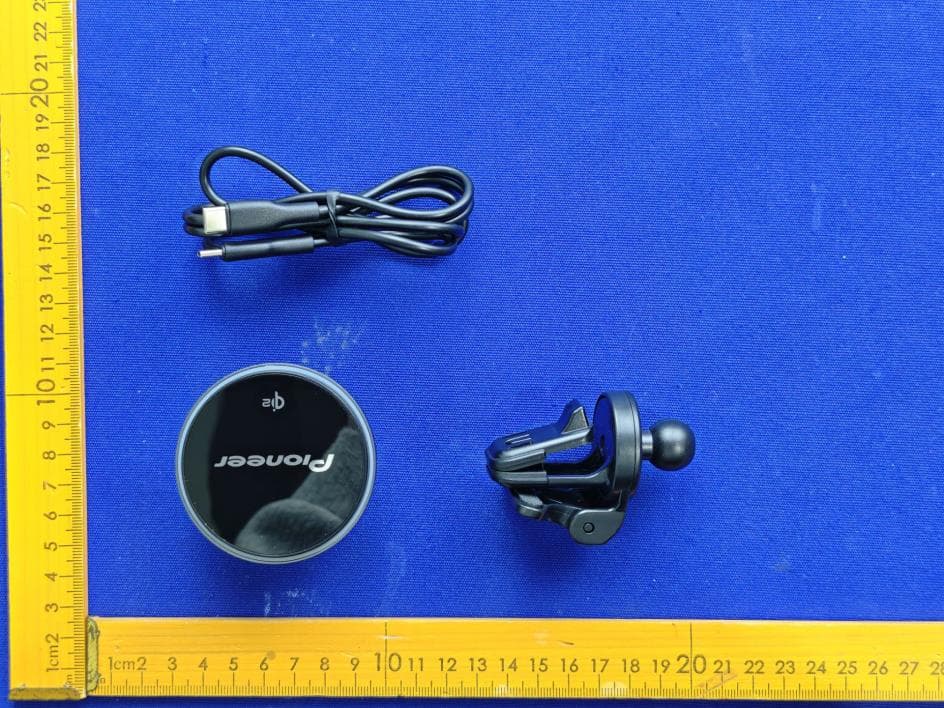
AJDK132
Jan 29, 2026WIRELESS CHARGING CRADLE
Equipment Class
DCD - Part 15 Low Power Transmitter Below 1705 kHz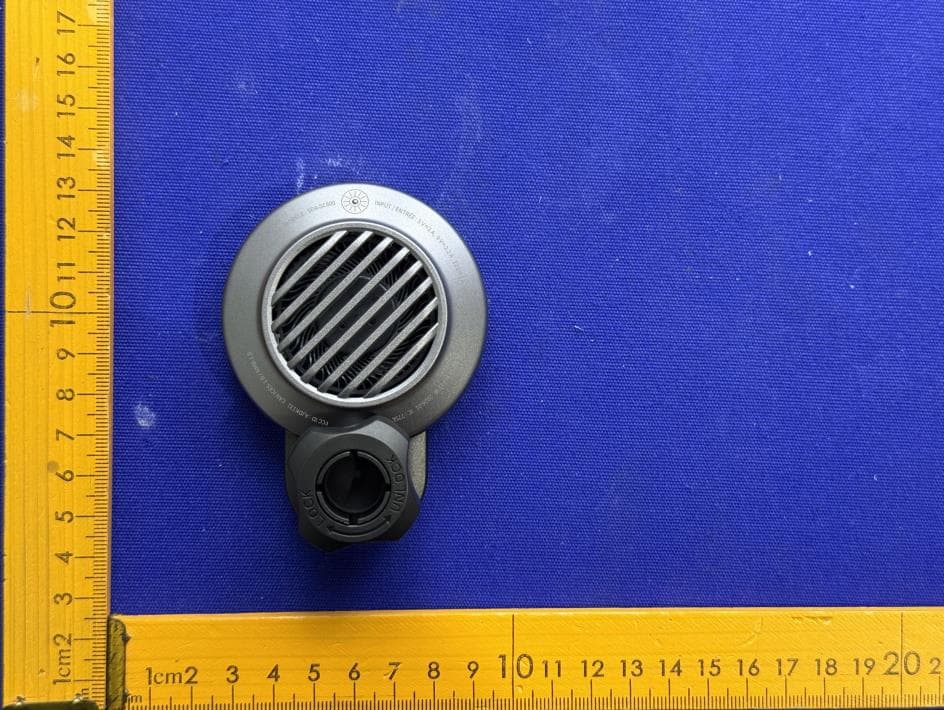
AJDK131
Jan 29, 2026WIRELESS CHARGING CRADLE
Equipment Class
DCD - Part 15 Low Power Transmitter Below 1705 kHzAJDK129
Nov 17, 2025RDS AV RECEIVER
Equipment Class
DSS - Part 15 Spread Spectrum Transmitter
AJDK122
Dec 11, 2022RDS AV RECEIVER
Equipment Class
NII - Unlicensed National Information Infrastructure TX