AMPT81B18" LCD TV Monitor
Jean Co Ltd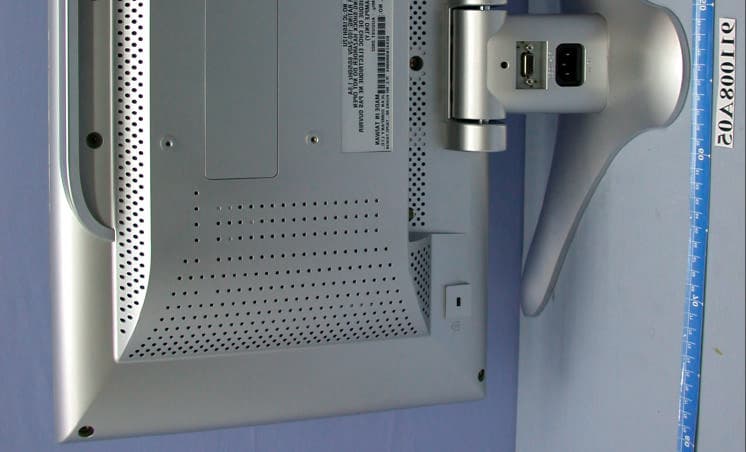
Click to zoom
Application Details
- Equipment Class
- JBP - Part 15 Class B Computing Device Peripheral
- Date of Grant
- Nov 19, 2002
- Application Purpose
- Original Equipment
- Date of Application
- Nov 19, 2002
- Equipment Note
- 18" LCD TV Monitor
- Company
- Jean Co Ltd
- Country
- Taiwan
Documents & Files
Document Text
Text extracted from the exhibit documents filed with the FCC. Open a document above to read the original.
Users Manual
Thank you for purchasing this monitor, a high-resolution multi-scan color LCD-TV-monitor. Please read this guide thoroughly before installation. FCC RADIO FREQUENCY INTERFERENCE STATEMENT WARNING: (FOR FCC CERTIFIED MODELS) This monitor has been tested and found compliant with the limits for a Class B digital device, pursuant to part 15 of the FCC Rules. These limits are designed to provide proper protection against harmful interference to a residential installation. This monitor generates, uses, and can radiate radio frequency energy. Harmful interference to radio communication may be led as a result if it‘s not properly installed and used. However, there is no guarantee that interference will not occur in a particular installation. If this monitor does cause serious interference to radio or television reception, resetting the monitor may determine it. Moreover, users are encouraged to correct interference by doing one or more of the following: Reorient or relocate the receiving antenna. Move the monitor and the receiver further away from each other. Connect the monitor into an outlet on a circuit different from that to which the receiver is connected. Consult your local dealer or an qualified technician. FCC Warning: To assure a continued FCC compliance, a user must use a grounded power supply cord and the provided shielded video interface cable with bonded ferrite cores. Also, any unauthorized changes or modifications to this moni- tor would void the user‘s authority to operate this device. Note: If necessary, shielded interface cables and AC power cord must be used to meet the emission level limits. EMI Certification: The Class B digital apparatus meets all requirements of the Canadian Interference-Causing Equipment Regulation. Cet appareil numerique de class B respecte toutes les exigences du Reglement sur le materiel brouilleur du Canada. Operation Instructions Fisrt Setup ........................................................................ 3 Front Panel Control .......................................................... 4 Installation ........................................................................ 5 Remote Control ................................................................ 6 Using the OSD functions .................................................. 7 -TV mode ......................................................................... 7 -Video (Include-YPbPr, AV) ............................................. 12 -PC mode ........................................................................ 14 Timing modes .................................................................. 20 TV-Frequency table ......................................................... 21 Technical Information ...................................................... 23 Safety Precaution ............................................................ 24 Care and Maintenance .................................................... 25 Content First Step Thank you for purchasing this monitor of high performance! This monitor package comes with: Power Cable User Guidebook or CD-ROM (You’re reading now) Remote control 29 key Audio Cable for PC type 1.5m. VGA Cable Quick Installation 1. Connect TV ANTANA or CATV Cable or Connect video cable Make sure both the monitor and computer are powered OFF. Connect to TV antenna jack or CATV box by 75-ohm coaxial cable. Connect the VGA cable to the computer, then to the monitor. 2. Connect Power Cord Connect the power cord to a properly grounded AC outlet, then to the monitor. 3. Power-ON computer and monitor Power-ON the computer, then Power-ON the monitor. 4. Setting input source for LCD- TV-monitor from source of remote, or OSD menu. 5. If in PC mode Windows Users: Setting the Timing Mode (Resolution and Refresh Rate) Example: 800 x 600 @ 75 Hz Resolution Right-click on the Windows desktop > Porperties > Settings >”Desktop Area”. Set the resolution. Refresh Rate (vertical frequency) See your graphic card’s user guide for instructions. 6. If in TV mode you can auto scan TV channel from OSD menu (page 7.) Front Panel Control Volume Down or adjust decrease Volume Up or adjust increase Menu Key OSD ON/OFF Scroll Down Scroll UP Enter Power LED indicator Power ON/OFF switch Remote control receiver 1 2 3 4 5 6 7 8 9 12345 6 7 89 Installation A JBCDE FG H I YPbPr signal input VGA signal input Power input (AC input) Audio output Audio input of PC Video signal Audio input (left) Video signal Audio input (right) AV Video input S-Video input TV signal input B C D E F G H I A J Remote Control Power ON/OFF Function UP/DOWN Select and Left/Right adjust and enter Source and channel display MTS Select Switch TV or CATV Channel UP/DOWN adjust Volume UP/DOWN adjust Return to previous channel Switch channel number key TV Sleep time setting Source select OSD Menu ON/ OFF Mute ON/OFF Using the OSD Functions TV mode Picture Menu: Press menu key to display OSD Menu, and press menu key again to change menu page. This submenu is to adjust Contrast, Brightness, Color, Tint and sharpness. Contrast: To adjust the contrast of the video. (right: low contrast, left: high contrast) Brightness: To adjust the Luminance of the Video. (right: low, left: Max) Color: To adjust color saturation. (right: pale color, left: brilliant color) Tint: To adjust the tint level. (right: greenish tone, left: reddish tone) Sharpness: To adjust the picture sharpness of display. This submenu can adjust MTS, Balance, Bass, Treble, and mute ON/ OFF. Using the OSD Functions This submenu can set Close Caption, Sleep time, and Source Select (PC, YPbPr, S-Video, AV) Close Caption: To select the close caption. Sleep: To select the TV sleep time. Source Select: To select the input source (PC, YPbPr, S-Video, AV). Memory Recall: Recall factory setting condition, about video & Audio setting. MTS: To select audio output condition to stereo, SAP or mono. Balance: To adjust the left and right audio balance. Bass: To adjust the bass. Treble:…
Text truncated - open the document above for the full version.
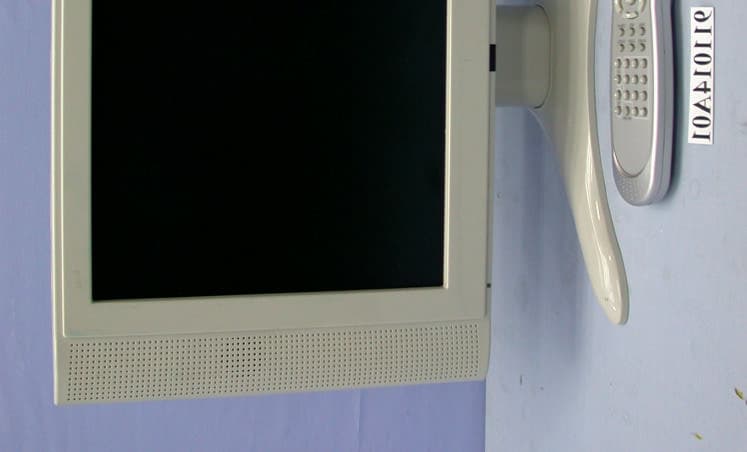
External Photos
(Photo 1) FCC ID:AMPT81B (Photo 2) FCC ID:AMPT81B (Photo 3) FCC ID:AMPT81B
ID Label/Location Info
120mm 37mm This device complies with Part 15 of the FCC Rules. Operation is subject to the following two conditions: (1) this device may not cause harmful interference, and (2) this device must accept any interference received, including interference that may cause undesired operation. FCC ID: AMPT81B Date of Mfg.: Serial No: MODEL NAME:JC186H12U Type No.: T81B Rating:100-240V 60/50Hz, 1.8A 02.09.201:1 JC186H12U NEUTRAL Set Label mm 1 X 20551XXXXX As an ENERGY STAR R Partner, JEAN CO., LTD. has determined that this product meets the ENERGY STAR R guidelines for energy efficiency. E137379 LISTED 6K28 UL1950 Tested To Comply With FCC Standards FOR HOME OR OFFICE USE JEAN CO. LTD. 7F,2, Rei Kuang Road, Nei Hu, TAIPEI, TAIWAN Made in Taiwan
ID Label/Location Info
(Fig. 1) FCC ID: AMPT81B FCC LABEL LOCATION The label will be permanently affixed at a conspicuous location on the device. Label
Internal Photos
(Photo 4) FCC ID:AMPT81B (Photo 5) FCC ID:AMPT81B (Photo 6) FCC ID:AMPT81B (Photo 7) FCC ID:AMPT81B 5 (Photo 8) FCC ID:AMPT81B (Photo 9) FCC ID:AMPT81B 1 (Photo 10) FCC ID:AMPT81B 2 (Photo 11) FCC ID:AMPT81B 3 (Photo 12) FCC ID:AMPT81B (Photo 13) FCC ID:AMPT81B 4
Internal Photos
(Photo 14) FCC ID:AMPT81B (Photo 15) FCC ID:AMPT81B (Photo 16) FCC ID:AMPT81B 7 (Photo 17) FCC ID:AMPT81B (Photo 18) FCC ID:AMPT81B 9 (Photo 19) FCC ID:AMPT81B (Photo 20) FCC ID:AMPT81B (Photo 21) FCC ID:AMPT81B (Photo 22) FCC ID:AMPT81B 6 (Photo 23) FCC ID:AMPT81B 8 7
Internal Photos
(Photo 24) FCC ID:AMPT81B (Photo 25) FCC ID:AMPT81B (Photo 26) FCC ID:AMPT81B (Photo 27) FCC ID:AMPT81B (Photo 28) FCC ID:AMPT81B (Photo 29) FCC ID:AMPT81B (Photo 30) FCC ID:AMPT81B (Photo 31) FCC ID:AMPT81B (Photo 32) FCC ID:AMPT81B (Photo 33) FCC ID:AMPT81B
Test Report
FCC ID: AMPT81B Report No.: F911008A051Issued: Oct. 17, 2002 FCC TEST REPORT REPORT NO.:F911008A05 MODEL NO.:JC186H12U TYPE NO.:T81B RECEIVED:Oct. 08, 2002 TESTED:Oct. 09, 2002 APPLICANT: JEAN CO., LTD. ADDRESS: 7F ,2 , Rei Kuang Road, Nei Hu, Taipei, Taiwan, R.O.C ISSUED BY: Advance Data Technology Corporation LAB LOCATION: 47 14th Lin, Chiapau Tsun, Linko, Taipei, Taiwan, R.O.C. This test report consists of 25 pages in total. It may be duplicated completely for legal use with the approval of the applicant. It should not be reproduced except in full, without the written approval of our laboratory. The client should not use it to claim product endorsement by CNLA, NVLAP or any government agencies. The test results in the report only apply to the tested sample. The test results in the report only apply to the tested sample. 0528 ILAC MRA Lab Code: 200102-0 FCC ID: AMPT81B Report No.: F911008A052Issued: Oct. 17, 2002 Table of Contents 1CERTIFICATION.......................................................................................3 2SUMMARY OF TEST RESULTS................................................................4 3GENERAL INFORMATION........................................................................5 3.1GENERAL DESCRIPTION OF EUT...........................................................5 3.2DESCRIPTION OF TEST MODES.............................................................5 3.3DESCRIPTION OF SUPPORT UNITS........................................................7 4EMISSION TEST......................................................................................8 4.1CONDUCTED EMISSION MEASUREMENT...............................................8 4.1.1LIMITS OF CONDUCTED EMISSION MEASUREMENT..............................8 4.1.2TEST INSTRUMENTS...............................................................................8 4.1.3TEST PROCEDURE.................................................................................9 4.1.4DEVIATION FROM TEST STANDARD.......................................................9 4.1.5TEST SETUP............................................................................................9 4.1.6EUT OPERATING CONDITIONS..............................................................10 4.1.7TEST RESULTS (A).................................................................................11 4.1.8TEST RESULTS (B).................................................................................13 4.2RADIATED EMISSION MEASUREMENT..................................................15 4.2.1LIMITS OF RADIATED EMISSION MEASUREMENT.................................15 4.2.2TEST INSTRUMENTS..............................................................................15 4.2.3TEST PROCEDURE................................................................................16 4.2.4DEVIATION FROM TEST STANDARD......................................................16 4.2.5TEST SETUP...........................................................................................16 4.2.6EUT OPERATING CONDITIONS..............................................................16 4.2.7TEST RESULTS (A).................................................................................17 4.2.8TEST RESULTS (B).................................................................................19 5PHOTOGRAPHS OF THE TEST CONFIGURATION.................................21 6APPENDIX - INFORMATION ON THE TESTING LABORATORIES............25 FCC ID: AMPT81B Report No.: F911008A053Issued: Oct. 17, 2002 1 CERTIFICATION PRODUCT:18” LCD TV MONITOR BRAND NAME:JEAN MODEL NO.:JC186H12U TYPE NO.:T81B TEST ITEM:ENGINEERING SAMPLE APPLICANT:JEAN CO., LTD. STANDARDS:FCC Part 15, Subpart B, Class B ANSI C63.4-1992 We, Advance Data Technology Corporation, hereby certify that one sample of the designation has been tested in our facility on Oct. 9, 2002. The test record, data evaluation and Equipment Under Test (EUT) configurations represented herein are true and accurate accounts of the measurements of the sample's EMC characteristics under the conditions herein specified. CHECKED BY:, DATE:Oct. 17, 2002 APPROVED BY: ( Kathy Tseng ) , DATE:Oct. 17, 2002 ( Fred Chen, Manager ) FCC ID: AMPT81B Report No.: F911008A054Issued: Oct. 17, 2002 2 SUMMARY OF TEST RESULTS The EUT has been tested according to the following specifications: StandardTest TypeResultRemarks Conducted TestPASS Meets Class B Limit Minimum passing margin is –6.47 dB at 6.117 MHz FCC Part 15, Subpart B, Class B ANSI C63.4-1992 Radiated TestPASS Meets Class B Limit Minimum passing margin is –2.10 dB at 393.80 MHz FCC ID: AMPT81B Report No.: F911008A055Issued: Oct. 17, 2002 3 GENERAL INFORMATION 3.1 GENERAL DESCRIPTION OF EUT PRODUCT18” LCD TV MONITOR MODEL NO.JC186H12U TYPE NO.T81B POWER SUPPLY Switching 100-240, 1.8A, 50-60Hz Power cord Non-shielded AC (1.8m, 3-pin) DATA CABLEVGA Cable shielded (1.6m) with 2 ferrite cores NOTE: The EUT is a 18” LCD TV MONITOR attached with a remove controller, with resolution up to 1024x768. It has monitor as well as TV function. This report covers monitor function only. Its TV function test data is covered in another test report no.: F911008A05A. For a more detailed features description, please refer to the manufacturer's specifications or the User's Manual. 3.2 DESCRIPTION OF TEST MODES The EUT was pre-tested under the following resolution and horizontal synchronization speed mode: l 1024 x 768 (75Hz/60kHz) l 800 x 600 (75Hz/47kHz) l 640 x 480 (60Hz/31.5kHz) The worst emission level was found when the EUT was tested under 1024x768 (60kHz) resolution, therefore only the test data of this mode was recorded in the report. The EUT was pre-tested under the following video mode: l YCbCr l (AV+S): S-VIDEO l (AV+S): AV signal The worst emission level was found when the EUT was tested under YCbCr mode, therefore only the test data of this mode was recorded in the report. FCC ID: AMPT81B Report No.: F911008A056Issued: Oct. 17, 2002 Fo…
Text truncated - open the document above for the full version.
Test Setup Photos
FCC ID: AMPT81B Report No.: F911008A0521Issued: Oct. 17, 2002 5 PHOTOGRAPHS OF THE TEST CONFIGURATION CONDUCTED EMISSION TEST (for Mode 1) FCC ID: AMPT81B Report No.: F911008A0522Issued: Oct. 17, 2002 CONDUCTED EMISSION TEST (for Mode 2) FCC ID: AMPT81B Report No.: F911008A0523Issued: Oct. 17, 2002 RADIATED EMISSION TEST (for Mode 1) FCC ID: AMPT81B Report No.: F911008A0524Issued: Oct. 17, 2002 RADIATED EMISSION TEST
Contact Information
Applicant
Tony Tsai(Senior Manager of R&D Electrical)
886 2 8792-1188Fax: 886 2 8792-1166
Test Firm
Bureau Veritas CPS (H.K.) Ltd. Taoyuan BranchRichard Chen
Technical Specifications
| # | Rule Parts | Frequency Range | Power Output |
|---|---|---|---|
| 1 | 15B | - | - |
Other Applications from Jean Co Ltd
AMPT51B
Dec 18, 200215" LCD TV Monitor
Equipment Class
JBP - Part 15 Class B Computing Device Peripheral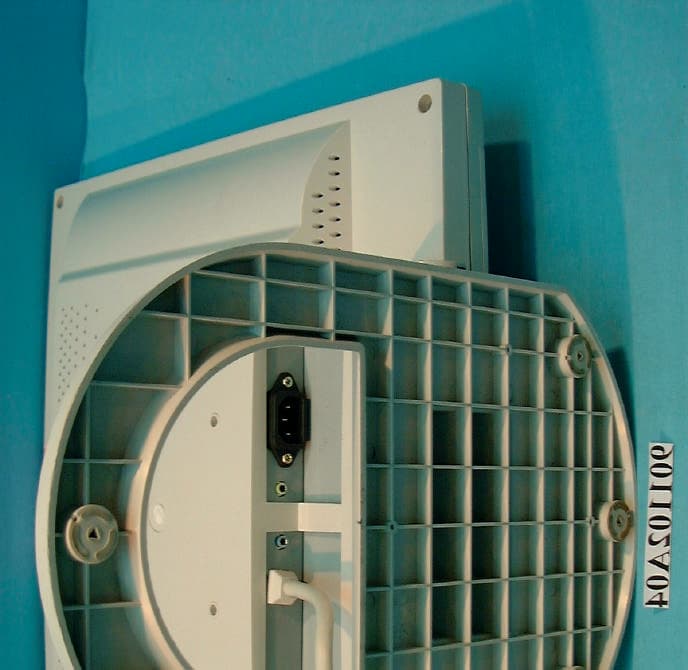
AMPL81B
Dec 16, 2001LCD Monitor
Equipment Class
JBP - Part 15 Class B Computing Device Peripheral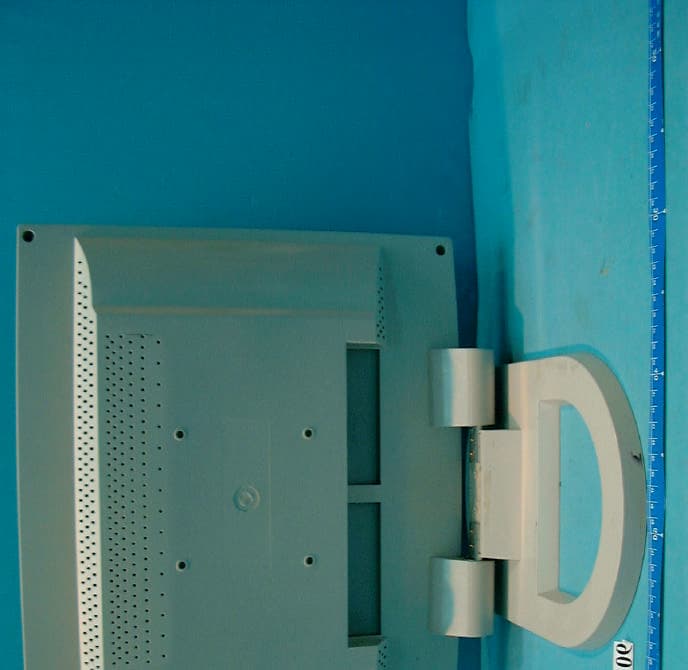
AMPL71B
Nov 25, 2001LCD Monitor
Equipment Class
JBP - Part 15 Class B Computing Device Peripheral
AMPJ71H
Nov 05, 2001Color Monitor
Equipment Class
JBP - Part 15 Class B Computing Device Peripheral
AMPR90A
Jul 02, 2001Projector
Equipment Class
JBP - Part 15 Class B Computing Device Peripheral