AXATR-377-A2
HARRIS CORPORATION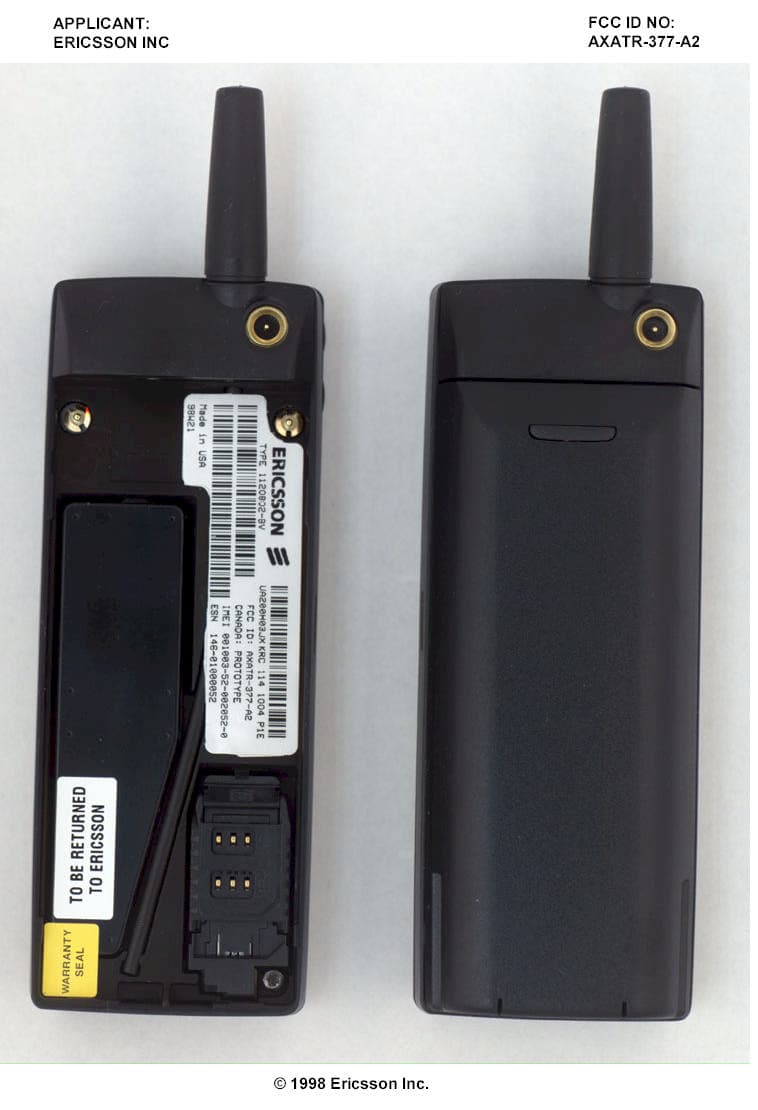
Click to zoom
Application Details
- Equipment Class
- PCE - PCS Licensed Transmitter held to ear
- Date of Grant
- Sep 28, 1998
- Application Purpose
- Original Equipment
- Date of Application
- Jul 28, 1998
- Frequency Range
- 1850.20000000 - 1909.80000000
- Company
- HARRIS CORPORATION
- Country
- United States
Documents & Files
Document Text
Text extracted from the exhibit documents filed with the FCC. Open a document above to read the original.
Users Manual
Mo bile Phone CF888 Us er’s Guide Visit us on the web at: http://mo bile.er ics son.com ERICSSON Z First edi tion (August 1998) This man ual is pub lished by Er ics son Inc., with out any war ranty. Im prove ments and changes to this man ual ne ces si tated by ty po graphi cal er rors, in ac cu ra cies of cur - rent in for ma tion, or im prove ments to pro grams and/or equip ment, may be made by Er ics son Inc. At any time and with out no tice. Such changes will, how ever, be in - cor po rated into new edi tions of this man ual. All rights re served. © Er ics son Inc., 1998 Pub li ca tion Num ber: LZT 123 4459 R1 Printed in the USA. Con tents Con gratu la tions.................................................................1 Valu able In for ma tion.........................................................2 Op era tors & Sub scrip tion, Dual Band/Dual Mode – GSM 1900 & Ana log 800, SIM & PIN The Phone, Key pad, and Dis play....................................... Pre par ing Your Phone for Use..........................................4 The SIM Card, The Bat tery Turn ing On the Phone........................................................7 The An tenna, When No Net work Name Is Dis played, Turn ing Off the Phone, Ini tial Set tings Mak ing and Re ceiv ing Calls..............................................9 Emer gency Calls, Mak ing Do mes tic Calls, Mak ing In ter na tional Calls, Re - ceiv ing a Call, Re di al ing a Num ber, Call ing Some one Who Has Called You, Un an swered Calls, Hid ing or Show ing Your Num ber Dur ing a Call......................................................................13 Chang ing the Ear piece Vol ume, Mut ing the Mi cro phone, Us ing the Dis play as a Scratch Pad, Send ing Tone Sig nals The Menu Sys tem..............................................................15 Navi gat ing the Menu Sys tem, Dis play Text and Sym bols The Phone Book.................................................................16 Be fore You Start, En ter ing Char ac ters, Cre at ing Your Per sonal Phone Book, Re call ing a Phone Num ber, Keep ing Your Phone Book Up to Date, Copy ing Phone Num bers be tween Po si tions and Memo ries Send ing and Re ceiv ing Text Mes sages.......................22 Two Memo ries, Set ting the Phone for Text Mes sag ing, Com pos ing and Send ing Mes sages, Read ing a Mes sage, Re ply ing to a Mes sage, Em bed ded Num bers in SMS, Eras ing a Mes sage, Stor ing a Re ceived Mes sage, Read ing Stored Mes sages, Call ing a Phone Num ber in a Mes sage, Fre quently Used Mes sages Com mu ni cat ing via the Mo dem....................................28 Be fore you Start, The Data Menus, In stall ing the In fra red Mo dem , Con nect - ing Us ing the IR Link, Con nect ing Us ing the RS232 Ca ble, Mak ing Fax and Data Calls, Re ceiv ing Fax and Data Calls The Mo bile Of fice Suite...................................................34 In stall ing the Mo bile Of fice Suite, Un in stall ing the Mo bile Of fice Suite Net works.............................................................................36 Search Mode, Se lect ing a Net work, Se lect ing a Sys tem, Na tional Roam ing, List of Pre ferred Net works Se cu rity................................................................................40 The Card Lock, The Phone Lock, Call Re strict, The Key pad Lock, Fixed Di al ing For ward ing In com ing Calls............................................45 Ac ti vat ing a Call For ward, Check ing the For ward Status, Can cel ling Cer tain Call For wards Han dling More than One Call.........................................47 The Call Wait ing Serv ice, Re ceiv ing a Sec ond Call, Re ceiv ing a Third Call, Mak ing a Sec ond Call, Con nect ing Two Calls i Some fea tures/menus are op era tor dependent Con fer ence Calls...............................................................50 Ini ti at ing a Con fer ence Call, Hav ing a Pri vate Con ver sa tion, Re leas ing One of the Mem bers, Mak ing a Call while a Con fer ence Call is in Pro gress, End ing a Con fer ence Call Hands free Call ing.............................................................52 Se lect ing An swer ing Mode, Other Hands free Re lated Set tings Area In for ma tion...............................................................53 Turn ing On the Area In for ma tion, Turn ing the Area In for ma tion Off, Area In for ma tion Mes sage Types, The Area In for ma tion Mes sage List, Re ceiv ing Area In for ma tion The Two Line Serv ice........................................................55 Se lect ing a Line, Re ceiv ing a Call on Line 1 or Line 2, Dif fer ent Set tings for Each Line, Chang ing the Name of the Two Lines Other Use ful Fea tures......................................................56 Per son al iz ing Your Phone, The Ring Sig nal Level, The An swer ing Serv ice, Time, Date and Alarm, The Call Time/Call Cost, Call ing or Credit Card Calls, The Cal cu la tor Guide lines for Safe and Ef fi cient Use...........................65 Gen eral, Ex po sure to Ra dio Fre quency En ergy, Ef fi cient Phone Op era tion, Tips for Ef fi cient Op era tion, Driv ing, Elec tronic De vices, Air craft, Chil dren, Blast ing Ar eas, Po ten tially ex plo sive at mos pheres, Prod uct Care In dex....................................................................................69 ii Some fea tures/menus are op era tor dependent Con gratu la tions... ...and thank you for choosing the CF888, a mo bile phone spe cially suited for the demanding user of com mu ni ca tion tools. Re tain ing the slim, stream lined size that has be come as so ci ated with the Er ics son fam ily of phones, the CF888 sets a new stan dard for oth ers to follow. Apart from its unique tough ness and extraordinary sound qual ity, the CF888 comes packed with fea tures that will help you stay ahead. Some high lights include: •With the built- in GSM mo dem, you can for get all about PC Cards. It’s al ready in side your phone, guar an tee ing you in s…
Text truncated - open the document above for the full version.
Users Manual
Mobile Phone CF888 Userís Guide Visit us on the web at: http://mobile.ericsson.com ERICSSON Z First edition (August 1998) This manual is published by Ericsson Inc. , without any warranty. Improvements and changes to this manual necessitated by typographical errors, inaccuracies of cur- rent information, or improvements to programs and/or equipment, may be made by Ericsson Inc. At any time and without notice. Such changes will, howeve r, be in- corporated into new editions of this manual. All rights reserved. © Ericsson Inc., 1998 Publication Number: LZT 123 4459 R1 Printed in the USA. The Menu Sys temSome menus/features are operator dependent. The Menu Sys temSome menus/features are operator dependent. Start here ERICSSON 12:35 MENU Ring level () MENU Change to LINE 2? MENU Forward MENU Mail MENU Keylock On? MENU Clock MENU Settings MENU Calculator MENU Phone book MENU Next call type MENU Networks MENU Access MENU Info Name Recall Position Recall Store Edit Erase Erase All from Phone Copy All Copy Call Card Numbers Fixed Numbers Answered calls Dialed Numbers Info Recall Service Recall Voice Mail Read Messages Send Messages Area Info Area Messages Set Voice Mail Missed Calls Set Alarm Set Clock Set Date Clock Mode Date Mode Ear Volume Ring Type Edit Melody Mail Alert Keylock Key Sound Light Min Minder Call Info Answering Mode Analog Vox Greeting Phone No Language Data Menus Line 1 Tag Master Reset Restrict Calls Fixed Dial Call Waiting Lock to this Line Unlock Card Change PIN Code Change PIN2 Code Phone Lock Phone Lock Change Code Call Cards Security Select Net Searchmode Edit List System Analog Opt New Search Phone Number* Fax Number* Data Number* All Numbers Speech Fax Data Last Call Tot Calls Press ....To... Move clockwise or counterclockwise Back up one level in the menus Select a menu or function Return to the standby mode MENU Activate IR Port *These menus only appear if you have turned on the data menus. * Contents Congratulations... ................................................................... 1 Valuable Information .............................................................. 2 Operators & Subscription, Dual Band/Dual Mode ñ GSM 1900 & Analog800, SIM & PIN The Phone, Keypad, and Display .......................................... Preparing Your Phone for Use ............................................... 4 The SIM Card, The Battery Turning On the Phone ............................................................ 7 The Antenna, When No Network Name Is Displayed, Turning Off thePhone, Initial Settings Making and Receiving Calls .................................................. 9 Emergency Calls, Making Domestic Calls, Making International Calls, Re-ceiving a Call, Redialing a Number, Calling Someone Who Has Called You,Unanswered Calls, Hiding or Showing Your Number During a Call ........................................................................... 13 Changing the Earpiece Volume, Muting the Microphone, Using the Displayas a Scratch Pad, Sending Tone Signals The Menu System ................................................................... 15 Navigating the Menu System, Display Text and Symbols The Phone Book ...................................................................... 16 Before You Start, Entering Characters, Creating Your Personal Phone Book,Recalling a Phone Number, Keeping Your Phone Book Up to Date, CopyingPhone Numbers between Positions and Memories Sending and Receiving Text Messages .............................. 22 Two Memories, Setting the Phone for Text Messaging, Composing andSending Messages, Reading a Message, Replying to a Message, EmbeddedNumbers in SMS, Erasing a Message, Storing a Received Message,Reading Stored Messages, Calling a Phone Number in a Message, FrequentlyUsed Messages Communicating via the Modem ......................................... 28 Before you Start, The Data Menus, Installing the Infrared Modem , Connect - ing Using the IR Link, Connecting Using the RS232 Cable, Making Fax andData Calls, Receiving Fax and Data Calls The Mobile Office Suite ........................................................ 34 Installing the Mobile Office Suite, Uninstalling the Mobile Office Suite Networks ................................................................................. 36 Search Mode, Selecting a Network, Selecting a System, National Roaming,List of Preferred Networks Security ..................................................................................... 40 The Card Lock, The Phone Lock, Call Restrict, The Keypad Lock, FixedDialing Forwarding Incoming Calls ................................................. 45 Activating a Call Forward, Checking the Forward Status, Cancelling CertainCall Forwards Handling More than One Call ............................................ 47 The Call Waiting Service, Receiving a Second Call, Receiving a Third Call,Making a Second Call, Connecting Two Calls i Some features/menus are operator dependent Conference Calls ................................................................... 50 Initiating a Conference Call, Having a Private Conversation, Releasing Oneof the Members, Making a Call while a Conference Call is in Progress,Ending a Conference Call Handsfree Calling ................................................................. 52 Selecting Answering Mode, Other Handsfree Related Settings Area Information ................................................................... 53 Turning On the Area Information, Turning the Area Information Off, AreaInformation Message Types, The Area Information Message List, ReceivingArea Information The Two Line Service ............................................................. 55 Selecting a Line, Receiving a Call on Line 1 or Line 2, Different Settings forEach Line, Changing the Name of the Two Lines Other Useful Features .......................................................... 56 Personalizing Your Phone, The Ring Signal Level, The Answering Servic…
Text truncated - open the document above for the full version.
Attestation Statements
APPLICANT:FCC ID NO: ERICSSON INC.AXATR-377-A2 ©1998 Ericsson Inc. EXHIBIT 2A Protection Against Unauthorized ESN and Firmware Upgrades Per Part 22.919 The Electronic Serial Number (ESN) bits in this family of phones are encoded and spread over various non- sequential memory locations in order to prevent detection and modification. Once the factory has programmed the ESN, the mobile firmware cannot overwrite or alter the ESN memory locations. Both the ESN host and operation system components are permanently mounted to the mobile in order to prevent removal and misuse. Unauthorized attempts to alter the mobile’s firmware will cause the unit to become inoperable. APPLICANT:FCC ID NO: ERICSSON INC.AXATR-377-A2 ©1998 Ericsson Inc. EXHIBIT 2 B Protection Against Unauthorized IMEI and Firmware Upgrades Reference:IMEI Security Declaration This is to confirm that the Ericsson Model CF888 certifies that sound engineering practices were used in securing the IMEI in accordance with PCS 11.10, section 11.7. 1) Programming Security Encryption technique has been adopted to prevent unauthorized reprogramming of the IMEI. The IMEI numbers are stored in nonconsecutive memory addresses. 2) Mechanical Security The apparatus has been constructed such that unauthorized persons cannot economically replace the component in which the IMEI is stored. 3) Availability of Software Knowledge of the software and data locations are restricted to the manufacturers personnel on a need to know basis.
Cover Letter(s)
July 29, 1998 Federal Communications Commission Authorization & Evaluation Division 7435 Oakland Mills Road Columbia, Maryland 21046 Attention: Equipment Authorization Branch Subject:Type Acceptance for FCC ID:AXATR-377-A2 Gentlemen, Ericsson Inc. requests a grant of Type Acceptance for the above mentioned FCC Identifier. This portable transceiver is designed for use in the AMPS and GSM 1900 cellular telephone system. The mobile operates in the 1900 MHz Domestic Public Cellular Radiotelephone Communications Services, as per 47 CFR Part 24, and the 800 MHz Domestic Public Cellular Radiotelephone Communications Services per Subpart H of Part 22. It meets the requirements of GSM 11.10-1 version 4.19.1 specification for operation in GSM cellular systems, and the requirements of EIA/TIA-553, and IS-137 for operation in an Analog cellular systems. This portable transceiver is quite similar to two previously type accepted FCC ID: AXATR-374-A2 and AXATR-373-A2. Measurements and calculations for SAR have been made on this radio. This unit complies with IEEE C95.1-1991 (ANSI/IEEE C95.1-1992). Ericsson Inc. requests confidentiality under 47 CFR 0.459 for the following exhibit listed: Exhibit 4........Block Diagrams Exhibit 5......Circuit Diagrams Exhibit 4 and 5 are marked CONFIDENTIAL on the electronic filing submission. Justification of this request is that in order to facilitate the circuit miniaturization of the AXATR-377-A2, certain proprietary techniques were implemented to reduce the board space required for the RF circuitry layout. These techniques are applicable to the design of the power amplifier and a unique method of implementing modulation. To protect Ericsson’s competitive advantage on these proprietary techniques, we request the above listed exhibit be held as confidential and withheld from the Public Information File. Sincerely, Steven G. Coston Mgr., Regulatory Services Tel:(919) 472-7527 Research Triangle Park, NC 27709Fax:(919) 472-6612 July 29, 1998 Federal Communications Commission Equipment Approval Services PO Box 358315 Pittsburgh, PA 15251-5315 Subject:Enclosed a check for Type Acceptance and Confidentiality follows: FCC IDFEE AXATR-377-A2$ 580.00 Sincerely, John Rothgeb Specialist Regulatory Programs Room 2669 Tel:(804) 592-7476 Fax:(804) 592-6510 Enclosures:Check Filing for Equipment Approval Branch July 29, 1998 Federal Communications Commission Authorization & Evaluation Division 7435 Oakland Mills Road Columbia, MD 21046 Attn: Examination Authorization Branch Subject:Enclosed a check for Type Acceptance and Confidentiality follows: Ericsson has submitted a check in the amount of $ 580.00 to the FCC Equipment Approval Services for the FCC electronic filing listed under AXATR-377-A2. The check was submitted under the FCC Form 159 payment type EFT and EBT. FCC IDFEE AXATR-377-A2$ 580.00 Sincerely, Steven G. Coston Mgr., Regulatory Services Tel:(919) 472-7527 Research Triangle Park, NC 27709Fax:(919) 472-6612 July 29, 1998 Subject:PRODUCT VARIANT FCC ID Number:AXATR-377-A2 To whom it may concern: This letter is to confirm that the model of GSM cellular phone as listed below are manufactured under the common FCC Identifier AXATR-377-A2. This family contains only one model of the cellular phone noted. The following model is included in this family of products and should be considered as identical for Type Approval purposes. ERICSSON Model Numbers CF888 If you should have any questions regarding product variants within the AXATR-377-A2 family, please feel free to contact me directly. Sincerely, Steven G. CostonTel:(919) 472-7527 Manager, Regulatory ServicesFax:(919) 472-6612 RTP, NCUSA Description of cosmetic variants Within family AXATR-377-A2 MODELBRANDKRC NUMBERKEYPADDISPLAY FLIP CF 888Ericsson114 1004new layout3 RowsYes
Cover Letter(s)
September 23, 1998 Federal Communications Commission Authorization & Evaluation Division 7435 Oakland Mills Road Columbia, Maryland 21046 Attention: Mr. Greg Czumak Equipment Authorization Branch Subject:Type Acceptance for FCC ID:AXATR-377-A2 Reference:Correspondence ID 3510 Dear Greg: Ericsson Inc. is submitting the attached information in reply to your electronic correspondence ID 3510 dated September 18, 1998. 1. The SAR values for all conditions tested should be listed. The SAR report dated 09-21-1998 has been updated to include the previously tested measurements for the Low, Medium and High Frequencies. An error was noted in the report referencing a retractable antenna for which this mobile does not have. This has been corrected in the report. In future reports, Ericsson will include peak SAR data for all three tested frequencies of each band. 2. List the maximum measured output power before and after each SAR measurement. Ericsson is submitting the corrected SAR report to include the various power levels as requested. This data is located in Table 1 of the report. 3. A retractable antenna is described in the users manual and also in Section 5 of the SAR report. Ericsson is submitting the corrected SAR report with the correction to the anomaly referencing the retractable antenna. This mobile has a fixed antenna. The Users Manual originally submitted was in Draft form and has been replaced with the latest manual with reference to the retractable antenna removed. A copy of the entire manual is provided per your request. Cont. Subject:Type Acceptance for FCC ID:AXATR-377-A2 Reference:Correspondence ID 3510 4. There appear to be some inconsistencies in the rated output, conducted output, EIRP, ERP, and antenna gain for the AMPS mode. The SAR report dated 09-21-1998 has been updated to include the ERP for AMPS mode and EIRP for the PCS1900 mode. This data supports the previously submitted Correspondence ID 3041, identifying the power output requested for the grant as 210 mW or 23.2 dBm ERP. 5. The AMPS mode SAR plot is terminated quite close to the peak SAR region. Ericsson is submitting within the corrected SAR report the plots for the SAR measurements for AMPS mode. Please note that the scanned region in the phantom is the entire head region. Therefore, all possible peak SAR locations are contained in this region. Outside of this region are the walls of the head phantom which curve up dramatically. Points on these walls are located quite far from the device, and therefore the SAR is very low in these areas. Continuous improvements in the measurement collection and submission of this data are being reviewed in all future filings. 6. The SAR system description may need updating to reflect the latest version or configuration. Ericsson is submitting the corrected SAR report with the correction to the anomaly referencing the system description as noted. Future reports will also reflect the correction made to the system description. We appreciate your expeditious review of these corrections to our filing, and look forward to receiving the Type Acceptance grant for this mobile. Please call if you have any other questions. Sincerely, Steven G. Coston Mgr., Regulatory Services Tel No:(919) 472-7527 Research Triangle Park, NCFax No:(919) 472-7452 Electronic attachments
Internal Photos
APPLICANT: FCC ID NO: ERICSSON INCAXATR-377-A2 ©1998 Ericsson Inc. APPLICANT: FCC ID NO: ERICSSON INCAXATR-377-A2 ©1998 Ericsson Inc.
Operational Description
DESCRIPTION1 (11) Uppgjord (även faktaansvarig om annan) - Prepared (also subject responsible if other)Nr - No. LD/ECS/TB/GD Per Asphult2/1551 - ROA 117 3750 Uen Dokansv/Godk - Doc respons/ApprovedKontr - CheckedDatum – DateRevFile LD/ECS/TB/GDC (Magnus Abrahamsson)98-03-13PA1 Approved according to 1776 - 2/ROA 117 3750 - TECHNICAL DESCRIPTION: LOGIC AND AUDIO CIRCUITS ON THE TRANSCEIVER BOARD CONTENTS 1GENERAL ..........................................................................................................................................................................1 1.1 C ROSS REFERENCES..........................................................................................................................................................2 1.1.1Names ......................................................................................................................................................................2 1.1.2Abbreviations ..........................................................................................................................................................2 2CHANGES BETWEEN REVISIONS...............................................................................................................................3 3DATA FLOW......................................................................................................................................................................3 3.1 TX PATH............................................................................................................................................................................4 3.1.1GSM Mode...............................................................................................................................................................4 3.1.2AMPS Mode.............................................................................................................................................................4 3.2 RX PATH............................................................................................................................................................................4 3.2.1GSM Mode...............................................................................................................................................................4 3.2.2AMPS Mode.............................................................................................................................................................5 4DESCRIPTION OF VARIOUS FUNCTIONS ................................................................................................................5 4.1 ON OFF CIRCUITRY.............................................................................................................................................................5 4.1.1Auto Turn On...........................................................................................................................................................6 4.1.2Alarm.......................................................................................................................................................................6 4.2 POWER SUPPLY..................................................................................................................................................................6 4.3 AUDIO...............................................................................................................................................................................7 4.4 BUZZER AND TOP INDICATOR.............................................................................................................................................7 4.5 KEYBOARD SCANNING.......................................................................................................................................................8 4.6 KEYBOARD AND DISPLAY ILLUMINATION...........................................................................................................................8 4.7 LCD VOLTAGE REGULATION...............................................................................................................................................8 4.8 REAL TIME CLOCK.............................................................................................................................................................9 5MEMORIES .......................................................................................................................................................................9 5.1 F LASH...............................................................................................................................................................................9 5.1.1Programming ........................................................................................................................................................10 5.2 EEPROM..........................................................................................................................................................................10 6PRINTED CIRCUIT BOARD.........................................................................................................................................11 7REFERENCES .................................................................................................................................................................11 1 GENERAL DESCRIPTION2 (11) Uppgjord (även faktaansvarig om annan) - Prepared (also subject responsible if other)Nr - No. LD/ECS/TB/GD Per Asphult2/1551 - ROA 117 3750 Uen Dokansv/Godk - Doc respons/ApprovedKontr - CheckedDatum – DateRevFile LD/ECS/TB/GDC (Magnus Abrahamsson)98-03-13PA1 This document describes the logic and the audio processing circuits which are part of the transceiver board mounted in dual mode digital pocket phones of AMPS - GSM type. The other part of the transceiver board that carries the radio ci…
Text truncated - open the document above for the full version.
Parts List/Tune Up Info
COMPONENT ERICSSONOPERATING DESIGNATION PART # FUNCTION FREQUENCY SCHEMATICS 1/1911-ROA 117 3750 AND 2/1911-ROA 117 3750 (MAIN CIRCUIT BOARD) INTEGRATED CIRCUITS D101RYT 326 6000/4CNAND GATEDIGITAL D102RYT 326 6008/4CAND GATEDIGITAL D103RYT 326 6008/4CAND GATEDIGITAL D600ROP 101 1105/CMICROCONTROLLER ASICDIGITAL D610RYT 118 6061/1FLASH MEMORYDIGITAL D630RYT 118 6086/2EEPROM MEMORYDIGITAL D900RYS 105 627/3CDIGITAL SIGNAL PROCESSORDC - 12 kHz N201ROP 101 1114/CRX LNA/MIXER, TX MIXER72 MHz – 1990 MHz N300RYT 102 6077/2PLL INTEGRATED CIRCUIT50 kHz – 1802 MHz N301RTL 402 783/01AMPS RX VCO941MHz – 966 MHz N302RTL 402 789/01PCS RX VCO1733 MHz – 1802 MHz N350RYT 101 6233/2AMPS IF CIRCUIT450 kHz - 72 MHz N400ROP 101 1073/CPOWER CONTROL/CHARGING ICDC - 100 kHz N410RYT 113 6185/1VOLTAGE REGULATORDC N411RYT 113 6057/3VOLTAGE REGULATORDC N412RYT 113 6095/2VOLTAGE REGULATORDC N440RYT 101 6190/01OP AMPLIFIERDC- 400 kHz N460RYT 101 901/1MMIC PA, AMPS824 MHz – 894 MHz N470RYT 101 902/1MMIC PA, PCS1910 MHz – 1930 MHz N500ROP 101 649/4CPCS RX IF, AMPS AND PCS TX IFDC – 188 MHz N560RTL 402 795/01PCS TX VCO1910 MHz – 1930 MHz N570 RTL 402 784/01AMPS TX VCO824 MHz – 894 MHz N701RYT 113 6095/1VOLTAGE REGULATORDC N702RYT 113 6095/1VOLTAGE REGULATORDC N703RYT 113 6040/5CVOLTAGE DETECTOR, 2.8 VDC N704RYT 113 6057/4VOLTAGE REGULATORDC N706RYT 113 6071/5VOLTAGE REGULATORDC N800ROP 101 697/6CAUDIO PROCESSOR ICDC-1008 kHz TRANSISTORS / DIODES V101RYN 120 647/1SWITCH, PNPDC V201RYN 121 6069/1SWITCH, NPNDC V202RKZ 323 650/1T/R SWITCHDC- 1930 MHz V203RKZ 323 650/1T/R SWITCHDC V210RYN 121 1606/1RF BUFFER824 MHz – 1910 MHz V300RYN 121 6069/1SWITCH, NPNDC V301RYN 120 647/1SWITCH, PNPDC V302RYN 121 6069/1SWITCH, NPNDC V303RYN 120 647/1SWITCH, PNPDC V330RYN 121 6069/1SWITCH, NPN50 kHz – 1 MHz V360RKZ 323 602/3VARACTOR50 kHz V400RYN 122 625/1FET SWITCHDC V410RYN 122 660/1FET SWITCHDC V411RYN 121 6069/1SWITCH, NPNDC V441RYN 901 601/1BJTDC V442RYN 121 6069/1SWITCH, NPNDC V443RKZ 323 673/1SHOTTKY DIODEDC V445RKZ 123 646/1BIPOLAR SILICON DIODEDC V450RYN 121 6101/1AMPS PA DRIVER824 MHz – 849 MHz V460RYN 120 655/1SWITCH, PNPDC V470RYN 120 655/1SWITCH, PNPDC – 100 kHz V500RYN 120 647/1SWITCH, NPNDC V510RKZ 323 648/2VARACTOR13 MHz V550RYN 121 6069/1SWITCH, NPNDC V560RYN 120 629/2PNPDC V561RYN 901 603/1DUAL NPNDC V562RYN 121 6069/1SWITCH, NPNDC V570RYN 120 629/2PNPDC V571RYN 901 603/1DUAL NPNDC V572RYN 121 6069/1SWITCH, NPNDC V605RKZ 123 647/1DIODE, FLYBACKDC – 4 kHz V606RYN 121 1621/1SWITCH, NPNDC – 4 kHz V607RYN 121 6069/1SWITCH, NPNDC V608RKZ 123 646/1DIODE, CHARGE PUMPDC – 3 MHz V611RKZ 123 646/1DIODE, CHARGE PUMPDC – 3 MHz V613RYN 121 6086/1SWITCH, NPNDC V614RYN 121 6086/1SWITCH, NPNDC V701RYN 121 6069/1SWITCH, NPNDC V702RKZ 123 647/1DIODE, LOGIC ORDC V703RYN 121 1621/1NPN, VOLTAGE FOLLOWERDC V704RYN 120 647/1SWITCH, PNPDC V711RKZ 123 647/1DIODE, RECTIFIERDC V805RKZ 123 646/2DIODE, OVER VOLTAGE PROTECTION DC F600REY 203 03/3OVER VOLTAGE PROTECTIONDC F601REY 203 03/3OVER VOLTAGE PROTECTIONDC F602REY 203 03/3OVER VOLTAGE PROTECTIONDC F604REY 203 03/3OVER VOLTAGE PROTECTIONDC F605REY 203 03/3OVER VOLTAGE PROTECTIONDC F606REY 203 03/3OVER VOLTAGE PROTECTIONDC H650RKZ 433 613/1INDICATOR LED, RED AND GREENDC H651RKZ 433 643/1BACKLIGHT LE…
Text truncated - open the document above for the full version.
Contact Information
Applicant
Thomas Camper, Jr.(Regulatory Manager)
Technical Contact
Ericsson Inc.Jung Pyon
(919) 472-6771
7001 Development Drive · Research Triangle Park, North Carolina · United States
Non-Technical Contact
Ericsson Inc.Jim R Sponsler
[email protected](919) 472-6460
Technical Specifications
| # | Rule Parts | Frequency Range | Power Output | Emission | Tolerance |
|---|---|---|---|---|---|
| 3 | 24E | 1.85 GHz - 1.91 GHz | 800.00 mW | 255KGXW | 0.1 ppm |
Other Applications from HARRIS CORPORATION

AXATR-423-A2
Jul 14, 2004CM-42
Equipment Class
PCB - PCS Licensed Transmitter
AXATR-420-A2
Mar 21, 2002DM-15
Equipment Class
TNB - Licensed Non-Broadcast Station Transmitter
AXATR-422-A2
Mar 13, 2002Dual Mode TDMA Cellular Handset
Equipment Class
TNE - Licensed Non-Broadcast Transmitter Held to Ear
AXATR-421-A2
Dec 19, 2001Dual Mode TDMA Cellular Transceiver
Equipment Class
TNE - Licensed Non-Broadcast Transmitter Held to EarAXATR-413-A2
Aug 14, 2001cellular/pcs portable terminal
Equipment Class
PCE - PCS Licensed Transmitter held to ear