B32OMNI3600Wireless Handheld Point of Sale Terminal
VeriFone Inc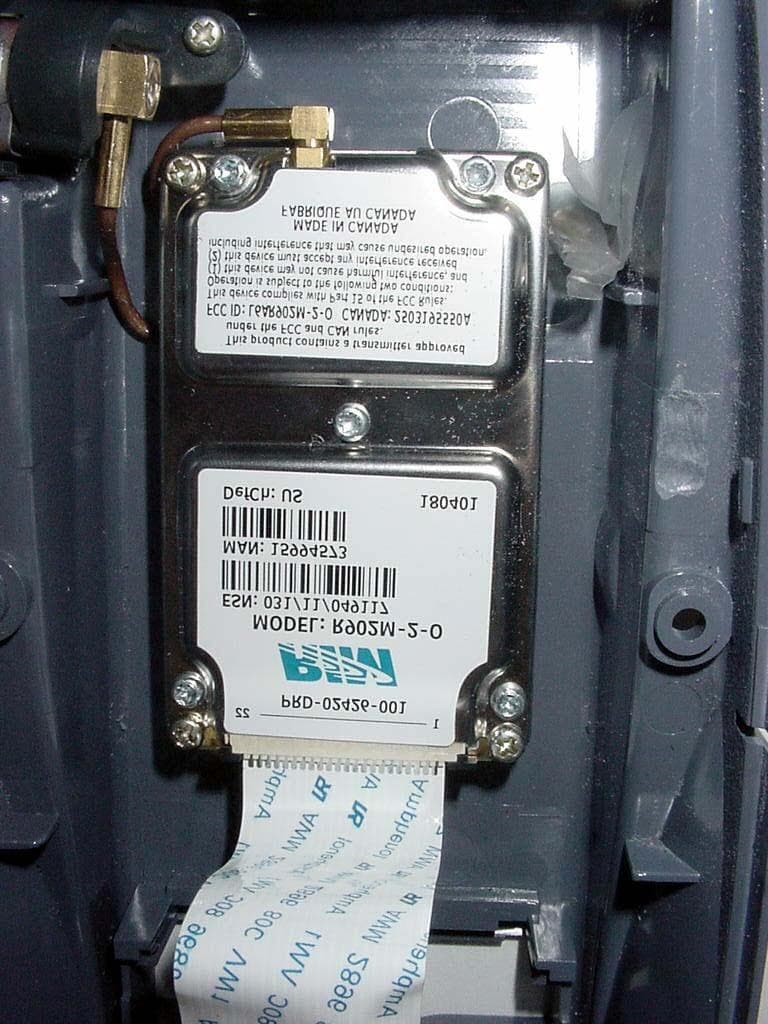
Click to zoom
Application Details
- Equipment Class
- TNB - Licensed Non-Broadcast Station Transmitter
- Date of Grant
- Sep 05, 2002
- Application Purpose
- Original Equipment
- Date of Application
- Jun 13, 2002
- Equipment Note
- Wireless Handheld Point of Sale Terminal
- Frequency Range
- 896.00000000 - 902.00000000
- Company
- VeriFone Inc
- Country
- United States
Documents & Files
Document Text
Text extracted from the exhibit documents filed with the FCC. Open a document above to read the original.
Users Manual
January 2002 APREL Project No. VERA-OMNI 3600-3858: Consulting * Research * Training * Certification Testing Since 1981 FCC ID: B32OMNI 3600 Exhibit 9 User’s Manual Omni 3600 Quick Installation Guide VeriFone Part Number: 22377 Revision A 2001 VeriFone, Inc. 4988 Great America Parkway Santa Clara, CA 95054-1200 USA Telephone: (408) 496-0444 Fax: (408) 919-1405 World Wide Web: www.verifone.com Quick Installation Guide Omni 3600 60 C (140 F) 0 C (32 F) 3600 Omni 3600 Wireless Portable 8 11 2 5 3 50 C (122 F) 0 C (32 F) 4 www.verifone.com/support Omni 3600 Installation Guide VeriFone Part Number 22060 Revision A 1 36 00 4 30 20 25 35 40 5 10 15 45 50 55 60 30 20 25 35 40 5 10 15 45 50 55 60 8x 67 3 6 0 0 3 6 0 0 3 6 0 0 9 10 36 00 3 6 0 0 36 0 0 36 0 0 36 0 0 3 6 0 0
Users Manual
Omni 3600 Installation Guide VeriFone Part Number 22060 Revision A Lithium Battery Caution The Random Access Memory (RAM) contents in Omni 3600 terminals are protected by a lithium battery. Do not, under any circumstances, attempt to replace this battery. Failure to comply may void the product warranty. Document Title: Omni 3600 Installation Guide VeriFone Part Number 22060, Revision A Copyright © 2001 VeriFone, Inc. All rights reserved. No part of this publication may be copied, distributed, stored in a retrieval system, translated into any human or computer language, or transmitted, in any form or by any means, without the prior written consent of VeriFone. VeriFone and Omni are registered trademarks of VeriFone, Inc. Any other brand names and trademarks appearing in this guide are the property of their respective holders. Comments or suggestions on how to improve this document can be sent to [email protected]. KEEP DRYUSE NO CHEMICALS OBSERVE OPERATING TEMPERATURE RANGE DO NOT LEAVE IN A HOT VEHICLE 3 Omni 3600 Installation Guide Contents Introduction Select a Location . . . . . . . . . . . . . . . . . . . . . . . . . . . . . . . . . . . . . . . . . . 7 Omni 3600 Terminal . . . . . . . . . . . . . . . . . . . . . . . . . . . . . . . . . . . . . 7 Omni 3600 Base . . . . . . . . . . . . . . . . . . . . . . . . . . . . . . . . . . . . . . . . 7 Environment . . . . . . . . . . . . . . . . . . . . . . . . . . . . . . . . . . . . . . . . . . . 8 Convenience . . . . . . . . . . . . . . . . . . . . . . . . . . . . . . . . . . . . . . . . . . . 9 Omni 3600 Terminal Unpack the Shipping Carton . . . . . . . . . . . . . . . . . . . . . . . . . . . . . . . . . 10 Terminal Features . . . . . . . . . . . . . . . . . . . . . . . . . . . . . . . . . . . . . . . . . 12 Power Port . . . . . . . . . . . . . . . . . . . . . . . . . . . . . . . . . . . . . . . . . . . . . . 14 Connect Power Pack. . . . . . . . . . . . . . . . . . . . . . . . . . . . . . . . . . . . 14 Smart Battery . . . . . . . . . . . . . . . . . . . . . . . . . . . . . . . . . . . . . . . . . . . . 15 Smart Battery Installation . . . . . . . . . . . . . . . . . . . . . . . . . . . . . . . . 17 Smart Battery Charging. . . . . . . . . . . . . . . . . . . . . . . . . . . . . . . . . . 17 Turn On/Off the Omni 3600 Terminal . . . . . . . . . . . . . . . . . . . . . . . . . . 19 Paper Installation . . . . . . . . . . . . . . . . . . . . . . . . . . . . . . . . . . . . . . . . . 19 Antenna (Mobitex and GSM Models only) . . . . . . . . . . . . . . . . . . . . . . 22 Installation . . . . . . . . . . . . . . . . . . . . . . . . . . . . . . . . . . . . . . . . . . . . 23 Orientation. . . . . . . . . . . . . . . . . . . . . . . . . . . . . . . . . . . . . . . . . . . . 24 Replace the Antenna. . . . . . . . . . . . . . . . . . . . . . . . . . . . . . . . . . . . 25 Install/Replace MSAM Cards . . . . . . . . . . . . . . . . . . . . . . . . . . . . . . . . 25 Wireless Transactions . . . . . . . . . . . . . . . . . . . . . . . . . . . . . . . . . . . . . . 30 Smart Card Reader Transactions . . . . . . . . . . . . . . . . . . . . . . . . . . . . . 31 Magnetic Card Reader Transactions . . . . . . . . . . . . . . . . . . . . . . . . . . 32 Omni 3600 Base Unpack the Shipping Carton . . . . . . . . . . . . . . . . . . . . . . . . . . . . . . . . . 33 Omni 3600 Base Features . . . . . . . . . . . . . . . . . . . . . . . . . . . . . . . . . . 34 Power Connection. . . . . . . . . . . . . . . . . . . . . . . . . . . . . . . . . . . . . . . . . 38 Omni 3600 Terminal Docking . . . . . . . . . . . . . . . . . . . . . . . . . . . . . . . . 39 Spare Smart Battery Pack. . . . . . . . . . . . . . . . . . . . . . . . . . . . . . . . . . . 39 Omni 3600 Installation Guide 4 Omni 3600 Base Communications Ports . . . . . . . . . . . . . . . . . . . . . . . 40 Telephone Line Ports. . . . . . . . . . . . . . . . . . . . . . . . . . . . . . . . . . . . 42 Telephone Line Connections . . . . . . . . . . . . . . . . . . . . . . . . . . . . . . 42 ISDN Connections. . . . . . . . . . . . . . . . . . . . . . . . . . . . . . . . . . . . . . 43 Peripheral Devices . . . . . . . . . . . . . . . . . . . . . . . . . . . . . . . . . . . . . 44 External Printers Supported . . . . . . . . . . . . . . . . . . . . . . . . . . . . . . 45 Maintenance Base Contacts . . . . . . . . . . . . . . . . . . . . . . . . . . . . . . . . . . . . . . . . . . . . 46 Smart Card Reader . . . . . . . . . . . . . . . . . . . . . . . . . . . . . . . . . . . . . . . . 46 Troubleshooting Smart Card . . . . . . . . . . . . . . . . . . . . . . . . . . . . . . . . . . . . . . . . . . . . . . 47 Troubleshooting Guidelines . . . . . . . . . . . . . . . . . . . . . . . . . . . . . . . . . 47 Terminal Does Not Start . . . . . . . . . . . . . . . . . . . . . . . . . . . . . . . . . 48 Terminal Does Not Turn Off. . . . . . . . . . . . . . . . . . . . . . . . . . . . . . . 48 Terminal Display Does Not Show Correct or Readable Information . . . . . . . . . . . . . . . . . . . . . . . . . . . . . . . . . . 48 Smart Battery Will Not Charge . . . . . . . . . . . . . . . . . . . . . . . . . . . . 49 Telephone Line Connection Does Not Work Properly . . . . . . . . . . . 49 Printer Does Not Work . . . . . . . . . . . . . . . . . . . . . . . . . . . . . . . . . . 50 Serial Port Does Not Work . . . . . . . . . . . . . . . . . . . . . . . . . . . . . . . 50 Terminal Does Not Process Transactions . . . . . . . . . . . . . . . . . . . . 51 Step 1: Check the magnetic card reader . . . . . . . . . . . . . . . . . . . 51 Step 2: Check the smart card reader . . . . . . . . . . . . . . . . . . . . . 51 Step 3: Check the signal strength on-screen (SoftPay) . . . . . . . 52 Step 4: Check the telephone line . . . . . . . . . . . . . . . . . . . . . . . . 52 Keypad Does Not Respond. . . . . . . . . . . . . . . . . . . . . . . . . . . . . . . 52 VeriFone Service and Support Return a Terminal, Base, or Smart Battery . . . . . . . . . . . …
Text truncated - open the document above for the full version.
Users Manual
Omni 3600 Installation Guide 18 To determine the charge state of the battery, push the “target” icon (shown in Figure 5) on the bottom of the battery. The bar LED status indicators on the battery each indicate 25% of the charge state. The E LED blinks at the 10% charge state. The battery charge state displays at the bottom of the first copyright screen when the terminal is turned on. When the battery charge state reaches 10%, the E LED (Figure 5) blinks, indicating the low charge state. The smart battery has a safety circuit to protect the Li-ion cells from overcharging and over-discharging. If the battery is over- discharged, safety circuit shuts down the battery and none of the indicator LEDs (see Figure 5) on the battery pack blink. The battery must then be recharged to restore operation. If the Omni 3600 terminal is already running an application (for example, SoftPay), a battery status indicator appears on the display. NOTE Conserve battery power by turning the Omni 3600 terminal off when not in use. If the terminal is not to be used for several days, remove the battery from the terminal as it continues to discharge even when the terminal is turned off. NOTE The Omni 3600 terminal automatically shuts off when the smart battery reaches the critically low charge state. If this occurs, the smart battery must recharge a minimum of 1/2 hour before it can power the terminal. 19 Omni 3600 Installation Guide Figure 5Smart Battery Charge Indicator LEDs and Test Button Turn On/Off the Omni 3600 Terminal When the smart battery completes its initial charge, turn on the Omni 3600 terminal by pressing the green ENTER/ON key (icon at left) for approximately 3 sec. The display screen lights and displays the initial VeriFone copyright screen. If an application is loaded in the terminal, it starts after the initial VeriFone copyright screen and displays a unique copyright screen. If no application is loaded in the terminal, DOWNLOAD NEEDED appears on screen after the initial VeriFone copyright screen. Turn off the Omni 3600 terminal by pressing the red CANCEL/ OFF key (icon at left) continuously until the cancel tone is heard (approximately 4 sec.). First a series of beeps is heard, then the cancel tone. The unit then shuts off. Paper Installation The internal thermal printer uses a roll of single-ply, thermal- sensitive paper, approximately 57 millimeters (2.25 inches) wide and 25–33 meters (82–108.26 feet) long. A pink out-of- paper indicator line appears on the edge of the paper approximately 18 inches before the end of the roll. After this line appears, there is enough paper remaining on the roll to conclude at least one transaction. BATTERY CHARGE STATE TEST BUTTON AND STATUS INDICATOR LEDS Omni 3600 Installation Guide 20 To install the paper roll in the internal thermal printer: 1Lift paper roll cover tab to unlock the printer door (Figure 6). 2Rotate the printer door up and back. Note that the door is hinged; it is not necessary to remove it from the unit. Figure 6Open the Printer Cover 3Loosen the glued leading edge of the paper from the roll. 4Hold the paper roll so paper feeds from the bottom (Figure 7) and pull approximately two inches of paper free of the roll. WARNING Poor-quality paper may jam the printer. Order high- quality paper from VeriFone; refer to the ordering process listed in Accessories and Documentation. NOTE Store thermal paper in a dry, dark, cool place. Handle thermal paper carefully; impact, friction, high temperatures, humidity, light, and oils affect the color and storage characteristics. 21 Omni 3600 Installation Guide 5Drop the paper roll into the printer tray, allowing the free paper to extend outside the printer door (Figure 7). Figure 7Load Paper 6Close the cover by gently pressing directly on the paper roll cover tab until it clicks shut. Allow a small amount of paper to extend outside the cover, as shown in Figure 8. Omni 3600 Installation Guide 22 Figure 8Close the Printer Cover Antenna (Mobitex and GSM Models only) For the Omni 3600 terminal to establish a wireless connection, an antenna is required. This connection allows communication with your service provider to upload transaction data from the terminal and download system upgrades to the terminal. Radio service is activated by your service provider. Antennas for GSM units have a blue connector base. Antennas for Mobitex units are solid gray. NOTE To prevent damage to the print roller on the paper roll cover, always close the cover by gently pressing down on the paper roll cover tab. CAUTION Only use the antenna designed for your unit. Failure to use the proper antenna results in the inability to establish a wireless connection. 23 Omni 3600 Installation Guide Data transfers can also be performed through the Omni 3600 base (see Omni 3600 Base Communications Ports). Installation The Omni 3600 should arrive from manufacture with the antenna attached. If unattached, use the following procedure to install the antenna: 1Locate the antenna port on the side of the Omni 3600 terminal. 2Align the respective “notch” inside the antenna to the key in the terminal (Figure 9). 3Push gently on the center of the base of the antenna until it locks in position. Figure 9Antenna Installation NOTE Never hold the unit by the antenna; doing so may break the connection and void your warranty. Omni 3600 Installation Guide 24 Orientation To establish good wireless communication (uplink), it is important that the antenna always be vertically aligned with respect to ground and sky (Figure 10). For example, if standing and holding the terminal, position the antenna at an approximately 90° angle to the unit (that is, pointing up from the printer). This should point the antenna directly at the sky. If the unit is on a flat surface (for example, a table top) or docked in the Omni 3600 base, position the antenna so that it points directly at the sky. Soft detentes are felt and clicks heard when positioning the antenna. These detentes main…
Text truncated - open the document above for the full version.
Users Manual
39 Omni 3600 Installation Guide To connect the Omni 3600 base to power (Figure 3): 1Insert the round barrel connector into the power port (icon at right) on the far right of the Omni 3600 base. 2Insert the power cable into the power pack. 3Plug the power cable into a wall outlet or surge protector. When the Omni 3600 base is powered, the far-right LED (icon at right) lights steady green. Omni 3600 Terminal Docking Place the Omni 3600 terminal in the docking cradle (Figure 21) to recharge the terminal smart battery, establish communications connections for data transfers, and communicate with peripheral devices. Spare Smart Battery Pack Spare smart battery packs for the Omni 3600 terminal can be ordered from VeriFone. See Accessories and Documentation for ordering information. To charge a smart battery, place the NOTEIt is recommended that the power pack be plugged into a power surge protector to protect against possible damage caused by lightning strikes and electrical surges. NOTE The Omni 3600 terminal will not turn off or enter sleep mode while docked on the Omni 3600 base. This ensures that the unit is not placed into sleep mode during data transfers. The unit must be turned off manually when docked on the Omni 3600 base. See Turn On/Off the Omni 3600 Terminal. Omni 3600 Installation Guide 40 smart battery into the Omni 3600 base spare smart battery dock as shown in Figure 24. The smart battery dock is keyed so that the smart battery can only be inserted in one way. Figure 24 Spare Smart Battery Docking Keep a spare smart battery charging in the Omni 3600 base battery dock to ensure that a fully charged battery is always available. Omni 3600 Base Communications Ports The communications ports are located on the back of the Omni 3600 base (see Figure 25). When the Omni 3600 terminal is docked in the Omni 3600 base, a communication port in the terminal is opened, and data can transfer from the NOTE Before use, allow a smart battery to remain connected to the power pack for a minimum of 2 hours, maximum of 4 hours to ensure the smart battery receives a full charge. 41 Omni 3600 Installation Guide Omni 3600 terminal back and forth through the Omni 3600 base over the modem or ISDN connection to and from your service provider or merchant contact. Figure 25 Omni 3600 Base Connection Ports NOTE The Omni 3600 base must be plugged into power to establish communications connections. WARNING Do not remove the Omni 3600 terminal from the Omni 3600 base during data transfers. This terminates the connection and data loss may result. POWER PORT RS-232 PORT TELCO PORT TELSET PORT RS-232 PORT POWER PORT RS-232 PORT RS-232 PORT ISDN PORT TELCO MODEL ISDN MODEL Omni 3600 Installation Guide 42 Telephone Line Ports There are two RJ11-type modular phone jacks (Figure 25) to connect the Omni 3600 base to a telephone line: •The first port is identified by a telephone-shaped Tels et icon (shown at right). Use this port to connect a telephone to the terminal (pass-through connection) •The second port is identified by the Te l c o icon shown at right. Use this port to directly connect the Omni 3600 series terminal to a telephone wall jack Telephone Line Connections To make a direct connection, connect a telephone cord from the Telset port on the Omni 3600 base directly to a telephone wall jack (Figure 26). Do not string the telephone cord across a walkway or place it so as to interfere in high-traffic areas. With a direct connection, the phone line is dedicated to the terminal. Figure 26 Direct Connection 43 Omni 3600 Installation Guide Pass-through connection — Run a telephone cord from the Telco port on the Omni 3600 base to the RJ11 jack on a standard telephone (Figure 27). Do not string the telephone cord across a walkway or place it so as to interfere in high- traffic areas. With a pass-through connection, the phone line is busy during downloads. Figure 27 Pass-through Connection ISDN Connections The ISDN port is identified by the Telco icon shown at right. Use the ISDN port (Figure 25) to establish a 64-Kbps digital connection to your service provider. Omni 3600 bases equipped with ISDN ports do not have a telset port and cannot provide a pass-through connection. Omni 3600 Installation Guide 44 Peripheral Devices The Omni 3600 base supports a line of VeriFone peripheral devices designed to use with point-of-sale terminals. Use the RS-232 port on the back panel of the Omni 3600 base to connect these optional devices. The following sections discuss the optional devices supported by the Omni 3600. Other optional devices may be supported. For more information, please contact your VeriFone distributor. Optional Peripheral Device Port Right of the RJ11 ports is a RJ45-type modular jack (serial port), labeled RS232: •The RS232 serial port (icon shown at right) connects a VeriFone CR 600 check reader or other peripheral device to the Omni 3600 base The Omni 3600 base does not support external PIN pad devices. Check Readers Supported The Omni 3600 base supports two VeriFone check readers: CR 600 and CR 1000i. Contact your VeriFone representative or visit the online store at www.verifone.com for information on these devices. Figure 28 provides an example of a peripheral connection. 45 Omni 3600 Installation Guide Figure 28 Example Peripheral Connections External Printers Supported Although the Omni 3600 has an internal thermal printer (see Paper Installation), it may be convenient to print larger print runs (for example, daily or weekly reports) to an external printer. The Omni 3600 base supports three VeriFone external printers: P250, P350, and P900. Contact your VeriFone representative or visit the online store at www.verifone.com for information on these devices. External printer connections are through the same port as check readers (see Figure 28). Omni 3600 Installation Guide 46 Maintenance This section discusses keeping the Omni 3600 terminal and Omni 3600 base clean. For normal dirt, use a clean cloth slight…
Text truncated - open the document above for the full version.
Attestation Statements
March 2002 APREL Project No. VERA-OMNI 3600-3858: Consulting * Research * Training * Certification Testing Since 1981 FCC ID: B32OMNI3600 Exhibit 10 Attestation Statements FCC Part 15, Subpart B Certificate of Conformity FCC Part 2 & 90 Statement of Compliance March 2002 APREL Project No. VERA-OMNI 3600-3858: Consulting * Research * Training * Certification Testing Since 1981 FCC ID: B32OMNI 3600 PRODUCT: MODEL: OMNI 3600 MANUFACTURER: Verifone Inc. We certify that the pertinent tests have been performed on the above described equipment and that this equipment conforms to FCC Parts 2 and 90. See Exhibit 2, Engineering Reports, of this application.
Cover Letter(s)
March 2002 APREL Project No. VERA-OMNI 3600-3858: Consulting * Research * Training * Certification Testing Since 1981 FCC ID: B32OMNI3600 List of Exhibits Submitted E E X X H H I I B B I I T T 1 1 : : C C O O V V E E R R L L E E T T T T E E R R S S a)Application overview b)Equipment: OMNI 3600,(Using an approved radio transmitter FCC ID:L6AR902M-2-0) c)Authorization Letter /Agent Designated (Jay Sarkar) d)Request for confidentiality e)Letter from VeriFone. authorizing to use FCC approved (FCC ID L6AR902M-2-0) radio transmitter in VeriFone’s OMNI 3600 Exhibit 2:Engineering Reports (Test Reports) a)ERP (2.1046) b)Radiated Spurious Emissions (2.1053) c)Bandwidth (2.1049) Bandwidth Limitations (2.1047) d)Spurious Emissions, Antenna Terminal (2.1051) e)Frequency Stability (2.1055) Exhibit 3: Operational/Technical Description Exhibit 4: ID Label/Location Exhibit 5:External Photographs of the Equipment Internal Photographs of the equipment Exhibit 6:Block Diagram (Confidential) Exhibit 7: Schematic Diagram (Confidential) Exhibit 8:Parts List (Confidential), Tune–up Procedure Exhibit 9:User’s Manual Exhibit 10:a) Attestation Statement: FCC Part 15 Declaration of Conformance (DoC) certificate b)Attestation Statement: the equipment complies with Part 22 Exhibit 11:RF Exposure Information: SAR Report (Includes Test Set-up Photographs)
Cover Letter(s)
March 2002 APREL Project No. VERA-OMNI 3600-3858: Consulting * Research * Training * Certification Testing Since 1981 FCC ID: B32OMNI3600 Exhibit 1 a) Application overview b) Equipment: OMNI 3600, (Using an approved radio modem FCC ID: L6AR902M-2-0) c) Authorization Letter /Agent Designated (Jay Sarkar) d) Request for confidentiality e) Letter from Verifone. authorizing to use FCC approved (FCC ID L6AR902M-2-0) radio Transmitter in Verifone’s, model: OMNI 3600 March 2002 APREL Project No. VERA-OMNI 3600-3858: Consulting * Research * Training * Certification Testing Since 1981 EQUIPMENT PRODUCT: Wireless Modem MODEL: OMNI 3600 MANUFACTURER: Verifone Inc. FCC ID: B32OMNI 3600 PRODUCT: Wireless Handheld Point of Sale Terminal MODEL: OMNI 3600 with a Research In Motion Mobitex Transmitter (FCC ID: L6AR902M-2-0) EUT TYPE: Licensed Non-Broadcast Station Transmitter (TNB) TX Frequency: 896-901 MHz MEASURED ERP: 1.905W VeriFone Inc. 3755 Atherton Road Rocklin, CA 95765-3701 Tel:916/630-0550 Fax:916/630-2501 Federal Communication Commission Office of Engineering Technology Equipment Authorization Division Subject: Application (Letter of Agency) To Whom It May Concern: VeriFone Inc., does hereby authorize; APREL Laboratories 51 Spectrum Way Nepean, Ontario, Canada K2R 1E6 Tel (613) 820-2730 Fax (613) 820-4161 to act on our behalf in dealings before the Federal Communication Commission with respect to the preparation, submission and filing of applications for equipment authorization under Title 47 of the Code of Federal Regulations. This authority is to be in effect until further notice for the following product: VeriFone Product Name – “Omni 3600” This authorization includes, but is not limited to, the signing of Form 731. Additionally, I certify that no party (as defined in 47 CFR § 1.2002) to this application, including myself, is subject to a denial of federal benefits, including FCC benefits, pursuant to Section 5301 of the Anti-Drug Abuse Act of 1988, 21 U.S.C. § 862. Certified by: Technical Staff Senior EMC Engineer William Morse NCE Phone 916.630.2540 FAX 916.630.2501 EMAIL [email protected] VeriFone Inc. 3755 Atherton Road Rocklin, CA 95765-3701 Tel:916/630-0550 Fax:916/630-2501 Federal Communication Commission Office of Engineering Technology Equipment Authorization Division Subject: Application for Equipment Authorization, FCC ID: B32OMNI3600 To Whom It May Concern: Pursuant to section 0.459 of 47 CFR, confidentiality is requested for: schematics, block diagram and the theory of operation. Justification for this request is the protection of proprietary trade secrets and that such materials would customarily be guarded from competitors. Fees for the requested confidentiality has been paid as a part of the overall remittance. Sincerely, Technical Staff Senior EMC Engineer William Morse NCE Phone 916.630.2540 FAX 916.630.2501 EMAIL [email protected] VeriFone Inc. 3755 Atherton Road Rocklin, CA 95765-3701 Tel:916/630-0550 Fax:916/630-2501 Federal Communication Commission Office of Engineering Technology Equipment Authorization Division Subject: Product Contains an FCC Approved Radio Modem To Whom It May Concern: The Omni 3600 Wireless Handheld Point of Sale Terminal incorporates an RF module operating in the frequency range of 896 –901MHz that received certification under FCC ID: L6AR902M-2-0. Sincerely, Technical Staff Senior EMC Engineer William Morse NCE Phone 916.630.2540 FAX 916.630.2501 EMAIL [email protected] VeriFone Inc. 3755 Atherton Road Rocklin, CA 95765-3701 Tel:916/630-0550 Fax:916/630-2501 Federal Communication Commission Office of Engineering Technology Equipment Authorization Division Subject: Legal Business Name and Contact Person Change To Whom It May Concern: The legal business name of VeriFone has changed from: VeriFone, A division of Hewlett-Packard to VeriFone Inc. Russ Carlson is no longer with VeriFone Inc., the FCC is authorized to change the existing grant information and mail original grants to: William B. Morse Technical Staff Senior EMC Engineer 3755 Atherton Road Rocklin, CA 95765-3701 Sincerely, Technical Staff Senior EMC Engineer William Morse NCE Phone 916.630.2540 FAX 916.630.2501 EMAIL [email protected]
Cover Letter(s)
VeriFone Inc. 3755 Atherton Road Rocklin, CA 95765-3701 Tel:916/630-0550 Fax:916/630-2501 Date:January 10, 2002 Federal Communication Commission Office of Engineering Technology Equipment Authorization Division Subject: Application for Equipment Authorization, FCC ID: B32OMNI3600 To Whom It May Concern: Pursuant to section 0.459 of 47 CFR, confidentiality is requested for: parts list, schematics, block diagram and the theory of operation. Justification for this request is the protection of proprietary trade secrets and that such materials would customarily be guarded from competitors. Fees for the requested confidentiality has been paid as a part of the overall remittance. Sincerely, Technical Staff Senior EMC Engineer William Morse NCE Phone 916.630.2540 FAX 916.630.2501 EMAIL [email protected]
External Photos
March 2002 APREL Project No. VERA-OMNI 3600-3858: Consulting * Research * Training * Certification Testing Since 1981 FCC ID: B32OMNI3600 Exhibit 5 Photographs of the Equipment External Photos Internal Photos January 2002 APREL Project No. VERA-OMNI 3600-3858: Consulting * Research * Training * Certification Testing Since 1981 January 2002 APREL Project No. VERA-OMNI 3600-3858: Consulting * Research * Training * Certification Testing Since 1981 January 2002 APREL Project No. VERA-OMNI 3600-3858: Consulting * Research * Training * Certification Testing Since 1981 January 2002 APREL Project No. VERA-OMNI 3600-3858: Consulting * Research * Training * Certification Testing Since 1981 January 2002 APREL Project No. VERA-OMNI 3600-3858: Consulting * Research * Training * Certification Testing Since 1981 January 2002 APREL Project No. VERA-OMNI 3600-3858: Consulting * Research * Training * Certification Testing Since 1981 January 2002 APREL Project No. VERA-OMNI 3600-3858: Consulting * Research * Training * Certification Testing Since 1981
ID Label/Location Info
March 2002 APREL Project No. VERA-OMNI 3600-3858: Consulting * Research * Training * Certification Testing Since 1981 FCC ID: B32OMNI3600 Exhibit 4 FCC ID Label/Location
Internal Photos
March 2002 APREL Project No. VERA-OMNI 3600-3858: Consulting * Research * Training * Certification Testing Since 1981 FCC ID: B32OMNI3600 Exhibit 5 Photographs of the Equipment External Photos Internal Photos January 2002 APREL Project No. VERA-OMNI 3600-3858: Consulting * Research * Training * Certification Testing Since 1981 January 2002 APREL Project No. VERA-OMNI 3600-3858: Consulting * Research * Training * Certification Testing Since 1981 January 2002 APREL Project No. VERA-OMNI 3600-3858: Consulting * Research * Training * Certification Testing Since 1981 January 2002 APREL Project No. VERA-OMNI 3600-3858: Consulting * Research * Training * Certification Testing Since 1981 January 2002 APREL Project No. VERA-OMNI 3600-3858: Consulting * Research * Training * Certification Testing Since 1981 January 2002 APREL Project No. VERA-OMNI 3600-3858: Consulting * Research * Training * Certification Testing Since 1981 January 2002 APREL Project No. VERA-OMNI 3600-3858: Consulting * Research * Training * Certification Testing Since 1981
RF Exposure Info
March 2002 APREL Project No. VERA-OMNI 3600-3858: Consulting * Research * Training * Certification Testing Since 1981 FCC ID: B32OMNI3600 Exhibit 11 RF Exposure Information Sar Report Certification Report on Specific Absorption Rate (SAR) Experimental Analysis VeriFone Inc. Wireless Handheld Point of Sale Terminal OMNI 3600 Test Date: May 2002 51 Spectrum Way Nepean ON K2R 1E6 Tel: (613) 820-2730 Fax: (613) 820-4161 email: [email protected] This report shall not be reproduced, except in full, without the express written permission of APREL Laboratories VERA OMNI 3600-3869 OMNI 3600 * Consulting * Research * Training * Certification Testing Since 1981 51 Spectrum Waytel: (613) 820-2730 Nepean, Ontariovisit our Web Pages: www.aprel.comfax: (613) 820-4161 Canada K2R 1E6email: [email protected] CERTIFICATE OF COMPLIANCE (SAR EVALUATION) Applicant name and address VeriFone Inc. 3755 Atherton Road Rocklin, CA 95765-3701 USA. Date and Location of Testing Date of Test: May2002 Project No. :VERA OMNI 3600-3869 Test Location: APREL Laboratories, Nepean, ON CANADA Product:Wireless Handheld Point of Sale Terminal Model:OMNI 3600 Serial No.:N/A EUT Type:Licensed Non-Broadcast Station transmitter (TNB) TX Frequency:896 - 902 MHz Max. Power Output: 1.905W/32.8dBm ERP Max. SAR Value:1.75 W/kg Hand SAR 1.15 W/kg Body (Partial) SAR at a separation of 15 mm FCC Rule Parts:2.1093, FCC/OET Bulletin 65 Supplement C(2001) Application Type:Certification This application has been shown to be capable of compliance for localized specific absorption rate (SAR) for uncontrolled environment/general population exposure limits specified in ANSI/IEEE Std. C95.1-1992 and has been tested in accordance with the measurement procedures specified in FCC/OET Bulletin 65 Supplement C (2001) and IEEE Std. 1528-200X (May, 2002). I attest to the accuracy of the data. All measurements reported were carried out under my su…
Text truncated - open the document above for the full version.
Contact Information
Applicant
Kenji Chao(Sr. Director, Hardware Engineering)
Technical Contact
APREL LaboratoriesJayanta (Jay) K Sarkar
[email protected](613)820-2730
51 Spectrum Way · Nepean Ontario · Canada
Non-Technical Contact
APREL LaboratoriesJayanta (Jay) K Sarkar
[email protected](613)820-2730
Test Firm
APREL LaboratoriesJay Sarkar
Technical Specifications
| # | Rule Parts | Frequency Range | Power Output | Emission | Tolerance |
|---|---|---|---|---|---|
| 1 | 90 | 896 MHz - 902 MHz | 1.905 W | 12K8F1D | 1.5000000000 ppm |
Other Applications from VeriFone Inc
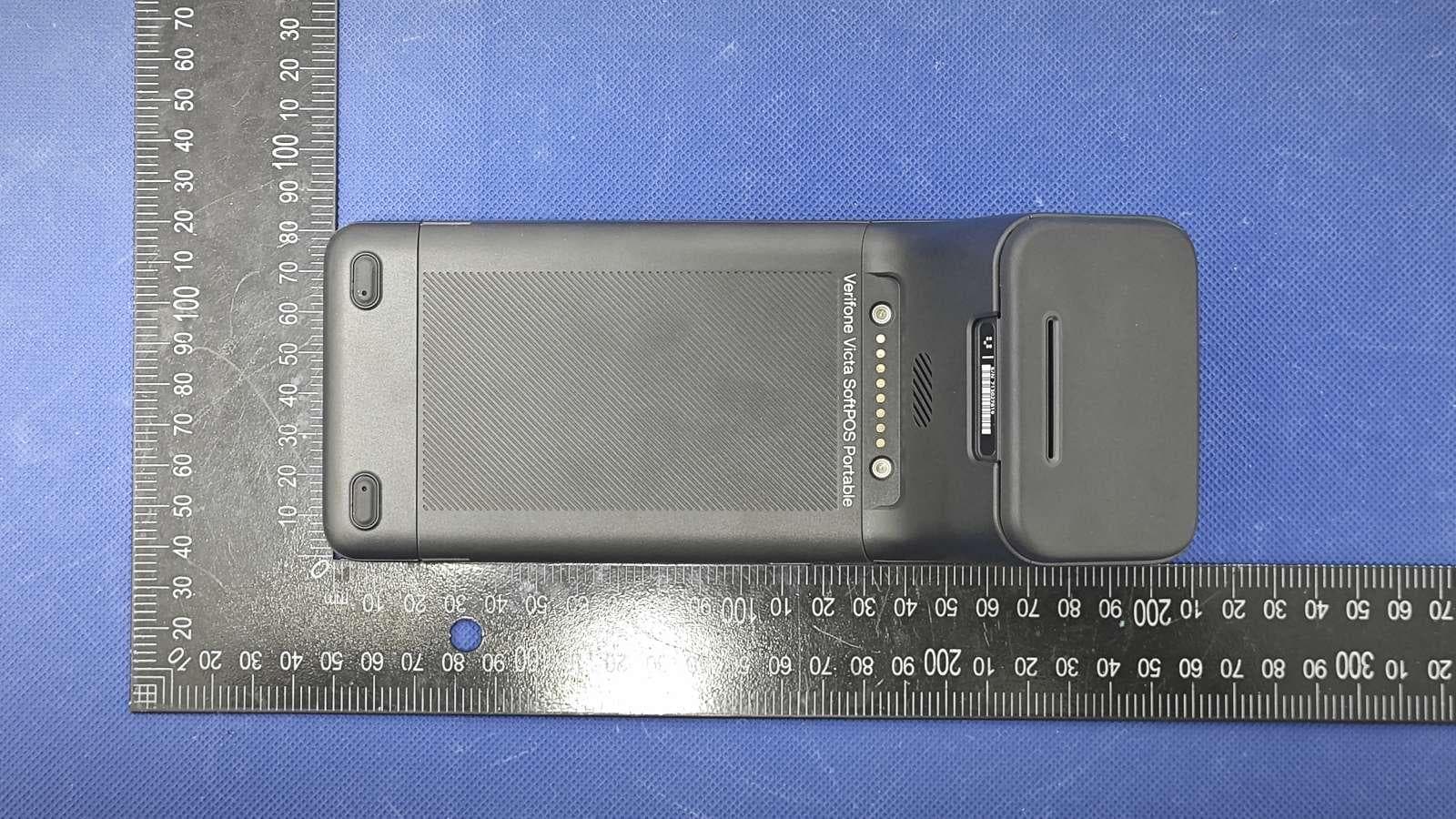
B32VS100P
Jun 22, 2026Point of Sale Terminal
Equipment Class
DXX - Part 15 Low Power Communication Device Transmitter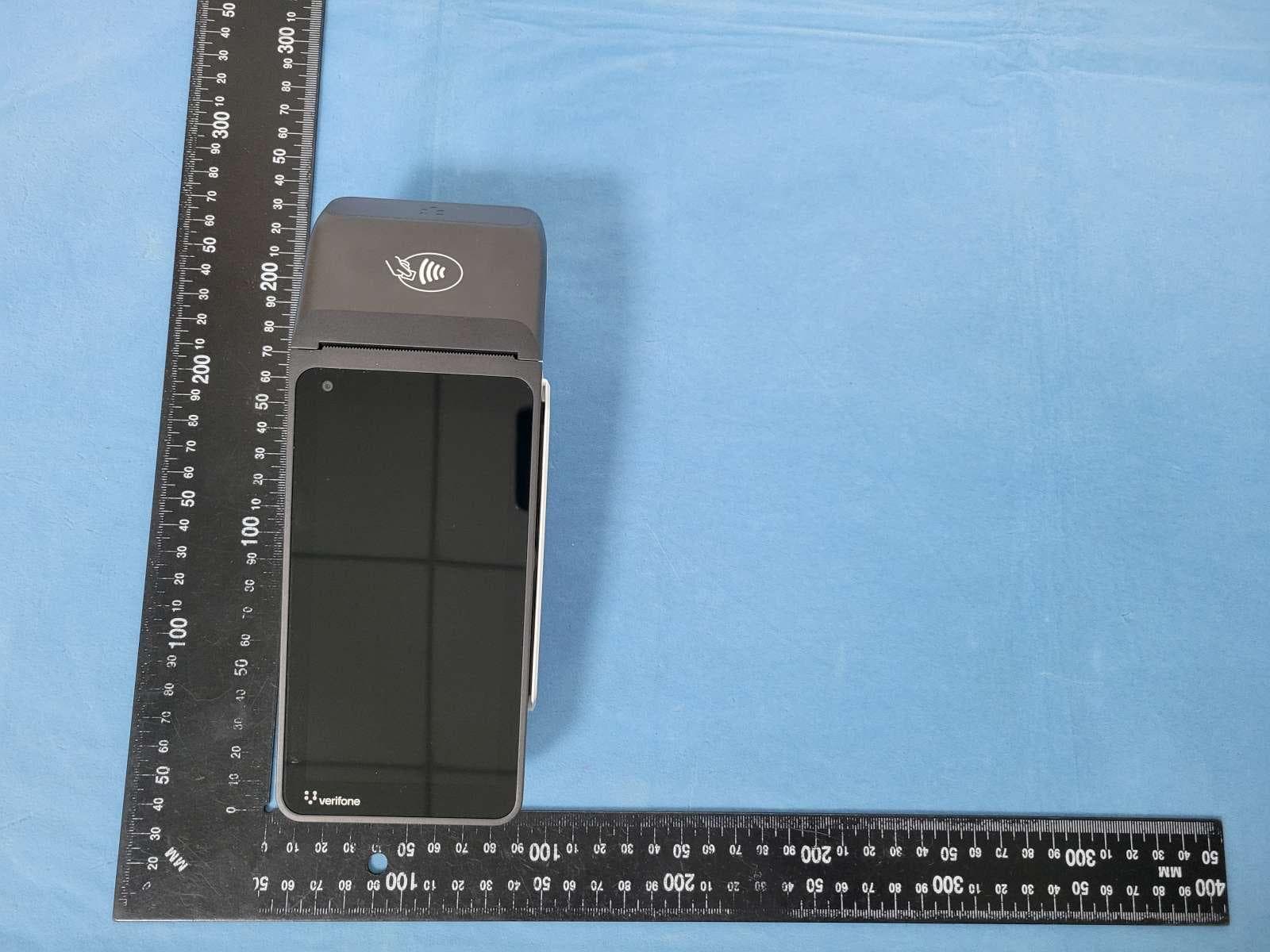
B32V660CA2
Apr 20, 2026Point of Sale Terminal
Equipment Class
NII - Unlicensed National Information Infrastructure TX
B32VM110R
Mar 31, 2026Point of Sale Terminal
Equipment Class
PCB - PCS Licensed Transmitter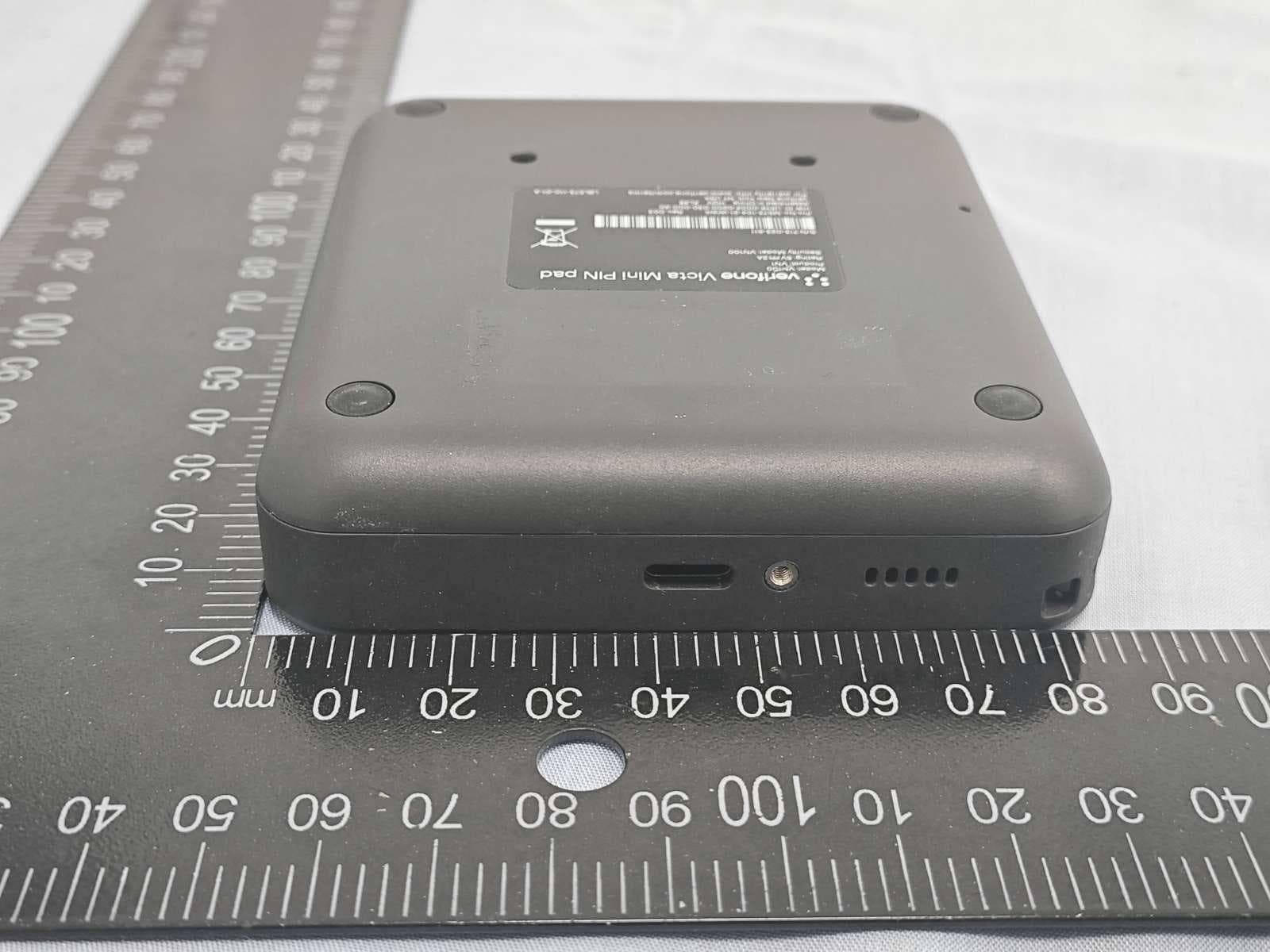
B32VN100
Feb 02, 2026Point of Sale Terminal
Equipment Class
DXX - Part 15 Low Power Communication Device Transmitter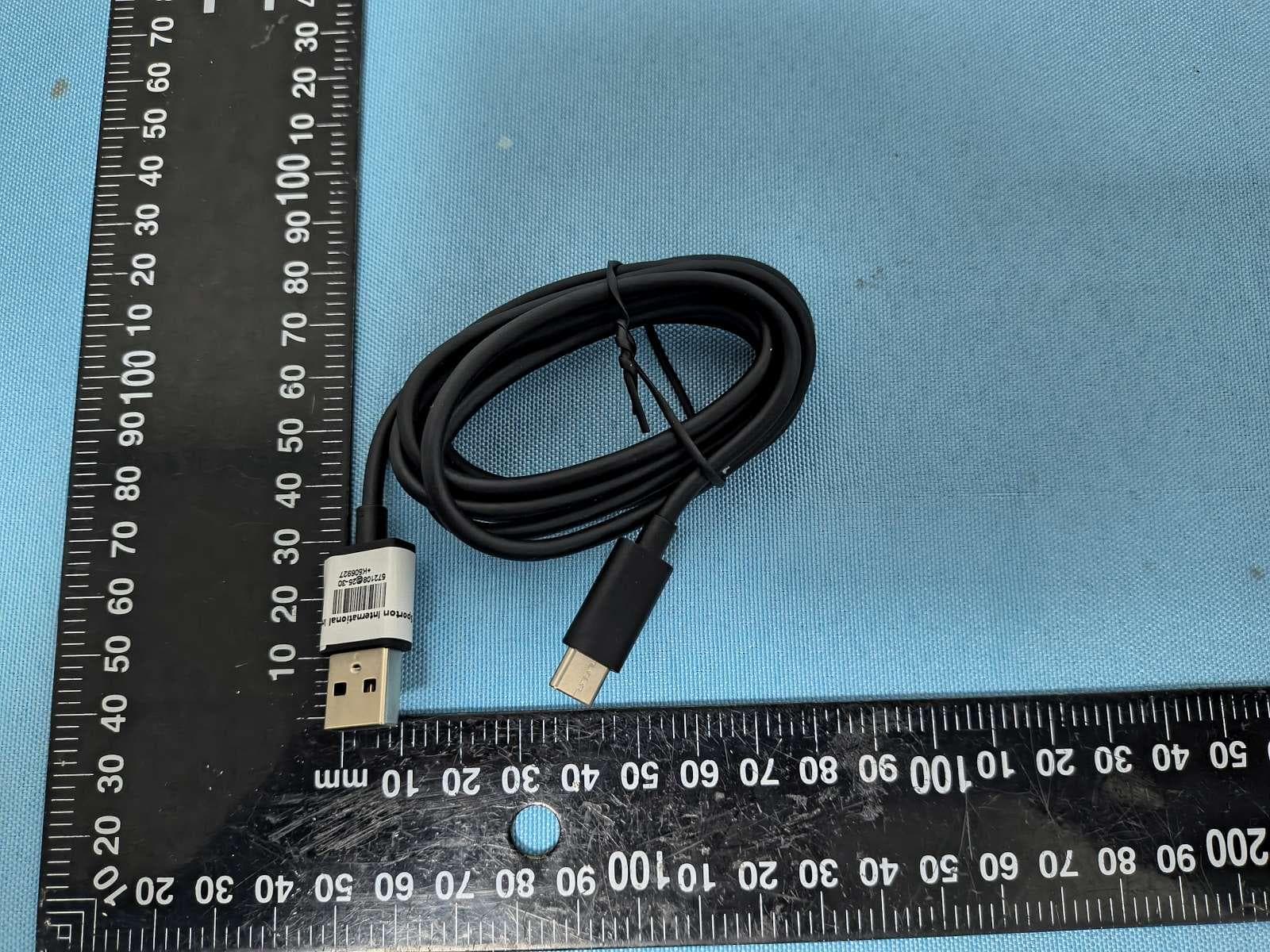
B32VS100M
Dec 03, 2025Point of Sale Terminal
Equipment Class
PCE - PCS Licensed Transmitter held to ear