B4S-MXV3RFIR/RF remote control transmitter
Authinx Inc.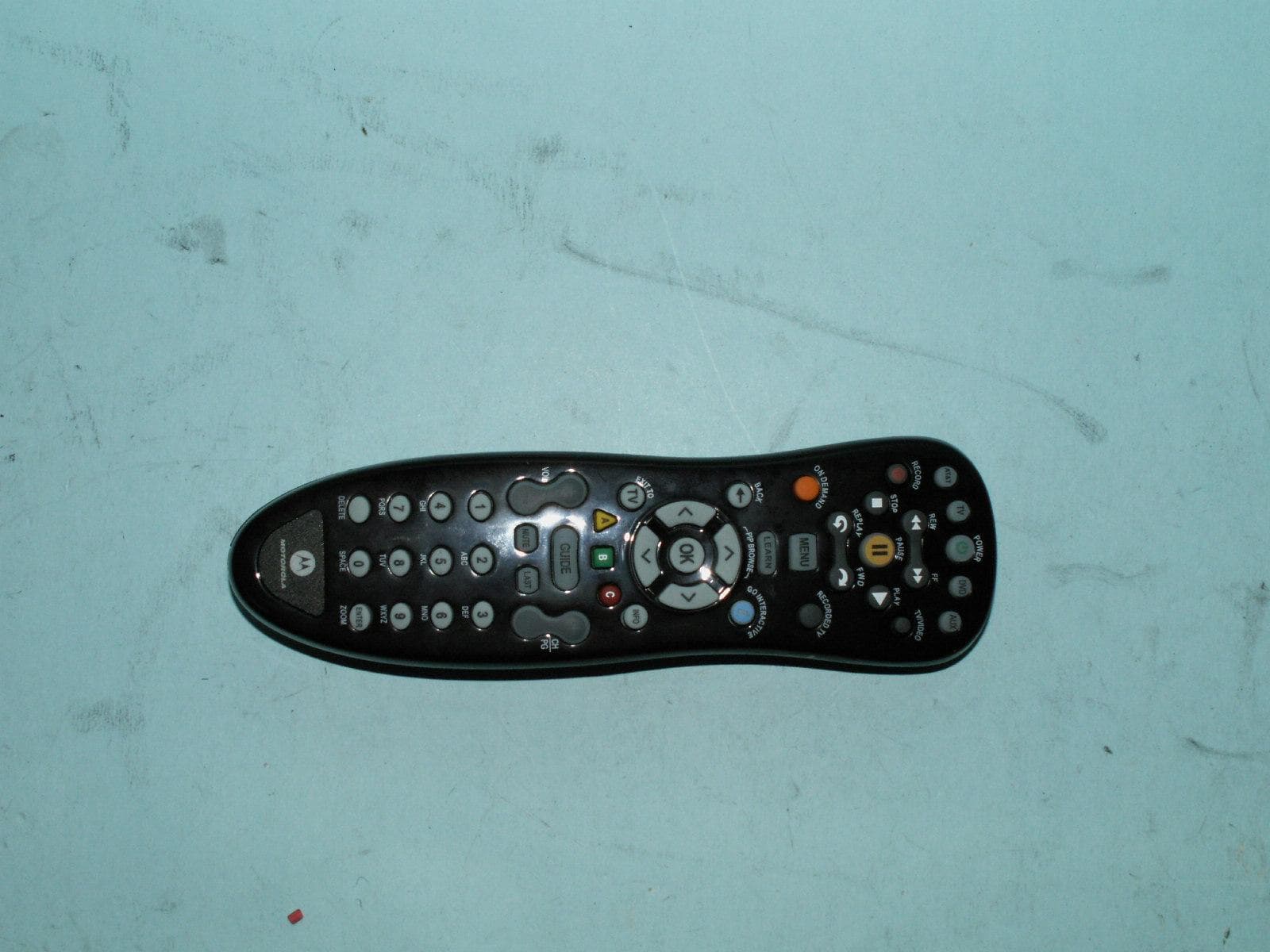
Click to zoom
Application Details
- Equipment Class
- DXX - Part 15 Low Power Communication Device Transmitter
- Date of Grant
- Feb 10, 2010
- Application Purpose
- Original Equipment
- Date of Application
- Feb 10, 2010
- Equipment Note
- IR/RF remote control transmitter
- Frequency Range
- 2404.00000000 - 2470.00000000
- Company
- Authinx Inc.
- Country
- United States
Documents & Files
Document Text
Text extracted from the exhibit documents filed with the FCC. Open a document above to read the original.
Users Manual
Check that the remote is paired by waiting for the lights to go off on the remote and then press the FIND button on the RF2IR - the remote will play a "Hello Moto." Do this if you misplace your remote. Battery Installation1. On the back of the remote, push down on tab and lift the cover off. 2. Match the batteries to the + and - marks inside the battery case, then insert 2 AA alkaline batteries. 3. Press the cover back into place. A. Installing the RF2IR converterIf you install the RF2IR converter and "pair" it to the remote, you can use your remote anywhere up to 100 ft. from your STB without needing to point the remote at your STB. The RF2IR converter receives wireless (RF) commands from your remote and converts them to IR to control your STB. By default the remote transmits RF commands. You can set it to send IR commands if you don't want to use the RF2IR converter (see section L).Plug the RF2IR converter into the USB port on the front of your Set Top Box. MXv3RF remote Your original remote 1 inch apart Advanced Series Remote Control and RF to IR converter (RF2IRKIT) 4. Enter the 4-digit code by pressing the numerical keys (0-9). The selected mode key light will blink for each digit entry and will remain off after the entry of the fourth digit - indicating a successful setup. 5. Point the remote control at the selected device and press the power key once. The device should turn off. If the device stayed on, repeat the steps 2 thru 5 trying each code for your brand until you fi nd the correct code. Repeat the steps above to setup another device. To use the remote control for your Set Top Box, press the STB mode key. NOTE: If an invalid code is entered or no key is pressed at all for 30 seconds, the mode key light flashes for 3 seconds and turns off. The remote control returns to normal operation and you will need to start over from step B2 to setup the device.C. Using the Search FunctionTo search for a particular device code for DVD or AUX e.g. VCR, use the Manual Programming for section B and program DVD or AUX with any VCR code prior to starting a search. 1. Turn on the device you want to control and point the remote at that device. 2. Press and hold the mode key (TV, DVD, or AUX) and while holding it pressed, press the OK key for one second. 3. Release both keys, all the mode keys will fl ash then the selected mode key light will stay lit. 4. Press the power button repetitively until the selected device turns off. Once your device has turned off, press OK to save the code. (If you overshoot the code, press chan down to go back, then press OK). 5. To indicate a successful setup, the selected mode key will turn off and you are ready to setup another device by following steps 1 thru 4 of this section. D. LearningIMPORTANT: Learning cannot be performed until the mode has been setup with a valid 4-digit code (see section B). So, fi rst setup the mode with any valid 4-digit code (from the code list), then follow the steps below.If the code for your device is not found in the code list and the search feature was not able to fi nd the code for your device, then the learning feature may be your best option. The learning feature lets you "learn" functions from your original remote control.D-I. Learning Commands 1. Press and hold a mode key (TV, DVD, or AUX) on the MXv3RF remote and while holding it pressed, press the LEARN key for one second then release both keys. 2. All of the mode keys will fl ash and then the selected mode key light remains on. 3. On your MXv3RF remote, press and release the key that you want to teach. 4. While pointing your original remote at the bottom of your MXv3RF remote, approximately 1 inch apart, press and hold the original remote key until the mode key light blinks once and stays on. (If there is a learning problem, the mode key light blinks for three seconds and stays on. If this happens, repeat steps 3 and 4 above.) 4. Press and release the DELETE key. The mode key light turns off. All learned Commands under that mode are now cleared. E-II. To Clear all Learned Commands (under ALL modes) 1. Press and hold the mode key (TV, DVD, or AUX) and while holding it pressed, press the LEARN key for one second then release both keys. 2. All the mode keys will fl ash and the selected mode key light will stay on. 3. Press and release the LEARN key twice. The mode key light blinks off. 4. Press and release the DELETE key. The mode key light turns off. All learned Commands in the remote are now cleared.F. Volume Control Setup OptionsThe volume controls will control your Set Top Box until the TV device mode is programmed, e.g. if DVD mode is selected then volume controls your STB. If TV mode is programmed and DVD mode is selected, then volume controls your TV. If you'd like the volume commands to operate from just one device, e.g. always TV, then follow the instructions in Section F-I. If you'd like the volume commands to be sent to different devices depending which mode you are in, then follow the instructions in Section F-II.F-I. Volume Always Controls the Same Device 1. Press the TV key and while holding it pressed, press the OK key for 1 second. 2. Release both keys, all of the mode keys will fl ash followed by the TV mode key light remaining on. 3. Press and hold the MUTE key for 3 seconds until the TV mode key light brie fl y turns off then remains on. Press and release the mode key that you always want to operate the volume commands (STB, TV, DVD, and AUX). The selected mode key light will remain on. 4. Press and release the MUTE key to save the setting. The selected mode key light will turn off indicating a successful setup. The volume commands will be setup for the selected device despite what mode is selected. If the selected mode key light fl ashes for 3 seconds and turns off, then the selected mode will have no volume commands of its own and will need to start over from step 1 above and select a different mode to program the device. F-II. Volume Control Depends on …
Text truncated - open the document above for the full version.
Cover Letter(s)
February 03, 2010 Federal Communications Commission Equipment Approval Services P.O. Box 358315 Pittsburgh, PA 15251-5315 USA Dear Sirs, Re. : Letter of Appointment This is the letter of authorization to accept our appointment of The Hong Kong Standards and Testing Centre Ltd. Mr. KC Lee as agent for X10 (USA) Inc.,620 Naches Ave. SW Renton, WA 98057, United State to sign applications before the Commission on our behalf, to make representations to you on our behalf, and to receive and exchange data between our company and the Commission in connection with Certification of the following product of X10 (USA) Inc. Product name : IR/RF Remote Model : MXV3RF This authorization will expire one year from the date of this letter. Sincerely, Dave Rye Sr. Vice President/Technical Manager X10 (USA) Inc. 620 Naches Ave. SW Renton, WA 98057 (425) 203-3900, e-Fax (208) 730-1506 Web Site: www.x10.com e-mail: [email protected]
Cover Letter(s)
February 03, 2010 To: Federal Communications Commission Authorization and Evaluation Division From: Dave Rye Subject: Agent Authorization for certification of FCC ID: B4S-MXV3RF X10 (USA) Inc. hereby appoints The Hong Kong Standards and Testing Centre Ltd to act as our agent in the matter of FCC filings for the certification of FCC ID: B4S-MXV3RF. X10 (USA) Inc. further attests that no party to the application is subject to denial of federal benefits pursuant to section 5301 of the Anti-Drug Abuse act of 1988, 21 USA 853(a). Sincerely, Dave Rye Sr. Vice President/Technical Manager X10 (USA) Inc. 620 Naches Ave. SW Renton, WA 98057 (425) 203-3900, e-Fax (208) 730-1506 Web Site: www.x10.com e-mail: [email protected]
Cover Letter(s)
February 03, 2010 The Hong Kong Standards and Testing Centre Ltd., 10 Dai Wang Street, Taipo Industrial Estate, Taipo, N.T., Hong Kong. Attn.: Mr. KC Lee Dear Sir, Re. : Letter of Attestation This equipment has been tested in accordance with the requirements contained in the appropriate Commission Regulations. To the best of my knowledge, these tests were performed using measurement procedures consistent with industry or Commission standards and demonstrate that the equipment complies with the appropriate standards. Each unit manufactured, imported or marketed, as defined in the Commission’s regulations, will conform to the samples tested within the variations that can be expected due to quantity production and testing on a statistical basis. I further certify that the necessary measurements were made by the Hong Kong Standards and Testing Centre Ltd., 10 Dai Wang Street, Taipo Industrial Estate, Taipo, N.T., Hong Kong. Sincerely, Dave Rye Sr. Vice President/Technical Manager X10 (USA) Inc. 620 Naches Ave. SW Renton, WA 98057 (425) 203-3900, e-Fax (208) 730-1506 Web Site: www.x10.com e-mail: [email protected]
External Photos
PHOTOGRAPH OF THE PRODUCT FRONT VIEW OF THE PRODUCT PHOTOGRAPH OF THE PRODUCT REAR VIEW OF THE PRODUCT PHOTOGRAPH OF THE PRODUCT
Internal Photos
PHOTOGRAPH OF THE PRODUCT INNER CIRCUIT TOP VIEW PHOTOGRAPH OF THE PRODUCT INNER CIRCUIT BOTTOM VIEW
Schematics
DCBA 1 2 3 4 5 6 7 8 ABCD 8 7 6 5 4 3 2 1 PICO ELECTRONICS Ltd., Eastfield Industrial Estate, Glenrothes, Fife, KY7 4NZ, SCOTLAND SHEET No. DATEDATE REVISION DATE FIRST DRAWN FILEDRNAPPD. DO NOT SCALE DRAWING TITLE: REV. Error : PICO.WMF File Not Found C:\DOCUME~1\ADMINI~1.JOS\ \2G4MXV3B.SCH 桌 桌 桌 桌桌 桌桌桌 1 1 o f A 2.4G MXV3 Remote PRINT DATE 10:52:24 5-Feb-2010 22/07/08 14/12/07 VSS C7100UF10V Y1 4MHZ R101M VSS 2 x AAA BATTERIES BATT1BATT2 NOTES:-1/ ALL UNSPECIFIED DIODES 1N4148 OR EQUIVALENT.2/ ALL UNSPECIFIED DAUGHTER BOARD CAPACITORS ARE SMD TYPE.3/ ALL UNSPECIFIED DAUGHTER BOARD RESISTORS ARE SMD TYPE.4/ ALL UNSPECIFIED RESISTORS ARE 0.125W 5%.5/ ALL UNSPECIFIED CAPACITORS ARE AXIAL MLC TYPE."*" DENOTES COMPONENT NOT INSTALLED R11100K C4 100N VSS LED1 AUX SMD RED Q1 9013G VSS R233R3 R5330R D1 R26K8 R15330R P1-5 30 P1-4 29 P1-2 27 SPK1 34 SPK2 36 TEST 6 /RES 5 X32I 8 X32O 7 P0-7 16 P0-6 15 P0-5 14 P0-4 13 P0-3 12 P0-2 11 P2-1 18 P2-0 17 P2-3 20 P2-2 19 P2-5 22 P2-4 21 P2-7 24 P2-6 23 P1-1 26 P1-0 25 P0-0 9 P1-6 31 AVDD 35 P1-7 32 OSCI 3 OSCO 2 AGND 33 P0-1 10 P1-3 (IRO) 28 VDD 1 GND 4 U2 USA-MX016 Q3 9014D R1 100R +3V Q29014D R4 47K C31U +3V +3V IMCG KEY25 DVD 10/12 KEY26 FF 9/12 KEY27 MENU 8/12KEY35 FWD(SKIP) 8/11 KEY34 PLAY 2/11 KEY17 POWER 10/17 KEY19 PAUSE 8/17 KEY41 OKAY 10/45 KEY43 RECORDEDTV 8/45 KEY9 TV 10/18 KEY12 BACK 6/18 KEY13 A 5/18 KEY10 STOP 9/18 KEY36 RIGHT 6/11 KEY38 CH/PG- 4/11 KEY33 AUX 10/11 KEY21 GUIDE 5/17 KEY14 VOL- 4/18 KEY37 C 5/11 KEY31 2 3/12KEY47 3 3/45KEY15 1 3/18 KEY40 ENTER 1/11KEY24 SPACE 1/17KEY16 7 1/18 KEY39 6 3/11 KEY48 9 1/45 KEY4 LEFT 6/19 KEY5 EXIT TO 5/19 KEY8 DELETE 1/19 KEY46 CH/PG+ 4/45 KEY2 RECORD 9/19 KEY1 AT&T 10/19 KEY3 V.O.D. 8/19KEY11 REPLAY 8/18 KEY23 5 3/17 KEY32 8 1/12 KEY28 DOWN 6/12 KEY42 TV/VIDEO 9/45 KEY44 INTERACTIVE 6/45 KEY45 INFO 5/45 KEY6 VOL+ 4/19 KEY7 4 3/19 KEY18 REW 9/17 KEY20 UP 6/17 KEY22 MUTE 4/17 KEY29 B 5/12 KEY30 LAST 4/12 VSS C6 100NF C5100NF VSS A0 1 A1 2 A2 3 VSS 4 SDA 5 SCL 6 WP 7 VCC 8 U324LC16B VSS CLOCKDATA R124K7 LED2DVDSMD RED LED3TVSMD RED +3V IR15MMWIDE R3 3R3 IR25MMNARROW VCC OSC SDI IRO VSS LED4 ATAT SMD RED CLKDATA LED Q109012G R24 1K +3V LED5GREENSMD LED6GREENSMD LED7GREENSMD LED8GREENSMD LED9GREENSMD LED10GREENSMD LED11GREENSMD LED12GREENSMD LED13GREENSMD VSS R2512R Q43904 R9330R R13330R R14330R R16470K R181K + R1710K IR3 KEY49LEARN VSS J 2 0 R J 1* LEARN RES 3MM R191K LED14GREENSMD 1N4148 LED15GREENSMD R26 0R R270R P1.0 1 RST/VPP/P4.7 2 P1.1 3 P1.2 4 P1.3 5 P1.4 6 P0.1/INT1 7 P1.5 8 P1.6 9 P1.7 10 P4.0 11 P4.1 12 VDD 13 VSS 14 XIN 15 XOUT/Fcpu 16 P4.2 17 P4.3 18 P4.4 19 P5.5 20 P5.4 21 P5.3/PWM1/BZ1 22 P5.2 23 P5.1 24 P5.0 25 P5.7 26 P5.6 27 P2.0 28 P2.1 29 P2.2 30 P2.3 31 P2.4 32 P2.5 33 P2.6 34 P2.7 35 VSS 36 N/C 37 N/C 38 VDD 39 P0.0/INT0 40 P0.2 41 P0.3 42 P0.4 43 P4.5 44 P4.6 45 P0.5 46 P0.6 47 P0.7 48 U1 SN8P2608 TOTDOOP1OP2OP3IRQ Vss +3V VO SP CX 100NF CTL
Schematics
1 2 3 4 5 6 78 ABCD 8 7 6 5 4 3 2 1 D CBA Title Number Revision Size A3 Date: 6-Feb-2010 Sheet of File: G:\MOTRX9.SCH Drawn By: Motorola music board 01 R20 470K SPK1 V0 POWER CTL VOICESTOP GND VCC C18 * PCB : 042010=12390A PCB ASSY : 851001=13707 Q3 3904 Q2 9012 R48 10K R49 1M R47 1K C20 * VDD 6 XIN 3 TG2 1 TG1 2 VSS2 8 VSS1 4 PWMN 7 PWMP 5 IO2 10 IO1 9 IC4 W581J020 SP R63 330R L6 200uH R67 82R R68 1R R69 1R VIN VIN R71 1K3 R70 3K3 C21 470P D1 1N5818 C22 220uF C19 220uF Q5 3906 Q7 3906 Q4 3904 Q6 3904 R72 10K R73 47K R75 10K R76 47K R77 47K R74 47K 4V5 12345 678 KA34063 IC6 R21 3M3 1% 1% 1%
Test Report
STC Test Report Date : 2010-02-05 Page 1 of 22 No. : HM164892 The Hong Kong Standards and Testing Centre Ltd. 10 Dai Wang Street, Taipo Industrial Estate, N.T., Hong Kong Tel: (852) 2666 1888 Fax: (852) 2664 4353 Homepage: www.hkstc.org E-mail: [email protected] This report shall not be reproduced unless with prior written approval from the Hong Kong Standards and Testing Centre Ltd. For full text of “Conditions of Issuance of Test Report”, please refer to overleaf or refer to the website of Homepage. Applicant (XLT001): X 10 (USA) Inc. 620 Naches Ave SW, Building A, Renton WA 98057, United States Manufacturer: X-10 Electronics (Shenzhen) Co., Ltd. Together Rich Industrial Park B, Sanwei Industrial District, Xixiang Town, Baoan Country, Shengzhen, China Description of Sample(s): Submitted sample(s) said to be: Product: IR/RF Remote Brand Name: Motorola Model Number: MXv3RF FCC ID: B4S-MXV3RF Date Sample(s) Received: 2010-02-02 Date Tested: 2010-02-04 Investigation Requested: Perform ElectroMagnetic Interference measurement in accordance with FCC 47CFR [Codes of Federal Regulations] Part 15: 2009 and ANSI C63.4:2003 for FCC Certification. Conclusion(s): The submitted product COMPLIED with the requirements of Federal Communications Commission [FCC] Rules and Regulations Part 15. The tests were performed in accordance with the standards described above and on Section 2.2 in this Test Report. Remark(s): ---- Dr. LEE Kam Chuen, Authorized Signatory ElectroMagnetic Compatibility Department For and on behalf of The Hong Kong Standards and Testing Centre Ltd. STC Test Report Date : 2010-02-05 Page 2 of 22 No. : HM164892 The Hong Kong Standards and Testing Centre Ltd. 10 Dai Wang Street, Taipo Industrial Estate, N.T., Hong Kong Tel: (852) 2666 1888 Fax: (852) 2664 4353 Homepage: www.hkstc.org E-mail: [email protected] This report shall not be reproduced unless with prior written approval from The Hong Kong Standards and Testing Centre Ltd. For Conditions of Issuance of this test report, please refer to the overleaf or Homepage CONTENT: Cover Page 1 of 22 Content Page 2-3 of 22 1.0 General Details 1.1 Test Laboratory Page 4 of 22 1.2 Applicant Details Page 4 of 22 Applicant Manufacturer 1.3 Equipment Under Test [EUT] Page 5 of 22 Description of EUT operation 1.4 Date of Order Page 5 of 22 1.5 Submitted Sample(s) Page 5 of 22 1.6 Test Duration Page 5 of 22 1.7 Country of Origin Page 5 of 22 2.0 Technical Details 2.1 Investigations Requested Page 6 of 22 2.2 Test Standards and Results Summary Page 6 of 22 3.0 Test Results 3.1 Radiated Emission Page 7-14 of 22 STC Test Report Date : 2010-02-05 Page 3 of 22 No. : HM164892 The Hong Kong Standards and Testing Centre Ltd. 10 Dai Wang Street, Taipo Industrial Estate, N.T., Hong Kong Tel: (852) 2666 1888 Fax: (852) 2664 4353 Homepage: www.hkstc.org E-mail: [email protected] This report shall not be reproduced unless with prior written approval from The Hong Kong Standards and Testing Centre Ltd. For Conditions of Issuance of this test report, please refer to the overleaf or Homepage Appendix A List of Measurement Equipment Page 15 of 22 Appendix B Duty Cycle Correction During 100 msec Page 16-19 of 22 Appendix C Photographs Page 20-22 of 22 STC Test Report Date : 2010-02-05 Page 4 of 22 No. : HM164892 The Hong Kong Standards and Testing Centre Ltd. 10 Dai Wang Street, Taipo Industrial Estate, N.T., Hong Kong Tel: (852) 2666 1888 Fax: (852) 2664 4353 Homepage: www.hkstc.org E-mail: [email protected] This report shall not be reproduced unless with prior written approval from The Hong Kong Standards and Testing Centre Ltd. For Conditions of Issuance of this test report, please refer to the overleaf or Homepage 1.0 General Details 1.1 Test Laboratory The Hong Kong Standards and Testing Centre Ltd. EMC Laboratory 10 Dai Wang Street, Taipo Industrial Estate New Territories, Hong Kong 1.2 Applicant Detail(s) Applicant X 10 (USA) Inc. 620 Naches Ave SW, Building A, Renton WA 98057, United States Manufacturer X-10 Electronics (Shenzhen) Co., Ltd. Together Rich Industrial Park B, Sanwei Industrial District, Xixiang Town, Baoan Country, Shengzhen, China STC Test Report Date : 2010-02-05 Page 5 of 22 No. : HM164892 The Hong Kong Standards and Testing Centre Ltd. 10 Dai Wang Street, Taipo Industrial Estate, N.T., Hong Kong Tel: (852) 2666 1888 Fax: (852) 2664 4353 Homepage: www.hkstc.org E-mail: [email protected] This report shall not be reproduced unless with prior written approval from The Hong Kong Standards and Testing Centre Ltd. For Conditions of Issuance of this test report, please refer to the overleaf or Homepage 1.3 Equipment Under Test [EUT] Description of Sample Submitted sample(s) said to be: Product: IR/RF Remote Manufacturer: X-10 Electronics (Shenzhen) Co., Ltd. Brand Name: Motorola Model Number: MXv3RF Input Voltage: 3Vd.c. (“AA” size battery x 2) 1.3.1 Description of EUT Operation The Equipment Under Test (EUT) is an X 10 (USA) Inc., The EUT is an IR/RF remote control transmitter operating in the 2.4GHz ISM frequency band. The EUT continues to transmit while Key is being pressed. It is FSK transmitter, Modulation by digital data; and type is FSK modulation. 1.4 Date of Order 2010-02-02 1.5 Submitted Sample(s): 1 Sample 1.6 Test Duration 2010-02-04 1.7 Country of Origin China STC Test Report Date : 2010-02-05 Page 6 of 22 No. : HM164892 The Hong Kong Standards and Testing Centre Ltd. 10 Dai Wang Street, Taipo Industrial Estate, N.T., Hong Kong Tel: (852) 2666 1888 Fax: (852) 2664 4353 Homepage: www.hkstc.org E-mail: [email protected] This report shall not be reproduced unless with prior written approval from The Hong Kong Standards and Testing Centre Ltd. For Conditions of Issuance of this test report, please refer to the overleaf or Homepage 2.0 Technical Details 2.1 Investigations Requested Perform Electromagnetic Interference measurements in accordance with FCC 47CFR [Codes of Federal Regulations] Part 15: 2009 Regulations and ANSI C63.4:2003 for FCC Certificat…
Text truncated - open the document above for the full version.
Test Setup Photos
PHOTOGRAPH OF THE PRODUCT MEASUREMENT OF RADIATED EMISSION TEST SET UP
Contact Information
Applicant
Shane Houshmand(Chief Operating Officer)
Test Firm
Hong Kong Standards and Testing CenterWison Wong
Technical Specifications
| # | Rule Parts | Frequency Range | Power Output |
|---|---|---|---|
| 1 | 15C | 2.40 GHz - 2.47 GHz | - |
Other Applications from Authinx Inc.

B4SXC35A
Jun 16, 2011Wireless Color Camera
Equipment Class
DXX - Part 15 Low Power Communication Device Transmitter
B4SVT50
Jun 16, 2011Wireless Audio/Video System
Equipment Class
DXX - Part 15 Low Power Communication Device Transmitter
B4SVR50
Jun 13, 2011Wireless Audio/Video Receiver
Equipment Class
DSC - Part 15 Security/Remote Control Transmitter
B4S-XC30A
Jun 07, 2011Wireless Color Camera
Equipment Class
DXX - Part 15 Low Power Communication Device Transmitter
B4SIR34A
Aug 01, 2010Remote Control Transmitter
Equipment Class
DSC - Part 15 Security/Remote Control Transmitter