B4SCR15ARemote Control
Authinx Inc.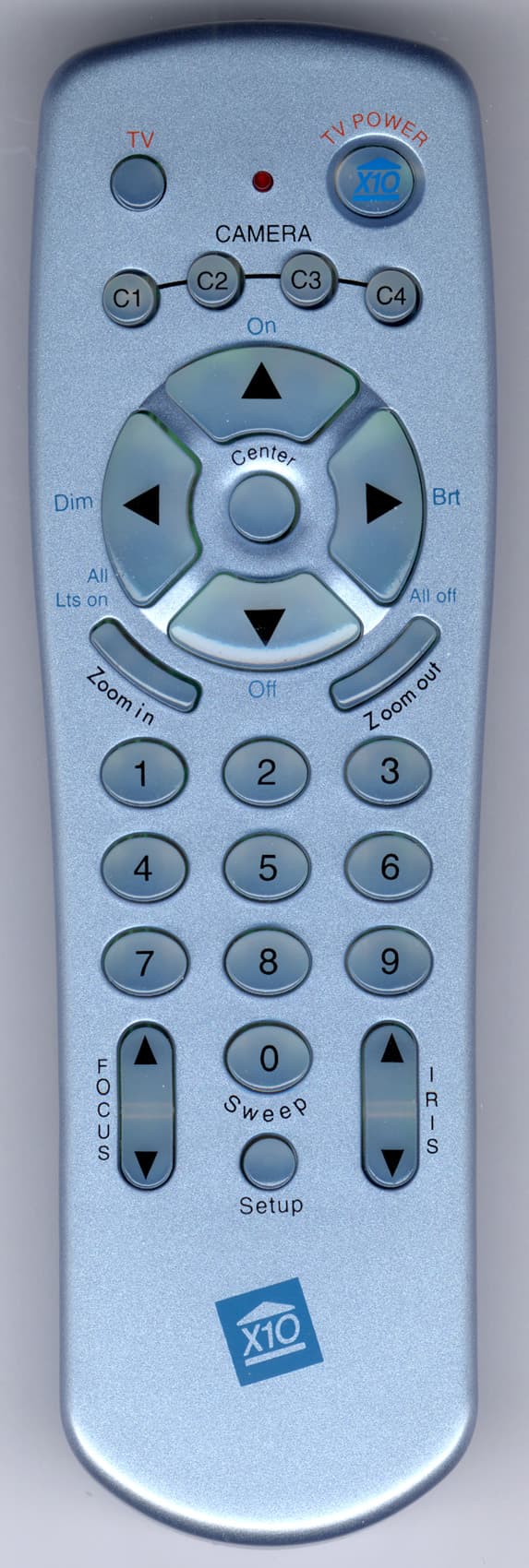
Click to zoom
Application Details
- Equipment Class
- DSC - Part 15 Security/Remote Control Transmitter
- Date of Grant
- Apr 25, 2002
- Application Purpose
- Original Equipment
- Date of Application
- Apr 25, 2002
- Equipment Note
- Remote Control
- Frequency Range
- 310.00000000 - 310.00000000
- Company
- Authinx Inc.
- Country
- United States
Documents & Files
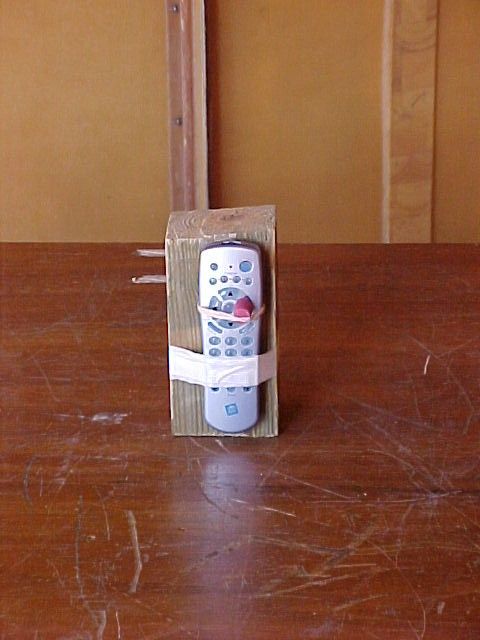
Document Text
Text extracted from the exhibit documents filed with the FCC. Open a document above to read the original.
Users Manual
Setup All off All Lts on BrtDi m On Off C e n t e r 123 456 789 0 CAMER A C2C3 C1C4 TV POWER CH CH VO L VOL M ZoomPro Remote Model CR15A CR15A-04/02 The CR15A Remote lets you move the position of an XC21A Pan/Tilt/Zoom camera from left to right (Pan) and up and down (Tilt) as well as Zoom in on the picture. You can store 4 positions for a camera and then use the remote to sweep between these positions. Install 4 AAA alkaline batteries (sold separately) in the remote’s battery compartment. ™ For use with Pan/Tilt/Zoom Camera Operation Press a left or right “arrow” button at the top of the CR15A Remote to “Pan” the camera left or right. Press an up or down “arrow” button to “Tilt” the camera up or down. Press Zoom in and out. The camera auto- focuses but you can fine-tune the focus with the manual focus Up/Down buttons. Storing positions: Buttons 1 thru 9 are used to store 9 position settings for the camera. 1. Press C1 (default setting for the camera with power supply set to A1). 2. Press and hold Setup until C1 camera button lights green. 3. Move the camera to desired position using the Pan and Tilt arrow buttons, and zoom in or out to desired zoom then press button number 1 to store the first position and zoom setting. 4. Move the camera to the next position and zoom, then press ‘2’ to store 2nd position (repeat for buttons 3 thru 9 for up to 9 positions). 5. Press Setup again to store and exit. (If setup is not pressed again the remote stores the positions and exits setup automatically after 1 minute). To move the camera to a stored position press 0 through 9 to move to any of the 9 stored positions. Press Sweep (0) to sweep through all 9 positions stored for the camera. To stop sweeping or movement to a stored position: Press any “arrow” button on the remote while the camera is moving to stop the movement. Press Center to center the position for the camera. To clear ALL stored positions for a selected camera (C1): Press C1. Press and hold Setup until the green indicator stays on. Press the 0 button twice. Press setup again. Repeat for C2, C3, and C4. X10.com, a Div. of X10 Wireless Technology, Inc. For additional help, visit www.x10.com/support “Pans” left and right. “Tilts” up and down. Pressing any of these turns on that camera, and turns the other 3 off (Transceiver required). Not used if you only have one camera. Stores Pan/Tilt positions and Zoom settings for each camera (up to 9 settings). The camera auto- focuses but you can fine-tune the focus manually, i.e., focus on objects in the back- ground or foreground. Focus Up focuses on faraway objects. Focus Down focuses on near objects. Zooms in. Zooms out. Used to store camera positions and for other setup functions. Centers the camera. Sweeps through the stored positions for the selected camera. Used to control the diaphragm of the camera. Iris Up gives a brighter screen. Iris Down gives a dimmer screen. F.C.C. CAUTION - THIS DEVICE COMPLIES WITH PART 15 OF THE FCC RULES. OPERATION IS SUBJECT TO THE FOLLOWING TWO CONDITIONS: (1) THIS DEVICE MAY NOT CAUSE HARMFUL INTERFERENCE, AND (2) THIS DEVICE MUST ACCEPT ANY INTERFERENCE RECEIVED, INCLUDING INTERFERENCE THAT MAY CAUSE UNDESIRED OPERATION. NOTE: NO CHANGES OR MODIFICATIONS MAY BE MADE TO THE UNITS. ANY CHANGES MADE TO THE UNITS WILL VOID THE USER'S AUTHORITY TO OPERATE THE EQUIPMENT. LIMITED 1-YEAR WARRANTY Please visit www.x10.com/warranty to complete your on-line warranty registration. Thank you. For help or more information on setup, please visit: www.x10.com/support Turns on your TV.
Block Diagram
MCU (EM78P447S) MCU (RC008) Block Diagram for CAMERA REMOTE (CR15A) Key Matrix 310MHz Transmitter 310MHz IR OUTPUT
ID Label/Location Info
Model CR15A Pan/Tilt/Zoom Remote Control rating label 2: 1 4/18/02 THIS DEVICE COMPLIES WITH PART 15 OF THE FCC RULES. OPERATION IS SUBJECT TO THE FOLLOWING TWO CONDITIONS: (1) THIS DEVICE MAY NOT CAUSE HARMFUL INTERFERENCE, AND (2) THIS DEVICE MUST ACCEPT ANY INTERFERENCE RECEIVED, INCLUDING INTERFERENCE THAT MAY CAUSE UNDESIRED OPERATION. NO SERVICEABLE PARTS INSIDE. Use Four AAA alkaline batteries. For use with Pan/Tilt/Zoom Camera, Model XC21A. Pan/Tilt/Zoom Remote Model CR15A X10.com, a div. of X10 Wireless Technology, Inc. www.x10.com/support FCC ID: B4SCR15A Made in China
Operational Description
CR15A Operational Description The CR15A is a 310 MHz pulsed RF transmitter and an infrared remote control. The infrared remote can control a variety of TVs VCRs cable boxes etc. The 310 MHz pulsed RF transmitter controls the model XC21A, Pan/Tilt/Zoom camera. The internal MCUs receive information from the keypad and convert the keystrokes into a pulse code. The pulse code is then sent to the 310 MHz RF transmitter and is used to pulse modulate the 310 MHz carrier.
Schematics
1 2 34 ABCD 4 3 2 1 D CBA Title Number Revision Size Orcad A Date: 18-Apr-2002 Sheet of File: A:\Rf310.sch Drawn By: SIGNAL VSS R116K8 C410PFC51P C61PC77P C8 2P R122K7 TR4 MPSH10 R13270R D2 L1 6MM L231TD=2MM 310MHz DAUGHTER BOARD Vcc 1N4148 T I T L E : R F D A U G H T E R B O A R D S H E E T N O : 1 o f 1 R e v . A C R 1 5 A D A T E : 1 9 A P R 2 0 0 2 S Y S T E M X - 1 0 C O M P A N Y : EM78P447S HE008
Contact Information
Applicant
Shane Houshmand(Chief Operating Officer)
Technical Contact
Retlif Testing LaboratoriesThomas J Schneider
[email protected]1 631 737 1500
795 Marconi Avenue · Ronkonkoma, New York · United States
Non-Technical Contact
Retlif Testing LaboratoriesMichelle White
[email protected]1 631 737 1500
Test Firm
Retlif Testing LaboratoriesMichael Bozza
Technical Specifications
| # | Rule Parts | Frequency Range | Power Output |
|---|---|---|---|
| 1 | 15.231 | 310 MHz - 310 MHz | - |
Other Applications from Authinx Inc.

B4SXC35A
Jun 16, 2011Wireless Color Camera
Equipment Class
DXX - Part 15 Low Power Communication Device Transmitter
B4SVT50
Jun 16, 2011Wireless Audio/Video System
Equipment Class
DXX - Part 15 Low Power Communication Device Transmitter
B4SVR50
Jun 13, 2011Wireless Audio/Video Receiver
Equipment Class
DSC - Part 15 Security/Remote Control Transmitter
B4S-XC30A
Jun 07, 2011Wireless Color Camera
Equipment Class
DXX - Part 15 Low Power Communication Device Transmitter
B4SIR34A
Aug 01, 2010Remote Control Transmitter
Equipment Class
DSC - Part 15 Security/Remote Control Transmitter