BABTN0035BCar Audio
DENSO TEN Limited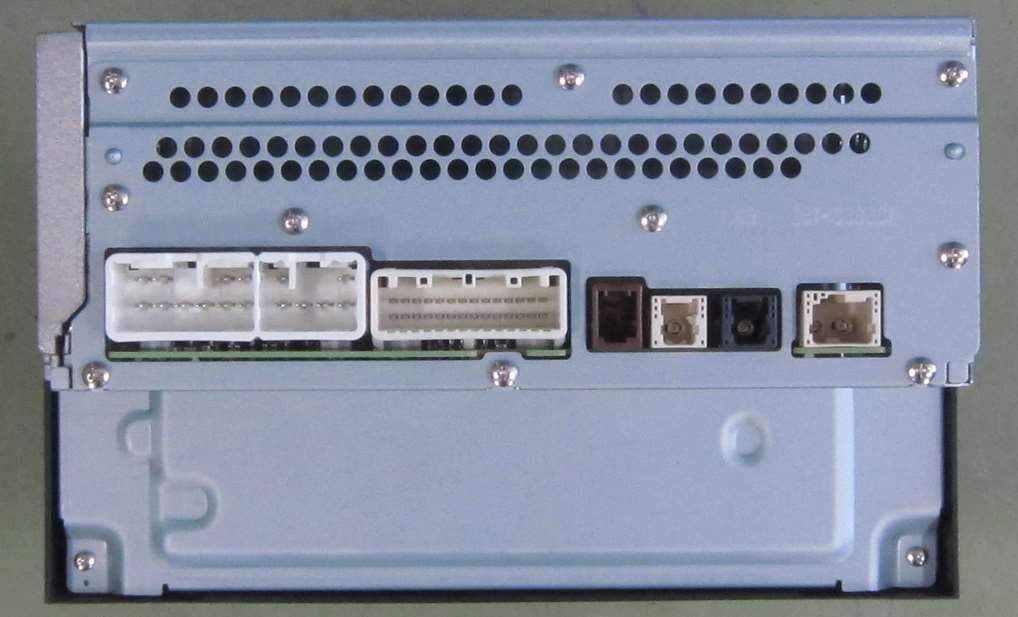
Click to zoom
Application Details
- Equipment Class
- CXX - Communications Rcvr for use w/ licensed Tx and CBs
- Date of Grant
- Apr 20, 2023
- Application Purpose
- Original Equipment
- Date of Application
- Apr 20, 2023
- Equipment Note
- Car Audio
- Frequency Range
- 87.50000000 - 108.00000000
- Company
- DENSO TEN Limited
- Country
- Japan
Documents & Files
Document Text
Text extracted from the exhibit documents filed with the FCC. Open a document above to read the original.
Users Manual
(Type A) Index 1-Rating 2-Button Function Spec 3-Radio operation procedure 4-Operating manual (Bluetooth/Handsfree) 5-FCC Operating manual Requirement 6P Model name Model No Car Audio TN0035B Page 2P 3P 4P 5P TN0035B Operation Manual (1/6) (Type A) DAB TUNING RANGE 174.928 - 229.072 MHz 1-Rating FM TUNING RANGE 12.0V (10.5~16.0V) - ground 4Ω 2.1mA or less 4.0A or less (Vcc=13.2V, 0.5W output) 531 - 1602 kHz (9kHz step) 87.5 - 108 MHz (100kHz step) AM TUNING RANGE RATED VOLTAGE LOAD IMPEDANCE BACK UP CURRENT RATED CURRENT (2/6) (Type A) ■AUDIO controls ⑤VOL UP Short Push: Increase Volume Up 1 step Long Push: Increase Volume Up continuously ④VOL DOWN Short Push: Decrease Volume Down 1 step Long Push: Decrease Volume Down continuously 2-Button Function Spec Button No.Button Name ①POWER Audio ON/OFF Operation ②BACK Transition to previous screen ③HOME/TALK Short Push: Transition to home screen Long Push: AA/CP voice recognition 543 2 1 (3/6) (Type A) 【操作手順】[Operation procedure] ①起動 (ACC-ON) ACC-ON後、TOYOTA画面が表示された事を確認。 After the ACC-ON, confirm that Toyota screen is displayed. ②数秒後に"CAUTION"画面に遷移します。 The screen is changed to "CAUTION" screen after a few seconds. *初回のACC-ON時はやや時間を要します。 Note: It takes a little longer for the first time of ACC-ON. ③数秒後に”Continue”ボタンを押して、MENU画面に遷移させます。 Press the "Continue" button on the face panel after a few seconds to move MENU screen. Menu Screen Display ④POWERボタンを押す。 画面内のラジオモードウィンドウを押すと、"FM1 "画面に遷移します。 Press the POWER button. When the Radio Mode Window on the screen is pressed,"FM1" screen is displayed. ⑤下記画面に遷移したら、”<”釦 若しくは、”>”釦を押下してください。 これで、SEEKが始まります。 Confirm that the screen is changed as below, Please push down the ”<”button or ”>”button. This will start to SEEK. ※AM/DABモードも同様の手順です。 ※Same as AM/DAB mode. 3-Radio operation procedure Press anywhere in this area Push this button Push this button (4/6) (Type A) 【操作手順】[Operation procedure] ①起動 (ACC-ON) ⑥画面の”Add Device”釦を押下してください。 ACC-ON後、TOYOTA画が表示された事を確認。Please press the ”Add Device” button of the screen After the ACC-ON, confirm that Toyota screen is displayed. ②数秒後に"CAUTION"画面に遷移します。 The screen is changed to "CAUTION" screen after a few seconds.⑦画面の”Search Device”釦を押下してください。 *初回のACC-ON時はやや時間を要します。Please press the ”Search Device” button of the screen Note: It takes a little longer for the first time of ACC-ON. ③数秒後に”Continue”ボタンを押して、MENU画面に遷移させます。⑧下記画面に遷移したらBluetooth端末(iPhone、 iPodなど)をペアリング Press the "Continue" button on the face panel after a few seconds モードに設定してください。 to move MENU screen.Confirm if screen is changed as below, Please set iPhone or iPod in pairing mode. Menu Screen Display ④”Setting”ボタンを押して、SETTINGS画面に遷移させます。 Please press the "Setting" button on the face panel to move to Settings screen ※Displays when you have more than one pairing equipment ※複数のペアリング機器がある場合の表示 ⑨接続したiPhone又はiPodを選択します。 Select the iPhone or iPod to connect. ⑤”Settings”画面に遷移することを確認し、画面上の"Bluetooth"釦を選択。 Confirm if ”Settings” screen is displayed, select the ”Bluetooth” button on the display. ※ 電話機の表示にしたがって操作してください ※ Operate the phone after the message on the screen ⑩完了すれば"Connection Completed"の画面になります。 ”Connection Completed” is displayed if completed. 4-Operating manual (Bluetooth/Handsfree) Push this button Push this button Push this button Push this button Push this button (5/6) (Type A) CAUTION: Radio Frequency Radiation Exposure This equipment complies with FCC radiation exposure limits set forth for uncontrolled equipment and meets the FCC radio frequency (RF) Exposure Guidelines. This equipment has very low levels of RF energy that is deemed to comply without maximum permissive exposure evaluation (MPE). But it is desirable that it should be installed and operated with at least 20cm and more between the radiator and person's body in normal use position. Co-location: This transmitter must not be co-located or operated in conjunction with any other antenna or transmitter. This device complies with part 15 of the FCC Rules. Operation is subject to the following two conditions: (1) This device may not cause harmful interference, and (2) this device must accept any interference received, including interference that may cause undesired operation. FCC WARNING Changes or modifications not expressly approved by the party responsible for compliance could void the user's authority to operate the equipment. 5-FCC Operating manual Requirement (6/6)
Users Manual
(Type B) Index 1-Rating 2-Button Function Spec 3-Radio operation procedure 4-Operating manual (Bluetooth/Handsfree) 5-FCC Operating manual Requirement 6P Model name Model No Car Audio TN0035B Page 2P 3P 4P 5P TN0035B Operation Manual (1/6) (Type B) 1-Rating FM TUNING RANGE 12.0V (10.5~16.0V) - ground 4Ω 2.1mA or less 4.0A or less (Vcc=13.2V, 0.5W output) 531 - 1602 kHz (9kHz step) 87.5 - 108 MHz (50kHz step) AM TUNING RANGE RATED VOLTAGE LOAD IMPEDANCE BACK UP CURRENT RATED CURRENT (2/6) (Type B) ■AUDIO controls ②BACK Transition to previous screen ③HOME/TALK Short Push: Transition to home screen Long Push: AA/CP voice recognition 2-Button Function Spec Button No.Button Name ①POWER Audio ON/OFF Operation ⑤VOL UP Short Push: Increase Volume Up 1 step Long Push: Increase Volume Up continuously ④VOL DOWN Short Push: Decrease Volume Down 1 step Long Push: Decrease Volume Down continuously 543 2 1 (3/6) (Type B) 【操作手順】[Operation procedure] ①起動 (ACC-ON) ACC-ON後、TOYOTA画面が表示された事を確認。 After the ACC-ON, confirm that Toyota screen is displayed. ②数秒後に"CAUTION"画面に遷移します。 The screen is changed to "CAUTION" screen after a few seconds. *初回のACC-ON時はやや時間を要します。 Note: It takes a little longer for the first time of ACC-ON. ③数秒後に”Continue”ボタンを押して、MENU画面に遷移させます。 Press the "Continue" button on the face panel after a few seconds to move MENU screen. Menu Screen Display ④POWERボタンを押す。 画面内のラジオモードウィンドウを押すと、"FM1 "画面に遷移します。 Press the POWER button. When the Radio Mode Window on the screen is pressed,"FM1" screen is displayed. ⑤下記画面に遷移したら、”<”釦 若しくは、”>”釦を押下してください。 これで、SEEKが始まります。 Confirm that the screen is changed as below, Please push down the ”<”button or ”>”button. This will start to SEEK. ※AMモードも同様の手順です。 ※Same as AM mode. 3-Radio operation procedure Press anywhere in this area Push this button Push this button (4/6) (Type B) 【操作手順】[Operation procedure] ①起動 (ACC-ON) ⑥画面の”Add Device”釦を押下してください。 ACC-ON後、TOYOTA画が表示された事を確認。Please press the ”Add Device” button of the screen After the ACC-ON, confirm that Toyota screen is displayed. ②数秒後に"CAUTION"画面に遷移します。 The screen is changed to "CAUTION" screen after a few seconds.⑦画面の”Search Device”釦を押下してください。 *初回のACC-ON時はやや時間を要します。Please press the ”Search Device” button of the screen Note: It takes a little longer for the first time of ACC-ON. ③数秒後に”Continue”ボタンを押して、MENU画面に遷移させます。⑧下記画面に遷移したらBluetooth端末(iPhone、 iPodなど)をペアリング Press the "Continue" button on the face panel after a few seconds モードに設定してください。 to move MENU screen.Confirm if screen is changed as below, Please set iPhone or iPod in pairing mode. Menu Screen Display ④”Setting”ボタンを押して、SETTINGS画面に遷移させます。 Please press the "Setting" button on the face panel to move to Settings screen ※Displays when you have more than one pairing equipment ※複数のペアリング機器がある場合の表示 ⑨接続したiPhone又はiPodを選択します。 Select the iPhone or iPod to connect. ⑤”Settings”画面に遷移することを確認し、画面上の"Bluetooth"釦を選択。 Confirm if ”Settings” screen is displayed, select the ”Bluetooth” button on the display. ※ 電話機の表示にしたがって操作してください ※ Operate the phone after the message on the screen ⑩完了すれば"Connection Completed"の画面になります。 ”Connection Completed” is displayed if completed. 4-Operating manual (Bluetooth/Handsfree) Push this button Push this button Push this button Push this button Push this button (5/6) (Type B) CAUTION: Radio Frequency Radiation Exposure This equipment complies with FCC radiation exposure limits set forth for uncontrolled equipment and meets the FCC radio frequency (RF) Exposure Guidelines. This equipment has very low levels of RF energy that is deemed to comply without maximum permissive exposure evaluation (MPE). But it is desirable that it should be installed and operated with at least 20cm and more between the radiator and person's body in normal use position. Co-location: This transmitter must not be co-located or operated in conjunction with any other antenna or transmitter. This device complies with part 15 of the FCC Rules. Operation is subject to the following two conditions: (1) This device may not cause harmful interference, and (2) this device must accept any interference received, including interference that may cause undesired operation. FCC WARNING Changes or modifications not expressly approved by the party responsible for compliance could void the user's authority to operate the equipment. 5-FCC Operating manual Requirement (6/6)
Users Manual
(Type C) Index 1-Rating 2-Button Function Spec 3-Radio operation procedure 4-Operating manual (Bluetooth/Handsfree) 5-FCC Operating manual Requirement 6P Model name Model No Car Audio TN0035B Page 2P 3P 4P 5P TN0035B Operation Manual (1/6) (Type C) 1-Rating FM TUNING RANGE 12.0V (10.5~16.0V) - ground 4Ω 2.1mA or less 4.0A or less (Vcc=13.2V, 0.5W output) 531 - 1602 kHz (9kHz step) 87.5 - 108 MHz (50kHz step) AM TUNING RANGE RATED VOLTAGE LOAD IMPEDANCE BACK UP CURRENT RATED CURRENT (2/6) (Type C) ■AUDIO controls ②BACK Transition to previous screen ③HOME/TALK Short Push: Transition to home screen Long Push: AA/CP voice recognition 2-Button Function Spec Button No.Button Name ①POWER Audio ON/OFF Operation ⑤VOL UP Short Push: Increase Volume Up 1 step Long Push: Increase Volume Up continuously ④VOL DOWN Short Push: Decrease Volume Down 1 step Long Push: Decrease Volume Down continuously 123 4 5 (3/6) (Type C) 【操作手順】[Operation procedure] ①起動 (ACC-ON) ACC-ON後、TOYOTA画面が表示された事を確認。 After the ACC-ON, confirm that Toyota screen is displayed. ②数秒後に"CAUTION"画面に遷移します。 The screen is changed to "CAUTION" screen after a few seconds. *初回のACC-ON時はやや時間を要します。 Note: It takes a little longer for the first time of ACC-ON. ③数秒後に”Continue”ボタンを押して、MENU画面に遷移させます。 Press the "Continue" button on the face panel after a few seconds to move MENU screen. Menu Screen Display ④POWERボタンを押す。 画面内のラジオモードウィンドウを押すと、"FM1 "画面に遷移します。 Press the POWER button. When the Radio Mode Window on the screen is pressed,"FM1" screen is displayed. ⑤下記画面に遷移したら、”<”釦 若しくは、”>”釦を押下してください。 これで、SEEKが始まります。 Confirm that the screen is changed as below, Please push down the ”<”button or ”>”button. This will start to SEEK. ※AMモードも同様の手順です。 ※Same as AM mode. 3-Radio operation procedure Press anywhere in this area Push this button Push this button (4/6) (Type C) 【操作手順】[Operation procedure] ①起動 (ACC-ON) ⑥画面の”Add Device”釦を押下してください。 ACC-ON後、TOYOTA画が表示された事を確認。Please press the ”Add Device” button of the screen After the ACC-ON, confirm that Toyota screen is displayed. ②数秒後に"CAUTION"画面に遷移します。 The screen is changed to "CAUTION" screen after a few seconds.⑦画面の”Search Device”釦を押下してください。 *初回のACC-ON時はやや時間を要します。Please press the ”Search Device” button of the screen Note: It takes a little longer for the first time of ACC-ON. ③数秒後に”Continue”ボタンを押して、MENU画面に遷移させます。⑧下記画面に遷移したらBluetooth端末(iPhone、 iPodなど)をペアリング Press the "Continue" button on the face panel after a few seconds モードに設定してください。 to move MENU screen.Confirm if screen is changed as below, Please set iPhone or iPod in pairing mode. Menu Screen Display ④”Setting”ボタンを押して、SETTINGS画面に遷移させます。 Please press the "Setting" button on the face panel to move to Settings screen ※Displays when you have more than one pairing equipment ※複数のペアリング機器がある場合の表示 ⑨接続したiPhone又はiPodを選択します。 Select the iPhone or iPod to connect. ⑤”Settings”画面に遷移することを確認し、画面上の"Bluetooth"釦を選択。 Confirm if ”Settings” screen is displayed, select the ”Bluetooth” button on the display. ※ 電話機の表示にしたがって操作してください ※ Operate the phone after the message on the screen ⑩完了すれば"Connection Completed"の画面になります。 ”Connection Completed” is displayed if completed. 4-Operating manual (Bluetooth/Handsfree) Push this button Push this button Push this button Push this button Push this button (5/6) (Type C) CAUTION: Radio Frequency Radiation Exposure This equipment complies with FCC radiation exposure limits set forth for uncontrolled equipment and meets the FCC radio frequency (RF) Exposure Guidelines. This equipment has very low levels of RF energy that is deemed to comply without maximum permissive exposure evaluation (MPE). But it is desirable that it should be installed and operated with at least 20cm and more between the radiator and person's body in normal use position. Co-location: This transmitter must not be co-located or operated in conjunction with any other antenna or transmitter. This device complies with part 15 of the FCC Rules. Operation is subject to the following two conditions: (1) This device may not cause harmful interference, and (2) this device must accept any interference received, including interference that may cause undesired operation. FCC WARNING Changes or modifications not expressly approved by the party responsible for compliance could void the user's authority to operate the equipment. 5-FCC Operating manual Requirement (6/6)
Users Manual
(Type D) Index 1-Rating 2-Button Function Spec 3-Radio operation procedure 4-Operating manual (Bluetooth/Handsfree) 5-FCC Operating manual Requirement 6P Model name Model No Car Audio TN0035B Page 2P 3P 4P 5P TN0035B Operation Manual (1/6) (Type D) 1-Rating FM TUNING RANGE 12.0V (10.5~16.0V) - ground 4Ω 2.1mA or less 4.0A or less (Vcc=13.2V, 0.5W output) 530 - 1625 kHz (5kHz step) 87.5 - 108 MHz (100kHz step) AM TUNING RANGE RATED VOLTAGE LOAD IMPEDANCE BACK UP CURRENT RATED CURRENT (2/6) (Type D) ■AUDIO controls ⑤VOL UP Short Push: Increase Volume Up 1 step Long Push: Increase Volume Up continuously ④VOL DOWN Short Push: Decrease Volume Down 1 step Long Push: Decrease Volume Down continuously 2-Button Function Spec Button No.Button Name ①POWER Audio ON/OFF Operation ②BACK Transition to previous screen ③HOME/TALK Short Push: Transition to home screen Long Push: AA/CP voice recognition 543 2 1 (3/6) (Type D) 【操作手順】[Operation procedure] ①起動 (ACC-ON) ACC-ON後、TOYOTA画面が表示された事を確認。 After the ACC-ON, confirm that Toyota screen is displayed. ②数秒後に"CAUTION"画面に遷移します。 The screen is changed to "CAUTION" screen after a few seconds. *初回のACC-ON時はやや時間を要します。 Note: It takes a little longer for the first time of ACC-ON. ③数秒後に”Continue”ボタンを押して、MENU画面に遷移させます。 Press the "Continue" button on the face panel after a few seconds to move MENU screen. Menu Screen Display ④POWERボタンを押す。 画面内のラジオモードウィンドウを押すと、"FM1 "画面に遷移します。 Press the POWER button. When the Radio Mode Window on the screen is pressed,"FM1" screen is displayed. ⑤下記画面に遷移したら、”<”釦 若しくは、”>”釦を押下してください。 これで、SEEKが始まります。 Confirm that the screen is changed as below, Please push down the ”<”button or ”>”button. This will start to SEEK. ※AMモードも同様の手順です。 ※Same as AM mode. 3-Radio operation procedure Press anywhere in this area Push this button Push this button (4/6) (Type D) 【操作手順】[Operation procedure] ①起動 (ACC-ON) ⑥画面の”Add Device”釦を押下してください。 ACC-ON後、TOYOTA画が表示された事を確認。Please press the ”Add Device” button of the screen After the ACC-ON, confirm that Toyota screen is displayed. ②数秒後に"CAUTION"画面に遷移します。 The screen is changed to "CAUTION" screen after a few seconds.⑦画面の”Search Device”釦を押下してください。 *初回のACC-ON時はやや時間を要します。Please press the ”Search Device” button of the screen Note: It takes a little longer for the first time of ACC-ON. ③数秒後に”Continue”ボタンを押して、MENU画面に遷移させます。⑧下記画面に遷移したらBluetooth端末(iPhone、 iPodなど)をペアリング Press the "Continue" button on the face panel after a few seconds モードに設定してください。 to move MENU screen.Confirm if screen is changed as below, Please set iPhone or iPod in pairing mode. Menu Screen Display ④”Setting”ボタンを押して、SETTINGS画面に遷移させます。 Please press the "Setting" button on the face panel to move to Settings screen ※Displays when you have more than one pairing equipment ※複数のペアリング機器がある場合の表示 ⑨接続したiPhone又はiPodを選択します。 Select the iPhone or iPod to connect. ⑤”Settings”画面に遷移することを確認し、画面上の"Bluetooth"釦を選択。 Confirm if ”Settings” screen is displayed, select the ”Bluetooth” button on the display. ※ 電話機の表示にしたがって操作してください ※ Operate the phone after the message on the screen ⑩完了すれば"Connection Completed"の画面になります。 ”Connection Completed” is displayed if completed. 4-Operating manual (Bluetooth/Handsfree) Push this button Push this button Push this button Push this button Push this button (5/6) (Type D) CAUTION: Radio Frequency Radiation Exposure This equipment complies with FCC radiation exposure limits set forth for uncontrolled equipment and meets the FCC radio frequency (RF) Exposure Guidelines. This equipment has very low levels of RF energy that is deemed to comply without maximum permissive exposure evaluation (MPE). But it is desirable that it should be installed and operated with at least 20cm and more between the radiator and person's body in normal use position. Co-location: This transmitter must not be co-located or operated in conjunction with any other antenna or transmitter. This device complies with part 15 of the FCC Rules. Operation is subject to the following two conditions: (1) This device may not cause harmful interference, and (2) this device must accept any interference received, including interference that may cause undesired operation. FCC WARNING Changes or modifications not expressly approved by the party responsible for compliance could void the user's authority to operate the equipment. 5-FCC Operating manual Requirement (6/6)
Attestation Statements
DENSO TEN Limited 2-28, Gosho-dori 1-chome, Hyogo-ku, Kobe, 652-8510 Japan Tel.: +81.78-682-2159 Date: April 11, 2023 Certification Attestation Statements Attn: Federal Communications Commission Authorization and Evaluation Division 7435 Oakland Mills Road Columbia, MD 21046 USA To Whom It May Concern: 47 CFR section 2.911(d)(5)(i) Attestation Statement DENSO TEN Limited certifies that as of the date of the application the equipment for which authorization is sought is not “covered” equipment 1 prohibited from receiving an equipment authorization pursuant to section 2.903 of the FCC rules. If the equipment for which the applicant seeks authorization is produced by any of the entities identified on the current Covered List, including affiliates or subsidiaries of the named companies, the applicant must include an explanation on why the equipment is not “covered” equipment. 47 CFR section 2.911(d)(5)(ii) Attestation Statement DENSO TEN Limited (“the applicant”) certifies that, as of the date of the filing of this application, the applicant ☐ - is / ☑- is not identified on the Covered List as an entity producing “covered” equipment. Thank you, Signature Kaoru Abe Department General Manager Quality Assurance Group Quality Control Div Regulatory Management Dept. DENSO TEN Limited Tel # 81 78-682-2159 1 - The Commission’s Covered List is published by the Public Safety and Homeland Security Bureau and posted on the Commission’s website. This Covered List, which is periodically updated, identifies particular equipment, produced by particular entities, that constitutes “covered” equipment. https://www.fcc.gov/supplychain/coveredlist . 2 - Letters should be placed on appropriate letterhead.
Attestation Statements
U.S. Agent Designation for Service of Process ATTENTION: Federal Communications Commission Authorization and Evaluation Division 7435 Oakland Mills Road Columbia, MD 21046 USA REGARDING: FCC Certification – Section 2.911(d)(7) Information Designated U.S. Agent Company Name: Approve-IT, Inc. Contact Name: Nathan Grinager Street Address: 8011 34 th Ave South, Suite 342 City/Province/Zip: Bloomington, MN 55425 Telephone No: 651-247-1678 Email: [email protected] FRN #: 0027533835 This letter is to confirm that we (“the Designated U.S. Agent) have accepted the responsibility to act as the Designated U.S. Agent for Service of Process as required by section 47 CFR 2.911(d)(7) on behalf of the Applicant noted below. U.S. Agent Signature: Date: Signed by (Printed Name/Title): Nathan Grinager / Co-President *This letter must be dated within 5 years of the date the application is submitted to the TCB for device certification The Applicant confirms its explicit consent and acknowledges that they must maintain an agent for no less than one ye ar after terminating all marketing and importation OR the conclusion of any Commission-related proceeding involving the equipment. The applicant further acknowledges their responsibility to inform the FCC whenever the Designated U.S. Agent information above changes. Applicant Company name: DENSO TEN Limited FCC ID: BABTN0035B Contact Name: Kaoru Abe Street Address: 2-28, Gosho-Do ri 1-Chome, Hyogo-Ku City/Province/Zip: Kobe 652-8510 Japan Telephone No: 81 78-68 2-2159 Email: grm-ho [email protected] FRN#: 0008516007 Applicant Signature: Date:2023/10/06 Signed by (Printed Name/Title): Kaoru Abe / Department General Manager Quality Assurance Group Quality Control Div Regulatory Management Dept. October 6, 2023
Cover Letter(s)
DENSO TEN Limited 2-28, Gosho-dori 1-chome, Hyogo-ku, Kobe, 652-8510 Japan Tel.: +81.78-682-2159 Request for Confidentiality Date: February 1, 2023 UL Verification Services Inc. 47173 Benicia Street, Fremont, CA 94538 Applicant : DENSO TEN Limited FCC ID : BABTN0035B To whom it may concern: Please be advised that the following information is to be held confidential on behalf of us, referring to the FCC rules 0.457 and 0.459: Block Diagram Theory of Operation Schematics Parts List The application contains technical information which we deem to be trade secrets and proprietary. If made public, the information might be used to the disadvantage of the applicant in the market place. Thank you for your attention to this matter. Sincerely, Kaoru Abe Department General Manager Quality Assurance Group Quality Control Div Regulatory Management Dept. DENSO TEN Limited
Cover Letter(s)
DENSO TEN Limited 2-28, Gosho-dori 1-chome, Hyogo-ku, Kobe, 652-8510 Japan Tel.: +81.78-682-2159 Request for Short-Term Confidentiality Date: February 1, 2023 UL Verification Services Inc. 47173 Benicia Street, Fremont, CA 94538 FCC ID : BABTN0035B Applicant : DENSO TEN Limited To whom it may concern: Please be advised that the following information is to be held in confidence for 180 days from the date of the Grant of Equipment Authorization based on the FCC rules 0.457 and 0.459: External Photos Internal Photos Test Setup Photos User Manual The application contains technical information, which we deem to be trade secrets and proprietary. If made public, the information might be used to the disadvantage of the applicant in the market place. Thank you for your attention to this matter. Sincerely, ____________________________________ Kaoru Abe Department General Manager Quality Assurance Group Quality Control Div Regulatory Management Dept. DENSO TEN Limited
Cover Letter(s)
DENSO TEN Limited 2-28, Gosho-dori 1-chome, Hyogo-ku, Kobe, 652-8510 Japan Tel.: +81.78-682-2159 Letter of Authorization Date: February 1, 2023 UL Verification Services Inc. 47173 Benicia Street, Fremont, CA 94538 Applicant: DENSO TEN Limited FCC ID: BABTN0035B To whom it may concern: We, the undersigned, hereby authorize Yukari Ito of Consumer, Medical & Information Technologies Division, UL Japan, Inc. to act on our behalf in all manners relating to application for equipment authorization, including signing of all documents relating to these matters. Any and all acts carried out by UL Japan, Inc. on our behalf shall have the same effect as acts of our own. We, the undersigned, hereby certify that we are not subject to a denial of federal benefits, that includes FCC benefits, pursuant to Section 5301 of the Anti-Drug Abuse Act of 1988, 21 U.S.C. 862. This authorization is valid until further written notice from the applicant. The application for the subject equipment has not been submitted to another TCB for certification. Sincerely Yours, Kaoru Abe Department General Manager Quality Assurance Group Quality Control Div Regulatory Management Dept. DENSO TEN Limited
External Photos
(Type A/G) External Photos TN0035B □Front□Rear □Right□LeŌ □Top□BoƩom DENSO TEN CONFIDENTIAL
External Photos
(Type B/C/D/E/F) External Photos TN0035B □Front□Rear □Right□LeŌ □Top□BoƩom DENSO TEN CONFIDENTIAL
ID Label/Location Info
The label material is Yupo 80 (UV) and the ink is UV ink, which has improved durability against repeated rubbing tests compared to ordinary synthetic paper.
Internal Photos
Internal Photos (BT module) TN0035B External Photo (TOP)Internal Photo (TOP) ・As for mount parts and parts number , refer to the 'Component layout DWG'. CONFIDENTIAL MATERIAL IN TRUST
Internal Photos
(Type A/G) Internal Photos TN0035B 【PANEL Board】 Component sideSolder side 【MAIN Board】 Component sideSolder side 【BT module mounting position】 Panel AssyEnlargement 【BT Antenna position】 Panel AssyEnlargement DENSO TEN CONFIDENTIAL ・ As for mount parts and parts number , refer to the'Component layout DWG'. ・ As for pattern, refer to the'Pattern DWG'. BT module BT Antenna (Type B/C/D/E/F) Internal Photos TN0035B 【PANEL Board】 Component sideSolder side 【MAIN Board】 Component sideSolder side 【BT module mounting position】 Panel AssyEnlargement 【BT Antenna position】 Panel AssyEnlargement DENSO TEN CONFIDENTIAL ・ As for mount parts and parts number , refer to the'Component layout DWG'. ・ As for pattern, refer to the'Pattern DWG'. BT module BT Antenna
Test Report
Test report No. : 14433880H-B-R1 Page : 1 of 37 UL Japan, Inc. Ise EMC Lab. 4383-326 Asama-cho, Ise-shi, Mie-ken 516-0021 Japan / +81-596-24-8999 EMI TEST REPORT Test Report No.: 14433880H-B-R1 Customer DENSO TEN Limited Description of EUT Car Audio Model Number of EUT TN0035B FCC ID BABTN0035B Test Regulation FCC Part 15 Subpart B Test Result Complied (Refer to SECTION 3) Issue Date April 21, 2023 Remarks - Representative test engineer Approved by Junki Nagatomi Engineer Ryota Yamanaka Engineer CERTIFICATE 5107.02 The testing in which "Non-accreditation" is displayed is outside the accreditation scopes in UL Japan, Inc. There is no testing item of "Non-accreditation". Report Cover Page - Form-ULID-003532 (DCS:13-EM-F0429) Issue# 21.0 Test report No. : 14433880H-B-R1 Page : 2 of 37 UL Japan, Inc. Ise EMC Lab. 4383-326 Asama-cho, Ise-shi, Mie-ken 516-0021 Japan / +81-596-24-8999 ANNOUNCEMENT REVISION HISTORY Original Test Report No.: 14433880H-B This report is a revised version of 14433880H-B. 14433880H-B is replaced with this repor t. Revision Test Report No. Date Page Revised Contents - (Ori ginal) 14433880H-B October 4, 2022 - 1 14433880H-B-R1 April 21, 2023 4.1 Operating Mode(s) Corrected operating mode for Mode 1 and Mode 2: - “(Local / Othe r)” was deleted. 1 14433880H-B-R1 April 21, 2023 APPENDIX 1: Test data 1. Modified data for Mode 1 and Mode 2 of Radiated Emission - Combined Local data and Other data - Added Local Harmonics to data - Added explanatory text, “The test was conducted at the worst local frequency.” 2. Corrected Limit for Mode 4 and Mode 5 of Antenna Terminal Conducte d (26.5 GHz to 40 GHz) This test report shall not be reproduced in full or partial, without the written approval of UL Japan, Inc. The results in this report apply only to the sample tested. This sample tested is in compliance with the limits of the above re gulation. The test results in this test report are traceable to the national or international standards. This test report must not be used by the customer to claim product certification, approval, or endorsement by the A2LA accreditation body. This test report covers EMC technical requirements. It does not cover administrative issues such as Manual or non-EMC test related Requirements. (if applicable) The all test items in this test report are conducted by UL Japan, Inc. Ise EMC Lab. The opinions and the interpretations to the result of the description in this report are outside scopes where UL Japan, Inc. has been accredited. The information provided from the customer for this report is identified in SECTION 1. For test report(s) referred in this report, the latest version (includin g any revisions) is always referred. Test report No. : 14433880H-B-R1 Page : 3 of 37 UL Japan, Inc. Ise EMC Lab. 4383-326 Asama-cho, Ise-shi, Mie-ken 516-0021 Japan / +81-596-24-8999 Reference: Abbreviations (Including words undescribed in this report) A2LA The American Association for Laboratory Accreditation GPS Global Positioning System AAN Asymmetric Artificial Network Hori. Horizontal AC Alternating Current ICES Interference-Causing Equipment Standard AM Amplitude Modulation I/O Input/Output AMN Artificial Mains Network IEC International Electrotechnical Commission Amp, AMP Amplifier IEEE Institute of Electrical and Electronics Engineers ANSI American National Standards Institute IF Intermediate Frequency Ant, ANT Antenna ILAC International Laboratory Accreditation Conference AP Access Point ISED Innovation, Science and Economic Development Canada ASK Amplitude Shift Keying ISN Impedance Stabilization Network Atten., ATT Attenuator ISO International Organization for Standardization AV Average JAB Japan Accreditation Board BPSK Binary Phase-Shift Keying LAN Local Area Network BR Bluetooth Basic Rate LCL Longitudinal Conversion Loss BT Bluetooth LIMS Laboratory Information Management System BT LE Bluetooth Low Energy LISN Line Impedance Stabilization Network BW BandWidth MRA Mutual Recognition Arrangement C.F Correction Factor N/A Not Applicable Cal Int Calibration Interval NIST National Institute of Standards and Technology CAV CISPR AV NS No signal detect. CCK Complementary Code Keying NSA Normalized Site Attenuation CDN Coupling Decoupling Network OBW Occupied BandWidth Ch., CH Channel OFDM Orthogonal Frequency Division Multiplexing CISPR Comite International Special des Perturbations Radioelectriques PER Packet Error Rate Corr. Correction PK Peak CPE Customer premise equipment P LT long-term flicker severity CW Continuous Wave POHC(A) Partial Odd Harmonic Current DBPSK Differential BPSK Pol., Pola. Polarization DC Direct Current PR-ASK Phase Reversal ASK DET Detector P ST short-term flicker severity D-factor Distance factor QAM Quadrature Amplitude Modulation Dmax maximum absolute voltage change during an o…
Text truncated - open the document above for the full version.
Contact Information
Applicant
Kaoru Abe(Department General Manager)
Technical Contact
UL Japan, Inc.Ryota Yamanaka
[email protected]81-596-24-8999
4383-326 Asama-cho, Ise-shi · Mie-ken · Japan
Test Firm
UL Japan, Inc.(Ise)Takayuki Shimada
Technical Specifications
| # | Rule Parts | Frequency Range | Power Output |
|---|---|---|---|
| 1 | 15B | 87.5 MHz - 108 MHz | - |
Other Applications from DENSO TEN Limited
BABTN0052E
May 26, 2026Car Audio
Equipment Class
CXX - Communications Rcvr for use w/ licensed Tx and CBsBABTN0051A
Apr 10, 2026Car Navigation
Equipment Class
CXX - Communications Rcvr for use w/ licensed Tx and CBs
BABTN0046A
Feb 12, 2024Car Audio
Equipment Class
CXX - Communications Rcvr for use w/ licensed Tx and CBs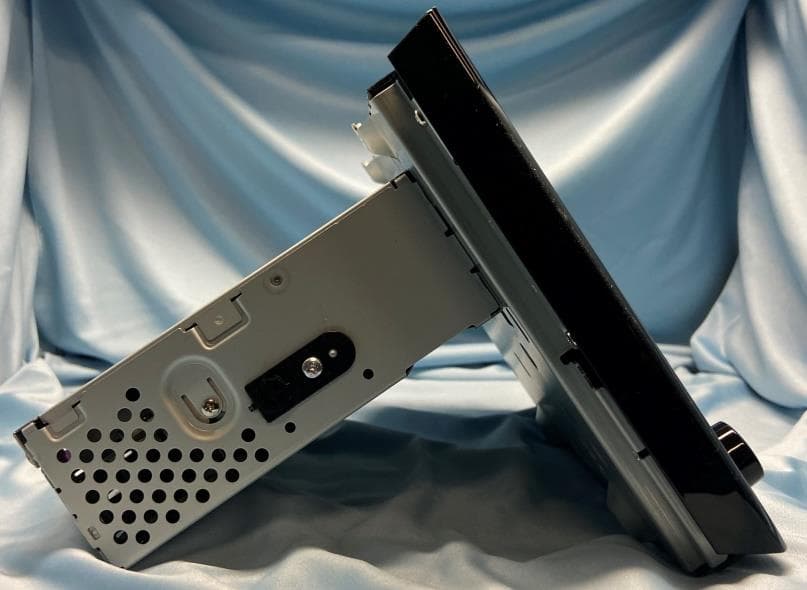
BABTN0040B
Jul 23, 2023Car Audio
Equipment Class
DTS - Digital Transmission System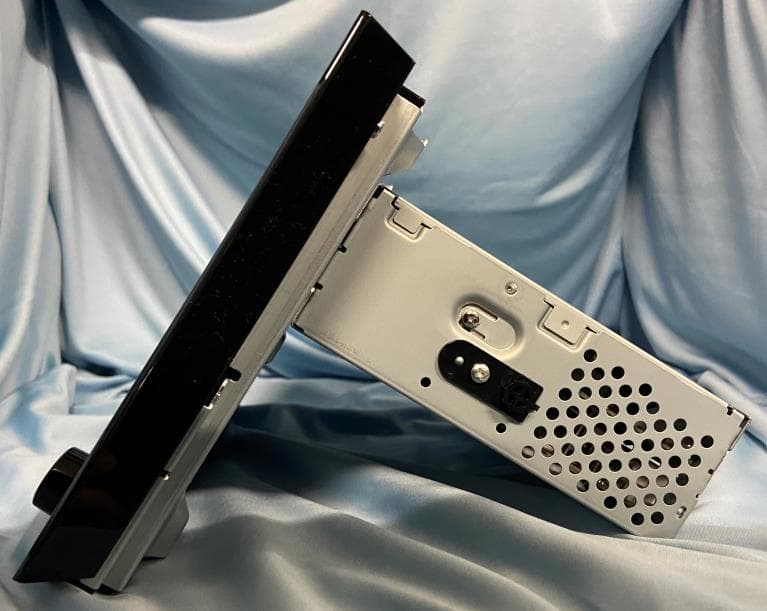
BABTN0040A
Jul 23, 2023Car Audio
Equipment Class
CXX - Communications Rcvr for use w/ licensed Tx and CBs