BBOIRAD900RADAR DETECTOR WITH BLUETOOTH
Cobra Electronics Corporation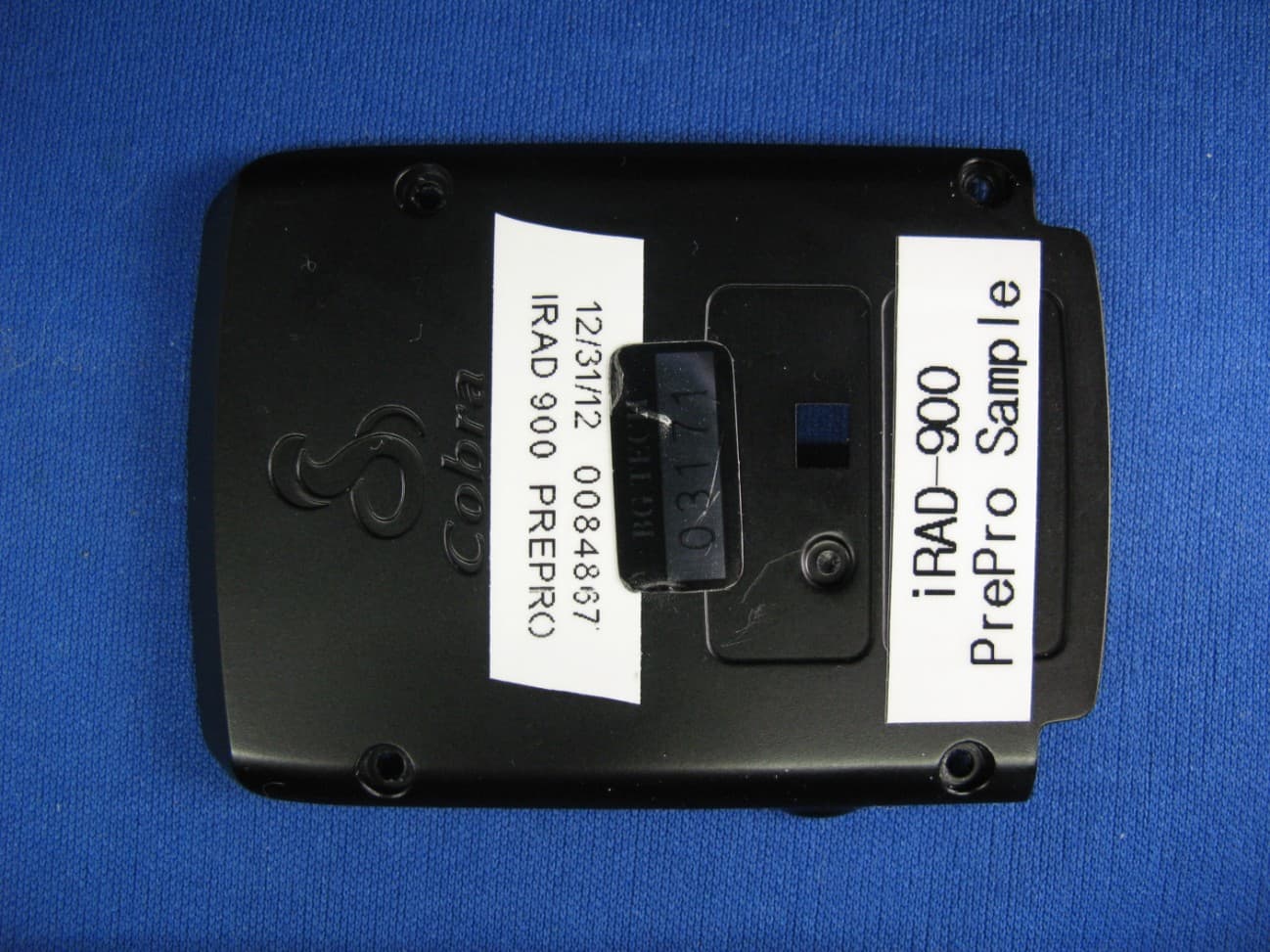
Click to zoom
Application Details
- Equipment Class
- CRD - Part 15 Radar Detector
- Date of Grant
- Mar 03, 2013
- Application Purpose
- Original Equipment
- Date of Application
- Mar 03, 2013
- Equipment Note
- RADAR DETECTOR WITH BLUETOOTH
- Frequency Range
- 33400.00000000 - 36000.00000000
- Country
- United States
Documents & Files
Document Text
Text extracted from the exhibit documents filed with the FCC. Open a document above to read the original.
Users Manual
Windshield Quick Start Guide Printed in China Part No. 480-859-P Version A Cobra iRadar ® ATOM ™ uses Bluetooth ® wireless technology to connect to your iOS or Android ™ device. Through this connection, the Cobra iRadar app displays radar/laser alerts, lets you customize detector settings, and provides access to the iRadar Community. Cobra iRadar is made for: iPod touch (5th Generation) iPod touch (4th Generation) iPhone 5 iPhone 4S iPhone 4 Android ® smartphones running OS 2.1 or higher Follow these simple steps to get your iRadar ATOM up and running: Mounting iRadar ATOM iRadar ATOM should be mounted on the windshield or dashboard of your vehicle. 3 mounting options are included: NOTE: This device complies with part 15 of FCC rules: Operation is subject to the following two conditions: (1) This device may not cause harmful interference, and (2) This device must accept any interference received including interference that may cause undesired operation. CAUTION: Modifications or parts not approved by Cobra Electronics Corporation may violate FCC Rules and void authority to operate this equipment. Aтом ™ Suction Cup Mount – This is the best option for portability and moving the detector from car to car. Make sure to thoroughly clean the suction cups and windshield mount- ing area to insure a tight seal. Dual Lock ® Mount – This mount is discreet and very solid for a permanent mounting location. Make sure the adhesive side of the included Dual Lock is securely fastened to the wind- shield before adding the weight of the detector to it. Hook and Loop Fastener– Included for dashboard mounting. Your detector should be mounted so that it is oriented parallel to the road. The suction cup mount comes standard bent at a 45° angle and Dual Lock ® at 30°. The metal is designed to bend with- out breaking. Adjust the angle so when mounted the detector is level with the road. Note: Do not attempt to bend the mount while the detector is attached. Suction Cup Mount Dual Lock ® Mount Hook & Loop Fastener Incorrect Positions Correct Position Model iRAD 900 Dual Lock® is a registered trademark of 3M Corporation. iRAD900_QSG.indd 11/17/13 9:52 AM Powering iRadar ATOM Plug in your iRadar ATOM using the included cigarette lighter adapter. Note: the adapter includes a USB port that can be used to charge your smartphone or tablet using the manu- facturer’s charging cable. For more discreet installation, a hardwire kit is available at www.cobra.com, part number RA-PSC B. This can be easily wired into your fuse box so that iRadar automatically turns on when your car is running and does not require professional installation. Turn iRadar ATOM on/off by pressing and holding the Power/Volume switch on the side of the unit. The LED on the front of the unit will shine red. RA-PSC B Pairing/Connecting with iRadar ATOM In order to pair iRadar ATOM to your smartphone, go to the Bluetooth Settings Menu on your phone/tablet. For most devices this is found by pressing; Settings u Bluetooth. Press Scan for Devices and/or wait for the Device list to populate and then select iRadar. Pairing can take up to 30 seconds. If you are prompted to “Accept password to pair” press Confirm. When iRadar is properly paired “Connected” will be shown on iOS products and “Paired but not connected” will be shown on Android products. When iRadar is properly paired and connected to your phone the LED on the front of the unit will shine blue. For more information on pairing with Bluetooth devices consult your phone’s owners manual. If you are having trouble initializing or maintaining your Bluetooth connection completely turn off your smart- phone and detector device, wait 30 seconds, and then turn them back on. Now that you are paired with iRadar you’re ready to start using the Cobra iRadar app. Downloading the App To download the app you must enter the iTunes Store or Google Play and search for “Cobra iRadar”. Follow the onscreen instructions to download and install the Cobra iRadar app. Cobra iRadar App The iRadar app is what separates Cobra from any other detectors out there. Make sure to check out the Tutorial for a full explanation of app features. The Tuto- rial automatically is displayed the first time you launch the app and then subsequently can be accessed from the Menu. Information on specific settings and explanations of radar bands can be found by pressing the buttons in the settings menus. explanations of radar bands can be found by pressing the buttons in the iRadar Community As you approach a specific Threat Area you will hear a short beep and then the app will indicate the Cobra’s assess- ment of the reliability of the threat. High-Threat Area means multiple reports have confirmed a legitimate threat in the area recently. Medium or Low-Threat Area means signals have been detected but have either not been confirmed or have not been reported lately. Paying attention to threat areas will allow you to be warned of potential threats before you enter radar detection range. Community Radar/Laser alert sharing means that you have an entire network of users working to keep you and your wallet safe. When you, or any other iRadar user, detects a radar or laser signal the alert information is anonymously sent to Cobra’s cloud servers. Within seconds, that information is processed and displayed on your map as part of a Threat Area. iRAD900_QSG.indd 21/17/13 9:52 AM
Cover Letter(s)
Equipment Authorization Division Office of Engineering and Technology Federal Communications Commission 7435 Oakland Mills Road Columbia, MD 21046 Ref: FCC ID: BBOIRAD900 BBORBTM900 Request for Confidentiality Dear Sirs: With regard to the referenced application, Cobra Electronics Corp. is requesting confidentiality of certain sections of the accompanying documents. The documents for which Cobra Electronics Corp. is requesting confidentiality are: iRad 900 Block Diagram iRad 900 Circuits (Schematics) iRad 900 Theory of operation This request is made under the provisions of Section 0.457(d) of the Commission’s Rules, and Section 552(b)(4) of the Freedom of Information Act. The material for which confidentiality is requested falls within the scope of Section 552(b)(4) as trade secrets and includes material covered by Section 0.459 of the Commission’s Rules. Pursuant to DA 04-1705 June 15, 2004 of the Commission’s public notice, we also request temporary confidential treatment of information accompanying this application as outlined below until the end of April, 2013 (expected ship date): iRad 900 External Photos iRad 900 Test Setup Photos iRad 900 Manual iRad 900 Internal Photos Sincerely, Jeff Sterling Director, Microwave Engineering
External Photos
APPLICANT: COBRA ELECTRONICS CORP. FCC ID: BBOIRAD900 EXTERNAL PHOTOS
Internal Photos
APPLICANT: COBRA ELECTRONICS CORP. FCC ID: BBOIRAD900 INTERNAL PHOTOS
Test Report
FCC PART 15 RADAR DETECTOR REPORT Applicant COBRA ELECTRONICS CORPORATION Address 6500 WEST CORTLAND STREET CHICAGO IL IL USA FCC ID: BBOIRAD900 Product Description RADAR DETECTOR WITH BLUETOOTH Date Sample Received 1/16/2013 Date Tested 1/21/2013 Tested By JOE SCOGLIO Approved By JOE SCOGLIO Report Number 100AUT13TestReport.doc Test Results PASS FAIL THE ATTACHED REPORT SHALL NOT BE REPRODUCED EXCEPT IN FULL WITHOUT THE WRITTEN APPROVAL OF TIMCO ENGINEERING, INC. 849 NW State Road 45 Newberry, Fl 32669 USA Phone: 888.472.2424 or 352.472.5500 Fax: 352.472.2030 Email: [email protected] Website: www.timcoengr.com Certificate # 0955-01 APPLICANT: COBRA ELECTRONICS CORPORATION FCC ID:: BBOIRAD900 REPORT: C\COBRA\100AUT13\100AUT13TestReport.doc Page 2 of 10 TABLE OF CONTENTS GENERAL REMARKS ................................................................................................................. 3 GENERAL INFORMATION .......................................................................................................... 4 TEST EQUIPMENT LIST ............................................................................................................. 5 TEST PROCEDURES .................................................................................................................. 6 RADIATED SPURIOUS EMISSIONS ........................................................................................... 8 VERTICAL PLOT......................................................................................................................... 9 HORIZONTAL PLOT ................................................................................................................. 10 APPLICANT: COBRA ELECTRONICS CORPORATION FCC ID:: BBOIRAD900 REPORT: C\COBRA\100AUT13\100AUT13TestReport.doc Page 3 of 10 GENERAL REMARKS The attached report shall not be reproduced except in full without the written permission of Timco Engineering Inc. The test results relate only to the items tested. Summary The device under test does: fulfill the general approval requirements as identified in this test report not fulfill the general approval requirements as identified in this test report Attestations This equipment has been tested in accordance with the standards identified in this test report. To the best of my knowledge and belief, these tests were performed using the measurement procedures described in this report. All instrumentation and accessories used to test products for compliance to the indicated standards are calibrated regularly in accordance with ISO 17025 requirements. Certificate # 0955-01 I attest that the necessary measurements were made, under my supervision, at: Timco Engineering Inc. 849 NW State Road 45 Newberry, Fl 32669 Authorized Signatory Name: Joe Scoglio Testing Technician Date: January/21/2013 APPLICANT: COBRA ELECTRONICS CORPORATION FCC ID:: BBOIRAD900 REPORT: C\COBRA\100AUT13\100AUT13TestReport.doc Page 4 of 10 GENERAL INFORMATION The test results relate only to the items tested. DUT Description RADAR DETECTOR WITH BLUETOOTH FCC ID BBOIRAD900 DUT Power Source 110–120Vac/50– 60Hz DC Power Battery Operated Exclusively Test Item Prototype Pre-Production Production Modifications to DUT None Test Standards FCC Part 15, Subpart B, ANSI C63.4-2003 APPLICANT: COBRA ELECTRONICS CORPORATION FCC ID:: BBOIRAD900 REPORT: C\COBRA\100AUT13\100AUT13TestReport.doc Page 5 of 10 TEST EQUIPMENT LIST Device Manufacturer Model Serial Number Cal/Char Date Due Date 3/10-Meter OATS TEI N/A N/A 12/31/11 12/31/13 3-Meter OATS TEI N/A N/A 12/31/11 12/31/13 3-Meter Semi- Anechoic Chamber Panashield N/A N/A 12/31/11 12/31/13 Analyzer Tan Tower Preamplifier HP 8449B-H02 3008A00372 10/28/11 10/28/13 Analyzer Tan Tower Quasi-Peak Adapter HP 85650A 3303A01690 10/28/11 10/28/13 Analyzer Tan Tower RF Preselector HP 85685A 3221A01400 10/28/11 10/28/13 Analyzer Tan Tower Spectrum Analyzer HP 8566B Opt 462 3138A07786 3144A20661 10/28/11 10/28/13 Antenna: Biconnical Eaton 94455-1 1057 05/31/11 05/31/13 Antenna: Biconnical Eaton 94455-1 1096 05/04/11 05/04/13 Antenna: Biconnical Electro- Metrics BIA-25 1171 06/13/12 06/13/14 Antenna: Log-Periodic Eaton 96005 1243 05/31/11 05/31/13 Antenna: Log-Periodic Electro- Metrics LPA-25 1122 05/04/11 05/04/13 LISN Electro- Metrics ANS-25/2 2604 10/28/11 10/28/13 LISN Electro- Metrics EM-7820 2682 02/01/11 02/01/13 Signal Generator HP 8640B 2308A21464 02/23/12 02/23/14 APPLICANT: COBRA ELECTRONICS CORPORATION FCC ID:: BBOIRAD900 REPORT: C\COBRA\100AUT13\100AUT13TestReport.doc Page 6 of 10 TEST PROCEDURES General: This report shall NOT be reproduced except in full without the written approval of TIMCO ENGINEERING, INC. RADIATION INTERFERENCE: Testing was done in accordance with ANSI C63.4-2003. Section 15.35(b) specifies the use of an average detector in this band. In addition, the peak level of an emission shall not exceed the average limit by more than 20 dB using a minimum Resolution Bandwidth (RBW) of 1 MHz and minimum Video Bandwidth (VBW) OF 1 MHz. The following procedure is designed to determine if there are any spurious emissions from the local oscillator within the band of interest along with any additional spurious emissions caused by other circuitry within the device. 1) Determine the frequency of the peak emission: Start Frequency 11.7 GHz Stop Frequency 12.2 GHz RBW equal to or greater than 1 MHz VBW equal to or greater than 1 MHz Detector Function Peak Maximize the emissions with regards to device orientation, antenna polarization, and antenna height. Sweep the band using Max Hold for a minimum of 2 minutes. Record this frequency for measuring the peak emission. In addition record the frequency of other spurious emissions noted. 2) Determine the peak level of the emission: Center Frequency Set to the frequency determined in Step 1 RBW Equal to or greater than 1 MHz VBW Equal to or greater than 1 MHz Detector Function Peak Measure the value of the peak emission using Max Hold fo…
Text truncated - open the document above for the full version.
Contact Information
Applicant
Chris de Waal(Senior Project Engineer)
Test Firm
Timco Engineering, Inc.Bruno Clavier
Technical Specifications
| # | Rule Parts | Frequency Range | Power Output |
|---|---|---|---|
| 3 | 15B | 33.40 GHz - 36.00 GHz | - |
Other Applications from Cobra Electronics Corporation
BBOCHEM01
Jul 21, 2026Radar detector
Equipment Class
CRD - Part 15 Radar DetectorBBOPERF600
Jul 13, 2026PERFORMA 600 RADIO DIGITAL BULK, US/COBRA PERFORMA 600 DIGITAL SINGLE PACK, US/COBRA PERFORMA 600 DIGITAL SIX PACK, US/COBRA PERFORMA 600 DIGITAL RADIO, US
Equipment Class
TNF - Licensed Non-Broadcast Transmitter Held to Face
BBOBB650
May 01, 2026VHF Marine Radio Transceiver
Equipment Class
TNF - Licensed Non-Broadcast Transmitter Held to FaceBBOLESS01
Apr 14, 2026Radar detector with Bluetooth
Equipment Class
DTS - Digital Transmission System
BBOCBPT01
Feb 14, 2023Wireless PTT
Equipment Class
DTS - Digital Transmission System