DDOHSABluetooth hands free kit
MAT GLOBAL SOLUTIONS, SL.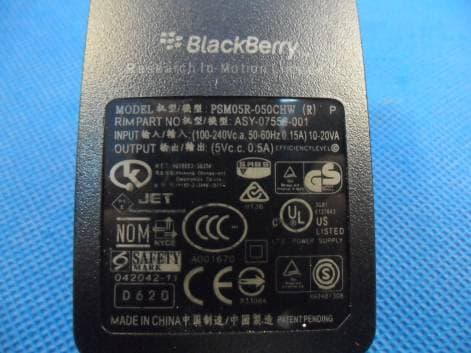
Click to zoom
Application Details
- Equipment Class
- DSS - Part 15 Spread Spectrum Transmitter
- Date of Grant
- May 16, 2012
- Application Purpose
- Original Equipment
- Date of Application
- May 15, 2012
- Equipment Note
- Bluetooth hands free kit
- Frequency Range
- 2402.00000000 - 2480.00000000
- Company
- MAT GLOBAL SOLUTIONS, SL.
- Country
- Spain
Documents & Files
Document Text
Text extracted from the exhibit documents filed with the FCC. Open a document above to read the original.
Users Manual
ITALIANO ENGLISH 16 FRANÇAIS DEUTSCH ESPAÑOL PORTUGUÊS 15-24 Libretto TEC Bluetooth 3LOGY ENG:Layout 1 26-03-2012 12:15 Pagina 15 1.SUOMY COMMUNICATION SYSTEM 3LOGY Congratulations and thank you for choosing SUOMY SCS 3LOGY, the innovative Bluetooth® device specially designed for helmets to make audio communication simpler and safer. The SCS 3LOGYsystem is compatible with all Bluetooth® devices for audio transmission with HSP, HFP and A2DP profiles (telephone, GPS, MP3, MP4, or just one device with all of the aforementioned functions). It is also possible to combine it with any Bluetooth® audio reception device or other SCS 3LOGYsystems, establishing audio communication (intercommunication) up to a distance of approximately 10 metres, while staying connected to the corresponding telephone or device at the same time. A single LED (red/blue) [(1) see fig-1] is the function indicator for recognition, battery charging, on/off, and the battery level indicator. The system is equipped with one audio speaker and therefore can only operate in MONO mode, as stipulated by legislation in most countries. For the best use of your SCS 3LOGYplease read this manual carefully and keep it in a safe place so it can be consulted when required. 2.CHARGING THE SUOMY SCS 3LOGY Before using the SCS 3LOGYfor the first time the battery must be fully charged. Plug the charger into a wall socket [(6) see fig-1] and insert the other end of the cable into the special opening on the SCS 3LOGYUSB [(3) see fig-1]. While the battery is charging the LED [(2) see fig 1] will stay red then go off when the battery is fully charged. NB: • The battery charger should never be disconnected by pulling the cables. • To increase battery lifetime it is advisable to fully charge the battery each time the device is used. • If the battery is not used for a long period of time after having been fully charged, it may have less charge than usual. After discharging and being charged a few times the charge reserves will return to normal. 3.INSTALLING THE SUOMY SCS 3LOGY The SCS 3LOGYis easy to install in the helmet. The system does not need to be wired up as it is inserted completely into the cheek guard provided. Remove the cheek guard by releasing the three snap fasteners as shown in [see fig-2]. Then remove the 3 screws [(2) see fig-3] to remove the protective shield, and remove the other 3 screws [(4) see fig-3] situated under the shield itself. ENGUSER’S INSTRUCTIONS 16 15-24 Libretto TEC Bluetooth 3LOGY ENG:Layout 1 26-03-2012 12:15 Pagina 16 USER’S INSTRUCTIONSENG Remove the cheek guard [direction X see fig-3] until completely disengaged from the tabs A-B [see fig-4] after removing the strap from the inner cheek guard. Then fit the cheek section equipped with the SCS 3LOGYsystem, by first inserting the tabs A-B [see fig-4] into the appropriate housing formed in the polystyrene [direction Y see fig-4], after inserting the strap into the special opening on the cheek guard. Tighten the 3 screws [(4) see fig-4] then position the protective shield [(1) see fig-5] and secure it by tightening the screws [(2) see fig-5]. 4.CONNECTING TO A TELEPHONE OR NAVIGATOR To use the SCS 3LOGYit must be connected to the desired Bluetooth® device (mobile, GPS etc.). For this purpose, when the SCS 3LOGYis switched off press and hold down the control button [(1) see fig-1] until the LED [(2) see fig-1] flashes alternating red and blue. The device can be found under the name of SCS 3LOGYby searching the Bluetooth® devices on the telephone or navigator. Select the SCS 3LOGYdevice and insert the access code 0000 if required. 5.ON/OFF To switch the SCS 3LOGYon press and hold the control button down for approximately 3 seconds [(1) see fig-1]. The earpiece will beep and the LED [(2) see fig-1] will start flashing blue. To switch the SCS 3LOGYoff press and hold the button down [(1) see fig-1] for approximately 3 seconds until the earpiece stops beeping and the LED flashes red then goes off. 6.CALL FUNCTIONS 6.1.ANSWERING AND ENDING A CALL The audio speaker will beep when there is an incoming call . The call can be answered by speaking into the microphone, by pressing the control button just once [(1) see fig-1], or by enabling the automatic response function on the mobile telephone if this facility is available. To end the call press the button just once [(1) see fig-1] or wait for the other person to hang up. 6.2.REJECTING AN INCOMING CALL To reject an incoming call press the control button twice [(1) see fig-1] when the telephone rings. 17 15-24 Libretto TEC Bluetooth 3LOGY ENG:Layout 1 26-03-2012 12:15 Pagina 17 ENG 18 USER’S INSTRUCTIONS 6.3.MAKING A CALL To make a call press the control button [(1) see fig-1] to enable the voice dialling function (the telephone has to be configured for voice dialling, provided the telephone has this facility). To call the same number again press the control button twice [(1) see fig-1] (depending on telephone configuration and functions). 7.ADJUSTING VOLUME WITH TELEPHONE OR NAVIGATOR The SCS 3LOGYdevice is already programmed with a volume level that allows perfect listening up to 120 km/h. To adjust the volume use the device volume control. 8.LISTENING TO MUSIC FROM THE TELEPHONE Once the SCS 3LOGYis connected to a telephone that can produce music using Bluetooth® it can be listened to immediately with the SCS 3LOGYdevice. The music and volume can only be controlled via the mobile telephone, depending on its configuration and functions. All call functions are available while listening to music. The music stops when there is an incoming call and restarts when the call ends. The same procedure takes place with an outgoing call. 9.COMMUNICATION WITH ANOTHER SUOMY SCS 3LOGY DEVICE Ensure both SCS 3LOGYdevices are turned off. Press and hold the control button down [(1) see fig-1] on both SCS 3LOGYdevices until the LEDs flash alternating red and blue. Then press the control button once on one of the SCS 3LOGYdevices briefly. In a…
Text truncated - open the document above for the full version.
Cover Letter(s)
The same model, have two kinds of different shape. (The same model, have two kinds of different shape.)
External Photos
1 Photographs (Test Model No.: T-HSA) 1.1 EUT Constructional Details Rounded Style Quadrate Style with black Shell
Internal Photos
1 Photographs (Test Model No.: T-HSA) 1.1 EUT Constructional Details Rounded Style
Contact Information
Applicant
Xavier Mateu(CEO)
Technical Contact
SGS-CSTC Standards Technical ServicesLtdSheek Luo
[email protected]0755-2654 4119
No.1 Workshop, M-10, Middle Section, Science & · Shenzhen · China
Non-Technical Contact
SGS-CSTC Standards Technical ServicesLtdKate Zhang
[email protected]0755-2671 0070
Test Firm
SGS-CSTC Standards Technical Services Co.,Ltd.June Zhang
Technical Specifications
| # | Rule Parts | Frequency Range | Power Output |
|---|---|---|---|
| 1 | 15C | 2.40 GHz - 2.48 GHz | 6.49 mW |
Other Applications from MAT GLOBAL SOLUTIONS, SL.
DDOLSA
Mar 21, 2015Hands Free Kits
Equipment Class
DSS - Part 15 Spread Spectrum Transmitter
DDOFSA
Mar 21, 2015Hands Free Kits
Equipment Class
DSS - Part 15 Spread Spectrum Transmitter
DDOTWIN3
Feb 18, 2013Bluetooth hands free kit
Equipment Class
DSS - Part 15 Spread Spectrum Transmitter