DDOTWIN3Bluetooth hands free kit
MAT GLOBAL SOLUTIONS, SL.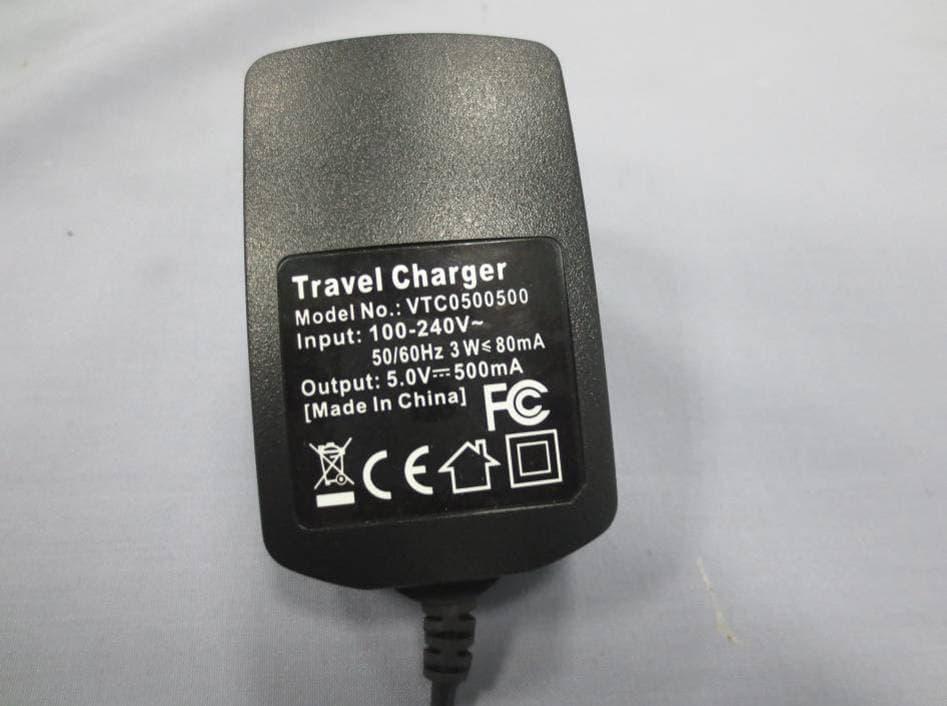
Click to zoom
Application Details
- Equipment Class
- DSS - Part 15 Spread Spectrum Transmitter
- Date of Grant
- Feb 18, 2013
- Application Purpose
- Original Equipment
- Date of Application
- Feb 18, 2013
- Equipment Note
- Bluetooth hands free kit
- Frequency Range
- 2402.00000000 - 2480.00000000
- Company
- MAT GLOBAL SOLUTIONS, SL.
- Country
- Spain
Documents & Files
Document Text
Text extracted from the exhibit documents filed with the FCC. Open a document above to read the original.
Users Manual
I N T E R C O M M O B I L E M P 3 / M P 4 G P S U ser ’ s G Uide 4 M anUel d ’U tilisation 10 M anUale d ’ Uso 16 B edienUnGsanleitUnG 23 M anUal de Uso 29 MEG Lazer Link bichro 135 X 80 mm DEF.indd 121/11/12 11:48 A B D C E C C B A A1 D F E I N T E R C O M M O B I L E M P 3 / M P 4 G P S I N T E R C O M M O B I L E M P 3 / M P 4 G P S - 3 - MEG Lazer Link bichro 135 X 80 mm DEF.indd 321/11/12 11:48 starts to flash alternately in Red and Blue. When looking for Bluetooth ® devices in the mobile or navigator, you should find the device called “Lazer Link”. Select the “Lazer Link” device and if requested enter the 0000 access code. SWITCHING ON / SWITCHING OFF To switch on your Lazer Link press and hold the control button (A), until you hear a beep audio sound in the speaker (C) and the LED (A1) starts to blink in a blue colour. To switch off your Lazer Link press and hold the control button (A) for a couple of seconds, until you hear a beep sound in the speaker and the LED (A1) starts to blink in a red colour and then off. CALL FUNCTIONS ANSWERING AND ENDING A CALL When there is an incoming call, the speaker will play an acoustic signal. To answer the call, you can say any word out loud into the microphone (E) (for example: ”Answer!”) or press the control button (A) just once, or, as long as your mobile phone allows it, you can activate the automatic answering function on the mobile phone. To end the call, press the button (A) just once or wait for the caller to hang up. REJECTING AN INCOMING CALL To reject an incoming call, you just have to press the control button (A) twice when you hear a call acoustic signal. MAKING A CALL To make a call, press the control button (A) to activate the voice dialing function of the associated mobile (the mobile should be configured to allow voice dialing, as long as the mobile has this function). To make a re-call (repetition of the last dialed number), press the control button twice (A). It also depends on the mobile’s functions and configuration. VOLUME ADJUSTMENTS WITH MOBILE OR NAVIGATOR (GPS) The Lazer Link device comes programmed with a volume level that allows perfect listening up to 120 km/h. Use the volume control of the associated device to adjust the volume. It is recommended to set the highest volume level of the Lazer Link with the control button (A) before the connection of the other device (see p.6 “INTERCOM VOLUME ADJUSTMENT”). LISTENING TO THE MOBILE'S MUSIC After connecting the Lazer Link to the mobile phone that can play music by Bluetooth ® , when the music is activated in the mobile it will be immediately heard through the Lazer Link device. The music and the volume can only be controlled UK WeLCOme Congratulations and thank you for choosing the Lazer Link, the innovative handfree Bluetooth ® system especially designed for the Lazer helmets to allow easy and safe audio communication in motion. The Lazer Link is compatible with all audio Bluetooth ® transmitting devices in HSP, HFP and A2DP profiles (Mobile, GPS, MP3, MP4, or any device compatible with all of the aforementioned functions). It can also be associated (paired) with any Bluetooth ® audio receiver device, or to another Lazer Link, establishing an audio communication (intercommunication) up to a distance of approximately 10 metres, maintaining the association with the mobile or corresponding device at the same time. This device can be fully operated with only one control button (A). A single LED (red/blue) (A1) is the indicator of its functions: pairing, charging, on/off, low battery indicator. The Lazer Link weighs only 55g approximately. In order to get the best use out of your Lazer Link, please read this manual thoroughly, and then keep it in a safe place for later use or visit http://www.lazerhelmets.com/fr/innovations-2/lazer-link CHARGING THe LAZeR LINK Before using the Lazer Link for the first time, the battery (D) must be fully charged. Plug the charger (F) into the socket, and then insert the other end of the cable to the Lazer Link mini-USB jack (B) While the battery is charging the red LED (A1) is on, and will turn off once it is fully charged. NOTE: Never unplug the devices by pulling from the cable. NOTE: It is recommended to completely charge the battery each time, this will extend the battery life time. NOTE: When the battery is charged completely but has not been used for a long time, it may have less energy storage than normal. After being used and recharged a few times, the energy storage will increase back to normal. INSTALLING THe LAZeR LINK See the video on “how to install the Lazer Link” on our website: http://www.lazerhelmets.com/fr/innovations-2/lazer-link PAIRING WITH A mOBILe OR NAVIGATOR (GPS) To be able to use the Lazer Link you have to associate it with the Bluetooth ® device you want to connect it to (Mobile, GPS, etc.). To do this, when the Lazer Link is switched off, press and keep the control button (A) pressed until the LED (A1) - 5 -- 4 - MEG Lazer Link bichro 135 X 80 mm DEF.indd 4-521/11/12 11:48 from the mobile phone depending on its functions and configuration. All of the call functions are maintained when you are listening to music. If you receive an incoming call, the music stops and when the call ends it returns. The same happens when you make a call. PAIRING IN INTeRCOm WITH ANOTHeR LAZeR LINK DeVICe Make sure that the two Lazer Links are switched off (switch off as well any Bluetooth ® device that could be associated to the Lazer Link, such as mobile phone, GPS, etc.). Press and keep the control button (A) of both Lazer Links pressed until the LEDs (A1) on both devices start to flash alternately in Red and Blue. Then, briefly press the control button of one of the Lazer Link devices. After a few seconds, both devices are paired and you can establish the intercommunication. When they have been associated, we recommend switching off both Lazer Links and switching on the other devices associated to each Lazer Link (GPS, mobile, etc.)…
Text truncated - open the document above for the full version.
Cover Letter(s)
MAT GLOBAL SOLUTIONS, SL. C/ Sant Sebastià, 202 bis 1a-E08223 TERRASSA (Barcelona) - Spain 2013-01-28 Attn: Director of Certification Authority to Act as Agent Dear Sir/Madam, We, MAT GLOBAL SOLUTIONS, SL., hereby authorize China Certification & Inspection Services Co., Ltd.1st Floor, Block No.2, Laodong Industrial Zone, Xixiang Road Baoan District, Shenzhen, China, Bruce.Zhang. To act as our agent in the preparation of FCC application for the following project: (Bluetooth hands free kit;in3) We affirm that submitted documents have properly described the device or system and each unit manufactured, imported or marketed, as defined in the Federal Communications Commission’s regulations will be affixed to a label submitted for approval with this application. Dated this 2013-01-28 Agency agreement expiration date: 2014-01-28 By: Xavier Mateu Signature Printed Title: CEO On behalf of : MAT GLOBAL SOLUTIONS, SL. Telephone: 0034937336566
Cover Letter(s)
MAT GLOBAL SOLUTIONS, SL. C/ Sant Sebastià, 202 bis 1a-E08223 TERRASSA (Barcelona) - Spain DATE : 2013-01-28 Equipment Autorisation Division Federal Communications Commission 7435 Oakland Mills Road Columbia, MD 21046 FCC ID: DDOTWIN3 Product Name: Bluetooth hands free kit Request for Confidentiality Pursuant to Sections 0.457 and 0.459 of the commissions rules, we hereby request that the following documents be held confidential: • Schematics • Block diagram • Operational Description These materials contain trade secrets and proprietary information and are not customarily released to the public. The public disclosure of this information might be harmful to the company and provide unjustified benefits to our competitors. Dated this 2013-01-28 By: Xavier Mateu Signature Printed Title: CEO On behalf of : MAT GLOBAL SOLUTIONS, SL. Telephone: 0034937336566
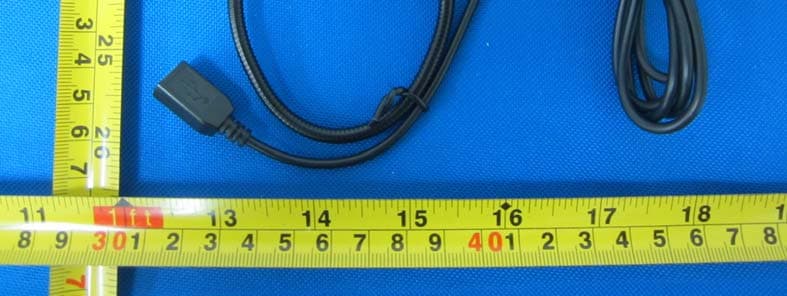
External Photos
Report No: CCIS13010002801 China Certification & Inspection Services Co., Ltd. Project No.: CCIS130100028RF 1st Floor, Block No.2, Laodong Industrial Zone, Xixiang Road Baoan District, Shenzhen, China 518102 Telephone: +86 (0) 755 23118282 Fax: +86 (0) 755 23116366 Page 50 of 59 8 EUT Constructional Details Report No: CCIS13010002801 China Certification & Inspection Services Co., Ltd. Project No.: CCIS130100028RF 1st Floor, Block No.2, Laodong Industrial Zone, Xixiang Road Baoan District, Shenzhen, China 518102 Telephone: +86 (0) 755 23118282 Fax: +86 (0) 755 23116366 Page 51 of 59 Report No: CCIS13010002801 China Certification & Inspection Services Co., Ltd. Project No.: CCIS130100028RF 1st Floor, Block No.2, Laodong Industrial Zone, Xixiang Road Baoan District, Shenzhen, China 518102 Telephone: +86 (0) 755 23118282 Fax: +86 (0) 755 23116366 Page 52 of 59 Report No: CCIS13010002801 China Certification & Inspection Services Co., Ltd. Project No.: CCIS130100028RF 1st Floor, Block No.2, Laodong Industrial Zone, Xixiang Road Baoan District, Shenzhen, China 518102 Telephone: +86 (0) 755 23118282 Fax: +86 (0) 755 23116366 Page 53 of 59 Report No: CCIS13010002801 China Certification & Inspection Services Co., Ltd. Project No.: CCIS130100028RF 1st Floor, Block No.2, Laodong Industrial Zone, Xixiang Road Baoan District, Shenzhen, China 518102 Telephone: +86 (0) 755 23118282 Fax: +86 (0) 755 23116366 Page 54 of 59
ID Label/Location Info
Label and Location Label Location
Internal Photos
Report No: CCIS13010002801 China Certification & Inspection Services Co., Ltd. Project No.: CCIS130100028RF 1st Floor, Block No.2, Laodong Industrial Zone, Xixiang Road Baoan District, Shenzhen, China 518102 Telephone: +86 (0) 755 23118282 Fax: +86 (0) 755 23116366 Page 55 of 59 Report No: CCIS13010002801 China Certification & Inspection Services Co., Ltd. Project No.: CCIS130100028RF 1st Floor, Block No.2, Laodong Industrial Zone, Xixiang Road Baoan District, Shenzhen, China 518102 Telephone: +86 (0) 755 23118282 Fax: +86 (0) 755 23116366 Page 56 of 59 Report No: CCIS13010002801 China Certification & Inspection Services Co., Ltd. Project No.: CCIS130100028RF 1st Floor, Block No.2, Laodong Industrial Zone, Xixiang Road Baoan District, Shenzhen, China 518102 Telephone: +86 (0) 755 23118282 Fax: +86 (0) 755 23116366 Page 57 of 59 Report No: CCIS13010002801 China Certification & Inspection Services Co., Ltd. Project No.: CCIS130100028RF 1st Floor, Block No.2, Laodong Industrial Zone, Xixiang Road Baoan District, Shenzhen, China 518102 Telephone: +86 (0) 755 23118282 Fax: +86 (0) 755 23116366 Page 58 of 59 Report No: CCIS13010002801 China Certification & Inspection Services Co., Ltd. Project No.: CCIS130100028RF 1st Floor, Block No.2, Laodong Industrial Zone, Xixiang Road Baoan District, Shenzhen, China 518102 Telephone: +86 (0) 755 23118282 Fax: +86 (0) 755 23116366 Page 59 of 59 ------End of report------
RF Exposure Info
FCC RF Exposure FCC ID: DDOTWIN3 Operation frequency range: 2402MHz to 2480MHz (79 Channels) The maximum output power is 3.91 dBm = 2.46mW in middle channel Antenna gain: G= 2.5dBi. Peak, Radiated= 3.91dBm+2.5dBi=6.41dBm=4.375mW SAR Test Exclusion Thresholds specified in KDB 447498 Appendix A: Evaluation: The maximum calculated peak radiated power of 4.375mW lies far under the 10mW at 5mm, however the device is typically used at ﹥20cm. Conclusion: This device emits far under the exposure limit for its typical use, and is excluded for SAR evaluation, so PASS.
Test Report
China Certification & Inspection Services Co., Ltd. Report No: CCIS13010002801 Authorized Signature: Bruce Zhang Laboratory Manager This report details the results of the testing carried out on one sample. The results contained in this test report do not relate to other samples of the same product and does not permit the use of the CCIS product certification mark. The manufacturer should ensure that all products in series production are in conformity with the product sample detailed in this report. This report may only be reproduced and distributed in full. If the product in this report is used in any configuration other than that detailed in the report, the manufacturer must ensure the new system complies with all relevant standards. This document cannot be reproduced except in full, without prior written approval of the Company. Any unauthorized alteration, forgery or falsification of the content or appearance of this document is unlawful and offenders may be prosecuted to the fullest extent of the law. Unless otherwise stated the results shown in this test report refer only to the sample(s) tested and such sample(s) are retained for 90 days only.” 1 Cover Page FCC REPORT (Bluetooth) Applicant: MAT GLOBAL SOLUTIONS,SL. Address of Applicant: C/ Sant Sebastià, 202 bis 1a-E08223 TERRASSA (Barcelona) - Spain Equipment Under Test (EUT) Product Name: Bluetooth hands free kit Model No.: in3 Trade Mark: Twiins FCC ID: DDOTWIN3 Applicable standards: FCC CFR Title 47 Part 15 Subpart C Section 15.247:2011 Date of sample receipt: 28 Jan., 2013 Date of Test: 29 Jan., 2013 Date of report issued: 29 Jan., 2013 Test Result : PASS * * In the configuration tested, the EUT complied with the standards specified above. Report No: CCIS13010002801 China Certification & Inspection Services Co., Ltd. Project No.: CCIS130100028RF 1st Floor, Block No.2, Laodong Industrial Zone, Xixiang Road Baoan District, Shenzhen, China 518102 Telephone: +86 (0) 755 23118282 Fax: +86 (0) 755 23116366 Page 2 of 59 2 V Version ersion Version No. Date Description 00 29 Jan., 2013 Original Prepared By: Date: 29 Jan., 2013 Report Clerk Check By: Date: 29 Jan., 2013 Project Engineer Report No: CCIS13010002801 China Certification & Inspection Services Co., Ltd. Project No.: CCIS130100028RF 1st Floor, Block No.2, Laodong Industrial Zone, Xixiang Road Baoan District, Shenzhen, China 518102 Telephone: +86 (0) 755 23118282 Fax: +86 (0) 755 23116366 Page 3 of 59 3 Contents Page 1 COVER PAGE..............................................................................................................................................................1 2 CONTENTS...................................................................................................................................................................3 3 TEST SUMMARY.........................................................................................................................................................4 4 GENERAL INFORMATION........................................................................................................................................5 4.1 CLIENT INFORMATION................................................................................................................................................. 5 4.2 GENERAL DESCRIPTION OF E.U.T. .............................................................................................................................. 5 4.3 TEST MODE.................................................................................................................................................................. 7 4.4 TEST FACILITY............................................................................................................................................................ 7 4.5 TEST LOCATION.......................................................................................................................................................... 7 4.6 OTHER INFORMATION REQUESTED BY THE CUSTOMER............................................................................................... 7 4.7 TEST INSTRUMENTS LIST............................................................................................................................................. 8 5 TEST RESULTS AND MEASUREMENT DATA.....................................................................................................9 5.1 ANTENNA REQUIREMENT: ........................................................................................................................................... 9 5.2 CONDUCTED EMISSIONS............................................................................................................................................ 10 5.3 CONDUCTED PEAK OUTPUT POWER.......................................................................................................................... 13 5.4 20DB OCCUPY BANDWIDTH...................................................................................................................................... 17 5.5 CARRIER FREQUENCIES SEPARATION........................................................................................................................ 21 5.6 HOPPING CHANNEL NUMBER.................................................................................................................................... 26 5.7 DWELL TIME............................................................................................................................................................. 28 5.8 PSEUDORANDOM FREQUENCY HOPPING SEQUENCE.................................................................................................. 32 5.9 BAND EDGE.............................................................................................................................................................. 33 5.9.1 Conducted Emission Method.........................................…
Text truncated - open the document above for the full version.
Test Setup Photos
Report No: CCIS13010002801 China Certification & Inspection Services Co., Ltd. Project No.: CCIS130100028RF 1st Floor, Block No.2, Laodong Industrial Zone, Xixiang Road Baoan District, Shenzhen, China 518102 Telephone: +86 (0) 755 23118282 Fax: +86 (0) 755 23116366 Page 48 of 59 7 Test Setup Photo Radiated Spurious Emission Report No: CCIS13010002801 China Certification & Inspection Services Co., Ltd. Project No.: CCIS130100028RF 1st Floor, Block No.2, Laodong Industrial Zone, Xixiang Road Baoan District, Shenzhen, China 518102 Telephone: +86 (0) 755 23118282 Fax: +86 (0) 755 23116366 Page 49 of 59 Conducted Emission
Contact Information
Applicant
Xavier Mateu(CEO)
Technical Contact
China Certification & Inspection Services Co., LtdBruce Zhang
[email protected]+86-0755-27798480
1st Floor, Block No.2, Laodong Industrial Zone · Shenzhen · China
Test Firm
Shenzhen Zhongjian Nanfang Testing Co.,LtdBruce Zhang
Technical Specifications
| # | Rule Parts | Frequency Range | Power Output |
|---|---|---|---|
| 1 | 15C | 2.40 GHz - 2.48 GHz | 2.46 mW |
Other Applications from MAT GLOBAL SOLUTIONS, SL.
DDOLSA
Mar 21, 2015Hands Free Kits
Equipment Class
DSS - Part 15 Spread Spectrum Transmitter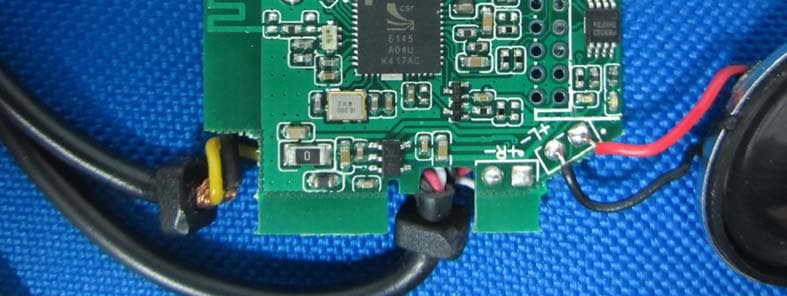
DDOFSA
Mar 21, 2015Hands Free Kits
Equipment Class
DSS - Part 15 Spread Spectrum Transmitter
DDOHSA
May 16, 2012Bluetooth hands free kit
Equipment Class
DSS - Part 15 Spread Spectrum Transmitter