DMOM2AEBTBluetooth Headphone with NFC
Sennheiser Electronic Corp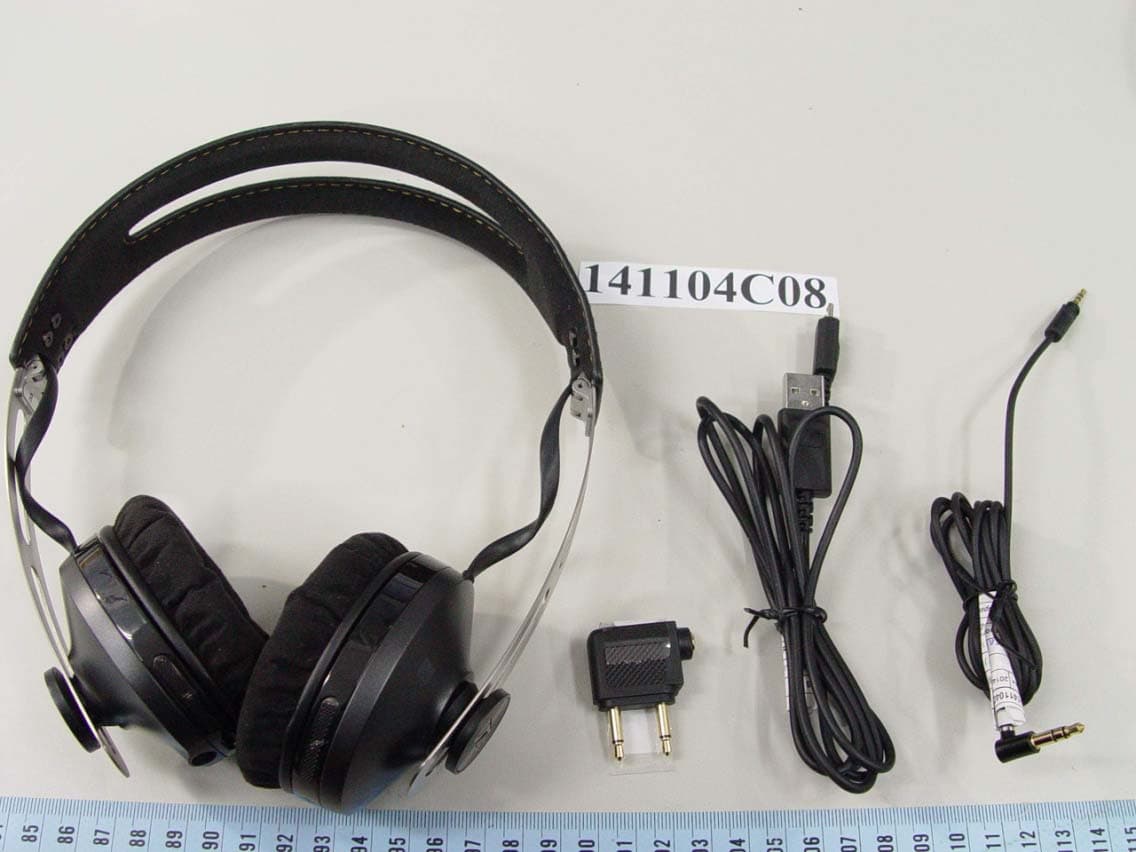
Click to zoom
Application Details
- Equipment Class
- DTS - Digital Transmission System
- Date of Grant
- Jan 13, 2015
- Application Purpose
- Original Equipment
- Date of Application
- Jan 13, 2015
- Equipment Note
- Bluetooth Headphone with NFC
- Frequency Range
- 2402.00000000 - 2480.00000000
- Company
- Sennheiser Electronic Corp
- Country
- United States
Documents & Files
Document Text
Text extracted from the exhibit documents filed with the FCC. Open a document above to read the original.
Users Manual
MOMENTUM Wireless M2 AEBT Instruction Manual 2 | M2 AEBT M2 AEBT | 1 Contents Contents Important safety instructions ...................................................................................2 The MOMENTUM Wireless (M2 AEBT) .......................................................................4 Package includes ..........................................................................................................6 Product overview .........................................................................................................7 Overview of the headphones ....................................................................................7 Overview of pictograms .............................................................................................7 Overview of LED indicators ........................................................................................9 Overview of buttons .................................................................................................10 Getting started .........................................................................................................11 Charging basics ..........................................................................................................11 Pairing the headphones ...........................................................................................13 Adjusting the headband ..........................................................................................16 Using the headphones .............................................................................................17 Switching the headphones on ................................................................................17 Switching the headphones off ................................................................................17 Adjusting the volume ...............................................................................................18 Checking the remaining battery life ......................................................................19 Music functions ..........................................................................................................20 Call functions .............................................................................................................21 Voice control functions .............................................................................................23 Using the audio cable ..............................................................................................24 Caring and maintenance ..........................................................................................25 Replacing the earpads ..............................................................................................25 Caring for leather parts ............................................................................................25 Storing and handling ................................................................................................26 Updating the software using the Sennheiser Updater ......................................26 Replacing/removing the rechargeable battery ...................................................27 Troubleshooting ........................................................................................................28 Clearing the paired settings ....................................................................................29 Specifications ............................................................................................................30 Manufacturer declarations ......................................................................................31 2 | M2 AEBT Important safety instructions Important safety instructions XRead the instruction manual, safety guide, quick guide (as supplied) carefully and completely before using the product. XAlways include this safety guide when passing the product on to third parties. XDo not use an obviously defective product. Preventing damage to health and accidents XProtect your hearing from high volume levels. Permanent hearing damage may occur when headphones are used at high volume levels for long periods of time. Sennheiser headphones sound exceptionally good at low and me- dium volume levels. XKeep the headphones at least 10 cm/3.94” from cardiac pacemaker or im- planted defibrillator. The headphones contain magnets that generate a magnetic field which could cause interference with cardiac pacemaker and implanted defibrillator. XKeep the product and its accessories away from small children and pets. The product contains small parts which may cause choking hazards to small chil- dren and pets. XDo not use the product in situations which require special attention (for ex- ample, in traffic or when performing skilled jobs). Preventing damage to the product and malfunctions XAlways keep the product dry and do not expose it to extreme temperatures to avoid corrosion or deformation. The normal operating temperature is from 0 to 40°C/32 to 104°F. XUse only attachments/accessories/spare parts supplied or recommended by Sennheiser. XClean the non-leather parts of the product only with a soft, dry cloth. XUse only the product in environments where Bluetooth® wireless transmis- sion is permitted. XDo not wear the headphones during charging because the built-in recharge- able battery can get warm. XUse the product with care and store it in a clean, dust-free environment. XDo not operate the product near heat sources. Caring for leather parts XGently wipe leather parts periodically with a clean, soft cloth dampened with water. XDo not use leather polish, detergents or harsh soaps to clean leather parts. XAvoid storing the headphones in a damp or humid environment. M2 AEBT | 3 Important safety instructions Intended use/Liability This wireless headphones are designed for use with mobile devices (e. g. mo- bile music players, mobile phones, tablets, computers) that supp…
Text truncated - open the document above for the full version.
Users Manual
M2 AEBT | 17 Using the headphones Using the headphones Switching the headphones on WARNING Danger due to high volume levels! Listening at high volume levels for long periods of time can lead to permanent hearing defects. XBefore putting the headphones on, set the volume to a low level. XDo not continuously expose yourself to high volume levels. XPress the power button for 2 seconds. You hear the voice prompts „power on” and „connected” while the LED flashes blue. The headphones switch on. MOMENTUM L headphones on › connected ‹ › power on ‹ MOMENTUM L 2s Switching the headphones off XPress the power button for 2 seconds. You hear the voice prompt „power off” and the LED flashes red. The headphones switch off. › Power off ‹ headphones off MOMENTUM L MOMENTUM L 2s 18 | M2 AEBT Using the headphones Adjusting the volume CAUTION Risk of hearing damage! Listening at high volume levels can lead to permanent hearing defects. XSet the volume to a low level before putting on the headphones. XDo not continuously expose yourself to sound at high volume levels. Control the volume anytime according to your mood or preference. XPush the 3-way multifunction button down to reduce the volume. When the minimum volume is reached, you hear the voice prompt „volume min“. XPush the 3-way multifunction button up to increase the volume. When the maximum volume is reached, you hear the voice prompt „volume max“. M2 AEBT | 19 Using the headphones Checking the remaining battery life If the headphones are not playing music or if there is no active call, you can check the battery life for the remaining play and call times. XPress the 3-way multifunction button thrice quickly. You hear the voice prompt stating the remaining play time. Voice promptMeaning „Recharge headset" Battery is almost empty (less than 2% charged) „Below 3 hours play time"Battery is less than 15% charged „Between 3 and 5 hours play time"Battery is less than 25% charged „Between 5 and 11 hours play time"Battery is less than 50% charged „Between 11 and 18 hours play time“Battery is less than 80% charged „Between 18 and 22 hours play time“Battery is more than 80% charged Depending on your smartphone, the battery life of your headphones may also be displayed on the screen. 3x 20 | M2 AEBT Using the headphones Music functions The following music functions are only available if the headphones and the smartphone are connected using Bluetooth wireless technology or if the USB cable is used. Some smartphones may not support all the functions. If your audio source supports aptX®, the headphones will automatically stream music wirelessly in aptX® high-quality mode. If your audio source does not sup- port aptX®, music will be streamed in standard quality mode. Play music XPress the 3-way multifunction button. Pause the music XPress the 3-way multifunction button. 1x1x Play the next song XPress the 3-way multifunction button twice quickly. Play the previous song XPress the 3-way multifunction button thrice quickly. 2x3x Fast-forward a song XPress the 3-way multifunction button twice quickly and hold until the desired part of the track is reached. Rewind a song XPress the 3-way multifunction button thrice quickly and hold until the desired part of the track is reached. 2x + HOLD 3x + HOLD M2 AEBT | 21 Using the headphones Call functions The following call functions are only available if the headphones and the smart- phone are connected using Bluetooth wireless technology or if the USB cable is used. Some smartphones may not support all the functions. Making a call XDial the desired number on your mobile phone. If your mobile phone does not automatically transfer the call to the headphones: XSelect the MOMENTUM M2 AEBT as the audio source on your smartphone (see the instruction manual of your smartphone if necessary). Accepting/Rejecting/Ending a call If your headphones are connected to a smartphone and you received a call, you hear a ring tone in the headphones and the LED flashes blue. If the battery level of the headphones is low, the LED flashes red. If you are listening to music when you received the call, the music stops until you end the call. XPress the 3-way multifunction button. PressFunctionVoice prompt/ tone 1 x Accepts/Starts a call 1 s Rejects a call„Call rejected” 1 x Ends a call„Call ended” 1 x 1 2 Accepts an incoming call and ends the active call 2 x 2 HOLD 1 Accepts an incoming call and puts an active call on hold 2 x 2 HOLD 1 Toggles between 2 active calls MOMENTUM 22 | M2 AEBT Using the headphones Transferring the call to/from the headphones Once the connection is established, you can transfer the call between the head- phones and your smartphone. XPress the 3-way multifunction button. PressFunctionVoice prompt 1 s Transfers a call from the headphones to the smartphone 1 s Transfers a call from the smartphone to the headphones M2 AEBT | 23 Using the headphones Redialing The redialing function must be supported by your smartphone or Bluetooth de- vice (with HFP profile). The function maybe required to be activated from your device. XPress the 3-way multifunction button. PressFunctionVoice prompt 2 x Redials the last number called„redialing” 1 x Cancels redialing Voice control functions The voice control functions are only supported by Bluetooth smartphones with HFP profile. 1. Press the 3-way multifunction button. PressFunctionVoice prompt 1 s Starts voice dialing„voice dialing“ 1 x Stops voice dialing„call ended“ 2. Say your voice command, such as „Call Jane“. The Bluetooth smartphone dials the phone number of Jane. 24 | M2 AEBT Using the headphones Using the audio cable There are 2 connection modes when you use the audio cable: XActive mode - The connection mode when the audio cable is used and the headphones are switched on. XPassive mode - The connection mode when the audio cable is used and the headphones are switched off. Regardless of the connection mode, Bluetooth and the call and music control functions are disabled if the audio cable…
Text truncated - open the document above for the full version.
Users Manual
MOMENTUM Wireless M2 OEBT Instruction Manual 2 | M2 OEBT M2 OEBT | 1 Contents Contents Important safety instructions ...................................................................................2 The MOMENTUM Wireless (M2 OEBT) .......................................................................4 Package includes ..........................................................................................................6 Product overview .........................................................................................................7 Overview of the headphones ....................................................................................7 Overview of pictograms .............................................................................................7 Overview of LED indicators ........................................................................................9 Overview of buttons .................................................................................................10 Getting started .........................................................................................................11 Charging basics ..........................................................................................................11 Pairing the headphones ...........................................................................................13 Adjusting the headband ..........................................................................................16 Using the headphones .............................................................................................17 Switching the headphones on ................................................................................17 Switching the headphones off ................................................................................17 Adjusting the volume ...............................................................................................18 Checking the remaining battery life ......................................................................19 Music functions ..........................................................................................................20 Call functions .............................................................................................................21 Voice control functions .............................................................................................23 Using the audio cable ..............................................................................................24 Caring and maintenance ..........................................................................................25 Replacing the earpads ..............................................................................................25 Storing and handling ................................................................................................26 Updating the software using the Sennheiser Updater ......................................26 Replacing/removing the rechargeable battery ...................................................27 Troubleshooting ........................................................................................................28 Clearing the paired settings ....................................................................................29 Specifications ............................................................................................................30 Manufacturer declarations ......................................................................................31 2 | M2 OEBT Important safety instructions Important safety instructions XRead the instruction manual, safety guide, quick guide (as supplied) carefully and completely before using the product. XAlways include this safety guide when passing the product on to third parties. XDo not use an obviously defective product. Preventing damage to health and accidents XProtect your hearing from high volume levels. Permanent hearing damage may occur when headphones are used at high volume levels for long periods of time. Sennheiser headphones sound exceptionally good at low and me- dium volume levels. XKeep the headphones at least 10 cm/3.94” from cardiac pacemaker or im- planted defibrillator. The headphones contain magnets that generate a magnetic field which could cause interference with cardiac pacemaker and implanted defibrillator. XKeep the product and its accessories away from small children and pets. The product contains small parts which may cause choking hazards to small chil- dren and pets. XDo not use the product in situations which require special attention (for ex- ample, in traffic or when performing skilled jobs). Preventing damage to the product and malfunctions XAlways keep the product dry and do not expose it to extreme temperatures to avoid corrosion or deformation. The normal operating temperature is from 0 to 40°C/32 to 104°F. XUse only attachments/accessories/spare parts supplied or recommended by Sennheiser. XClean the product only with a soft, dry cloth. XUse only the product in environments where Bluetooth® wireless transmission is permitted. XDo not wear the headphones during charging because the built-in recharge- able battery can get warm. XUse the product with care and store it in a clean, dust-free environment. XDo not operate the product near heat sources. M2 OEBT | 3 Important safety instructions Intended use/Liability These wireless headphones are designed for use with mobile devices (e. g. mobile music players, smartphones, tablets, laptop computers) that support wireless communication via Bluetooth. Compatible Bluetooth devices inlude those that support the following profiles: Hands Free Profile (HFP), Headset Profile (HSP), Advanced Audio Distribution Profile (A2DP), Audio/Video Remote Control Pro- file (AVRCP), and Device ID profile (DIP). It is considered improper use when this product is used for any application not named in the associated i…
Text truncated - open the document above for the full version.
Users Manual
M2 OEBT | 15 Getting started Pairing the headphones to a Bluetooth device Ensure that your headphones are within the 20 cm range of your smartphone during this procedure. 1. Switch the headphones on (see page 17). Continuously press the power button until you hear the voice prompt „pairing” and the LED flashes blue and red. The headphones are in pairing mode. 2. Enable the Bluetooth visibility from your smartphone. 3. From your smartphone, search for Bluetooth devices. All active Bluetooth devices in the proximity of your smartphone are displayed. 4. From the list of Bluetooth devices that appears, select „MOMENTUM M2 OEBT” to establish a Bluetooth connection to the headphones. If necessary, enter the default PIN code “0000”. If the pairing is successful, you hear the voice prompt „connected” and the LED switches off. MOMENTUM 1 2 3 4 20 cm Menu Bluetooth on Bluetooth o Menu Add device MOMENTUM M2 OEBT Keyword: 0000 MOMENTUM M2 OEBT › connected ‹ › power on ‹ › pairing ‹ 4s 1s MOMENTUM If no connection is established within 5 minutes, the pairing mode breaks down completely and the headphones go to the disconnected state. Switch the headphones off and repeat the pairing procedure. 16 | M2 OEBT Getting started Disconnecting the headphones from an NFC or Bluetooth device XDisable the Bluetooth visibility from your smartphone. The headphones are disconnected from the smartphone, and you hear the voice prompt „disconnected”. The headphones then searches for other pre- viously paired devices. If no device is found, you hear the voice prompt „no device found” after few minutes. › disconnected ‹ Menu Bluetooth on Bluetooth o MOMENTUM Adjusting the headband For good sound quality and best possible wearing comfort, you can adjust the earpad location on the headband to properly match the size of your head. The earcups feature a locking mechanism that you can easily slide up and down through the headband slider. XWear the headphones so that the headband runs over the top of your head. XAdjust the location of the earpads by moving the earcups up and down of the headband slider until: –the earpads sit comfortably on your ears, –you feel even, gentle pressure on your ears, –a snug fit of the headband on the head is ensured. Right side MOMENTUM MOMENTUM M2 OEBT | 17 Using the headphones Using the headphones Switching the headphones on WARNING Danger due to high volume levels! Listening at high volume levels for long periods of time can lead to permanent hearing defects. XBefore putting the headphones on, set the volume to a low level. XDo not continuously expose yourself to high volume levels. XPress the power button for 2 seconds. You hear the voice prompts „power on” and „connected” while the LED flashes blue. The headphones switch on. MOMENTUM headphones on › connected ‹ › power on ‹ MOMENTUM 2s Switching the headphones off XPress the power button for 2 seconds. You hear the voice prompt „power off” and the LED flashes red. The headphones switch off. MOMENTUM 2s › Power off ‹ headphones off MOMENTUM 18 | M2 OEBT Using the headphones Adjusting the volume CAUTION Risk of hearing damage! Listening at high volume levels can lead to permanent hearing defects. XSet the volume to a low level before putting the headphones on. XDo not continuously expose yourself to sound at high volume levels. Control the volume anytime according to your mood or preference. XPush the 3-way multifunction button down to reduce the volume. When the minimum volume is reached, you hear the voice prompt „volume min“. XPush the 3-way multifunction button up to increase the volume. When the maximum volume is reached, you hear the voice prompt „volume max“. M2 OEBT | 19 Using the headphones Checking the remaining battery life If the headphones are not playing music or if there is no active call, you can check the battery life for the remaining play and call times. XPress the 3-way multifunction button thrice quickly. You hear the voice prompt stating the remaining play time. Voice messageMeaning „Recharge headset" Battery is almost empty (less than 2% charged) „Below 3 hours play time"Battery is less than 15% charged „Between 3 and 5 hours play time"Battery is less than 25% charged „Between 5 and 11 hours play time"Battery is less than 50% charged „Between 11 and 18 hours play time“Battery is less than 80% charged „Between 18 and 22 hours play time“Battery is more than 80% charged Depending on your smartphone, the battery life of your headphones may also be displayed on the screen. 3x 20 | M2 OEBT Using the headphones Music functions The following music functions are only available if the headphones and the smartphone are connected using Bluetooth wireless technology or if the USB cable is used. Some smartphones may not support all the functions. If your audio source supports aptX®, the headphones will automatically stream music wirelessly in aptX® high-quality mode. If your audio source does not sup- port aptX®, music will be streamed in standard quality mode. Play music XPress the 3-way multifunction button. Pause the music XPress the 3-way multifunction button. 1x1x Play the next song XPress the 3-way multifunction button twice quickly. Play the previous song XPress the 3-way multifunction button thrice quickly. 2x3x Fast-forward a song XPress the 3-way multifunction button twice quickly and hold until the desired part of the track is reached. Rewind a song XPress the 3-way multifunction button thrice quickly and hold until the desired part of the track is reached. 2x + HOLD 3x + HOLD M2 OEBT | 21 Using the headphones Call functions The following call functions are only available if the headphones and the smart- phone are connected using Bluetooth wireless technology or if the USB cable is used. Some smartphones may not support all the functions. Making a call XDial the desired number on your mobile phone. If your mobile phone does not automatically transfer the call to the headphones: XSelect the MOMENTUM M2 OEBT as the audio …
Text truncated - open the document above for the full version.
Cover Letter(s)
Sennheiser electronic GmbH & Co. KG · Am Labor 1, 30900 Wedemark, Germany Tel. +49 (0) 5130 600-0, Fax +49 (0) 5130 600-300 · www.sennheiser.com Sennheiser electronic GmbH & Co. KG · Sitz 30900 Wedemark, Amtsgericht Hannover HRA 120100 phG: Sennheiser Beteiligungsgesellschaft mbH · Sitz 30900 Wedemark, Amtsgericht Hannover HRB 120179 Geschäftsführer Volker Bartels, Dr. Heinrich Esser, Daniel Sennheiser · Vorsitzender des Aufsichtsrates Prof. Dr. sc. techn. Jörg Sennheiser Sparkasse Hannover · Kto. Nr.: 1070 287 659 · BLZ: 250 501 80 · SWIFT: SPKHDE2H · IBAN: DE52 2505 0180 1070 2876 59 Deutsche Bank AG Hannover · Kto. Nr.: 0517 052 00 · BLZ: 250 700 70 · SWIFT: DEUTDE2H · IBAN: DE82 2507 0070 0051 7052 00 Confidentiality Request Date: December 10, 2014 Model No: M2 AEBT M2 OEBT FCC ID : DMOM2AEBT Attention To : Federal Communications Commission Authorization and Evaluation Division Pursuant to Sections 0.457 and 0.459 of the Commission’s Rules, the Applicant hereby requests confidential treatment of information accompanying this Application as outlined below: Schematics Block Diagram PCB Layout The above materials contain trade secrets and proprietary information not customarily released to the public. The public disclosure of these matters might be harmful to the Applicant and provide unjustified benefits to its competitors. The Applicant understands that pursuant to Rule 0.457, disclosure of this Application and all accompanying documentation will not be made before the date of the Grant for this application. Sincerely, ________________________________________ Anitha Shankari N.S Senior Compliance Manager – APAC Region Tel: 65 64116911 ext: 6937 Fax: 65 64380476 [email protected]
Cover Letter(s)
Sennheiser electronic GmbH & Co. KG · Am Labor 1, 30900 Wedemark, Germany Tel. +49 (0) 5130 600-0, Fax +49 (0) 5130 600-300 · www.sennheiser.com Sennheiser electronic GmbH & Co. KG · Sitz 30900 Wedemark, Amtsgericht Hannover HRA 120100 phG: Sennheiser Beteiligungsgesellschaft mbH · Sitz 30900 Wedemark, Amtsgericht Hannover HRB 120179 Geschäftsführer Volker Bartels, Dr. Heinrich Esser, Daniel Sennheiser · Vorsitzender des Aufsichtsrates Prof. Dr. sc. techn. Jörg Sennheiser Sparkasse Hannover · Kto. Nr.: 1070 287 659 · BLZ: 250 501 80 · SWIFT: SPKHDE2H · IBAN: DE52 2505 0180 1070 2876 59 Deutsche Bank AG Hannover · Kto. Nr.: 0517 052 00 · BLZ: 250 700 70 · SWIFT: DEUTDE2H · IBAN: DE82 2507 0070 0051 7052 00 Agency Authorization Letter Date: December 10, 2014 To whom it may concern: We, the undersigned, hereby authorize Bureau Veritas Consumer Product Services (H.K.) Ltd., Taoyuan Branch of Taiwan to act on our behalf as our agent, related to the FCC approval of our product with the following model Nos. Model No: M2 AEBT M2 OEBT in the following matter: report submittal, related correspondence, the signing of all documents relating to these matters, and any other lawful activity necessary to obtain such certification. Any act carried out by BV Bureau Veritas Consumer Product Services (H.K.) Ltd., Taoyuan Branch of Taiwan within the scope of this authorization shall have the same effects as our own. This authorization is valid for six months from the original date. If you have any questions regarding the authorization, please don’t hesitate to contact us. Sincerely, ________________________________________ Anitha Shankari N.S Senior Compliance Manager – APAC Region Tel: 65 64116911 ext: 6937 Fax: 65 64380476 [email protected]
Cover Letter(s)
Authorization Letter Date: June 17, 2013 To whom it may concern: We hereby authorize our Regulatory Compliance Manager Ms. Anitha Shankari N.S (I/C No: S2646382C) to sign on behalf of our company Sennheiser Electronic Corporation., in the following matters related to the Product Type Approval and Certification of our products to FCC: - Application forms and Report submittal - Related correspondence - Signing of all documents relating to the above matters and - Any other lawful activity necessary to obtain such certification This authorization is limited to the product type approval and certification matters for one year from the date of issue or until rescinded in writing. If you have any questions regarding the authorization, please don’t hesitate to contact the undersigned. Sincerely yours, Name: Greg Beebe Title: President - SEC Tel: +1 860 434 9190 Fax: +1 860 434 1759 e-mail: [email protected]
External Photos
Page 1 CONSTRUCTION PHOTOS OF EUT Model: M2 AEBT Page 2 Page 3 Model: M2 OEBT Page 4
ID Label/Location Info
M2 OEBT Certification Logo Location (on the baffle underneath the Earcup cushion): M2 AEBT Certification Logo Location (on the baffle underneath the Earcup cushion):
Internal Photos
Page 5 Model: M2 AEBT Page 6 Page 7 Page 8 Page 9 Page 10 Page 11 Page 12 Page 13 Page 14 Page 15 Model: M2 OEBT Page 16 Page 17 Page 18 Page 19 Page 20 Page 21 Page 22 Page 23 Page 24
Operational Description
FCC ID: DMOM2AEBT Report No.: RF141104C08 OPERATIONAL DESCRIPTION The transmitter of the EUT (Bluetooth Headphone with NFC) is powered from 3.7Vdc battery & 5.0Vdc host equipment. The antenna is PCB antenna without antenna connector. For more detailed instruction, please take a look at the user’s manual.
RF Exposure Info
Report No.: SA141104C08 1 of 11 Report Format Version 5.0.1 RF EXPOSURE REPORT REPORT NO.: SA141104C08 MODEL NO.: M2 AEBT, M2 OEBT FCC ID: DMOM2AEBT RECEIVED: Sep. 23, 2014 TESTED: Sep. 23 ~ Dec. 11, 2014 ISSUED: Dec. 12, 2014 APPLICANT: Sennheiser electronic GmbH & Co.KG ADDRESS: Am Labor 1 D-30900 Wedemark, Germany ISSUED BY: Bureau Veritas Consumer Products Services (H.K.) Ltd., Taoyuan Branch LAB ADDRESS: No. 47-2, 14th Ling, Chia Pau Vil., Lin Kou Dist., New Taipei City, Taiwan, R.O.C. TEST LOCATION: No. 19, Hwa Ya 2nd Rd, Wen Hwa Tsuen, Kwei Shan Hsiang, Taoyuan Hsien 333, Taiwan, R.O.C. This report is for your exclusive use. Any copying or replication of this report to or for any other person or entity, or use of our name or trademark, is permitted only with our prior written permission. This report sets forth our findings solely with res…
Text truncated - open the document above for the full version.
Contact Information
Applicant
Michael Lieske
Test Firm
Bureau Veritas CPS (H.K.) Ltd., Taoyuan BranchRichard Chen
Technical Specifications
| # | Rule Parts | Frequency Range | Power Output |
|---|---|---|---|
| 1 | 15C | 2.40 GHz - 2.48 GHz | 4.00 mW |
Other Applications from Sennheiser Electronic Corp
DMOSKM1G4
Aug 19, 2026Handheld Transmitter
Equipment Class
TLD - Licensed LPAS DeviceDMOSKMUHF
May 20, 2026Antenna Transceiver
Equipment Class
DWM - Part 15 Wireless Microphone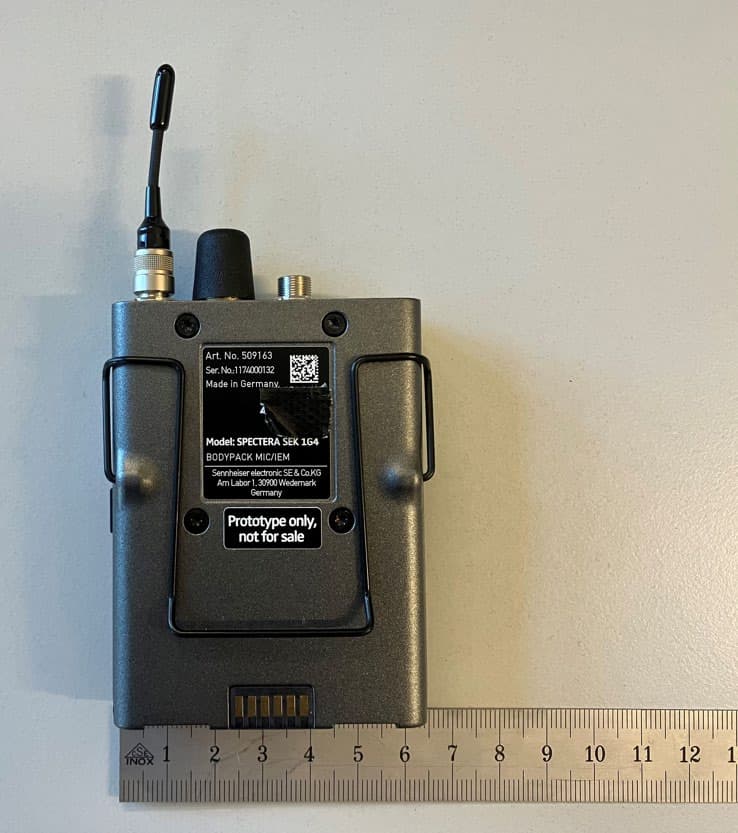
DMOSEK1G4
Mar 11, 2026Bodypack Mic/IEM
Equipment Class
TLD - Licensed LPAS Device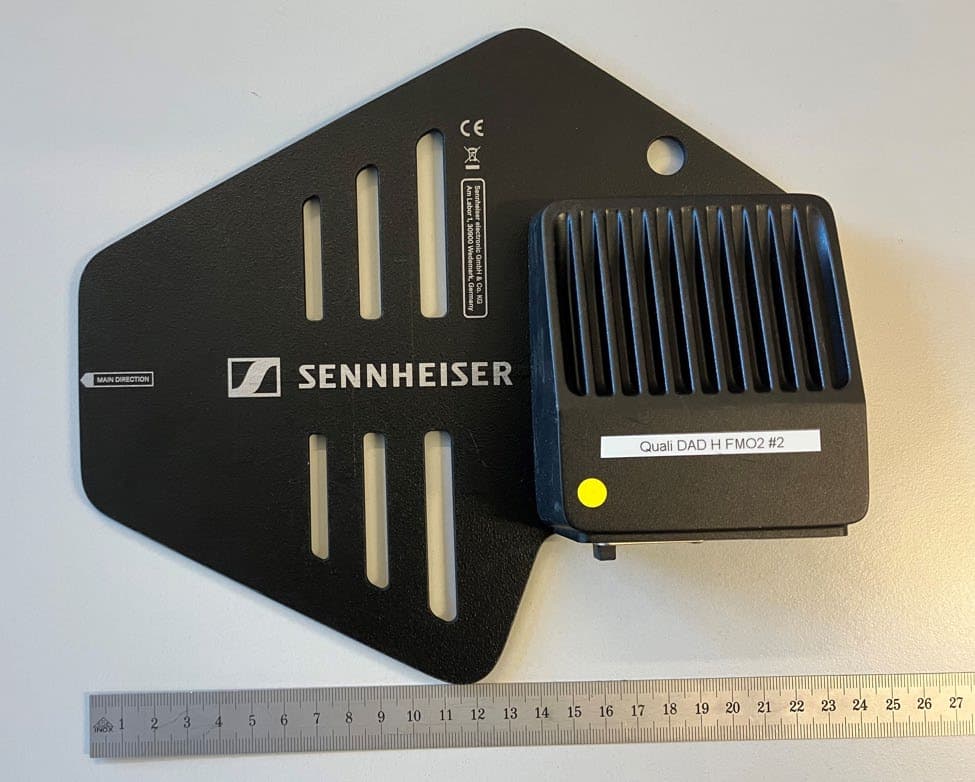
DMODAD1G4
Mar 11, 2026Antenna Transceiver
Equipment Class
TLD - Licensed LPAS DeviceDMOTSEWDX
Jan 30, 2024Wireless Table Stand
Equipment Class
TLD - Licensed LPAS Device