ELVATNCTransmitter
Nutek Corporation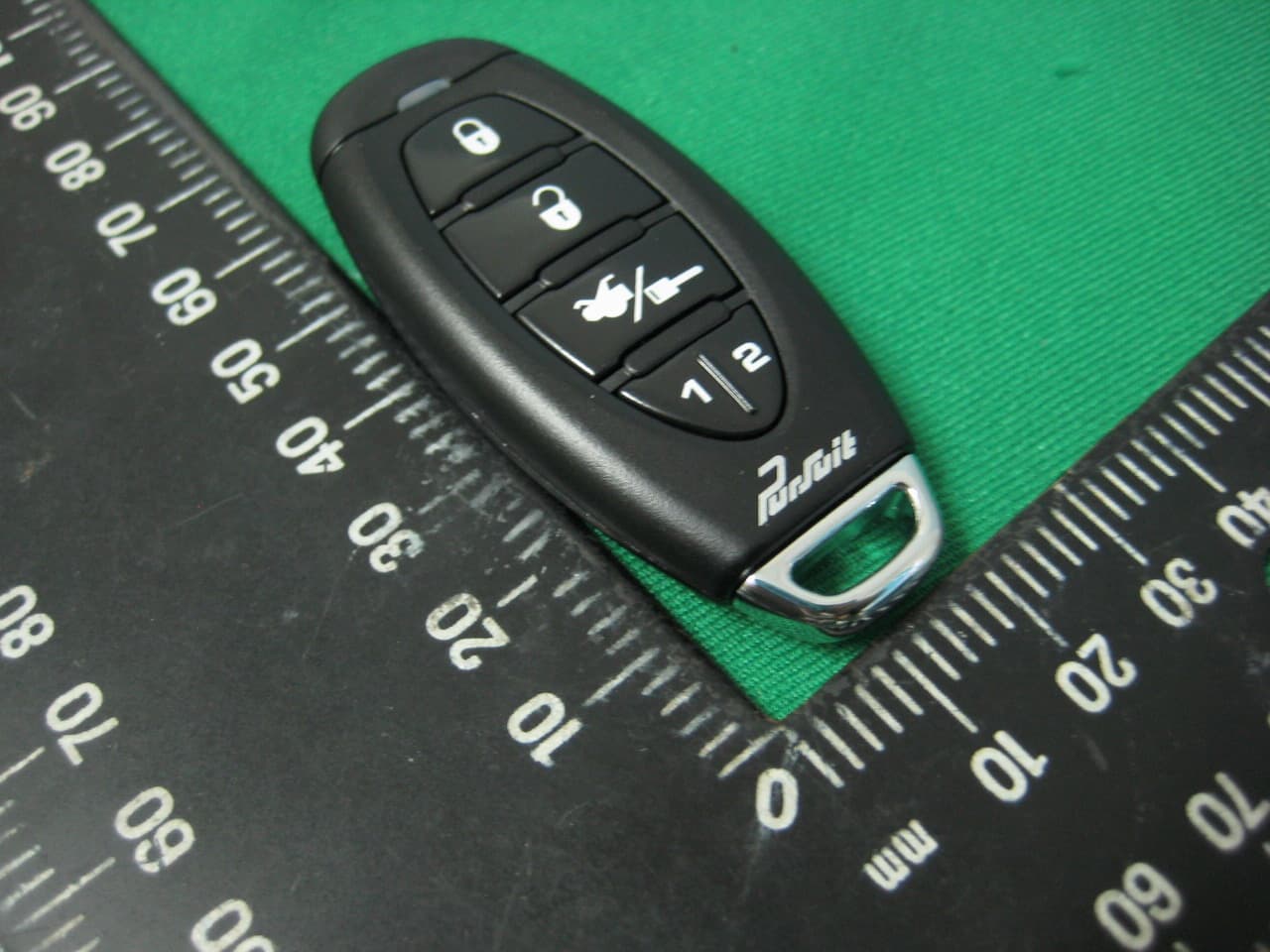
Click to zoom
Application Details
- Equipment Class
- DSC - Part 15 Security/Remote Control Transmitter
- Date of Grant
- Aug 06, 2014
- Application Purpose
- Original Equipment
- Date of Application
- Aug 05, 2014
- Equipment Note
- Transmitter
- Frequency Range
- 433.92000000 - 433.92000000
- Company
- Nutek Corporation
- Country
- Taiwan
Documents & Files
Document Text
Text extracted from the exhibit documents filed with the FCC. Open a document above to read the original.
Users Manual
128-9319 1 of 2 3 Channel Remote Car Starter FEATURES : 2 Three Button Programmable RF Transmitters Three Channel Receiver (capable of accepting 4 transmitters) External Superheterodyne Receiver Antenna w/PushButton Switch & LED Keyless Entry Outputs Trunk Release Output On-Board Start Relay On-Board Accessory Relay On-Board Ignition 1 Relay On-Board Ignition 2 Relay Ignition 2 Relay Selectable On or Off During Cranking On-Board Parking Light Relay Ignition 3 / Shock By-Pass / GM VAT Output (relay required) Tach Signal Learning Circuit Two ( + ) and Two ( - ) Safety Shutdown Circuits Alarm By-Pass Output Accessory Outputs (Pulse Before & After Start, During Crank & After Shut Down) Selectable Steady or Flashing Parking Lights for Run Indication Selectable 5, 10, 15, 20, 45, 60 Minute Run Time Selectable Door Lock Output Pulse Timing Car Finder Mode PATENTED: www.voxxintl.com/company/patents Model PRO9556E Owner’s Manual 128-9319 2 of 2 KEYLESS ENTRY The Lock button on the transmitter is used to lock the vehicle's doors, the Unlock button is used to unlock the vehicle's doors. To lock or unlock the doors simply press and release the desired function button one time. As a keyless entry unit, for your convenience, the parking lights will flash once when the doors are locked and twice when the door are unlocked. REMOTE CAR FINDER The Lock or Unlock buttons are also used to access the car finder mode. This feature is particularly useful in a crowded parking lot where finding your car may be difficult. To access the car finder mode, while within range of your car, simply press and hold either the lock or unlock button of your transmitter for three seconds. The parking lights will begin to flash, making your vehicle more visible. The lights will stop automatically after 30 seconds. If you wish to turn off the car finder mode prior to the expiration of the 30 second timer, press and release either the lock or unlock button of your transmitter one time. REMOTE TRUNK RELEASE If you have electric trunk release in your vehicle and the remote trunk release option was added to your vehicle, simply press and hold the Key/Trunk button of your keychain transmitter for 4 seconds or until the electric trunk of your vehicle opens. REMOTE STARTING THE VEHICLE This unit will not start the vehicle if any one of the following situations exist: The vehicle's hood lid is opened. The gear shift selector is not in Park. The brake pedal is depressed. The safety control switch is in the Off position. 1. To start the vehicle, press and release the Key/Trunk button two times within 2 seconds. The vehicle will start and remain running for the pre-programmed 5, 10, 15, 20 minute run cycle. As a visual indication, the parking lights will flash or remain on depending on the setting by your installation center. 2. When you arrive at the vehicle, turn the ignition key to the ON position (not the spring loaded start position), then step on the brake pedal to disengage the remote starter. The vehicle will continue to run, but now on its own power. NOTE: The engine will stop running before the pre-programmed run cycle has expired if you perform any one of the following functions: Press and release Key/Trunk button on the keychain transmitter two times within 2 seconds. Depress the brake pedal. Open the vehicle's hood. Place the unit in the safety control disabled mode. PUSH-BUTTON LED RECEIVER VALET/OVERRIDE/SAFETY CONTROL SWITCH The Push-Button LED switch located in the receiver allows you to temporarily disable the remote starting function of the system. This is recommended whenever the vehicle is being serviced. 128-9319 3 of 2 To place the system in the service mode: 1. With the system disarmed/unlocked, and the ignition switch off, Press and Hold the Push-Button, found on the windsheild receiver, in. 2. Turn the ignition switch on, off, on, off, on, off. 3. The LED begins to flash two short flashes followed by one long flashes and continues this pattern until returned to normal mode of operation. This puts the unit into the R/S Override mode indicating that the remote start is in the service mode and will not start from RF or any other input Posse or otherwise. To Exit R/S Override Mode: 1. With the system disarmed, Press and Hold the Push-Button, found on the windsheild receiver, in. 2. Turn the ignition switch on, off, on, off, on, off. 3. The LED turns off, indicating that the R/S unit is fully functional one again. PROGRAMMING NEW OR REPLACEMENT TRANSMITTERS (BANK 1) Transmitter Model Name, 143BPR Is Also Found On Back Of Transmitter Case (Battery Use CR2032) 1) Turn the ignition key to the on position. 2) Press and release the valet/programming switch 3 times (Siren Chirps). 3) Press the Lock Button of each transmitter you want programmed until you hear a chirp from the horn or siren. 4) Turn the ignition switch off. The above action programs the Lock, Unlock, Start/Trunk, and Option 1 buttons which are typical for most systems. For additional channel programming beyond the 1 option button, you can use any unused button or combination of buttons not in use. In other words, to access option channel 5, 6, 7, you would do the following: From step 3 above: a) Press and release the valet/programming button 4 additional times to get to channel 5, then Press any unused transmitter button or button combination to program. b) From a, press and release the valet/programming button 1 time to get to channel 6, then press any unused transmitter button or button combination to program. c) From b, press and release the valet/programming button 1 time to get to channel 7, then press any unused transmitter button or button combination to program. NOTE: Not all systems have channels above 3, check with your installation center for options your system may or may not have. This remote has the ability to operate 2 Audiovox Alarms From A Single Transmitter. To toggle on and off vehicle one or two,,, Press the Trunk/Key butt…
Text truncated - open the document above for the full version.
Cover Letter(s)
775 Montague Expressway Milpitas, CA 95035 Tel: 408-526-1188 Fax: 408-526-1088 Email: [email protected] Project and Product Certification Representative Authorization Letter Revision History Reason for Amendment (current / obsolete) From To Approved Date Initial Release (obsolete) 1.0 1.0 Nov-14-2006 Revised wording (obsolete) 1.0 2.0 Sept–25-2007 Updated company template (current) 2.0 3.0 Jan-31-2012 SCS-F18: Project and Product Certification Representative Authorization Letter Page 1 of 2 Rev 3.0
Cover Letter(s)
775 Montague Expressway Milpitas, CA 95035 Tel: 408-526-1188 Fax: 408-526-1088 Email: [email protected] Confidentiality Request Letter Revision History Reason for Amendment (current / obsolete) From To Approved Date Initial Release (obsolete) 1.0 1.0 Nov-14-2006 Adding CFR 2.459 (obsolete) 1.0 2.0 August – 11 - 2008 Updated company template & Added text box (current) 2.0 3.0 Jan-31-2012 SCS-F19: Confidentiality Request Letter Page 1 of 2 Rev 3.0
External Photos
Report No.:14A041108R-FR FCC ID: ELVATNC Page 23 of 27 Interocean EMC Technology Corp. Test Report 7 Photographs of EUT Front View of EUT Rear View of EUT Report No.:14A041108R-FR FCC ID: ELVATNC Page 24 of 27 Interocean EMC Technology Corp. Test Report FCC ID
ID Label/Location Info
BODY MATERIAL : ABS+PC MT-11010 0.2 C ± A ± ± B Eric YYSVictor FCC ID:ELVATNCPART NO.145BPR www.PR-TRANS.COM Battery:CR2032
Internal Photos
Report No.:14A041108R-FR FCC ID: ELVATNC Page 25 of 27 Interocean EMC Technology Corp. Test Report Inner View of EUT Antenna Location Report No.:14A041108R-FR FCC ID: ELVATNC Page 26 of 27 Interocean EMC Technology Corp. Test Report Front View of Main Board Rear View of Main Board Report No.:14A041108R-FR FCC ID: ELVATNC Page 27 of 27 Interocean EMC Technology Corp. Test Report Front View of Battery Rear View of Battery
Test Report
Report No.:14A041108R-FR FCC ID: ELVATNC Page 1 of 27 Interocean EMC Technology Corp. Test Report CFR 47 FCC Part 15.231 TEST REPORT Product: Transmitter Trade Name: N/A Model Number: 145BPR; 143BPR FCC ID: ELVATNC Prepared for Nutek Corporation NO. 167, Lane 235, Bauchiau Rd., Xindian District, New Taipei City 23145, Taiwan TEL.: +886 2 2918 9478 FAX.: +886 2 2917 9069 Prepared by Interocean EMC Technology Corp. No. 5-2, Lin 1, Tin-Fu, Lin-Kou Dist., New Taipei City, Taiwan 244, R.O.C. TEL.: +886 2 2600 6861 FAX.: +886 2 2600 6859 Remark: The test report consists of 27 pages in total. It shall not be reproduced except in full, without the written approval of IETC. This document may be altered or revised by IETC only, and shall be noted in the revision section of the document. The test result in the report is only subjected to the test sample. Report No.:14A041108R-FR FCC ID: ELVATNC Page 2 of 27 Interocean EMC Technology Corp. Test Report Statement of Compliance Applicant: Nutek Corporation Manufacturer: Nutek Corporation Product: Transmitter Model No.: 145BPR; 143BPR Tested Power Supply: 3Vdc Battery Date of Final Test: Jul. 28, 2014 Configuration of Measurements and Standards Used: FCC Rules and Regulations Part 15 Subpart C 1. The result of the testing report relate only to the item tested. 2. The testing report shall not be reproduced expect in full, without the written approval of IETC. Report Issued: 2014/07/30 Project Engineer: Approved: Elli Chang Jerry Liu Report No.:14A041108R-FR FCC ID: ELVATNC Page 3 of 27 Interocean EMC Technology Corp. Test Report Table of Contents 1 Summary of Measurement 4 2 General Information 5 2.1 Description of Equipment Under Test 5 2.2 Details of Tested Peripheral Equipment 6 2.3 Test Facility 7 3 Test Specifications 8 3.1 Test Standard 8 3.2 Operation Mode 8 3.3 Test Step of EUT 8 3.4 Test Equipment 9 4 Radiated Emission Test 10 4.1 Limits 10 4.2 Calculation of Average Factor 11 4.3 Configuration of Measurement 16 4.4 Test Procedure 16 4.5 Test Result 16 5 Emission Bandwidth 19 5.1 Limits 19 5.2 Test Result 19 6 Photographs of Test 21 6.1 Radiated Emission Measurement 21 7 Photographs of EUT 23 Report No.:14A041108R-FR FCC ID: ELVATNC Page 4 of 27 Interocean EMC Technology Corp. Test Report 1 Summary of Measurement Report Clause Test Parameter Reference Document CFR47 Part15 Results 4 Timing requirement §15.231(a) Pass 4 Radiated Emission §15.231(b), 15.209 Pass 5 Emission Bandwidth §15.231(c) Pass Report No.:14A041108R-FR FCC ID: ELVATNC Page 5 of 27 Interocean EMC Technology Corp. Test Report 2 General Information 2.1 Description of Equipment Under Test Product : Transmitter Model Number : 145BPR; 143BPR Applicant : Nutek Corporation NO. 167, Lane 235, Bauchiau Rd., Xindian District, New Taipei City 23145, Taiwan Manufacturer : Nutek Corporation NO. 167, Lane 235, Bauchiau Rd., Xindian District, New Taipei City 23145, Taiwan Power Supply : 3Vdc Battery Operating Frequency : 433.92MHz Type of Modulation : ASK Antenna Description : This device uses PCB Printed antenna. The antenna is integral to the device, thereby meeting the requirement of FCC 15.203. Date of Test : Jun. 25 ~ Jul. 28, 2014 Additional Description : 1) The Model Number “145BPR” is representative selected in the test and included in this report. 2) The differences for all models included in this report are as follows: Model No. Number of Keys 145BPR 5Keys 143BPR 3Keys 3) For more detail specification about EUT, please refer to the user’s manual. Report No.:14A041108R-FR FCC ID: ELVATNC Page 6 of 27 Interocean EMC Technology Corp. Test Report 2.2 Details of Tested Peripheral Equipment N/A Report No.:14A041108R-FR FCC ID: ELVATNC Page 7 of 27 Interocean EMC Technology Corp. Test Report 2.3 Test Facility Site Description : OATS 1 Name of Firm : Interocean EMC Technology Corp. Company web : http://www.ietc.com.tw Location : No. 5-2, Lin 1, Tin-Fu, Lin-Kou Dist., New Taipei City, Taiwan 244, R.O.C. Site Filing : Federal Communication Commissions – USA Registration No.: 96399 (OATS 1, 2, 3 & Chamber 3) Designation No.: TW1020 Industry Canada (IC) OUR FILE: 46405-4437 Registration No. (OATS 1): Site# 4437A-1 Registration No. (OATS 3): Site# 4437A-3 Registration No. (Chamber 3): Site# 4437A-5 Registration No. (OATS 5): Site# 4437A-6 Voluntary Control Council for Interference by Information Technology Equipment (VCCI) – Japan Member No.: 1349 Registration No. (Conducted Room): C-1094 Registration No. (Conducted Room): T-1562 Registration No. (OATS 1): R-1040; G-274 Registration No. (OATS 2): R-1041 Site Accreditation : Bureau of Standards and Metrology and Inspection (BSMI) – Taiwan, R.O.C. Accreditation No.: SL2-IN-E-0026 for CNS13438 / CISPR 22 SL2-IN-E-0026 for CNS14757-2 / IEC 62040-2 SL2-R1-E-0026 for CNS13439 / CISPR 13 SL2-R2-E-0026 for CNS13439 / CISPR 13 SL2-A1-E-0026 for CNS13783-1 / CISPR 14-1 SL2-L1-E-0026 for CNS 14115 / CISPR 15 Taiwan Accreditation Foundation (TAF) Accreditation No.: 1113 Vehicle Safety Certification Center (VSCC) Approval No.: TW16-11-0 TüV NORD Certificate No: TNTW0801R-04 Nemko Authorisation No: AeLA 011 Authorisation No: ELA 181 Report No.:14A041108R-FR FCC ID: ELVATNC Page 8 of 27 Interocean EMC Technology Corp. Test Report 3 Test Specifications 3.1 Test Standard The EUT was performed according to FCC Part 15 Subpart C Section 15.231 procedure and setup followed by ANSI C63.4, 2003 requirements. 3.2 Operation Mode By preliminary testing and verifying three axis (X, Y and Z) position of EUT transmitted status, it was found that “X axis” position was the worst, then the final test was executed the worst condition and test data were recorded in this report The EUT was operated in continuous transmission mode during all of the tests. X axis mode Y axis mode Z axis mode 3.3 Test Step of EUT 3.3.1 Setup the fixture to EUT for power supplying. 3.3.2 Turn on the power of all equipment. 3.3.3 Let the EUT continuous transmission. Executed the test.…
Text truncated - open the document above for the full version.
Test Setup Photos
Report No.:14A041108R-FR FCC ID: ELVATNC Page 21 of 27 Interocean EMC Technology Corp. Test Report 6 Photographs of Test 6.1 Radiated Emission Measurement Front View (Frequency below 1GHz) Rear View (Frequency below 1GHz) Report No.:14A041108R-FR FCC ID: ELVATNC Page 22 of 27 Interocean EMC Technology Corp. Test Report Front View (Frequency above 1GHz) Rear View (Frequency above 1GHz)
Contact Information
Applicant
Jason Wang
Test Firm
Interocean EMC Technology Corp.Benson Tsai
Technical Specifications
| # | Rule Parts | Frequency Range | Power Output |
|---|---|---|---|
| 1 | 15.231 | 433.92 MHz - 433.92 MHz | - |
Other Applications from Nutek Corporation
ELVATR6A
Sep 07, 2026Alarm module
Equipment Class
DTS - Digital Transmission SystemELVATR6B
Aug 19, 2026Vehicle Security and Remote Start System
Equipment Class
DSS - Part 15 Spread Spectrum TransmitterELVATRYA
Aug 13, 2024Transceiver
Equipment Class
DTS - Digital Transmission System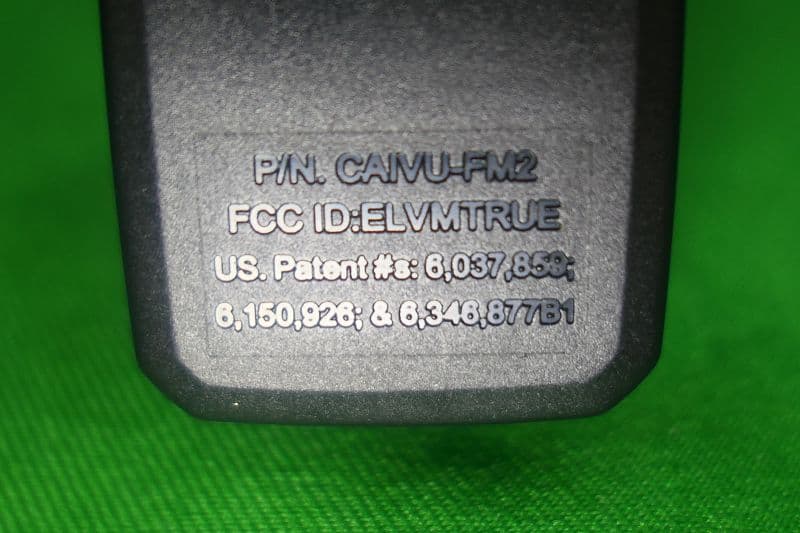
ELVMTRUE
May 29, 2021Transceiver
Equipment Class
DXX - Part 15 Low Power Communication Device Transmitter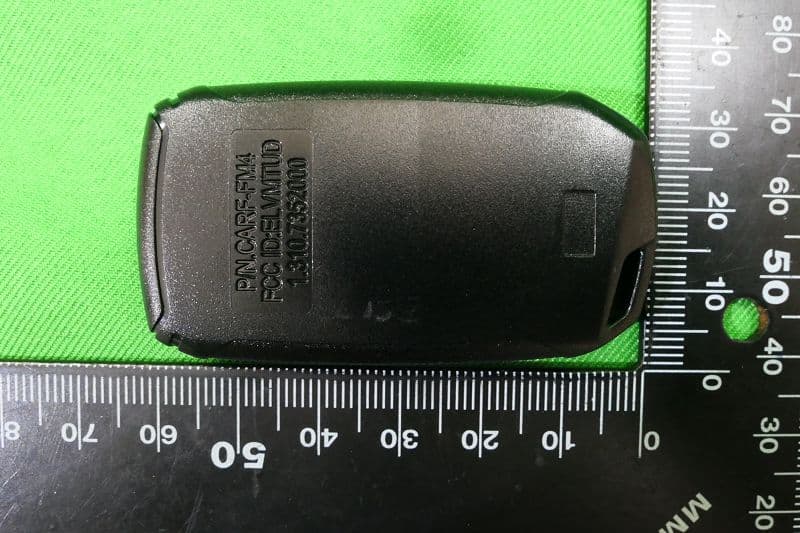
ELVMTUD
May 24, 2021Transmitter
Equipment Class
DXX - Part 15 Low Power Communication Device Transmitter