GSS-VS14572TABLET PC
ViewSonic Corporation
Click to zoom
Application Details
- Equipment Class
- DSS - Part 15 Spread Spectrum Transmitter
- Date of Grant
- Mar 01, 2012
- Application Purpose
- Original Equipment
- Date of Application
- Feb 29, 2012
- Equipment Note
- TABLET PC
- Frequency Range
- 2402.00000000 - 2480.00000000
- Company
- ViewSonic Corporation
- Country
- United States
Documents & Files
Document Text
Text extracted from the exhibit documents filed with the FCC. Open a document above to read the original.
Users Manual
ViewPad E70/G70 User Guide Guide de l’utilisateur Guía del usuario Bedienungsanleitung Gebruikshandleiding Guia do usuário Руководство пользователя 使用手冊(繁中) 使用手册(简中) Model No. VS14572 i Compliance Information FCC NOTICE The following statement applies to all products that have received FCC approval. Applicable products bear the FCC logo, and/or an FCC ID in the format FCC ID: GSS- VS14572 on the product label.This device complies with part 15 of the FCC Rules. Operation is subject to the following two conditions: (1) This device may not cause harmful interference, and (2) This device must accept any interference received, including interference that may cause undesired operation. This mobiledevice has been tested and found to comply with the limits for a Class B digital device, pursuant to Part 15 of the FCC Rules. These limits are designed to provide reasonable protection against harmful interference in a residential installation. This equipment generates, uses and can radiate radio frequencyenergy and, if not installed and used in accordance with the instructions, may cause harmful interferenceto radio communications. However, there is no guarantee that interference will not occur in a particular installation. If this equipment does cause harmful interference to radio or television reception, which can be determined by turning the equipment off and on, the user is encouraged to try to correct the interference by one or more of the following measures • Reorient or relocate the receiving antenna. • Increase the separation between the equipment and receiver. • Connect the equipment into an outlet on a circuit different from that to which the receiver is connected. • onsult the dealer or an experienced radio/TV technician for help. Changes or modifications not expressly approved by the party responsible for compliance could void theuser’s authority to operate the equipment. The antenna(s) used for this transmitter must not be colocated or operating in conjunction with any otherantenna or transmitter. FCC SAR information FCC Radiation Exposure Statement This equipment complies with FCC RF radiation exposure limits set forth an uncontrolled environment. This transmitter must not be co-located or operating in conjunction with any other antenna or transmitter. The device was tested and complies to measurement standards and procedures specified in FCC OET Bulletin 65, Supplement C RF Exposure Information (SAR) This device meets the government’s requirements for exposure to radio waves. This device is designed and manufactured not to exceed the emission limits for exposure to radio frequency (RF) energy set by the Federal Communications Commission of the U.S. Government. The exposure standard employs a unit of measurement known as the Specific Absorption Rate, or SAR. The SAR limit set by the FCC is 1.6W/kg. Tests for SAR are conducted using standard operating positions accepted by the FCC with the EUT transmitting at the specified power level in different channels. The highest SAR value for the device as reported to the FCC is 0.373W/kg when placed next to the body. ii The FCC has granted an Equipment Authorization for this device with all reported SAR levels evaluated as in compliance with the FCC RF exposure guidelines. SAR information on this device is on file with the FCC and can be found under the Display Grant section of www.fcc.gov/oet/ea/fccid after searching on FCC ID: GSS- VS14572. Canada Statement This device complies with Industry Canada licence-exempt RSS standard(s). Operation is subject to the following two conditions: (1) this device may not cause interference, and (2) this device must accept any interference, including interference that may cause undesired operation of the device. This Class B digital apparatus complies with Canadian ICES-003. The County Code Selection feature is disabled for products marketed in the US/ Canada. For product available in the USA/ Canada markets, only channel 1~11 can be operated. Selection of other channels is not possible. IMPORTANT NOTE: IC Radiation Exposure Statement This EUT is compliance with SAR for general population/uncontrolled exposure limits in IC RSS-102 and had been tested in accordance with the measurement methods and procedures specified in IEEE 1528. CE Conformity for European Countries The device complies with the EMC Directive 2004/108/EC and Low Voltage Directive 2006/95/EC, R&TTE Directive 1999/5/EC. CE SAR Information THIS MOBILE DEVICE MEETS GUIDELINES FOR EXPOSURE TO RADIO WAVES. Your mobile device is a radio transmitter and receiver. It is designed not to exceed the limits for exposure to radio waves recommended by international guidelines. These guidelines were developed by the independent scientific organization ICNIRP and include safety margins designed to assure the protection of all persons, regardless of age and health. The exposure guidelines for mobile devices employ a unit of measurement known as the Specific Absorption Rate or SAR. The SAR limit stated in the ICNIRP guidelines is 2.0 W/kg averaged over 10 grams of tissue. Test for body worn SAR, the positions of the device are at a minimum of 1.5 cm from the body with the device transmitting at its highest certified power level in all tested frequency bands. The actual SAR level of an operating device can be below the maximum value because the device is designed to use only the power required to reach the network. That amount changes depending on a number of factors such as how close you are to a network base station. The highest SAR value under the ICNIRP guidelines for use of the device at the body is 0.375 W/kg. Use of device accessories and enhancements may result in different SAR values. SAR values may vary depending on national reporting and testing requirements and the network band. Following information is only for EU-member states: The mark shown to the right is in compliance with the Waste Electrical and Electronic Equipment Directive 2002/96/EC (WEEE…
Text truncated - open the document above for the full version.
Users Manual
20 Managing web pages While viewing a web page, tap to configure the browser settings: •General: Select to set home page, and configure sync data and autofill settings. •Privacy & Security: Select to configure privacy and security settings including cache, history, cookies, form data, location, and etc. •Advanced: Select to set search engine, open in background, enable JavaScript, enable plug-ins, advanced settings for individual website, page content settings, and reset all settings to the factory default. 21 Chapter 6: Google Apps ( Select Model) The following sections cover Android and Google applications that come pre-installed on your device depends on models. NOTE: ViewPad E70 is not available for these Android/ Google applications. 6.1 Gmail Gmail is the email service provided by Google. Signing in to Gmail 1. From the Home screen, tap > Gmail. 2. Tap Create or Sign in your Google account. 3. Follow the on-screen instructions to login or create your Gmail account. 4. Once logged in, you can begin reading and sending emails from your Gmail account. Refreshing Gmail 1. From the Home screen, tap > Gmail. 2. Tap Menu > Refresh. Creating and sending emails 1. From the Home screen, tap > Gmail. 2. Tap Menu > Compose. 3. Enter the recipient. 4. Enter the subject and compose your message. 5. If necessary, do any of the following: • To add Cc/Bcc, tap Menu > Add Cc/Bcc. • To attach files, tap Menu > Attach. • To save as draft, tap or tap Menu > Save draft. 6. Tap to send the email. 22 Reading and replying to emails 1. From the Home screen, tap > Gmail. 2. Tap an email to read. 3. To reply, tap (Reply) or (Reply all). 4. Compose your message. 5. Tap to send the email. To preview and download attachments 1. From the Home screen, tap > Gmail. 2. Tap an email to read. 3. Scroll to the end of the email and do any of the following: • To preview an attachment, tap Preview. • To download an attachment, tap Download. Forwarding emails 1. From the Home screen, tap > Gmail. 2. Tap an email to open. 3. To forward, tap . 4. Enter the recipient. 5. Tap to send the email. Managing emails To delete emails 1. From the Home screen, tap > Gmail. 2. Tap and hold an email, then tap Delete. To add a star to emails 1. From the Home screen,tap > Gmail. 2. Tap the star icon. To select emails 1. From the Home screen,tap > Gmail. 2. Tap the check icon. To mark emails as read or unread 1. From the Home screen, tap > Gmail. 2. Tap and hold an email, then tap Mark read or Mark unread. 23 To place emails in archive 1. From the Home screen, tap > Gmail. 2. Tap and hold an email, then tap Archive. To mute emails 1. From the Home screen, tap > Gmail. 2. Tap and hold an email, then tap Mute. To change labels of emails 1. From the Home screen, tap > Gmail. 2. Tap and hold an email, then tap Change labels. 3. Tap a label, then tap OK. Viewing folder labels 1. From the Home screen, tap > Gmail. 2. Tap Menu > Go to labels. Searching for emails 1. From the Home screen, tap > Gmail. 2. Tap Menu > Search. 3. Type the text to search, then tap . Configuring Gmail settings 1. From the Home screen, tap > Gmail. 2. Tap Menu > More > Settings. 3. Tap one of the following settings: •Signature: Add a text signature to your outgoing emails. •Confirm actions: Prompt for confirmation before archiving, deleting, or send- ing emails. •Reply all: Make “Reply all” as the default when replying emails. •Auto-advance: Select which screen to show after you delete or archive a conversation. •Message text size: Set the font size used in emails. •Batch operations: Allow label operations on more than one conversation. •Clear search history: Remove all the searches you have performed. •Labels: Select which labels are synchronized. •Email notifications: Displays a notification icon on the status bar when an email is received. •Select ringtone: Select email notification ringtone. •Vibrate: Enable the device to vibrate when an email is received. •Notify once: Notify once for new email, not for every new email. 24 6.2 Talk Use Google Talk to chat with your friends who also have Google accounts. Signing in to Google Talk 1. From the Home screen, tap > Talk. 2. Select an account and tap Sign in. If you log in for the first time, enter your username and password, then tap Sign in. Google Talk options Once logged in, you can begin using Google Talk and do any of the following: •To view friends list, tap > All friends. •To add friends to friend’s list, tap . •To search a person, tap . •To sign out, tap > Sign out. •To configure Google Talk settings, tap > Settings. •To block a person, tap and hold an account and tap Block friend. •To close all chats, tap > Close all chats. Starting chat 1. From the Home screen, tap > Talk. 2. Tap a friend on your friends list. 3. Type your message, then tap . Configuring Google Talk settings 1. From the Home screen, tap > Talk. 25 2. Tap > Settings. 3. Tap one of the following settings: •Sign in automatically: Enable to automatically sign in when Google Talk is opened. •Mobile indicator: Enable to show mobile indicator to your friends. •Set status to away when screen is turned off: Enable to set status to away when the screen is turned off. •IM notifications: Enable to display a notification icon when an instant message is received. •Notification Ringtone: Select the ringtone to use when an instant message is received. •Vibrate: Enable to vibrate when an instant message is received. •Invitation notifications: Enable to display a notification icon when friends invitations are received. • Video chat notifications: Enable to display a notification icon when a video chat invitation is received. • Video chat Ringtone: Select the ringtone to use when a video chat invitation is received. •Vibrate: Enable to vibrate when a video chat invitation is received. • Blocked friends: View the blocked friends list. •Clear search history: Clear previous Google Talk chat searches from showing up in the Search box. •Manage account: Set the general s…
Text truncated - open the document above for the full version.
Cover Letter(s)
Date: February 9, 2012 Federal Communications Commission Authorization and Evaluation Division 1435 Oakland Mills Road Columbia, MD 21046 SUBJECT: FCC Application for FCC ID: GSS-VS14572 To Whom It May Concern: We,ViewSonic , hereby attest to the fact that we will apply the Declaration of Conformity procedure to the class B computer peripheral portion of this composite filing. Sincerely yours, Sophia Wu
Cover Letter(s)
ViewSonic Corporation 381 Brea Canyon Road, Walnut, CA 91789, USA Tel: 886-02-2246-3456 ; Fax: 886-02-8242-3660 Date: February 9, 2012 Power of Attorney To whom it may concern, Please be notified that I, Sophia Wu, have designated Jones Tsai in Sporton International Inc. as the person being responsible for this project and to sign the form 731 and other documentation. Any and all acts carried out by Jones Tsai in Sporton International Inc. on the matters of relating to all processes required in the FCC approval and any communication needed with the national authority, shall have the same legal authority as acts on our own behalf. We further certifies that neither the applicant nor any party to this application, as defined in 47 CFR Ch. 1.2002 (b), is subject to a denial to Federal benefits, that include FCC benefits, pursuant to section 5301 of the Anti-Drug Abuse Act of 1998, 21 U.S.C. 835(a). This authorization is limited to the product of as following: FCC ID: GSS-VS14572 If you have any acknowledgement and response, please send it to Sporton International Inc. directly. Should you have any questions or comments regarding this matter, please have my best attention. Sincerely yours, Contact Person: Sophia Wu Company: ViewSonic Corporation TEL: 886-02-2246-3456 FAX: 886-02-8242-3660 E-mail: [email protected]
Cover Letter(s)
Date: February 9, 2012 Federal Communications Commission Authorization and Evaluation Division RE : Certification Application FCC ID : GSS-VS14572 To Whom It May Concern, Pursuant to sections 0.457 and 0.459 of CFR 47 and to avoid premature release of sensitive information prior to marketing or release of the product to the public, the applicant requests the following documents contained in this certification application be temporarily withheld from public disclosure for an initial period of 180 days: External Photos (file: VS14572_ExtPho.pdf) Internal Photos (file: VS14572_IntPho.pdf) Test Setup Photos (file: VS14572_Tsup.pdf) User Manual (file: VS14572_UserMan.pdf) The application contains technical information, which ViewSonic Corporation deems to be trade secrets and proprietary. If made public, the information might be used to the disadvantage of the applicant in the market place. Sincerely, ________________________ Sophia Wu
External Photos
FCC TEST REPORT SPORTON International Inc. Page Number : B1 of B17 TEL : 886-3-327-3456 Issued Date : Feb. 27, 2012 FAX : 886-3-318-0055 APPENDIX B. Photographs of EUT FCC TEST REPORT SPORTON International Inc. Page Number : B2 of B17 TEL : 886-3-327-3456 Issued Date : Feb. 27, 2012 FAX : 886-3-318-0055 FCC TEST REPORT SPORTON International Inc. Page Number : B16 of B17 TEL : 886-3-327-3456 Issued Date : Feb. 27, 2012 FAX : 886-3-318-0055 FCC TEST REPORT SPORTON International Inc. Page Number : B17 of B17 TEL : 886-3-327-3456 Issued Date : Feb. 27, 2012 FAX : 886-3-318-0055
ID Label/Location Info
FCC ID: GSS‐VS14572 EUT: Tablet PC (Back) Label Location
Internal Photos
FCC TEST REPORT SPORTON International Inc. Page Number : B3 of B17 TEL : 886-3-327-3456 Issued Date : Feb. 27, 2012 FAX : 886-3-318-0055 FCC TEST REPORT SPORTON International Inc. Page Number : B4 of B17 TEL : 886-3-327-3456 Issued Date : Feb. 27, 2012 FAX : 886-3-318-0055 FCC TEST REPORT SPORTON International Inc. Page Number : B5 of B17 TEL : 886-3-327-3456 Issued Date : Feb. 27, 2012 FAX : 886-3-318-0055 FCC TEST REPORT SPORTON International Inc. Page Number : B6 of B17 TEL : 886-3-327-3456 Issued Date : Feb. 27, 2012 FAX : 886-3-318-0055 FCC TEST REPORT SPORTON International Inc. Page Number : B7 of B17 TEL : 886-3-327-3456 Issued Date : Feb. 27, 2012 FAX : 886-3-318-0055 FCC TEST REPORT SPORTON International Inc. Page Number : B8 of B17 TEL : 886-3-327-3456 Issued Date : Feb. 27, 2012 FAX : 886-3-318-0055 WLAN Module FCC TEST REPORT SPORTON International Inc. Page Number : B9 of B17 TEL : 886-3-327-3456 Issued Date : Feb. 27, 2012 FAX : 886-3-318-0055 FCC TEST REPORT SPORTON International Inc. Page Number : B10 of B17 TEL : 886-3-327-3456 Issued Date : Feb. 27, 2012 FAX : 886-3-318-0055 FCC TEST REPORT SPORTON International Inc. Page Number : B11 of B17 TEL : 886-3-327-3456 Issued Date : Feb. 27, 2012 FAX : 886-3-318-0055 FCC TEST REPORT SPORTON International Inc. Page Number : B12 of B17 TEL : 886-3-327-3456 Issued Date : Feb. 27, 2012 FAX : 886-3-318-0055 FCC TEST REPORT SPORTON International Inc. Page Number : B13 of B17 TEL : 886-3-327-3456 Issued Date : Feb. 27, 2012 FAX : 886-3-318-0055 FCC TEST REPORT SPORTON International Inc. Page Number : B14 of B17 TEL : 886-3-327-3456 Issued Date : Feb. 27, 2012 FAX : 886-3-318-0055 Bluetooth Module FCC TEST REPORT SPORTON International Inc. Page Number : B15 of B17 TEL : 886-3-327-3456 Issued Date : Feb. 27, 2012 FAX : 886-3-318-0055
Test Report
Page No. : 1 of 11 FCC ID GSS-VS14572 FCC TEST REPORT Report No. : FR220239 Co-location Report Page No. : 2 of 11 FCC ID GSS-VS14572 FCC TEST REPORT Report No. : FR220239 1 TEST RESULT 1.1 Radiated Emissions Measurement 1.1.1 Limit 20dBc in any 100 kHz bandwidth outside the operating frequency band. In case the emission fall within the restricted band specified on 15.205(a), then the 15.209(a) limit in the table below has to be followed. Frequencies (MHz) Field Strength (micorvolts/meter) Measurement Distance (meters) 0.009~0.490 2400/F(KHz) 300 0.490~1.705 24000/F(KHz) 30 1.705~30.0 30 30 30~88 100 3 88~216 150 3 216~960 200 3 Above 960 500 3 1.1.2 Measuring Instruments and Setting Please refer to section 2 of equipments list in this report. The following table is the setting of spectrum analyzer and receiver. Spectrum Parameter Setting Attenuation Auto Start Frequency 1000 MHz Stop Frequency 10th carrier harmonic RB / VB (Emission in restricted band) 1MHz / 1MHz for Peak, 1 MHz / 10Hz for Average RB / VB (Emission in non-restricted band)1MHz / 1MHz for peak Receiver Parameter Setting Attenuation Auto Start ~ Stop Frequency 9kHz~150kHz / RB 200Hz for QP Start ~ Stop Frequency 150kHz~30MHz / RB 9kHz for QP Start ~ Stop Frequency 30MHz~1000MHz / RB 120kHz for QP Page No. : 3 of 11 FCC ID GSS-VS14572 FCC TEST REPORT Report No. : FR220239 1.1.3 Test Procedures 1. Configure the EUT according to ANSI C63.4. The EUT was placed on the top of the turntable 0.8 meter above ground. The phase center of the receiving antenna mounted on the top of a height-variable antenna tower was placed 3 meters far away from the turntable. 2. Power on the EUT and all the supporting units. The turntable was rotated by 360 degrees to determine the position of the highest radiation. 3. The height of the broadband receiving antenna was varied between one meter and four meters above ground to find the maximum emissions field strength of both horizontal and vertical polarization. 4. For each suspected emissions, the antenna tower was scan (from 1 M to 4 M) and then the turntable was rotated (from 0 degree to 360 degrees) to find the maximum reading. 5. Set the test-receiver system to Peak or CISPR quasi-peak Detect Function with specified bandwidth under Maximum Hold Mode. 6. For emissions above 1GHz, use 1MHz VBW and RBW for peak reading. Then 1MHz RBW and 10Hz VBW for average reading in spectrum analyzer. 7. When the radiated emissions limits are expressed in terms of the average value of the emissions, and pulsed operation is employed, the measurement field strength shall be determined by averaging over one complete pulse train, including blanking intervals, as long as the pulse train does not exceed 0.1 seconds. As an alternative (provided the transmitter operates for longer than 0.1 seconds) or in cases where the pulse train exceeds 0.1 seconds, the measured field strength shall be determined from the average absolute voltage during a 0.1 second interval during which the field strength is at its maximum value. 8. If the emissions level of the EUT in peak mode was 3 dB lower than the average limit specified, then testing will be stopped and peak values of EUT will be reported, otherwise, the emissions which do not have 3 dB margin will be repeated one by one using the quasi-peak method for below 1GHz. 9. For testing above 1GHz, the emissions level of the EUT in peak mode was lower than average limit (that means the emissions level in peak mode also complies with the limit in average mode), then testing will be stopped and peak values of EUT will be reported, otherwise, the emissions will be measured in average mode again and reported. 10. In case the emission is lower than 30MHz, loop antenna has to be used for measurement and the recorded data should be QP measured by receiver. High – Low scan is not required in this case. Page No. : 4 of 11 FCC ID GSS-VS14572 FCC TEST REPORT Report No. : FR220239 1.1.4 Test Setup Layout For radiated emissions below 30MHz For radiated emissions above 30MHz Above 10 GHz shall be extrapolated to the specified distance using an extrapolation factor of 20 dB/decade from 3m to 1m. Distance extrapolation factor = 20 log (specific distance [3m] / test distance [1m]) (dB); Limit line = specific limits (dBuV) + distance extrapolation factor [9.54 dB]. 1.1.5 Test Deviation There is no deviation with the original standard. 1.1.6 EUT Operation during Test The EUT was programmed to be in continuously transmitting mode. 3 or 1m Page No. : 5 of 11 FCC ID GSS-VS14572 FCC TEST REPORT Report No. : FR220239 1.1.7 Results of Radiated Emissions (9kHz~30MHz) Final Test Date Feb. 19, 2012 Test Site No. 03CH02-HY Temperature 19.9°C Humidity 61% Test Engineer Daniel Freq. Level Over Limit Limit Line Remark (MHz) (dBuV) (dB) (dBuV) - - - - See Note Note: The amplitude of spurious emissions that are attenuated by more than 20 dB below the permissible value has no need to be reported. Distance extrapolation factor = 40 log (specific distance / test distance) (dB); Limit line = specific limits (dBuV) + distance extrapolation factor. Page No. : 6 of 11 FCC ID GSS-VS14572 FCC TEST REPORT Report No. : FR220239 1.1.8 Results of Radiated Emissions (30MHz~1GHz) Final Test Date Feb. 19, 2012 Test Site No. 03CH02-HY Temperature 19.9°C Humidity 61% Test Engineer Daniel Configuration WLAN and Bluetooth test Horizontal Page No. : 7 of 11 FCC ID GSS-VS14572 FCC TEST REPORT Report No. : FR220239 Vertical Note: The amplitude of spurious emissions that are attenuated by more than 20dB below the permissible value has no need to be reported. Emission level (dBuV/m) = 20 log Emission level (uV/m). Corrected Reading: Antenna Factor + Cable Loss + Read Level - Preamp Factor = Level. Page No. : 8 of 11 FCC ID GSS-VS14572 FCC TEST REPORT Report No. : FR220239 1.1.9 Results for Radiated Emissions (1GHz~10 th Harmonic) Final Test Date Feb. 19, 2012 Test Site No. 03CH02-HY Temperature 19.9°C Humidity 61% Test Engineer Daniel Configur…
Text truncated - open the document above for the full version.
Test Report
SPORTON International Inc. Report Format Version: a FCC TEST REPORT Report No. : FR220239AD FCC RADIO TEST REPORT According to 47 CFR FCC Part 15 Subpart C § 15.247 Equipment :Tablet PC Brand Name :ViewSonic Model No. :VS14572 Filing Type :New Application Applicant :ViewSonic Corporation 381 Brea Canyon Road, Walnut, CA 91789, USA FCC ID :GSS-VS14572 Manufacturer :Shuttle Inc NO.30, Lane 76, Rei Kuang Rd. Nei-Hu Dist., Taipei, Taiwan Received Date :Feb. 07, 2012 Final Test Date :Feb. 19, 2012 Statement Test result included is only for the Bluetooth part of the product. The test result in this report refers exclusively to the presented test model / sample. Without written approval of SPORTON International Inc., the test report shall not be reproduced except in full. The measurements and test results shown in this test report were made in accordance with the procedures and found in compliance with the limit given in ANSI C63.4-2003 and 47 CFR FCC Part 15 Subpart C. The test equipment used to perform the test is calibrated and traceable to NML/ROC. SPORTON International Inc. No. 52 Hwa Ya 1 st Rd., Hwa Ya Technology Park, Kwei-Shan Hsiang, Tao Yuan Hsien, Taiwan, R.O.C. SPORTON International Inc. Page No. : i of ii TEL : 886-2-2696-2468 Issued Date : Feb. 27, 2012 FAX : 886-2-2696-2255 FCC ID : GSS-VS14572 FCC TEST REPORT Report No. : FR220239AD Table of Contents CERTIFICATE OF COMPLIANCE ............................................................................................................................... 1 1 SUMMARY OF THE TEST RESULT ....................................................................................................................... 2 2 GENERAL INFORMATION ...................................................................................................................................... 3 2.1 Product Details .........................................................................................................................................................................................3 2.2 Accessories ..............................................................................................................................................................................................3 2.3 Table for Filed Antenna ............................................................................................................................................................................3 2.4 Table for Carrier Frequencies ..................................................................................................................................................................4 2.5 Test Manner .............................................................................................................................................................................................4 2.6 Table for Test Modes ...............................................................................................................................................................................5 2.7 Table for Testing Locations ......................................................................................................................................................................5 2.8 Table for Supporting Units .......................................................................................................................................................................5 2.9 Table for Parameters of Test Software Setting ........................................................................................................................................5 2.10 EUT Operation during Test ......................................................................................................................................................................6 2.11 Test Configuration ....................................................................................................................................................................................6 3 TEST RESULT ......................................................................................................................................................... 8 3.1 AC Power Line Conducted Emissions Measurement ..............................................................................................................................8 3.2 Maximum Peak Output Power Measurement ........................................................................................................................................12 3.3 Hopping Channel Separation Measurement ..........................................................................................................................................14 3.4 Number of Hopping Frequency Measurement .......................................................................................................................................22 3.5 Dwell Time Measurement ......................................................................................................................................................................24 3.6 Radiated Emissions Measurement ........................................................................................................................................................31 3.7 Band Edge and Fundamental Emissions Measurement ........................................................................................................................43 3.8 Antenna Requirements ..........................................................................................................................................................................48 4 LIST OF MEASURING EQUIPMENTS .................................................................................................................. 49 5 TEST LOCATION ...................................................................................................................…
Text truncated - open the document above for the full version.
Test Setup Photos
Page No. : A1 of A6 FCC ID GSS-VS14572 F FCC TEST REPORT Report No. : FR220239AD Appendix A. Test Photos Page No. : A2 of A6 FCC ID GSS-VS14572 F FCC TEST REPORT Report No. : FR220239AD 1 Photographs of Conducted Emissions Test Configuration FRONT VIEW REAR VIEW Page No. : A3 of A6 FCC ID GSS-VS14572 F FCC TEST REPORT Report No. : FR220239AD SIDE VIEW Page No. : A4 of A6 FCC ID GSS-VS14572 F FCC TEST REPORT Report No. : FR220239AD 2 Photographs of Radiated Emissions Test Configuration For radiated emissions 9kHz~30MHz FRONT VIEW REAR VIEW Page No. : A5 of A6 FCC ID GSS-VS14572 F FCC TEST REPORT Report No. : FR220239AD For radiated emissions 30MHz~1GHz FRONT VIEW REAR VIEW Page No. : A6 of A6 FCC ID GSS-VS14572 F FCC TEST REPORT Report No. : FR220239AD For radiated emissions above 1GHz FRONT VIEW REAR VIEW
Test Setup Photos
SPORTON INTERNATIONAL INC. Page Numb…
Text truncated - open the document above for the full version.
Contact Information
Applicant
Nelson Chou(Sr. Compliance Manager)
Test Firm
Sporton International Inc.Alex Chen
Technical Specifications
| # | Rule Parts | Frequency Range | Power Output |
|---|---|---|---|
| 1 | 15C | 2.40 GHz - 2.48 GHz | 800.00 µW |
Other Applications from ViewSonic Corporation
GSSVS20085
Jun 12, 2024PJ-WPD-800
Equipment Class
DTS - Digital Transmission System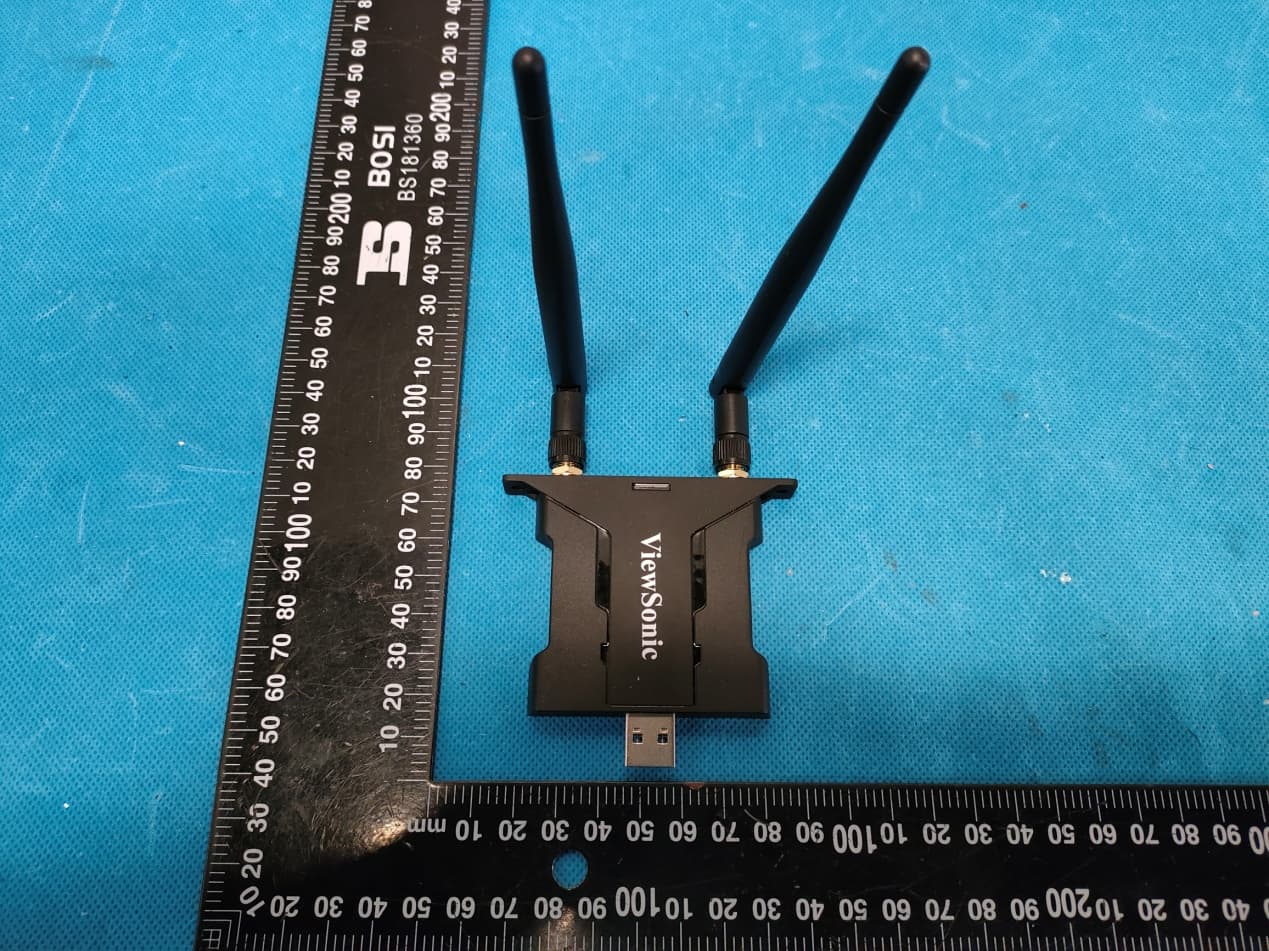
GSS-VS19147
Apr 06, 2022VB-WIFI-005
Equipment Class
NII - Unlicensed National Information Infrastructure TX
GSS-VS18518
Mar 10, 2021Bluetooth Conference Cam
Equipment Class
DSS - Part 15 Spread Spectrum Transmitter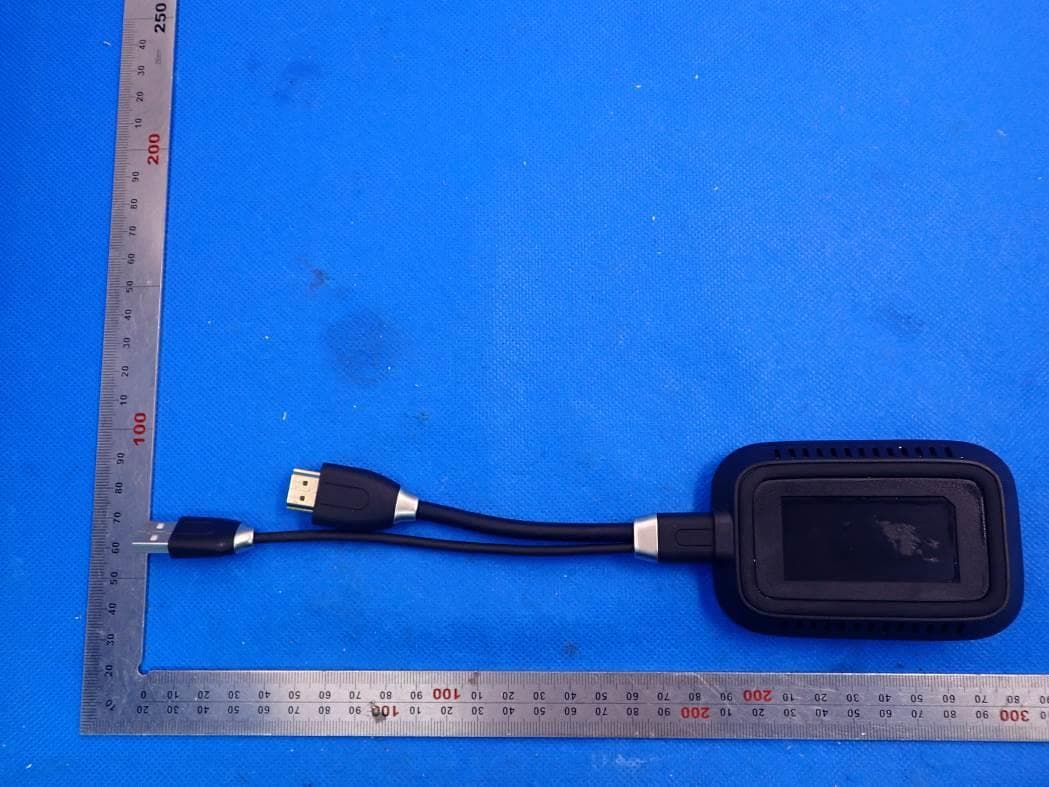
GSS-VS18189
Jan 24, 20212.4G & 5G WiFi ViewBoard Cast Button
Equipment Class
DTS - Digital Transmission System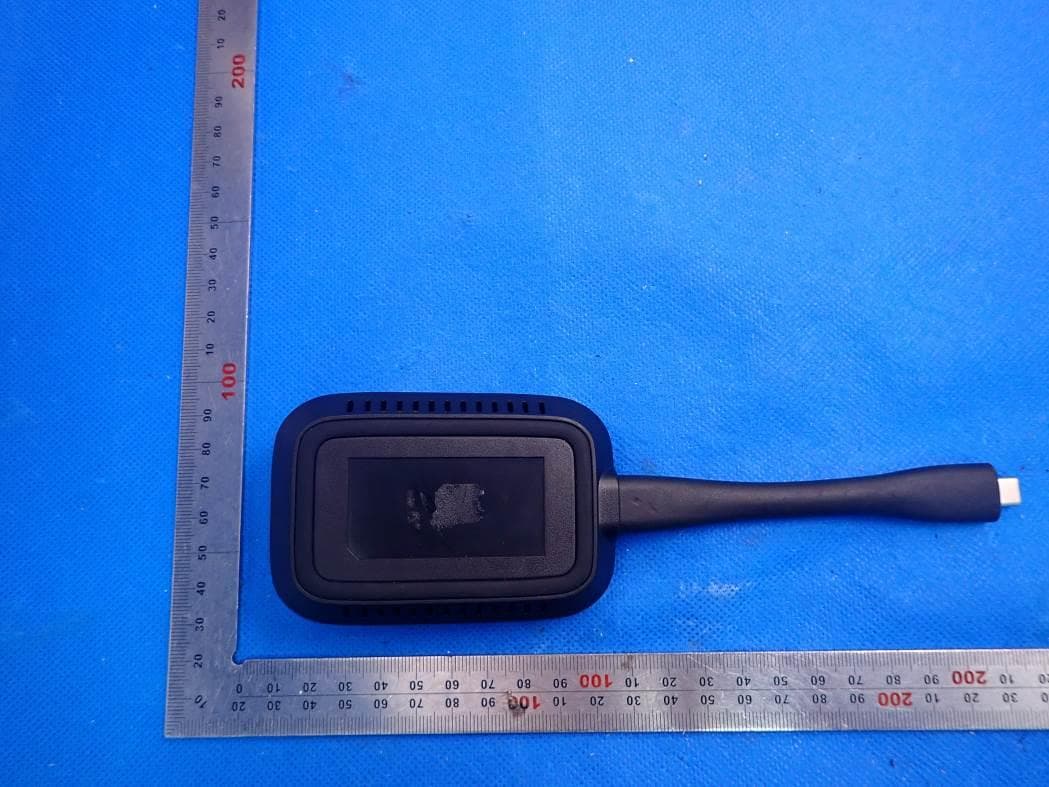
GSS-VS18188
Jan 19, 20212.4G & 5G WiFi ViewBoard Cast Button
Equipment Class
DTS - Digital Transmission System