GX5-CB5722BLUETOOTH MODEM
Broadxent Pte Ltd.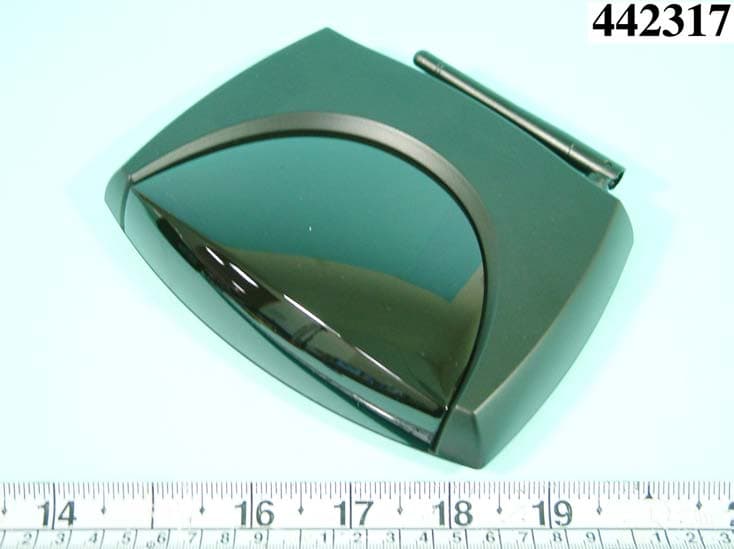
Click to zoom
Application Details
- Equipment Class
- DSS - Part 15 Spread Spectrum Transmitter
- Date of Grant
- Jul 11, 2004
- Application Purpose
- Original Equipment
- Date of Application
- Jul 11, 2004
- Equipment Note
- BLUETOOTH MODEM
- Frequency Range
- 2402.00000000 - 2480.00000000
- Company
- Broadxent Pte Ltd.
- Country
- Singapore
Documents & Files
Document Text
Text extracted from the exhibit documents filed with the FCC. Open a document above to read the original.
Users Manual
User’s Guide Creative Modem Blaster Wireless CB5722 Information in this document is subject to change without notice and does not represent a commitment on the part of Creative Technology Ltd. No part of this manual may be reproduced or transmitted in any form or by any means, electronic or mechanical, including photocopying and recording, for any purpose without the written permission of Creative Technology Ltd. The software described in this document is furnished under a license agreement and may be used or copied only in accordance with the terms of the license agreement. It is against the law to copy the software on any other medium except as specifically allowed in the license agreement. The licensee may make one copy of the software for backup purposes only. The Software License Agreement can be found on the Installation CD. Copyright © 2004 Creative Technology Ltd. All rights reserved. Version 1.0 June 2004 The Creative logo, Blaster, and Modem Blaster are trademarks or registered trademarks of Creative Technology Ltd. in the United States and/or other countries. Microsoft, MS-DOS, Windows, Windows NT and the Windows logo are registered trademarks of Microsoft Corporation. Intel and Pentium are registered trademarks of Intel Corporation. AMD and AMD-K6 are trademarks or registered trademarks of Advanced Micro Devices, Inc. The Bluetooth word mark and logos are owned by the Bluetooth SIG, Inc. All other products are trademarks or registered trademarks of their respective owners. All specifications are subject to change without prior notice. Actual contents may differ slightly from those pictured. This product is covered by one or more of the following U.S. patents: 4,506,579; 4,699,038; 4,987,600; 5,013,105; 5,072,645; 5,111,727; 5,144,676; 5,170,369; 5,248,845; 5,298,671; 5,303,309; 5,317,104; 5,342,990; 5,430,244; 5,524,074; 5,698,803; 5,698,807; 5,748,747; 5,763,800; 5,790,837. Contents i Contents 1 Introduction Before You Begin....................................................................................................................................... 1-2 Package Contents ............................................................................................................................ 1-2 Minimum System Requirements ................................................................................................. 1-2 Model Number and Serial Number ........................................................................................... 1-2 Creative Knowledge Base ............................................................................................................. 1-2 Product Registration....................................................................................................................... 1-3 Customer Support Services and Warranty information..................................................... 1-3 Document Conventions ................................................................................................................ 1-4 2 About Your Hardware Your Modem............................................................................................................................................... 2-1 Your Creative Wireless USB Adapter................................................................................................ 2-3 3 Setting Up A Bluetooth Connection Noting Down the Modem BDA and Pin Code ............................................................................... 3-1 Installing Software...................................................................................................................................... 3-1 Installing Hardware.................................................................................................................................... 3-3 Configuring Your Bluetooth Device.................................................................................................... 3-4 Verifying Your Bluetooth Installation .................................................................................................. 3-4 Pairing Your Bluetooth Devices............................................................................................................ 3-5 ii 4 Setting Up A Serial Connection Installing Software...................................................................................................................................... 4-1 Installing Hardware.................................................................................................................................... 4-2 Notes on connecting the telephone line and telephone..................................................... 4-4 Testing Modem Drivers........................................................................................................................... 4-5 In Windows XP and Windows 2000......................................................................................... 4-5 In Windows Me and Windows 98 SE ....................................................................................... 4-6 5 Uninstalling Drivers and Software Uninstalling Bluetooth Software............................................................................................................ 5-1 In Windows XP and Windows 2000......................................................................................... 5-1 In Windows Me and Windows 98 SE ....................................................................................... 5-1 Uninstalling Serial Modem Drivers....................................................................................................... 5-2 In Windows XP and Windows 2000......................................................................................... 5-2 In Windows Me and Windows 98 SE ....................................................................................... 5-2 6 Modem Features Basic Features ..........................................…
Text truncated - open the document above for the full version.
Users Manual
FEDERAL COMMUNICATIONS COMMISSION This device complies with Part 15 of the FCC Rules. Operation is subject to the following two conditions:(1) this device may not cause harmful interference, and (2) this device must accept any interference received, including interference that may cause undesired operation. Changes or modifications not expressly approved by the party responsible for compliance could void the user‘s authority to operate the equipment. NOTE This equipment has been tested and found to comply with the limits for a Class B digital device, pursuant to Part 15 of the FCC Rules. These limits are designed to provide reasonable protection against harmful interference in a residential installation. This equipment generates, uses and can radiated radio frequency energy and, if not installed and used in accordance with the instructions, may cause harmful interference to radio communications. However, there is no guarantee that interference will not occur in a particular installation If this equipment does cause harmful interference to radio or television reception, which can be determined by turning the equipment off and on, the user is encouraged to try to correct the interference by one or more of the following measures: -Reorient or relocate the receiving antenna. -Increase the separation between the equipment and receiver. -Connect the equipment into an outlet on a circuit different from that to which the receiver is connected. -Consult the dealer or an experienced radio/TV technician for help. Note: This device and its antenna(s) used for this transmitter must not be co-located or operating in conjunction with any other antenna or transmitter. This equipment complies with FCC radiation exposure limits set forth for an uncontrolled environment. In order to avoid the possibility of exceeding the FCC radio frequency exposure limits, human proximity to the antenna shall not be less than 20cm (8 inches) during normal operation.
External Photos
APPENDIX A. Photographs of EUT
ID Label/Location Info
FCC ID: GX5-CB5722 Label Location
ID Label/Location Info
60x29.5 mm Modem Blaster V.92 External CB5722 Tested To Comply With FCC Standards FOR HOME OR OFFICE USE FCC ID;GX5-CB5722 REN:0.0B R CUS LISTED E240556 LTE CE ! Made In China Assy No:5002070007040 Label P/N;235-01128 PIN: BDA: S/N: Modem Blaster V.92 External CB5722 Tested To Comply With FCC Standards FOR HOME OR OFFICE USE FCC ID;GX5-CB5722 REN:0.0B R CUS LISTED E240556 LTE CE ! Made In China Assy No:5002070007040 Label P/N;235-01128 PIN: BDA: S/N:
Internal Photos
REPORT NO. : F442317 SPORTON International Inc. PAGE NUMBER : A1 OF A3 TEL : 886-2-2696-2468 ISSUED DATE : Jun. 15, 2004 FAX : 886-2-2696-2255 REPORT NO. : F442317 SPORTON International Inc. PAGE NUMBER : A2 OF A3 TEL : 886-2-2696-2468 ISSUED DATE : Jun. 15, 2004 FAX : 886-2-2696-2255 REPORT NO. : F442317 SPORTON International Inc. PAGE NUMBER : A3 OF A3 TEL : 886-2-2696-2468 ISSUED DATE : Jun. 15, 2004 FAX : 886-2-2696-2255
Test Report
FCC ID: GX5-CB5722 Issued on Jun. 15, 2004 Report No.: F442317 SPORTON International Inc. TEL : 886-2-2696-2468 FAX : 886-2-2696-2255 FCC TEST REPORT CATEGORY: Mobile End Product PRODUCT NAME: BLUETOOTH MODEM FCC ID.: GX5-CB5722 FILING TYPE: Certification TRADE NAME: Broadxent MODEL NAME: CB5722 / CB5622 APPLICANT: Broadxent Pte Ltd. 31 International Business Park, Creatlve Resource, Singapore 609921 MANUFACTURER: PRO-NETS 10-1, No. 92, Pao-Chung Road, Hsin Tien, Taipei, Taiwan, R.O.C. ISSUED BY: SPORTON INTERNATIONAL INC. 6F, No. 106, Sec. 1, Hsin Tai Wu Rd., His Chih, Taipei Hsien, Taiwan, R.O.C. Statements: The test result in this report refers exclusively to the presented test model / sample. Without written approval of SPORTON International Inc., the test report shall not be reproduced except in full. Certificate or Test Report could not be used by the applicant to claim the product endorsement by CNLA, NVLAP or any agency of U.S. government. The test equipment used to perform the test are calibrated and traceable to NML/ROC or NIST/USA. Dr. Alan Lane Vice General Manager Sporton International Inc. Lab Code: 200079-0 FCC ID: GX5-CB5722 Issued on Jun. 15, 2004 Report No.: F442317 SPORTON International Inc. FCC ID. : GX5-CB5722 RTEL : 886-2-2696-2468 Page No. : i FAX : 886-2-2696-2255 Issued Date : Jun. 15, 2004 Table of Contents History of this test report....................................................................................................................................ii 1. General Description of Equipment under Test.............................................................................................1 1.1. Applicant..........................................................................................................................................................................................1 1.2. Manufacturer ...................................................................................................................................................................................1 1.3. Basic Description of Equipment under Test ....................................................................................................................................1 1.4. Technical Features..........................................................................................................................................................................1 1.5. Table for Carrier Frequencies .........................................................................................................................................................2 2. Test Configuration of the Equipment under Test.........................................................................................3 2.1. Description of the Test ....................................................................................................................................................................3 2.2. Frequency Range Investigated .......................................................................................................................................................3 2.3. Details of the Supporting Units........................................................................................................................................................4 2.4. Connection Diagram of Test System ..............................................................................................................................................4 2.5. Test Software ..................................................................................................................................................................................5 3. Test Location and Standards .........................................................................................................................6 3.1. Test Location...................................................................................................................................................................................6 3.2. Test Conditions ...............................................................................................................................................................................6 3.3. Test Standards ................................................................................................................................................................................6 3.4. DoC Statement................................................................................................................................................................................6 4. Test Result and Details ...................................................................................................................................7 4.1. Summary of the Test Results ..........................................................................................................................................................7 5. Test Result .......................................................................................................................................................8 5.1. Test of Hopping Channel Bandwidth...............................................................................................................................................8 5.2. Test of Number of Hopping Frequency .........................................................................................................................................11 5.3. Test of Hopping Channel Separation ............................................................................................................................................13 5.4. Test of Dwell Time of Each Frequency .........................................................................................................................................16 5.5. Test of Maximum Peak Output Power ...................................................…
Text truncated - open the document above for the full version.
Contact Information
Applicant
Kelvin Koh(Product Engineering Manager)
Test Firm
SPORTON International IncKathy Lin
Technical Specifications
| # | Rule Parts | Frequency Range | Power Output |
|---|---|---|---|
| 1 | 15C | 2.40 GHz - 2.48 GHz | 2.50 mW |
Other Applications from Broadxent Pte Ltd.

GX5-SW1000
Jan 15, 2007Webcam
Equipment Class
JBP - Part 15 Class B Computing Device Peripheral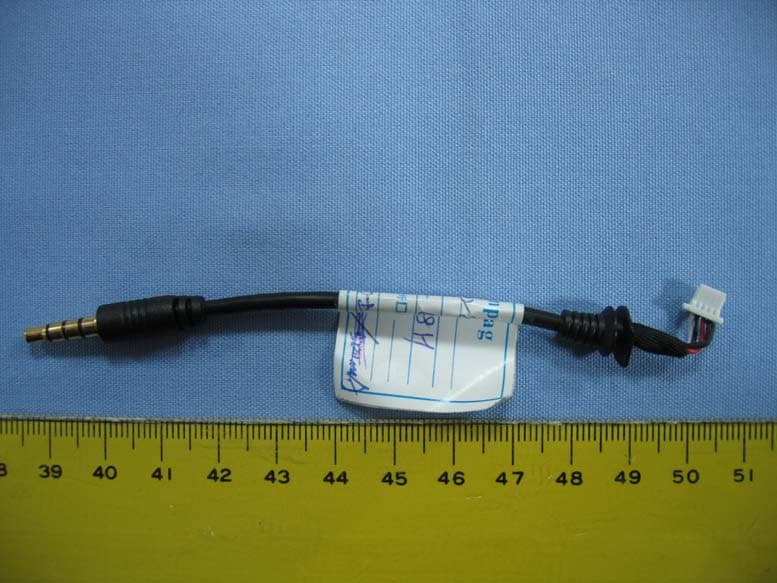
GX5-CB2480
Mar 21, 2006BLUETOOTH AUDIO TRANSMITTER
Equipment Class
DSS - Part 15 Spread Spectrum Transmitter
GX5-CB3700
Dec 12, 2005Bluetooth USB Dongle
Equipment Class
DSS - Part 15 Spread Spectrum Transmitter
GX5-CB3200
Dec 11, 2005Bluetooth USB Dongle
Equipment Class
DSS - Part 15 Spread Spectrum Transmitter
GX5-VF0180
Sep 21, 2005Wireless AP
Equipment Class
DTS - Digital Transmission System