GX5-SW1000Webcam
Broadxent Pte Ltd.
Click to zoom
Application Details
- Equipment Class
- JBP - Part 15 Class B Computing Device Peripheral
- Date of Grant
- Jan 15, 2007
- Application Purpose
- Original Equipment
- Date of Application
- Jan 12, 2007
- Equipment Note
- Webcam
- Company
- Broadxent Pte Ltd.
- Country
- Singapore
Documents & Files
Document Text
Text extracted from the exhibit documents filed with the FCC. Open a document above to read the original.
Users Manual
Skype Web Camera Quick Start Installing Software Do not connect your Webcam to your computer before installing the drivers. 1. Insert the Installation CD into your CD-ROM drive. Your CD should start automatically. If it does not, follow the steps below: ) Click My Computer icon on your desktop. ) Right-click the CD-ROM/DVD-ROM drive icon, and then click Autoplay . 2. Click Install Driver and follow the instructions on screen to complete the installation. When installation is finished, Connect Skype Webcam now dialog box will appear, Click the Ok button. Installing Hardware 1. Stick the small metal strip on the top of your PC monitor so that the Webcam can be magnetically positioned on it. Then turn the adjustable focus ring to get good focus. 2. Connect your Webcam’s USB cable to an available USB port on your computer. 3. Windows ® automatically detects the device. ) For Windows XP ) and Windows 2000 3.1 When the Found New Hardware Wizard dialog box appears, se- lect No, not this time then click the Next button. 3.2 Select Install the software automatically (Recommended) and then click the Next button. 3.3 Follow the instructions to finish the installation. Download the Latest Skype Software If you have not installed Skype software you may come back to the Skype Web Camera dialog box. Click Download the Latest Skype Software from Internet. Your Internet Explorer will automatically connect to the web: http://www.skype.com . If Internet connection is not available, you may see a Network Error warning message. Please check your network connection. Verifying the Installation 1. Right-click the My Computer icon on your desktop. 2. In the menu that appears, click Properties . In the System Properties dialog box, click the Hardware tab. Click the Device Manage r button. 3. Click the plus (+) sign next to the Imaging Device icon. The entries appear. For Windows ® XP users At the time of this product’s release, Microsoft strongly encouraged companies to submit their hardware solutions for certification. If a hardware device driver is not submitted, or does not qualify, for Microsoft certification, a warning message similar to the one shown here appears. You may see the message when installing the driver. If you do, you may choose to click Continue Anyway button. Skype has tested this driver on Windows XP, and it does not impair or destabilize your computer. For Windows 2000 ® users The minimum System Requirement is DirectX 8.0 . When a Digital Signature Not Found dialog box appears, click the Yes button and follow the instructions on screen to finish installation. Caution : This product contains a magnet. Please use with care, do not place close to a magnetic media. This device complies with part 15 of the FCC Rule. Operation is subject to the following two conditions: (1) This device may not cause harmful interference, and (2) this device must accept any interference received, including Interference that may cause undesirable operation. Caution : the user that changes or modifications not expressly approved by the party responsible for compliance could void the user's authority to operate the equipment. In cases where the manual is provided only in a form other than paper, such as on a computer disk or over the Internet, the information required by this section may be included in the manual in that alternative form, provided the user can reasonably be expected to have the capability to access information in that form. This equipment has been tested and found to comply with the limits for a Class B digital device, pursuant to Part 15 of the FCC Rules. These limits are designed to provide reasonable protection against harmful interference in a residential installation. This equipment generates, uses and can radiate radio frequency energy and, if not installed and used in accordance with the instructions, may cause harmful interference to radio communications. However, there is no guarantee that interference will not occur in a particular installation. If this equipment does cause harmful interference to radio or television reception, which can be determined by turning the equipment off and on, the user is encouraged to try to correct the interference by one or more of the following measures: -- Reorient or relocate the receiving antenna. -- Increase the separation between the equipment and receiver. -- Connect the equipment into an outlet on a circuit differentfrom that to which the receiver is connected. -- Consult the dealer or an experienced radio/TV technician forhelp.
Cover Letter(s)
Ivan Wen ECMG January 11, 2007 RE: ATCB004413 FCC ID: GX5-SW1000 After a review of the submitted information, I have a few comments on the above referenced Application. 1) The 731 and test report cite an FCC ID of GX5SW1000 while the labeling shows and FCC ID of GX5-SW1000. Which is correct? Note the FCC requires all exhibits to be consistent. Please adjust all affected exhibits. Answer : The FCC ID IS GX5-SW1000, I Have corrected the 731 form and the test report. 2) This device is being certified as a PC peripheral. Therefore the authorization is not for a DoC. You must choose either Certification or DoC routes to compliance – not both. Therefore the DoC logo should be removed from the labeling. Please correct. Answer : I choose the certification ,and then removed the DOC logo from labeling . 3) It appears that information shown on the 731 section III – 8a may be incorrect. Please review. Answer : I have corrected it , plase kindly see the uploaded file which the GX5-SW1000_731 form_rev1 4) Radiated test photographs show a mouse. However it is uncertain what type of connection the mouse is. It does not appear that the minimum test configuration specified by ANSI C63.4 section 11.2 has been followed. Please note that the video monitor and keyboard are not part of the 2 required I/O. Please correct. Answer : I have cabling connected the parallel and serial ports to printer and loads the erphone port , please kindly see the uploaded file which the GX5-SW1000_Test set up photos.pdf and the GX5-SW1000_Test report_Rev1.pdf . 5) Generally it is not expected that the test configuration should change between the radiated and conducted setups. For this case, the same configuration should be used for both. You can not simply test the PC without the appropriate minimum configuration required by ANSI C63.4. Please correct. Answer : I have corrected it ,and the same configuration was used , please kindly see the uploaded file which the GX5-SW1000_Test set up photos.pdf and the GX5-SW1000_Test report_Rev1.pdf . 6) Testing positioning (10 cm spacings and positioning of devices on the front/back of the table) were not followed as shown in ANSI C63.4. Please correct. Answer : I have corrected it , please kindly see the uploaded file which the GX5-SW1000_Test set up photos.pdf and the GX5-SW1000_Test report_Rev1.pdf . 7) Users manual is missing information required by 15.21 and 15.105(b). Please correct. Answer : I have added the information to user manual.Please kindly see the uploaded file which the GX5-SW1000_User manual_Rev1.
Cover Letter(s)
1) The test site used (OAT’s/Chamber) must be on record with the FCC via 2.948. From reviewing the FCC site, the OAT’s listing could not be found. For example, see the following: Answer :sorry, I have made some word wrong at test name , it is Shenzhen Electronic Product Quality Testing Center but not the Shenzhen Electronic Products Quality Test Center, I have corrected it ,and you could found it at FCC websit ,the registration number is 261302 . 2) Although the test photographs support a fully configured PC per ANSI C63.4, the configuration still does not meet with the positioning requirements. Please refer to previous comment 5). Additionally, please reference section 6 and figure 11a of ANSI C63.4 (i.e. certain components flush with back and front of the table, when 10 cm spacings between units. It would be expected that the keyboard is flush on the front of the table, the computer, monitor, printer, etc. are flush along the back with 10 cm spacings. Answer : I have corrected it ,please kindly see the uploaded file which the GW5-SW1000_test report_Rev2 and the GX5-SW1000_set up photos_Rev2.
External Photos
1 External Photos of EUT sample Photo 1- Front View of USBCAM Photo 2- Back View of USBCAM
ID Label/Location Info
Label & Location Proposed FCC Label Format: Dimention:Length x width = 51.5mm x 11mm Specifications: Text is white or black in color and is left justified ,Labels are printed in indelible ink on permanent adhesive backing or sile-screened onto the EUT or shall be affixed at a conspicuous location on the EUT. Proposed FCC Label Location: FCC Warning Statement: This device complies with part 15 of the FCC Rules. Operation is subject to the following two conditions: (1) This device may not cause harmful interference, and (2) this device must accept any interference received, including interference that may cause undesired operation. See 47 CFR Sec. 15.19(3).
Internal Photos
Internal Photos of EUT sample Photo 1- Uncovered View of USBCAM Photo 2- Front View of PCBA Photo 3- Back View of PCBA
Test Report
670 National Avenue, Mountain View, CA 94043 Tel. (650) 988-0900 Fax (650) 988-6647 www.ecmg-global.com EMI Test Report On Model Name : Webcam Model Number : SW1000 Brand Name : Broadxent FCC ID : GX5-SW1000 Prepared for Broadxent pte Ltd. According to FCC Part 15 Subpart B -- Unintentional Radiators Test Report #: SHE-1227-5177-FCC Prepared by : Ivan Wen QC Manager: Paul Chen Test Report Released by: 2006 ,Dec. 27 ⎯⎯⎯⎯⎯⎯⎯⎯ ⎯⎯⎯⎯⎯⎯⎯ Paul Chen Date NVLAP Lab code: 200068-0 ISO/IEC 17025:1999, ISO 9002:1994 List of Attached Files Exhibit Type File Description File Name 731 Form 731 Form GX5-SW1000_731 form.pdf Test Report Test Report GX5-SW1000_Test report.pdf Operational Description Technical Description GX5-SW1000_operational description.pdf External Photos External Photos GX5-SW1000_External Photos.pdf Internal Photos Internal Photos GX5-SW1000_Internal Photos.pdf Block Diagram Block Diagram GX5-SW1000_Block Diagram.pdf Schematics Circuit Diagram GX5-SW1000_Schematics.pdf ID Label&Location Label Artwork and Location GX5-SW1000_Label & Location.pdf User Manual User Manual GX5-SW1000_User Manual.pdf Test setup photos Test setup photos GX5-SW1000_Test Setup Photos.pdf Test Location Tests performed at Shenzhen Electronic Product Quality Testing Center in a Certified ANSI Semi-Anechoic Chamber and Shielded Room performed testing. Test Site Location: Electronic Testing Building Shahe Road, Xili, Nanshan District Shenzhen 518055, P.R. China. Tel: 86-755-26703698 Fax: 86-755-26627238 Rigistration Number : 261302 Accreditation Bodies EMC Compliance Management Group is a fully accredited Test Laboratory for ITE, ISM, MIL-STD and Telecommunications Products. In compliance with the site registration requirements of Section 2.948 of the FCC Rules to perform EMI measurements for the general public. FCC Registration #: 894293. Accredited by the National Voluntary Laboratory Accreditation Program for the specific scope of accreditation under Lab Code # 200068-0. Table of Contents GOVERNMENT DISCLAIMER NOTICE __________________________ 1 REPRODUCTION CLAUSE _____________________________________ 1 OPINIONS AND INTERPRETATIONS ___________________________ 1 STATEMENT OF MEASUREMENT UNCERTAINTY_______________ 1 ADMINISTRATIVE DATA ______________________________________ 2 EUT DESCRIPTION ___________________________________________ 2 TEST SUMMARY ______________________________________________ 3 TEST MODE JUSTIFICATION __________________________________ 4 EQUIPMENT MODIFICATION __________________________________ 4 EUT SAMPLE PHOTOS ________________________________________ 5 TEST SYSTEM DETAILS _______________________________________ 6 CONFIGURATION OF TESTED SYSTEM ________________________ 7 ATTACHMENT 1 - CONDUCTED EMISSION TEST RESULTS_____ 8 ATTACHMENT 2 - RADIATED EMISSION TEST RESULTS ______ 12 FCC Test Report #: SHE-1227-5177-FCC Prepared for Broadxent Pte Ltd. Prepared by EMC Compliance Management Group Page 1 of 15 Government Disclaimer Notice When government drawing, specification, or other data are used for any purpose other than in connection with a definitely related government procurement operation, the United States Government thereby incurs no responsibility nor any obligation whatsoever; and the fact that the Government may have formulated, furnished, or in any way supplied the said drawing, specifications, or other data, is not to be regarded by implication or otherwise in any manner licensing the holder or any other person or corporation, or conveying any rights or permission to manufacture, use, or sell patented invention that may in any way be related thereto. This report must not be used to claim product endorsement by NVLAP or any agency of the U.S. Government. Reproduction Clause Any reproduction of this document must be done in full. No single part of this document may be reproduced without permission from EMC Compliance Management Group, 670 National Ave., Mountain View, CA 94043. Opinions and Interpretations This test report relates to the abovementioned equipment under test (EUT). Without the permission of EMC Compliance Management Group Test Lab this test report is not permitted to be duplicated in extracts. This test report does not entitle to carry any test mark on this or similar products. The manufacturer has sole responsibility of continued compliance of the device. Statement of Measurement Uncertainty The data and results referenced in the document are true and accurate. The reader is cautioned that there may be errors within the calibration limits of the equipment and facilities that can account for a nominal measurement error. Furthermore, component and process variability of devices similar to that tested may result in additional deviation. FCC Test Report #: SHE-1227-5177-FCC Prepared for Broadxent Pte Ltd. Prepared by EMC Compliance Management Group Page 2 of 15 Administrative Data Test Sample : Webcam Model Numbers : SW1000 Model Tested : SW1000 Brand Name : Broadxent FCC ID : GX5-SW1000 Date Tested : 2006, Dec. 24 Applicant : Broadxent Pte Ltd. 31 international business park Creative resource, Singapore 60992 Telephone : (65)6890 5255 Fax : (65)6890 5269 Manufacturer : Broadxent Pte Ltd. 31 international business park Creative resource, Singapore 609921 EUT Description Broadxent Pte Ltd. model tested SW1000(referred to as The EUT in this report) is a Webcam. FCC Test Report #: SHE-1227-5177-FCC Prepared for Broadxent Pte Ltd. Prepared by EMC Compliance Management Group Page 3 of 15 Test Summary The Electromagnetic Compatibility requirements on model SW1000 for this test are stated below. All results listed in this report relate exclusively to this above-mentioned model as the Equipment Under Test. This report confers no approval or endorsement upon any other component, host or subsystem used in the test set-up. Emission Tests Specifications Description Test Results Test Point Remark FCC Part 15.107 ANSI 63.4 2003 Conducted Emission Passed by 20.20dB of QP AC Input Port A…
Text truncated - open the document above for the full version.
Test Setup Photos
TEST SETUP PHOTOGRAPHS 1. Radiated Field Strength Measurement 2. Conducted Emission Test
Contact Information
Applicant
Kelvin Koh(Product Engineering Manager)
Technical Contact
Test Firm
ShenZhen Electronic Product Quality Testing CenterXingsun Lin
Technical Specifications
| # | Rule Parts | Frequency Range | Power Output |
|---|---|---|---|
| 1 | 15B | - | - |
Other Applications from Broadxent Pte Ltd.
GX5-CB2480
Mar 21, 2006BLUETOOTH AUDIO TRANSMITTER
Equipment Class
DSS - Part 15 Spread Spectrum Transmitter
GX5-CB3700
Dec 12, 2005Bluetooth USB Dongle
Equipment Class
DSS - Part 15 Spread Spectrum Transmitter
GX5-CB3200
Dec 11, 2005Bluetooth USB Dongle
Equipment Class
DSS - Part 15 Spread Spectrum Transmitter
GX5-VF0180
Sep 21, 2005Wireless AP
Equipment Class
DTS - Digital Transmission System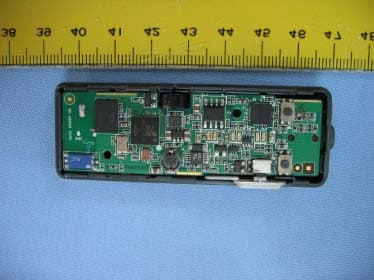
GX5-CB2500
Sep 20, 2005Wireless Audio Adapter
Equipment Class
DSS - Part 15 Spread Spectrum Transmitter