HFS-PX3Quanta Video Presence Solution
Quanta Computer Inc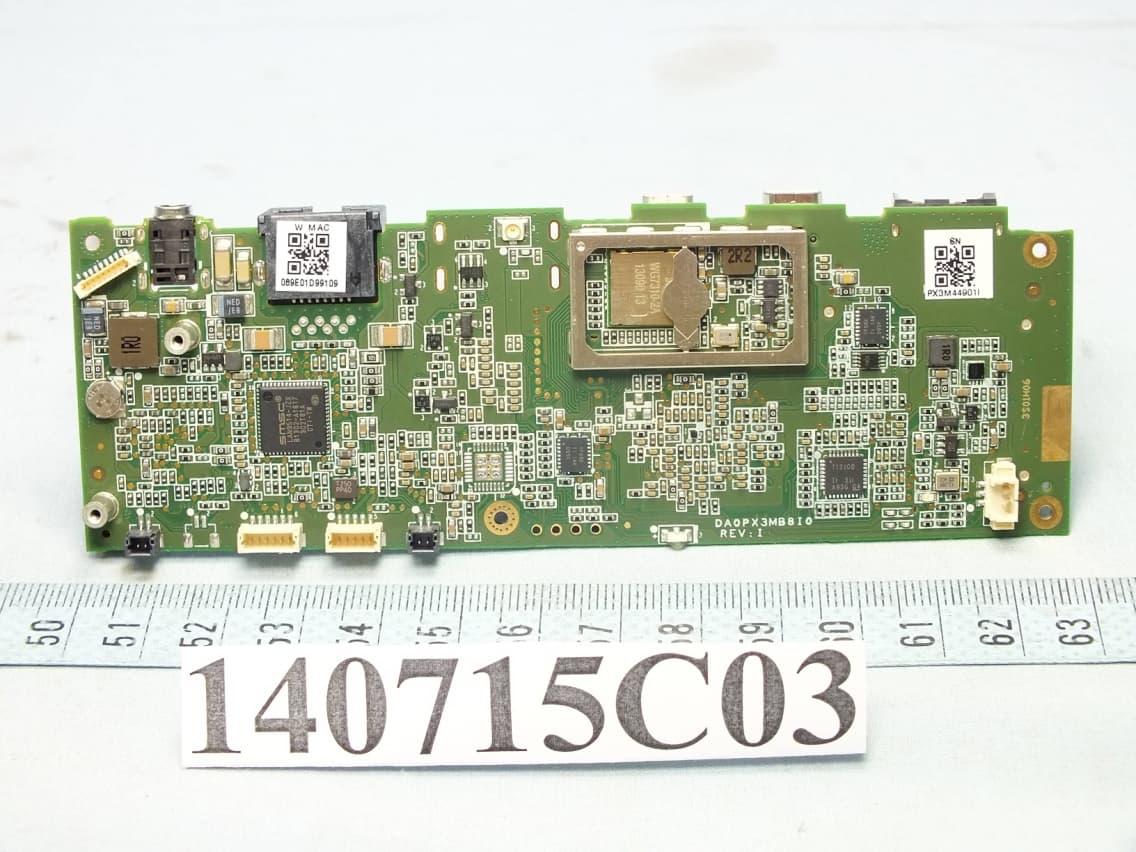
Click to zoom
Application Details
- Equipment Class
- DTS - Digital Transmission System
- Date of Grant
- Jul 27, 2015
- Application Purpose
- Original Equipment
- Date of Application
- Jul 23, 2015
- Equipment Note
- Quanta Video Presence Solution
- Frequency Range
- 2412.00000000 - 2462.00000000
- Company
- Quanta Computer Inc
- Country
- Taiwan
Documents & Files
Document Text
Text extracted from the exhibit documents filed with the FCC. Open a document above to read the original.
Users Manual
Quanta Computer Inc. PX3 Video Presence Solution Quick Start Guide Package Contents Camera unit x 1 Keypad unit x 1 5V/3A power adapter x 1 for camera unit 12V/2A power adapter x 1 for keypad unit Micro HDMI cable (type D) x 1 HDMI cable (type A) x 1 VGA cable x 1 LAN cable x 1 Quick start guide x 1 Installing your PX3 1. Install camera unit: Connect LAN cable, micro HDMI cable, and power adapter to camera unit as showed in Figure 1. 2. Place the camera unit on top of the TV and adjust the stand to fix PX3 as showed in Figure 3. 3. Turn on TV and switch to the dedicated HDMI output channel. When PX3 menu is displayed on TV, continue to install the keypad unit. 4. Install keypad unit: Place the keypad unit on the meeting table. Connect power adapter to keypad unit as showed in Figure 2. Connect HDMI cable or VGA cable (depending on the notebook interface) to keypad unit if you want to use projector mode or screen sharing. 5. When the LCD display on the keypad unit shows “Welcome”, your PX3 is ready for use. Note1: It is important to install the camera unit prior to the keypad unit to establish wireless connection between these two parts. Note 2: The maximum distance range between camera unit and keypad unit is 5 meters. Any farther will degrade the functionality of PX3. Figure 1 camera unit installation Figure 2 keypad unit installation Figure 3 camera unit stand installation Getting to know your PX3 The photos below show the details of PX3 camera unit and keypad unit. Figure 4 camera unit Figure 5 keypad unit view 1 Figure 6 keypad unit view 2 5V/3A adapter POWER LAN TV MINI USB Power key OTG port HDMI IN TV Router 12V/2A adapter POWER VGA HDMI Notebook M M a a i i n n L L E E D D 12:34 PM S S p p e e a a k k e e r r E E n n d d C C a a l l l l P P r r o o j j e e c c t t o o r r / / s s c c r r e e e e n n s s h h a a r r i i n n g g m m o o d d e e M M e e n n u u Z Z o o o o m m I I n n V V o o l l u u m m e e U U p p V V o o l l u u m m e e D D o o w w n n Z Z o o o o m m O O u u t t M M u u t t e e / / U U n n m m u u t t e e R R e e s s e e t t b b u u t t t t o o n n 4 4 D D i i r r e e c c t t i i o o n n K K e e y y s s , , O O K K b b u u t t t t o o n n A A u u d d i i o o C C a a l l l l V V i i d d e e o o C C a a l l l l N N u u m m e e r r i i c c K K e e y y s s 12:34 PM T T o o p p L L E E D D P P r r o o j j e e c c t t o o r r / / S S c c r r e e e e n n S S h h a a r r i i n n g g M M o o d d e e L L E E D D M M u u t t e e / / U U n n - - m m u u t t e e L L E E D D M M i i c c r r o o p p h h o o n n e e Quanta Computer Inc. Keypad function Key Name Function Up In menu page, it is used to move cursor upward. In preview or video call session, it is used to rotate camera’s view angle upward. Down In menu page, it is used to move cursor downward. In preview or video call session, it is used to rotate camera’s view angle downward. Left In menu page, it is used to move menus or cursor leftward. In preview or video call session, it is used to rotate camera’s view angle leftward. Right In menu page, it is used to move menus or cursor rightward. In preview or video call session, it is used to rotate camera’s view angle rightward. OK It is used to confirm the selection or pop up soft keyboard in editing columns. Audio Call Make audio call to the dialed numbers. Video Call Make video call to the dialed numbers. End Call In a call session, end a video or audio call. In menu page, return to the last page or status. Mode switch Enable projector or screen sharing mode Menu Enable/disable menu Volume Up Turn volume up Volume Down Turn volume down Zoom In Zoom in camera Zoom Out Zoom out camera Mute Enable/disable mute function Numeric keys In any menu page, press any numeric key to pop up dial page and input numbers. In text input field, it is used to input the numbers. 0 In dial page or text input field, press “0” for 2 seconds and then release to input “+”. * In any menu page, press “*” to pop up dial page and input “*”. In text input field input “*”. # In any menu page, press “#” to pop up dial page and input “#”. In text input field input “#”. Using your PX3 • How to set up the network Go to Settings → Network Settings. Select DHCP to assign IP address. After setup, press [Save] to exit. For fixed IP users, please unclick DHCP and specify an IP/ DNS address. In text input field, Press Ok key to activate the soft keyboard. Press [Done] key on soft keyboard to finish editing each column. Press [Save] key on menu to exit. Return to the main menu by pressing the Menu button on the keypad unit. The network connection icon on top right of TV screen should be on. If you see icon instead, please return to network setting page to reconfirm the setting. If network connection still fails, contact your MIS for further assistance. Note: Please check with your MIS for the IP/DNS address information required in the network setting page. • How to set up the SIP account Go to Settings → SIP Account for setup. You can find the SIP setting label on the bottom of keypad unit. Please input all the information on that label into the SIP account setting page. In text input column, press ok key to activate soft keyboard. Press [Done] key on soft keyboard to finish editing each column. After setup, press [Save] to exist. Return to the main menu by pressing the Menu button on the keypad unit. The handset icon on top right of TV screen will turn white when the SIP account is ready for use. If you see instead, please return to SIP Account page to re ‐ confirm the setting. • How to make a video call with phone numbers Input phone numbers with the keypad on the keypad unit and then press the Video call key. • How to make a video call from contact list Go to Contacts and use Left/Right key on the keypad unit to brows contact list. Press Ok key to select one of the contacts you wish to call. In the contact info window, select [Video call] and press Ok key on keypad unit to make video call. • How to make an a…
Text truncated - open the document above for the full version.
Cover Letter(s)
Quanta Computer Inc 188 Wen Hwa 2nd Rd., Kuei Shan Hsiang Tao Yuan Hsien Taiwan TEL: +886-3-327-2345 FAX: +886-943 180597 Declaration for no non-US channel operation September 9, 2014 We, Quanta Computer Inc, declare that the device does not support channel 12 ~ 13 in 2.4GHz band and any non-US channels in all the operational mode(s) for the following product. FCC ID: HFS-PX3 If you should have any question(s) regarding this declaration, please don’t hesitate to contact us. Thank you! ----------------------------------- Name: / Title: Joyce Kuo Tel: +886-3-327-2345 Fax: +886-943 180597 E-mail: [email protected]
Cover Letter(s)
Quanta Computer Inc. 188 Wen Hwa 2nd Rd., Kuei Shan Hsiang Tao Yuan Hsien Taiwan TEL: +886-3-327-2345 FAX: +886-943 180597 Date: 2014-09-09 FCC ID: HFS-PX3 To the attention of Federal Communications Commission Authorization and Evaluation Division Confidentiality Request Pursuant to Sections 0.457 and 0.459 of the Commission’s Rules, the Applicant hereby requests confidential treatment of information accompanying this Application as outlined below: Schematics Block Diagram Software Operational Description Operational Description The above materials contain trade secrets and proprietary information not customarily released to the public. The public disclosure of these matters might be harmful to the Applicant and provide unjustified benefits to its competitors. The Applicant understands that pursuant to Rule 0.457, disclosure of this Application and all accompanying documentation will not be made before the date of the Grant for this application. Sincerely yours, ----------------------------------- Name: / Title: Joyce Kuo Tel: +886-3-327-2345 Fax: +886-943 180597 E-mail: [email protected]
Cover Letter(s)
Quanta Computer Inc 188 Wen Hwa 2nd Rd., Kuei Shan Hsiang Tao Yuan Hsien Taiwan TEL: +886-3-327-2345 FAX: +886-943 180597 Date: 2014-09-09 FCC ID: HFS-PX3 To the attention of Federal Communications Commission Authorization and Evaluation Division Confidentiality Request Pursuant to Sections 0.457 and 0.459 of the commission’s rules, we request short-term confidential treatment for the following information until 180 days after the Grant Date of Equipment Authorization in order to ensure sensitive business information remains confidential until the actual marketing of the device: External photos Test Setup photos User’s manual Internal Photos Sincerely yours, ----------------------------------- Name: / Title: Joyce Kuo Tel: +886-3-327-2345 Fax: +886-943 180597 E-mail: [email protected]
Cover Letter(s)
Quanta Computer Inc 188 Wen Hwa 2nd Rd., Kuei Shan Hsiang Tao Yuan Hsien Taiwan TEL: +886-3-327-2345 FAX: +886-943 180597 Date: 2014-09-16 FCC ID: HFS-PX3 A UTHOR IZ A TION LE TTE R To whom it may concern: We, the undersigned, hereby authorize Andrea Hsia / Senior Specialist of Bureau Veritas Consumer Products Services (H.K.) Ltd., Taoyuan Branch (BV CPS Taoyuan) of Taiwan to act on our behalf in all manners relating to FCC application for equipment authorization, including signing of all documents relating to these matters. Any and all acts carried out by Andrea Hsia / Senior Specialist of BV CPS Taoyuan on our behalf shall have the same effect as acts of our own. If you have any questions regarding the authorization, please don’t hesitate to contact us. Sincerely yours, ----------------------------------- Name: / Title: Joyce Kuo Tel: +886-3-327-2345 Fax: +886-943 180597 E-mail: [email protected]
Cover Letter(s)
Quanta Computer Inc 188 Wen Hwa 2nd Rd., Kuei Shan Hsiang Tao Yuan Hsien Taiwan TEL: +886-3-327-2345 FAX: +886-943 180597 Attestation for FCC Declaration of Conformity Date: 2014-09-09 FCC ID: HFS-PX3 We, Quanta Computer Inc, hereby attest to the fact that we will apply the Declaration of Conformity procedure to the class B computer peripheral portion of this composite filing. Thank you for your attention. Sincerely yours, ----------------------------------- Name: / Title: Joyce Kuo Tel: +886-3-327-2345 Fax: +886-943 180597 E-mail: [email protected]
Internal Photos
Page 5 Page 6 WLAN 2.4G Ant. UWB Ant. Page 7 Page 8 Page 9 Page 10 WLAN UWB Page 11 Page 12 Page 13 WLAN 5G Ant. Page 14 Page 15 Page 16
RF Exposure Info
Report No.: SA140715C03 1 of 6 Report Format Version 5.0.1 RF EXPOSURE REPORT REPORT NO.: SA140715C03 MODEL NO.: PX* (* can be 0~9, A~Z or Blank) FCC ID: HFS-PX3 RECEIVED: Jul. 15, 2014 TESTED: Jul. 25 ~ Aug. 14, 2014 ISSUED: Aug. 27, 2014 APPLICANT: Quanta Computer Inc ADDRESS: 188 Wen Hwa 2nd Rd., Kuei Shan Hsiang Tao Yuan Hsien Taiwan ISSUED BY: Bureau Veritas Consumer Products Services (H.K.) Ltd., Taoyuan Branch LAB ADDRESS: No. 47-2, 14th Ling, Chia Pau Vil., Lin Kou Dist., New Taipei City, Taiwan, R.O.C. TEST LOCATION: No. 19, Hwa Ya 2nd Rd, Wen Hwa Tsuen, Kwei Shan Hsiang, Taoyuan Hsien 333, Taiwan, R.O.C. This report is for your exclusive use. Any copying or replication of this report to or for any other person or entity, or use of our name or trademark, is permitted only with our prior written permission. This report sets forth our findings solely with respect to the test samples identified herein. The results set forth in this report are not indicative or representative of the quality or characteristics of the lot from which a test sample was taken or any similar or identical product unless specifically and expressly noted. Our report includes all of the tests requested by you and the results thereof based upon the information that you provided to us. You have 60 days from date of issuance of this report to notify us of any material error or omission caused by our negligence, provided, however, that such notice shall be in writing and shall specifically address the issue you wish to raise. A failure to raise such issue within the prescribed time shall constitute your unqualified acceptance of the completeness of this report, the tests conducted and the correctness of the report contents. Unless specific mention, the uncertainty of measurement has been explicitly taken into account to declare the compliance or non-com pliance to the specification. Report No.: SA140715C03 2 of 6 Report Format Version 5.0.1 TABLE OF CONTENTS RELEASE CONTROL RECORD ................................................................................................ 3 1. CERTIFICATION ............................................................................................................. 4 2. RF EXPOSURE ............................................................................................................... 5 2.1 LIMITS FOR MAXIMUM PERMISSIBLE EXPOSURE (MPE) ......................................... 5 2.2 MPE CALCULATION FORMULA .................................................................................... 5 2.3 CLASSIFICATION ........................................................................................................... 5 2.4 CALCULATION RESULT OF MAXIMUM CONDUCTED POWER .................................. 6 Report No.: SA140715C03 3 of 6 Report Format Version 5.0.1 RELEASE CONTROL RECORD ISSUE NO. REASON FOR CHANGE DATE ISSUED SA140715C03 Original release. Aug. 27, 2014 Report No.: SA140715C03 4 of 6 Report Format Version 5.0.1 1. CERTIFICATION PRODUCT: Quanta Video Presence Solution MODEL: PX* (* can be 0~9, A~Z or Blank) BRAND: Quanta APPLICANT: Quanta Computer Inc TESTED: Jul. 25 ~ Aug. 14, 2014 TEST SAMPLE: ENGINEERING SAMPLE STANDARDS: FCC Part 2 (Section 2.1091) KDB 447498 D03 IEEE C95.1 The above equipment (Model: PX3) has been tested by Bureau Veritas Consumer Products Services (H.K.) Ltd., Taoyuan Branch, and found compliance with the requirement of the above standards. The test record, data evaluation & Equipment Under Test (EUT) configurations represented herein are true and accurate accounts of the measurements of the sample’s EMC characteristics under the conditions specified in this report. PREPARED BY : , DATE : Aug. 27, 2014 Celine Chou / Specialist APPROVED BY : , DATE : Aug. 27, 2014 Ken Liu / Senior Manager Report No.: SA140715C03 5 of 6 Report Format Version 5.0.1 2. RF EXPOSURE 2.1 LIMITS FOR MAXIMUM PERMISSIBLE EXPOSURE (MPE) FREQUENCY RANGE (MHz) ELECTRIC FIELD STRENGTH (V/m) MAGNETIC FIELD STRENGTH (A/m) POWER DENSITY (mW/cm 2 ) AVERAGE TIME (minutes) LIMITS FOR GENERAL POPULATION / UNCONTROLLED EXPOSURE 300-1500 ... ... F/1500 30 1500-100,000 ... ... 1.0 30 F = Frequency in MHz 2.2 MPE CALCULATION FORMULA Pd = (Pout*G) / (4*pi*r 2 ) where Pd = power density in mW/cm 2 Pout = output power to antenna in mW G = gain of antenna in linear scale Pi = 3.1416 R = distance between observation point and center of the radiator in cm 2.3 CLASSIFICATION The antenna of this product, under normal use condition, is at least 20cm away from the body of the user. So, this device is classified as Mobile Device. Report No.: SA140715C03 6 of 6 Report Format Version 5.0.1 2.4 CALCULATION RESULT OF MAXIMUM CONDUCTED POWER FREQUENCY BAND (MHz) MAX POWER (dBm) ANTENNA GAIN (dBi) DISTANCE (cm) POWER DENSITY (mW/cm 2 ) LIMIT (mW/cm 2 ) 2412-2462 18.25 2.87 20 0.026 1 5180-5240 7.98 3.58 20 0.003 1 5736-5814 6.65 4.21 20 0.002 1 FREQUENCY BAND (MHz) MAX POWER (dBuV/m) MAX POWER (dBm) DISTANCE (cm) POWER DENSITY (mW/cm 2 ) LIMIT (mW/cm 2 ) 6336-7920 72.59 -32.17 20 0.0000001 1 * Max. Power of UWB Band was provided by client. CONCULSION: The WLAN 2.4G & WLAN 5G & UWB Band can transmit simultaneously, the formula of calculated the MPE is: CPD1 / LPD1 + CPD2 / LPD2 + ......etc. < 1 CPD = Calculation power density LPD = Limit of power density WLAN 2.4G + WLAN 5.0G + UWB = 0.026 + 0.003 + 0.0000001 = 0.0290001 Therefore, the maximum calculation of this situation is 0.0290001, which is less than the “1” limit.
Test Report
Report No.: RF140715C03 1 of 50 Report Format Version 5.2.1 FCC TEST REPORT (15.247) REPORT NO.: RF140715C03 MODEL NO.: PX* (* can be 0~9, A~Z or Blank) FCC ID: HFS-PX3 RECEIVED: Jul. 15, 2014 TESTED: Jul. 25 ~ Aug. 14, 2014 ISSUED: Aug. 27, 2014 APPLICANT: Quanta Computer Inc ADDRESS: 188 Wen Hwa 2nd Rd., Kuei Shan Hsiang Tao Yuan Hsien Taiwan ISSUED BY: Bureau Veritas Consumer Products Services (H.K.) Ltd., Taoyuan Branch LAB ADDRESS: No. 47-2, 14th Ling, Chia Pau Vil., Lin Kou Dist., New Taipei City, Taiwan, R.O.C. TEST LOCATION: No. 19, Hwa Ya 2nd Rd, Wen Hwa Tsuen, Kwei Shan Hsiang, Taoyuan Hsien 333, Taiwan, R.O.C. This report is for your exclusive use. Any copying or replication of this report to or for any other person or entity, or use of our name or trademark, is permitted only with our prior written permission. This report sets forth our findings solely with respect to the test samples identified herein. The results set forth in this report are not indicative or representative of the quality or characteristics of the lot from which a test sample was taken or any similar or identical product unless specifically and expressly noted. Our report includes all of the tests requested by you and the results thereof based upon the information that you provided to us. You have 60 days from date of issuance of this report to notify us of any material error or omission caused by our negligence, provided, however, that such notice shall be in writing and shall specifically address the issue you wish to raise. A failure to raise such issue within the prescribed time shall constitute your unqualified acceptance of the completeness of this report, the tests conducted and the correctness of the report contents. Unless specific mention, the uncertainty of measurement has been explicitly taken into account to declare the compliance or non-com pliance to the specification. This report should not be used by the client to claim product certification, approval, or endorsement by TAF or any government agencies. Report No.: RF140715C03 2 of 50 Report Format Version 5.2.1 TABLE OF CONTENTS RELEASE CONTROL RECORD ................................................................................................................ 4 1. CERTIFICATION ............................................................................................................................ 5 2. SUMMARY OF TEST RESULTS ................................................................................................... 6 2.1 MEASUREMENT UNCERTAINTY ................................................................................................ 6 3. GENERAL INFORMATION ............................................................................................................ 7 3.1 GENERAL DESCRIPTION OF EUT .............................................................................................. 7 3.2 DESCRIPTION OF TEST MODES ................................................................................................ 8 3.2.1 TEST MODE APPLICABILITY AND TESTED CHANNEL DETAIL ................................................ 9 3.3 DUTY CYCLE OF TEST SIGNAL ................................................................................................ 11 3.4 DESCRIPTION OF SUPPORT UNITS ........................................................................................ 12 3.4.1 CONFIGURATION OF SYSTEM UNDER TEST ......................................................................... 12 3.5 GENERAL DESCRIPTION OF APPLIED STANDARDS ............................................................. 13 4. TEST TYPES AND RESULTS ..................................................................................................... 14 4.1 RADIATED EMISSION AND BANDEDGE MEASUREMENT ..................................................... 14 4.1.1 LIMITS OF RADIATED EMISSION AND BANDEDGE MEASUREMENT ................................... 14 4.1.2 TEST INSTRUMENTS ................................................................................................................. 15 4.1.3 TEST PROCEDURES ................................................................................................................. 16 4.1.4 DEVIATION FROM TEST STANDARD ....................................................................................... 16 4.1.5 TEST SETUP ............................................................................................................................... 17 4.1.6 EUT OPERATING CONDITIONS ................................................................................................ 18 4.1.7 TEST RESULTS .......................................................................................................................... 19 4.2 CONDUCTED EMISSION MEASUREMENT .............................................................................. 29 4.2.1 LIMITS OF CONDUCTED EMISSION MEASUREMENT ........................................................... 29 4.2.2 TEST INSTRUMENTS ................................................................................................................. 29 4.2.3 TEST PROCEDURES ................................................................................................................. 30 4.2.4 DEVIATION FROM TEST STANDARD ....................................................................................... 30 4.2.5 TEST SETUP ............................................................................................................................... 30 4.2.6 EUT OPERATING CONDITIONS ................................................................................................ 30 4.2.7 TEST RESULTS .......................................................................................................................... 31 4.3 6dB BANDWIDTH MEASUREMENT .......................................................................................... 33 4.3.1 LIMITS OF 6dB BANDWID…
Text truncated - open the document above for the full version.
Test Setup Photos
1 PHOTOGRAPHS OF THE TEST CONFIGURATION CONDUCTED EMISSION TEST 2 RADIATED EMISSION TEST
Contact Information
Applicant
Joyce Kuo
Technical Contact
Bureau Veritas Taoyuan BranchRobert Huang
[email protected]+886-3-318-3232
No. 19, Hwa Ya 2nd Rd., Kwei Shan Hsiang · Taoyuan Hsien · Taiwan
Non-Technical Contact
Bureau Veritas Taoyuan Branch
[email protected]+886-3-318-3232
Test Firm
BUREAU VERITAS ADT (Shanghai) CorporationZhaoqian YU
Technical Specifications
| # | Rule Parts | Frequency Range | Power Output |
|---|---|---|---|
| 1 | 15C | 2.41 GHz - 2.46 GHz | 67.00 mW |
Other Applications from Quanta Computer Inc
HFS-C306
Sep 03, 2026Mini
Equipment Class
DTS - Digital Transmission SystemHFS-QV28NRW
Jul 15, 2026Telematics Module
Equipment Class
PCB - PCS Licensed TransmitterHFSCIP
Jun 15, 2026QOCA ecg1202
Equipment Class
DTS - Digital Transmission System
HFS-QV28NUS
Apr 16, 2026Telematics Module
Equipment Class
PCB - PCS Licensed TransmitterHFS-C407
Jul 21, 2024Clover Flex Pocket
Equipment Class
NII - Unlicensed National Information Infrastructure TX