HFS802MI3BEG8Notebook Computer
Quanta Computer Inc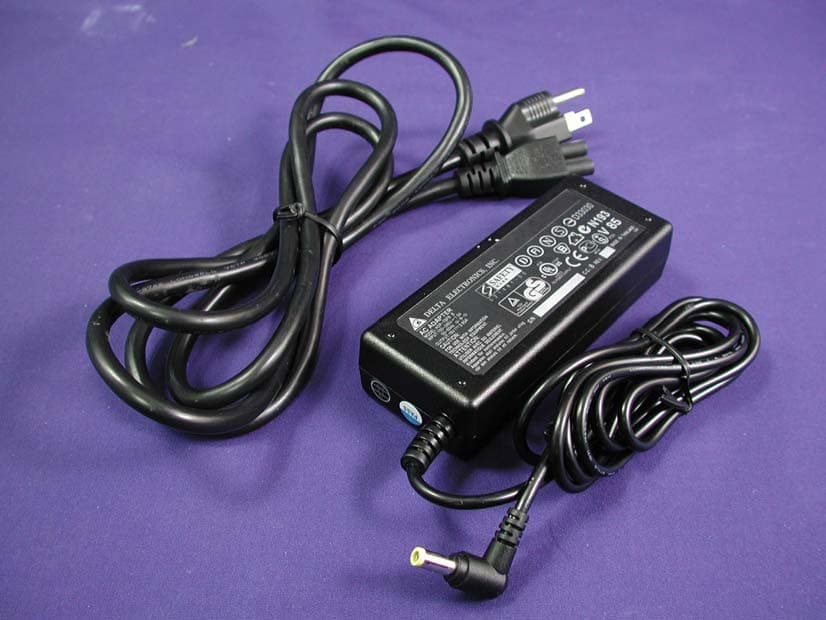
Click to zoom
Application Details
- Equipment Class
- DTS - Digital Transmission System
- Date of Grant
- Apr 21, 2003
- Application Purpose
- Original Equipment
- Date of Application
- Apr 21, 2003
- Equipment Note
- Notebook Computer
- Frequency Range
- 2412.00000000 - 2462.00000000
- Company
- Quanta Computer Inc
- Country
- Taiwan
Documents & Files
Document Text
Text extracted from the exhibit documents filed with the FCC. Open a document above to read the original.
Users Manual
EG8L EG8L ST G200 SERIES NOTEBOOK Computer USER’S GUIDE October 2002 FEDERAL COMMUNICATIONS COMMISSION INTERFERENCE STATEMENT This equipment has been tested and found to comply with the limits for a Class B digital device, pursuant to Part 15 of the FCC Rules. These limits are designed to provide reasonable protection against harmful interference in a residential installation. This equipment generates, uses and can radiate radio frequency energy and, if not installed and used in accordance with the instructions, may cause harmful interference to radio communications. However, there is no guarantee that interference will not occur in a particular installation. If this equipment does cause harmful interference to radio or television reception, which can be determined by turning the equipment off and on, the user is encouraged to try to correct the interference by one or more of the following measures: -- Reorient or relocate the receiving antenna. -- Increase the separation between the equipment and receiver. -- Connect the equipment into an outlet on a circuit different from that to which the receiver is connected. -- Consult the dealer or an experienced radio/TV technician for help. CAUTION: Any changes or modifications not expressly approved by the grantee of this device could void the user's authority to operate the equipment. FCC RF Radiation Exposure Statement This equipment complies with FCC RF radiation exposure limits set forth for an uncontrolled environment. 2 This page is intentionally left blank. 3 CONTENTS G200 SERIES NOTEBOOK PC ..................................................................... 1 USER’S GUIDE............................................................................................. 1 NOTICE........................................................................................................... 2 TAKING CARE OF YOUR NOTEBOOK PC ................................................... 5 1 BEFORE YOU START .............................................................................. 9 1-1 Making sure you have everything.................................................. 9 1-2 Finding where everything is located ............................................ 10 2 GETTING STARTED ............................................................................... 17 2-1 Power Sources............................................................................... 17 2-2 Display Panel................................................................................. 20 2-3 Starting Your Notebook PC ........................................................... 22 2-4 Status Display Indicators .............................................................. 24 2-5 Using the Keyboard ....................................................................... 27 2-6 Volume Control .............................................................................. 29 2-7 Power Management....................................................................... 30 3 USING YOUR NOTEBOOK PC .............................................................. 33 3-1 Touchpad Pointing Device ............................................................ 33 3-2 Internal Floppy Disk Drive ............................................................. 35 3-3 Optical Drive................................................................................... 37 3-4 PC Cards........................................................................................ 43 3-5 Memory Upgrade Module .............................................................. 45 3-6 Device Ports................................................................................... 49 4 TROUBLESHOOTING............................................................................ 55 4-1 Identifying the Problem ................................................................. 55 4 This page is intentionally left blank. 5 TAKING CARE OF YOUR NOTEBOOK PC To prevent possible overheating of the computer’s processor, make sure you don’t block the open- ings provided for ventilation. DO NOT place or drop objects on the computer and DO NOT apply heavy pressure on it. DO NOT subject the computer to magnetic fields. DO NOT place on uneven or unstable work sur- faces. DO NOT press or touch the display panel. DO NOT use your notebook computer under harsh conditions. 6 DO NOT place near fire or other sources of heat.DO NOT tamper with the batteries. Keep them away from children. DO NOT expose to direct sunlight.DO NOT use or store in extreme temperatures. Avoid sudden changes in temperature or humidity by keeping it away fromA/C and heating vents. DO NOT expose the computer to rain or moisture. 7 DO NOT expose to dust and/or corrosive chemi- cals. DO NOT slam your notebook shut and never pick up or hold your notebook by the display. DO NOT spray water or any other cleaning fluids directly on the display. If you are traveling with your computer, remember to carry it as hand luggage. Do not check it in as baggage. 8 This page is intentionally left blank. 9 1 BEFORE YOU START 1-1 Making sure you have everything When you receive your notebook PC, unpack it carefully, and check to make sure you have all the items listed below. For a pre-configured model you should have the following: •Notebook Computer •Lithium ion battery, pre-installed •AC adapter with AC power cord •Phone/Modem (RJ-11) telephone cable •Driver and Applications CD •Getting Started Guide •User Guide (this document) Depending upon the configuration of your notebook, you may have also received the following items: •DVD Application CD •CD-RW Application CD •DVD / CD-RW Combo Application CD Once you have checked and confirmed that your notebook system is complete, read through the following pages to learn about all of your notebook components. 10 1. BEFORE YOU START 1-2 Finding where everything is located 1-2-1OPENING THE DISPLAY PANEL 1. Slide the latch located at the top of the display panel to the ri…
Text truncated - open the document above for the full version.
Block Diagram
11 22 33 44 55 66 77 88 A A B B C C D D EG8L ;EG8L ST;G200A (Micro-FCPGA) R200M ALi 33MHZ, 3.3V PCI 200MHZ DDR ATA 66/100 MHzAC-Link MINI-PCI AMCController AC/BATT CONNECTORBATT CHARGER Northwood CPU Wireless LANModem/LAN DDR-SODIMM1DDR-SODIMM2 CD-ROM SerialParallel CRT IDE - HDD AudioJacks X-Bus PS/2 Keyboard IEEE1394TI-TPA43AB21 ENE CB710 CARDBUS CardBusConn DAA RJ11 Conn M1535+ ISA BUS KBC(87570) FDD IR Panel Connector LAN RTL8100BL RJ45Conn ATI 2 Rear USB Ports Touchpad/PS2 PAGE 2. 3. PAGE 10. 11. 12. 13. PAGE 25. PAGE 20. AMP PAGE 21. PAGE 17. PAGE 19. PAGE 18. PAGE 24. PAGE 22. PAGE 27. PAGE 28. PAGE 30. PAGE 32. 1.25V/ 2.5V DDR Power PAGE 33.PAGE 34. 5V / 3.3V System Power PAGE 35. PAGE 24. LVDS PCI BUS Routing Table======================================1394 -- AD23, INTC#, REQ#2, GNT2#LAN -- AD24, INTD#, REQ#3, GNT3#MINIPCI -- AD22, INTC#, INTD#, REQ0#, GNT0#PCMCIA -- AD21, INTA#, INTB#, REQ1#, GNT1# STACK LAYERS===============L1: TOPL2: GNDL3: IN1L4: VCCL5: IN2L6: IN3L7: GND1L8: BOT BIOS North - Bridge & VGA Controller South - Bridge EmbeddedClockGenerator TI TPA0132 MICJacks Power - Source Control PAGE 7. PAGE 4. 5. 6. 7. 14.318MHz 14.318MHz 27MHz MK1417S PAGE 7. HA[ 3.. 31 ] HD[ 0.. 63 ] FSB CY2308ZC-1H PAGE 7. PCLK_PCM PCLK_1394 PCLKMPCI PCLK_LAN PCICLK_INT 01 1394Conn PAGE 30. PAGE 29. ATA 66/100 MHz PAGE 8. 9.PAGE 8. 9. PAGE 14. 15. 16. PAGE 30. CPU CORE Power PAGE 25. PAGE 25. PAGE 11. BLOCK DIAGRAM 2A 136 , 09, 2002 Size Document Number Rev Date: Sheet of Quanta Computer Inc. PROJECT :EG8L DAEG8LMB8D8 Rev D
Cover Letter(s)
Quanta Computer Inc. FCC ID.: HFS802MI3BEG8 Quanta Computer Inc. 7F, 116 Hou Kang St, Shih Lin Taipei, Taiwan, R.O.C. Tel: +886-3-327-2345 Fax:+886-3-397-2315 Federal Communications Commission April 04, 2003 Authorization and Evaluation Division Confidentiality Request Pursuant to Sections 0.457 and 0.459 of the Commission’s Rules, the Applicant Hereby requests confidential treatment of information accompanying this Application As outlined below: Schematics The above materials contain trade secrets and proprietary information not customarily Released to the public. The public disclosure of these matters might be harmful to the Applicant and provide unjustified benefits to its competitors. The Applicant understands that pursuant to Rule 0.457, disclosure of this Application and all accompanying documentation will not be made before the date of the Grant for this application. Sincerely,
External Photos
Report No.: 031L043FI Page: 1 of 15 Version:1.0 Attachment 2 : EUT Detailed Photographs (1) EUT Photo (2) EUT Photo Report No.: 031L043FI Page: 2 of 15 Version:1.0 (3) EUT Photo (4) EUT Photo Report No.: 031L043FI Page: 3 of 15 Version:1.0 (5) EUT Photo (6) EUT Photo Report No.: 031L043FI Page: 4 of 15 Version:1.0 (7) EUT Photo (8) EUT Photo
ID Label/Location Info
Quanta Computer Inc. FCC ID.: HFS802MI3BEG8 FCC ID AND DoC Label The FCC ID and DoC Label will be placed on the equipment as shown in the photograph below. Notebook Computer Model No.: EG8L, EG8L ST, G200A TESTED TO COMPLY WITH FCC STANDARDS FOR HOME OR OFFICE USE S/N: Made in Taiwan Notebook Computer Model No.: EG8L, EG8L ST, G200A F F C C C C I I D D : : H H F F S S 8 8 0 0 2 2 M M I I 3 3 B B E E G G 8 8 This device complies with Part 15 of the FCC Rules. Operation is subject to the following two conditions: (1) this device may not cause harmful interference and (2) this device must accept any interference received, including interference that may cause undesired operation. S/N: Made in Taiwan
ID Label/Location Info
Quanta Computer Inc. FCC ID.: HFS802MI3BEG8 FCC ID AND DoC Label The FCC ID and DoC Label will be placed on the equipment as shown in the photograph below. Notebook Computer Model No.: EG8L, EG8L ST, G200A TESTED TO COMPLY WITH FCC STANDARDS FOR HOME OR OFFICE USE S/N: Made in Taiwan Notebook Computer Model No.: EG8L, EG8L ST, G200A F F C C C C I I D D : : H H F F S S 8 8 0 0 2 2 M M I I 3 3 B B E E G G 8 8 This device complies with Part 15 of the FCC Rules. Operation is subject to the following two conditions: (1) this device may not cause harmful interference and (2) this device must accept any interference received, including interference that may cause undesired operation. S/N: Made in Taiwan
Internal Photos
Report No.: 031L043FI Page: 4 of 15 Version:1.0 (7) EUT Photo (8) EUT Photo Report No.: 031L043FI Page: 5 of 15 Version:1.0 (9) EUT Photo (10) EUT Photo Report No.: 031L043FI Page: 6 of 15 Version:1.0 (11) EUT Photo (12) EUT Photo Report No.: 031L043FI Page: 7 of 15 Version:1.0 (13) EUT Photo (14) EUT Photo Report No.: 031L043FI Page: 8 of 15 Version:1.0 (15) EUT Photo (16) EUT Photo Report No.: 031L043FI Page: 9 of 15 Version:1.0 (17) EUT Photo (18) EUT Photo Report No.: 031L043FI Page: 10 of 15 Version:1.0 (19) EUT Photo (20) EUT Photo Report No.: 031L043FI Page: 11 of 15 Version:1.0 (21) EUT Photo (22) EUT Photo Report No.: 031L043FI Page: 12 of 15 Version:1.0 (23) EUT Photo (24) EUT Photo Report No.: 031L043FI Page: 13 of 15 Version:1.0 (25) EUT Photo (26) EUT Photo Report No.: 031L043FI Page: 14 of 15 Version:1.0 (27) EUT Photo (28) EUT Photo Report No.: 031L043FI Page: 15 of 15 Version:1.0 (29) EUT Photo (30) EUT Photo
Operational Description
Report No. 031L043FI Page: 7 of 50 Version:1.0 1.2. Operational Description EUT is a Notebook Computer with 11 channels. This device provided four kind of transmitting speed 1,2,5.5 and 11Mbps. The device of RF carrier is DQPSK, DB PSK and CCK. Operation in 2.4GHz Direst Sequence Spread Spectrum (DSSS) radio transmission, the Notebook Computer transfers data at speeds up to 64/128-bit Wired Equivalent Protection (WEP) algorithm is used. In addition, its standard compliance ensures that it can communicate with any 802.11b network.
Test Report
Report No. 031L043FI Page: 1 of 50 Version:1.0 Test Report Product Name : Notebook Computer Model No.: EG8L, EG8L ST, G200A FCC ID.: HFS802MI3BEG8 Applicant : Quanta Computer Inc. Address : 7F, 116 Hou Kang St, Shih Lin Taipei, Taiwan, R.O.C. Date of Receipt : Jan. 15, 2003 Date of Test : Jan. 29, 2003 Report No. : 031L043FI The test results relate only to the samples tested. The test report shall not be reproduced except in full without the written approval of QuieTek Corporation. This report must not be used to claim product endorsement by NVLAP any agency of the U.S. Government Report No. 031L043FI Page: 2 of 50 Version:1.0 Test Report Certification Test Date : Jan. 29, 2003 Report No. : 031L043FI The Test Results relate only to the samples tested. The test report shall not be reproduced except in full without the written approval of QuieTek Corporation. This report must not be used to claim product endorsement by NVLAP any agency of the U.S. Government Product Name : Notebook Computer Applicant : Quanta Computer Inc. Address : 7F, 116 Hou Kang St, Shih Lin Taipei, Taiwan, R.O.C. Manufacturer : Quanta Computer Inc. Model No. : EG8L, EG8L ST, G200A FCC ID. : HFS802MI3BEG8 Rated Voltage : AC 120V/60Hz Measurement Standard : FCC Part 15 Subpart C Paragraph 15.247 Measurement Procedure : ANSI C63.4: 1992 Test Result : Complied Documented By : ( Chialin Chen ) Tested By : ( Tony Hsieh ) Approved By : ( Gene Chang ) Accredited by NIST (NVLAP) NVLAP Lab Code: 200533-0 Report No. 031L043FI Page: 3 of 50 Version:1.0 TABLE OF CONTENTS Description Page 1. GENERAL INFORMATION .................................................................................................... 5 1.1. EUT Description ........................................................................................................................... 5 1.2. Operational Description ................................................................................................................ 7 1.3. Tested System Datails ................................................................................................................... 8 1.4. Configuration of tested System..................................................................................................... 9 1.5. EUT Exercise Software ................................................................................................................ 9 1.6. Test Facility ................................................................................................................................ 10 2. Conducted Emission ................................................................................................................. 11 2.1. Test Equipment ........................................................................................................................... 11 2.2. Test Setup.................................................................................................................................... 11 2.3. Limits .......................................................................................................................................... 11 2.4. Test Procedure............................................................................................................................. 12 2.5. Test Result of Conducted Emission ............................................................................................ 13 3. Peak Power Output................................................................................................................... 15 3.1. Test Equipment ........................................................................................................................... 15 3.2. Test Setup.................................................................................................................................... 15 3.3. Limits .......................................................................................................................................... 15 3.4. Test Result of Peak Power Output .............................................................................................. 16 4. RF Exposure Evaluation ..........................................................................................................17 4.1. Limits .......................................................................................................................................... 17 4.2. Test Procedure............................................................................................................................. 17 4.3. Test Result of RF Exposure Evaluation ...................................................................................... 18 5. Radiated Emission .................................................................................................................... 19 5.1. Test Equipment ........................................................................................................................... 19 5.2. Test Setup.................................................................................................................................... 19 5.3. Limits .......................................................................................................................................... 20 5.4. Test Procedure............................................................................................................................. 21 5.5. Test Result of Radiated Emission ...............................................................................................22 6. Band Edge.................................................................................................................................. 34 6.1. Test Equipment ........................................................................................................................... 34 6.2. Test Setup...............................................................................…
Text truncated - open the document above for the full version.
Test Setup Photos
Report No.: 031L043FI Page: 1 of 3 Version:1.0 Attachment 1: EUT Test Setup Photographs Front View of Conducted Test Back View of Conducted Test Report No.: 031L043FI Page: 2 of 3 Version:1.0 Front View of Radiated Test Back View of Radiated Test Report No.: 031L043FI Page: 3 of 3 Version:1.0 Front View of Radiated Test (Horn)
Contact Information
Applicant
Joyce Kuo
Test Firm
DEKRA Testing and Certification Co., Ltd.Sky Hsu
Technical Specifications
| # | Rule Parts | Frequency Range | Power Output |
|---|---|---|---|
| 1 | 15C | 2.41 GHz - 2.46 GHz | 15.20 mW |
Other Applications from Quanta Computer Inc
HFS-QV28NRW
Jul 15, 2026Telematics Module
Equipment Class
PCB - PCS Licensed TransmitterHFSCIP
Jun 15, 2026QOCA ecg1202
Equipment Class
DTS - Digital Transmission System
HFS-QV28NUS
Apr 16, 2026Telematics Module
Equipment Class
PCB - PCS Licensed TransmitterHFS-C407
Jul 21, 2024Clover Flex Pocket
Equipment Class
NII - Unlicensed National Information Infrastructure TXHFS-C406
Jul 01, 2024Clover Flex
Equipment Class
DTS - Digital Transmission System