IXMCF1141000802.11b CF Card
Universal Scientific Industrial Co., Ltd.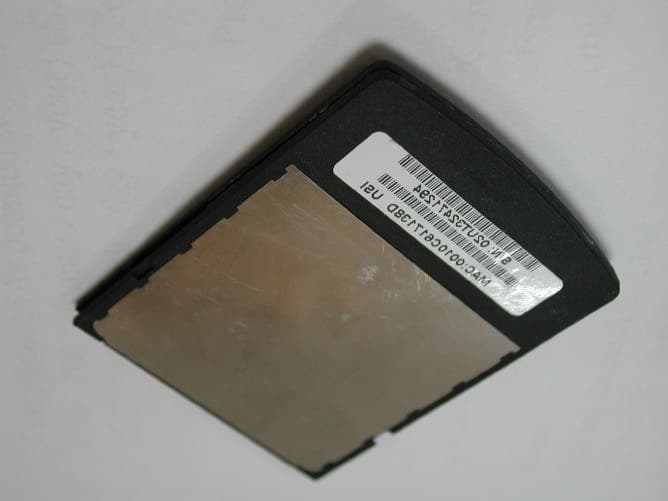
Click to zoom
Application Details
- Equipment Class
- DTS - Digital Transmission System
- Date of Grant
- Oct 31, 2003
- Application Purpose
- Original Equipment
- Date of Application
- Oct 31, 2003
- Equipment Note
- 802.11b CF Card
- Frequency Range
- 2412.00000000 - 2462.00000000
- Country
- Taiwan
Documents & Files
Document Text
Text extracted from the exhibit documents filed with the FCC. Open a document above to read the original.
Users Manual
Configure the Wireless Network To configure the wireless network in a PocketPC environment: 1. Ta p Start Settings System tab. 2. Tap the USI WLAN CF Card icon to run the Wireless Networking Setting utility. 3. Select, add, or delete a profile: a. Select a profile from the drop-down menu, and tap OK to switch your station from one wireless network to another. b. Tap Add or Edit to add or edit the selected profile. c. Tap Delete to delete the selected pro- file. 4. Ta p Next, and set the Network Name. USI WLAN CF Card 802.11b 2.4GHz Quick Start Guide 5. Tap Next, and configre your security settings. 6. Ta p Next, and turn Power Management on or off. 7. Click finish. Finding Information • For more information, see the User's Guide on the CD that came with the card. • For the latest information, go to the USI website at www.usi.com.tw Information in this document is subject to change without notice. 2002 Universal Scientific Industrial Co.,Ltd. All rights reserved. Install the Driver To install the driver and utility on your Pocket PC from the software and documentation CD: 1. Using your sync cable or cradle, connect your Pocket PC to the computer. For additional information, see the documen- tation that came with your Pocket PC. 2. Insert the software and documentation CD into the drive on the computer. 3. Using Microsoft Windows Explorer or My Computer, navigate to x:\Setup, where x is the CD drive letter. 4. Double-click setup.exe. 5. Follow the instructions on the computer screen to finish the installation. 6. Insert the USI WLAN CF Card into the CF Card slot on your PocketPC. Reproduction in any manner whatso- ever without the written permission of USI is strictly forbidden. 15.19(a)(3) This device complies with Part 15 of the FCC Rules. Operation is subject to the following two conditions: (1) This device may not cause harmful interference. (2) This device must accept any interference received, including interference that may cause undesired operation. Prohibition of co-location This device must not be co-located or operating in conjunction with any other antenna or transmitter 15.105 Federal Communications Commission (FCC) Requirements, Part 15 This equipment has been tested and found to comply with the limits for a class B digital device, pursuant to part 15 of the FCC Rules. These limits are designed to provide reasonable protection against harmful interference in a residential installation. This equipment generates, uses and can radiate radio frequency energy and, if not installed and used in accordance with the instructions, may cause harmful interference to radio communications. However, there is no guarantee that interference will not occur in a particular installation. If this equipment does cause harmful interference to radio or television reception, which can be determined by turning the equipment off and on, the user is encouraged to try to correct the interference by one or more of the following measures: ---Reorient or relocate the receiving antenna. ---Increase the separation between the equipment and receiver. ---Connect the equipment into an outlet on a circuit different from that to which the receiver is connected. ---Consult the dealer or an experienced radio/TV technician for help. IMPORTANT NOTE FCC RF Radiation Exposure Statement: This equipment complies with FCC RF radiation exposure limits set forth for an uncontrolled environment. This device and its antenna must not be co-located or operating in conjunction with any other antenna or transmitter Regulatory information / Disclaimers Installation and use of this Wireless LAN device must be in strict accordance with the instructions included in the user documentation provided with the product. Any changes or modifications (including the antennas) made to this device that are not expressly approved by the manufacturer may void the user’s authority to operate the equipment. The manufacturer is not responsible for any radio or television interference caused by unauthorized modification of this device, or the substitution of the connecting cables and equipment other than manufacturer specified. It is the responsibility of the user to correct any interference caused by such unauthorized modification, substitution or attachment. Manufacturer and its authorized resellers or distributors will assume no liability for any damage or violation of government regulations arising from failing to comply with these guidelines. SAR Exposure This device has been tested for compliance with FCC RF Exposure (SAR) limits in typical flat configurations. In order to comply with SAR limits established in the ANSI C95.1 standards, it is recommended when using a CF card that the integrated antenna is positioned more than 1.5cm from your body or nearby persons during extended periods of operation. If the antenna is positioned less than 1.5cm from the user, it is recommended that the user limit the exposure time. Technical Support The identification of the product : Product Name : USI RoamUniversal 802.11b WLAN CF Card Model Name : CF114100 Application : Handheld devices Technical Contact : Universal Scientific Industrial Co., Ltd. ( Headquarters ) Address : 135, Lane 351, Taiping Rd., Sec. 1, Tsao Tuen, Nan Tou, Taiwan USI Taipei Office : 10F, 420, Keelung Road, Sec. 1, Taipei, Taiwan Contact Person : Ray Huang Telephone : +886-2-2345-5006, Ext.119 Fax : +886-2-2345-5191 Email : [email protected] Technical Contact in the US : Address : 685A Jarvis Drive, Morgan Hill, CA 95037, USA Telephone : +1-408-776-1966 Fax : +1-408-778-5509 Website : www.usi.com.tw
Users Manual
User's Guide ( Basic ) * 46787931(1)2* Printed in Japan © 2003 Sony Corporation 4-678-793-12 (1) 2 For Customers in the U.S.A. Safety Information Owner’s Record The model number and serial number are located inside the cover of the unit and on the side of the supplied AC adapter. Record the serial number in the space provided below. Refer to the model and serial number whenever you call upon your Sony ® AIBO ® Customer Link (customer service). Model No. ERS-7 Serial No. ________________ Warning •To prevent fire or shock hazard, do not expose the robot to rain or moisture. •To avoid electrical shock, do not open the enclosure. Refer servicing to qualified personnel only. (Contact the AIBO Customer Link for customer service.) (page 5) •Periodically examine the AC adapter for conditions that may result in the risk of fire, electrical shock, or injury to persons (such as damage to the cords, blades, housing) and in the event of such conditions, the AC adapter should not be used until properly repaired or replaced. •Not intended for children under 8 years old. •This device complies with Part 15 of the FCC Rules. Operation is subject to the following two conditions: (1) This device may not cause harmful interference, and (2) this device must accept any interference received, including interference that may cause undesired operation. Regulatory Information This equipment has been tested and found to comply with the limits for a Class B digital device, pursuant to Part 15 of the FCC Rules. These limits are designed to provide reasonable protection against harmful interference in a residential installation. This equipment generates, uses, and can radiate radio frequency energy and, if not installed and used in accordance with the instructions, may cause harmful interference to radio communications. However, there is no guarantee that interference will not occur in a particular installation. If this equipment does cause harmful interference to radio or television reception, which can be determined by turning the equipment off and on, the user is encouraged to try to correct the interference by one or more of the following measures: •Reorient or relocate the receiving antenna. •Increase the separation between the equipment and receiver. •Connect the equipment into an outlet on a circuit different from that to which the receiver is connected. •Consult the dealer or an experienced radio/TV technician for help. You are cautioned that any changes or modifications not expressly approved in this manual could void your authority to operate this equipment. The shielded interface cable recommended in this manual must be used with this equipment in order to comply with the limits for a digital device pursuant to Subpart B of Part 15 of FCC Rules. Note FCC RF Radiation Exposure Statement: This equipment complies with FCC RF radiation exposure limits set forth for an uncontrolled environment. This device and its antenna must not be co-located or operating in conjunction with any other antenna or transmitter. 3 DISPOSAL OF LITHIUM- ION BATTERY LITHIUM-ION BATTERY DISPOSE OF PROPERLY You can return your unwanted Lithium-Ion batteries to your nearest Sony ® Service Center. Caution In some areas the disposal of Lithium-Ion batteries in household or business trash may be prohibited. For the Sony AIBO ® Customer Link call 1-800- 427-2988 in the United States or contact us via e-mail at [email protected]. !Do not handle damaged or leaking Lithium- Ion batteries. !Danger of explosion if the battery is incorrectly replaced. Replace only with the ERA-7B1. Use of another battery may present a risk of fire or explosion. Discard used batteries according to the manufacturer’s instructions. !The battery used in this device may present a fire or chemical burn hazard if mistreated. Do not disassemble, heat above 140ºF (60ºC) or incinerate. Dispose of used battery promptly. Keep away from children. For Customers in Europe Safety Information WARNING •To prevent fire or shock hazard, do not expose the robot to rain or moisture. •To avoid electrical shock, do not open the enclosure. Refer servicing to qualified personnel only. (Contact the AIBO Customer Link for customer service.) (page 5) •Periodically examine the AC adapter for conditions that may result in the risk of fire, electric shock, or injury to persons (such as damage to the cords, blades, housing) and in the event of such conditions, the AC adapter should not be used until properly replaced. •The robot is not intended or recommended for children under 8 years old. •The robot must be used only with the recommended AC adapter (ERA-201P1). •The AC adapter is not a toy. •Small parts can be swallowed. •If the external flexible cable or cord is damaged, it must be replaced or repaired only by the manufacturer, an authorized service agent or a similar qualified person in order to avoid a hazard. •All material for fastening or packing purposes are not part of the robot and should be discarded for children’s safety. •Rechargeable batteries are only to be charged under adult supervision. RECYCLING LITHIUM- ION RECHARGEABLE BATTERIES Lithium-Ion batteries are recyclable. You can help preserve our environment by returning your used rechargeable batteries to the collection and recycling location nearest you. For more information regarding recycling of rechargeable batteries, call toll free 1-800-822-8837, or visit http://www.rbrc.org/ Caution: Do not handle damaged or leaking Lithium-Ion batteries. 4 Regulatory Information This product has been tested and found to conform to the following Safety Standards. Toy Directive 88/378/EEC EMC Directive 89/336/EEC LVD Directive 73/23/EEC R&TTE Directive 1999/5/EC We , So ny ® Corporation, hereby declare that AIBO ® Entertainment Robot, model ERS-7 is in compliance with the essential requirements and other relevant provisions of Directive 1999/ 5/EC. For details, please access the following URL: http://www.compliance.sony.de/ CE …
Text truncated - open the document above for the full version.
Users Manual
Foot stopper Open the cover. Securely hold the body of the AIBO robot from above, turn it upside down, and open the stomach compartment cover. Insert the battery and close the cover. Hold the battery with the connector facing downward, then insert it into the slot until you hear it click into place, and close the cover. Insert the “Memory Stick” media into the AIBO robot. With the arrow pointing down and the angled corner facing the AIBO robot’s tail, insert the AIBO MIND software “Memory Stick” media into the AIBO robot until it is flush with the body. Install the station marker and station pole. Attach the station marker first, followed by the station pole. (If you don’t want to use the self-charging function, these attachments are not necessary.) Install the AC adapter cable and foot stopper. Route the AC adapter cable along the wire guides and attach the foot stopper. Charge the AIBO robot. Plug the AC adapter into an AC outlet, and place the AIBO robot on the Energy Station. (For information on appropriate locations to place the Energy Station, refer to the “User’s Guide (Basic)”.) Press the Pause button. The Pause mode ends and the operation light turns green. In a moment, the AIBO robot will automatically begin moving! Place the AIBO robot on the floor in this position. Place the AIBO robot on a flat, non-slippery surface, such as a low pile carpet with a hard nap. 2 Start! First insert the battery and AIBO MIND software “Memory Stick TM ” media into the AIBO ® Entertainment Robot and set up the Energy Station. Angled corner. 1 Engage the cover latch in the hinge on the body. 1 Attach the station marker as shown. AC adapter cable 2 Attach the station pole. Quick Guide * 467989311(1)* In the following cases, the AIBO robot may not understand what you say. •While the AIBO robot is emitting sounds or moving, it cannot hear you easily. •The AIBO robot may not recognize several words depending on its mode or condition. •Even though the AIBO robot understands you, it may choose not to respond or do as you say. •The AIBO robot cannot hear you if its surroundings are noisy. Call out to the AIBO robot under quiet conditions. •If you say a word whose pronunciation is unclear, the AIBO robot cannot recognize it. Speak very clearly. •When the AIBO robot is at the puppy stage, it can only understand a limited number of words. For details about the words that the AIBO robot can understand when it is at the puppy stage, refer to page 72 of the “User’s Guide (Basic)” for the AIBO Entertainment Robot ERS-7. Calling the AIBO robot’s name AIBO./Registered name (the name you gave AIBO). The AIBO robot reacts when it is called. Even after the AIBO robot learns its own name, it reacts when you call it “AIBO”. Teaching the AIBO robot Name registration. Give a name to the AIBO robot. What’s your name? The AIBO robot says the name you gave to it in its own voice. Owner registration. You can teach the AIBO robot its owner’s (your) name. What’s your owner’s name? The AIBO robot says its owner’s name (your name) in its own voice. Praising, scolding, or encouraging the AIBO robot Good AIBO./Good boy./Good girl. These words are for praising the AIBO robot. They have the same effect as when you praise the AIBO robot by touching the sensors on the back of the AIBO robot. Don’t do that. These words are for scolding the AIBO robot. They have the same effect as when you scold the AIBO robot by tapping the sensors on the back of the AIBO robot. Go for it./How cute. These words are for encouraging the AIBO robot. Greetings Good morning./Hello./Good night./Bye bye./Good bye./I’m here./ Say hello./Shake hands. Self-charge Go to the Station. The AIBO ® Entertainment Robot starts the procedure for self-charging. Taking a picture Take a picture. The AIBO robot takes a picture with its built-in camera. Playing with the AIBOne toy Find your AIBOne. The AIBO robot looks for the AIBOne toy. Bring me your AIBOne. When you say this while the AIBO robot is holding the AIBOne toy in its mouth, the AIBO robot comes to you. Playing with the ball Find your ball. The AIBO robot looks for the ball. Wake-up setting Set alarm. Lets you set the wake-up function ON or OFF. Moving Come here./Over here./Sit down./Stand up./Lay down./Turn right./ Turn left./Walk around./Go forward./Go back. Questions for the AIBO robot Are you sleepy?/Are you tired?/Are you bored?/How are you? The AIBO robot shows its current condition with its face lights. Are you hungry? The AIBO robot shows the remaining battery power level by the number of face lights. The more lights are lit, the more power is still left. What’s your AIBOne skill level? What’s your pink ball skill level? What’s your walking skill level? The AIBO robot shows its state of progress with the face lights. Special actions Let’s dance. The AIBO robot shows you its dance repertoire. 4-679-893-11(1) Printed in Japan © 2003 Sony Corporation Printed on recycled paper Words understood by the AIBO ® Entertainment Robot * For information on words understood by the AIBO robot when you are using the wireless LAN function, refer to the “User’s Guide (PC·Network)” for the AIBO Entertainment Robot ERS-7. Autonomous mode Pick-up condition Jam condition If something gets jammed in any of the AIBO robot’s joints, the AIBO robot goes into this condition and all of its joints become loose. This mode is provided to protect your fingers from being caught between the AIBO robot’s joints. Note When you press two or more of the paw sensors of the AIBO robot, the AIBO robot thinks it has been placed on the floor, and returns to Autonomous mode. the AIBO robot may start to walk after returning to Autonomous mode, so avoid touching any of the AIBO robot ’s paw sensors when you are holding it. When you lift the AIBO robot, the AIBO robot assumes a position that makes it easier for you to hold it. This is to prevent people from dropping the AIBO robot, in reaction to movements that may cause surprise. Rest mode Station …
Text truncated - open the document above for the full version.
Cover Letter(s)
Universal Scientific Industrial Co., Ltd. July 10, 2003 Federal Communications Commission Authorization and Evaluation Division FCC ID: IXMCF1141000 Confidentiality Request Pursuant to Sections 0.457 and 0.459 of the Commission’s Rules, the Applicant hereby requests confidential treatment of information accompanying this Application as outlined below: 1. Schematics 2. Block diagram 3. Operational description The above materials contain trade secrets and proprietary information not customarily released to the public. The public disclosure of these matters might be harmful to the Applicant and provide unjustified benefits to its competitors. The Applicant understands that pursuant to Rule 0.457, disclosure of this Application and all accompanying documentation will not be made before the date of the Grant for this application. Sincerely, Johnson Ho / Section Manager Universal Scientific Industrial Co., Ltd.
Cover Letter(s)
Mike Kuo From: [email protected] Sent: October22 2003 Wednesday 4:24 AM To: Mike Kuo Cc: [email protected]; [email protected]; [email protected] Subject: FW: Universal Scientific Industrial Co., Ltd., FCC ID:IXMCF1141000, AN03T3317 11/10/2003 Hi Mike, Attached please find the SAR test report which has included the test of Sony Dog, and the photos of Sony Dog that shows the place CF card installed. Thank you and Best Regards, Lucy ----- lucy_tsai/ccsemc 2003/10/22 07:03 PM ----- Hi Mike, Below please find the reply of Q1-2, Q4-6, Q8-10, thank you. As for the Q2, we will inform USI about the issue you mentioned. Q#1. The FCC ID of this submission was confirmed as FCC ID:IXMCF1141000. Attached please find the EMC test report and revised label format. Q#2, this device will be used with laptop computer, additional Class II permissive change filing will be made with CF card installed in the PDA. Q#4, the FCC ID listed in the SAR test report is the correct one. Q#5, please refer to the attached revised SAR test report and the system performance plot dated 8/14/03. Q#6, it's typing error. the parameter used for test is muscle, so the parameter has been corrected in the page 17. Q#8, it's typing error and is revised as attached test plot. Q#9, please find the attached revised SAR and test plots. Q#10, due to manufacturer's request, the Head SAR is evaluated. lucy_tsai 2003/09/12 11:16 AM Mike Kuo <[email protected]> skang/ccsemc@ccsemc, rita_hsiao/ccsemc@ccsemc, ting/ccsemc@ccsemc, eric/ccsemc@ccsemc, jonson/ccsemc@ccsemc FW: Universal Scientific Industrial Co., Ltd., FCC ID:IXMCF114100 0, AN03T3125 Best Regards, Lucy ----- lucy_tsai/ccsemc 2003/09/10 10:06 AM ----- -----Original Message----- From: CERTADM Sent: Tuesday, September 09, 2003 3:18 PM To: '[email protected]' Subject: Universal Scientific Industrial Co., Ltd., FCC ID:IXMCF1141000, AN03T3125 Notice_content ------------- Administrative portion: Question #1: The FCC ID number listed in the proposed FCC ID label format does not agree with TCB application form and test report. IXMCF1141000 Vs IXMCF114100. Please confirm the FCC ID number and revised effected attachments. EMC Portion : Question #2: Based upon description in the user manual, this device is intended to be used with packet PC or handheld PC. However, all the tests were performed when the device is inserted in the notebook computer. Please provide your justification why the notebook computer was used as host device not the packet PC or handheld PC. Question #3: Please provide the model number of Power Sensor that used during peak power measurement. Please provide the justification that such power sensor has bandwidth greater than 6dB BW of the device. RF Exposure portion: Question #4:Page 3, 4 of SAR test report listed the FCC ID number does not match with this filing. Please make necessary correction. Ans: the FCC ID listed in the SAR test report is the correct one. Question #5:As indicated in page 15 of SAR test report, system validation test was performed on August 14. On August 14 system validation tests, muscle liquid was used but verify with head target value. In addition, there is no system validation plot for August 14 was provided. Please submit the system validation plots made on 08/14/03. Ans:please refer to the attached revised SAR test report and the system performance plot dated Mike Kuo <[email protected]> 2003/09/10 06:20 AM "Eric (E-mail)" <[email protected]>, "Lucy (E-mail)" <[email protected]>, "Ting (E-mail)" <[email protected]> "Jonson Lee (E-mail)" <[email protected]> FW: Universal Scientific Industrial Co., Ltd., FCC ID:IXMCF114100 0, AN03T3125 11/10/2003 8/14/03. Page15 muscle--> head. system performance check plot RF SAR . Path:\\Cclab-file\RF\ \SAR \0814sys.pdf Question #6: Page 17 of SAR test report, liquid calibration information. On August 14 liquid calibration, the liquid type is muscle but the parameter used is head . Please explain. Ans: it's typing error. the parameter used for test is muscle, so the parameter has been corrected in the page 17. Page17 , Muscle . Path:\\Cclab-file\RF\ \SAR Question #7: Please explain the device usage for configuration 3-8. Please provide a external photos of entire host for Sony Robot. Identify the location of CF card inside the Robot. Provide user manual of Sony Robot. Ans: . ~ . Question #8: In body worn SAR plots with Sony Robot, the FCC ID number does not agree with proposed FCC ID number. Please explain. Ans: it's typing error and is revised as attached test plot. Path:\\Cclab-file\RF\ \SAR \ Question #9: In head section of SAR plots, FCC ID number doest not agree with proposed FCC ID number. Please explain. Ans: Path:\\Cclab-file\RF\ \SAR Question #10: At the this time, Head SAR evaluation is not performed due to lack of information on the device usage with Sony robot. Additional question may ask based upon the replies to the above questions. Ans: this configuration is asked by Sony. it's because Sony consider that kids may hold or close to the robot during the operating, therefore, they ask to execute this mode. As for the user manual of this robot, Sony can't submit it now, but as for other information, please find attached file for details. SONY Robot . Best Regards Mike Kuo The items indicated above must be submitted before processing can continue on the above referenced application. Failure to provide the requested information within 30 days of the original e-mail date may result in application dismissal and forfeiture of the filing fee. Also, please note that partial responses increase processing time and should not be submitted. Any questions about the content of this correspondence should be directed to the e-mail address listed below the name of the sender. 11/10/2003 11/10/2003
Cover Letter(s)
Mike Kuo From: [email protected] Sent: September11 2003 Thursday 8:16 PM To: Mike Kuo Cc: [email protected]; [email protected]; [email protected]; [email protected]; [email protected] Subject: FW: Universal Scientific Industrial Co., Ltd., FCC ID:IXMCF1141000, AN03T3125 9/17/2003 Hi Mike, Below please find the reply of Q1-2, Q4-6, Q8-10, thank you. As for the Q2, we will inform USI about the issue you mentioned. Q#1. The FCC ID of this submission was confirmed as FCC ID:IXMCF1141000. Attached please find the EMC test report and revised label format. Q#2, this device will be used with laptop computer, additional Class II permissive change filing will be made with CF card installed in the PDA. Q#4, the FCC ID listed in the SAR test report is the correct one. Q#5, please refer to the attached revised SAR test report and the system performance plot dated 8/14/03. Q#6, it's typing error. the parameter used for test is muscle, so the parameter has been corrected in the page 17. Q#8, it's typing error and is revised as attached test plot. Q#9, please find the attached revised SAR and test plots. Q#10, due to manufacturer's request, the Head SAR is evaluated. Best Regards, Lucy ----- lucy_tsai/ccsemc 2003/09/10 10:06 AM ----- -----Original Message----- From: CERTADM Sent: Tuesday, September 09, 2003 3:18 PM Mike Kuo <[email protected]> 2003/09/10 06:20 AM "Eric (E-mail)" <[email protected]>, "Lucy (E-mail)" <[email protected]>, "Ting (E-mail)" <[email protected]> "Jonson Lee (E-mail)" <[email protected]> FW: Universal Scientific Industrial Co., Ltd., FCC ID:IXMCF114100 0, AN03T3125 To: '[email protected]' Subject: Universal Scientific Industrial Co., Ltd., FCC ID:IXMCF1141000, AN03T3125 Notice_content ------------- Administrative portion: Question #1: The FCC ID number listed in the proposed FCC ID label format does not agree with TCB application form and test report. IXMCF1141000 Vs IXMCF114100. Please confirm the FCC ID number and revised effected attachments. EMC Portion : Question #2: Based upon description in the user manual, this device is intended to be used with packet PC or handheld PC. However, all the tests were performed when the device is inserted in the notebook computer. Please provide your justification why the notebook computer was used as host device not the packet PC or handheld PC. Question #3: Please provide the model number of Power Sensor that used during peak power measurement. Please provide the justification that such power sensor has bandwidth greater than 6dB BW of the device. RF Exposure portion: Question #4:Page 3, 4 of SAR test report listed the FCC ID number does not match with this filing. Please make necessary correction. Ans: the FCC ID listed in the SAR test report is the correct one. Question #5:As indicated in page 15 of SAR test report, system validation test was performed on August 14. On August 14 system validation tests, muscle liquid was used but verify with head target value. In addition, there is no system validation plot for August 14 was provided. Please submit the system validation plots made on 08/14/03. Ans:please refer to the attached revised SAR test report and the system performance plot dated 8/14/03. Question #6: Page 17 of SAR test report, liquid calibration information. On August 14 liquid calibration, the liquid type is muscle but the parameter used is head . Please explain. Ans: it's typing error. the parameter used for test is muscle, so the parameter has been corrected in the page 17. Question #7: Please explain the device usage for configuration 3-8. Please provide a external photos of entire host for Sony Robot. Identify the location of CF card inside the Robot. Provide user manual of Sony Robot. Ans: . Question #8: In body worn SAR plots with Sony Robot, the FCC ID number does not agree with proposed FCC ID number. Please explain. Ans: it's typing error and is revised as attached test plot. 9/17/2003 Question #9: In head section of SAR plots, FCC ID number doest not agree with proposed FCC ID number. Please explain. Ans: This is typo. FCCID number has been revised in the SAR report. Question #10: At the this time, Head SAR evaluation is not performed due to lack of information on the device usage with Sony robot. Additional question may ask based upon the replies to the above questions. Ans: this configuration is asked by Sony. it's because Sony consider that kids may hold or close to the robot during the operating, therefore, they ask to execute this mode. As for the user manual of this robot, Sony can't submit it now, but as for other information, please find attached file for details. Best Regards Mike Kuo The items indicated above must be submitted before processing can continue on the above referenced application. Failure to provide the requested information within 30 days of the original e-mail date may result in application dismissal and forfeiture of the filing fee. Also, please note that partial responses increase processing time and should not be submitted. Any questions about the content of this correspondence should be directed to the e-mail address listed below the name of the sender. 9/17/2003
Cover Letter(s)
141, Lane 351, Taiping Road, SEC.1, Tsao Tuen, Nan-Tou, Taiwan TEL:886-49-2350876‧2325876 FAX:886-49-2315431‧2329561‧2350491 Limited Modular Approval Request Letter Dear sir, Universal Scientific Industrial Co., Ltd.’s Wireless Compact Flash LAN Module, FCC ID :. IXMCF1141000 , would like to have your authorization as a modular device which was indicated in FCC Public DA 00-1407, and to have your authouization as a modular approval. The statement is listed below : 1. “The modular transmitter must ha…
Text truncated - open the document above for the full version.
Contact Information
Applicant
Martin Shih(Section Manager)
Test Firm
Compliance Certification Services Inc.Kurt Chen
Technical Specifications
| # | Rule Parts | Frequency Range | Power Output |
|---|---|---|---|
| 1 | 15C | 2.41 GHz - 2.46 GHz | 42.00 mW |
Other Applications from Universal Scientific Industrial Co., Ltd.
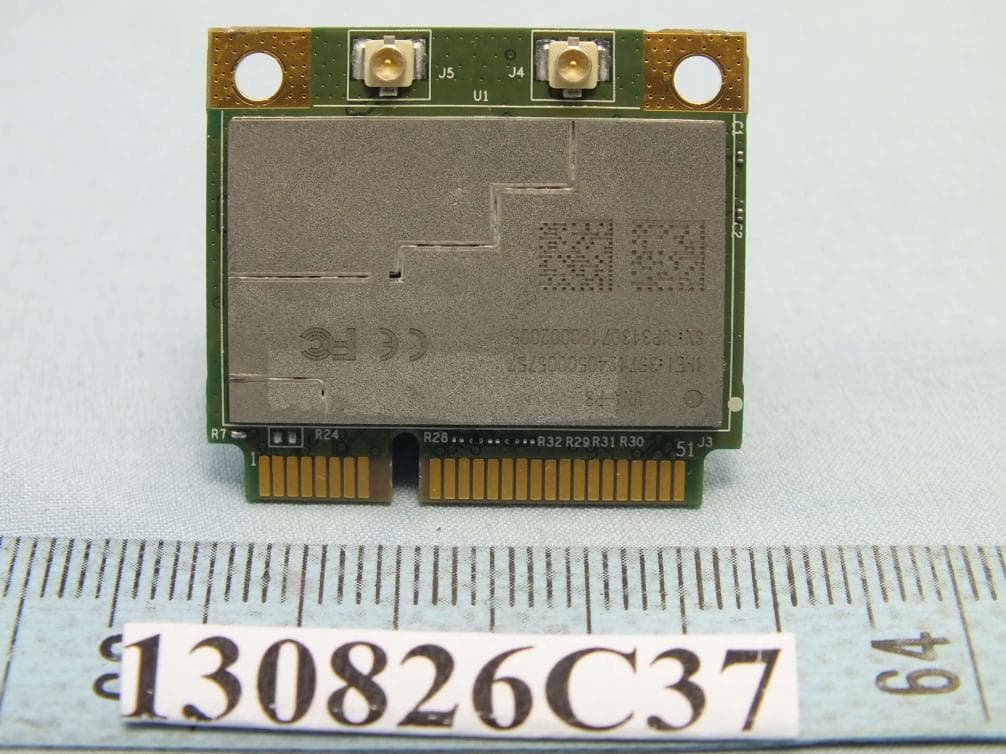
IXM-UNA-P3
Nov 21, 20133G Module
Equipment Class
PCB - PCS Licensed Transmitter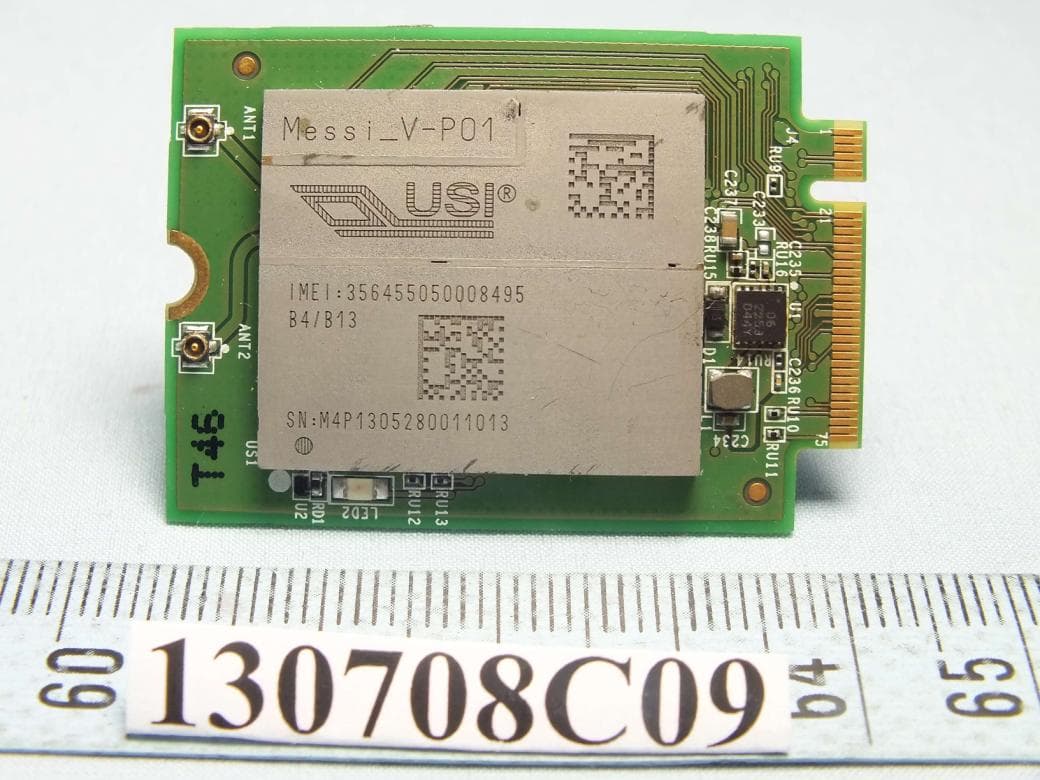
IXMMESSI-V
Sep 29, 2013LTE Module
Equipment Class
JBP - Part 15 Class B Computing Device Peripheral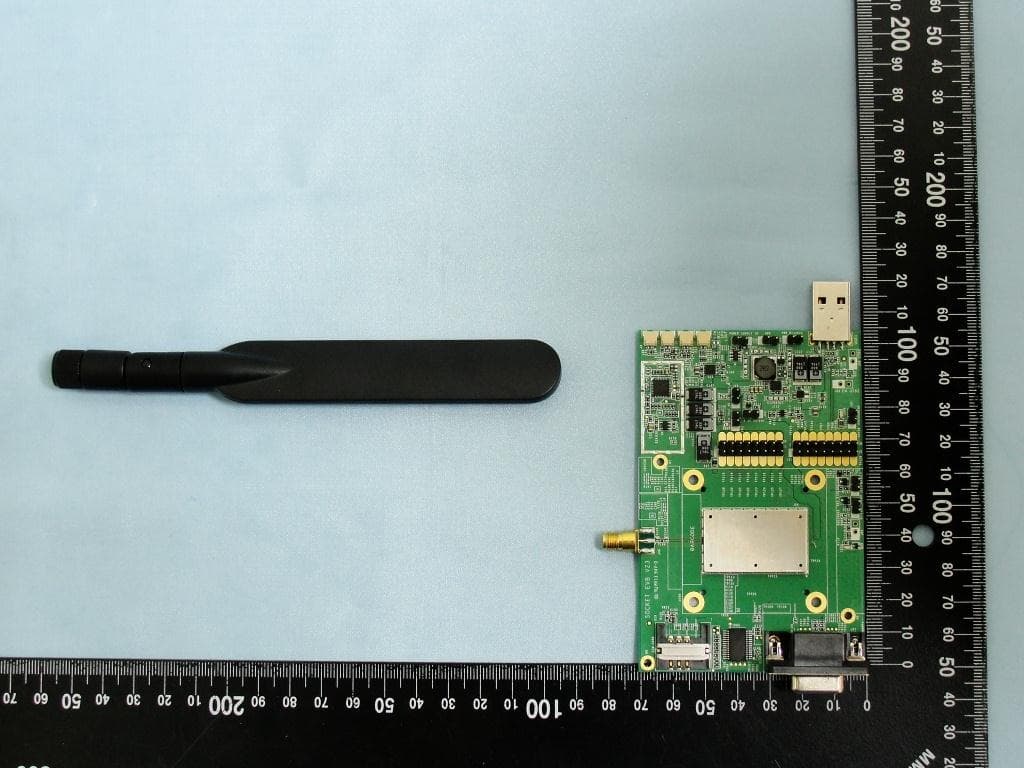
IXM-UNA850
Oct 01, 2012UNA 850 module
Equipment Class
PCB - PCS Licensed Transmitter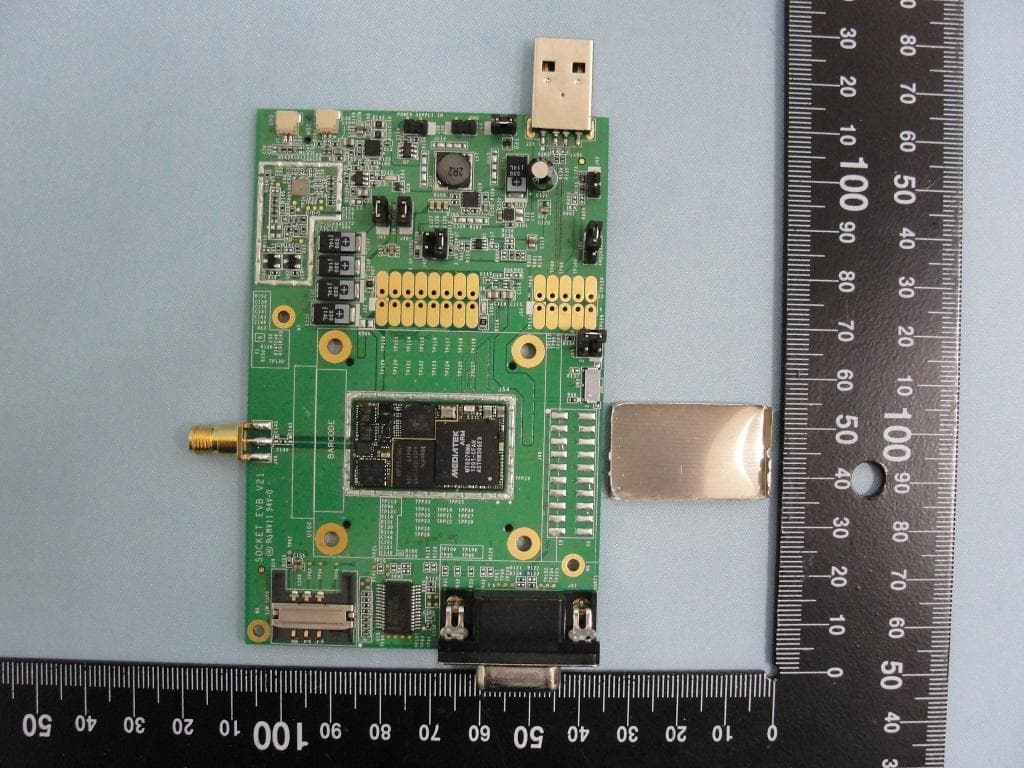
IXM-UNA900
Apr 19, 2012WWAN Module
Equipment Class
PCB - PCS Licensed Transmitter
IXMUGNAS-P3
Jul 28, 2011NETWORK ATTACHED STORAGE
Equipment Class
DTS - Digital Transmission System