KBCIX100XAC750RUGGED HANDHELD PC WITH PCS GPRS PCMCIA MODEM
General Dynamics Itronix Corporation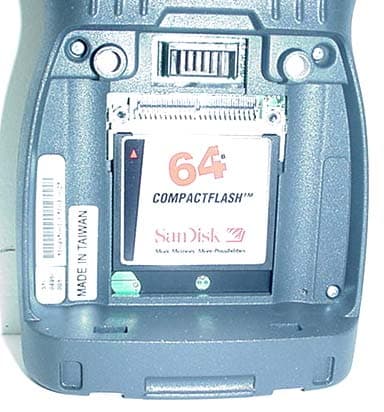
Click to zoom
Application Details
- Equipment Class
- PCT - PCS Licensed Transmitter worn on body
- Date of Grant
- Aug 17, 2004
- Application Purpose
- Original Equipment
- Date of Application
- Aug 17, 2004
- Equipment Note
- RUGGED HANDHELD PC WITH PCS GPRS PCMCIA MODEM
- Frequency Range
- 1850.20000000 - 1909.80000000
- Country
- United States
Documents & Files
Document Text
Text extracted from the exhibit documents filed with the FCC. Open a document above to read the original.
Users Manual
Handheld Computer Help English Fran çais Deutsch Spanish Handheld Computer Help Controls Batteries Maintaining Your Computer Using Your Computer Safely CompactFlash Cards Peripherals ActiveSync Troubleshooting Index Legal Information Controls The handheld computer is equipped with a 52-key alphanumeric keypad including cursor keys and a few special function keys. Other functions are available via the touch screen. Backlight Function Keys Stylus Entering Data Resetting Your Computer Backlight Press the Blue Function key along with the large Yellow backlight key in the upper-right corner of the keypad to turn the backlight on or off. To adjust brightness press and hold the Orange Function key near the upper-left corner of the keypad; then push the lowercase o key to increase brightness or press the 7 key to decrease brightness. The backlight is on by default and turns off automatically after 1 minute of inactivity when on battery power. These settings may be adjusted in the computer's display settings. When the display backlight turns on, the keypad backlight also turns on. It turns off whenever the display backlight turns off. See Also Stylus Function Keys Entering Data Resettin g Your Computer Page 1 of 17Handheld Computer Help 05/05/2004file://C:\Documents%20and%20Settings\jonathan\Local%20Settings\Temp\Handheld%2... Function Keys The FN keys have many functions. The most commonly used functions are: z Orange FN + Power: When held for five seconds this performs a Soft Reset. z Orange FN + Blue FN + Power: When held for five seconds this performs a Hard Reset. CAUTION The Hard Reset is an emergency procedure only. Use the Soft Reset instead if possible. If you Hard Reset, you will lose the settings saved in the operating system as well as all data stored in RAM. You will have to recalibrate your touch screen and personal data when you restart. z Blue FN + Yellow Backlight: Toggles the backlight The FN keys may also have different functions depending on the program in use. Below is a list of key combination functions associated with the Orange and Blue function keys: Key Orange FN Blue FN A| B~BREAK D: E# F; G"< H`> I*INS J'/ K. L? N` O( P) PAUSE Q! R$PRINT SCREEN S\SCROLL LOCK T%= U& Venter Volume Control W@{ X} Y^[ Z] 1F1F11 Page 2 of 17Handheld Computer Help 05/05/2004file://C:\Documents%20and%20Settings\jonathan\Local%20Settings\Temp\Handheld%2... See your Getting Started Guide for a complete list of key functions See Also Stylus Entering Data Resetting Your Computer Using the Stylus The stylus is designed to be light-weight and comfortable to use, as well as being gentle on the touch screen. It is stored in a channel in the back of the terminal. To remove the stylus from the channel, press on its textured part and push it up and out. NOTE It is good practice to return the stylus to the holder when not in use. If you lose the stylus, you may use your fingertips instead, but they are not as precise. CAUTION Do not use a ballpoint pen or sharp pointed object to operate the touch screen, as this can damage the screen. See Also Backlight Function Keys Entering Data Resetting Your Computer 2F2F12 3F3F13 4F4F14 5F5F15 6F6F16 7F7F17 8F8F18 9F9F19 0F10F20 TabBKTAB SpcBkSp- right Yellow Right ScanBacklight left YellowLeft Scan Up ArrowPgUp Down ArrowPgDn Right ArrowEndStart Left ArrowHome AltenterEsc Page 3 of 17Handheld Computer Help 05/05/2004file://C:\Documents%20and%20Settings\jonathan\Local%20Settings\Temp\Handheld%2... Entering Data Use the keypad or input panel to enter alpha and numerical data. Use the cursor keys or your stylus to move the cursor around the screen. Use Function Keys for special characters and functions. When a field appears requiring text entry, the input panel (soft keyboard) will pop up. This can then be operated with the stylus. To change input panel settings, see Input Panel. See Also Function Keys Backlight Stylus Resetting Your Computer Resetting your Handheld Computer If your handheld computer locks up or fails to operate, you may need to reset it in one of two ways. z Soft Reset: Hold down both the Power and Orange FN keys for about five seconds. The screen will dim and the handheld computer will perform a Soft Reset. The Soft Reset does not affect the operating system and no data loss occurs. z Hard Reset: Hold down the Power , Orange FN , and Blue FN keys simultaneously for about ten seconds. This will perform a Hard Reset, resulting in data loss. CAUTION The Hard Reset is an emergency procedure only. Use the Soft Reset instead if possible. If you Hard Reset, you will lose the settings saved in the operating system as well as all data stored in RAM. You will have to recalibrate your touch screen and reenter your personal data when you restart. See Also Backlight Stylus Function Keys Entering Data Batteries Battery Information Checking the Batteries Battery Conservation Battery Charging Battery Replacement Battery Safety Battery Storage Page 4 of 17Handheld Computer Help 05/05/2004file://C:\Documents%20and%20Settings\jonathan\Local%20Settings\Temp\Handheld%2... Battery Information The computer's primary battery is a rechargeable Lithium-Ion (Li-Ion) pack. DO NOT use other batteries. They may damage your handheld computer. After inserting a new Li-Ion battery pack, charge it to 100% before use. This ensures that the battery pack's power gauge calculations will be correct. Frequent incomplete charges lead to progressively larger errors that only a full charge can fix. Charge on AC power at least 7 hours to ensure the internal backup battery is also fully charged; however it may take longer if the ambient temperature is extremely hot or cold. The internal backup battery retains data up to 48 hours if the main battery pack is fully discharged or removed. Its charge is automatically topped-off whenever the handheld computer is awake and on external or main battery power. To ensure data integrity, the main battery should always be kept charged and important data sh…
Text truncated - open the document above for the full version.
Users Manual
Handheld Computer Help English Fran çais Deutsch Spanish Handheld Computer Help Controls Batteries Maintaining Your Computer Using Your Computer Safely CompactFlash Cards Peripherals ActiveSync Troubleshooting Index Legal Information Controls The handheld computer is equipped with a 52-key alphanumeric keypad including cursor keys and a few special function keys. Other functions are available via the touch screen. Backlight Function Keys Stylus Entering Data Resetting Your Computer Backlight Press the Blue Function key along with the large Yellow backlight key in the upper-right corner of the keypad to turn the backlight on or off. To adjust brightness press and hold the Orange Function key near the upper-left corner of the keypad; then push the lowercase o key to increase brightness or press the 7 key to decrease brightness. The backlight is on by default and turns off automatically after 1 minute of inactivity when on battery power. These settings may be adjusted in the computer's display settings. When the display backlight turns on, the keypad backlight also turns on. It turns off whenever the display backlight turns off. See Also Stylus Function Keys Entering Data Resettin g Your Computer Page 1 of 17Handheld Computer Help 05/05/2004file://C:\Documents%20and%20Settings\jonathan\Local%20Settings\Temp\Handheld%2... Function Keys The FN keys have many functions. The most commonly used functions are: z Orange FN + Power: When held for five seconds this performs a Soft Reset. z Orange FN + Blue FN + Power: When held for five seconds this performs a Hard Reset. CAUTION The Hard Reset is an emergency procedure only. Use the Soft Reset instead if possible. If you Hard Reset, you will lose the settings saved in the operating system as well as all data stored in RAM. You will have to recalibrate your touch screen and personal data when you restart. z Blue FN + Yellow Backlight: Toggles the backlight The FN keys may also have different functions depending on the program in use. Below is a list of key combination functions associated with the Orange and Blue function keys: Key Orange FN Blue FN A| B~BREAK D: E# F; G"< H`> I*INS J'/ K. L? N` O( P) PAUSE Q! R$PRINT SCREEN S\SCROLL LOCK T%= U& Venter Volume Control W@{ X} Y^[ Z] 1F1F11 Page 2 of 17Handheld Computer Help 05/05/2004file://C:\Documents%20and%20Settings\jonathan\Local%20Settings\Temp\Handheld%2... See your Getting Started Guide for a complete list of key functions See Also Stylus Entering Data Resetting Your Computer Using the Stylus The stylus is designed to be light-weight and comfortable to use, as well as being gentle on the touch screen. It is stored in a channel in the back of the terminal. To remove the stylus from the channel, press on its textured part and push it up and out. NOTE It is good practice to return the stylus to the holder when not in use. If you lose the stylus, you may use your fingertips instead, but they are not as precise. CAUTION Do not use a ballpoint pen or sharp pointed object to operate the touch screen, as this can damage the screen. See Also Backlight Function Keys Entering Data Resetting Your Computer 2F2F12 3F3F13 4F4F14 5F5F15 6F6F16 7F7F17 8F8F18 9F9F19 0F10F20 TabBKTAB SpcBkSp- right Yellow Right ScanBacklight left YellowLeft Scan Up ArrowPgUp Down ArrowPgDn Right ArrowEndStart Left ArrowHome AltenterEsc Page 3 of 17Handheld Computer Help 05/05/2004file://C:\Documents%20and%20Settings\jonathan\Local%20Settings\Temp\Handheld%2... Entering Data Use the keypad or input panel to enter alpha and numerical data. Use the cursor keys or your stylus to move the cursor around the screen. Use Function Keys for special characters and functions. When a field appears requiring text entry, the input panel (soft keyboard) will pop up. This can then be operated with the stylus. To change input panel settings, see Input Panel. See Also Function Keys Backlight Stylus Resetting Your Computer Resetting your Handheld Computer If your handheld computer locks up or fails to operate, you may need to reset it in one of two ways. z Soft Reset: Hold down both the Power and Orange FN keys for about five seconds. The screen will dim and the handheld computer will perform a Soft Reset. The Soft Reset does not affect the operating system and no data loss occurs. z Hard Reset: Hold down the Power , Orange FN , and Blue FN keys simultaneously for about ten seconds. This will perform a Hard Reset, resulting in data loss. CAUTION The Hard Reset is an emergency procedure only. Use the Soft Reset instead if possible. If you Hard Reset, you will lose the settings saved in the operating system as well as all data stored in RAM. You will have to recalibrate your touch screen and reenter your personal data when you restart. See Also Backlight Stylus Function Keys Entering Data Batteries Battery Information Checking the Batteries Battery Conservation Battery Charging Battery Replacement Battery Safety Battery Storage Page 4 of 17Handheld Computer Help 05/05/2004file://C:\Documents%20and%20Settings\jonathan\Local%20Settings\Temp\Handheld%2... Battery Information The computer's primary battery is a rechargeable Lithium-Ion (Li-Ion) pack. DO NOT use other batteries. They may damage your handheld computer. After inserting a new Li-Ion battery pack, charge it to 100% before use. This ensures that the battery pack's power gauge calculations will be correct. Frequent incomplete charges lead to progressively larger errors that only a full charge can fix. Charge on AC power at least 7 hours to ensure the internal backup battery is also fully charged; however it may take longer if the ambient temperature is extremely hot or cold. The internal backup battery retains data up to 48 hours if the main battery pack is fully discharged or removed. Its charge is automatically topped-off whenever the handheld computer is awake and on external or main battery power. To ensure data integrity, the main battery should always be kept charged and important data sh…
Text truncated - open the document above for the full version.
Cover Letter(s)
801 S. STEVENS STREET SPOKANE, WA 99204 509.624.6600 800.441.1309 FAX 509.626.4203 www.itronix.com July 16, 2004 Federal Communications Commission Equipment Authorization Branch 7435 Oakland Mills Road Columbia, MD 21046 Re: Itronix Corporation FCC ID: KBCIX100XAC750 FCC Part 24(E) Certification Request for Confidentiality In accordance with 0.459 of CFR 47, Itronix Corporation hereby requests confidentiality of the Schematic Diagram(s), Parts List, Tune-Up Procedure, and Operational Description attachments for the subject application. These documents contain detailed system and equipment description and related information about the product in which Itronix Corporation considers to be proprietary, confidential, and a custom design and, otherwise, would not release to the general public. Since this design is a basis from which future technological products will evolve, Itronix Corporation considers that this information would be of benefit to its competitors, and that the disclosure of the information in these documents would give competitors an unfair advantage in the market. Sincerely,
Cover Letter(s)
Celltech Labs Inc. 1955 Moss Court, Kelowna, B.C. Canada V1Y 9L3 Tel. 250-448-7047 • Fax. 250-448-7046 • e-mail: [email protected] www.celltechlabs.com September 13, 2004 Timco Engineering, Inc. Telecommunication Certification Body 849 NW State Road 45 Newberry, FL 32669 SUBJECT: ITRONIX CORPORATION FCC ID: KBCIX100XAC750 Part 24(E) - Class II Permissive Change On behalf of Itronix Corporation is an application for Part 24(E) Class II Permissive Change of the Itronix IX100X Rugged Handheld PC with internal PCS GPRS PCMCIA Modem (Model: AirCard 750 manufactured by Sierra Wireless, Inc.), with the addition of an Itronix Vehicle Cradle and MaxRad Vehicle-Mount Antenna. Model: IX100XAC750 Device Class: PCS Licensed Transmitter (PCB) Device Type: Rugged Handheld PC w/ Sierra Wireless AirCard 750 PCS GPRS PCMCIA Modem Class II Permissive Change(s): 1. Add Vehicle Cradle (Itronix P/N: 50-0107-001) 2. Add Vehicle-Mount Antenna (MaxRad 3 dBi Gain P/N: WMLPVDB800/1900) DUT TX Frequency Range: 1850.2 - 1909.8 MHz Max. Conducted Pwr. Tested: 28.7 dBm (Peak) Modulation Tested: GMSK Max. Duty Cycle Tested: 50 % (Source-Based Time-Averaged) Source-Based Time-Av. Power: 25.7 dBm Peak Conducted (Max.) Max. EIRP Measured (MaxRad): 0.214 Watts (23.31 dBm) Antenna Type(s) Tested: MaxRad 3 dBi Gain Vehicle-Mount (P/N: WMLPVDB800/1900) Submitted with this application are the Form 731, Part 24(E) EMC measurement report data and test setup photographs, MPE evaluation report, external device photographs, vehicle-mount antenna specifications, and the user manual with RF exposure information. If you have any questions or comments concerning the above, please contact the undersigned. Sincerely, Jonathan Hughes General Manager Celltech Labs Inc. cc: Itronix Corporation
External Photos
Test Report S/N: 021104-468A/469AKBC © 2004 Celltech Labs Inc. ITRONIX CORPORATION FCC ID: KBCIX100XAC750 (Model: IX100XAC750) Rugged Handheld PC with internal AirCard 750 PCS GPRS PCMCIA Modem Card Back of DUT EXTERNAL DUT PHOTOGRAPHS Front of DUT Test Report S/N: 021104-468A/469AKBC © 2004 Celltech Labs Inc. ITRONIX CORPORATION FCC ID: KBCIX100XAC750 (Model: IX100XAC750) Rugged Handheld PC with internal AirCard 750 PCS GPRS PCMCIA Modem Card Bottom of DUT Left Side of DUT Right Side of DUT EXTERNAL DUT PHOTOGRAPHS Top of DUT Test Report S/N: 021104-468A/469AKBC © 2004 Celltech Labs Inc. ITRONIX CORPORATION FCC ID: KBCIX100XAC750 (Model: IX100XAC750) Rugged Handheld PC with internal AirCard 750 PCS GPRS PCMCIA Modem Card PCS GPRS Antenna (¼ wave Helix) EXTERNAL DUT PHOTOGRAPHS Battery Compartment Li-ion Battery Li-ion Battery Test Report S/N: 021104-468A/469AKBC © 2004 Celltech Labs Inc. ITRONIX CORPORATION FCC ID: KBCIX100XAC750 (Model: IX100XAC750) Rugged Handheld PC with internal AirCard 750 PCS GPRS PCMCIA Modem Card EXTERNAL DUT PHOTOGRAPHS DUT with Nylon Carry Case (P/N: 54-0644-001) & Ear-Microphone (Model: JABRA) Test Report S/N: 021104-468A/469AKBC © 2004 Celltech Labs Inc. ITRONIX CORPORATION FCC ID: KBCIX100XAC750 (Model: IX100XAC750) Rugged Handheld PC with internal AirCard 750 PCS GPRS PCMCIA Modem Card EXTERNAL DUT PHOTOGRAPHS Nylon Carry Case (P/N: 54-0644-001) Nylon Carry Case (P/N: 54-0644-001) Ear-Microphone (Model: JABRA) Ear-Microphone (Model: JABRA)
External Photos
© 2004 Celltech Labs Inc. ITRONIX CORPORATION FCC ID: KBCIX100XAC750 (Model: IX100XAC750) Rugged Handheld PC with internal AirCard 750 PCS GPRS PCMCIA Modem Class II Permissive Change(s): Add Vehicle Cradle & Vehicle-Mount Antenna EXTERNAL DUT PHOTOGRAPHS with Vehicle Cradle (Itronix P/N: 50-0107-001) 3 dBi Gain Vehicle Antenna (MaxRad P/N: WMLPVDB800/1900) © 2004 Celltech Labs Inc. ITRONIX CORPORATION FCC ID: KBCIX100XAC750 (Model: IX100XAC750) Rugged Handheld PC with internal AirCard 750 PCS GPRS PCMCIA Modem Class II Permissive Change(s): Add Vehicle Cradle & Vehicle-Mount Antenna EXTERNAL DUT PHOTOGRAPHS Vehicle Cradle (Itronix P/N: 50-0107-001) © 2004 Celltech Labs Inc. ITRONIX CORPORATION FCC ID: KBCIX100XAC750 (Model: IX100XAC750) Rugged Handheld PC with internal AirCard 750 PCS GPRS PCMCIA Modem Class II Permissive Change(s): Add Vehicle Cradle & Vehicle-Mount Antenna EXTERNAL DUT PHOTOGRAPHS Vehicle Cradle (Itronix P/N: 50-0107-001)
ID Label/Location Info
© 2004 Celltech Labs Inc. ITRONIX CORPORATION FCC ID: KBCIX100XAC750 (Model: IX100XAC750) Rugged Handheld PC with internal AirCard 750 PCS GPRS PCMCIA Modem Card Test Report S/N: 021104-468A/469AKBC LABELING REQUIREMENTS PER §2.925 The label shall be permanently affixed at a conspicuous location on the device. SEE NEXT PAGE(S) FOR PART 24(E) FCC ID LABEL SEE NEXT PAGE(S) FOR PART 15(B) FCC DoC LABEL FCC ID LABEL & LOCATION This product contains an FCC and Industry Canada transmitter. FCC ID: KBCIX100XAC750 IC: 1943A-IX100Xa
Internal Photos
Test Report S/N: 021104-468A/469AKBC © 2004 Celltech Labs Inc. ITRONIX CORPORATION FCC ID: KBCIX100XAC750 (Model: IX100XAC750) Rugged Handheld PC with internal AirCard 750 PCS GPRS PCMCIA Modem Card INTERNAL DUT PHOTOGRAPHS Test Report S/N: 021104-468A/469AKBC © 2004 Celltech Labs Inc. ITRONIX CORPORATION FCC ID: KBCIX100XAC750 (Model: IX100XAC750) Rugged Handheld PC with internal AirCard 750 PCS GPRS PCMCIA Modem Card INTERNAL DUT PHOTOGRAPHS Sierra Wireless AirCard 750 PCS GPRS PCMCIA Modem Test Report S/N: 021104-468A/469AKBC © 2004 Celltech Labs Inc. ITRONIX CORPORATION FCC ID: KBCIX100XAC750 (Model: IX100XAC750) Rugged Handheld PC with internal AirCard 750 PCS GPRS PCMCIA Modem Card INTERNAL DUT PHOTOGRAPHS Sierra Wireless AirCard 750 PCS GPRS PCMCIA Modem
RF Exposure Info
© 2004 Celltech Labs Inc. ITRONIX CORPORATION FCC ID: KBCIX100XAC750 (Model: IX100XAC750) 1 of 3 Rugged Handheld PC with internal AirCard 750 PCS GPRS PCMCIA Modem Class II Permissive Change(s): Add Vehicle Cradle & Vehicle-Mount Antenna Test Report S/N: 073004-548bKBC Test Type: MPE Evaluation This device is compliant with localized Maximum Permissible Exposure (MPE) for the Uncontrolled Exposure / General Population limits specified in FCC 47 CFR §1.1310 and Industry Canada RSS-102 Issue 1 (Provisional), in accordance with the requirements of FCC OET Bulletin 65, Edition 97-01, Health Canada’s Safety Code 6, ANSI / IEEE C95.1-1992, and ANSI / IEEE C95.3-1992. I attest to the accuracy of data. All measurements and/or calculations were performed by me or were made under my supervision and are correct to the best of my knowledge and belief. I assume full responsibility for the completeness of these measurements and vouch for the qualifications of all persons taking them. This evaluation report shall not be reproduced partially, or in full, without the prior written approval of Celltech Labs Inc. The results and statements contained in this report pertain only to the device(s) evaluated. Duane Friesen EMC Manager Celltech Labs Inc. DECLARATION OF COMPLIANCE MPE EVALUATION REPORT Test Lab CELLTECH LABS INC. Testing and Engineering Lab 1955 Moss Court Kelowna, B.C. Canada V1Y 9L3 Phone: 250-448-7047 Fax: 250-448-7046 e-mail: [email protected] web site: www.celltechlabs.com Applicant Information ITRONIX CORPORATION 801 South Stevens Street Spokane, WA 99204 United States FCC Rule Part(s): 47 CFR §24(E), §2.1091; §1.1310 IC Rule Part(s): RSS-133 Issue 2, RSS-102 Issue 1 (Provisional) FCC Classification: PCS Licensed Transmitter (PCB) IC Classification: 2GHz Personal Communication Services Device Type: Rugged Handheld PC w/ AirCard 750 PCS GPRS PCMCIA Modem with Itronix Vehicle Cradle and MaxRad Vehicle-Mount Antenna FCC IDENTIFIER: KBCIX100XAC750 IC IDENTIFIER: 1943A-IX100Xa Model(s): IX100XAC750 Modulation: GMSK Tx Frequency Range: 1850.2 - 1909.8 MHz RF Conducted Output Power: 28.7 dBm Peak (1850.2 MHz) 28.6 dBm Peak (1880.0 MHz) 28.6 dBm Peak (1909.8 MHz) Max. No. of Time Slots Evaluated: 4 (Class 12) Max. Source-Based Time-Av. Duty Cycle: 50 % Source-Based Time-Av. Conducted Pwr: 25.7 dBm Peak (1850.2 MHz) 25.6 dBm Peak (1880.0 MHz) 25.6 dBm Peak (1909.8 MHz) Antenna Type(s) Evaluated: MaxRad 3 dBi Gain Vehicle-Mount (P/N: WMLPVDB800/1900) © 2004 Celltech Labs Inc. ITRONIX CORPORATION FCC ID: KBCIX100XAC750 (Model: IX100XAC750) 2 of 3 Rugged Handheld PC with internal AirCard 750 PCS GPRS PCMCIA Modem Class II Permissive Change(s): Add Vehicle Cradle & Vehicle-Mount Antenna Test Report S/N: 073004-548bKBC Test Type: MPE Evaluation 1.1 MPE Calculation Data 1. MaxRad 3 dBi Gain Vehicle-Mount Antenna (P/N: WMLPVDB800/1900) PCS GPRS 2.1 Calculation to determine MPE MaxRad 3 dBi Gain Vehicle-Mount Antenna P/N: WMLPVDB800/1900 Tx Frequency: 1850.2 (MHz) Source-Based Time-Averaged Power at Antenna Input Terminal: 25.7 (dBm) 3 dBi Antenna Gain minus 2.80 dB cable loss for 17 ft cable: 0.20 (dBi) S=1.00 (mW/cm^2) P=371.5352 (mW) G=1.05 (numeric) R =5.56(cm) 0.077314218 S (mw/cm^2) at 20cm © 2004 Celltech Labs Inc. ITRONIX CORPORATION FCC ID: KBCIX100XAC750 (Model: IX100XAC750) 3 of 3 Rugged Handheld PC with internal AirCard 750 PCS GPRS PCMCIA Modem Class II Permissive Change(s): Add Vehicle Cradle & Vehicle-Mount Antenna Test Report S/N: 073004-548bKBC Test Type: MPE Evaluation 3.1 MPE Limits According to FCC 47 CFR 1.1310: The criteria listed in the following table shall be used to evaluate the environmental impact of human exposure to radio frequency (RF) radiation as specified in 1.1307(b). 4.1 Summary The Maximum Permissible Exposure (MPE) limit (General Population / Uncontrolled Exposure environment) for the frequency range in the PCS band (1850-1910 MHz) is 1.0 mW/cm^ 2 . The data in this report demonstrates that the Itronix Corporation Model: IX100XAC750 Rugged Handheld PC FCC ID: KBCIX100XAC750 with internal Sierra Wireless AirCard 750 PCS GPRS Modem, Vehicle Cradle (Itronix P/N: 50-0107-001), and 3 dBi Gain Vehicle-Mount Antenna (MaxRad P/N: WMLPVDB800/1900), complies with the Maximum Permissible Exposure (MPE) requirements specified in FCC §2.1091, §1.1310, OET Bulletin 65 (Edition 97-01), and Health Canada’s Safety Code 6 for the General Population / Uncontrolled Exposure environment. Notes: 1. The 17 ft antenna cable is supplied with and connected to the vehicle antenna at time of purchase.
Test Report
© 2004 Celltech Labs Inc. 1 of 20 Test Report S/N: 021104-468AKBC Test Date(s): March 18-19 & April 13-14, 2004 Test Type: FCC Part 24 EMC Measurements This wireless portable device has demonstrated compliance with the applicable technical standards as indicated in the measurement report and was tested in accordance with the measurement procedures specified in FCC 47 CFR §24(E), §2, Industry Canada RSS-133 Issue 2, and ANSI TIA/EIA-603-A-2001. I attest to the accuracy of data. All measurements reported herein were performed by me or were made under my supervision and are correct to the best of my knowledge and belief. I assume full responsibility for the completeness of these measurements and vouch for the qualifications of all persons taking them. This test report shall not be reproduced partially, or in full, without the prior written approval of Celltech Labs Inc. The results and statements contained in this report pertain only to the device(s) evaluated. Russell Pipe Senior Compliance Technologist Celltech Labs Inc. DECLARATION OF COMPLIANCE FCC PART 24(E) EMC MEASUREMENTS Test Lab CELLTECH LABS INC. 1955 Moss Court Kelowna, B.C. Canada V1Y 9L3 Phone: 250-448-7047 Fax: 250-448-7046 e-mail: [email protected] web site: www.celltechlabs.com Applicant Information ITRONIX CORPORATION 801 South Stevens Street Spokane, WA 99204 USA FCC IDENTIFIER: KBCIX100XAC750 IC Certification No.: 1943A-IX100Xa Model(s): IX100XAC750 FCC Rule Part(s): FCC 47 CFR §24(E), §2 IC Rule Part(s): RSS-133 Issue 2 Test Procedure(s): FCC 47 CFR §24(E), §2; ANSI TIA/EIA-603-A-2001 FCC Device Classification: PCS Licensed Transmitter (PCB) IC Device Classification: 2GHz Personal Communication Services (RSS-133 Issue 2) Device Type: Rugged Handheld PC with Sierra Wireless AirCard 750 PCS GPRS Modem Tx Frequency Range: 1850.2 - 1909.8 MHz Max. EIRP Measured: 1.07 Watts (30.28 dBm) Conducted Power Tested: 28.7 dBm - Peak (1850.2 MHz) 28.6 dBm - Peak (1880.0 MHz) 28.6 dBm - Peak (1909.8 MHz) Modulation: GMSK Emission Designator: 271KGXW Frequency Tolerance(s): 0.1 PPM Antenna Type(s) Tested: External - ¼ Wave Helix (PCS GPRS) Battery Type(s) Tested: Lithium-ion 7.4 V, 3.0 Ah (P/N: 46-0136-001) `` © 2004 Celltech Labs Inc. 2 of 20 Test Report S/N: 021104-468KBC Test Date(s): March 18-19 & April 13-14, 2004 Test Type: FCC Part 24 EMC Measurements TABLE OF CONTENTS Section DESCRIPTION Page # 1.1 SCOPE 3 1.2 GENERAL INFORMATION 3 MEASUREMENT PROCEDURES & DATA FCC Rule Part(s) IC Rule Part(s) - 3.1 RF Output Power Measurement §2.1046 RSS-133 §6.2 4 4.1 Spurious Emissions at Antenna Terminal §2.1051 RSS-133 §6.3 4 5.1 Occupied Bandwidth & Emission Bandwidth §2.1049, §24.238 RSS-133 §6.3 4 6.1 Effective Isotropic Radiated Power Output §24.232(b) RSS-133 §6.2 5 7.1 Radiated Measurement Test Setup §2.1053, §24.232(b) RSS-133 §6.2, §6.3 5 8.1 Field Strength of Spurious Radiation §2.1053 RSS-133 §6.3 6-7 9.1 Frequency Stability / Temperature Variation §2.1055, §24.235 RSS-133 §7. 8 10.1 LIST OF TEST EQUIPMENT 9 11.1 SUMMARY 10 APPENDIX A - TEST PLOTS 11-19 APPENDIX B - RADIATED TEST SETUP PHOTOGRAPHS 20 `` © 2004 Celltech Labs Inc. ITRONIX CORPORATION FCC ID: KBCIX100XAC750 (Model: IX100XAC750) 3 of 20 Rugged Handheld PC with internal AirCard 750 PCS GPRS PCMCIA Modem Card Test Report S/N: 021104-468KBC Test Date(s): March 18-19 & April 13-14, 2004 Test Type: FCC Part 24 EMC Measurements APPLICANT ITRONIX CORPORATION 801 South Stevens Street Spokane, WA 99204 USA Measurement and determination of electromagnetic emissions (EME) from radio frequency devices for compliance with the technical rules and regulations of the Federal Communications Commission and Industry Canada. FCC IDENTIFIER KBCIX100XAC750 Model(s) IX100XAC750 Serial No. 510495001-U5103-0025 Identical Prototype Device Type Rugged Handheld PC with internal PCS GPRS PCMCIA Modem Rule Part(s) 47 CFR §24(E), §2 FCC Classification(s) PCS Licensed Transmitter (PCB) Rule Part(s) RSS-133 Issue 2 IC Classification(s) 2GHz Personal Communication Services Test Procedure(s) FCC 47 CFR §24(E), §2; ANSI TIA/EIA-603-A-2001 Tx Frequency Range 1850.2 - 1909.8 MHz Modulation GMSK Max. EIRP Measured 1.07 Watts 1909.8 MHz 28.7 dBm 1850.2 MHz Peak Conducted at PCMCIA Card 28.6 dBm 1880.0 MHz Peak Conducted at PCMCIA Card Max. RF Conducted Output Power Tested 28.6 dBm 1909.8 MHz Peak Conducted at PCMCIA Card Emission Designator 271KGXW Frequency Tolerance 0.1 PPM Battery Type(s) Tested Lithium-ion 7.4 V, 3.0 Ah P/N: 46-0136-001 Antenna Type(s) Tested GPRS External ¼ Wave Helix FCC PART 24(E) EMC MEASUREMENT REPORT 1.1 SCOPE 2.1 GENERAL INFORMATION `` © 2004 Celltech Labs Inc. ITRONIX CORPORATION FCC ID: KBCIX100XAC750 (Model: IX100XAC750) 4 of 20 Rugged Handheld PC with internal AirCard 750 PCS GPRS PCMCIA Modem Card Test Report S/N: 021104-468KBC Test Date(s): March 18-19 & April 13-14, 2004 Test Type: FCC Part 24 EMC Measurements The conducted power levels were measured with a Gigatronics 8652A Universal Power Meter using modulated burst average power mode. An offset was entered into the power meter to correct for the losses of the attenuator and cable installed before the sensor input. The transmitter terminal was coupled to the power meter and the DUT was placed into test mode via internal software. All subsequent tests were performed using the same tune-up procedures. The DUT was tested in GPRS mode via internal software at a full rated power with the DUT transmitting in 4 time slots. An offset was entered into the power meter to correct for all losses of the attenuator and cable installed before the sensor input. The antenna output terminal of the DUT was connected to the input of a 50Ω spectrum analyzer through a matched 30dB attenuator and coaxial cable. The resolution bandwidth and video bandwidth were set to 1MHz. The spectrum was scanned from 10MHz to 20GHz at the low, medium, and high channels. The reported emissions were below the specified limit of -13dBm. Spectrum analyzer p…
Text truncated - open the document above for the full version.
Test Report
© 2004 Celltech Labs Inc. 1 of 24 Test Report S/N: 021104-469AKBC Test Date(s): March 04-05, 2004 Test Type: FCC/IC SAR Evaluation Celltech Labs Inc. declares under its sole responsibility that this wireless portable device has demonstrated compliance with the Specific Absorption Rate (SAR) RF exposure requirements specified in FCC 47 CFR §2.1093 and Health Canada’s Safety Code 6. The device was tested in accordance with the measurement standards and procedures specified in FCC OET Bulletin 65, Supplement C (Edition 01-01), and Industry Canada RSS-102 Issue 1 (Provisional) for the General Population / Uncontrolled Exposure environment. All measurements were performed in accordance with the SAR system manufacturer recommendations. I attest to the accuracy of data. All measurements w…
Text truncated - open the document above for the full version.
Contact Information
Applicant
Ray Garcia(Agency Manager)
Test Firm
Celltech Labs Inc.Ben Hewson
Technical Specifications
| # | Rule Parts | Frequency Range | Power Output | Emission | Tolerance |
|---|---|---|---|---|---|
| 2 | 24E | 1.85 GHz - 1.91 GHz | 214.00 mW | 271KGXW | 0.1 ppm |
Other Applications from General Dynamics Itronix Corporation

KBCIX-BR-51
Jan 20, 2008IX-BTBR51
Equipment Class
DSS - Part 15 Spread Spectrum Transmitter
KBCIX-MC8775
May 30, 2007IX-MC8775
Equipment Class
PCB - PCS Licensed Transmitter
KBCIX-4965AGN
May 21, 2007IX-4965AGN
Equipment Class
NII - Unlicensed National Information Infrastructure TX
KBCIX-AC595
Apr 19, 2007IX-AC595 DUAL-BAND CDMA/EV-DO PCMCIA MODEM CARD
Equipment Class
PCB - PCS Licensed Transmitter
KBCIX-NW620
Mar 13, 2007IX-NW620 CDMA/EV-DO
Equipment Class
PCB - PCS Licensed Transmitter