L2C0081TRRadio GP - AM/FM, DAB
APTIV Services US LLC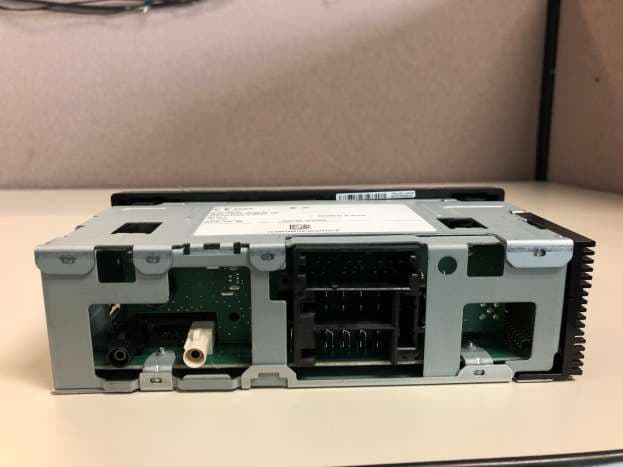
Click to zoom
Application Details
- Equipment Class
- DSS - Part 15 Spread Spectrum Transmitter
- Date of Grant
- Oct 07, 2020
- Application Purpose
- Original Equipment
- Date of Application
- Oct 07, 2020
- Equipment Note
- Radio GP - AM/FM, DAB
- Frequency Range
- 2402.00000000 - 2480.00000000
- Company
- APTIV Services US LLC
- Country
- United States
Documents & Files
Document Text
Text extracted from the exhibit documents filed with the FCC. Open a document above to read the original.
Users Manual
2020 Aptiv 1/16/2020 Owner ́s Manual DEA700 Radio 2 | P a g e Contents DEA7XX Radios System .................................. 4 Introduction.................................................. 4 Overview .......................................................... 4 Radio Pinout..................................................... 4 Radio Button Operation .................................... 5 SRC/PWR ................................................... 5 One-Hour Timer .......................................... 5 VOLUME KNOB/OK .................................... 5 PREV (Previous/Reverse): .......................... 5 NEXT (Next/Forward): ................................. 5 PHONE (If equipped) .................................. 5 SCAN/ASCAN ............................................. 5 PLAY/PAUSE: ............................................. 5 RPT (Repeat): ............................................. 5 BROWSE .................................................... 5 RDM (Random) ........................................... 5 ESC/SCR (ESCAPE) .................................. 5 DISP (DISPLAY) ......................................... 5 Radio ................................................................ 6 Audio Source ............................................... 6 AM-FM-WX/LW Radio ...................................... 6 Tuning ......................................................... 6 Manual Tuning ........................................ 6 Seeking a Station ................................... 6 Presets ........................................................ 6 Storing Radio Station Presets ................. 6 Tuning Radio Station Presets ................. 6 SCAN ........................................................... 6 AUTOSCAN ................................................. 6 WX ............................................................... 7 LW ............................................................... 7 SXM (If Equipped) ............................................ 7 SXM Display............................................ 7 SXM Categories selection ....................... 7 SXM Channel Selection .......................... 7 Storing Station Presets ........................... 7 SXM Radio ID: ........................................ 7 SXM Messages ....................................... 7 Traffic Announcement (TA) .......................... 8 DAB Announcement .................................... 8 DAB Announcement Category ..................... 8 Alternate Frequency (AF)/ Service Following (DAB-FM link) .............................................. 8 Regional ....................................................... 8 Refresh List .................................................. 8 Emergency Alert .......................................... 9 Storing Station Presets ................................ 9 DAB Messages ............................................ 9 Station Not Available ............................... 9 No Signal ................................................ 9 Station Currently Unavailable .................. 9 No info ..................................................... 9 iPod .................................................................. 9 Playing from an iPod .................................... 9 iPod Menu .................................................... 9 Playlists: ................................................. 9 Artists: ..................................................... 9 Albums: ................................................. 10 Genres: ................................................. 10 Podcasts: .............................................. 10 Songs: .................................................. 10 Composers: .......................................... 10 Audio Books: ........................................ 10 PREV (Previous): ................................. 10 NEXT (Next): ........................................ 10 FF/FR (Fast Forward/Fast Reverse) ..... 10 RDM (Random): ................................... 10 RPT (Repeat): ...................................... 10 Error Messages ......................................... 10 USB ................................................................ 10 Playing from a USB ................................... 10 USB MP3 Player and USB ........................ 10 Drives ................................................... 10 For MP3 Files ....................................... 11 For Unprotected WMA Files ................. 11 Playing an USB Device ............................. 11 Front Auxiliary ................................................ 11 Rear Auxiliary ................................................. 11 Bluetooth (If Equipped) .................................. 11 Enabling/Disabling Bluetooth ..................... 11 Pairing a Bluetooth Device ........................ 11 Connecting a Device ................................. 12 3 | P a g e Disconnecting a Device ............................. 12 Deleting one or all Devices ........................ 12 Hands Free/ Bluetooth Features ............... 12 DIAL MENU .......................................... 12 DIAL REDIAL ........................................ 12 FAVORITES ......................................... 12 DIAL CONTACT ................................... 12 LAST CALLS ........................................ 13 CALL OPTIONS ................................... 13 BT Audio ................................................... 13 Bluetooth Player ................................... 13 Radio System Settings ................................... 14 Audio Control Menu ................................... 14 BASS .................................................... 14 MIDDLE ................................................ 14 TREBLE................................................ 14 FADE .................................................... 14 BALANCE ............................................. 14 AUTO EQ ....................…
Text truncated - open the document above for the full version.
Users Manual
0 | P a g e Model: Radio GP – AM/FM, DAB (DEA751) Automotive Infotainment Unit with Bluetooth Radio GP – AM/FM, DAB Quick User Guide April 5 th , 2019 FCC ID: L2C0081TR IC ID: 3432A-0081TR Aptiv Services US, LLC. 2151 East Lincoln Road Kokomo, Indiana 46902 U.S.A 1 | P a g e DEA7XX Radio Quick guide Introduction For a detailed User’s Manual refer to the following page: http://www.panapacific.com/support The DEA7XX System consist of a radio. It manages the Phone interface, Audio, Bluetooth, module the audio output of the system to the speakers, containing the tuner (AM, FM, WX, LW), SiriusXM, DAB, Front Aux, Rear Aux, Front USB or Rear USB. Radio Button Operation SRC/Power/ESC – Short press = Switch to FM → AM → WX → LW → SXM → DAB → USB/iPod → AUX → Bluetooth Audio and turn Radio ON, ESC/Back. Long press = Turn radio OFF. Volume Knob/OK – While on any source; short press = Mute. While on Menu; short press = OK Long press = Display audio Control Menu. Rotate on any source to increase/decrease Volume, or during a Menu for Navigation. One-Hour Timer - With the ignition off, pressing the SRC/PWR button will activate one-hour timer. Phone – Long press = Show the Bluetooth Menu. Scan/Ascan - Short press = seeks up in frequency and stops on the next strong frequency temporally. Long press = Scans stations and stores strongest stations to presets. Browse – Short press = Navigate on the device and select a specific song or play context (Applicable to USB sticks and iPods). Play/Pause – Short press = pause/un-pause current Media. RPT (Repeat) – Short press = repeat current track. RDM (Random) – Short press = play the tracks randomly. Prev (Previous) – Short press = select previous track or station. Next – Short press to select next track or station. DISP (Display) - If Vehicle Ignition is ON: Short press = Change Source Display Views. If vehicle Ignition is OFF: Short press = Turn on the Radio and show the clock for a few seconds. Radio Features AM-FM-WX-LW Radio Tuning. Set to Auto in Audio Control Menu: NEXT/PREV short press = Seek Auto. NEXT/PREV long press = Seek Manual. Set to Manual: NEXT/PREV short pressed = Seek Manual. NEXT/PREV long press = Seek Auto. Presets. Storing Radio Station Presets - Long press any of the Preset (1-6) buttons until the radio produces a beep. SXM (If Equipped) Vehicles with a valid SiriusXM® satellite radio subscription can receive SiriusXM programming. SXM Channel – Short press NEXT/PREV. SXM Categories – Long press NEXT/PREV = To change the current category. DAB (If Equipped) Digital Radio can be received across Europe and Asia Pacific. Service selection – Short press NEXT/PREV. Fast Seek – Long press NEXT/PREV = To advance through the station list. iPod This Radio supports iAP2 devices. Other iPods may be played, but, functionality is not guarantee. Playing from an iPod Connect the iPod to the Radio USB port. If the iPod is an unsupported model, it can still be connected to the vehicle using an auxiliary standard jack. Front and Rear USB (If Equipped) Playing from an USB - A USB mass storage device can be connected to the USB port. USB MP3 Player and USB Music Navigation USB - Press the magnifying glass (preset 1) button while USB source is active to access the USB Music Menu. Use the Knob or Next/Prev button to navigate through the different options. Front and Rear Auxiliary In auxiliary mode, you can play an external device such as an iPod® or MP3 player via the auxiliary input jack on the radio. Bluetooth (If Equipped) Short press Phone button = Bluetooth Menu Enable/Disable Bluetooth - Press the Volume Knob to Enable or Disable the Bluetooth. Pairing a Bluetooth Device – BT Menu → BT Enable → ADD PHONE → The radio will display ADDING PH for 3 seconds. Set your cell phone to add a Bluetooth device and look for the name “DEA700 Radio”. When necessary, use 4 PIN numbers 0000 to connect to the radio. When the cell phone has been successfully added, the radio will display PH CONNECTED. Hands Free / Bluetooth Features – Once your device is properly paired, the radio may support the following Hands Free features if the connected device has that capability. Bluetooth Player – If your cell phone supports it, it can be used as an audio source input to the radio. Audio Controls Menu – Short Press Volume Knob = In this menu the user can adjust Audio Settings and modify the Clock and Alarm Settings. CLOCK – Once in the Clock Menu you can select 12 H or 24 H format by rotating the knob and pressing to confirm. ALARM - Once in the Alarm Menu, change the ALARM ON/OFF by rotating the knob. Tuning the Alarm Off – When the alarm is triggered, rotate the Knob to select DISMISS. Activating Snooze – When the alarm is triggered, rotate the Knob to select SNOOZE, and the alarm will be postponed for 9 minutes. Note: The Regulatory notices are listed in the owner’s manual located in the following web site.
Users Manual
October 06, 2020 To whom it may concern, We, Bureau Veritas CPS, the authorized agent of Aptiv, Inc., attest that the following statements will be added to the final version of the generic user manual: This equipment has been tested and found to comply with the limits for a Class B digital device, pursuant to Part 15 of the FCC Rules. These limits are designed to provide reasonable protection against harmful interference in a residential installation. This equipment generates, uses, and can radiate radio frequency energy and, if not installed and used in accordance with the instructions, may cause harmful interference to radio communications. However, there is no guarantee that interference will not occur in a particular installation. If this equipment does cause harmful interference to radio or television reception, which can be determined by turning the equipment off and on, the user is encouraged to try to correct the interference by one or more of the following measures: Increase the separation between the equipment and receiver. Consult the dealer or an experienced radio technician for help. Changes or modifications not expressly approved by the party responsible for compliance could void the user’s authority to operate the equipment. This device complies with Industry Canada licence-exempt RSS standard(s). Operation is subject to the following two conditions: (1) this device may not cause interference, and (2) this device must accept any interference, including interference that may cause undesired operation of the device. This equipment complies with RF exposure limits set forth for an uncontrolled environment. This transmitter must not be co-located or operating in conjunction with any other transmitter. The end-user must follow operating instructions for satisfying RF exposure compliance. A separation distance of at least 20 cm must be maintained during operation. Sincerely, Shane Hao Project Coordinator/Authorized Agent
Cover Letter(s)
5 Hanover Quay | Grand Canal | Dublin 2 | Ireland November 13, 2017 Letter of Agency for FCC Agent’s Authorization Letter 16 July 2020 I, representing Aptiv Services US, LLC, do hereby authorize, until further notice, Bureau Veritas Consumer Products Services Inc, One Distribution Center Circle, #1, Littleton, MA 01460, to act on our behalf in dealings before the Federal Communications Commission with respect to all matters relating to equipment authorizations under 47 CFR. This authorization includes, but is not limited to, the signing of Form 731. This authorization is granted for the following product: MODEL: Radio GP-AMFM_DAB I certify that no party (as defined in 47 CFR 1.2002) to this application, including myself, is subject to a denial of federal benefits, that include FCC benefits, pursuant to section 5301 of the Anti-Drug Abuse Act of 1988, 21 U.S.C., 853A. Certified By: __________________ Brian Johnson EGM EMC Design
Cover Letter(s)
5 Hanover Quay | Grand Canal | Dublin 2 | Ireland Date: July 16, 2020 Federal Communications Commission 7435 Oakland Mills Road Columbia, MD 21046-1609 Bureau Veritas Consumer Products Services Inc One Distribution Center Circle, #1 Littleton, MA 02702 Ref: Confidentiality request for FCC ID: L2C0081TR To whom it may concern: Pursuant to §0.457(d)(1)(ii) and §0.459 of the Commission’s Rules (47 C.F.R.) and §552 (b)(4) of the Freedom of Information Act, Aptiv hereby request requests that a part of the subject FCC application be held confidential to avoid release of sensitive information of the product to the public. For the product stated above, we request that the following information be withheld from public disclose: Type of Confidentiality Requested Exhibit Short Term Permanent Block Diagrams Short Term External Photos Short Term Internal Photos Short Term Permanent Operation Description Short Term Permanent Parts List & Placement/BOM Short Term Permanent Tune-Up Procedure Short Term Permanent Schematics Short Term Test Setup Photos Short Term User’s Manual Permanent Confidentiality: The above materials contain trade secrets and proprietary information not customarily released to the public. The public disclosure of these matters might be harmful to us and provide unjustified benefits to our competitors. Short-Term Confidentiality: We hereby request short-term confidentiality for the product stated above to avoid premature release of sensitive information prior to marketing or release of the product to the public. Release date of short term confidentiality is: 45 days from grant date marked 90 days from grant date marked 135 days from grant date marked 180 days from grant date marked Specific date: We are also aware that we are responsible to notify Bureau Veritas Consumer Products Services Inc. in the event information regarding the product or the product is made available to the public. Bureau Veritas Consumer Products Services Inc. will then release the documents listed above for public disclosure pursuant to FCC Public Notice DA 04-1705. Sincerely, _______________________ By: Brian Johnson Title: EGM EMC Design Company: Aptiv Services US, LLC Telephone: +1 765 8674179 e-mail: [email protected]
External Photos
Top Casting Product Label Bottom Casting Casting Side 1 Casting Side 2 Front View Back View
Internal Photos
1 Main PCB- Side 1A Bottom Casting 2A 2 Side 3A 3 Side 3B Side 3C 4 Side 3D 5 Side 3E 6
RF Exposure Info
FCC ID: L2C0081TR, L2C0080TR, L2C0079TR, L2C0078TR Model: Radio GP- AM/FM, DAB Prediction of MPE limit at a given distance Equation from page 18 of OET Bulletin 65, Edition 97-01 where: S = power density P = power input to the antenna G = power gain of the antenna in the direction of interest relative to an isotropic radiator R = distance to the center of radiation of the antenna Maximum peak output power at the antenna terminal: 4.06 (dBm) Maximum peak output power at the antenna terminal: 2.545071572 (mW) Antenna gain(typical): 2.3 (dBi) Maximum antenna gain: 1.698243652 (numeric) Prediction distance: 20 (cm) Prediction frequency: 2450 (MHz) MPE limit for uncontrolled exposure at prediction frequency: 1 (mW/cm^2) Power density at prediction frequency: 0.000860 (mW/cm^2) Therefore device complies with FCC RF radiation exposure limits for general population in mobile exposure category (distance > 20cm) 2 4 R PG S p =
Test Report
_____________________________________________________________ Bureau Veritas Consumer Product Services Inc. One Distribution Center Circle, #1 Littleton, MA TEL (978) 486-8880 FAX (978) 486-8828 page 1 of 73 Test Report Bureau Veritas Consumer Product Services Inc. Report No EU0207-4 Client Aptiv Services US, LLC Address 2151 East Lincoln Road Kokomo, Indiana 46902 USA Phone (915) 612 8967 Items tested RADIO GP – AM/FM FCC ID IC L2C0080TR 3432A-0080TR Equipment Type Part 15 Spread Spectrum Transmitter Equipment Code DSS FCC/IC Rule Parts CFR Title 47 FCC Part 15.247, ISED Canada RSS-247 Issue 2 Test Dates April 19,2019 to Results As detailed within this report Prepared by Xiaoyu Zhu – EMC Engineer Authorized by Anna Vancheva – EMC Engineer Issue Date 6/12/2020 Conditions of Issue This Test Report is issued subject to the conditions stated in the ‘Conditions of Testing’ section on page 18 of this report. Test Report for Aptiv Services US, LLC Report No. EU0207-4 June 12,2020 ______________________________________________________________________ _____________________________________________________________ Bureau Veritas Consumer Product Services Inc. One Distribution Center Circle, #1 Littleton, MA TEL (978) 486-8880 FAX (978) 486-8828 page 2 of 73 Contents Contents .................................................................................................................................. 2 Summary ................................................................................................................................. 3 Test Methodology .................................................................................................................... 4 Product Tested - Configuration Documentation ....................................................................... 5 Statement of Conformity .......................................................................................................... 6 Test Results ............................................................................................................................ 7 Radiated Spurious Emissions .............................................................................................. 7 Measurement Uncertainty .................................................................................................. 43 Conditions Of Testing ............................................................................................................ 44 Appendix A ............................................................................................................................ 46 Report REV Sep-08-2017 - YF Test Report for Aptiv Services US, LLC Report No. EU0207-4 June 12,2020 ______________________________________________________________________ _____________________________________________________________ Bureau Veritas Consumer Product Services Inc. One Distribution Center Circle, #1 Littleton, MA TEL (978) 486-8880 FAX (978) 486-8828 page 3 of 73 Summary This test report supports an application for certification of a transmitter operating pursuant to: CFR Title 47 FCC Part 15.247, ISED Canada RSS-247 Issue 2 The product tested is the Radio GP-AM/FM, DAB. It is a frequency hopping spread spectrum transmitter that operates in the 2402 – 2480 MHz frequency range. Antenna Type: Non-detachable internal PCB trace Gain: 2.3dBi We found that the product met the above requirements without modification. The products tested in this report are provided as representative of the family it belongs to. See the table below for clarification of the specific variations between family models and the relationship between the model tested and the additional model. MODEL AM/FMSXMBT24V Internal MicDAB 30 day clock Bi-color LED Front USB Rear USB Violet/ Bordeau PWR Fakra iPad Charging IR ReceiverPA RDO ASM DEA700 XXX RDO-ASM DEA705 XXX RDO ASM DEA707 XXXX RDO ASM DEA710 XXXXX RDO-ASM DEA712XXXXXX RDO-ASM DEA725XXXXXX RDO-ASM DEA730 XX XXXXX RDO-ASM DEA732 XX XXXXX RDO-ASM DEA737 XX XXX RSO-ASM DEA739 XX XXXXX RDO-ASM DEA745 XX XXXXX MODEL AM/FMXMBT24V Internal MicDAB 30 day clock Bi-color LED Front USB Rear USB Violet/ Bordeau Fakra iPad Charging IR ReceiverPA RDO-ASM DEA750 X XXXXXX RDO-ASM DEA752XXXXXXX RDO-ASM DEA765XXXXXXX MODEL AM/FMXMBT24V Internal MicDAB 30 day clock Bi-color LED Front USB Rear USB Violet/ Bordeau Fakra iPad Charging IR ReceiverPA RDO-ASM DEA711XXXXXXX RDO-ASM DEA731 XX XXXXXX MODEL AM/FMXMBT24V Internal MicDAB 30 day clock Bi-color LED Front USB Rear USB Violet/ Bordeau Fakra iPad Charging IR ReceiverPA RDO-ASM DEA751XXXXXXX Test samples were received in good condition. Test Report for Aptiv Services US, LLC Report No. EU0207-4 June 12,2020 ______________________________________________________________________ _____________________________________________________________ Bureau Veritas Consumer Product Services Inc. One Distribution Center Circle, #1 Littleton, MA TEL (978) 486-8880 FAX (978) 486-8828 page 4 of 73 Test Methodology All testing was performed according to the following rules/procedures/documents; CFR Title 47 FCC Part 15.247, ISED Canada RSS-247 Issue 2, ISED Canada RSS-Gen Issue 5, FCC KDB 558074 D01 15.247 Measurement Guidance v05r01 and ANSI C63.10-2013 Radiated emissions were maximized by rotating the device around 3 orthogonal planes (X, Y and Z) as well as varying the test antenna’s height and polarity. EUT operating voltage is 24V DC from a vehicle battery, therefore AC line conducted emissions testing is not applicable. Following bandwidths were used during radiated spurious emissions testing. Frequency RBW VBW 30-1000MHz 120kHz 1MHz 1-25GHz 1MHz 3MHz Test Report for Aptiv Services US, LLC Report No. EU0207-4 June 12,2020 ______________________________________________________________________ _____________________________________________________________ Bureau Veritas Consumer Product Services Inc. One Distribution Center Circle, #1 Littleton, MA …
Text truncated - open the document above for the full version.
Contact Information
Applicant
Brian W Johnson(Engineering Group Manager)
Test Firm
BUREAU VERITAS CONSUMER PRODUCTS SERVICES, INC.Ozgur Ozturk
[email protected]978-486-8880
Technical Specifications
| # | Rule Parts | Frequency Range | Power Output |
|---|---|---|---|
| 1 | 15C | 2.40 GHz - 2.48 GHz | 2.55 mW |
Other Applications from APTIV Services US LLC
L2CSRR6PS
Apr 09, 2024SRR6PS
Equipment Class
VRD - Part 95 Vehicular Radar SystemsL2C0093TR
Mar 12, 2024Wireless Charging Module
Equipment Class
8CC - Part 18 Consumer Device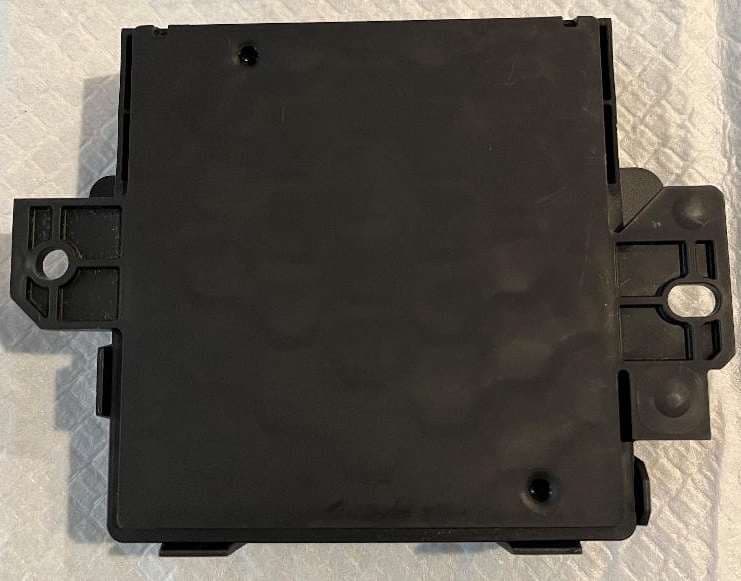
L2C0090TR
Oct 04, 2023Passive entry Keyless Go with tire pressure and door handle monitoring radio frequency module
Equipment Class
DCD - Part 15 Low Power Transmitter Below 1705 kHz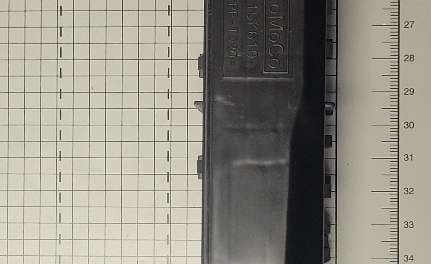
L2C0089TR
Jun 05, 2023FO3-TR903BDA
Equipment Class
DSC - Part 15 Security/Remote Control Transmitter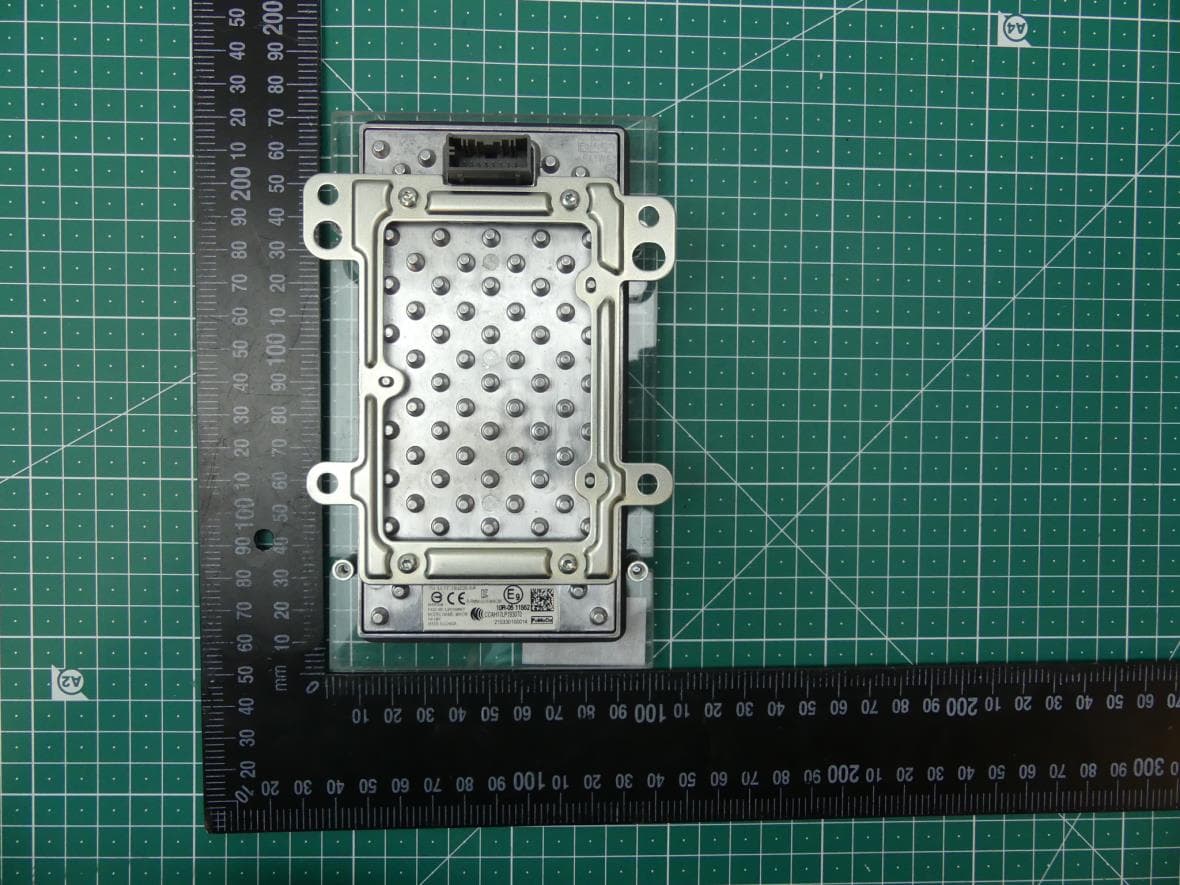
L2C0084TR
Jul 27, 2021Wireless Power Transfer Charger
Equipment Class
8CC - Part 18 Consumer Device