MQ4WUG2K2802.11g Wireless LAN USB Adapter
Abocom Systems Inc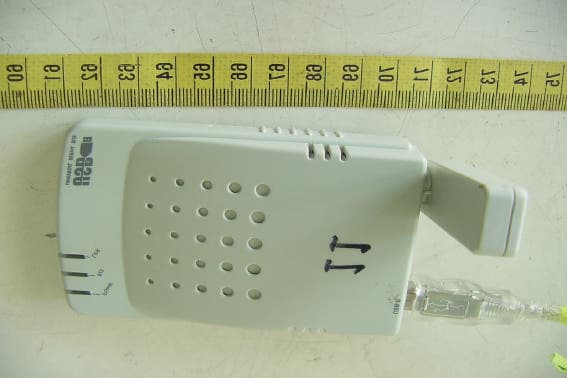
Click to zoom
Application Details
- Equipment Class
- DTS - Digital Transmission System
- Date of Grant
- Mar 10, 2004
- Application Purpose
- Original Equipment
- Date of Application
- Mar 10, 2004
- Equipment Note
- 802.11g Wireless LAN USB Adapter
- Frequency Range
- 2412.00000000 - 2462.00000000
- Company
- Abocom Systems Inc
- Country
- Taiwan
Documents & Files
Document Text
Text extracted from the exhibit documents filed with the FCC. Open a document above to read the original.
Users Manual
802.11g Wireless LAN USB Adapter User Manual REGULATORY STATEMENTS FCC Certification The United States Federal Communication Commission (FCC) and the Canadian Department of Communications have established certain rules governing the use of electronic equipment. Part15, Class B This device complies with Part 15 of FCC rules. Operation is subject to the following two conditions: 1) This device may not cause harmful interface, and 2) This device must accept any interface received, including interface that may cause undesired operation. This equipment has been tested and found to comply with the limits for a Class B digital device, pursuant to Part 15 of the FCC Rules. These limits are designed to provide reasonable protection against harmful interference in a residential installation. This equipment generates, uses and can radiate radio frequency energy, and if not installed and used in accordance with the instructions, may cause harmful interference to radio communications. However, there is no guarantee that interference will not occur in a particular installation. If this equipment does cause harmful interference to radio or television reception, which can be determined by turning off and on, the user is encouraged to try to correct the interference by one or more of the following measures: ◗ Reorient or relocate the receiving antenna. ◗ Increase the distance between the equipment and receiver. ◗ Connect the equipment into an outlet on a circuit different from that to which the receiver is connected. CAUTION: 1) To comply with FCC RF exposure compliance requirements, a separation distance of at least 20 cm must be maintained between the antenna of this device and all persons. 2) This transmitter must not be co-located or operating in conjunction with any other antenna or transmitter. Table of Contents INTRODUCTION............................................... 1 FEATURES.......................................................... 1 WIRELESS NETWORK OPTIONS.......................... 2 The Peer-to-Peer Network..................... 2 The Access Point Network .................... 3 LED INDICATORS.............................................. 4 Power: Green (On/Off).......................... 4 Act/Link: Green (Blink) ........................ 4 INSTALLATION ................................................ 5 INSTALL THE DEVICE......................................... 5 INSTALL THE DRIVER......................................... 5 In Windows 98SE ................................. 5 In Windows ME .................................... 8 In Windows 2000 ................................ 10 In Windows XP ................................... 13 Verify .................................................. 15 INSTALL THE UTILITY...................................... 16 NETWORK CONNECTION ........................... 18 IN WINDOWS 98/ME........................................ 18 IN WINDOWS 2000/XP..................................... 22 CONFIGURATION.......................................... 25 USE MANUFACTURER’S CONFIGURATION UTILITY........................................................... 27 ACCESSING THE CONFIGURATION UTILITY...... 28 General Tab......................................... 29 Profiles Tab ......................................... 33 About Tab ........................................... 35 USE WINDOWS XP CONFIGURATION UTILITY.36 UNINSTALLATION ........................................ 43 UNINSTALL THE UTILITY................................. 43 UNINSTALL THE DRIVER.................................. 45 SPECIFICATIONS........................................... 46 - 1 - INTRODUCTION A wireless LAN links network users to LAN services without the hassle of cabling or wiring, which significantly brings mobile workers the freedom of staying connected to the network while roaming around a building or multiple buildings maintaining access to the Internet, e-mail, networked applications, and print services. This device is the perfect solution for your wireless network applications based on the IEEE 802.11g standard that offers a data rate up to 54Mbps in a wireless LAN environment. It is a high-speed wireless network card that plugs into your notebook or desktop PC and accesses to the LAN or peer-to-peer networking easily without wires or cables. Whether you’re at your desk or in the boardroom, it allows you to share printers, files, and other network resources. The 802.11g Wireless LAN USB Adapter is designed for a USB type A port of a laptop or desktop computer for creating a wireless workstation. Features ¾ Complies with IEEE 802.11g standard for 2.4GHz Wireless LAN ¾ USB 2.0 compliant ¾ USB Plug & Play ¾ Interoperable with existing network infrastructure ¾ Secure information transmission - 2 - ¾ Freedom to roam while staying connected ¾ Compatible with specialty wireless products and services ¾ Up to 54 Mbps data rate ¾ Antenna is built in the card with LEDs indication ¾ Low power consumption ¾ Easy to install and configure Wireless Network Options The Peer-to-Peer Network This network installation lets you set a small wireless workgroup easily and quickly. Equipped with wireless PC Cards or wireless PCI, you can share files and printers between each PC and laptop. - 3 - Or you can use one computer as an Internet Server to connect to a wired global network and share files and information with other PCs via a wireless LAN. The Access Point Network The network installation allows you to share files, printers, and Internet access much more conveniently. With wireless PC Cards, you can connect wireless LAN to a wired global network via an Access Point. - 4 - LED Indicators Power: Green (On/Off) Glow – linking to an Access Point or Peer-to-Peer mode. Act/Link: Green (Blink) Blink – Transmitting/receiving wireless data. - 5 - INSTALLATION Install the Device 1. Plug the Wireless USB Adapter into the PC’s USB port. 2. Once the device has been connected to your computer, Windows will detect the new hardware an…
Text truncated - open the document above for the full version.
Cover Letter(s)
1 Mike Kuo From: iris Sent: March102004Wednesday 8:12 PM To: Mike Kuo Subject: Re: AboCom System Inc., FCC ID:MQ4WUG2K2, AN04T3693 Exhibit-C-Test_Rep ort-1.pdf Hi Mike, Please see the attachment. We have already revise report. Please check it. Best Regards, Iris Lin ----- Original Message ----- From: "Mike Kuo" <[email protected]> To: "ETC/Iris (E-mail)" ; "Liou, S. S. (E-mail)" < Cc: "Will Yauo (E-mail)" Sent: Thursday, March 04, 2004 11:21 AM Subject: FW: AboCom System Inc., FCC ID:MQ4WUG2K2, AN04T3693 > > > -----Original Message----- > From: CERTADM > Sent: Wednesday, March 03, 2004 7:21 PM > To: Mike Kuo > Subject: AboCom System Inc., FCC ID:MQ4WUG2K2, AN04T3693 > > > Notice_content > ------------- > Question #1: While doing the power spectral density tests, the transmitters > are not transmitting at the max. output power. Please redo the power > spectral density tests for 802.11b and 802.11g modulation and submit the > test data plots. > > Question #2: While doing the RF conducted spurious emission tests for > 802.11b modulation, RBW=1MHz was used. Please redo the tests with > RBW=100kHz and submit the data plots. > > Best Regards > > Mike Kuo > The items indicated above must be submitted before processing can continue > on the above referenced application. Failure to provide the requested > information within 30 days of the original e-mail date may result in > application dismissal and forfeiture of the filing fee. Also, please note > that partial responses increase processing time and should not be submitted. > Any questions about the content of this correspondence should be directed to > the e-mail address listed below the name of the sender.
External Photos
ETC Report No. : ET93R-01-046-01 FCC ID.:MQ4WUG2K2 Rev. No 1.0 CONSTRUCTED PHOTOS of EUT Front View of EUT Bottom View of EUT ETC Report No. : ET93R-01-046-01 FCC ID.:MQ4WUG2K2 Rev. No 1.0 CONSTRUCTED PHOTOS of EUT Side View of EUT Side View of EUT
ID Label/Location Info
This statement will be placed in User’s Manual: This device complies with part 15 of the FCC Rules. Operation is subject to the following two conditions: 1. This device may not cause harmful interference. 2. This device must accept any interference received, including interference that may cause undesired operation.
Internal Photos
ETC Report No. : ET93R-01-046-01 FCC ID.:MQ4WUG2K2 Rev. No 1.0 CONSTRUCTED PHOTOS of EUT Internal View of EUT ETC Report No. : ET93R-01-046-01 FCC ID.:MQ4WUG2K2 Rev. No 1.0 CONSTRUCTED PHOTOS of EUT Component View of Main PCB Solder View of Main PCB ETC Report No. : ET93R-01-046-01 FCC ID.:MQ4WUG2K2 Rev. No 1.0 CONSTRUCTED PHOTOS of EUT Internal View of Antenna
Operational Description
A wireless LAN links network users to LAN services without the hassle of cabling or wiring, which significantly brings mobile workers the freedom of staying connected to the network while roaming around a building or multiple buildings maintaining access to the Internet, e-mail, networked applications, and print services. This device is the perfect solution for your wireless network applications based on the IEEE 802.11g standard that offers a data rate up to 54Mbps in a wireless LAN environment. It is a high-speed wireless network card that plugs into your notebook or desktop PC and accesses to the LAN or peer-to-peer networking easily without wires or cables. Whether you’re at your desk or in the boardroom, it allows you to share printers, files, and other network resources. The 802.11g Wireless LAN USB Adapter is designed for a USB type A port of a laptop or desktop computer for creating a wireless workstation.
Test Report
Rev. No 2.0 FCC Part 15 EMI TEST REPORT of E.U.T. : 802.11g Wireless LAN USB Adapter FCC ID. : MQ4WUG2K2 MODEL : WUG2K2 for APPLICANT : AboCom Systems, Inc. ADDRESS : 1F No.21, R&D Rd.11, SBIP Hsin-chu 300 Taiwan R.O.C. Test Performed by ELECTRONICS TESTING CENTER, TAIWAN NO. 34, LIN 5, DING FU TSUN, LINKOU HSIANG TAIPEI HSIEN, TAIWAN, R.O.C. Tel : (02)26023052 Fax : (02)26010910 http://www.etc.org.tw ; e-mail: [email protected] Report Number : ET93R-01-046-01 ETC Report No. : ET93R-01-046-01 FCC ID.: MQ4WUG2K2 Rev. No 1.0 TEST REPORT CERTIFICATION Applicant : AboCom Systems, Inc. 1F No.21, R&D Rd.11, SBIP Hsin-chu 300 Taiwan R.O.C. Manufacturer : AboCom Systems, Inc. 1F No.21, R&D Rd.11, SBIP Hsin-chu 300 Taiwan R.O.C. Description of EUT : a) Type of EUT : 802.11g Wireless LAN USB Adapter b) Trade Name : AboCom c) Model No. : WUG2K2 d) Power Supply : Power From PC Regulation Applied : FCC Rules and Regulations Part 15 Subpart B & C (2002) I HEREBY CERTIFY THAT: The data shown in this report were made in accordance with the procedures given in ANSI C63.4, and the energy emitted by the device was founded to be within the limits applicable. I assume full responsibility for accuracy and completeness of these data. Note: 1. The result of the testing report relate only to the item tested. 2. The testing report shall not be reproduced expect in full, without the written approval of ETC. Issued Date : Jan. 16, 2004 Test Engineer : ( Kevin Lee ) Approve & Authorized Signer : Will Yauo, Manager EMC Dept. II of ELECTRONICS TESTING CENTER, TAIWAN ETC Report No. : ET93R-01-046-01 FCC ID.: MQ4WUG2K2 Rev. No 1.0 Table of Contents Page 1 GENERAL INFORMATION ...................................................................................................... 1 1.1 Product Description...................................................................................................................... 1 1.2 Characteristics of Device ............................................................................................................. 1 1.3 Test Methodology......................................................................................................................... 1 1.4 Test Facility.................................................................................................................................. 1 2 PROVISIONS APPLICABLE ..................................................................................................... 2 2.1 Definition ..................................................................................................................................... 2 2.2 Requirement for Compliance ....................................................................................................... 3 2.3 Restricted Bands of Operation ..................................................................................................... 5 2.4 Labeling Requirement .................................................................................................................. 5 2.5 User Information .......................................................................................................................... 6 3. SYSTEM TEST CONFIGURATION ......................................................................................... 7 3.1 Justification .................................................................................................................................. 7 3.2 Devices for Tested System ........................................................................................................... 7 4 RADIATED EMISSION MEASUREMENT ............................................................................. 8 4 RADIATED EMISSION MEASUREMENT ............................................................................. 8 4.1 Applicable Standard ..................................................................................................................... 8 4.2 Measurement Procedure ............................................................................................................... 8 4.3 Measuring Instrument................................................................................................................. 10 4.4 Radiated Emission Data ............................................................................................................. 11 4.4.1 RF Portion ......................................................................................................................................... 11 4.4.2 Radiated Eimssion of Restricted bands ............................................................................................ 17 4.4.3 Other Emission.................................................................................................................................. 19 4.5 Field Strength Calculation.......................................................................................................... 20 4.6 Photos of Radiation Measuring Setup ........................................................................................ 21 5 CONDUCTED EMISSION MEASUREMENT ....................................................................... 22 5.1 Standard Applicable ................................................................................................................... 22 5.2 Measurement Procedure ............................................................................................................. 22 5.3 Conducted Emission Data .......................................................................................................... 23 5.4 Result Data Calculation.............................................................................................................. 26 5.5 Conducted Measurement Equipment ......................................................................................... 27 5.6 Photos of Conduction Measuring Setup......................................…
Text truncated - open the document above for the full version.
Test Setup Photos
ETC Report No. : ET93R-01-046-01 FCC ID.: MQ4WUG2K2 Rev. No 2.0 Photos of Radiation Measuring Setup ETC Report No. : ET93R-01-046-01 FCC ID.: MQ4WUG2K2 Rev. No 2.0 Photos of Conduction Measuring Setup
Contact Information
Applicant
Harry Huang(Manager)
Test Firm
Electronics Testing Center, TaiwanWin-Po Tsai
Technical Specifications
| # | Rule Parts | Frequency Range | Power Output |
|---|---|---|---|
| 1 | 15C | 2.41 GHz - 2.46 GHz | 57.50 mW |
Other Applications from Abocom Systems Inc
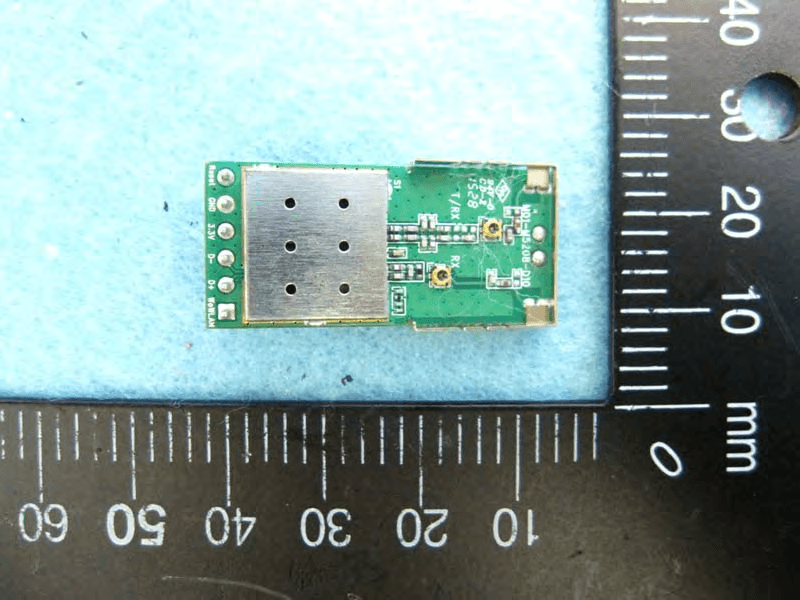
MQ4WM5208
Oct 27, 2015802.11b/g/n Module
Equipment Class
DTS - Digital Transmission System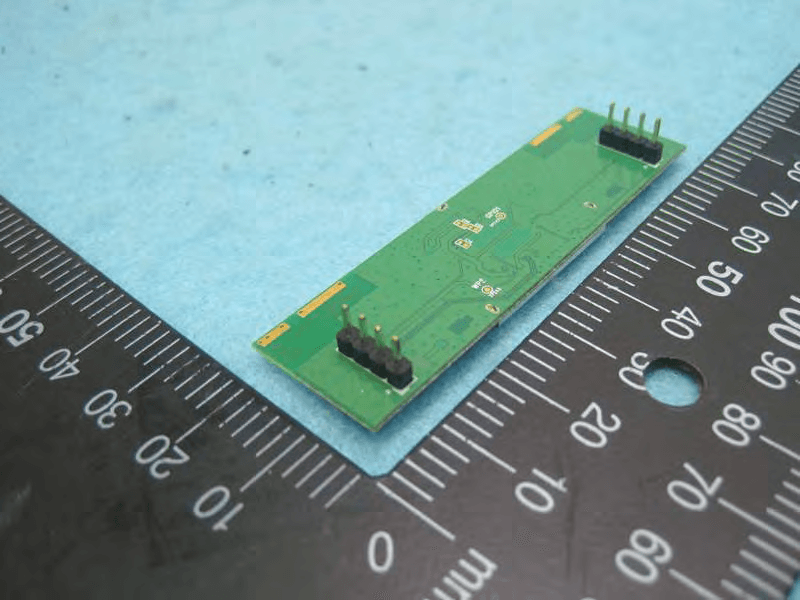
MQ4AM7221
Mar 18, 20152T2R 802.11b/g/n/ac Module
Equipment Class
DTS - Digital Transmission System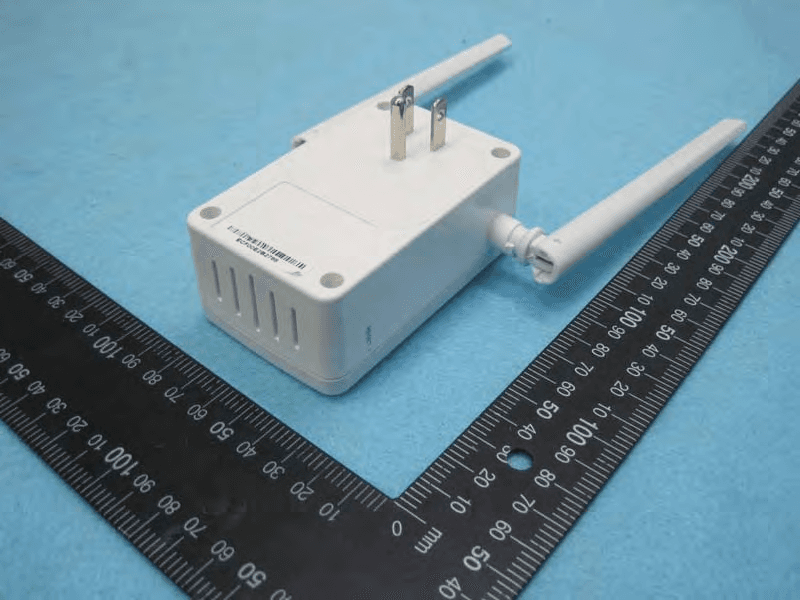
MQ4PLW72
Mar 18, 201511ac WiFi Extender Smart Plug / 11ac WiFi Extender
Equipment Class
NII - Unlicensed National Information Infrastructure TX
MQ4CB1522M
Sep 22, 2014IP Camera
Equipment Class
DTS - Digital Transmission System
MQ4-MBR-1100
Sep 21, 2014Android TV Dongle
Equipment Class
JBC - Part 15 Class B Computing Device/Personal Computer