MSAB15AC15" CCTV MONITOR
Hansol LCD Inc.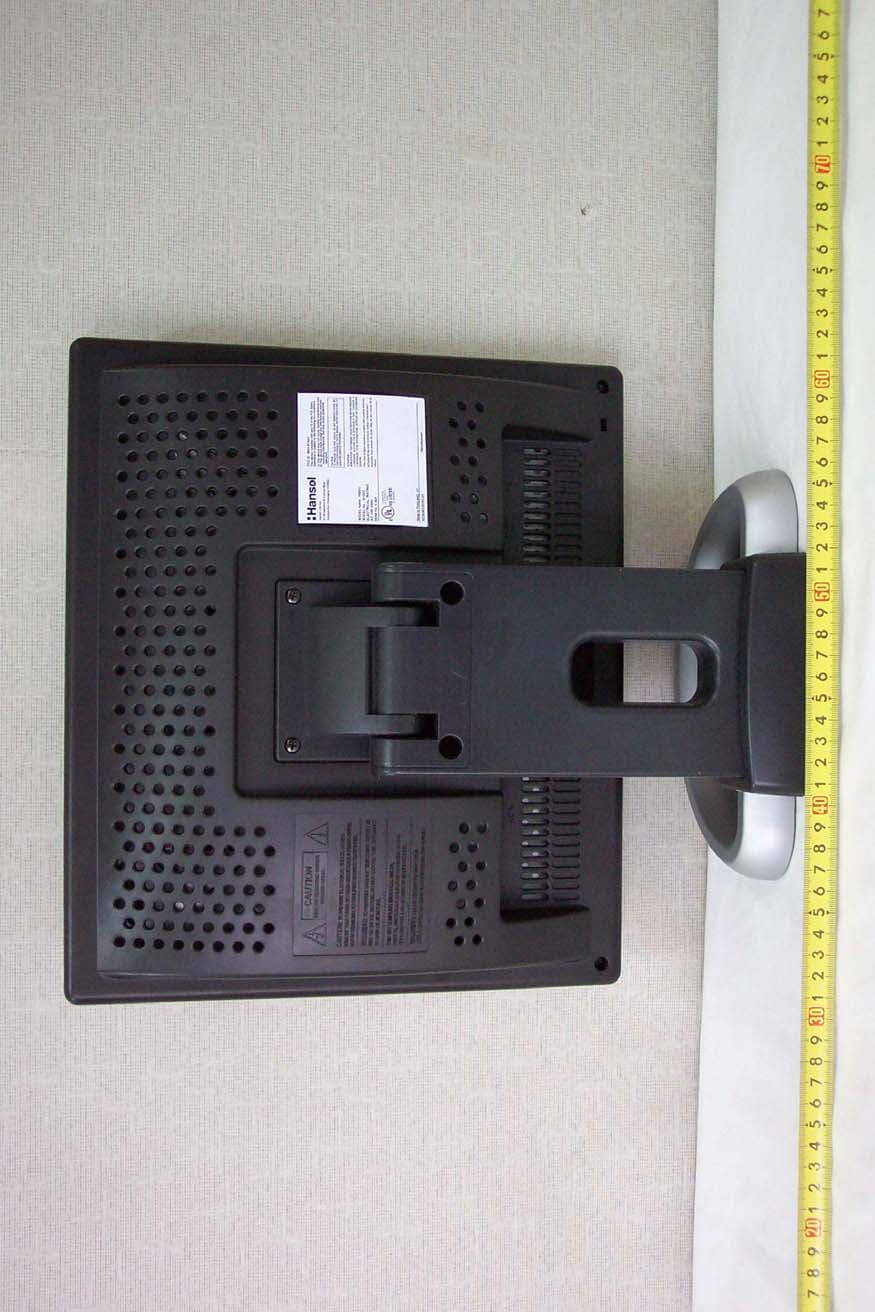
Click to zoom
Application Details
- Equipment Class
- JBP - Part 15 Class B Computing Device Peripheral
- Date of Grant
- May 12, 2004
- Application Purpose
- Original Equipment
- Date of Application
- May 12, 2004
- Equipment Note
- 15" CCTV MONITOR
- Company
- Hansol LCD Inc.
- Country
- South Korea
Documents & Files
Document Text
Text extracted from the exhibit documents filed with the FCC. Open a document above to read the original.
Users Manual
Parts 3 Connection to Signal Source 4 the range of control Angle 5 Installing Monitor Driver 6 Name and Function of Front 8 Power Management Feature 9 Adjusting OSD 11 Standard Signal Table 22 Specification 24 Troubleshooting 2 5 Warning 2 7 Table of Contents INFORMATION TO USER : This equipment has been tested and found to comply with the limits of a Class B digital device, pursuant to Part 15 of the FCC Rules.These limits are designed to provide reasonable protection against harmfulinterference in a residential installation.This equipment generates, uses and canradiate radio frequency energy and,if not installed and used in accordance withthe instructions, may cause harmful interference to radio communications. However, there is no guarantee that interference will not occur in a particularinstallation; if this equipment does cause harmful interference to radio ortelevision reception, which can be determined by determined by turning theequipment off and on, the user is encouraged to try to crrent the interference byone or more of the fllowing measures: 1. Reorient/Relocate the receiving antenna.2. Increase the separation between the equipment and receiver.3. Connect the equipment into an outlet on a circuit difference from that to which the recerver is connected. 4. Consult the dealer or an experienced radio/TV technician for help. CAUTION Changes or modifications not expressly approved by themanufacturer responsible for compliance could void the user's authority to operate the equipment ENERGY STAR As an ENERGY STAR partner, Hansol Electronics Inc. has determined that this product meets energy Star guidelines for energy efficiency. English - 3 2 - English Parts Place the monitor to face the user and then adjust the monitor angle.Take a break (for about 10 minutes) at every hour during the work with monitor. Refer to the following figure to take the correct posture. about 50cm Look down the monitor below the horizon. Relax shoulders and arms, and sit back on the chair. Adjust the monitor to prevent reflection. Adjust the monitor stand to acquire required angle. Keep feet flat on the ground. Maintain the arms horizontally and place hands softly on the keyboard. Good Posture Guide User's Manual / Warranty Card Signal Cable AC Power Cable LCD Monitor English - 5 4 - English Connection to Signal Source 1. Use 220 V or 110 V. (Free Voltage)2. Connect monitor and Signal Source via Signal cable3. Power on the monitor and computer.4. Connection is finished. General For Macintosh Adapter for Macintosh (Optional)Refer to the table on the rear side ofthe optional Macintosh adapter andadjust DIP switch by the resolution. The range of control Angle < Power source connection > < Signal cable connection> Basic Connection Port for AC power cable.Port for BNC inputPort for S-VHS inputPort for signal cable from signal source. Kensington Lock How to Adjust the Stand Forward 4 Default Backward 31 +/ -/ English - 7 6 - English Power button Power button is located in the lower center of the Front Bezel.You can push the button to turn on/off the power. Power Indicating LED Dark : Power off Green : Normal modeGreen blinking : DPMS mode or Check Signal Cable mode. On-Screen Display (OSD) Function Button OSD buttons on the front of bezel perform the following functions. SOURCE : Monitor displays source of the signal in order ( PC CVBS S-VHS ) MENU/EXIT : Press this button to display menus. If you press this button when OSD is displayed, you can switch display to the previous menu and exit menu. SELECT : When OSD is displayed, You can select icons.POWER : Power button. : By pressing these buttons when OSD is displayed, you can move cursor into the menus which you want. After pressing the SELECT button, you can change gauge level or select submenus.When OSD is not displayed, you can adjust brightness or contrast. AUTO : Press this button, when OSD is not displayed, to perform automatic setting. (only PC Mode.) Name and Function of Front Front panel Functions AUTO BUTTON / + BUTTON POWER BUTTON (Power indicating LED) / - BUTTON SELECT BUTTON MENU/EXIT BUTTON SOURCE BUTTON English - 9 8 - English No image is displayed with Green blinking. Monitor is in power saving mode.Use mouse or keyboard to release power saving mode. No image is displayed without LED on. Power cable plug must be pulled out.Check the power plug on monitor and on the wall. "Out of range" displayed on the screen. This message is displayed when the signal from video card exceeds themaximum frequency of the monitor. Readjust resolution and frequency inaccordance with the monitor capacity. (Refer to Standard Signal Table) Power Management Feature The monitor is equipped with a power saving circuit that confirms to the world-standard Display Power Manager Signalling(DPMS) mode of Video Electronics Standard Association (VESA).The power management feature requires that the video card of thecomputer should support DPMS function. Adjusting OSD - PC MODE Brightness Contrast 1. Use to move Brightness ICON. 2. Press SELECT button to select it.3. Use to adjust the brightness of the screen. SELECT Brightness / Contrast MENU 1. Press the MENU button to access main menu.2. Use to move Brightness / Contrast ICON. 3. Press SELECT button into the submenu. SELECT SELECT 1. Use to move Contrast ICON. 2. Press SELECT button to select it.3. Use to adjust the contrast of the screen. Status LED Sign Power Consumption Normal mode Green ON Normal Power DPMS mode Green Blinking 3W or Below English - 11 10 - English Horizontal Position SELECT 1. Use to move H-Position ICON. 2. Press SELECT button to select it.3. Use to adjust display left or right. Clock Phase MENU SELECT 1. Press the MENU button to access main menu.2. Use to move CLOCK PHASE ICON. 3. Press SELECT button into the submenu. According to the characteristic of video card,control range can be changed. 1. Use to move V-Position ICON. 2. Press SELECT button to select it.3. Use to adjust display upward or downward. 1…
Text truncated - open the document above for the full version.
Block Diagram
OSD CONTROLS Block-Diagram(A/D) B15AC Block Diagram
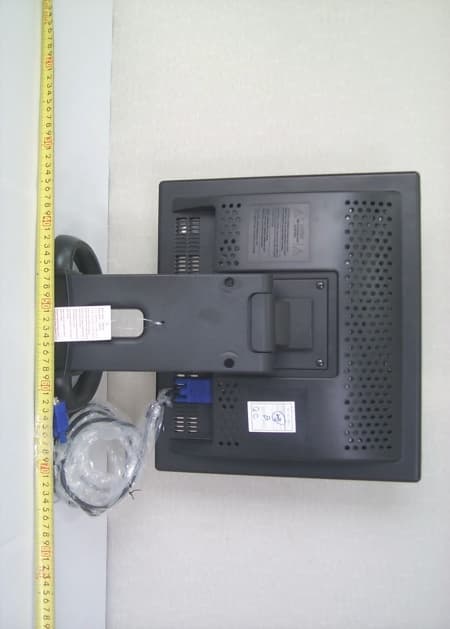
External Photos
Test Report No.: NK2EE312 FCC Certification Hansol LCD Inc. FCC ID:MSAB15AC Page 23 of 37 APPENDIX C – EUT PHOTOGRAPHS z Front View of EUT Test Report No.: NK2EE312 FCC Certification Hansol LCD Inc. FCC ID:MSAB15AC Page 24 of 37 z Rear View of EUT
ID Label/Location Info
Test Report No.: NK2EE312 FCC Certification Hansol LCD Inc. FCC ID:MSAB15AC Page 20 of 37 APPENDIX A – LABELLING REQUIREMENTS The sample label shown shall be permanently affixed at a conspicuous location on the device and be readily visible to the user at the time of purchase. z FCC ID Location of EUT Labelling Requirements
Internal Photos
Test Report No.: NK2EE312 FCC Certification Hansol LCD Inc. FCC ID:MSAB15AC Page 25 of 37 z Inside View 1 of EUT Test Report No.: NK2EE312 FCC Certification Hansol LCD Inc. FCC ID:MSAB15AC Page 26 of 37 z Inside View 2 of EUT Test Report No.: NK2EE312 FCC Certification Hansol LCD Inc. FCC ID:MSAB15AC Page 27 of 37 z Front View of LCD Panel Test Report No.: NK2EE312 FCC Certification Hansol LCD Inc. FCC ID:MSAB15AC Page 28 of 37 z Rear View of LCD Panel Test Report No.: NK2EE312 FCC Certification Hansol LCD Inc. FCC ID:MSAB15AC Page 29 of 37 z Front View of Main Board Test Report No.: NK2EE312 FCC Certification Hansol LCD Inc. FCC ID:MSAB15AC Page 30 of 37 z Rear View of Main Board Test Report No.: NK2EE312 FCC Certification Hansol LCD Inc. FCC ID:MSAB15AC Page 31 of 37 z Front View of Combo Board Test Report No.: NK2EE312 FCC Certification Hansol LCD Inc. FCC ID:MSAB15AC Page 32 of 37 z Rear View of Combo Board Test Report No.: NK2EE312 FCC Certification Hansol LCD Inc. FCC ID:MSAB15AC Page 33 of 37 z Front View of OSD Board Test Report No.: NK2EE312 FCC Certification Hansol LCD Inc. FCC ID:MSAB15AC Page 34 of 37 z Rear View of OSD Board
Test Report
Test Report No.: NK2EE312 FCC Certification Hansol LCD Inc. FCC ID:MSAB15AC Page 1 of 37 Nemko Korea Co., Ltd. 300-2, Osan-Ri, 7Mohyun-Myun, Yongin-City, Kyungki-Do, KOREA TEL:+82 31 322 2333 FAX:+82 31 322 2332 FCC EVALUATION REPORT FOR CERTIFICATION Applicant : Hansol LCD Inc. Dates of Issue :May 14, 2004 #27-29, Hancheon-Ri, Ducksan-Myun, Test Report No. : NK2EE312 Jincheon-Gun, Choongbuk, Korea Test Site : Nemko Korea Co., Ltd. Attn : Mr. W. S. Lee EMC site, Korea FCC ID Brand Name Contact Person Applied Standard: Part 15 & 2 Classification : FCC Class B Device EUT Type: 15” CCTV Monitor The device bearing the brand name and FCC ID specified above has been shown to comply with the applicable technical standards as indicated in the measurement report and was tested in accordance with the measurement procedures specified in ANSI C63.4-2001. I attest to the accuracy of data and all measurements reported herein were performed by me or were made under my supervision and are correct to the best of my knowledge and belief. I assume full responsibility for the completeness of these measurements and vouch for the qualifications of all persons taking them. Tested By : Y. S. Park Reviewed By : H.H. Kim Engineer Manager & Chief Engineer MSAB15AC Hansol Hansol LCD Inc. #27-29, Hancheon-Ri, Ducksan-Myun, Jincheon-Gun, Choongbuk, Korea Mr. W. S. Lee Telephone No. : +82 43 530 8554 Test Report No.: NK2EE312 FCC Certification Hansol LCD Inc. FCC ID:MSAB15AC Page 2 of 37 TABLE OF CONTENTS SCOPE INTRODUCTION (Site Description) TEST CONDITIONS & EUT INFORMATION SUMMARY OF TEST RESULTS RECOMMANDATION / CONCLUSION SAMPLE CALCULATION DESCRIPTION OF TESTS (Conducted Emissions) DESCRIPTION OF TESTS (Radiated Emissions) TEST DATA (Conducted Emissions) TEST DATA (Radiated Emissions) PLOT OF EMISSIONS (Conducted Emissions Diagram) ACCURACY OF MEASUREMENT LIST OF TEST EQUIPMENT APPENDIX A - LABELLING REQUIREMENTS APPENDIX B - PHOTOGRAPHS OF TEST SET-UP APPENDIX C - EUT PHOTOGRAPHS APPENDIX D - SCHEMATIC DIAGRAM APPENDIX E - USER’S MANUAL APPENDIX F - BLOCK DIAGRAM 3 4 5 7 7 7 8 9 10 12 14 18 19 20 21 23 35 36 37 Test Report No.: NK2EE312 FCC Certification Hansol LCD Inc. FCC ID:MSAB15AC Page 3 of 37 SCOPE Measurement and determination of electromagnetic emissions (EME) of radio frequency devices including intentional and/or unintentional radiators for compliance with the technical rules and regulations of the Federal Communications Commission under FCC part 15. Responsible Party : Contact Person : Manufacturer : Factory : Hansol LCD Inc. Mr. W. S. Lee Tel No.: +82 43 530 8554 Hansol LCD Inc. #27-29, Hancheon-ri, Ducksan-Myun, Jincheon-Gun, Choongbuk, Korea Tel No.: +82 43 530 8554 Hansol Electronics (Thailand) Co., Ltd. 168 Moo 1 Tambon Banbung, Amphoe Banbung, Chonburi Province 20170 Thailand z FCC ID: MSAB15AC z Model: B15AC z Brand Name: Hansol z EUT Type: 15” CCTV Monitor z Electric Rating: 100-240V AC, 50/60Hz, 0.45A z Port/Connector: BNC In, S-VHS In, Analog D-sub z Classification: z Applied Standard: z Test Procedure(s): z Dates of Test: z Place of Tests: z Test Report No.: FCC Class B FCC Part 15 & Part 2 ANSI C63.4 (2001) May 10, 2004 to May 13,2004 Nemko Korea Co., Ltd. NK2EE312 Test Report No.: NK2EE312 FCC Certification Hansol LCD Inc. FCC ID:MSAB15AC Page 4 of 37 INTRODUCTION The measurement procedure described in American National Standard for Methods of Measurement of Radio-Noise Emissions from Low-Voltage Electrical and Electronic Equipment in the Range of 9kHz to 40GHz (ANSI C63.4-2001) was used in determining radiated and conducted emissions emanating from Hansol LCD Inc. FCC ID : MSAB15AC, 15” CCTV Monitor. These measurement tests were conducted at Nemko Korea Co., Ltd. EMC Laboratory . The site address is 300-2, Osan-Ri, Mohyun-Myun, Yongin-City, Kyungki-Do, KOREA The area of Nemko Korea Corporation Ltd. EMC Test Site is located in a mountain area at 80 kilometers (48 miles) southeast and Incheon International Airport (Incheon Airport), 30 kilometers (18miles) south-southeast from central Seoul. It is located in the valley surrounded by mountains in all directions where ambient radio signal conditions are quiet and a favorable area to measure the radio frequency interference on open field test site for the computing and ISM devices manufactures. The detailed description of the measurement facility was found to be in compliance with the requirements of §2.948 according to ANSI C63.4 on June 06, 2001. Fig. 1. The map above shows the Seoul in Korea vicinity area. The map also shows Nemko Korea Corporation Ltd. EMC Lab and Incheon Airport. Nemko Korea Co., Ltd. OPEN AREA TEST SITE 300-2, Osan-Ri, Mohyun-Myun, Yongin- City Kyungki-Do,KOREA 449-852 Tel)+82-31-322-2333 Fax)+82-31-322-2332 Test Report No.: NK2EE312 FCC Certification Hansol LCD Inc. FCC ID:MSAB15AC Page 5 of 37 TEST CONDITIONS & EUT INFORMATION Operating During Test The EUT was connected to PC and displayed “H” pattern on the screen. The EUT were connected to CCTV camera, then the video signal of CCD camera captured was sent to the EUT(CCTV Monitor). The EUT was displayed continuously the video signal on screen. The worst emission level was found when the EUT was tested under 1024 X 768, 75Hz resolution, therefore, the test data of this modes were recorded in the report. Support Equipment 15” CCTV Monitor (EUT) Hansol, FCC ID: MSAB15AC 1.5m unshielded AC power cable 1.8m shielded D-sub cable 1.2m shielded BNC cable S/N: N/A PC Dell Asia Pacific Sdn., Model: DHM(Dimension 4550) 1.8m unshielded AC power cable S/N: N/A PS/2 Mouse CHIC TECH, Model: SMP2000WX 1.5m shielded Din cable S/N: N/A Serial Mouse ALLSPIRIT, Model: WS-V1-400 1.5m shielded D-sub cable S/N: B050402 USB Mouse Logitech, Model : M-BD53 1.5m shielded D-sub cable S/N: LZE04251831 Keyboard Sejin Electronics, Model: 104DYW10-100 1.8m shielded Din cable S/N: 0FA024809 Printer H.P., Model: C5870A 1.8m shielded D-sub cable S/N: SG88R131GW Adaptor (Printer) YOKOGAWA, Model: C455…
Text truncated - open the document above for the full version.
Test Setup Photos
Test Report No.: NK2EE312 FCC Certification Hansol LCD Inc. FCC ID:MSAB15AC Page 21 of 37 APPENDIX B – PHOTOGRAPHS OF TEST SET-UP The Conducted Test Picture and Radiated Test Picture and show the worst-case configuration and cable placement. z Conducted Test Picture(Front) z Conducted Test Picture(Rear) Test Report No.: NK2EE312 FCC Certification Hansol LCD Inc. FCC ID:MSAB15AC Page 22 of 37 z Radiated Test Picture(Front) z Radiated Test Picture(Rear)
Contact Information
Applicant
Sun-pil Yang(Assistant Manager)
Test Firm
Nemko Korea Co., LtdHyun Kim
Technical Specifications
| # | Rule Parts | Frequency Range | Power Output |
|---|---|---|---|
| 1 | 15B | - | - |
Other Applications from Hansol LCD Inc.
MSAB19AC
Oct 23, 200319" CCTV MONITOR
Equipment Class
JBP - Part 15 Class B Computing Device Peripheral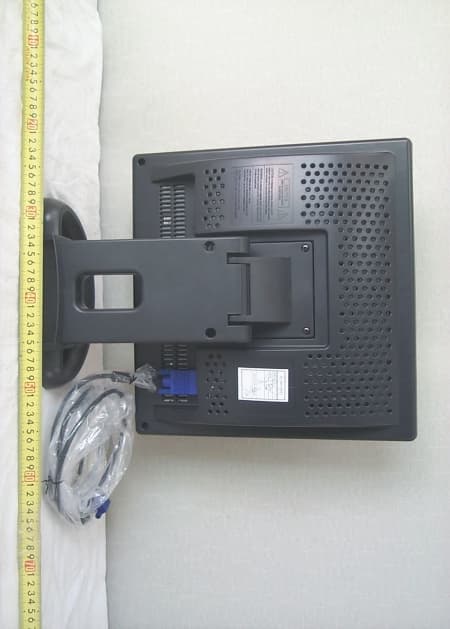
MSAB17AC
Oct 23, 200317" CCTV MONITOR
Equipment Class
JBP - Part 15 Class B Computing Device Peripheral
MSAD17DL-1
Aug 26, 200317" CRT MONITER
Equipment Class
JBP - Part 15 Class B Computing Device Peripheral
MSAB17DF-1
Aug 20, 200317" LCD MONITER
Equipment Class
JBP - Part 15 Class B Computing Device Peripheral
MSAD19BL-1
Aug 19, 2003CRT Monitor
Equipment Class
JBP - Part 15 Class B Computing Device Peripheral