MSQ-DG-MD200DDongle
ASUSTeK Computer Inc
Click to zoom
Application Details
- Equipment Class
- DXX - Part 15 Low Power Communication Device Transmitter
- Date of Grant
- Jul 03, 2022
- Application Purpose
- Original Equipment
- Date of Application
- Jul 03, 2022
- Equipment Note
- Dongle
- Frequency Range
- 2402.00000000 - 2480.00000000
- Company
- ASUSTeK Computer Inc
- Country
- Taiwan
Documents & Files
Document Text
Text extracted from the exhibit documents filed with the FCC. Open a document above to read the original.
Users Manual
ENGLISH Your package includes: a. MD200 Mouse b. USB Dongle (stored inside the mouse) c. Quick Start Guide d. Warranty Card Dimensions Mouse: 114.5 (L) x 71 (W) x 42.3mm (H) Dongle: 18.9 (L) x 12 (W) x 4.5mm (H) Weight Mouse: 85g (without battery) Dongle: 1.6g Rating Mouse: 2.4GHz mode: 1.5V/50mA Bluetooth 5.0 mode: 1.5V/50mA Dongle: 5V/100mA Resolution 4200 DPI Hardware Version Mouse: VA10 Dongle: VA10 Software Version Mouse: V6.16 Dongle: V23 System Requirements Windows 10 or Above Operating Temperature 0 ~ 40°C Storage Temperature -40 ~ 60°C UKCA RF Output table (The Radio Equipment Regulations 2017) Frequency Band Mouse: 2.4GHz mode: 2402~2480 MHz Bluetooth mode: 2402~2480 MHz Dongle: 2402~2480 MHz Maximum output power(EIRP) Mouse: 2.4GHz mode: 0 dbm Bluetooth mode: 0 dbm Dongle: 4 dbm CE RED RF Output table (Directive 2014/53/EU) Frequency Band Mouse: 2.4GHz mode: 2402~2480 MHz Bluetooth mode: 2402~2480 MHz Dongle: 2402~2480 MHz Maximum output power(EIRP) Mouse: 2.4GHz mode: 0 dbm Bluetooth mode: 0 dbm Dongle: 4 dbm Connecting to PC Via 2.4GHz: 1. Slide the power switch to 2.4GHz Mode. 2. Insert the USB dongle into an available USB port on your PC. Via Bluetooth: 1. Slide the switch to Bluetooth Mode. 2. Hold the pairing button for over 3 seconds till the indicator LED flashes white. 3. On Windows, right-click the Bluetooth icon on the right of the taskbar (or double-click the Bluetooth icon in the Control Panel), then click Add a device > ASUS MD200 > Finish. 4. When successfully connected, the indicator will stop flashing and turn off. Once the mouse is set up on your PC, it will automatically connect to your PC the next time you turn to Bluetooth mode. NOTES: • You may set up your mouse Bluetooth connection to up to three devices. After setting up the Bluetooth connection successfully, you may use the pairing button to switch between the three devices. • The mouse supports Bluetooth 5.0. Updating the firmware 1. Connect MD200 mouse to your computer by inserting the USB dongle into an available USB port on your PC. 2. Download and install the Armoury Crate from http://www.asus.com/supportonly/Armoury%20Crate/HelpDesk_Download/. 3. Follow the software instructions to update your MD200 mouse and dongle’s firmware. Customizing MD200 mouse using Armoury Crate Armoury Crate allows you to customize various functions including the buttons, forward and backward buttons, DPI switch button, polling rate, low power warning, and more. Low battery indicator Replace the battery when the indicator flashes red, indicating that the mouse is running low on power. You may customize the indicator to light up alert at the percentage you prefer using Armoury Crate. Replacing the battery Q20079 / First Edition / June 2022 1 3 2 4 5 1 3 2 4 5 1 3 2 4 5 1 3 2 4 5 Low battery Indicator* / DPI Indicator * / DPI DPI Button DPI Forward Button / Backward Button / Connection Channel Indicator/ Pairing Button / 2.4GHz Mode/ 2.4GHz Power OFF / Bluetooth Mode/ Power Switch / CAUTION: RISK OF EXPLOSION IF BATTERY IS REPLACED BY AN INCORRECT TYPE. DISPOSE OF USED BATTERIES ACCORDING TO THE INSTRUCTIONS. MD200 Mouse Mouse Model Name: MD200 / 滑鼠型號:MD200 / MD200 / Nome modello mouse: MD200 / Modèle de souris : MD200 / Modellname der Maus: MD200 /Модель мыши: MD200 / Назва моделі миші: MD200 / 마우스 모델 이름 : MD200 / Nome de modelo do rato: MD200 / Denumire model mouse: MD200 / ชื่อรุ่นของเมาส : MD200 / Nama model tetikus: ์ : MD200 / שם דגם העכבר : MD200 / Nazwa modelu myszy: MD200 / Názov modelu myši: MD200 / Egér típusnév: MD200 / Nombre del modelo de ratón: MD200 / Fare Model Adı: MD200 / Naam muismodel: MD200/ اسم طراز الماوس: : MD200 / Nama model tetikus: MD200 Dongle Model Name: MD200-D / 接收器型號:MD200-D / MD200-D / Nome modello dongle: MD200-D / Modèle de dongle : MD200-D / Modellname des Dongles: MD200-D /Модель приемника: MD200-D / Назва моделі ключа: MD200-D / 동글 모델 이름 : MD200-D / Nome de modelo do adaptador: MD200-D / Denumire model dongle: MD200-D / ชื่อรุ่นของดองเกิล : MD200-D / Název modelu adaptéru dongle: MD200-D / ชื่อรุ่นของดองเกิล : MD200-D Nazwa modelu klucza sprzętowego: MD200-D / Názov modelu pamäťového kľúča: MD200-D / Dongle típusnév: MD200-D / Nombre del modelo de la llave: MD200-D /Donanım Anahtarı Model Adı: MD200-D / Naam dongle-model: MD200-D/ اسم طراز الدونجل : MD200-D / Nama model penyesuai: MD200-D ITALIANO Contenuto della confezione: a. Mouse MD200 b. Dongle USB (memorizzato all’interno del mouse) c. Guida rapida d. Certificato di garanzia Dimensioni Mouse: 114.5 (L) x 71 (P) x 42.3 mm(A) Dongle: 18.9 (L) x 12 (P) x 4.5mm (A) Peso Mouse: 85g (senza batteria) Dongle: 1.6g Specifiche Mouse: Modalità 2.4GHz: 1.5V/50mA Modalità Bluetooth 5.0: 1.5V/50mA Dongle: 5V/100mA Risoluzione 4200 DPI Versione hardware Mouse: VA10 Dongle: VA10 Versione software Mouse: V6.16 Dongle: V23 Requisiti di sistema Windows 10 o versioni successive Temperatura di esercizio 0 ~ 40°C Temperatura di non utilizzo -40 ~ 60°C Tabella di uscita RF CE RED (Direttiva 2014/53/UE) Banda di frequenza Mouse: Modalità 2.4GHz: 2402~2480 MHz Modalità Bluetooth: 2402~2480 MHz Dongle: 2402~2480 MHz Potenza massima in uscita (EIRP) Mouse: Modalità 2.4GHz: 0 dbm Modalità Bluetooth: 0 dbm Dongle: 4 dbm Collegamento al PC Tramite 2.4GHz: 1. Far scorrere l'interruttore di alimentazione sulla modalità 2,4 GHz. 2. Inserite il ricevitore USB in una porta USB disponibile del PC. Tramite Bluetooth: 1. Far scorrere l'interruttore sulla modalità Bluetooth. 2. Tenere premuto il tasto di associazione per oltre 3 secondi finché il LED indicatore non lampeggia in bianco. 3. In Windows cliccate con il tasto destro sull'icona Bluetooth nella parte destra della barra delle applicazioni (o fate doppio click sull'icona Bluetooth nel Pannello di controllo) con un mouse collegato al PC, quindi cliccate su Aggiungi un dispositivo > ASUS MD200 > Fine. 4. Una volta effettuata la connessione corretta, l'indicatore cessa di lampeggiare e rimane illuminato in blu …
Text truncated - open the document above for the full version.
Cover Letter(s)
Declaration of Authorization We Name: ASUSTeK Computer Inc Address: 1F, No. 15, Lide Rd. City: Beitou, Taipei Country: Taiwan Declare that: Name Representative of agent: Jocelyn Wu Agent Company name: DEKRA Testing and Certification Co., Ltd. Address: No.5-22, Ruishukeng, Linkou Dist., City: New Taipei City 24451, Country: Taiwan, R.O.C. is authorized to apply for Certification of the following product(s): Trade Name Product Model FCC ID ASUS MD200 Mouse Dongle MD200 MD200-D MSQ-MS-MD200 MSQ-DG-MD200D on our behalf. This is valid until June 17, 2023, or until FCC and IC certification are completed, whichever comes sooner. Date: June 17, 2022 City: Beitou, Taipei Name: Jackson Yen Function: Associate Vice President Signature:
Cover Letter(s)
FCC ID.: MSQ-DG-MD200D Date: June 17, 2022 Federal Communications Commission Authorization and Evaluation Division Confidentiality Request Pursuant to Sections 0.457 and 0.459 of the Commission’s Rules, the Applicant Hereby requests confidential treatment of information accompanying this Application As outlined below: Type of Confidentiality Requested Exhibit ☒ Permanent Block Diagrams ☐ Short Term External Photos ☐ Short Term Internal Photos ☒ Permanent Operation Description/Theory of Operation ☐ Permanent Parts List & Placement/BOM ☐ Permanent Tune-Up Procedure ☒ Permanent Schematics ☐ Short Term Test Setup Photos ☐ Short Term User’s Manual The above materials contain trade secrets and proprietary information not customarily Released to the public. The public disclosure of these matters might be harmful to the Applicant and provide unjustified benefits to its competitors. The Applicant understands that pursuant to Rule 0.457, disclosure of this Application and all accompanying documentation will not be made before the date of the Grant for this application. Permanent Confidentiality: The applicant requests the exhibits listed above as permanently confidential be permanently withheld from public review due to materials that contain trade secrets and proprietary information not customarily released to the public Short-Term Confidentiality: The applicant requests the exhibits selected above as short term confidential be withheld from public view for a period of 180 days from the date of the Grant of Equipment Authorization and prior to marketing. This is to avoid premature release of sensitive information prior to marketing or release of the product to the public. Sincerely, ------------------------------------------------------ Jackson Yen / Associate Vice President ASUSTeK Computer Inc
External Photos
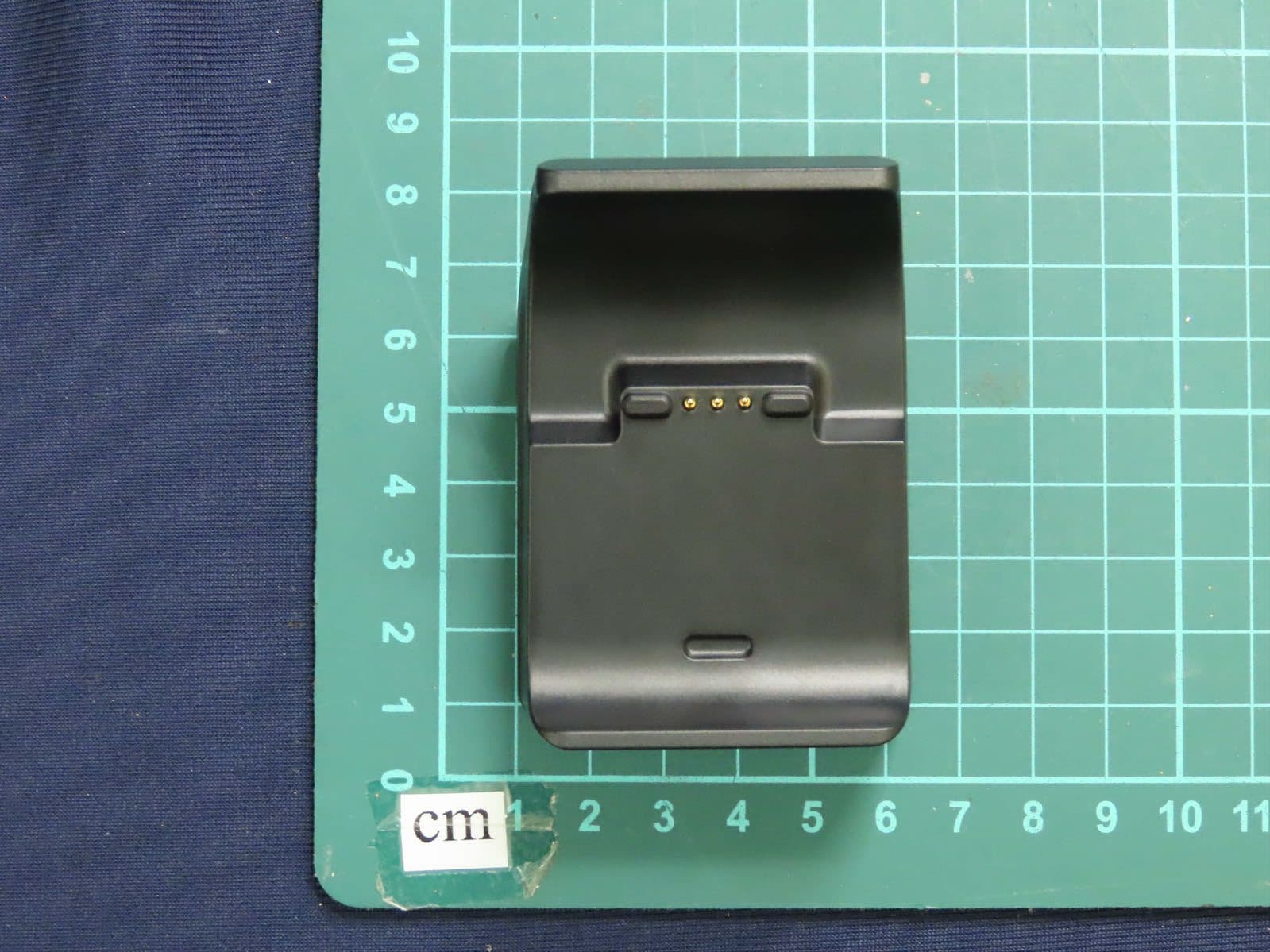
Report No: 2240527R-Product Photos Page: 2 of 7 (1) EUT Photo (2) EUT Photo Report No: 2240527R-Product Photos Page: 3 of 7 (3) EUT Photo (4) EUT Photo Report No: 2240527R-Product Photos Page: 4 of 7 (5) EUT Photo (6) EUT Photo
ID Label/Location Info
Model:MD200-D FCC ID:MSQ-DG-MD200D 雷文芳 ASUS-MD200-01-01 页数: 第1页 共1页 MD200 2022.05. 10 xxxxxxxxxxxxxx ASUS 1:1图纸 Model:MD200-D FCC ID:MSQ-DG-MD200D xxxxxxxxxxxxxx 品号:350000282 品名:RG57/USB铁壳/镀镍光面/ 镭雕/盐雾48H/G/R
Internal Photos
Report No: 2240527R-Product Photos Page: 5 of 7 (7) EUT Photo (8) EUT Photo Report No: 2240527R-Product Photos Page: 6 of 7 (9) EUT Photo (10) EUT Photo Report No: 2240527R-Product Photos Page: 7 of 7 (11) EUT Photo (12) EUT Photo RF Chip Antenna
RF Exposure Info
Report No.: 2240527R-RFUSMPEV03-A Page: 1 of 6 RF Exposure Evaluation Report Product Name : Dongle Model No. : MD200-D FCC ID : MSQ-DG-MD200D Applicant : ASUSTeK Computer, Inc Address : 1F, No. 15, Lide Rd, Beitou, Taipei, 112 Taiwan Date of Receipt : Apr. 14, 2022 Date of Declaration : Jun. 20, 2022 Report No. : 2240527R-RFUSMPEV03-A Report Version : V1.0 The test results relate only to the samples tested. The test results shown in the test report are traceable to the national/international standard through the calibration report of the equipment and evaluated measurement uncertainty herein. This report must not be used to claim product endorsement by TAF or any agency of the government. The test report shall not be reproduced without the written approval of DEKRA Testing and Certification Co., Ltd. Measurement uncertainties evaluated for each testing system and associated connections are given here to provide the system information for reference. Compliance determinations do not take into account measurement uncertainties for each testing system, but are based on the results of the compliance measurement. Report No.: 2240527R-RFUSMPEV03-A Page: 2 of 6 Issued Date: Jun. 20, 2022 Report No.: 2240527R-RFUSMPEV03-A Product Name Dongle Applicant ASUSTeK Computer, Inc Address 1F, No. 15, Lide Rd, Beitou, Taipei, 112 Taiwan Manufacturer ASUSTeK Computer, Inc Model No. MD200-D FCC ID. MSQ-DG-MD200D Trade Name ASUS Applicable Standard KDB 447498 D01 v06 Minimum test separation distance ≥ 20 cm For low power devices Test Result Complied Documented By : (Senior Project Specialist / April Chen) Tested By : ( Senior Engineer / Jack Hsu ) Approved By : ( Manager / Tim Sung ) Report No.: 2240527R-RFUSMPEV03-A Page: 3 of 6 Revision History Report No. Ve r s i o n Description Issued Date 2240527R-RFUSMPEV03-A V1.0 Initial issue of report. Jun. 20, 2022 Report No.: 2240527R-RFUSMPEV03-A Page: 4 of 6 1. GENERAL INFORMATION 1.1. EUT Description Product Name Dongle Trade Name ASUS Model No. MD200-D FCC ID. MSQ-DG-MD200D Frequency Range 2402-2480MHz Antenna Type Printed Antenna Antenna Gain Refer to the table “Antenna List” Antenna List No. Manufacturer Part No. Antenna Type Peak Gain 1 NORDIC nRF52820_QDAA-QNF40 Printed Antenna 1.934dBi for 2.4GHz Report No.: 2240527R-RFUSMPEV03-A Page: 5 of 6 1.2. Test Facility USA : FCC Registration Number: TW0033 Canada : CAB Identifier Number: TW3023 / Company Number: 26930 Site Description : Accredited by TAF Accredited Number: 3023 Test Laboratory : DEKRA Testing and Certification Co., Ltd Address : No. 5-22, Ruishukeng Linkou District, New Taipei City, 24451, Taiwan Performed Location : No. 26, Huaya 1st Rd., Guishan Dist.,Taoyuan City 333411, Taiwan, R.O.C. Phone number : +886-3-275-7255 Fax number : +866-3-327-8031 Email address : [email protected] Website : http://www.dekra.com.tw Report No.: 2240527R-RFUSMPEV03-A Page: 6 of 6 2. RF Exposure Evaluation 2.1. Standard Applicable According to 1.1307 (b)(1), systems operating under the provisions of this section shall be operated in a manner that ensure that the public is not exposed to radio frequency energy level in excess of the Commission’s guideline. 2.2. Measurement Result: According to KDB Publication 447498 D01, section 4.3.1, per the calculations of item 1 (Power(mW)/separation (mm)*sqrt(f(GHz)≤3.0), SAR is required as shown in the table below where calculated values are greater than 3.0: Operation frequency = 2450MHz and antenna separation distance = 5mm Body SAR Test Exclusion Threshold = 10mW Frequency Band Maximum H-Field power SAR Test Calculated Threshold Value Exclusion Threshold (≦3.0 SAR is not required) (MHz) (dBuV/3m) (mW) (mW) 2480 100.93 3.7164 4.45 1.17052 Note1: The SAR/MPE measurement is not necessary. Note2: The maximum peak output power is refer to report No.: 2240527R-RFUSOTHV06-A from the DEKRA.
Test Report
Report No.: 2240527R-RFUSOTHV06-A Page : 1 of 32 FCC Test Report Product Name Dongle Model No. MD200-D FCC ID MSQ-DG-MD200D Applicant ASUSTeK Computer, Inc Address 1F, No. 15, Lide Rd, Beitou, Taipei, 112 Taiwan Date of Receipt Apr. 14, 2022 Issued Date Jun. 20, 2022 Report No. 2240527R-RFUSOTHV06-A Report Version V1.0 The test results relate only to the samples tested. The test results shown in the test report are traceable to the national/international standard through the calibration report of the equipment and evaluated measurement uncertainty herein. This report must not be used to claim product endorsement by TAF or any agency of the government. The test report shall not be reproduced without the written approval of DEKRA Testing and Certification Co., Ltd. Measurement uncertainties evaluated for each testing system and associated connections are given here to provide the system information for reference. Compliance determinations do not take into account measurement uncertainties for each testing system, but are based on the results of the compliance measurement. Report No.: 2240527R-RFUSOTHV06-A Page : 2 of 32 Test Report Issued Date: Jun. 20, 2022 Report No.: 2240527R-RFUSOTHV06-A Product Name Dongle Applicant ASUSTeK Computer, Inc Address 1F, No. 15, Lide Rd, Beitou, Taipei, 112 Taiwan Manufacturer ASUSTeK Computer, Inc Model No. MD200-D FCC ID MSQ-DG-MD200D EUT Rated Voltage DC 5V (Power by USB) EUT Test Voltage DC 5V (Power by USB) Trade Name ASUS Applicable Standard FCC CFR Title 47 Part 15 Subpart C ANSI C63.4: 2014, ANSI C63.10: 2013 Test Result Complied Documented By : (Senior Project Specialist / April Chen) Tested By : ( Senior Engineer / Bill Lin ) Approved By : ( Senior Engineer / Jack Hsu ) Report No.: 2240527R-RFUSOTHV06-A Page : 3 of 32 TABLE OF CONTENTS Description Page 1. GENERAL INFORMATION ..................................................................................................... 5 1.1. EUT Description ............................................................................................................................ 5 1.2. Tested System Datails.................................................................................................................... 7 1.3. Configuration of Test System ........................................................................................................ 7 1.4. EUT Exercise Software ................................................................................................................. 7 1.5. Test Facility ................................................................................................................................... 8 1.6. List of Test Equipment .................................................................................................................. 9 1.7. Uncertainty .................................................................................................................................. 10 2. Conducted Emission .................................................................................................................. 11 2.1. Test Setup .................................................................................................................................... 11 2.2. Limits .......................................................................................................................................... 11 2.3. Test Procedure ............................................................................................................................. 12 2.4. Test Result of Conducted Emission ............................................................................................. 13 3. Radiated Emission ..................................................................................................................... 14 3.1. Test Setup .................................................................................................................................... 14 3.2. Limits .......................................................................................................................................... 15 3.3. Test Procedure ............................................................................................................................. 16 3.4. Test Result of Radiated Emission ................................................................................................ 17 4. Band Edge .................................................................................................................................. 25 4.1. Test Setup .................................................................................................................................... 25 4.2. Limits .......................................................................................................................................... 25 4.3. Test Procedure ............................................................................................................................. 26 4.4. Test Result of Band Edge ............................................................................................................ 27 5. Duty Cycle .................................................................................................................................. 31 5.1. Test Setup .................................................................................................................................... 31 5.2. Test Result of Duty Cycle ............................................................................................................ 32 Appendix 1: EUT Test Photographs Appendix 2: Product Photos-Please refer to the file: 2240527R-Product Photos Report No.: 2240527R-RFUSOTHV06-A Page : 4 of 32 Revision History Report No. Ve r s i o n Description Issued Date 2240527R-RFUSOTHV06-A V1.0 Initial issue of report. Jun. 20, 2022 Report No.: 2240527R-RFUSOTHV06-A Page : 5 of 32 1. GENERAL INFORMATION 1.1. EU…
Text truncated - open the document above for the full version.
Test Setup Photos
Report No.: 2240527R-RFUSOTHV06-A Page : 1 of 1 Appendix 1: EUT Test Setup Photographs Radiated Test Back View of Radiated Test (Horn)
Contact Information
Applicant
Jackson Yen(Associate Vice President)
Technical Contact
DEKRA Testing and Certification Co., LtdJocelyn Wu
[email protected]886-2-8601-3788
No.5-22, Ruishukeng, Linkou Dist., · New Taipei City · Taiwan
Test Firm
DEKRA TESTING AND CERTIFICATION CO., LTD. LinKouMirenda Liao
Technical Specifications
| # | Rule Parts | Frequency Range | Power Output |
|---|---|---|---|
| 1 | 15C | 2.40 GHz - 2.48 GHz | - |
Other Applications from ASUSTeK Computer Inc
MSQ-GC701
Aug 21, 2026Wireless Gaming Controller
Equipment Class
DSS - Part 15 Spread Spectrum TransmitterMSQMPDONGLE3
Aug 18, 2026WIRELESS DONGLE
Equipment Class
DTS - Digital Transmission System
MSQ-GC701D
Aug 13, 2026USB Wireless Dongle
Equipment Class
DSS - Part 15 Spread Spectrum TransmitterMSQ-CM3206DM4A
May 27, 2026Chromebook/Notebook PC
Equipment Class
DCD - Part 15 Low Power Transmitter Below 1705 kHz
MSQ-GST868003
Apr 03, 2026MODULE-WIRELESS CHRG
Equipment Class
DCD - Part 15 Low Power Transmitter Below 1705 kHz