MSQ-PD100Fruit and Vegetable Cleanliness Detector
ASUSTeK Computer Inc
Click to zoom
Application Details
- Equipment Class
- DTS - Digital Transmission System
- Date of Grant
- Jun 03, 2021
- Application Purpose
- Original Equipment
- Date of Application
- Jun 02, 2021
- Equipment Note
- Fruit and Vegetable Cleanliness Detector
- Frequency Range
- 2402.00000000 - 2480.00000000
- Company
- ASUSTeK Computer Inc
- Country
- Taiwan
Documents & Files
Document Text
Text extracted from the exhibit documents filed with the FCC. Open a document above to read the original.
Users Manual
Quick Start Guide E17364 V1.1 / 2021 May Fruit and Vegetable Cleanliness Detector 2 Safety Precautions • This product is a sensor designed specifically to detect the degree of pollutant residue in the water while you are washing fruits and vegetables. • This product uses UV light to detect residues. For safety reasons, this product does not contain any anti-yellowing agents, therefore prolonged exposure to the UV lights it emits may cause the certain parts of this device to turn yellow after time. This is completely natural and does not affect the functions of the device, nor cause harm to humans. • This product uses UV light detection, therefore before opening the bottom cover or cleaning the device, ensure that the device is powered off or in Standby mode and make sure not to look directly into the light source. Please seek medical help immediately if you feel uncomfortable. • The materials used in the product comply to the TFDA (Taiwan Food and Drug Administration) standards, and cause no harm to humans. For more information, please refer to https://www.asus.com/tw/support/Download-Center/. Fruit and Vegetable test list Description Fruits and Vegetables not applicable to the test results (Including but not limited to: ) Rich in phytochemicals (Cholophyll / Anthocyanin); colorants are released in large amounts when washing these fruits and vegetables. This may affect the test results. Okinawa Spinach, Red Amaranth, Strawberry Rich in phytochemicals or plant spores, which are released in large quantities when washed and may affect the test results. Mushrooms, Cloud Ear Fungus, Seaweed, Enoki Mushroom * For the latest Fruits and Vegetables test list please refer to the ASUS website https://www.asus.com/us/Networking-IoT-Servers/Smart-Home/Smart-kitchen/PureGo-PD100/. 3 Getting Started 1. Charging your PureGo Please follow the steps below to charge your PureGo 1. Place the PureGo onto the charging dock with the front side facing outwards. (The side with the ASUS logo is the front side of the PureGo; the side with the model name and certifications is the rear of the PureGo.) 2. Connect the cable from the charging dock to the USB power adapter. 3. Plug the USB power adapter into a power outlet. NOTE: • Ensure to wait until your PureGo is fully charged before using it for the first time. Your PureGo is fully charged when the LED ring lights up green. • This device uses a power adapter with a power input of 5V/2A. Ensure to use the bundled power adapter when charging the PureGo. 4 2. Calibrating your PureGo CAUTION! • Ensure to follow the calibration tutorial and calibrate when using your PureGo for the first time. • You do not need to calibrate after every use, but we recommend calibrating your PureGo periodically (once every 1 to 3 months, depending on usage frequency) to ensure detection accuracy. CAUTION! To ensure the optical detection chamber is completely immersed in the water, the belt should be below water level when your PureGo is placed into the water. Belt To Calibrate your PureGo: 1. Press and hold the Start/Standby button for approximately 1.5 seconds until the LED ring lights up blue, then place your PureGo into clean water. 2. The LED ring will blink blue during calibration. When the calibration process is completed, the LED ring becomes a solid blue light. The calibration process should take about 25 seconds. 5 Status LED summary The status LED indicators and Start/Standby button are located on the top side of the device, and provide a quick way for you to view battery power, Bluetooth status, and test results through the different LED colors. Start/Standby button Bluetooth indicator Power indicator LED ring 3. Using the APP You may use the device independently, or link it to the PureGo APP for more detailed information. You can download and install the PureGo APP from Google Play or App Store, or scan the QR code with your mobile phone. AndroidiOS !"#$%& ' !"#$%& ( !"#$%&'()*+,-. /0123456789:'( ;<=> ?@ABBCDEFG/0H'(&I J=K-?@ABBCDEFGLMN OPQRSTUVWX !"" #$%&' PureGo NOTE: For more details, please refer to the User manual on the ASUS website (https://www.asus.com/us/Networking-IoT-Servers/Smart-Home/Smart-kitchen/PureGo- PD100/). Pairing through Bluetooth after downloading the APP: 1. Follow the instructions on the APP and long press the Start/Standbybutton located on the top of the device for about 5 seconds until the Bluetooth indicator lights up blue. 6 2. PD100 SNXXX should be displayed on the APP, where XXX represents the serial number of your PureGo device. 3. Select the device on your mobile phone to begin pairing. The pairing is successful if the Bluetooth indicator lights up solid blue. CAUTION! To ensure the optical detection chamber is completely immersed in the water, the belt should be below water level when your PureGo is placed into the water. 4. Detecting with the PureGo when washing fruits or vegetables Recommended washing steps 1. Clean the surface of the leafy parts and dirt from the roots of the fruits and vegetables using clean water or with a tool. 2. Soak the fruits and vegetables in clean water for approximately 1 minute to allow agricultural pesticide or other residue such as dust to dissolve in the water. PureGo's revolutionary smart water detection feature makes it so that no buttons have to be pressed during the detection process; PureGo will automatically begin detection once it is placed in the water. Belt 7 5. Remove the inedible parts of your fruits and vegetables. NOTE: A short press on the Start/Standby button will start/end this session. Notes when washing fruits and vegetables: • For precautions when washing fruits and vegetables, please visit the ASUS website (XXXX) for FAQ and the User Manual. • If your LED ring lights up red due to an error while washing the fruits and vegetables, please refer to the FAQ on the ASUS website (XXXX), and the Fruit and Vegetable test list in this manual. 3. Continue washing the fruits and vegetables with a smal…
Text truncated - open the document above for the full version.
Cover Letter(s)
FCC ID: MSQ-PD100 Date: May 25, 2021 Federal Communications Commission Authorization and Evaluation Division Confidentiality Request Pursuant to Sections 0.457 and 0.459 of the Commission’s Rules, the Applicant Hereby requests confidential treatment of information accompanying this Application As outlined below: Type of Confidentiality RequestedExhibit ☒ Permanent Block Diagrams ☒ Short Term External Photos ☒ Short Term Internal Photos ☒ Permanent Operation Description/Theory of Operation ☐ Permanent Parts List & Placement/BOM ☐ Permanent Tune-Up Procedure ☒ Permanent Schematics ☒ Short Term Test Setup Photos ☒ Short Term User’s Manual The above materials contain trade secrets and proprietary information not customarily Released to the public. The public disclosure of these matters might be harmful to the Applicant and provide unjustified benefits to its competitors. The Applicant understands that pursuant to Rule 0.457, disclosure of this Application and all accompanying documentation will not be made before the date of the Grant for this application. Permanent Confidentiality: The applicant requests the exhibits listed above as permanently confidential be permanently withheld from public review due to materials that contain trade secrets and proprietary information not customarily released to the public Short-Term Confidentiality: The applicant requests the exhibits selected above as short term confidential be withheld from public view for a period of 180 days from the date of the Grant of Equipment Authorization and prior to marketing. This is to avoid premature release of sensitive information prior to marketing or release of the product to the public. Sincerely, ------------------------------------------------------ Jackson Yen / Associate Vice President ASUSTeK COMPUTER INC.
Cover Letter(s)
Declaration of Authorization We Name:ASUSTeK COMPUTER INC. Address:1F., No. 15, Lide Rd., Beitou Dist., Taipei City 112, Taiwan City:Taipei, Country:Taiwan Declare that: Name Representative of agent: Vincent Lin Agent Company name: DEKRA Testing and Certification Co., Ltd. Address: No.5-22, Ruishukeng, Linkou Dist., City:New Taipei City 24451, Country:Taiwan, R.O.C. is authorized to apply for Certification of the following product(s): Product Name: Fruit and Vegetable Cleanliness Detector Model: PD100 FCC ID: MSQ-PD100 IC : 3568A-PD100 Trademark:ASUS on our behalf. This is valid until Ma y 25, 2022, or until FCC and IC certification are completed, whichever comes sooner. Date:May 25, 2021 City:Taipei, Name:Jackson Yen Function: Associate Vice President Signature:
External Photos
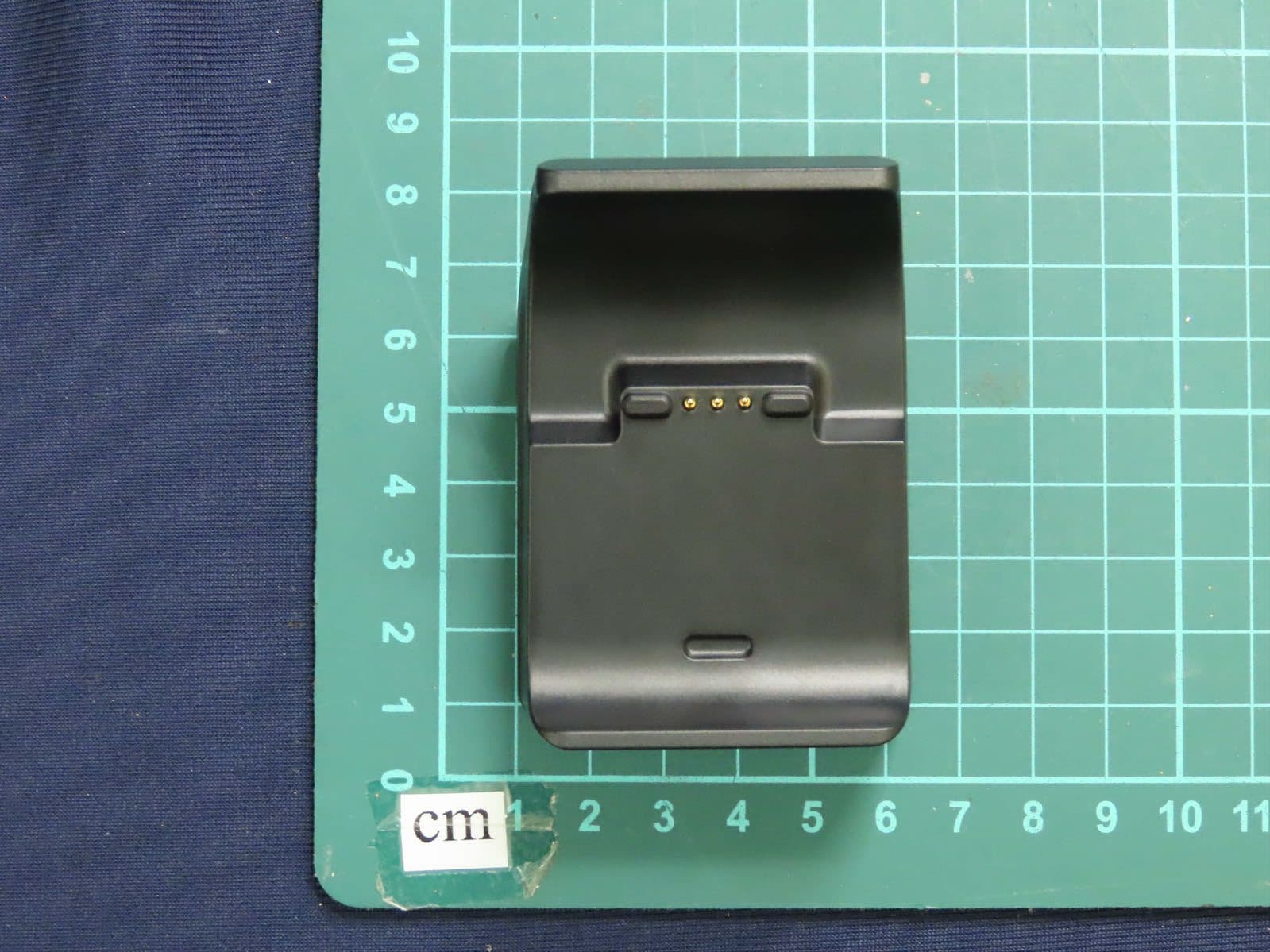
Report No.: 2130834R-E3032110102 Page: 1 of 4 Attachment 2 : EUT Detailed Photographs (1) EUT Photo (2) EUT Photo Report No.: 2130834R-E3032110102 Page: 2 of 4 (3) EUT Photo (4) EUT Photo Report No.: 2130834R-E3032110102 Page: 3 of 4 (5) EUT Photo (6) EUT Photo Report No.: 2130834R-E3032110102 Page: 4 of 4 (7) EUT Photo
ID Label/Location Info
ASUSTeK COMPUTER INC. FCC ID: MSQ-PD100 1F., No. 15, Lide Rd., Beitou Dist., Taipei City 112, Taiwan TEL: +886-2-28943447 The FCC ID will be placed on the equipment as shown in the photograph below.
ID Label/Location Info
ASUSTeK COMPUTER INC. FCC ID: MSQ-PD100 1F., No. 15, Lide Rd., Beitou Dist., Taipei City 112, Taiwan TEL: +886-2-28943447 FCC ID Label
Internal Photos
Report No.: 2130834R-E3032110109 Page: 1 of 19 Attachment 2 : EUT Detailed Photographs (1) EUT Photo (2) EUT Photo Report No.: 2130834R-E3032110109 Page: 2 of 19 (3) EUT Photo (4) EUT Photo Report No.: 2130834R-E3032110109 Page: 3 of 19 (5) EUT Photo (6) EUT Photo Report No.: 2130834R-E3032110109 Page: 4 of 19 (7) EUT Photo (8) EUT Photo Report No.: 2130834R-E3032110109 Page: 5 of 19 (9) EUT Photo (WPT Antenna) (10) EUT Photo (WPT Module) Report No.: 2130834R-E3032110109 Page: 6 of 19 (11) EUT Photo (WPT Module) (12) EUT Photo Report No.: 2130834R-E3032110109 Page: 7 of 19 (13) EUT Photo (14) EUT Photo Report No.: 2130834R-E3032110109 Page: 8 of 19 (15) EUT Photo (16) EUT Photo Report No.: 2130834R-E3032110109 Page: 9 of 19 (17) EUT Photo (18) EUT Photo BLE Chip Report No.: 2130834R-E3032110109 Page: 10 of 19 (19) EUT Photo (20) EUT Photo Report No.: 2130834R-E3032110109 Page: 11 of 19 (21) EUT Photo (22) EUT Photo Report No.: 2130834R-E3032110109 Page: 12 of 19 (23) EUT Photo (24) EUT Photo Report No.: 2130834R-E3032110109 Page: 13 of 19 (25) EUT Photo (26) EUT Photo Report No.: 2130834R-E3032110109 Page: 14 of 19 (27) EUT Photo (28) EUT Photo Report No.: 2130834R-E3032110109 Page: 15 of 19 (29) EUT Photo (30) EUT Photo (BLE Antenna) Report No.: 2130834R-E3032110109 Page: 16 of 19 (31) EUT Photo (BLE Antenna) (32) EUT Photo Report No.: 2130834R-E3032110109 Page: 17 of 19 (33) EUT Photo (34) EUT Photo Report No.: 2130834R-E3032110109 Page: 18 of 19 (35) EUT Photo (36) EUT Photo Report No.: 2130834R-E3032110109 Page: 19 of 19 (37) EUT Photo (38) EUT Photo
RF Exposure Info
Report No.: 2130834R-E3082100014 Page: 1 of 5 RF Exposure Evaluation Report Product Name : Fruit and Vegetable Cleanliness Detector Model No. : PD100 FCC ID : MSQ-PD100 Applicant : ASUSTeK COMPUTER INC. Address : 1F., No. 15, Lide Rd., Beitou Dist., Taipei City 112, Taiwan Date of Receipt : Aug. 11, 2020 Date of Declaration : May 10, 2021 Report No. : 2130834R-E3082100014 Report Version : V1.0 The test results relate only to the samples tested. The test results shown in the test report are traceable to the national/international standard through the calibration report of the equipment and evaluated measurement uncertainty herein. This report must not be used to claim product endorsement by TAF or any agency of the government. The test report shall not be reproduced without the written approval of DEKRA Testing and Certification Co., Ltd. Measurement uncertainties evaluated for each testing system and associated connections are given here to provide the system information for reference. Compliance determinations do not take into account measurement uncertainties for each testing system, but are based on the results of the compliance measurement. Report No.: 2130834R-E3082100014 Page: 2 of 5 Issued Date: May 10, 2021 Report No.: 2130834R-E3082100014 Product Name Fruit and Vegetable Cleanliness Detector Applicant ASUSTeK COMPUTER INC. Address 1F., No. 15, Lide Rd., Beitou Dist., Taipei City 112, Taiwan Manufacturer ASUSTeK COMPUTER INC. Model No. PD100 FCC ID. MSQ-PD100 Trade Name ASUS Applicable Standard KDB 447498 D01 v06 Minimum test separation distance ≥ 20 cm For low power devices Test Result Complied Documented By : ( Senior Adm. Specialist / Joanne Lin ) Tested By : ( Senior Engineer / Wen Lee ) Approved By : ( Director / Vincent Lin ) Report No.: 2130834R-E3082100014 Page: 3 of 5 Revision History Report No. Ve r s i o n Description Issued Date 2130834R-E3082100014 V1.0 Initial issue of report. 2021-05-10 Report No.: 2130834R-E3082100014 Page: 4 of 5 1. GENERAL INFORMATION 1.1. EUT Description Product Name Fruit and Vegetable Cleanliness Detector Trade Name ASUS Model No. PD100 FCC ID. MSQ-PD100 Frequency Range 2402-2480MHz Channel Number V5.0: 40CH Type of Modulation V5.0: GFSK Antenna Type PIFA Antenna Antenna Gain Refer to the table “Antenna List” Antenna List No. Manufacturer Part No. ASUS No. Antenna Type Peak Gain 1 INPAQ WA-P-LA-02-230 14008-03740000 PIFA Antenna -0.22dBi for 2.4GHz Report No.: 2130834R-E3082100014 Page: 5 of 5 2. RF Exposure Evaluation 2.1. Standard Applicable According to 1.1307 (b)(1), systems operating under the provisions of this section shall be operated in a manner that ensure that the public is not exposed to radio frequency energy level in excess of the Commission’s guideline. 2.2. Measurement Result: According to KDB Publication 447498 D01, section 4.3.1, per the calculations of item 1 (Power(mW)/separation (mm)*sqrt(f(GHz)≤3.0), SAR is required as shown in the table below where calculated values are greater than 3.0: Operation frequency = 2450MHz and antenna separation distance = 5mm Body SAR Test Exclusion Threshold = 10mW Frequency Band (MHz) Maximum peak output power Body SAR Test Exclusion Threshold Calculated Threshold Value (≦3.0 SAR is not required) (dBm) (mW) (mW) 2402 4.53 2.84 10 0.880 Note1: The SAR/MPE measurement is not necessary. Note2: The maximum peak output power is refer to report No.: 2130834R-E3032110109 from the DEKRA.
Test Report
Report No.: 2130834R-E3032110109 Page: 1 of 50 FCC Test Report Product Name Fruit and Vegetable Cleanliness Detector Model No. PD100 FCC ID. MSQ-PD100 Applicant ASUSTeK COMPUTER INC. Address 1F., No. 15, Lide Rd., Beitou Dist., Taipei City 112, Taiwan Date of Receipt Aug. 11, 2020 Issued Date May 10, 2021 Report No. 2130834R-E3032110109 Report Version V1.0 The test results relate only to the samples tested. The test results shown in the test report are traceable to the national/international standard through the calibration report of the equipment and evaluated measurement uncertainty herein. This report must not be used to claim product endorsement by TAF or any agency of the government. The test report shall not be reproduced without the written approval of DEKRA Testing and Certification Co., Ltd. Measurement uncertainties evaluated for each testing system and associated connections are given here to provide the system information for reference. Compliance determinations do not take into account measurement uncertainties for each testing system, but are based on the results of the compliance measurement. Report No.: 2130834R-E3032110109 Page: 2 of 50 Test Report Issued Date: May 10, 2021 Report No.: 2130834R-E3032110109 Product Name Fruit and Vegetable Cleanliness Detector Applicant ASUSTeK COMPUTER INC. Address 1F., No. 15, Lide Rd., Beitou Dist., Taipei City 112, Taiwan Manufacturer ASUSTeK COMPUTER INC. Model No. PD100 FCC ID. MSQ-PD100 EUT Rated Voltage DC 3.7V Power by Battery EUT Test Voltage DC 5V Power by USB Trade Name ASUS Applicable Standard FCC CFR Title 47 Part 15 Subpart C ANSI C63.4: 2014, ANSI C63.10: 2013 Test Result Complied Documented By : ( Senior Adm. Specialist / Joanne Lin ) Tested By : ( Senior Engineer / Bill Lin ) Approved By : ( Director / Vincent Lin ) Report No.: 2130834R-E3032110109 Page: 3 of 50 TABLE OF CONTENTS Description Page 1. GENERAL INFORMATION ............................................................................................................... 5 1.1. EUT Description ...................................................................................................................................... 5 1.2. Tested System Details .............................................................................................................................. 7 1.3. Configuration of Tested System .............................................................................................................. 7 1.4. EUT Exercise Software ........................................................................................................................... 7 1.5. Test Facility ............................................................................................................................................. 8 1.6. List of Test Equipment ............................................................................................................................. 9 1.7. Uncertainty ............................................................................................................................................ 10 2. CONDUCTED EMISSION ................................................................................................................ 11 2.1. Test Setup .............................................................................................................................................. 11 2.2. Limits ..................................................................................................................................................... 11 2.3. Test Procedure ....................................................................................................................................... 12 2.4. Test Result of Conducted Emission ....................................................................................................... 13 3. PEAK POWER OUTPUT .................................................................................................................. 15 3.1. Test Setup .............................................................................................................................................. 15 3.2. Limit ...................................................................................................................................................... 15 3.3. Test Procedure ....................................................................................................................................... 15 3.4. Test Result of Peak Power Output ......................................................................................................... 16 4. RADIATED EMISSION ..................................................................................................................... 17 4.1. Test Setup .............................................................................................................................................. 17 4.2. Limits ..................................................................................................................................................... 18 4.3. Test Procedure ....................................................................................................................................... 19 4.4. Test Result of Radiated Emission .......................................................................................................... 21 5. RF ANTENNA CONDUCTED TEST ................................................................................................ 29 5.1. Test Setup .............................................................................................................................................. 29 5.2. Limits ..................................................................................................................................................... 29 5.3. Test Procedure .............................................................................…
Text truncated - open the document above for the full version.
Test Setup Photos
Report No.: 2130834R-E3032110109 Page : 1 of 3 Attachment 1: EUT Test Setup Photographs Front View of Conducted Test Back View of Conducted Test Report No.: 2130834R-E3032110109 Page : 2 of 3 Front View of Radiated Test Back View of Radiated Test Report No.: 2130834R-E3032110109 Page : 3 of 3 Front View of Radiated Test (Horn) Back View of Radiated Test (Horn)
Contact Information
Applicant
Jackson Yen(Associate Vice President)
Technical Contact
Test Firm
DEKRA TESTING AND CERTIFICATION Lin Kou Lab.Mirenda Liao
[email protected]886-2-2602-7968
Technical Specifications
| # | Rule Parts | Frequency Range | Power Output |
|---|---|---|---|
| 1 | 15C | 2.40 GHz - 2.48 GHz | 2.80 mW |
Other Applications from ASUSTeK Computer Inc
MSQ-GC701
Aug 21, 2026Wireless Gaming Controller
Equipment Class
DSS - Part 15 Spread Spectrum TransmitterMSQMPDONGLE3
Aug 18, 2026WIRELESS DONGLE
Equipment Class
DTS - Digital Transmission System
MSQ-GC701D
Aug 13, 2026USB Wireless Dongle
Equipment Class
DSS - Part 15 Spread Spectrum TransmitterMSQ-CM3206DM4A
May 27, 2026Chromebook/Notebook PC
Equipment Class
DCD - Part 15 Low Power Transmitter Below 1705 kHz
MSQ-GST868003
Apr 03, 2026MODULE-WIRELESS CHRG
Equipment Class
DCD - Part 15 Low Power Transmitter Below 1705 kHz