MSQA716BLUETOOTH POCKET PC
ASUSTeK Computer Inc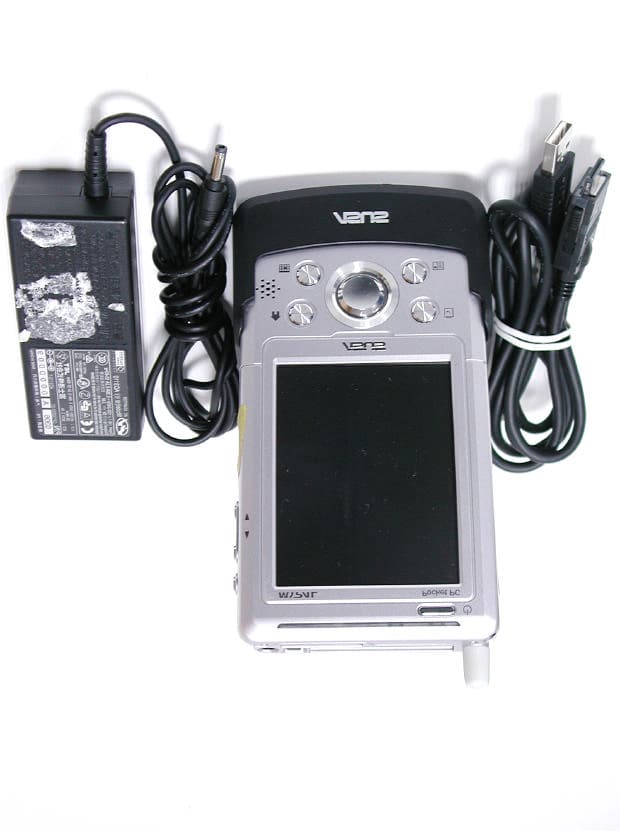
Click to zoom
Application Details
- Equipment Class
- DSS - Part 15 Spread Spectrum Transmitter
- Date of Grant
- Feb 15, 2004
- Application Purpose
- Original Equipment
- Date of Application
- Feb 15, 2004
- Equipment Note
- BLUETOOTH POCKET PC
- Frequency Range
- 2402.00000000 - 2480.00000000
- Company
- ASUSTeK Computer Inc
- Country
- Taiwan
Documents & Files
Document Text
Text extracted from the exhibit documents filed with the FCC. Open a document above to read the original.
Users Manual
MyPal A716 User’s manual ii Copyright © 2004 ASUSTeK COMPUTER INC. All Rights Reserved. No part of this manual, including the products and software described in it, may be reproduced, transmitted, transcribed, stored in a retrieval system, or translated into any language in any form or by any means, except documentation kept by the purchaser for backup purposes, without the express written permission of ASUSTeK COMPUTER INC. (“ASUS”). Product warranty or service will not be extended if: (1) the product is repaired, modified or altered, unless such repair, modification of alteration is authorized in writing by ASUS; or (2) the serial number of the product is defaced or missing. ASUS PROVIDES THIS MANUAL “AS IS” WITHOUT WARRANTY OF ANY KIND, EITHER EXPRESS OR IMPLIED, INCLUDING BUT NOT LIMITED TO THE IMPLIED WARRANTIES OR CONDITIONS OF MERCHANTABILITY OR FITNESS FOR A PARTICULAR PURPOSE. IN NO EVENT SHALL ASUS, ITS DIRECTORS, OFFICERS, EMPLOYEES OR AGENTS BE LIABLE FOR ANY INDIRECT, SPECIAL, INCIDENTAL, OR CONSEQUENTIAL DAMAGES (INCLUDING DAMAGES FOR LOSS OF PROFITS, LOSS OF BUSINESS, LOSS OF USE OR DATA, INTERRUPTION OF BUSINESS AND THE LIKE), EVEN IF ASUS HAS BEEN ADVISED OF THE POSSIBILITY OF SUCH DAMAGES ARISING FROM ANY DEFECT OR ERROR IN THIS MANUAL OR PRODUCT. SPECIFICATIONS AND INFORMATION CONTAINED IN THIS MANUAL ARE FURNISHED FOR INFORMATIONAL USE ONLY, AND ARE SUBJECT TO CHANGE AT ANY TIME WITHOUT NOTICE, AND SHOULD NOT BE CONSTRUED AS A COMMITMENT BY ASUS. ASUS ASSUMES NO RESPONSIBILITY OR LIABILITY FOR ANY ERRORS OR INACCURACIES THAT MAY APPEAR IN THIS MANUAL, INCLUDING THE PRODUCTS AND SOFTWARE DESCRIBED IN IT. Microsoft, Activesync, Outlook, Pocket Outlook, Windows, and the Windows logo are either registered trademarks or trademarks of Microsoft Corporation in the United States and/or in other countries. Microsoft products are licensed to OEMs by Microsoft Lincensing, Inc., a wholly owned subsidiary of Microsoft Corporation. E1462 First edition V1 February 2004 iii Contents at a glance This user’s manual contains the information you need to efficiently use ASUS ® MyPal A716 Pocket PC. •Chapter 1 - Get started!.............................................................. 1-1 This chapter introduces the ASUS MyPal A716 Pocket PC, how to set and power it up, and basic screens that will familiarize you with its many features. •Chapter 2 - Learn the basics..................................................... 2-1 This chapter will teach you the basic functions in MyPal A716. You will learn how to enter, find, and organize information, customize the device, and use the bundled ASUS utilities. •Chapter 3 - Microsoft ® ActiveSync ® ........................................... 3-1 This chapter tells you how to use the Microsoft ® ActiveSync ® to synchronize your device with your desktop computer. •Chapter 4 - Microsoft ® Pocket Outlook..................................... 4-1 This chapter details the procedures for the Microsoft ® Pocket Outlook Calendar, Contacts, Tasks, Notes, and Inbox. •Chapter 5 - Companion programs............................................. 5-1 This chapter includes information on Pocket Word, Pocket Excel, MSN Messenger, Windows Media Player for Pocket PC, and Microsoft Reader. •Chapter 6 - Pocket Internet Explorer......................................... 6-1 This chapter gives information on using Pocket Internet Explorer, Mobile Favorites folder, and AvantGo interactive service. •Chapter 7 - Get connected......................................................... 7-1 This chapter provides the procedures for connecting to the Internet, and for transferring data using infrared (IR). •Chapter 8 - Bluetooth ® ................................................................................................... 8-1 This chapter provides information on using the Bluetooth feature built-in the device. •Chapter 9 - Wireless LAN........................................................... 9-1 This chapter provides information on launching and using the Wireless LAN feature of your device. •Appendix - Notices..................................................................... A-1 This part includes the safety notices and regulations. iv MyPal A716 specifications MyPal A716 package Your package includes several accessories for the Pocket PC. After unpacking, check the items against the list below and make sure that they are in good condition. If any item is missing or damaged, contact your dealer or retailer immediately. * English version keyboard. Visit the ASUS website to check the availability of other language version keyboards. Standard package contents • ASUS MyPal A716 • USB cradle • USB sync cable • AC adapter/power cord Input:100V~240V Output: 5V 2.4A 10W • Stylus • Microsoft Companion CD • Bonus CD • User’s Manual • Quick Start Guide • Warranty card Optional accessories • Stylus • Car charger • Foldable keyboard* • Leather handheld case • Traveling USB sync cable • AC adapter/power cord (UL/CEE/UK/SAA/CCEE) • GPS mouse • CF GPS card • CF FM radio card • CF camera card • Bluetooth GPS • 3000 mAH Lithium Ion Processor Operating system Memory Display Removable battery Card slot Connection Audio Size Weight Intel ® PXA255 400 MHz Microsoft ® Windows Mobile™ 2003 64MB Flash 64MB SDRAM (55MB /53MB user accessible for Western/ Eastern languages, respectively) 3.5-inch, brilliant transflective TFT LCD 65,536 colors, 240x320 resolution 1500 mAH Lithium Ion Up to 19-hour battery life CF card slot, SD card slot Wireless LAN (802.11b) Bluetooth ® FIR: 4Mbps, SIR: 115.2Kbps 3.5mm stereo headphone jack Built-in microphone and speaker 138mm x 78mm x 17.6mm (L x W x H) 5.43in. x 3.07in. x 0.69in. (L x W x H) 197g Get started!1-1 Chapter 1 Get started! ♦♦ ♦♦ ♦Introducing MyPal ................................................ 1-2 Front features ........................................................................... 1-2 Side features .............................................…
Text truncated - open the document above for the full version.
Users Manual
Microsoft ® Pocket Outlook4-1 Chapter 4 Microsoft ® Pocket Outlook ♦♦ ♦♦ ♦Introduction ........................................................... 4-2 ♦♦ ♦♦ ♦Calendar ................................................................ 4-2 Creating appointments ............................................................. 4-3 Using the summary screen ...................................................... 4-4 Creating meeting requests ....................................................... 4-4 ♦♦ ♦♦ ♦Contacts ................................................................ 4-5 Creating contacts ..................................................................... 4-6 Using the summary screen ...................................................... 4-6 Finding a contact ...................................................................... 4-7 ♦♦ ♦♦ ♦Tasks ...................................................................... 4-8 Creating tasks .......................................................................... 4-8 Using the summary screen ...................................................... 4-9 ♦♦ ♦♦ ♦Notes .................................................................... 4-10 Creating notes ......................................................................... 4-11 ♦♦ ♦♦ ♦Inbox .................................................................... 4-12 Synchronizing e-mail messages ............................................ 4-12 Connecting directly to an e-mail server .................................. 4-13 Using the message list ........................................................... 4-14 Composing messages ........................................................... 4-16 Managing e-mail messages and folders ................................ 4-17 4-2Chapter 4 Introduction Microsoft ® Pocket Outlook includes Calendar, Contacts, Tasks, Inbox, and Notes. You can use these programs individually or together. For example, e-mail address stored in Contacts can be used to address e-mail messages in Inbox. Using ActiveSync ® , you can synchronize information in Microsoft Outlook or Microsoft Exchange on your desktop computer with your device. You can also synchronize this information directly with a Microsoft Exchange server. Each time you synchronize, ActiveSync compares the changes you mode on your device and desktop computer or server and updates both computers with the latest information. For information on using ActiveSync, see ActiveSync Help on your desktop computer. You can switch to any of the Pocket Outlook programs by tapping . Calendar: Scheduling appointments and meetings Use Calendar to schedule appointments, including meetings and other events. You can check your appointments in one of several views (Agenda, Day, Week, Month, and Year) and easily switch views using the View menu. NOTEYou can customize the Calendar display, such as changing the first day of the week, by tapping Options on the Tools menu. Tap to go to Today Tap to display or edit the appointment details Tap to create a new appointment Microsoft ® Pocket Outlook4-3 Creating appointments To create an appointment: 1. If you are in Day or Week view, tap your desired date for the appointment, 2. Tap New. 3. Using the input panel, enter a description and a location. Tap to select the field. 4. If needed, tap the date and time to change them. 5. Enter other desired information. You will need to hide the input panel to see all available fields. 6. To add notes, tap the Notes tab. You can enter text, draw, or create a recording. For more information on creating notes, see the “Notes: Capturing thoughts and ideas” later in this chapter. 7. When done, tap OK to return to Calendar. NOTEIf you select Remind me in an appointment, your device will remind you according to the options set in , Settings, Personal tab, Sounds and Notifications. Tap to select from a predefined text Tap to select from previously entered locations Tap to specify the time of appointment Tap to specify the date of appointment Tap to add notes to the appointment 4-4Chapter 4 Using the summary screen When you tap an appointment in Calendar, a summary screen appears. To change the appointment, tap Edit. Creating meeting requests You can use Calendar to set up meetings with users of Outlook and Pocket Outlook. The meeting request will be created automatically and sent either when you synchronize Inbox or when you connect to your e-mail server. To create a meeting request: 1. Tap Tools then Options to indicate how you want meeting requests sent. 2. If you send and receive e-mail messages through ActiveSync, select ActiveSync. To schedule a meeting: 1. Create an appointment. 2. In the appointment details, hide the input panel, then tap Attendees. 3. From the list of e-mail addresses you have entered in Contacts, select the meeting attendees. The meeting notice is created automatically and place in the Outbox folder. For more information on sending and receiving meeting requests, see Calendar Help and Inbox Help on the device. Appointment details Notes/additional information on the appointment Tap to change details of the appointment Microsoft ® Pocket Outlook4-5 Contacts: Tracking friends and colleagues Contacts maintains a list of your friends and colleagues so that you can easily find the information you look for, whether you are at home or on the road. Using the infrared port (IR) on the device, you can quickly share Contacts information with other device users. NOTETo change the way information is displayed in the list, tap Tools then Options. Tap and enter part of a name to quickly find it on the list Tap to select the category of contacts you want to display Tap to display additional phone numbers and email addresses Tap to display or edit the contact details Tap to create a new contact Tap to sort contacts by name or company Tap an action for a selected contact 4-6Chapter 4 Creating contacts To create a contact: 1. Tap , then tap Contacts. 2. T…
Text truncated - open the document above for the full version.
Cover Letter(s)
Request for Confidentiality Federal Communications Commission Authorization and Evaluation Division Sub.: Confidentiality Request regarding application for certification of FCC ID : MSQA716 Pursuant to Sections 0.457 and 0.459 of the Commission’s Rules, we hereby request confidential treatment of information accompanying this application as outlined below: l Schematics l Part List l Block diagram l Operational description The above materials contain trade secrets and proprietary information not customarily released to the public. The public disclosure of these materials may be harmful to the applicant and provide unjustified benefits to its competitors. The applicant understands that pursuant to Section 0.457 of the Rules, disclosure of this application and all accompanying documentation will not be made before the date of the Grant for this application. Sincerely,
External Photos
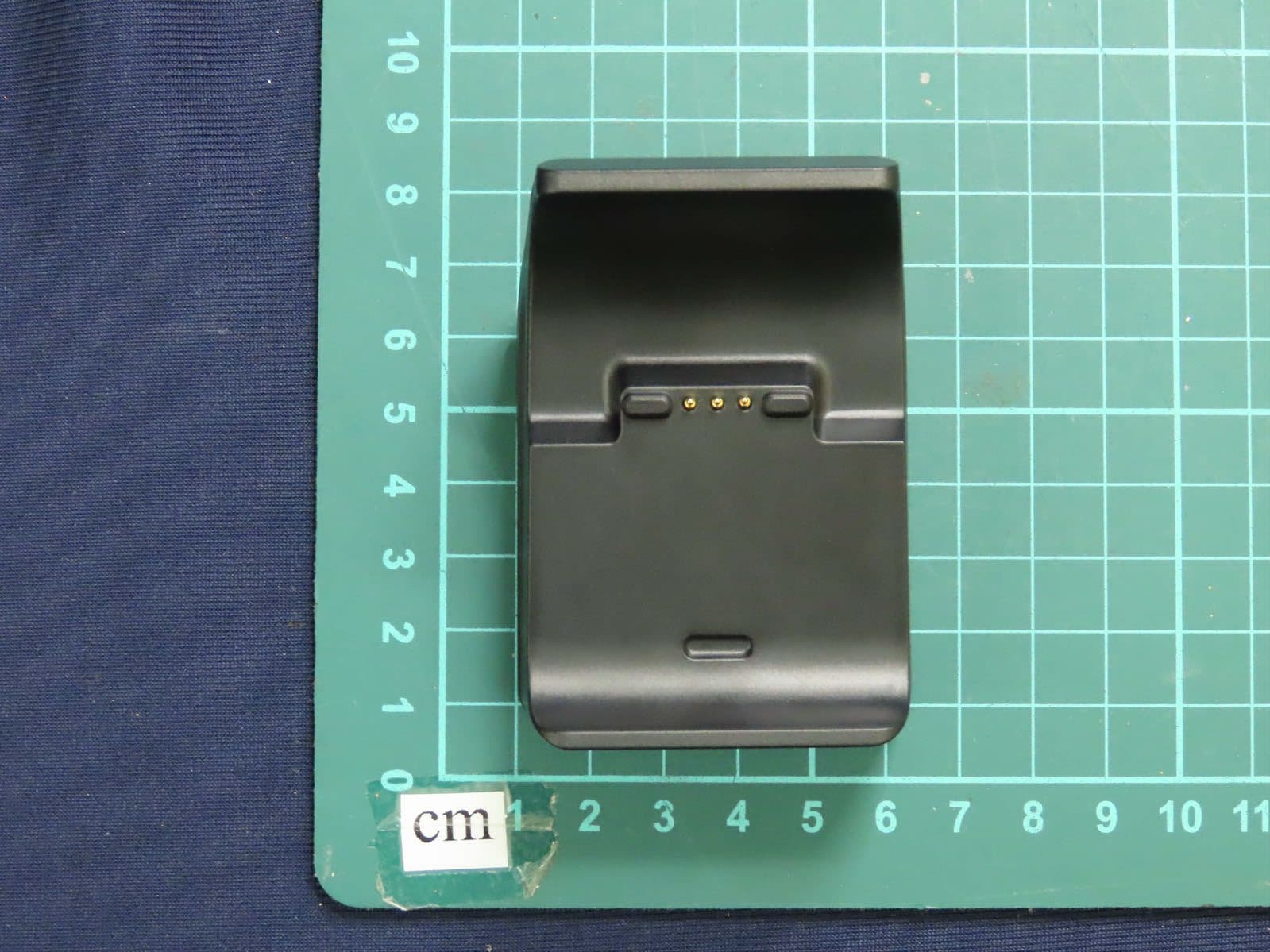
External Photos of EUT 1/6 FCC ID: MSQA716 Training Research Co., Ltd., TEL: 886-2-26935155, Fax: 886-2-26934440 External Photos of Pocket PC 2/6 FCC ID: MSQA716 Training Research Co., Ltd., TEL: 886-2-26935155, Fax: 886-2-26934440 External Photos of Pocket PC 3/6 FCC ID: MSQA716 Training Research Co., Ltd., TEL: 886-2-26935155, Fax: 886-2-26934440 External Photos of Cradle 4/6 FCC ID: MSQA716 Training Research Co., Ltd., TEL: 886-2-26935155, Fax: 886-2-26934440 External Photos of Cradle 5/6 FCC ID: MSQA716 Training Research Co., Ltd., TEL: 886-2-26935155, Fax: 886-2-26934440 External Photos of Adaptor 6/6 FCC ID: MSQA716 Training Research Co., Ltd., TEL: 886-2-26935155, Fax: 886-2-26934440
ID Label/Location Info
LABEL Position:
Internal Photos
In ternal Photos of Pocket PC (Bluetooth Modul e) FCC ID: MSQA716 Training Research Co., Ltd., TEL: 886-2-26935155, Fax: 886-2-26934440 Bluetooth Module UGXZ2 - 514A
Internal Photos
Internal Photos of Pocket PC 1/14 FCC ID: MSQA716 Training Research Co., Ltd., TEL: 886-2-26935155, Fax: 886-2-26934440 Internal Photos of Pocket PC 2/14 FCC ID: MSQA716 Training Research Co., Ltd., TEL: 886-2-26935155, Fax: 886-2-26934440 Internal Photos of Pocket PC 3/14 FCC ID: MSQA716 Training Research Co., Ltd., TEL: 886-2-26935155, Fax: 886-2-26934440 Internal Photos of Pocket PC 4/14 FCC ID: MSQA716 Training Research Co., Ltd., TEL: 886-2-26935155, Fax: 886-2-26934440 Internal Photos of Pocket PC 5/14 FCC ID: MSQA716 Training Research Co., Ltd., TEL: 886-2-26935155, Fax: 886-2-26934440 Internal Photos of Cradle6/14 FCC ID: MSQA716 Training Research Co., Ltd., TEL: 886-2-26935155, Fax: 886-2-26934440 Internal Photos of Cradle7/14 FCC ID: MSQA716 Training Research Co., Ltd., TEL: 886-2-26935155, Fax: 886-2-26934440 Internal Photos of Cradle8/14 FCC ID: MSQA716 Training Research Co., Ltd., TEL: 886-2-26935155, Fax: 886-2-26934440 Internal Photos of Cradle9/14 FCC ID: MSQA716 Training Research Co., Ltd., TEL: 886-2-26935155, Fax: 886-2-26934440 Internal Photos of Cradle10/14 FCC ID: MSQA716 Training Research Co., Ltd., TEL: 886-2-26935155, Fax: 886-2-26934440 Internal Photos of Cradle11/14 FCC ID: MSQA716 Training Research Co., Ltd., TEL: 886-2-26935155, Fax: 886-2-26934440 Internal Photos of Cradle12/14 FCC ID: MSQA716 Training Research Co., Ltd., TEL: 886-2-26935155, Fax: 886-2-26934440 Internal Photos of Cradle13/14 FCC ID: MSQA716 Training Research Co., Ltd., TEL: 886-2-26935155, Fax: 886-2-26934440 Internal Photos of Cradle14/14 FCC ID: MSQA716 Training Research Co., Ltd., TEL: 886-2-26935155, Fax: 886-2-26934440
Test Report
Test Report -------------------------------------------------------------------------------1/50 Report No.: A5415154, FCC Part 15 for DSS Training Research Co., Ltd., TEL: 886-2-26935155, Fax: 886-2-26934440 MEASUREMENT REPORT of Bluetooth Pocket PC Applicant:ASUSTek Computer Inc. EUT:POCKET PC Model:A716 FCC ID:MSQA716 Report No.:A5415154 Tested by : Training Research Co., Ltd. TEL : 886-2-26935155 FAX : 886-2-26934440 No. 255,Nanyang Street, Shijr, Taipei Hsien 221, Taiwan, R.O.C. Test Report -------------------------------------------------------------------------------2/50 Report No.: A5415154, FCC Part 15 for DSS Training Research Co., Ltd., TEL: 886-2-26935155, Fax: 886-2-26934440 CERTIFICATION We here by verify that: The test data, data evaluation, test procedures and equipment configurations shown in this report were made mainly in accordance with the procedures given in ANSI C63.4 (1992) as a reference. All test were conducted by Training Research Co., Ltd., No. 255, Nanyang Street, Shijr, Taipei Hsien 221, Taiwan, R.O.C. Also, we attest to the accuracy of each. We further submit that the energy emitted by the sample EUT tested as described in the report isin compliance with the technical requirements set forth in the FCC Rules Part 15 Subpart B (Declaration of Conformity) and C Section 15.247. Applicant:ASUSTek Computer Inc. Applicant address:4Fl., No. 150, Li-Te Rd., Peitou, Taipei, Taiwan Product Name:Pocket PC Model Name:A716 FCC ID:MSQA716 Report No.:A5415154 Test Date:February 5, 2004 Prepared by:Approved by: Jack TsaiFrank Tsai Conditions of issue : (1) This test report shall not be reproduced except in full, without written approval of TRC. And the test result contained within this report only relate to the sample submitted for testing. (2) This report must not be used by the client to claim product endorsement by NVLAP or any agency of U.S. Government. (3) This test report, measurements made by TRC are traceable to the NIST only Conducted and Radiated Method. NVLAP LAB CODE: 200174-0 Test Report -------------------------------------------------------------------------------3/50 Report No.: A5415154, FCC Part 15 for DSS Training Research Co., Ltd., TEL: 886-2-26935155, Fax: 886-2-26934440 Federal Communications Commission Declaration of Conformity (DoC) For the Following Equipment: Product name:Pocket PC Model name:A716 Trade name:ASUS Is herewith confirmed and found to comply with the requirements of CFR 47 part15 Subpart B - Unintentional Radiators regulation. The results of electromagnetic mission evaluation are shown in the report number : A5415154 This device complies with Part 15 of the FCC Rules. Operation is subject to the following two conditions: (1) This device may not cause harmful interference, and (2) This device must accept any interference received, including interference that may cause undesired operation ManufacturerUSA local representative Company name: ASUSTeK Computer Inc.To be determined Computer address: 4/F, 150, Li-Te Rd., Peitou, Taipei, Taiwan ZIP / Postal code: 112 Contact person: Lawrence Yu Title: Manager Internet e -mail address: [email protected] Tel / Fax: 886-2-28943447 / 886-2-28950113 Test Report -------------------------------------------------------------------------------4/50 Report No.: A5415154, FCC Part 15 for DSS Training Research Co., Ltd., TEL: 886-2-26935155, Fax: 886-2-26934440 Tables of Contents I.GENERAL......................................................................................................................... 6 1.1 Introduction.................................................................................................................. 6 1.2 Description of EUT ....................................................................................................... 6 1.3 Test method .................................................................................................................. 7 1.4 Description of Support Equipment ................................................................................. 8 1.5 Configuration of System Under Test ............................................................................. 10 1.6 Test Procedure ............................................................................................................ 14 1.7 Location of the Test Site ............................................................................................... 14 1.8 GeneralTest Condition ................................................................................................. 14 II. Section 15.101(a): Equipment authorization of unintentional radiators........................... 15 III. Section 15.203 : Antenna Requirement............................................................................. 16 IV. Section 15.207 : Power Line Conducted Emissions for AC Powered Units................... 17 4.1 Test Condition & Setup ................................................................................................ 17 4.2 Listof Test Instruments ................................................................................................ 18 4.3 TestResults of Conducted Emissions ............................................................................ 19 V.Section 15.247(a) : Technical Description of the EUT..................................................... 24 VI. Section 15.247(a)(1) : Carrier Frequency Separation....................................................... 25 6.1 Test Condition............................................................................................................. 25 6.2 Test Instruments Configuration ...................................................................................... 25 6.3 List of Test Instruments................................................................................................ 26 6.4 TestResults................................................................................................…
Text truncated - open the document above for the full version.
Test Setup Photos
Test Setup Photos ------------------------------------------------------------------------ 1/6 FCC ID: MSQA716 Training Research Co., Ltd., TEL: 886-2-26935155, Fax: 886-2-26934440 Conducted Test Setup Placement: (Include Cradle) Front View of the Test Configuration Side View of the Test Configuration Test Setup Photos ------------------------------------------------------------------------ 2/6 FCC ID: MSQA716 Training Research Co., Ltd., TEL: 886-2-26935155, Fax: 886-2-26934440 Conducted Test Setup Placement: (Without Cradle) Front View of the Test Configuration Side View of the Test Configuration Test Setup Photos ------------------------------------------------------------------------ 3/6 FCC ID: MSQA716 Training Research Co., Ltd., TEL: 886-2-26935155, Fax: 886-2-26934440 Radiated Test Setup Placement: (Include Cradle, Unintentional) Front View of the Test Configuration of Unintentional Rear View of the Test Configuration of Unintentional Test Setup Photos ------------------------------------------------------------------------ 4/6 FCC ID: MSQA716 Training Research Co., Ltd., TEL: 886-2-26935155, Fax: 886-2-26934440 Radiated Test Setup Placement: (Without Cradle, Unintentional) Front View of the Test Configuration of Unintentional Rear View of the Test Configuration of Unintentional Test Setup Photos ------------------------------------------------------------------------ 5/6 FCC ID: MSQA716 Training Research Co., Ltd., TEL: 886-2-26935155, Fax: 886-2-26934440 Radiated Test Setup Placement: (Include Cradle, Intentional) Front View of the Test Configuration of Intentional Rear View of the Test Configuration of Intentional Test Setup Photos ------------------------------------------------------------------------ 6/6 FCC ID: MSQA716 Training Research Co., Ltd., TEL: 886-2-26935155, Fax: 886-2-26934440 Radiated Test Setup Placement: (Without Cradle, Intentional) Front View of the Test Configuration of Intentional Rear View of the Test Configuration of Intentional
Contact Information
Applicant
Jackson Yen(Associate Vice President)
Test Firm
Training Research Co., LtdJack Tsai
Technical Specifications
| # | Rule Parts | Frequency Range | Power Output |
|---|---|---|---|
| 1 | 15C | 2.40 GHz - 2.48 GHz | 2.34 mW |
Other Applications from ASUSTeK Computer Inc
MSQ-GC701
Aug 21, 2026Wireless Gaming Controller
Equipment Class
DSS - Part 15 Spread Spectrum TransmitterMSQMPDONGLE3
Aug 18, 2026WIRELESS DONGLE
Equipment Class
DTS - Digital Transmission System
MSQ-GC701D
Aug 13, 2026USB Wireless Dongle
Equipment Class
DSS - Part 15 Spread Spectrum TransmitterMSQ-CM3206DM4A
May 27, 2026Chromebook/Notebook PC
Equipment Class
DCD - Part 15 Low Power Transmitter Below 1705 kHz
MSQ-GST868003
Apr 03, 2026MODULE-WIRELESS CHRG
Equipment Class
DCD - Part 15 Low Power Transmitter Below 1705 kHz