MSQDPR2320WIRELESS CABLE MODEM
ASUSTeK Computer Inc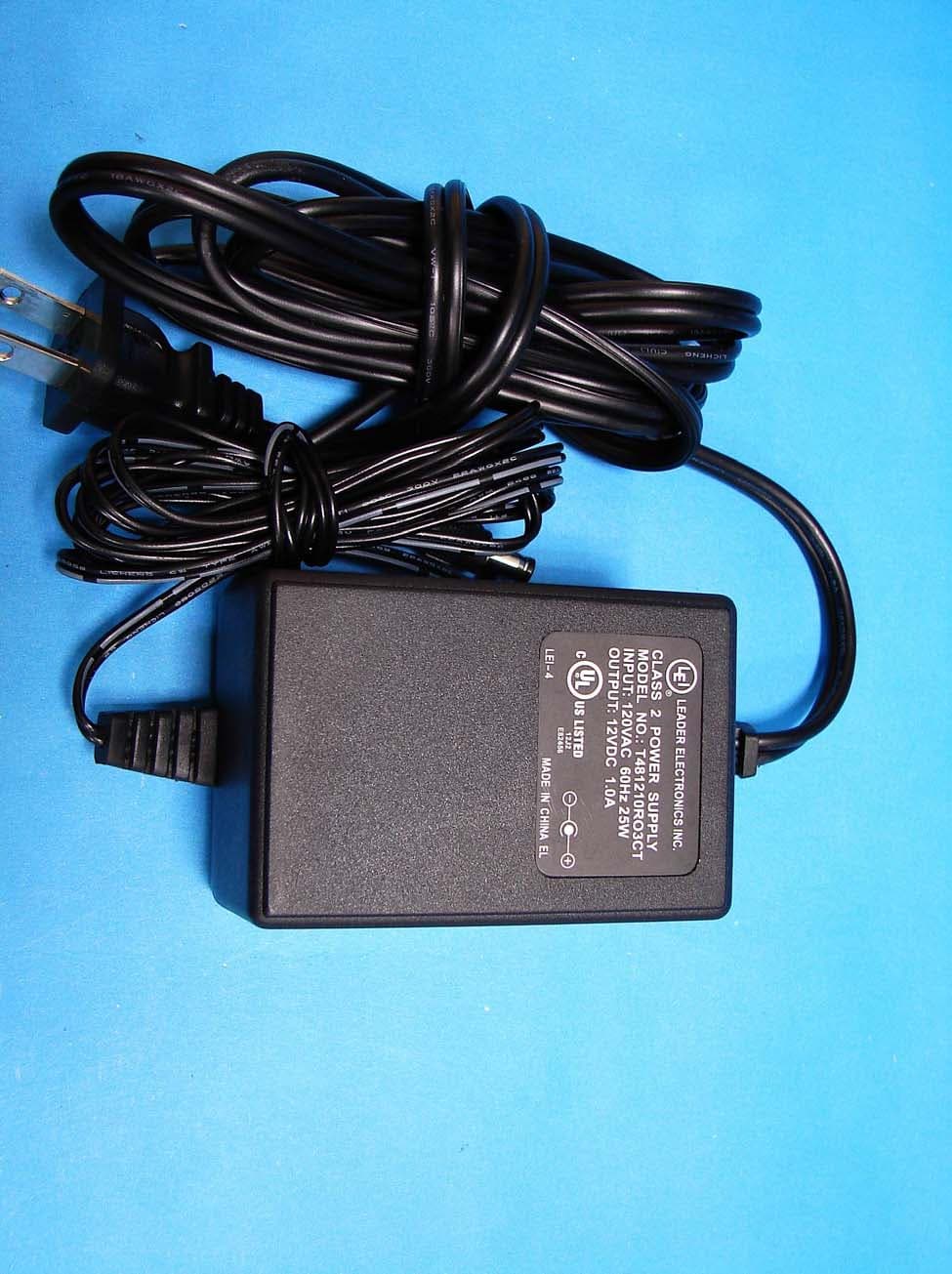
Click to zoom
Application Details
- Equipment Class
- DTS - Digital Transmission System
- Date of Grant
- Oct 29, 2006
- Application Purpose
- Original Equipment
- Date of Application
- Oct 26, 2006
- Equipment Note
- WIRELESS CABLE MODEM
- Frequency Range
- 2412.00000000 - 2462.00000000
- Company
- ASUSTeK Computer Inc
- Country
- Taiwan
Documents & Files
Document Text
Text extracted from the exhibit documents filed with the FCC. Open a document above to read the original.
Users Manual
WebSTAR™ DPR2320/2325™ and EPR2320 /2325™ Gateway Cable Modems User’s Guide Software Release v2.0.1 r1132 1 WebSTAR™ DPR2320/2325™ and EPR2320/2325™ Gateway Cable Modems User’s Guide Introduction Welcome to the exciting world of home and office networking. Your new WebSTAR™ DPR2320™ or EPR2320™ Gateway Cable Modem allows several users to share one high-speed broadband connection across multiple PCs, laptops, digital cameras, personal data assistants (PDAs), and Internet devices. The WebSTAR DPR2320 and EPR2320 Gateway Cable Modems make sharing files and photos with your family and friends hassle free. With a WebSTAR Gateway Cable Modem, your Internet enjoyment and business productivity will surely soar. This guide provides procedures and recommendations for placing, installing, configuring, operating, and troubleshooting your gateway cable modem for Internet access and for high-speed wired or wireless broadband networking for your home or office. Refer to the appropriate section in this guide for the specific information you need for your situation. Contact your cable service provider for more information about subscribing to these services. Benefits and Features Your new gateway cable modem offers the following outstanding benefits and features: • Provides a high-speed broadband Internet connection that energizes your online experience, and makes downloading and sharing files and photos with your family and friends hassle free • Allows you to attach multiple devices in your home or office to the gateway cable modem for high-speed networking and sharing of files and folders without first copying them onto a CD or diskette • Facilitates high-speed wireless networking of PCs, laptops, and PDAs • Offers an integrated router (gateway) to simplify setting up a home or office network • Features Plug and Play operation for easy set up and installation • Provides parental control and advanced firewall technology • Includes both USB and Ethernet connections • Allows vertical, horizontal, or wall-mount placement • Allows automatic software upgrades by your cable service provider • Assures a broad range of interoperability with most cable service providers by complying with Data Over Cable System Interface Specifications (DOCSIS) 1.0, 1.1, and 2.0 standards along with CableHome 1.0 specifications WebSTAR DPR2320 and EPR2320 Gateway Cable Modems User’s Guide 2 In This Guide IMPORTANT RULES FOR SAFE OPERATION ......................................................................................................... 3 What’s In the Carton? .................................................................................................................................................. 6 Front Panel Description ............................................................................................................................................... 7 Back Panel Description ................................................................................................................................................ 8 Where is the Best Location for My Gateway Cable Modem ........................................................................................ 9 What are the System Requirements for Internet Service? .......................................................................................... 9 How Do I Set Up My High-Speed Internet Access Account? ...................................................................................... 10 How Do I Connect My Devices to Use the Internet? ................................................................................................... 11 How Do I Configure TCP/IP Protocol?......................................................................................................................... 13 How Do I Install USB Drivers? ..................................................................................................................................... 16 How Do I Troubleshoot My Internet Service Installation?............................................................................................ 18 What are the Requirements for Ethernet Network Devices? ....................................................................................... 20 How Do I Select and Place Ethernet Network Devices? ............................................................................................. 21 How Do I Connect Ethernet Network Devices? ........................................................................................................... 22 What are the Requirements for USB Network Devices? ............................................................................................. 24 How Do I Select and Place USB Network Devices?.................................................................................................... 25 How Do I Connect USB Network Devices? ................................................................................................................. 26 What are the Requirements for Wireless Network Devices?....................................................................................... 28 How Do I Select and Place Wireless Network Devices? ............................................................................................. 29 How Do I Install Wireless Network Devices? ............................................................................................................... 30 How Do I Configure the Gateway Cable Modems? ..................................................................................................... 32 Having Difficulty? ......................................................................................................................................................... 71 Tips for Improved Performance ................................................................................................................................... 73 How Do I Renew the IP Addr…
Text truncated - open the document above for the full version.
Cover Letter(s)
ASUSTeK COMPUTER INC. Tel : +886-2-28943447 Fax : +886-2-28950114 www.asus.com Request for Confidentiality Federal Communications Commission Authorization and Evaluation Division Subject: : Confidentiality Request regarding application for certification of FCC ID: MSQDPR2320 Dear Madam or Sir: Pursuant to Sections 0.457 and 0.459 of the Commission’s Rules, we hereby request confidential treatment of information accompanying this application as outlined below: l Schematics - DPR2320 Schem.pdf l Part List - DPR2320 ParLst.pdf l Block diagram - DPR2320 BlkDia.pdf l Operational description - DPR2320 OpDes.pdf The above materials contain trade secrets and proprietary information not customarily released to the public. The public disclosure of these materials may be harmful to the applicant and provide unjustified benefits to its competitors. The applicant understands that pursuant to Section 0.457 of the Rules, disclosure of this application and all accompanying documentation will not be made before the date of the Grant for this application. Pursuant to DA 04-1705 June 15, 2004 of the Commission’s public notice, we also request temporary confidential treatment of information accompanying this application as outlined below: l External Photos - DPR2320 ExtPho.pdf l Internal Photos - DPR2320 IntPho.pdf l Test Setup Photos - DPR2320 TSup.pdf l User’s Manual - DPR2320 UserMan.pdf Sincerely, Lawrence Yu / Manager, ASUSTek Computer Inc.
External Photos
External Photos of Wireless Cable Modem ---------------------------------------- 1/15 Applicant: ASUSTeK Computer Inc. FCC ID: MSQDPR2320 Training Research Co., Ltd., TEL: 886-2-26935155, Fax: 886-2-26934440 External Photos of Wireless Cable Modem ---------------------------------------- 2/15 Applicant: ASUSTeK Computer Inc. FCC ID: MSQDPR2320 Training Research Co., Ltd., TEL: 886-2-26935155, Fax: 886-2-26934440 Power Adapter of Wireless Cable Modem ----------------------------------------- 3/15 Applicant: ASUSTeK Computer Inc. FCC ID: MSQDPR2320 Training Research Co., Ltd., TEL: 886-2-26935155, Fax: 886-2-26934440
ID Label/Location Info
LABEL Sample and Location information ------------------------------------------------ 1/1 Applicant: ASUSTeK Computer Inc. FCC ID: MSQDPR2320 Training Research Co., Ltd., TEL: 886-2-26935155, Fax: 886-2-26934440 LABEL Position:
Internal Photos
Internal Photos of Wireless Cable Modem ---------------------------------------- 4/15 Applicant: ASUSTeK Computer Inc. FCC ID: MSQDPR2320 Training Research Co., Ltd., TEL: 886-2-26935155, Fax: 886-2-26934440 Internal Photos of Wireless Cable Modem ---------------------------------------- 5/15 Applicant: ASUSTeK Computer Inc. FCC ID: MSQDPR2320 Training Research Co., Ltd., TEL: 886-2-26935155, Fax: 886-2-26934440 Internal Photos of Wireless Cable Modem ---------------------------------------- 6/15 Applicant: ASUSTeK Computer Inc. FCC ID: MSQDPR2320 Training Research Co., Ltd., TEL: 886-2-26935155, Fax: 886-2-26934440 Internal Photos of Wireless Cable Modem ---------------------------------------- 7/15 Applicant: ASUSTeK Computer Inc. FCC ID: MSQDPR2320 Training Research Co., Ltd., TEL: 886-2-26935155, Fax: 886-2-26934440 Internal Photos of Wireless Cable Modem ---------------------------------------- 8/15 Applicant: ASUSTeK Computer Inc. FCC ID: MSQDPR2320 Training Research Co., Ltd., TEL: 886-2-26935155, Fax: 886-2-26934440 Internal Photos of Wireless Cable Modem ---------------------------------------- 9/15 Applicant: ASUSTeK Computer Inc. FCC ID: MSQDPR2320 Training Research Co., Ltd., TEL: 886-2-26935155, Fax: 886-2-26934440 Internal Photos of Wireless Cable Modem ---------------------------------------- 10/15 Applicant: ASUSTeK Computer Inc. FCC ID: MSQDPR2320 Training Research Co., Ltd., TEL: 886-2-26935155, Fax: 886-2-26934440 Internal Photos of Wireless Cable Modem ---------------------------------------- 11/15 Applicant: ASUSTeK Computer Inc. FCC ID: MSQDPR2320 Training Research Co., Ltd., TEL: 886-2-26935155, Fax: 886-2-26934440 Internal Photos of Wireless Cable Modem ---------------------------------------- 12/15 Applicant: ASUSTeK Computer Inc. FCC ID: MSQDPR2320 Training Research Co., Ltd., TEL: 886-2-26935155, Fax: 886-2-26934440 Internal Photos of Wireless Cable Modem ---------------------------------------- 13/15 Applicant: ASUSTeK Computer Inc. FCC ID: MSQDPR2320 Training Research Co., Ltd., TEL: 886-2-26935155, Fax: 886-2-26934440 Internal Photos of Wireless Cable Modem ---------------------------------------- 14/15 Applicant: ASUSTeK Computer Inc. FCC ID: MSQDPR2320 Training Research Co., Ltd., TEL: 886-2-26935155, Fax: 886-2-26934440 Internal Photos of Wireless Cable Modem ---------------------------------------- 15/15 Applicant: ASUSTeK Computer Inc. FCC ID: MSQDPR2320 Training Research Co., Ltd., TEL: 886-2-26935155, Fax: 886-2-26934440
Test Setup Photos
Test Setup Photos ------------------------------------------------------------------------ 1/2 Applicant: ASUSTeK Computer Inc. FCC ID: MSQDPR2320 Training Research Co., Ltd., TEL: 886-2-26935155, Fax: 886-2-26934440 Conducted Test Setup Placement: Front View of the Test Configuration Side View of the Test Configuration Test Setup Photos ------------------------------------------------------------------------ 2/2 Applicant: ASUSTeK Computer Inc. FCC ID: MSQDPR2320 Training Research Co., Ltd., TEL: 886-2-26935155, Fax: 886-2-26934440 Radiated Test Setup Placement: Front View of the Test Configuration Rear View of the Test Configuration
Contact Information
Applicant
Jackson Yen(Associate Vice President)
Test Firm
Training Research Co., Ltd.Jack Tsai
Technical Specifications
| # | Rule Parts | Frequency Range | Power Output |
|---|---|---|---|
| 1 | 15C | 2.41 GHz - 2.46 GHz | 184.00 mW |
Other Applications from ASUSTeK Computer Inc
MSQ-GC701
Aug 21, 2026Wireless Gaming Controller
Equipment Class
DSS - Part 15 Spread Spectrum TransmitterMSQMPDONGLE3
Aug 18, 2026WIRELESS DONGLE
Equipment Class
DTS - Digital Transmission System
MSQ-GC701D
Aug 13, 2026USB Wireless Dongle
Equipment Class
DSS - Part 15 Spread Spectrum TransmitterMSQ-CM3206DM4A
May 27, 2026Chromebook/Notebook PC
Equipment Class
DCD - Part 15 Low Power Transmitter Below 1705 kHz
MSQ-GST868003
Apr 03, 2026MODULE-WIRELESS CHRG
Equipment Class
DCD - Part 15 Low Power Transmitter Below 1705 kHz