MSQMEMICBT Headset
ASUSTeK Computer Inc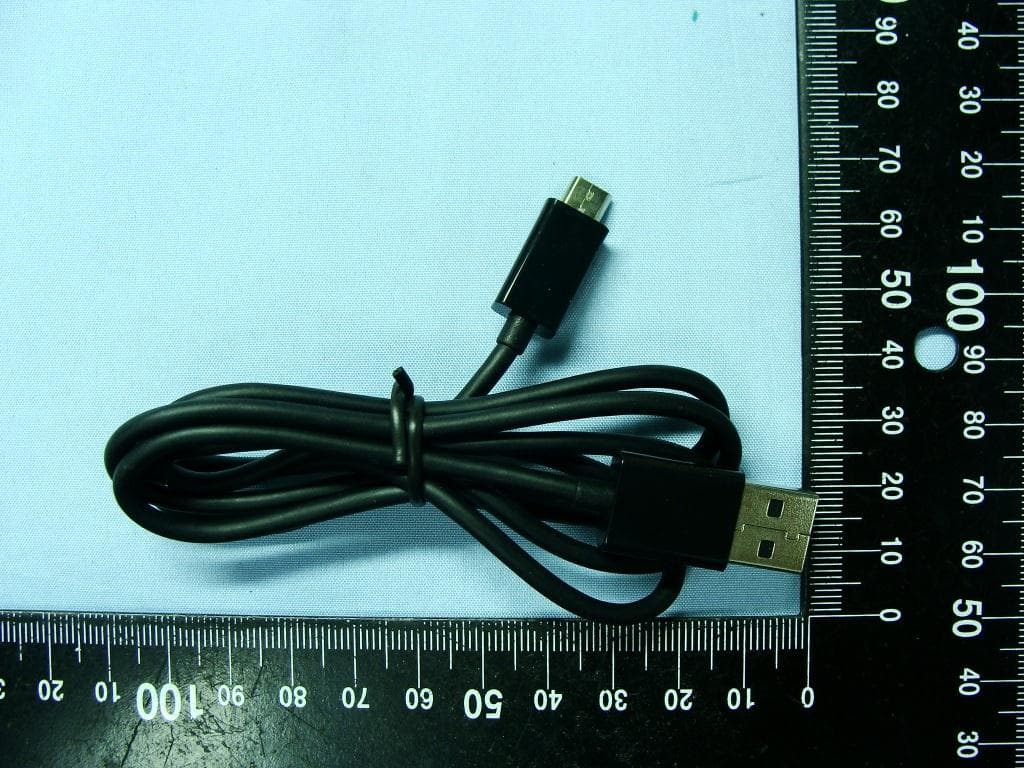
Click to zoom
Application Details
- Equipment Class
- DTS - Digital Transmission System
- Date of Grant
- Jan 12, 2012
- Application Purpose
- Original Equipment
- Date of Application
- Jan 12, 2012
- Equipment Note
- BT Headset
- Frequency Range
- 2402.00000000 - 2480.00000000
- Company
- ASUSTeK Computer Inc
- Country
- Taiwan
Documents & Files
Document Text
Text extracted from the exhibit documents filed with the FCC. Open a document above to read the original.
Users Manual
MEMIC USER MANUAL FCC Regulations: 15.19(a)(3): This device complies with part 15 of the FCC Rules. Operation is subject to the following two conditions: (1) This device may not cause harmful interference, and (2) this device must accept any interference received, including interference that may cause undesired operation. 15.105(b): NOTE: This equipment has been tested and found to comply with the limits for a Class B digital device, pursuant to part 15 of the FCC Rules. These limits are designed to provide reasonable protection against harmful interference in a residential installation. This equipment generates, uses and can radiate radio frequency energy and, if not installed and used in accordance with the instructions, may cause harmful interference to radio communications. However, there is no guarantee that interference will not occur in a particular installation. If this equipment does cause harmful interference to radio or television reception, which can be determined by turning the equipment off and on, the user is encouraged to try to correct the interference by one or more of the following measures: —Reorient or relocate the receiving antenna. —Increase the separation between the equipment and receiver. —Connect the equipment into an outlet on a circuit different from that to which the receiver is connected. —Consult the dealer or an experienced radio/ TV technician for help. Changes or modifications not expressly approved by the party responsible for compliance could void the user‘s authority to operate the equipment. The antenna(s) used for this transmitter must not be co-located or operating in conjunction with any other antenna or transmitter. RF Exposure Information This device meets the government’s requirements for exposure to radio waves. This device is designed and manufactured not to exceed the emission limits for exposure to radio frequency (RF) energy set by the Federal Communications Commission of the U.S. Government. This device complies with FCC radiation exposure limits set forth for an uncontrolled environment. ASUS Eee Pad Manual 23 Using the call features Use the MeMic Bluetooth phone to make and receive calls, view call logs, messages, calendar, and play music files that are stored on your Eee Pad. The MeMic is available with selected Eee Pad models. Before using your MeMic, ensure that it is paired and connected with your Eee Pad. For more details, refer to its user manual. Using your MeMIC The MeMic Bluetooth phone allows you to make and receive phone calls, send and receive messages, view your calendar, and play music files that are stored in your Eee Pad. Before using your MeMic, you have to pair it with your Eee Pad using the MeMic Manager. Send key Back key End/Power key Navigation/Enter keys Volume key Micro USB port for power charging Strap hole Headset jack Ear speaker Microphone The MeMic is available with selected Eee Pad models. ASUS Eee Pad Manual 24 To start using your MeMic: 1. Ensure your MeMic is off. Press the Power key for eight seconds without releasing your finger until the paring screen shows up. 4. Your Eee Pad automatically starts pairing your MeMic. 2. From your Eee Pad’s Home screen, tap Apps on the top right corner. 3. Tap MeMic to launch MeMic Manager. If the Bluetooth function of your Eee Pad is turned off, a message appears requesting for permission to turn on bluetooth and continue pairing. ASUS Eee Pad Manual 25 5. Once paired, you will see Connected within the MeMic Manager. Tap MeMic quick manual for more instructions on using your MeMic. Making calls • Ensure that your MeMic is paired with your Eee Pad. For details, refer to the previous section Using your MeMic. • When making or receiving calls, you can also connect the bundled headset to your MeMic’s headphone port. Making calls from the Dialer To make a call from the Dialer: 1. Turn on your MeMic. 2. From the Home screen, tap . 3. On the numeric pad, tap the numbers that you want to call. Your Eee Pad automatically shows the possible matches to your phone entry. 4. Tap Call on your Eee Pad or press the Call key on your MeMic. 5. Use your MeMic with the headset to talk to the other person on the line. 6. To end the call, tap End on your Eee Pad or press the End key on your MeMic. ASUS Eee Pad Manual 26 Making calls from Contacts To make a call from Contacts: 1. Turn on your MeMic. 2. From the Home screen, tap . 3. Tap to display your Contacts list. 4. From the list, tap the contact that you want to call and tap . You may also press the Call key on your MeMic. 5. Use your MeMic with the headset to talk to the other person on the line. 6. To end the call, tap End on your Eee Pad or press the End key on your MeMic. Making calls from call history To make a call from call history: 1. Turn on your MeMic. 2. From the Home screen, tap . 3. Tap Call log to display your call history. 4. From the list, tap the contact that you want to call and tap . You may also press the Call key on your MeMic. 5. Use your MeMic with the headset to talk to the other person on the line. 6. To end the call, tap End on your Eee Pad or press the End key on your MeMic. Using Speed Dial With your Eee Pad’s Speed Dial function, you can assign a number (from1 to 9) to quickly and conveniently call your frequently-called phone numbers. Creating a Speed Dial entry To create a Speed Dial entry: 1. From the Home screen, tap . 2. Tap > Configure Speed dial. 3. Tap the number that you want to assign as a speed dial number. ASUS Eee Pad Manual 27 4. From the list, tap the contact that you want to assign the speed dial number to. 5. Tap Custom. 6. Tap Done to confirm the assigned speed dial number for the selected contact. Making a Speed Dial call To call a Speed Dial entry: 1. Turn on your MeMic. 2. From the Home screen, tap . 3. On the numeric pad, tap the speed dial number of the contact that you want to call. 4. Tap Call on your Eee Pad or press the Call key on your MeMic. 5. Use your MeMic with the heads…
Text truncated - open the document above for the full version.
External Photos
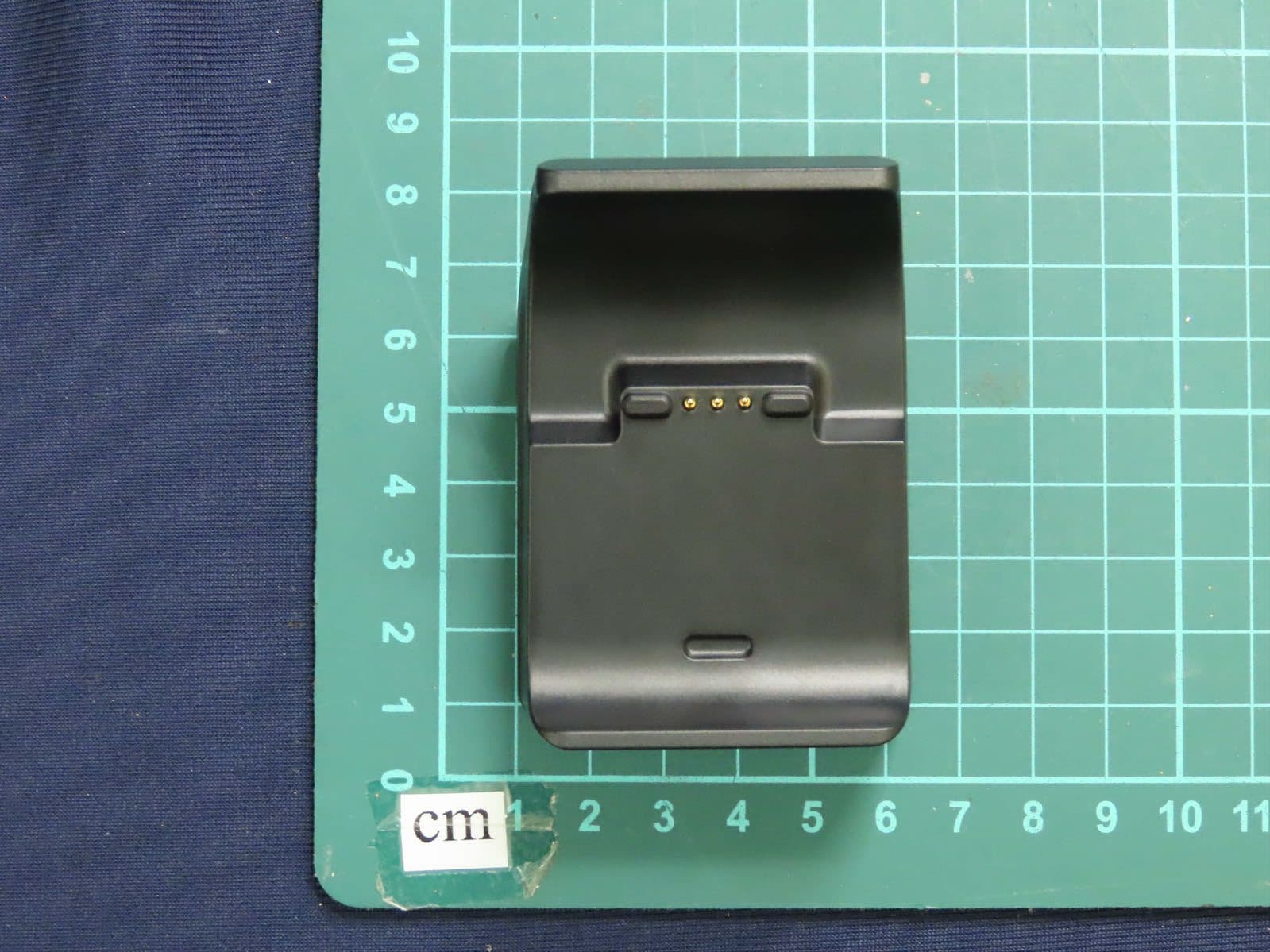
Photographs of EUT Report No.: EP170718 Brand Name: ASUS / Model Name: MeMIC SPORTON INTERNATIONAL INC. Page Number : 1 of 11 TEL : 886-3-327-3456 Report Issued Date : Aug. 18, 2011 FAX : 886-3-328-4978 Report Version : Rev. 01 FCC ID : MSQMEMIC 1. External Photograph of EUT Photographs of EUT Report No.: EP170718 Brand Name: ASUS / Model Name: MeMIC SPORTON INTERNATIONAL INC. Page Number : 2 of 11 TEL : 886-3-327-3456 Report Issued Date : Aug. 18, 2011 FAX : 886-3-328-4978 Report Version : Rev. 01 FCC ID : MSQMEMIC 720510 Photographs of EUT Report No.: EP170718 Brand Name: ASUS / Model Name: MeMIC SPORTON INTERNATIONAL INC. Page Number : 3 of 11 TEL : 886-3-327-3456 Report Issued Date : Aug. 18, 2011 FAX : 886-3-328-4978 Report Version : Rev. 01 FCC ID : MSQMEMIC List of Accessory: Specification of Accessory AC Adapter Brand Name ASUS Model Name AD827M Battery Brand Name Lishen Model Name LS PP251535AB USB Cable Brand Name ASUS Model Name N/A Headset Brand Name ASUS Model Name N/A Remark: For accessories equipped with this EUT, please refer to the following photos. 2. Photograph of Accessory Photographs of EUT Report No.: EP170718 Brand Name: ASUS / Model Name: MeMIC SPORTON INTERNATIONAL INC. Page Number : 4 of 11 TEL : 886-3-327-3456 Report Issued Date : Aug. 18, 2011 FAX : 886-3-328-4978 Report Version : Rev. 01 FCC ID : MSQMEMIC 720510 Photographs of EUT Report No.: EP170718 Brand Name: ASUS / Model Name: MeMIC SPORTON INTERNATIONAL INC. Page Number : 5 of 11 TEL : 886-3-327-3456 Report Issued Date : Aug. 18, 2011 FAX : 886-3-328-4978 Report Version : Rev. 01 FCC ID : MSQMEMIC Photographs of EUT Report No.: EP170718 Brand Name: ASUS / Model Name: MeMIC SPORTON INTERNATIONAL INC. Page Number : 6 of 11 TEL : 886-3-327-3456 Report Issued Date : Aug. 18, 2011 FAX : 886-3-328-4978 Report Version : Rev. 01 FCC ID : MSQMEMIC Photographs of EUT Report No.: EP170718 Brand Name: ASUS / Model Name: MeMIC SPORTON INTERNATIONAL INC. Page Number : 7 of 11 TEL : 886-3-327-3456 Report Issued Date : Aug. 18, 2011 FAX : 886-3-328-4978 Report Version : Rev. 01 FCC ID : MSQMEMIC Photographs of EUT Report No.: EP170718 Brand Name: ASUS / Model Name: MeMIC SPORTON INTERNATIONAL INC. Page Number : 8 of 11 TEL : 886-3-327-3456 Report Issued Date : Aug. 18, 2011 FAX : 886-3-328-4978 Report Version : Rev. 01 FCC ID : MSQMEMIC
ID Label/Location Info
PROJECT NAME Memic Minhua Lin DESCRIPTION 背蓋 Label DESIGNED DATE 2011.May.6 Temp. VERSION APPROVED 華碩設計中心 Label 大小約17x25 底:透明霧面 字樣:Pantone cool gray 7C
ID Label/Location Info
Model:MeMIC 15100-01460000 F4 25mm 17mm CCAB09LP0360T5 003WWA090043 R XXXX
Internal Photos
Photographs of EUT Report No.: EP170718 Brand Name: ASUS / Model Name: MeMIC SPORTON INTERNATIONAL INC. Page Number : 9 of 11 TEL : 886-3-327-3456 Report Issued Date : Aug. 18, 2011 FAX : 886-3-328-4978 Report Version : Rev. 01 FCC ID : MSQMEMIC 3. Internal Photograph of EUT Photographs of EUT Report No.: EP170718 Brand Name: ASUS / Model Name: MeMIC SPORTON INTERNATIONAL INC. Page Number : 10 of 11 TEL : 886-3-327-3456 Report Issued Date : Aug. 18, 2011 FAX : 886-3-328-4978 Report Version : Rev. 01 FCC ID : MSQMEMIC 720510 Photographs of EUT Report No.: EP170718 Brand Name: ASUS / Model Name: MeMIC SPORTON INTERNATIONAL INC. Page Number : 11 of 11 TEL : 886-3-327-3456 Report Issued Date : Aug. 18, 2011 FAX : 886-3-328-4978 Report Version : Rev. 01 FCC ID : MSQMEMIC Bluetooth Antenna
Test Report
SPORTON INTERNATIONAL INC. Page Number : 1 of 52 TEL : 886-3-327-3456 Report Issued Date : Oct. 05, 2011 FAX : 886-3-328-4978 Report Version : Rev. 02 FCC ID : MSQMEMIC FCC RF Test Report Report No. : FR170718 FCC RF Test Report APPLICANT : ASUSTek Computer Inc. EQUIPMENT : BT Headset BRAND NAME : ASUS MODEL NAME : MeMIC FCC ID : MSQMEMIC STANDARD : FCC Part 15 Subpart C §15.247 CLASSIFICATION : Digital Spread Spectrum (DSS) The product was received on Jul. 07, 2011 and completely tested on Jul. 30, 2011. We, SPORTON INTERNATIONAL INC., would like to declare that the tested sample has been evaluated in accordance with the procedures given in ANSI C63.4-2003 and shown the compliance with the applicable technical standards. The test results in this report apply exclusively to the tested model / sample. Without written approval of SPORTON INTERNATIONAL INC., the test report shall not be reproduced except in full. Reviewed by: Jones Tsai / Manager SPORTON INTERNATIONAL INC. No. 52, Hwa Ya 1 st Rd., Hwa Ya Technology Park, Kwei-Shan Hsiang, Tao Yuan Hsien, Taiwan, R.O.C. SPORTON INTERNATIONAL INC. Page Number : 2 of 52 TEL : 886-3-327-3456 Report Issued Date : Oct. 05, 2011 FAX : 886-3-328-4978 Report Version : Rev. 02 FCC ID : MSQMEMIC FCC RF Test Report Report No. : FR170718 TABLE OF CONTENTS REVISION HISTORY .......................................................................................................................................... 3 SUMMARY OF TEST RESULT ......................................................................................................................... 4 1 GENERAL DESCRIPTION .......................................................................................................................... 5 1.1 Applicant ............................................................................................................................................ 5 1.2 Manufacturer ...................................................................................................................................... 5 1.3 Feature of Equipment Under Test ..................................................................................................... 5 1.4 Testing Site ........................................................................................................................................ 6 1.5 Applied Standards ............................................................................................................................. 6 1.6 Ancillary Equipment List .................................................................................................................... 6 2 TEST CONFIGURATION OF EQUIPMENT UNDER TEST ........................................................................ 7 2.1 RF Output Power ............................................................................................................................... 7 2.2 Test Mode .......................................................................................................................................... 8 2.3 Connection Diagram of Test System ................................................................................................. 9 2.4 RF Utility .......................................................................................................................................... 10 3 TEST RESULT .......................................................................................................................................... 11 3.1 Number of Channel Measurement .................................................................................................. 11 3.2 20dB Bandwidth Measurement ....................................................................................................... 13 3.3 Hopping Channel Separation Measurement ................................................................................... 20 3.4 Dwell Time Measurement ................................................................................................................ 23 3.5 Peak Output Power Measurement .................................................................................................. 25 3.6 Band Edges Measurement .............................................................................................................. 28 3.7 Spurious Emission Measurement .................................................................................................... 32 3.8 AC Conducted Emission Measurement........................................................................................... 36 3.9 Radiated Emission Measurement .................................................................................................... 40 3.10 Antenna Requirements .................................................................................................................... 49 4 LIST OF MEASURING EQUIPMENT ........................................................................................................ 50 5 UNCERTAINTY OF EVALUATION ........................................................................................................... 51 APPENDIX A. PHOTOGRAPHS OF EUT APPENDIX B. SETUP PHOTOGRAPHS SPORTON INTERNATIONAL INC. Page Number : 3 of 52 TEL : 886-3-327-3456 Report Issued Date : Oct. 05, 2011 FAX : 886-3-328-4978 Report Version : Rev. 02 FCC ID : MSQMEMIC FCC RF Test Report Report No. : FR170718 REVISION HISTORY REPORT NO. VERSION DESCRIPTION ISSUED DATE FR170718 Rev. 01 Initial issue of report Aug. 18, 2011 FR170718 Rev. 02 Update report of revising antenna type Oct. 05, 2011 SPORTON INTERNATIONAL INC. Page Number : 4 of 52 TEL : 886-3-327-3456 Report Issued Date : Oct. 05, 2011 FAX : 886-3-328-4978 Report Version : Rev. 02 FCC ID : MSQMEMIC FCC RF Test Report Report No. : FR170718 SUMMARY OF TEST RESULT Report Section FCC Rule IC Rule Description Limit Result Remark 3.1 15.247(a)(1) A8.4(2) Number of Channels ≥ 15…
Text truncated - open the document above for the full version.
Test Setup Photos
SPORTON INTERNATIONAL INC. Page Number : B1 of B3 TEL : 886-3-327-3456 Report Issued Date : Aug. 18, 2011 FAX : 886-3-328-4978 Report Version : Rev. 01 FCC ID : MSQMEMIC FCC RF Test Report Report No. : FR170718 Appendix B. Setup Photographs <Conducted Emission> SPORTON INTERNATIONAL INC. Page Number : B2 of B3 TEL : 886-3-327-3456 Report Issued Date : Aug. 18, 2011 FAX : 886-3-328-4978 Report Version : Rev. 01 FCC ID : MSQMEMIC FCC RF Test Report Report No. : FR170718 <Radiated Emission> LF SPORTON INTERNATIONAL INC. Page Number : B3 of B3 TEL : 886-3-327-3456 Report Issued Date : Aug. 18, 2011 FAX : 886-3-328-4978 Report Version : Rev. 01 FCC ID : MSQMEMIC FCC RF Test Report Report No. : FR170718 HF
Contact Information
Applicant
Jackson Yen(Associate Vice President)
Test Firm
Sporton International Inc.Alex Chen
Technical Specifications
| # | Rule Parts | Frequency Range | Power Output |
|---|---|---|---|
| 1 | 15C | 2.40 GHz - 2.48 GHz | 2.40 mW |
Other Applications from ASUSTeK Computer Inc
MSQ-GC701
Aug 21, 2026Wireless Gaming Controller
Equipment Class
DSS - Part 15 Spread Spectrum TransmitterMSQMPDONGLE3
Aug 18, 2026WIRELESS DONGLE
Equipment Class
DTS - Digital Transmission System
MSQ-GC701D
Aug 13, 2026USB Wireless Dongle
Equipment Class
DSS - Part 15 Spread Spectrum TransmitterMSQ-CM3206DM4A
May 27, 2026Chromebook/Notebook PC
Equipment Class
DCD - Part 15 Low Power Transmitter Below 1705 kHz
MSQ-GST868003
Apr 03, 2026MODULE-WIRELESS CHRG
Equipment Class
DCD - Part 15 Low Power Transmitter Below 1705 kHz