MSQPCCWL127Wireless LAN Card
ASUSTeK Computer Inc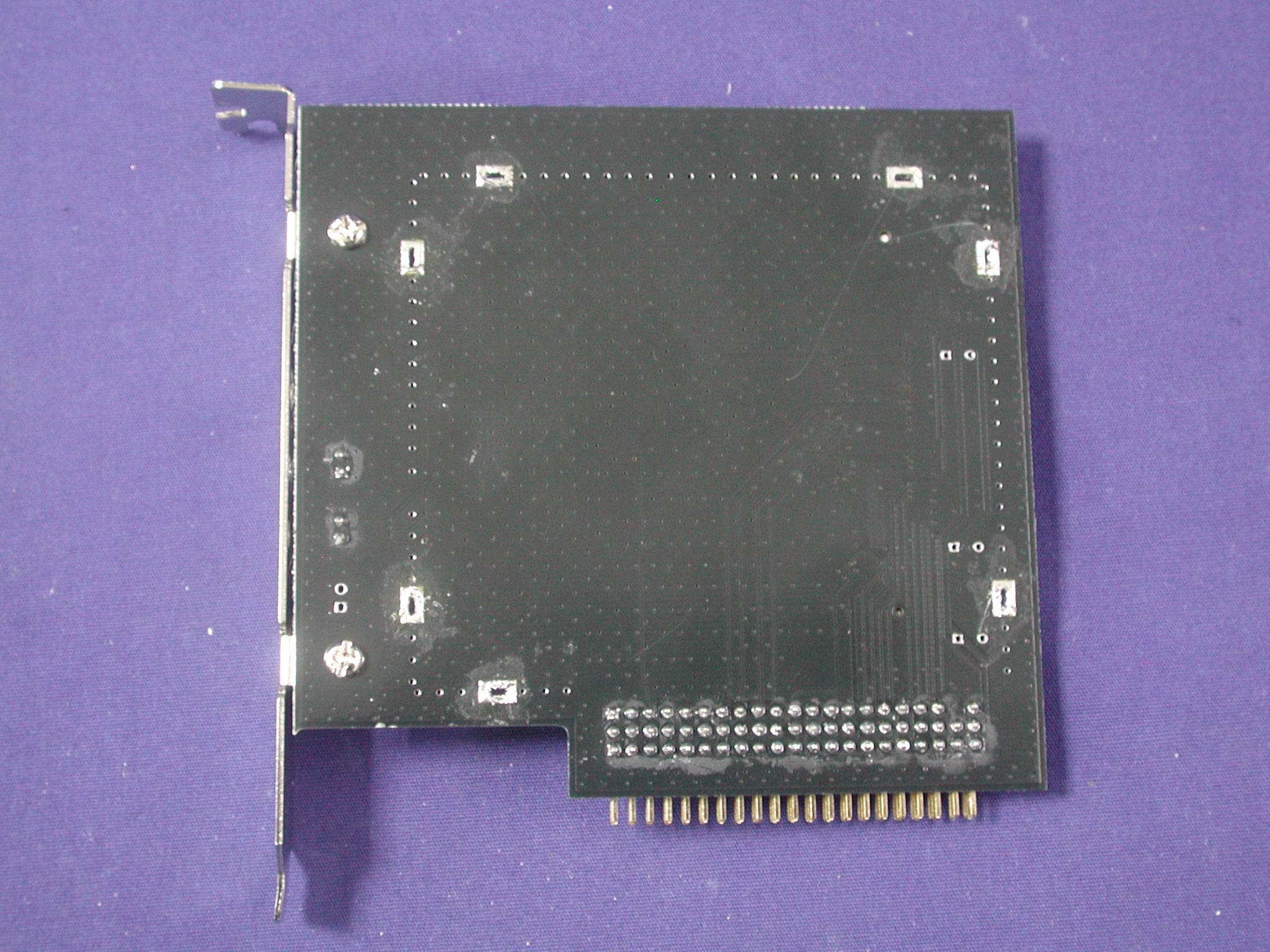
Click to zoom
Application Details
- Equipment Class
- DTS - Digital Transmission System
- Date of Grant
- Jan 04, 2004
- Application Purpose
- Original Equipment
- Date of Application
- Jan 04, 2004
- Equipment Note
- Wireless LAN Card
- Frequency Range
- 2412.00000000 - 2462.00000000
- Company
- ASUSTeK Computer Inc
- Country
- Taiwan
Documents & Files
Document Text
Text extracted from the exhibit documents filed with the FCC. Open a document above to read the original.
Users Manual
WiFi-b ™ Card Wireless Fidelity Card User Guide ® ii Checklist Copyright © 2003 ASUSTeK COMPUTER INC. All Rights Reserved. No part of this manual, including the products and software described in it, may be reproduced, transmitted, transcribed, stored in a retrieval system, or translated into any language in any form or by any means, except documentation kept by the purchaser for backup purposes, without the express written permission of ASUSTeK COMPUTER INC. (“ASUS”). Product warranty or service will not be extended if: (1) the product is repaired, modified or altered, unless such repair, modification of alteration is authorized in writing by ASUS; or (2) the serial number of the product is defaced or missing. ASUS PROVIDES THIS MANUAL “AS IS” WITHOUT WARRANTY OF ANY KIND, EITHER EXPRESS OR IMPLIED, INCLUDING BUT NOT LIMITED TO THE IMPLIED WARRANTIES OR CONDITIONS OF MERCHANTABILITY OR FITNESS FOR A PARTICULAR PURPOSE. IN NO EVENT SHALL ASUS, ITS DIRECTORS, OFFICERS, EMPLOYEES OR AGENTS BE LIABLE FOR ANY INDIRECT, SPECIAL, INCIDENTAL, OR CONSEQUENTIAL DAMAGES (INCLUDING DAMAGES FOR LOSS OF PROFITS, LOSS OF BUSINESS, LOSS OF USE OR DATA, INTERRUPTION OF BUSINESS AND THE LIKE), EVEN IF ASUS HAS BEEN ADVISED OF THE POSSIBILITY OF SUCH DAMAGES ARISING FROM ANY DEFECT OR ERROR IN THIS MANUAL OR PRODUCT. SPECIFICATIONS AND INFORMATION CONTAINED IN THIS MANUAL ARE FURNISHED FOR INFORMATIONAL USE ONLY, AND ARE SUBJECT TO CHANGE AT ANY TIME WITHOUT NOTICE, AND SHOULD NOT BE CONSTRUED AS A COMMITMENT BY ASUS. ASUS ASSUMES NO RESPONSIBILITY OR LIABILITY FOR ANY ERRORS OR INACCURACIES THAT MAY APPEAR IN THIS MANUAL, INCLUDING THE PRODUCTS AND SOFTWARE DESCRIBED IN IT. Products and corporate names appearing in this manual may or may not be registered trademarks or copyrights of their respective companies, and are used only for identification or explanation and to the owners’ benefit, without intent to infringe. E1414 Revised Edition V2 September 2003 iii Contents Notices ........................................................................................................ v Safety information ...................................................................................... vi About this guide ......................................................................................... vi WiFi-b™ specifications summary ............................................................. viii Chapter 1: Product introduction 1.1Welcome ........................................................................................ 1-2 1.2Package contents .......................................................................... 1-2 1.3Features ........................................................................................ 1-2 1.4Card layout .................................................................................... 1-3 1.5LED indicators ............................................................................... 1-3 Chapter 2: Hardware installation 2.1System requirements ..................................................................... 2-2 2.2Installing the WiFi-b™ card ........................................................... 2-3 2.3Antenna placement ........................................................................ 2-3 2.4WiFi-b™ modes ............................................................................. 2-4 2.5Network setup ................................................................................ 2-4 Chapter 3: Software installation 3.1Support CD information ................................................................. 3-2 3.1.1Installing the WLAN Card Utilities and driver ................... 3-2 3.1.2Setting the Windows® XP wireless options ..................... 3-2 3.1.3Other support CD options ................................................ 3-2 3.2Setup Wizard ................................................................................. 3-3 3.2.1Selecting the WiFi-b™ operation mode ........................... 3-3 3.2.2Station Mode .................................................................... 3-3 3.2.3My Configuration .............................................................. 3-5 3.3Internet Connection Sharing (ICS) .............................................. 3-10 3.3.1Broadband connection that requires an account ........... 3-10 3.3.2Broadband connection that is always on ....................... 3-14 3.3.3Dial-up modem .............................................................. 3-15 Chapter 4: Utility information 4.1The Control Center utility ............................................................... 4-2 4.1.1Control Center icons ........................................................ 4-2 iv Contents 4.2Control Center Right-click menu .................................................... 4-2 4.2.1Wireless LAN Card Settings ............................................ 4-3 4.2.2Help Menu ....................................................................... 4-9 4.2.3Change Mode .................................................................. 4-9 4.2.4Preferences ................................................................... 4-10 4.2.5About Control Center ..................................................... 4-10 4.3Control Center Left-click menu .................................................... 4-10 4.4Configuring WiFi-b™ by Wireless Settings utility ........................ 4-11 4.4.1Station Mode (STA) ....................................................... 4-11 4.4.2Soft Access Point Mode (Soft AP) ................................. 4-13 4.5Internet Connection Sharing (ICS) .............................................. 4-16 4.5.1Connect to the Internet using a broadband connection that is always on .......................................... 4-16 4.5.2Connect to the Internet using a broadband or dial-up connection that requires an account .................. 4-17 4.6Network Bridge ........................................…
Text truncated - open the document above for the full version.
Cover Letter(s)
ASUSTeK COMPUTER INC. 4FL., No, 150, Li-Te Rd., Peitou, Taipei, Taiwan, R.O.C. TEL: 886-2-28943447 FAX: 886-2-28907965 Federal Communications Commission October 10, 2003 Authorization and Evaluation Division Confidentiality Request Pursuant to Sections 0.457 and 0.459 of the Commission’s Rules, the Applicant Hereby requests confidential treatment of information accompanying this Application As outlined below: Schematics The above materials contain trade secrets and proprietary information not customarily Released to the public. The public disclosure of these matters might be harmful to the Applicant and provide unjustified benefits to its competitors. The Applicant understands that pursuant to Rule 0.457, disclosure of this Application and all accompanying documentation will not be made before the date of the Grant for this application. Sincerely, ASUSTeK COMPUTER INC.
Cover Letter(s)
Federal Communications Commission 7435 Oakland Mills Road Columbia, MD 21046 Gentlemen: Regarding to the Pubic Notice DA 00-1407 pertaining to PART 15 UNLICENSED MODULAR TRANSMITTER APPROVAL, ASUSTeK COMPUTER INC.would like to request modular approval for the submission FCC ID: MSQWL127. ASUSTeK COMPUTER INC. confirms that the product complies with numbered requirements identified below: 1. The modular transmitter have its own RF shielding. 2. The modular transmitter have buffered modulation/data inputs (if such inputs are provided) to ensure that the module will comply with Part 15 requirements under conditions of excessive data rates or over-modulation. 3. The modular transmitter have its own power supply regulation. 4. The modular transmitter complies with the antenna requirements of Section 15.203 and 15.204(c). 5. The modular transmitter is tested in a stand-alone configuration. 6. The modular transmitter is labeled with its own FCC ID number 7. The modular transmitter complies with any specific rule or operating requirements applicable to the transmitter and the manufacturer must provide adequate instructions along with the module to explain any such requirements. 8. The modular transmitter complies with any applicable RF exposure requirements. Sincerely, ASUSTeK COMPUTER INC.
Cover Letter(s)
ASUSTeK COMPUTER INC. 4FL., No, 150, Li-Te Rd., Peitou, Taipei, Taiwan, R.O.C. TEL: 886-2-28943447 FAX: 886-2-28907965 FCC ID.: MSQPCCWL127 Federal Communications Commission Oct. 27, 2003 Authorization and Evaluation Division ATTESTATION FCC ID: MSQPCCWL127 Product: Wireless LAN Card Model: WL-127 We don't provide any controls or software to allow operation outside the USA frequency band when we sell this product in USA. Sincerely, ------------------------------------------ ASUSTeK COMPUTER INC.
Cover Letter(s)
ASUSTeK COMPUTER INC. 4FL., No, 150, Li-Te Rd., Peitou, Taipei, Taiwan, R.O.C. TEL: 886-2-28943447 FAX: 886-2-28907965 FCC ID.: MSQPCCWL127 Federal Communications Commission Oct. 27, 2003 Authorization and Evaluation Division ATTESTATION FCC ID: MSQPCCWL127 Product: Wireless LAN Card Model: WL-127 We don't provide any controls or software to allow operation outside the USA frequency band when we sell this product in USA. Sincerely, ------------------------------------------ ASUSTeK COMPUTER INC.
Cover Letter(s)
ASUSTeK COMPUTER INC. 4FL., No, 150, Li-Te Rd., Peitou, Taipei, Taiwan, R.O.C. TEL: 886-2-28943447 FAX: 886-2-28907965 Federal Communications Commission October 10, 2003 Authorization and Evaluation Division Confidentiality Request Pursuant to Sections 0.457 and 0.459 of the Commission’s Rules, the Applicant Hereby requests confidential treatment of information accompanying this Application As outlined below: Schematics The above materials contain trade secrets and proprietary information not customarily Released to the public. The public disclosure of these matters might be harmful to the Applicant and provide unjustified benefits to its competitors. The Applicant understands that pursuant to Rule 0.457, disclosure of this Application and all accompanying documentation will not be made before the date of the Grant for this application. Sincerely, ASUSTeK COMPUTER INC.
Cover Letter(s)
Federal Communications Commission 7435 Oakland Mills Road Columbia, MD 21046 Gentlemen: Regarding to the Pubic Notice DA 00-1407 pertaining to PART 15 UNLICENSED MODULAR TRANSMITTER APPROVAL, ASUSTeK COMPUTER INC.would like to request modular approval for the submission FCC ID: MSQWL127. ASUSTeK COMPUTER INC. confirms that the product complies with numbered requirements identified below: 1. The modular transmitter have its own RF shielding. 2. The modular transmitter have buffered modulation/data inputs (if such inputs are provided) to ensure that the module will comply with Part 15 requirements under conditions of excessive data rates or over-modulation. 3. The modular transmitter have its own power supply regulation. 4. The modular transmitter complies with the antenna requirements of Section 15.203 and 15.204(c). 5. The modular transmitter is tested in a stand-alone configuration. 6. The modular transmitter is labeled with its own FCC ID number 7. The modular transmitter complies with any specific rule or operating requirements applicable to the transmitter and the manufacturer must provide adequate instructions along with the module to explain any such requirements. 8. The modular transmitter complies with any applicable RF exposure requirements. Sincerely, ASUSTeK COMPUTER INC.
ID Label/Location Info
ASUSTeK COMPUTER INC. 4FL., No, 150, Li-Te Rd., Peitou, Taipei, Taiwan, R.O.C. TEL: 886-2-28943447 FAX: 886-2-28907965 FCC ID: MSQPCCWL127 FCC ID and DoC Label Wireless LAN Card Model No.: WL-127 TESTED TO COMPLY WITH FCC STANDARDS FOR HOME OR OFFICE USE S/N: Made in Taiwan Wireless LAN Card Model No.: WL-127 F F C C C C I I D D : : MSQPCCWL127 This device complies with Part 15 of the FCC Rules. Operation is subject to the following two conditions: (1) this device may not cause harmful interference and (2) this device must accept any interference received, including interference that may cause undesired operation. S/N: Made in Taiwan The FCC ID and DoC Label will be placed on the equipment as shown in the photograph below. Photograph (2-1) ASUSTeK COMPUTER INC. 4FL., No, 150, Li-Te Rd., Peitou, Taipei, Taiwan, R.O.C. TEL: 886-2-28943447 FAX: 886-2-28907965 The FCC ID and DoC Label will be placed on the equipment as shown in the photograph below. Photograph (2-2)
ID Label/Location Info
ASUSTeK COMPUTER INC. 4FL., No, 150, Li-Te Rd., Peitou, Taipei, Taiwan, R.O.C. TEL: 886-2-28943447 FAX: 886-2-28907965 FCC ID: MSQPCCWL127 FCC ID and DoC Label Wireless LAN Card Model No.: WL-127 TESTED TO COMPLY WITH FCC STANDARDS FOR HOME OR OFFICE USE S/N: Made in Taiwan Wireless LAN Card Model No.: WL-127 F F C C C C I I D D : : MSQPCCWL127 This device complies with Part 15 of the FCC Rules. Operation is subject to the following two conditions: (1) this device may not cause harmful interference and (2) this device must accept any interference received, including interference that may cause undesired operation. S/N: Made in Taiwan The FCC ID and DoC Label will be placed on the equipment as shown in the photograph below. Photograph (2-1) ASUSTeK COMPUTER INC. 4FL., No, 150, Li-Te Rd., Peitou, Taipei, Taiwan, R.O.C. TEL: 886-2-28943447 FAX: 886-2-28907965 The FCC ID and DoC Label will be placed on the equipment as shown in the photograph below. Photograph (2-2)
Internal Photos
Report No.: 03AL069FI Page : 1 of 6 Version:1.0 Attachment 2 : EUT Detailed Photographs (1) EUT Photo (2) EUT Photo Report No.: 03AL069FI Page : 2 of 6 Version:1.0 (3) EUT Photo (4) EUT Photo Report No.: 03AL069FI Page : 3 of 6 Version:1.0 (5) EUT Photo (6) EUT Photo Report No.: 03AL069FI Page : 4 of 6 Version:1.0 (7) EUT Photo (8) EUT Photo Report No.: 03AL069FI Page : 5 of 6 Version:1.0 (9) EUT Photo (10) EUT Photo Report No.: 03AL069FI Page : 6 of 6 Version:1.0 (11) EUT Photo (12) EUT Photo
Internal Photos
Report No.: 03AL069FI Page : 5 of 6 Version:1.0 (9) EUT Photo (10) EUT Photo Report No.: 03AL069FI Page : 6 of 6 Version:1.0 (11) EUT Photo (12) EUT Photo
Internal Photos
Report No.: 03AL069FI Page : 1 of 6 Version:1.0 Attachment 2 : EUT Detailed Photographs (1) EUT Photo (2) EUT Photo Report No.: 03AL069FI Page : 2 of 6 Version:1.0 (3) EUT Photo (4) EUT Photo Report No.: 03AL069FI Page : 3 of 6 Version:1.0 (5) EUT Photo (6) EUT Photo Report No.: 03AL069FI Page : 4 of 6 Version:1.0 (7) EUT Photo (8) EUT Photo Report No.: 03AL069FI Page : 5 of 6 Version:1.0 (9) EUT Photo (10) EUT Photo Report No.: 03AL069FI Page : 6 of 6 Version:1.0 (11) EUT Photo (12) EUT Photo
Internal Photos
Report No.: 03AL069FI Page : 5 of 6 Version:1.0 (9) EUT Photo (10) EUT Photo Report No.: 03AL069FI Page : 6 of 6 Version:1.0 (11) EUT Photo (12) EUT Photo
Operational Description
Report No. 03AL069FI Page: 5 of 46 Version:1.0 1.2. Operational Description EUT is a Wireless LAN Card with wireless LAN adapter. This device provided 11 channels and four kind of transmitting speed 1,2,5.5 and 11Mbps. The device of RF carrier is DQPSK, DB PSK and CCK. The device adapts direct sequence spread spectrum modulation. The Connector antenna was provides diversity function to improve the receiving function. This Wireless LAN Card is an IEEE 802.11b Wireless LAN adapter. It allows your computer to connect to a wireless network and to share resources, such as files or printers without being bound to the network wires. Operation in 2.4GHz Direst Sequence Spread Spectrum (DSSS) radio transmission, the Wireless LAN Card transfers data at speeds up to 64/128-bit Wired Equivalent Protection (WEP) algorithm is used. In addition, its standard compliance ensures that it can communicate with any 802.11b network.
Operational Description
Report No. 03AL069FI Page: 5 of 46 Version:1.0 1.2. Operational Description EUT is a Wireless LAN Card with wireless LAN adapter. This device provided 11 channels and four kind of transmitting speed 1,2,5.5 and 11Mbps. The device of RF carrier is DQPSK, DB PSK and CCK. The device adapts direct sequence spread spectrum modulation. The Connector antenna was provides diversity function to improve the receiving function. This Wireless LAN Card is an IEEE 802.11b Wireless LAN adapter. It allows your computer to connect to a wireless network and to share resources, such as files or printers without being bound to the network wires. Operation in 2.4GHz Direst Sequence Spread Spectrum (DSSS) radio transmission, the Wireless LAN Card transfers data at speeds up to 64/128-bit Wired Equivalent Protection (WEP) algorithm is used. In addition, its standard compliance ensures that it can communicate with any 802.11b network.
Test Report
Report No. 03AL069FI Page: 1 of 46 Version:1.0 Test Report Product Name : Wireless LAN Card Model No.: WL-127 FCC ID.: MSQPCCWL127 Applicant : ASUSTeK COMPUTER INC. Address : 4FL., No, 150, Li-Te Rd., Peitou, Taipei, Taiwan, R.O.C. Date of Receipt : Oct. 09, 2003 Date of Test : Oct. 21, 2003 Report No. : 03AL069FI The test results relate only to the samples tested. The test report shall not be reproduced except in full without the written approval of QuieTek Corporation. This report must not be used to claim product endorsement by NVLAP any agency of the U.S. Government Report No. 03AL069FI Page: 2 of 46 Version:1.0 Test Report Certification Test Date : Oct. 21, 2003 Report No. : 03AL069FI Test Results relate only to the samples tested. The test report shall not be reproduced except in full without the written approval of QuieTek Corporation. This report must not be used to claim product endorsement by NVLAP any agency of the U.S. Government Product Name : Wireless LAN Card Applicant : ASUSTeK COMPUTER INC. Address : 4FL., No, 150, Li-Te Rd., Peitou, Taipei, Taiwan, R.O.C. Manufacturer : ASUSTeK COMPUTER INC. Model No. : WL-127 FCC ID. : MSQPCCWL127 Rated Voltage : DC 3.3V Trade Name : ASUS Measurement Standard : FCC Part 15 Subpart C Paragraph 15.247 Measurement Procedure : ANSI C63.4: 1992 Test Result : Complied Documented By : ( Evonne Jiang ) Tested By : ( Tom Hsieh ) Approved By : ( Gene Chang ) Accredited by NIST (NVLAP) NVLAP Lab Code: 200533-0 Report No. 03AL069FI Page: 3 of 46 Version:1.0 TABLE OF CONTENTS Description Page 1. GENERAL INFORMATION .....................................................................................................4 1.1. EUT Description............................................................................................................................4 1.2. Operational Description ................................................................................................................5 1.3. Tested System Datails....................................................................................................................6 1.4. Configuration of tested System .....................................................................................................6 1.5. EUT Exercise Software .................................................................................................................7 1.6. Test Facility ...................................................................................................................................7 2. Conducted Emission....................................................................................................................8 2.1. Test Equipment..............................................................................................................................8 2.2. Test Setup ......................................................................................................................................8 2.3. Limits ............................................................................................................................................8 2.4. Test Procedure ...............................................................................................................................9 2.5. Test Result of Conducted Emission.............................................................................................10 3. Peak Power Output ...................................................................................................................12 3.1. Test Equipment............................................................................................................................12 3.2. Test Setup ....................................................................................................................................12 3.3. Limits ..........................................................................................................................................12 3.4. Test Result of Peak Power Output...............................................................................................13 4. Radiated Emission .....................................................................................................................16 4.1. Test Equipment............................................................................................................................16 4.2. Test Setup ....................................................................................................................................16 4.3. Limits ..........................................................................................................................................17 4.4. Test Procedure .............................................................................................................................18 4.5. Test Result of Radiated Emission................................................................................................19 5. Band Edge ..................................................................................................................................25 5.1. Test Equipment............................................................................................................................25 5.2. Test Setup ....................................................................................................................................25 5.3. Limits ..........................................................................................................................................26 5.4. Test Procedure .............................................................................................................................26 5.5. Test Result of Band Edge ............................................................................................................27 6. Occupied Bandwidth .....................................................................…
Text truncated - open the document above for the full version.
Test Setup Photos
Report No.: 03AL069FI Page : 1 of 3 Version:1.0 Attachment 1: EUT Test Setup Photographs Front View of Conducted Test Back View of Conducted Test Report No.: 03AL069FI Page : 2 of 3 Version:1.0 Front View of Radiated Test Back View of Radiated Test Report No.: 03AL069FI Page : 3 of 3 Version:1.0 Front View of High Frequency
Contact Information
Applicant
Jackson Yen(Associate Vice President)
Test Firm
DEKRA Testing and Certification Co., Ltd.Sky Hsu
Technical Specifications
| # | Rule Parts | Frequency Range | Power Output |
|---|---|---|---|
| 1 | 15C | 2.41 GHz - 2.46 GHz | 55.00 mW |
Other Applications from ASUSTeK Computer Inc
MSQ-GC701
Aug 21, 2026Wireless Gaming Controller
Equipment Class
DSS - Part 15 Spread Spectrum TransmitterMSQMPDONGLE3
Aug 18, 2026WIRELESS DONGLE
Equipment Class
DTS - Digital Transmission System
MSQ-GC701D
Aug 13, 2026USB Wireless Dongle
Equipment Class
DSS - Part 15 Spread Spectrum TransmitterMSQ-CM3206DM4A
May 27, 2026Chromebook/Notebook PC
Equipment Class
DCD - Part 15 Low Power Transmitter Below 1705 kHz
MSQ-GST868003
Apr 03, 2026MODULE-WIRELESS CHRG
Equipment Class
DCD - Part 15 Low Power Transmitter Below 1705 kHz