N9N-QU-1209Media Center
Shenzhen QIAN Electronics Technology Co., Ltd.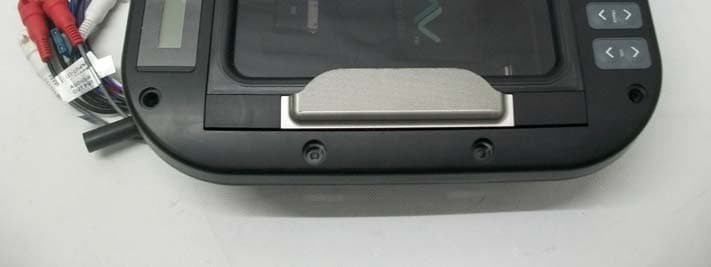
Click to zoom
Application Details
- Equipment Class
- DXX - Part 15 Low Power Communication Device Transmitter
- Date of Grant
- Jul 04, 2013
- Application Purpose
- Original Equipment
- Date of Application
- Jul 04, 2013
- Equipment Note
- Media Center
- Frequency Range
- 2402.00000000 - 2480.00000000
- Country
- China
Documents & Files
Document Text
Text extracted from the exhibit documents filed with the FCC. Open a document above to read the original.
Users Manual
Operation and Installation Manual Models: MD-150 MD-250 MD-350 Deluxe Entertainment Center with Docking Station MODE RDM RPT SEL TRACK VOL Charge Only Aux In 1 Reset Please take the time to read all of the information in this manual. Familiarity with operation and installation procedures will help you obtain the best possible performance from your new Entertainment Center. Introduction 2 Index Button Locations and Functions ..................................................... 3-4 Remote Control Button Locations and Functions ........................................ 4 General Operation ................................................................ 5 Sound Controls .................................................................. 5-7 Using an IPHONE or IPOD .......................................................... 7-9 Using a Device with 3.5mm Output ................................................... 8-9 Bluetooth Operation ............................................................... 10 External Rear Audio Input .......................................................... 10 Radio Operations ................................................................. 11-12 Reset .......................................................................... 13 Inserting a Battery into Remote Controller ............................................. 13 Programming a Wireless Remote Controller ............................................ 13 Installation ...................................................................... 14 Wiring ......................................................................... 15 Warranty ....................................................................... 16 Warnings • This unit is only IPX5 waterproof when the access door is closed. When connecting a device avoid water getting inside the waterproof compartment. Water in the waterproof compartment may damage this unit, cause electrical shock or fire. • To prevent a short circuit never put or leave any metallic objects or unconnected 3.5mm or USB cables inside the unit. • Use the proper power supply. This product is designed for operation with a negative grounded 12V DC sys- tem only. Never operate this product with other power supplies, especially a 24V DC. If the product is used with the improper power supply it may cause a fire. • This product must be installed and used in accordance with this manual. Magnadyne Corporation disclaims any and all liability that may result from failure to install and operate in any other manner in which this unit was intended. • To prevent fire or electrical shock hazard, do not remove cover or bottom screws. No user-serviceable parts inside. Refer servicing to qualified personnel. • FCC REGULATIONS STATE THAT ANY UNAUTHORIZED CHANGES OR MODIFICATIONS TO THIS EQUIPMENT MAY VOID THE USER’S AUTHORITY TO OPERATE IT. • THIS DEVICE IS INTENDED FOR CONTINUOUS OPERATION. • TO REDUCE THE RISK OF FIRE OR ELECTRIC SHOCK AND ANNOYING INTERFERENCE, USE ONLY THE RECOMMENDED ACCESSORIES. MODE SEL TRACK VOL Charge Only Aux In 1 With the Door Open the Interior Compartment IS NOT Waterproof RDM RPT Button Locations and Functions 3 1. Power and Mode Button: Power Button: Press to turn the entertainment center on. Press and hold the button for 2 seconds to turn the unit off. Mode Button: Press to select between input sources: Radio: FM tuner. IPOD: 30-pin connector. (Can be selected only when connected to a device). Aux in 1: 3.5mm jack. Aux in 2: Rear RCA connectors. Bluetooth: Wireless connectivity. 2. Random Button (RDM): Press the button for random controls in IPOD and Bluetooth modes. 3. Repeat Button (RPT): Press the button for repeat controls in IPOD and Bluetooth modes. 4. Play/Pause Button ( ): Radio or Auxiliary Mode: Press to mute the audio. IPOD or Bluetooth Mode: Press to pause playback. 5. Select Button: Press to toggle between: bass, treble, balance, fader, equalizer, area, loudness and local/distance settings. 6. Track Buttons: Radio Mode: Press for automatic seek up or seek down of radio stations. Press and hold to activate manual tuning. IPOD or Bluetooth Mode: Press to select the next or previous tracks. 7. Volume: Press to increase or decrease the volume level. 8. Door Release Handle: Lift up on the door handle to open the door. 9. Display Area: This area displays mode infor- mation, in the radio mode the radio frequency and in IPOD and supported Bluetooth modes song information is displayed. 10. 3.5mm Jack: Plug a cable into the 3.5mm jack then into a device (MP3 player or phone) with a 3.5mm socket. The unit will not control the device, it simply allows the audio to be played through the system. 11. Interior Light: When the unit is turned on the LEDs will automatically illuminate the interior compartment. 12. Reset/Pair Button (Reset): Press to reset the microprocessor or pair a wireless remote. Reset MODE RDM RPTT SEL TRACK VOL Charge Only Aux In 1 1 2 3 4 5 67 8 MODE RDM RPT SEL TRACK VOL Charge Only Aux In 1 101113 1415 9 12 Reset 4 Button Locations and Functions (Continued) 13. USB Charging Socket: To charge a device plug the cable into the USB socket then into the device. Note: The unit will not control the device. The cable will not transfer audio into the entertain- ment center. 14. Mounting Straps: Holds your device securely inside the unit. 15. 30-pin Connector for Apple Products: Plug the 30-pin connector in an IPOD, ITOUCH or IPHONE. Use the track button to select the desired song. Remote Control Button Locations and Functions (Optional) 1. Display Area: This area displays mode infor- mation, in the radio mode the radio frequency is displayed. 2. Random Button (RDM): Press the button for random controls in IPOD and Bluetooth mode. 3. Power and Mode Buttons: Wired Remote Controller’s Power Button: Press to turn the entertainment center on. Press and hold the button for 2 seconds to turn the unit off. Wireless Remote Controller’s Power Button: Press to turn on the entertainm…
Text truncated - open the document above for the full version.
Users Manual
Operation and Installation Manual Models: MD-150 MD-250 MD-350 Deluxe Entertainment Center with Docking Station MODE RDM RPT SEL TRACK VOL Charge Only Aux In 1 Reset Please take the time to read all of the information in this manual. Familiarity with operation and installation procedures will help you obtain the best possible performance from your new Entertainment Center. Introduction 2 Index Button Locations and Functions ..................................................... 3-4 Remote Control Button Locations and Functions ........................................ 4 General Operation ................................................................ 5 Sound Controls .................................................................. 5-7 Using an IPHONE or IPOD .......................................................... 7-9 Using a Device with 3.5mm Output ................................................... 8-9 Bluetooth Operation ............................................................... 10 External Rear Audio Input .......................................................... 10 Radio Operations ................................................................. 11-12 Reset .......................................................................... 13 Inserting a Battery into Remote Controller ............................................. 13 Programming a Wireless Remote Controller ............................................ 13 Installation ...................................................................... 14 Wiring ......................................................................... 15 Warranty ....................................................................... 16 Warnings • This unit is only IPX5 waterproof when the access door is closed. When connecting a device avoid water getting inside the waterproof compartment. Water in the waterproof compartment may damage this unit, cause electrical shock or fire. • To prevent a short circuit never put or leave any metallic objects or unconnected 3.5mm or USB cables inside the unit. • Use the proper power supply. This product is designed for operation with a negative grounded 12V DC sys- tem only. Never operate this product with other power supplies, especially a 24V DC. If the product is used with the improper power supply it may cause a fire. • This product must be installed and used in accordance with this manual. Magnadyne Corporation disclaims any and all liability that may result from failure to install and operate in any other manner in which this unit was intended. • To prevent fire or electrical shock hazard, do not remove cover or bottom screws. No user-serviceable parts inside. Refer servicing to qualified personnel. • FCC REGULATIONS STATE THAT ANY UNAUTHORIZED CHANGES OR MODIFICATIONS TO THIS EQUIPMENT MAY VOID THE USER’S AUTHORITY TO OPERATE IT. • THIS DEVICE IS INTENDED FOR CONTINUOUS OPERATION. • TO REDUCE THE RISK OF FIRE OR ELECTRIC SHOCK AND ANNOYING INTERFERENCE, USE ONLY THE RECOMMENDED ACCESSORIES. MODE SEL TRACK VOL Charge Only Aux In 1 With the Door Open the Interior Compartment IS NOT Waterproof RDM RPT Button Locations and Functions 3 1. Power and Mode Button: Power Button: Press to turn the entertainment center on. Press and hold the button for 2 seconds to turn the unit off. Mode Button: Press to select between input sources: Radio: FM tuner. IPOD: 30-pin connector. (Can be selected only when connected to a device). Aux in 1: 3.5mm jack. Aux in 2: Rear RCA connectors. Bluetooth: Wireless connectivity. 2. Random Button (RDM): Press the button for random controls in IPOD and Bluetooth modes. 3. Repeat Button (RPT): Press the button for repeat controls in IPOD and Bluetooth modes. 4. Play/Pause Button ( ): Radio or Auxiliary Mode: Press to mute the audio. IPOD or Bluetooth Mode: Press to pause playback. 5. Select Button: Press to toggle between: bass, treble, balance, fader, equalizer, area, loudness and local/distance settings. 6. Track Buttons: Radio Mode: Press for automatic seek up or seek down of radio stations. Press and hold to activate manual tuning. IPOD or Bluetooth Mode: Press to select the next or previous tracks. 7. Volume: Press to increase or decrease the volume level. 8. Door Release Handle: Lift up on the door handle to open the door. 9. Display Area: This area displays mode infor- mation, in the radio mode the radio frequency and in IPOD and supported Bluetooth modes song information is displayed. 10. 3.5mm Jack: Plug a cable into the 3.5mm jack then into a device (MP3 player or phone) with a 3.5mm socket. The unit will not control the device, it simply allows the audio to be played through the system. 11. Interior Light: When the unit is turned on the LEDs will automatically illuminate the interior compartment. 12. Reset/Pair Button (Reset): Press to reset the microprocessor or pair a wireless remote. Reset MODE RDM RPTT SEL TRACK VOL Charge Only Aux In 1 1 2 3 4 5 67 8 MODE RDM RPT SEL TRACK VOL Charge Only Aux In 1 101113 1415 9 12 Reset 4 Button Locations and Functions (Continued) 13. USB Charging Socket: To charge a device plug the cable into the USB socket then into the device. Note: The unit will not control the device. The cable will not transfer audio into the entertain- ment center. 14. Mounting Straps: Holds your device securely inside the unit. 15. 30-pin Connector for Apple Products: Plug the 30-pin connector in an IPOD, ITOUCH or IPHONE. Use the track button to select the desired song. Remote Control Button Locations and Functions (Optional) 1. Display Area: This area displays mode infor- mation, in the radio mode the radio frequency is displayed. 2. Random Button (RDM): Press the button for random controls in IPOD and Bluetooth mode. 3. Power and Mode Buttons: Wired Remote Controller’s Power Button: Press to turn the entertainment center on. Press and hold the button for 2 seconds to turn the unit off. Wireless Remote Controller’s Power Button: Press to turn on the entertainm…
Text truncated - open the document above for the full version.
Cover Letter(s)
Model difference letter June 13, 2013 Dear PHONIEX Reviewer, This is a new Application from Shenzhen Qian Electronics Technology Co., Ltd. QU1209, MD-150, MD-250, MD-350, MD-100, MD-200 and MD-300 only different in appearance. Thank you for your cooperation! Yours sincerely, Signatory: Name: Li Gang Position: Manager Company Shenzhen Qian Electronics Technology Co., Ltd. Name: Address: Building 5, High Technology Hong-Erh Industrial, Sheng Ping Road, Long Gang District, Shenzhen, China E-Mail: [email protected]
Cover Letter(s)
Shenzhen Qian Electronics Technology Co., Ltd. PHOENIX TEST-LAB GmbH Product Certification Königswinkel 10 D 32825 Blomberg Date: 29.05.2013 Authority to Act as an Agent We declare that the following representative (agent) Name Mark Wen Position General Manager Company Name Most Technology Service Co., Ltd. Address No.5, 2 nd Langshan Road, North District, Hi-Tech Industrial Park, Nanshan, Shenzhen, Guangdong, China Tel / Fax 86-755-86170306/86-755-86170310 E-Mail [email protected] to act on our behalf on all matters concerning the application and documents submitted to PHOENIX TEST-LAB for product certification below Product Name Media Center Model Name QU1209, MD-150, MD-250, MD-350, MD-100, MD-200, MD-300 Brand Name N/A Yours sincerely, Signatory Name Li Gang Position Manager Company Name Shenzhen Qian Electronics Technology Co., Ltd. Address Building 5, High Technology Hong-Erh Industrial, Sheng Ping Road, Long Gang District, Shenzhen, China Tel / Fax 13662698925/ 0755-28925680 E-Mail [email protected] In case of FCC, we certify that we are not subject to a denial of Federal benefits, that include FCC benefits, pursuant to Section 5301 of the Anti-Drug Abuse Act of 1988, 21 U.S.C. §862 because of a conviction for possession or distribution of a controlled substance.
Cover Letter(s)
Shenzhen Qian Electronics Technology Co., Ltd. PHOENIX TEST-LAB GmbH Product Certification Königswinkel 10 D 32825 Blomberg Date: 29.05.2013 Authority to Act as an Agent We declare that the following representative (agent) Name Mark Wen Position General Manager Company Name Most Technology Service Co., Ltd. Address No.5, 2 nd Langshan Road, North District, Hi-Tech Industrial Park, Nanshan, Shenzhen, Guangdong, China Tel / Fax 86-755-86170306/86-755-86170310 E-Mail [email protected] to act on our behalf on all matters concerning the application and documents submitted to PHOENIX TEST-LAB for product certification below Product Name Media Center Model Name QU1209, MD-150, MD-250, MD-350, MD-100, MD-200, MD-300 Brand Name N/A Yours sincerely, Signatory Name Li Gang Position Manager Company Name Shenzhen Qian Electronics Technology Co., Ltd. Address Building 5, High Technology Hong-Erh Industrial, Sheng Ping Road, Long Gang District, Shenzhen, China Tel / Fax 13662698925/ 0755-28925680 E-Mail [email protected] In case of FCC, we certify that we are not subject to a denial of Federal benefits, that include FCC benefits, pursuant to Section 5301 of the Anti-Drug Abuse Act of 1988, 21 U.S.C. §862 because of a conviction for possession or distribution of a controlled substance.
Cover Letter(s)
Shenzhen Qian Electronics Technology Co., Ltd. Federal Communications Commission Equipment Authorization Branch 7435 Oakland Mills Road Columbia, MD 21046 Request for Confidentiality Company name: Shenzhen Qian Electronics Technology Co., Ltd. FCC ID: N9N-QU-1209 FCC Part 15 Certification Gentlemen, Pursuant to 47 CFR 0.457(d)(1)(ii) and 0.459 we hereby requests permanent confidentiality of the following documents for the subject application: Exhibit Type Description ☒ Schematics All circuitry of devices and component values ☒ Block Diagrams Details of device showing the frequency of all oscillators ☐ Bill Of Materials Parts list of the product for the radio device ☒ Operational Description Description of the circuit functions Note: Exhibit types that are commonly held confidential are: (1) Schematics, (2) Block Diagrams, (3) Bill Of Materials, (4) Operational Descriptions. Any exhibit NOT granted confidentiality is viewable on the FCC website as soon as a grant is issued. These documents contain detailed system and equipment description and related information about the product which we considers to be proprietary, confidential and a custom design and otherwise would not release to the general public. Since the design is a basis from which future technological products will evolve, we consider that this information would be of benefit to its competitors and that the disclosure of the information in these documents would give competitors an unfair advantage in the market. Yours sincerely, Signatory Name Li Gang Position Manager Company Name Shenzhen Qian Electronics Technology Co., Ltd. Address Building 5, High Technology Hong-Erh Industrial, Sheng Ping Road, Long Gang District, Shenzhen, China Tel / Fax 13662698925/ 0755-28925680 E-Mail [email protected]
Cover Letter(s)
Shenzhen Qian Electronics Technology Co., Ltd. Federal Communications Commission Equipment Authorization Branch 7435 Oakland Mills Road Columbia, MD 21046 Request for Confidentiality Company name: Shenzhen Qian Electronics Technology Co., Ltd. FCC ID: N9N-QU-1209 FCC Part 15 Certification Gentlemen, Pursuant to 47 CFR 0.457(d)(1)(ii) and 0.459 we hereby requests permanent confidentiality of the following documents for the subject application: Exhibit Type Description ☒ Schematics All circuitry of devices and component values ☒ Block Diagrams Details of device showing the frequency of all oscillators ☐ Bill Of Materials Parts list of the product for the radio device ☒ Operational Description Description of the circuit functions Note: Exhibit types that are commonly held confidential are: (1) Schematics, (2) Block Diagrams, (3) Bill Of Materials, (4) Operational Descriptions. Any exhibit NOT granted confidentiality is viewable on the FCC website as soon as a grant is issued. These documents contain detailed system and equipment description and related information about the product which we considers to be proprietary, confidential and a custom design and otherwise would not release to the general public. Since the design is a basis from which future technological products will evolve, we consider that this information would be of benefit to its competitors and that the disclosure of the information in these documents would give competitors an unfair advantage in the market. Yours sincerely, Signatory Name Li Gang Position Manager Company Name Shenzhen Qian Electronics Technology Co., Ltd. Address Building 5, High Technology Hong-Erh Industrial, Sheng Ping Road, Long Gang District, Shenzhen, China Tel / Fax 13662698925/ 0755-28925680 E-Mail [email protected]
Cover Letter(s)
Model difference letter June 13, 2013 Dear PHONIEX Reviewer, This is a new Application from Shenzhen Qian Electronics Technology Co., Ltd. QU1209, MD-150, MD-250, MD-350, MD-100, MD-200 and MD-300 only different in appearance. Thank you for your cooperation! Yours sincerely, Signatory: Name: Li Gang Position: Manager Company Shenzhen Qian Electronics Technology Co., Ltd. Name: Address: Building 5, High Technology Hong-Erh Industrial, Sheng Ping Road, Long Gang District, Shenzhen, China E-Mail: [email protected]
Cover Letter(s)
Shenzhen Qian Electronics Technology Co., Ltd. PHOENIX TEST-LAB GmbH Product Certification Königswinkel 10 D 32825 Blomberg Date: 29.05.2013 Authority to Act as an Agent We declare that the following representative (agent) Name Mark Wen Position General Manager Company Name Most Technology Service Co., Ltd. Address No.5, 2 nd Langshan Road, North District, Hi-Tech Industrial Park, Nanshan, Shenzhen, Guangdong, China Tel / Fax 86-755-86170306/86-755-86170310 E-Mail [email protected] to act on our behalf on all matters concerning the application and documents submitted to PHOENIX TEST-LAB for product certification below Product Name Media Center Model Name QU1209, MD-150, MD-250, MD-350, MD-100, MD-200, MD-300 Brand Name N/A Yours sincerely, Signatory Name Li Gang Position Manager Company Name Shenzhen Qian Electronics Technology Co., Ltd. Address Building 5, High Technology Hong-Erh Industrial, Sheng Ping Road, Long Gang District, Shenzhen, China Tel / Fax 13662698925/ 0755-28925680 E-Mail [email protected] In case of FCC, we certify that we are not subject to a denial of Federal benefits, that include FCC benefits, pursuant to Section 5301 of the Anti-Drug Abuse Act of 1988, 21 U.S.C. §862 because of a conviction for possession or distribution of a controlled substance.
Cover Letter(s)
Shenzhen Qian Electronics Technology Co., Ltd. Federal Communications Commission Equipment Authorization Branch 7435 Oakland Mills Road Columbia, MD 21046 Request for Confidentiality Company name: Shenzhen Qian Electronics Technology Co., Ltd. FCC ID: N9N-QU-1209 FCC Part 15 Certification Gentlemen, Pursuant to 47 CFR 0.457(d)(1)(ii) and 0.459 we hereby requests permanent confidentiality of the following documents for the subject application: Exhibit Type Description ☒ Schematics All circuitry of devices and component values ☒ Block Diagrams Details of device showing the frequency of all oscillators ☐ Bill Of Materials Parts list of the product for the radio device ☒ Operational Description Description of the circuit functions Note: Exhibit types that are commonly held confidential are: (1) Schematics, (2) Block Diagrams, (3) Bill Of Materials, (4) Operational Descriptions. Any exhibit NOT granted confidentiality is viewable on the FCC website as soon as a grant is issued. These documents contain detailed system and equipment description and related information about the product which we considers to be proprietary, confidential and a custom design and otherwise would not release to the general public. Since the design is a basis from which future technological products will evolve, we consider that this information would be of benefit to its competitors and that the disclosure of the information in these documents would give competitors an unfair advantage in the market. Yours sincerely, Signatory Name Li Gang Position Manager Company Name Shenzhen Qian Electronics Technology Co., Ltd. Address Building 5, High Technology Hong-Erh Industrial, Sheng Ping Road, Long Gang District, Shenzhen, China Tel / Fax 13662698925/ 0755-28925680 E-Mail [email protected]
External Photos
Model No.: QU1209 Page 1 of 3 FRONT VIEW OF SAMPLE BACK VIEW OF SAMPLE Model No.: QU1209 Page 2 of 3 LEFT VIEW OF SAMPLE RIGHT VIEW OF SAMPLE Model No.: QU1209 Page 3 of 3 TOP VIEW OF SAMPLE BOTTOM VIEW OF SAMPLE
External Photos
Model No.: QU1209 Page 1 of 3 FRONT VIEW OF SAMPLE BACK VIEW OF SAMPLE Model No.: QU1209 Page 2 of 3 LEFT VIEW OF SAMPLE RIGHT VIEW OF SAMPLE Model No.: QU1209 Page 3 of 3 TOP VIEW OF SAMPLE BOTTOM VIEW OF SAMPLE
External Photos
Model No.: QU1209 Page 1 of 3 FRONT VIEW OF SAMPLE BACK VIEW OF SAMPLE Model No.: QU1209 Page 2 of 3 LEFT VIEW OF SAMPLE RIGHT VIEW OF SAMPLE Model No.: QU1209 Page 3 of 3 TOP VIEW OF SAMPLE BOTTOM VIEW OF SAMPLE
ID Label/Location Info
FCC ID: N9N-QU-1209 This device complies with part 15 of the FCC rules.Operation is subject to the following two conditions:(1)this device may not cause harmful interference,and (2)this device must accept any interference received,including interference that may causeundesired operation
ID Label/Location Info
FCC ID: N9N-QU-1209 This device complies with part 15 of the FCC rules.Operation is subject to the following two conditions:(1)this device may not cause harmful interference,and (2)this device must accept any interference received,including interference that may causeundesired operation
ID Label/Location Info
FCC ID: N9N-QU-1209 This device complies with part 15 of the FCC rules.Operation is subject to the following two conditions:(1)this device may not cause harmful interference,and (2)this device must accept any interference received,including interference that may causeundesired operation
Internal Photos
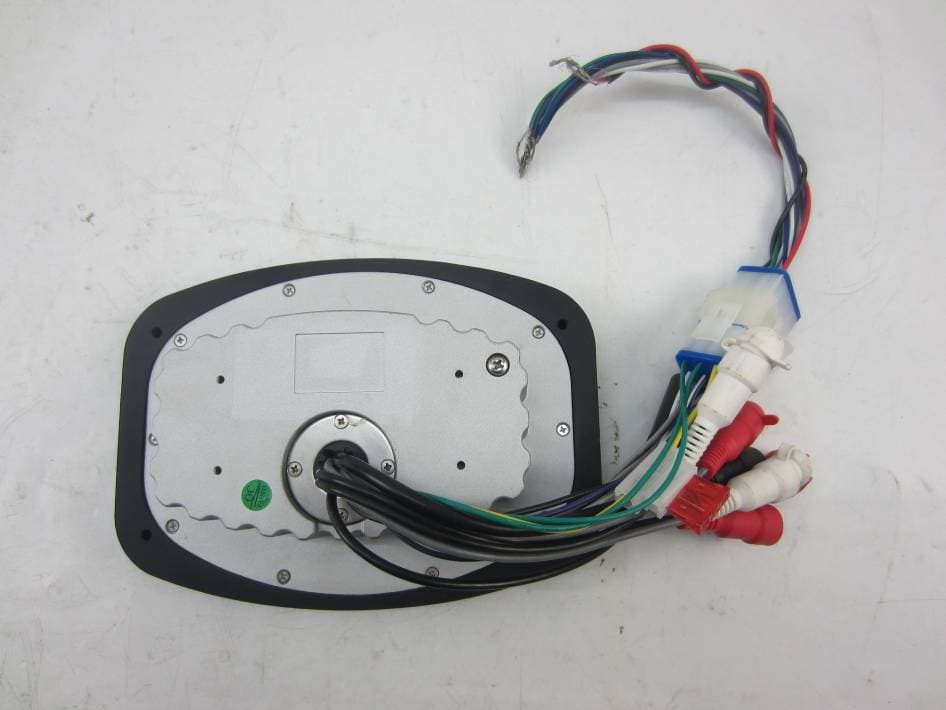
Model No.: QU1209 Page 1 of 8 INTERNAL PHOTO OF SAMPLE – 1 INTERNAL PHOTO OF SAMPLE – 2 Model No.: QU1209 Page 2 of 8 INTERNAL PHOTO OF SAMPLE – 3 INTERNAL PHOTO OF SAMPLE – 4 Model No.: QU1209 Page 3 of 8 INTERNAL PHOTO OF SAMPLE – 5 INTERNAL PHOTO OF SAMPLE – 6 Model No.: QU1209 Page 4 of 8 INTERNAL PHOTO OF SAMPLE – 7 INTERNAL PHOTO OF SAMPLE – 8 Model No.: QU1209 Page 5 of 8 INTERNAL PHOTO OF SAMPLE – 9 INTERNAL PHOTO OF SAMPLE – 10 Model No.: QU1209 Page 6 of 8 INTERNAL PHOTO OF SAMPLE – 11 INTERNAL PHOTO OF SAMPLE – 12 Model No.: QU1209 Page 7 of 8 INTERNAL PHOTO OF SAMPLE – 13 INTERNAL PHOTO OF SAMPLE – 14 Model No.: QU1209 Page 8 of 8 INTERNAL PHOTO OF SAMPLE – 15 INTERNAL PHOTO OF SAMPLE – 16
Internal Photos
Model No.: QU1209 Page 1 of 8 INTERNAL PHOTO OF SAMPLE – 1 INTERNAL PHOTO OF SAMPLE – 2 Model No.: QU1209 Page 2 of 8 INTERNAL PHOTO OF SAMPLE – 3 INTERNAL PHOTO OF SAMPLE – 4 Model No.: QU1209 Page 3 of 8 INTERNAL PHOTO OF SAMPLE – 5 INTERNAL PHOTO OF SAMPLE – 6 Model No.: QU1209 Page 4 of 8 INTERNAL PHOTO OF SAMPLE – 7 INTERNAL PHOTO OF SAMPLE – 8 Model No.: QU1209 Page 5 of 8 INTERNAL PHOTO OF SAMPLE – 9 INTERNAL PHOTO OF SAMPLE – 10 Model No.: QU1209 Page 6 of 8 INTERNAL PHOTO OF SAMPLE – 11 INTERNAL PHOTO OF SAMPLE – 12 Model No.: QU1209 Page 7 of 8 INTERNAL PHOTO OF SAMPLE – 13 INTERNAL PHOTO OF SAMPLE – 14 Model No.: QU1209 Page 8 of 8 INTERNAL PHOTO OF SAMPLE – 15 INTERNAL PHOTO OF SAMPLE – 16
Internal Photos
Model No.: QU1209 Page 1 of 8 INTERNAL PHOTO OF SAMPLE – 1 INTERNAL PHOTO OF SAMPLE – 2 Model No.: QU1209 Page 2 of 8 INTERNAL PHOTO OF SAMPLE – 3 INTERNAL PHOTO OF SAMPLE – 4 Model No.: QU1209 Page 3 of 8 INTERNAL PHOTO OF SAMPLE – 5 INTERNAL PHOTO OF SAMPLE – 6 Model No.: QU1209 Page 4 of 8 INTERNAL PHOTO OF SAMPLE – 7 INTERNAL PHOTO OF SAMPLE – 8 Model No.: QU1209 Page 5 of 8 INTERNAL PHOTO OF SAMPLE – 9 INTERNAL PHOTO OF SAMPLE – 10 Model No.: QU1209 Page 6 of 8 INTERNAL PHOTO OF SAMPLE – 11 INTERNAL PHOTO OF SAMPLE – 12 Model No.: QU1209 Page 7 of 8 INTERNAL PHOTO OF SAMPLE – 13 INTERNAL PHOTO OF SAMPLE – 14 Model No.: QU1209 Page 8 of 8 INTERNAL PHOTO OF SAMPLE – 15 INTERNAL PHOTO OF SAMPLE – 16
Test Report
FCC 47 CFR PART 15 SUBPART C TEST REPORT For Applicant: Shenzhen Qian Electronics Technology Co., Ltd. Address: Building 5, High Technology Hong-Erh Industrial, Sheng Ping Road, Long Gang District, Shenzhen, China Product Name: Media Center Model Name: QU1209, MD-150, MD-250, MD-350, MD-100, MD-200, MD-300 Brand Name: N/A FCC ID: N9N-QU-1209 Report No.: MTE/AYG/T13010063 Date of Issue: May 30, 2013 Issued by : Most Technology Service Co., Ltd. Address : No.5, Langshan 2nd Road, North District, Hi-tech Industrial Park, Nanshan, Shenzhen, Guangdong, China Tel : 86-755-8617 0306 Fax : 86-755-8617 0310 The report consists 50 pages in total. It may be duplicated completely for legal use with the approval of the applicant. It should not be reproduced except in full, without the written approval of our laboratory. The client should not use it to claim product endorsement by MOST. The test results in the report only apply to the tested sample. The test report shall be invalid without all the signatures of testing engineers, reviewer and approver. FCC ID: N9N-QU-1209 Report No.: MTE/AYG/T13010063 Page 2 of 50 TABLE OF CONTENTS 1. VERIFICATION OF CONFORMITY.......................................................................................... 4 2. GENERAL INFORMATION....................................................................................................... 5 2.1 Product Information ................................................................................................................ 5 2.2 Objective ................................................................................................................................ 6 2.3 Test Standards and Results .................................................................................................... 6 2.4 Environmental Conditions....................................................................................................... 6 2.5 MEASUREMENT UNCERTAINTY ......................................................................................... 6 3. TEST FACILITY........................................................................................................................ 7 3.1TEST FACILITY....................................................................................................................... 7 3.2 Test Conditions ....................................................................................................................... 7 3.3 Channel List ........................................................................................................................... 8 3.4 Description of Test Modes ...................................................................................................... 8 3.5 Table of Parameters of Text Software Setting......................................................................... 9 3.6 FCC PART 15.205 RESTRICTED BANDS OF OPERATIONS............................................. 10 4. SETUP OF EQUIPMENT UNDER TEST.................................................................................11 4.1 SUPPORT EQUIPMENT .......................................................................................................11 4.2 TEST EQUIPMENT LIST...................................................................................................... 12 5. 47 CFR Part 15C 15.249 Requirements................................................................................. 13 5.1 Spurious Emission Test ........................................................................................................ 13 5.1.1 Requirement...................................................................................................................... 13 5.1.2 Test Description ................................................................................................................. 14 5.1.3 Test Description ................................................................................................................. 15 5.1.4 Test Result ..............................................................................…
Text truncated - open the document above for the full version.
Contact Information
Applicant
Li Gang(Manager)
Test Firm
Most Technology Service Co., Ltd.Mark Wen
Technical Specifications
| # | Rule Parts | Frequency Range | Power Output |
|---|---|---|---|
| 2 | 15C | 2.40 GHz - 2.48 GHz | - |
Other Applications from Shenzhen QIAN Electronics Technology Co., Ltd.
N9N-SP3
Jan 27, 2016SPA DOCK SP3
Equipment Class
DTS - Digital Transmission System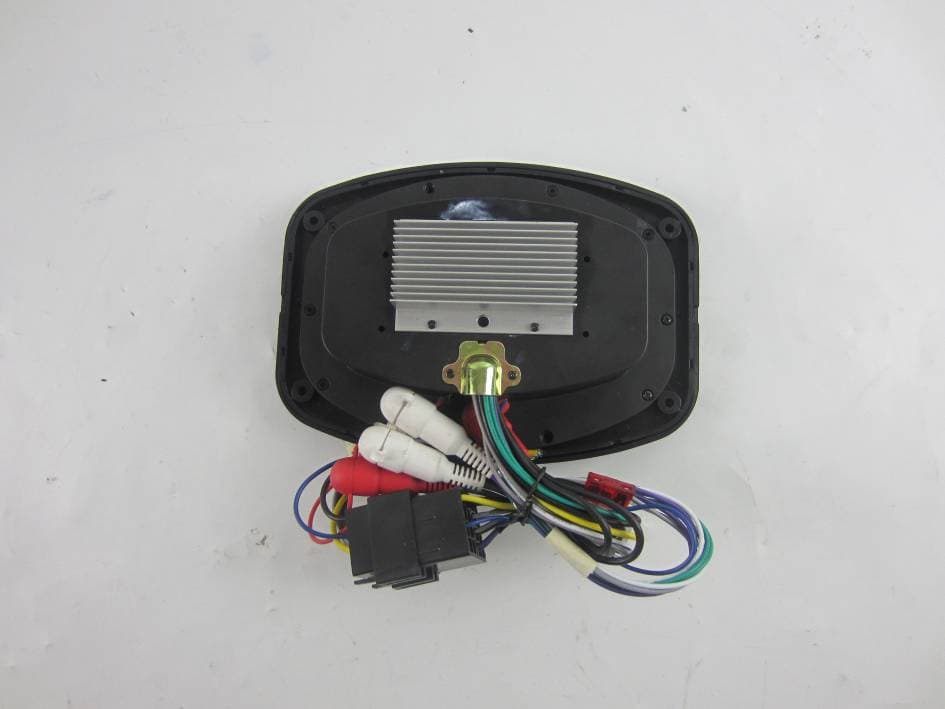
N9N-SP1
Nov 22, 2015SPA DOCK SP1
Equipment Class
DTS - Digital Transmission System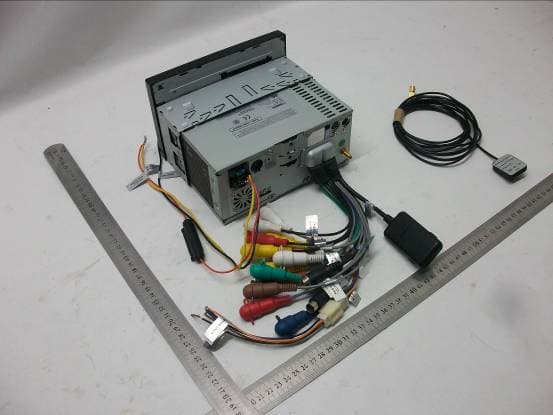
N9N-QD-7168
May 29, 2012Car Audio and Video Navigation System
Equipment Class
DXX - Part 15 Low Power Communication Device Transmitter