NIYP707TXOptical Gaming Mouse
Dexin Corp
Click to zoom
Application Details
- Equipment Class
- DXX - Part 15 Low Power Communication Device Transmitter
- Date of Grant
- Feb 24, 2021
- Application Purpose
- Original Equipment
- Date of Application
- Feb 23, 2021
- Equipment Note
- Optical Gaming Mouse
- Frequency Range
- 2403.00000000 - 2480.00000000
- Company
- Dexin Corp
- Country
- Taiwan
Documents & Files
Document Text
Text extracted from the exhibit documents filed with the FCC. Open a document above to read the original.
Users Manual
دليل التشغيل السريع quick start guide (HB) Contents Package contents .........................................................................................4 Replacing the switches ................................................................................4 Setting up the wireless receiver/charging dock ....................................4 English .............................................................................................................5 繁體中文 ..........................................................................................................8 簡體中文 ..........................................................................................................10 日本語 .............................................................................................................12 한국어 .......................................................................................................15 Français .............................................................................................................16 Deutsch .............................................................................................................18 Italiano .............................................................................................................20 Español .............................................................................................................22 Português do Brasil .......................................................................................24 Pyccкий .............................................................................................................26 Čeština .............................................................................................................28 Nederlands ......................................................................................................30 Suomi .............................................................................................................32 Magyar .............................................................................................................34 Norsk .............................................................................................................36 Polski .............................................................................................................38 Română .............................................................................................................40 Svenska .............................................................................................................42 Українська .......................................................................................................44 Arabic .............................................................................................................46 Türkçe .............................................................................................................48 Slovenský .........................................................................................................50 Notices ...........................................................................................................52 Warranty Form ..............................................................................................59 العربية English Quick Start Guide 4 Package contents Replacing the switches NOTE: Refer to www.asus.com for the list of compatible switches. Setting up the wireless receiver/charging dock IMPORTANT! • Ensure to install the switch with its button facing the front of the mouse. • Ensure that the switches are seated properly on the switch sockets. English ROG SPATHA X Gaming Mouse 5 English Right button Scroll wheel DPI button USB Type-C® connector Left button Forward button Backward button Programmable thumb buttons Rubber cover Optical sensor Mouse charging connectors Power switch Pairing button Wireless receiver/charging dock Dock charging connectors Pairing button (Dock) USB Type-C® to Type-A cable Dock LED indicator Device features English Quick Start Guide 6 Gaming mouse profiles ProfileDefault lighting effect Profile 1 + Rainbow (Default) Profile 2 + Color cycle Profile 3 + Breathing (blue) Profile 4 + Reactive (Green) Profile 5 + Comet Battery Status The LEDs on your gaming mouse will turn red (breathing) when the battery power is below 20% in RF 2.4G mode. You may charge your gaming mouse by using the bundled USB cable or wireless receiver/charging dock. Connecting your gaming mouse Setting up your gaming mouse as a wired mouse Connect the bundled USB Type-C® to Type-A cable to your gaming mouse and a USB port on your computer. Setting up your gaming mouse as an RF wireless mouse NOTE: Download the driver from https://www.asus.com and install it on your computer. 1. Connect the bundled USB Type-C® to Type-A cable to your wireless receiver/charging dock and a USB port on your computer. NOTE: Your gaming mouse comes paired by default. Please follow steps 2 - 5 only if you need to pair your gaming mouse again. 2. Press the Pairing button for 3 seconds on the rear of your wireless receiver/charging dock, the Dock LED indicator should begin blinking green. 3. Slide the Power Switch to turn on your ROG SPATHA X gaming mouse. 4. Press the Pairing button for 3 seconds on your ROG SPATHA X gaming mouse, the LEDs should begin blinking green. 5. The Dock LED indicator and gaming mouse LEDs will return to their original lighting effects when your ROG SPATHA X gaming mouse has successfully paired. NOTE: Click on the left button to wake your ROG SPATHA X gaming mouse from sleep mode. Specifications* ResolutionDPI 1DPI 2DPI 3 (Default)DPI 4 100 DPI to 19000 DPI400 DPI800 DPI1600 DPI3200 DPI * You may customize the DPI settings for DPI 1-4 through Armoury Crate or the DPI On-The-Scroll tuning function. English ROG SPATHA X Gaming Mouse 7 Updating the gaming mouse and wireless receiver/charging dock 1. Connect your gaming mouse or wireless receiver/charging dock to your compute…
Text truncated - open the document above for the full version.
External Photos
Report No.: 20C0442R-E3032110120 Page : 1 of 4 Attachment 2 : EUT Detailed Photographs (1) EUT Photo (2) EUT Photo Report No.: 20C0442R-E3032110120 Page : 2 of 4 (3) EUT Photo (4) EUT Photo Report No.: 20C0442R-E3032110120 Page : 3 of 4 (5) EUT Photo (6) EUT Photo Report No.: 20C0442R-E3032110120 Page : 4 of 4 (7) EUT Photo
ID Label/Location Info
Dexin Corp FCC ID: NIYP707TX 14F-8, No. 258, Lian Cheng Rd Chung Ho City, Taipei Hsien, Taiwan TEL: 886 2 8227-1093 FCC ID Label
ID Label/Location Info
Dexin Corp FCC ID: NIYP707TX 14F-8, No. 258, Lian Cheng Rd Chung Ho City, Taipei Hsien, Taiwan TEL: 886 2 8227-1093 The FCC ID will be placed on the equipment as shown in the photograph below.
Internal Photos
Report No.: 20C0442R-E3032110120 Page : 1 of 13 Attachment 2 : EUT Detailed Photographs (1) EUT Photo (2) EUT Photo Report No.: 20C0442R-E3032110120 Page : 2 of 13 (3) EUT Photo (4) EUT Photo Report No.: 20C0442R-E3032110120 Page : 3 of 13 (5) EUT Photo (6) EUT Photo Report No.: 20C0442R-E3032110120 Page : 4 of 13 (7) EUT Photo (8) EUT Photo Report No.: 20C0442R-E3032110120 Page : 5 of 13 (9) EUT Photo (10) EUT Photo Report No.: 20C0442R-E3032110120 Page : 6 of 13 (11) EUT Photo (12) EUT Photo Report No.: 20C0442R-E3032110120 Page : 7 of 13 (13) EUT Photo (14) EUT Photo Report No.: 20C0442R-E3032110120 Page : 8 of 13 (15) EUT Photo (16) EUT Photo Report No.: 20C0442R-E3032110120 Page : 9 of 13 (17) EUT Photo (18) EUT Photo Report No.: 20C0442R-E3032110120 Page : 10 of 13 (19) EUT Photo (20) EUT Photo Report No.: 20C0442R-E3032110120 Page : 11 of 13 (21) EUT Photo (22) EUT Photo Report No.: 20C0442R-E3032110120 Page : 12 of 13 (23) EUT Photo (24) EUT Photo RF Chip Antenna Report No.: 20C0442R-E3032110120 Page : 13 of 13 (25) EUT Photo (26) EUT Photo
Test Report
Report No.: 20C0442R-E3032110120 Page : 1 of 36 FCC Test Report Product Name Optical Gaming Mouse Model No. P707 (Mouse) FCC ID NIYP707TX Applicant Dexin Corp Address 14F-8, No. 258, Lian Cheng Rd Chung Ho City, Taipei Hsien, Taiwan Date of Receipt Dec. 11, 2020 Issued Date Jan. 13, 2021 Report No. 20C0442R-E3032110120 Report Version V1.0 The test results relate only to the samples tested. The test results shown in the test report are traceable to the national/international standard through the calibration report of the equipment and evaluated measurement uncertainty herein. This report must not be used to claim product endorsement by TAF or any agency of the government. The test report shall not be reproduced without the written approval of DEKRA Testing and Certification Co., Ltd. Measurement uncertainties evaluated for each testing system and associated connections are given here to provide the system information for reference. Compliance determinations do not take into account measurement uncertainties for each testing system, but are based on the results of the compliance measurement. Report No.: 20C0442R-E3032110120 Page : 2 of 36 Test Report Issued Date: Jan. 13, 2021 Report No.: 20C0442R-E3032110120 Product Name Optical Gaming Mouse Applicant Dexin Corp Address 14F-8, No. 258, Lian Cheng Rd Chung Ho City, Taipei Hsien, Taiwan Manufacturer Dexin Corp Model No. P707 (Mouse) FCC ID NIYP707TX EUT Rated Voltage DC 5V (Power by USB) or DC 3.7V (Power by Battery) EUT Test Voltage DC 5V (Power by USB) Trade Name ASUS Applicable Standard FCC CFR Title 47 Part 15 Subpart C ANSI C63.4: 2014, ANSI C63.10: 2013 Test Result Complied Documented By : ( Senior Adm. Specialist / Joanne Lin ) Tested By : ( Senior Engineer / Ivan Chuang ) Approved By : ( Director / Vincent Lin ) Report No.: 20C0442R-E3032110120 Page : 3 of 36 TABLE OF CONTENTS Description Page 1. GENERAL INFORMATION ..................................................................................................... 5 1.1. EUT Description ............................................................................................................................ 5 1.2. Tested System Datails.................................................................................................................... 7 1.3. Configuration of Test System ........................................................................................................ 7 1.4. EUT Exercise Software ................................................................................................................. 7 1.5. Test Facility ................................................................................................................................... 8 1.6. List of Test Equipment .................................................................................................................. 9 1.7. Uncertainty .................................................................................................................................. 10 2. Conducted Emission .................................................................................................................. 11 2.1. Test Setup .................................................................................................................................... 11 2.2. Limits .......................................................................................................................................... 11 2.3. Test Procedure ............................................................................................................................. 12 2.4. Test Result of Conducted Emission ............................................................................................. 13 3. Radiated Emission ..................................................................................................................... 15 3.1. Test Setup .................................................................................................................................... 15 3.2. Limits .......................................................................................................................................... 16 3.3. Test Procedure ............................................................................................................................. 17 3.4. Test Result of Radiated Emission ................................................................................................ 18 4. Band Edge .................................................................................................................................. 28 4.1. Test Setup .................................................................................................................................... 28 4.2. Limits .......................................................................................................................................... 28 4.3. Test Procedure ............................................................................................................................. 29 4.4. Test Result of Band Edge ............................................................................................................ 30 5. Duty Cycle .................................................................................................................................. 34 5.1. Test Setup .................................................................................................................................... 34 5.2. Test Result of Duty Cycle ............................................................................................................ 35 6. EMI Reduction Method During Compliance Testing ............................................................ 36 Attachment 1: EUT Test Photographs Attachment 2: EUT Detailed Photographs Report No.: 20C0442R-E3032110120 Page : 4 of 36 Revision History Report No. Ve r s i o n Description Issued Date 20C0442R-E30…
Text truncated - open the document above for the full version.
Test Setup Photos
Report No.: 20C0442R-E3032110120 Page : 1 of 3 Attachment 1: EUT Test Setup Photographs Front View of Conducted Test Back View of Conducted Test Report No.: 20C0442R-E3032110120 Page : 2 of 3 Front View of Radiated Test Back View of Radiated Test Report No.: 20C0442R-E3032110120 Page : 3 of 3 Front View of Radiated Test (Horn) Back View of Radiated Test (Horn)
Contact Information
Applicant
Lu Ho Lung(Manager)
Technical Contact
DEKRA Testing and Certification Co., LtdJenny Ng
[email protected]+886286013788
No.5-22, Ruishukeng, Linkou Dist., · New Taipei City · Taiwan
Test Firm
DEKRA TESTING AND CERTIFICATION Lin Kou Lab.Mirenda Liao
[email protected]886-2-2602-7968
Technical Specifications
| # | Rule Parts | Frequency Range | Power Output |
|---|---|---|---|
| 1 | 15C | 2.40 GHz - 2.48 GHz | - |
Other Applications from Dexin Corp

NIYP707RX
Feb 22, 2021Optical Gaming Mouse Dock
Equipment Class
DXX - Part 15 Low Power Communication Device Transmitter
NIY-VENGEANCEM90
Nov 29, 2011USB Gaming Mouse
Equipment Class
JBP - Part 15 Class B Computing Device Peripheral
NIY-VENGEANCEM60
Nov 29, 2011USB Gaming Mouse
Equipment Class
JBP - Part 15 Class B Computing Device Peripheral
NIYMWP177P6S
Jun 13, 20112.4G Wireless mouse
Equipment Class
DXX - Part 15 Low Power Communication Device Transmitter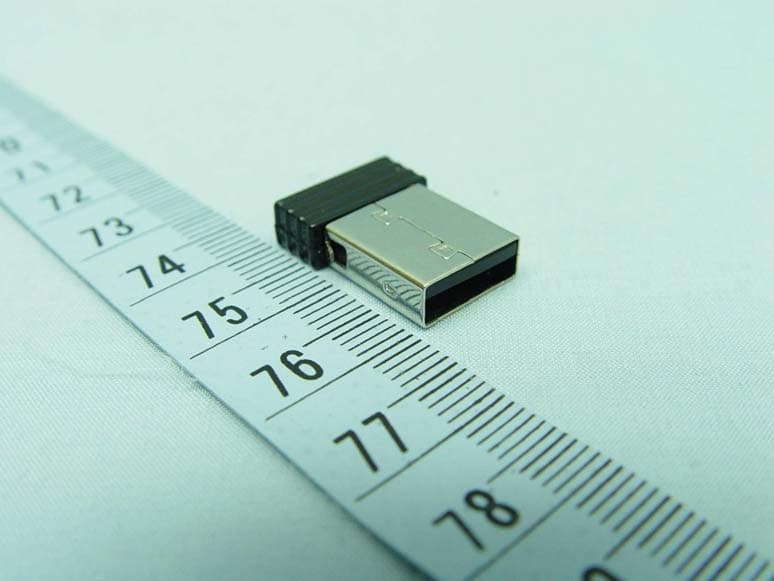
NIYRX366S
Jan 26, 20112.4GHz Wireless Receiver
Equipment Class
DXX - Part 15 Low Power Communication Device Transmitter