NPD-R240-V01FHSS ODU and IDU
Nokia Networks Inc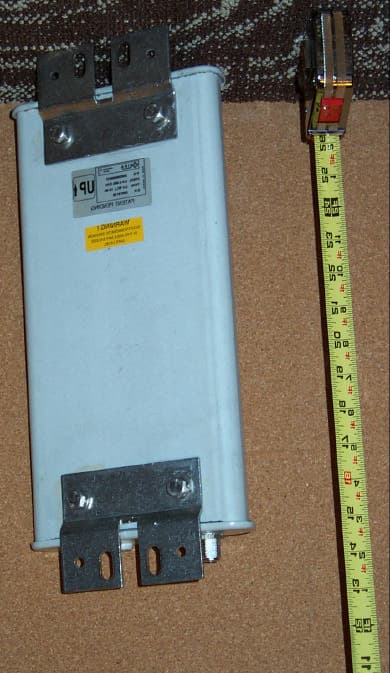
Click to zoom
Application Details
- Equipment Class
- DSS - Part 15 Spread Spectrum Transmitter
- Date of Grant
- May 15, 2001
- Application Purpose
- Original Equipment
- Date of Application
- Jan 24, 2001
- Equipment Note
- FHSS ODU and IDU
- Frequency Range
- 2401.05200000 - 2480.05800000
- Company
- Nokia Networks Inc
- Country
- United States
Documents & Files
Document Text
Text extracted from the exhibit documents filed with the FCC. Open a document above to read the original.
Users Manual
Users Manual For Nokia FCC ID: NPD-R240-V01 The device incorporates a host control device manufactured by Nokia into which a Symbol PCMCI radio LAN card is installed. The following Users Manuals are included: 1) Manual from Nokia for End User 2) Manual from Nokia for Professional Installation 3) Manual from Nokia for User Installation Wireless Router User Guide Introduction Your Nokia RoofTop Wireless Router is a revolutionary new product, providing you with broadband internet access using advanced wireless technology. Your wireless router is part of an interconnected wireless network, communicating with other wireless routers in your neighborhood using unlicensed 2.4 BHz radio spectrum. Your Nokia RoofTop Wireless Router not only provides you with fast “always-on” internet access, but is also an integral part of the network infrastructure. Some routers may rely on others to reach the internet. For this reason it is very important that you always keep your router powered ON, even if you are not using it.Your router may be forwarding and routing traffic for other routers in the network. Components of your Nokia RoofTop Wireless Router system Your wireless router system consists of: 1. Wireless router with integral antenna 2. Antenna mount 3. Multiwire cable connecting the wireless router and the Network/Power Unit 4. Ethernet cable 5. Network/Power Unit 2 1 3 4 5 6 Warnings and Safety Instructions Important User Information The Nokia RoofTop Wireless Router was designed and manufactured to meet strict quality and safety standards. It complies with the FCC rules, Part 15, Part 68 and with 21 CFR 1040.10 and 1040.11. Some routers may rely on others to reach the internet. It is very important that your wireless router is always powered ON, even when you are not using it, as it may be forwarding and routing traffic for other routers in the network. For this reason, do not unplug your Network/Power Unit. Instructions • Read and follow all safety and operating instructions • Heed all precautions and warnings in the instructions and on the equipment • Keep instructions for future use Hazard Warnings ??Environment - Do not place the Network/Power Unit in a very cold, dusty, wet or high humidity environment. The unit should be situated away from all heat sources such as radiators, heat registers, stoves, amplifiers and other heat producing appliances. ??Fire or Electric Shock - Do not expose the Network/Power Unit to any type of moisture, including rain. Do not use or install near water- related environments such as sinks, bathtubs, laundry areas, spas, swimming pools, or in wet basements. Take care not to spill any liquids on the unit. ??RF Exposure – Disconnect power from the wireless router when working within 7 inches (16 cm) of the antenna Grounding • Be sure the wireless router and antenna system is grounded to provide protection from voltage surges and built-up static charges. Section 810 of the National Electrical Code ANSINFPA No 70-1984 provides information about proper grounding of the mast and supporting structure, grounding of the lead-in wire to an antenna discharge unit, connection to grounding electrodes and requirements for the grounding electrode. All grounding should be performed by a professional. Accessories ??Use only Nokia approved accessories for all installations. Cleaning the Unit ??Clean the Network/Power Unit with a dry cloth or paper towel. Do not use any liquids to clean the unit. Mounting the Network/Power Unit ??Install the Network/Power Unit to a grounded AC-outlet. ??Place the cables so that they are not likely to be walked on or pinched by items placed on or against them. Pay particular attention to the point where cords and plugs exit the unit. Interference ??The wireless router can cause interference to (and interfere with) other devices operating in the 2.4 to 2.4835 GHz radio spectrum. Service Only by Qualified Service Personnel ??Do not open the unit or reconfigure the software. ??Do not attempt to service the wireless router or the Network/Power Unit. ??The system should be serviced only by qualified service personnel. Network/Power Unit Front Panel Your Network/Power Unit has LEDs which indicate the functioning of your unit. If you are experiencing problems with your wireless router, call your Internet Service Provider’s service desk. The service personnel may ask you to refer to the LEDs on the Network/Power Unit. When you call, make sure you can see the LEDs to be able to give the information to the service personnel. 1. PWR/ LAN - shows the local area network activity and that the unit power is “ON” 2. Anchor: - shows the status in the network and gives wireless link information; if this light is off you may not have a connection to the internet 1. PWR/ LAN 2. Anchor 3. Network 3. Network Bottom Panel Connections Bottom Panel Connections 1. HomePNA 2.0 interface: A standard phone jack (RJ-11) 2. Ethernet interface: A standard 10/100 BaseT Ethernet jack (RJ-45) 3. Router outdoor unit connection: This connector connects directly to your outdoor wireless router. Connecting the Wireless Router to Your PC, LAN or Home PNA Your wireless router is capable of providing internet access for a single PC via a direct connection or to multiple PCs via Local Area Network (LAN) or via Home PNA. 1 2 3 Direct Connection: When you connect your wireless router to a single PC, connect the Ethernet port on the Network/Power Unit and the network interface on your PC “crossover” Ethernet cable. LAN Connection: When you connect your wireless router to multiple PCs via a hub, router, or switch, use standard “straight-through” Ethernet cables throughout the entire network. Home PNA Connection: When you connect your wireless router to multiple PCs via home PNA, use standard Ethernet cables between the Network/Power Unit’s home PNA connection and the RJ11 phone jack. You can also connect the cable directly to your PC’s home PNA adapter. The router automatically activates the Ether…
Text truncated - open the document above for the full version.
Users Manual
Nokia RoofTop ™ Wireless Router (R240/ R240A) Hardware Installation Guide (self-install) COPYRIGHT © 2000 Nokia Corporation. All rights reserved. Rights reserved under the copyright laws of the United States. RESTRICTED RIGHTS LEGEND Use, duplication, or disclosure by the Government is subject to restrictions as set forth in subparagraph (c)(1)(ii) of the Right s i n Technical Data and Computer Software clause at DFARS 252.227-7013. TRADEMARKS Nokia is a registered trademark of Nokia Corporation. Nokia RoofTop™ is a registered trademark of Nokia Networks. Other products mentioned in this document are trademarks or registered trademarks of their respective holders. COMPLIANCE STATEMENTS This hardware complies with the standards listed in this section. Compliance in the United States Emission Standards UNINTENTIONAL EMISSIONS: FCC Part 15 CLASS B INTENTIONAL EMISSIONS: FCC Part 15, Section 15.247 This equipment has been tested and found to comply with the limits for a Class B digital device, pursuant to Part 15 of the FCC rules. These limits are designed to provide reasonable protection against harmful interference in a residential installation. This equipment generates, uses, and can radiate radio frequency energy and, if not installed and used in accordance with the instruc- tions, may cause harmful interference to radio communications. However, there is no guarantee that interference will not occur in a particular installation. If this equipment does cause harmful interference to radio or television reception which can be deter- mined by turning the equipment off and on, the user is encouraged to try and correct the interference by one or more of the fol- lowing measures: —Reorient or locate the receiving antenna. —Increase the separation between the equipment and receiver. —Connect the equipment into an outlet on a circuit different from that to which the receiver is connected. —Consult the dealer or an experienced radio/TV technician for help. Any modifications made to the unit, unless expressly approved by Nokia could void the user’s authority to operate the equip- ment. FCC Rules and Regulations - Part 68 This equipment complies with Part 68 of the FCC Rules. The FCC Part 68 Label is located on the rear panel of the Network/ Power Unit. This label contains, among other information, the FCC Registration Number and Ringer Equivalency Number (REN) for this equipment. You must, upon request, provide this information to your telephone company. The REN is useful to determine the quantity of devices you may connect to your telephone line and still have all those devices ring when your telephone number is called. In most but not all areas, the sum of the RENs of all devices connected to one line should not exceed five (5.0). To be certain of the number of devices you may connect to your line, as determined by the REN, you should contact your local tele- phone company to determine the maximum REN for your calling area. Connection to the telephone network should be made by using standard modular telephone jacks, type RJ11. The plug and/or jacks used must comply with FCC Part 68 rules. If your telephone equipment causes harm to the telephone network, the telephone company may discontinue your service temporarily. If possible, they will notify you in advance, but if advance notice is not practical, you will be notified as soon as possible. You will be informed of your right to file a complaint with the FCC. Your telephone company may make changes in its facilities, equipment, operations or procedures that could affect the proper functioning of your equipment, If they do, you will be notified' in advance to give you an opportunity to maintain uninterrupted telephone service. This equipment may not be used on coin service provided by the telephone company. Connection to party lines is subject to tariffs. If trouble is experienced with this unit, for repair or warranty information, please contact customer service at the address and phone listed below. If the equipment is causing harm to the network, the telephone company may request that you disconnect the equipment until the problem is resolved. DO NOT DISASSEMBLE THIS EQUIPMENT. It does not contain any user serviceable components. Compliance in Canada Canadian compliance (Industry Canada) When tested with at least one intended host: This digital apparatus does not exceed the Class B limits for radio noise emissions from digital apparatus set out in the interference-causing equipment entitled "Digi tal Apparatus", ICES-003 of the Canadian Department of Communications. Cet appareil numérique respecte les limites bruits radioélectriques applicables aux appareils numériques de Class B prescrites dans la norme sur le matériel brouilleur: "Appareils Numériques", NMB-003 édictée par le Ministre Canadien des Communica- tions. Notice: The Industry Canada (IC) label identifies certified equipment. This certification means that the equipment meets tele- communications network protective, operational and safety requirements as prescribed in the appropriate Terminal Equipment Technical document(s). The department does not guarantee the equipment will operate to the user's satisfaction. Before installing this equipment, users should ensure that it is permissible to be connected to the facilities of the local telecom- munications company. The equipment must also be installed using an acceptable method of connection. The customer should be aware that compliance with the above conditions may not prevent degradation of service in some situations. Repairs to certified equipment should be coordinated by a representative designated by the supplier. Any repairs or alterations made by a user to this equipment, or equipment malfunctions, may give the telephone communications company cause to request the user to disconnect the equipment. Notice: The Ringer Equivalent Number (REN) assigned to each terminal device provides an indication of the maximum number of terminals …
Text truncated - open the document above for the full version.
Users Manual
Wireless Router User Guide Introduction Your Nokia RoofTop Wireless Router is a revolutionary new product, providing you with broadband internet access using advanced wireless technology. Your wireless router is part of an interconnected wireless network, communicating with other wireless routers in your neighborhood using unlicensed 2.4 BHz radio spectrum. Your Nokia RoofTop Wireless Router not only provides you with fast “always-on” internet access, but is also an integral part of the network infrastructure. Some routers may rely on others to reach the internet. For this reason it is very important that you always keep your router powered ON, even if you are not using it.Your router may be forwarding and routing traffic for other routers in the network. Components of your Nokia RoofTop Wireless Router system Your wireless router system consists of: 1. Wireless router 2. Integral antenna 3. Antenna mount 4. Multiwire cable connecting the wireless router and the Network/Power Unit 5. Ethernet cable 6. Network/Power Unit 1 2 34 5 6 Warnings and Safety Instructions Important User Information The Nokia RoofTop Wireless Router was designed and manufactured to meet strict quality and safety standards. It complies with the FCC rules, Part 15, Part 68 and with 21 CFR 1040.10 and 1040.11. Some routers may rely on others to reach the internet. It is very important that your wireless router is always powered ON, even when you are not using it, as it may be forwarding and routing traffic for other routers in the network. For this reason, do not unplug your Network/Power Unit unless someone requires access to the area within 20 cm of the rooftop Wireless Router Antenna. Instructions • Read and follow all safety and operating instructions • Heed all precautions and warnings in the instructions and on the equipment • Keep instructions for future use Hazard Warnings • Environment - Do not place the Network/Power Unit in a very cold, dusty, wet or high humidity environment. The unit should be situated away from all heat sources such as radiators, heat registers, stoves, amplifiers and other heat producing appliances. • Fire or Electric Shock - Do not expose the Network/Power Unit to any type of moisture, including rain. Do not use or install near water- related environments such as sinks, bathtubs, laundry areas, spas, swimming pools, or in wet basements. Take care not to spill any liquids on the unit. • RF Exposure To comply with RF safety requirements, do not go closer than 20 cm of the antenna on the roof when the Network/Power Unit is plugged in. Grounding • Be sure the wireless router and antenna system is grounded to provide protection from voltage surges and built-up static charges. Section 810 of the National Electrical Code ANSINFPA No 70-1984 provides information about proper grounding of the mast and supporting structure, grounding of the lead-in wire to an antenna discharge unit, connection to grounding electrodes and requirements for the grounding electrode. All grounding should be performed by a professional. Accessories • Use only Nokia approved accessories for all installations. Cleaning the Unit • Clean the Network/Power Unit with a dry cloth or paper towel. Do not use any liquids to clean the unit. Mounting the Network/Power Unit • Install the Network/Power Unit to a grounded AC-outlet. • Place the cables so that they are not likely to be walked on or pinched by items placed on or against them. Pay particular attention to the point where cords and plugs exit the unit. Interference • The wireless router can cause interference to (and interfere with) other devices operating in the 2.4 to 2.4835 GHz radio spectrum. Service Only by Qualified Service Personnel • Do not open the unit or reconfigure the software. • Do not attempt to service the wireless router or the Network/Power Unit. • The system should be serviced only by qualified service personnel. Network/Power Unit Front Panel Your Network/Power Unit has LEDs which indicate the functioning of your unit. If you are experiencing problems with your wireless router, call your Internet Service Provider’s service desk. The service personnel may ask you to refer to the LEDs on the Network/Power Unit. When you call, make sure you can see the LEDs to be able to give the information to the service personnel. 1. PWR/ LAN - shows the local area network activity and that the unit power is “ON” 2. Anchor: - shows the status in the network and gives wireless link information; if this light is off you may not have a connection to the internet 1. PWR/ LAN 2. Anchor 3. Network 3. Network Bottom Panel Connections Bottom Panel Connections 1. HomePNA 2.0 interface : A standard phone jack (RJ-11) 2. Ethernet interface : A standard 10/100 BaseT Ethernet jack (RJ-45) 3. Router outdoor unit connection : This connector connects directly to your outdoor wireless router. Connecting the Wireless Router to Your PC, LAN or Home PNA Your wireless router is capable of providing internet access for a single PC via a direct connection or to multiple PCs via Local Area Network (LAN) or via Home PNA. 1 2 3 Direct Connection : When you connect your wireless router to a single PC, connect the Ethernet port on the Network/Power Unit and the network interface on your PC “crossover” Ethernet cable. LAN Connection : When you connect your wireless router to multiple PCs via a hub, router, or switch, use standard “straight-through” Ethernet cables throughout the entire network. Home PNA Connection : When you connect your wireless router to multiple PCs via home PNA, use standard telephone cables between the Network/Power Unit’s home PNA connection and the RJ11 phone jack. You can also connect the cable directly to your PC’s home PNA adapter. The router automatically activates the Ethernet or home PNA, depending upon which connector is used. If a cable is connected to both connectors, the Ethernet port is activated. Technical Support Nokia provides technical support only for netw…
Text truncated - open the document above for the full version.
Users Manual
Nokia RoofTop ™ Wireless Router (R240/ R240A) Hardware Installation Guide (self-install) COPYRIGHT © 2000 Nokia Corporation. All rights reserved. Rights reserved under the copyright laws of the United States. RESTRICTED RIGHTS LEGEND Use, duplication, or disclosure by the Government is subject to restrictions as set forth in subparagraph (c)(1)(ii) of the Right s i n Technical Data and Computer Software clause at DFARS 252.227-7013. TRADEMARKS Nokia is a registered trademark of Nokia Corporation. Nokia RoofTop™ is a registered trademark of Nokia Networks. Other products mentioned in this document are trademarks or registered trademarks of their respective holders. COMPLIANCE STATEMENTS This hardware complies with the standards listed in this section. Compliance in the United States Emission Standards UNINTENTIONAL EMISSIONS: FCC Part 15 CLASS B INTENTIONAL EMISSIONS: FCC Part 15, Section 15.247 This equipment has been tested and found to comply with the limits for a Class B digital device, pursuant to Part 15 of the FCC rules. These limits are designed to provide reasonable protection against harmful interference in a residential installation. This equipment generates, uses, and can radiate radio frequency energy and, if not installed and used in accordance with the instruc- tions, may cause harmful interference to radio communications. However, there is no guarantee that interference will not occur in a particular installation. If this equipment does cause harmful interference to radio or television reception which can be deter- mined by turning the equipment off and on, the user is encouraged to try and correct the interference by one or more of the fol- lowing measures: —Reorient or locate the receiving antenna. —Increase the separation between the equipment and receiver. —Connect the equipment into an outlet on a circuit different from that to which the receiver is connected. —Consult the dealer or an experienced radio/TV technician for help. Any modifications made to the unit, unless expressly approved by Nokia could void the user’s authority to operate the equip- ment. FCC Rules and Regulations - Part 68 This equipment complies with Part 68 of the FCC Rules. The FCC Part 68 Label is located on the rear panel of the Network/ Power Unit. This label contains, among other information, the FCC Registration Number and Ringer Equivalency Number (REN) for this equipment. You must, upon request, provide this information to your telephone company. The REN is useful to determine the quantity of devices you may connect to your telephone line and still have all those devices ring when your telephone number is called. In most but not all areas, the sum of the RENs of all devices connected to one line should not exceed five (5.0). To be certain of the number of devices you may connect to your line, as determined by the REN, you should contact your local tele- phone company to determine the maximum REN for your calling area. Connection to the telephone network should be made by using standard modular telephone jacks, type RJ11. The plug and/or jacks used must comply with FCC Part 68 rules. If your telephone equipment causes harm to the telephone network, the telephone company may discontinue your service temporarily. If possible, they will notify you in advance, but if advance notice is not practical, you will be notified as soon as possible. You will be informed of your right to file a complaint with the FCC. Your telephone company may make changes in its facilities, equipment, operations or procedures that could affect the proper functioning of your equipment, If they do, you will be notified' in advance to give you an opportunity to maintain uninterrupted telephone service. This equipment may not be used on coin service provided by the telephone company. Connection to party lines is subject to tariffs. If trouble is experienced with this unit, for repair or warranty information, please contact customer service at the address and phone listed below. If the equipment is causing harm to the network, the telephone company may request that you disconnect the equipment until the problem is resolved. DO NOT DISASSEMBLE THIS EQUIPMENT. It does not contain any user serviceable components. Compliance in Canada Canadian compliance (Industry Canada) When tested with at least one intended host: This digital apparatus does not exceed the Class B limits for radio noise emissions from digital apparatus set out in the interference-causing equipment entitled "Digi tal Apparatus", ICES-003 of the Canadian Department of Communications. Cet appareil numérique respecte les limites bruits radioélectriques applicables aux appareils numériques de Class B prescrites dans la norme sur le matériel brouilleur: "Appareils Numériques", NMB-003 édictée par le Ministre Canadien des Communica- tions. Notice: The Industry Canada (IC) label identifies certified equipment. This certification means that the equipment meets tele- communications network protective, operational and safety requirements as prescribed in the appropriate Terminal Equipment Technical document(s). The department does not guarantee the equipment will operate to the user's satisfaction. Before installing this equipment, users should ensure that it is permissible to be connected to the facilities of the local telecom- munications company. The equipment must also be installed using an acceptable method of connection. The customer should be aware that compliance with the above conditions may not prevent degradation of service in some situations. Repairs to certified equipment should be coordinated by a representative designated by the supplier. Any repairs or alterations made by a user to this equipment, or equipment malfunctions, may give the telephone communications company cause to request the user to disconnect the equipment. Notice: The Ringer Equivalent Number (REN) assigned to each terminal device provides an indication of the maximum number of terminals …
Text truncated - open the document above for the full version.
Users Manual
WRTS38591.01, version 1.0 April, 2001 Nokia RoofTop ™ Wireless Router (R240/ R240A) Hardware Installation Guide COPYRIGHT © 2000 Nokia Corporation. All rights reserved. Rights reserved under the copyright laws of the United States. RESTRICTED RIGHTS LEGEND Use, duplication, or disclosure by the Government is subject to restrictions as set forth in subparagraph (c)(1)(ii) of the Right s i n Technical Data and Computer Software clause at DFARS 252.227-7013. IMPORTANT NOTE TO USERS This device has been certified as an intentional radiator (transmitter) which requires that it is installed and/or moved by a trained professional. TRADEMARKS Nokia is a registered trademark of Nokia Corporation. Nokia RoofTop™ is a registered trademark of Nokia Networks. Other products mentioned in this document are trademarks or registered trademarks of their respective holders. COMPLIANCE STATEMENTS This hardware complies with the standards listed in this section. Compliance in the United States Emission Standards UNINTENTIONAL EMISSIONS: FCC Part 15 CLASS B INTENTIONAL EMISSIONS: FCC Part 15, Section 15.247 This equipment has been tested and found to comply with the limits for a Class B digital device, pursuant to Part 15 of the FCC rules. These limits are designed to provide reasonable protection against harmful interference in a residential installation. This equipment generates, uses, and can radiate radio frequency energy and, if not installed and used in accordance with the instruc- tions, may cause harmful interference to radio communications. However, there is no guarantee that interference will not occur in a particular installation. If this equipment does cause harmful interference to radio or television reception which can be deter- mined by turning the equipment off and on, the user is encouraged to try and correct the interference by one or more of the fol- lowing measures: —Reorient or locate the receiving antenna. —Increase the separation between the equipment and receiver. —Connect the equipment into an outlet on a circuit different from that to which the receiver is connected. —Consult the dealer or an experienced radio/TV technician for help. Any modifications made to the unit, unless expressly approved by Nokia could void the user’s authority to operate the equip- ment. FCC Rules and Regulations - Part 68 This equipment complies with Part 68 of the FCC Rules. The FCC Part 68 Label is located on the rear panel of the Network/ Power Unit. This label contains, among other information, the FCC Registration Number and Ringer Equivalency Number (REN) for this equipment. You must, upon request, provide this information to your telephone company. The REN is useful to determine the quantity of devices you may connect to your telephone line and still have all those devices ring when your telephone number is called. In most but not all areas, the sum of the RENs of all devices connected to one line should not exceed five (5.0). To be certain of the number of devices you may connect to your line, as determined by the REN, you should contact your local tele- phone company to determine the maximum REN for your calling area. Connection to the telephone network should be made by using standard modular telephone jacks, type RJ11. The plug and/or jacks used must comply with FCC Part 68 rules. If your telephone equipment causes harm to the telephone network, the telephone company may discontinue your service temporarily. If possible, they will notify you in advance, but if advance notice is not practical, you will be notified as soon as possible. You will be informed of your right to file a complaint with the FCC. Your telephone company may make changes in its facilities, equipment, operations or procedures that could affect the proper functioning of your equipment, If they do, you will be notified' in advance to give you an opportunity to maintain uninterrupted telephone service. This equipment may not be used on coin service provided by the telephone company. Connection to party lines is subject to tariffs. If trouble is experienced with this unit, for repair or warranty information, please contact customer service at the address and phone listed below. If the equipment is causing harm to the network, the telephone company may request that you disconnect the equipment until the problem is resolved. DO NOT DISASSEMBLE THIS EQUIPMENT. It does not contain any user serviceable components. Compliance in Canada Canadian compliance (Industry Canada) When tested with at least one intended host: This digital apparatus does not exceed the Class B limits for radio noise emissions from digital apparatus set out in the interference-causing equipment entitled "Digi tal Apparatus", ICES-003 of the Canadian Department of Communications. Cet appareil numérique respecte les limites bruits radioélectriques applicables aux appareils numériques de Class B prescrites dans la norme sur le matériel brouilleur: "Appareils Numériques", NMB-003 édictée par le Ministre Canadien des Communica- tions. Notice: The Industry Canada (IC) label identifies certified equipment. This certification means that the equipment meets tele- communications network protective, operational and safety requirements as prescribed in the appropriate Terminal Equipment Technical document(s). The department does not guarantee the equipment will operate to the user's satisfaction. Before installing this equipment, users should ensure that it is permissible to be connected to the facilities of the local telecom- munications company. The equipment must also be installed using an acceptable method of connection. The customer should be aware that compliance with the above conditions may not prevent degradation of service in some situations. Repairs to certified equipment should be coordinated by a representative designated by the supplier. Any repairs or alterations made by a user to this equipment, or equipment malfunctions, may give the telephone communications co…
Text truncated - open the document above for the full version.
Contact Information
Applicant
Nico Van Waes(Systems Engineer)
Technical Contact
Elliott Laboratories, Inc.Mark R Briggs
[email protected]408-245-7800
684 West Maude Ave. · Sunnyvale, California · United States
Non-Technical Contact
WRFTom Dombrowsky
[email protected]408-245-7800
Test Firm
Elliott Laboratories, Inc.David Bare
408-245-7800Fax: 408-245-3499
Technical Specifications
| # | Rule Parts | Frequency Range | Power Output |
|---|---|---|---|
| 1 | 15C | 2.40 GHz - 2.48 GHz | 566.00 mW |
Other Applications from Nokia Networks Inc
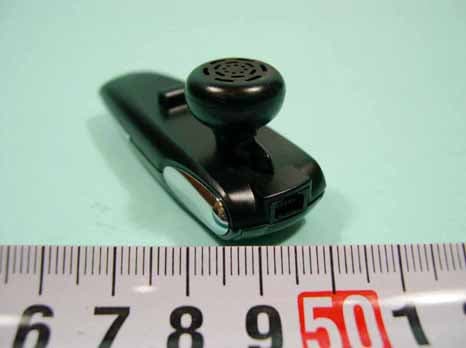
NPDUBH-2010
Jun 29, 2005BLUETOOTH HEADSET
Equipment Class
DSS - Part 15 Spread Spectrum Transmitter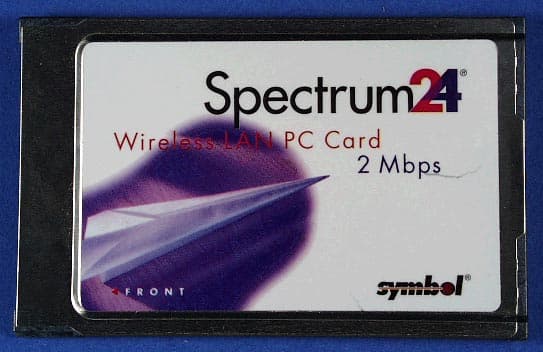
NPD-R242-V02
Jan 30, 2001frequency-hopping spread spectrum (FHSS) transceiver
Equipment Class
DSS - Part 15 Spread Spectrum Transmitter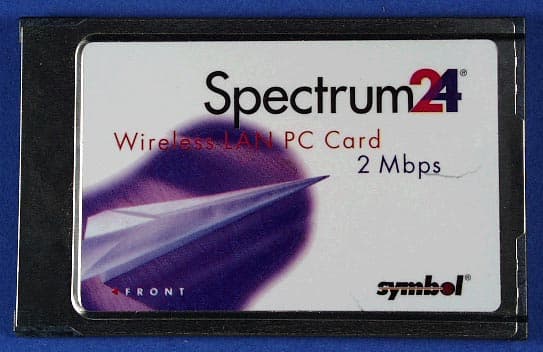
NPDR242-V01
Oct 23, 2000Rooftop Spread Spectrum Wireless Router
Equipment Class
DSS - Part 15 Spread Spectrum TransmitterNPDSP-104
Mar 31, 1998LAN Transmitter Module Max. Output Power 68 milliwatts
Equipment Class
DSS - Part 15 Spread Spectrum Transmitter