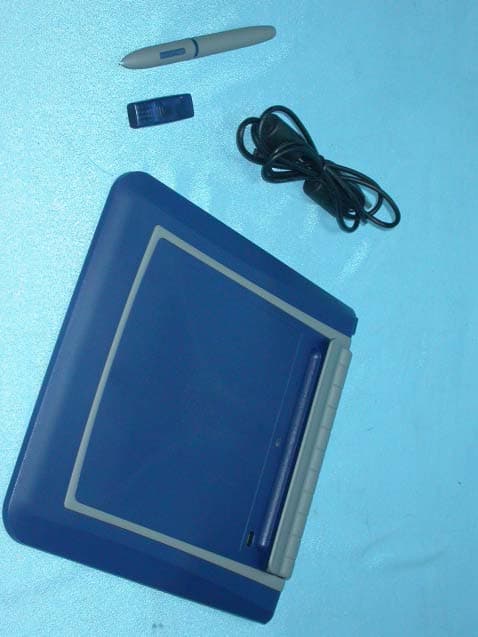
NRQUT5040MTablet
Aiptek International Inc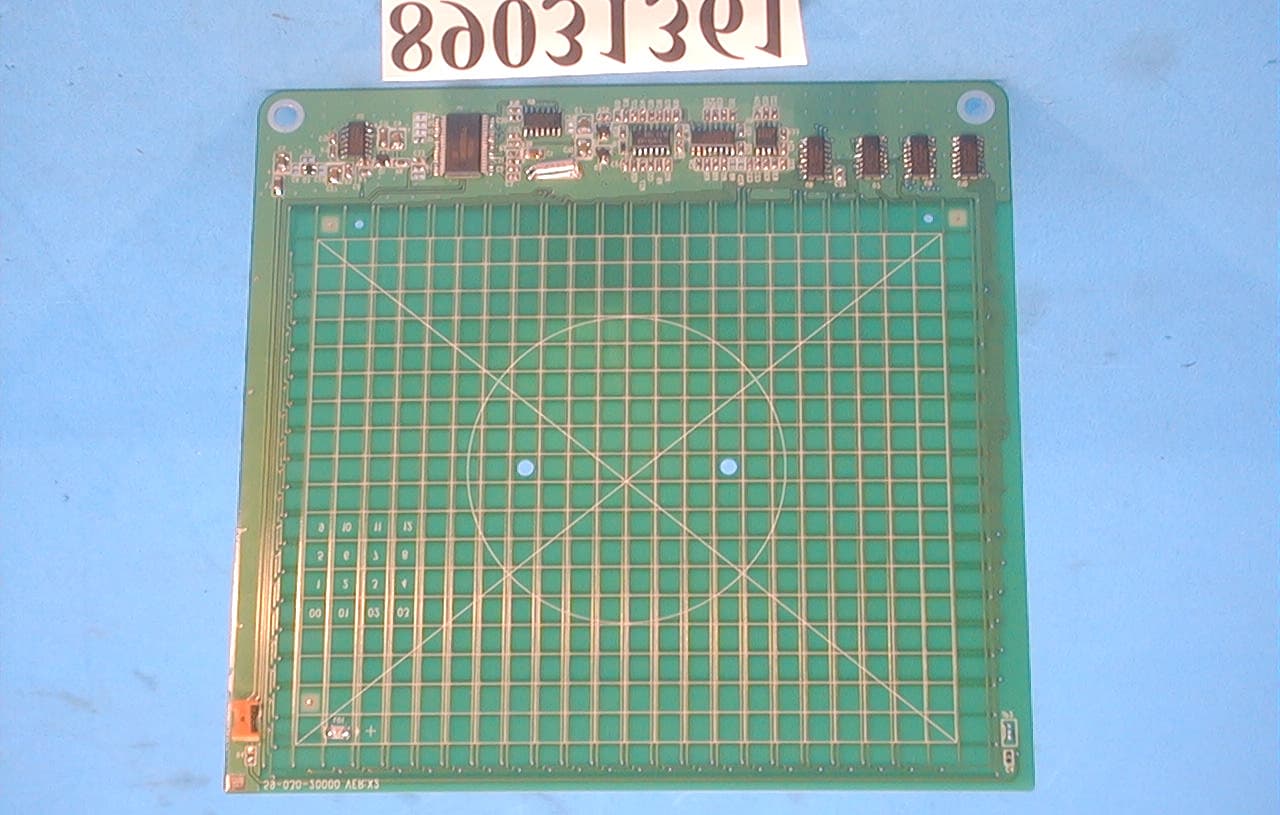
Click to zoom
Application Details
- Equipment Class
- JBP - Part 15 Class B Computing Device Peripheral
- Date of Grant
- Apr 19, 2000
- Application Purpose
- Original Equipment
- Date of Application
- Apr 12, 2000
- Equipment Note
- Tablet
- Company
- Aiptek International Inc
- Country
- Taiwan
Documents & Files
Document Text
Text extracted from the exhibit documents filed with the FCC. Open a document above to read the original.
Users Manual
1 HyperPen USB Tablet Installation Guide 2 FCC Statement.........................................................................3 EEC Statement.........................................................................4 System Requirements...............................................................5 Contents Checklist.....................................................................6 Tablet Installation HyperPen USB Driver.......................................................7 Software Installation Cadix CyberSign screen saver.........................................10 ontents C 3 This equipment generates and uses radio frequency energy and if not installed and used in accordance with the manufacturer’s instructions, it may cause interference to radio and television reception. This equipment has been tested and certified to comply with the limits for a Class B computing device, pursuant to sub-part J of part 15 of FCC Regulation, which are designed to provide rea- sonable protection against such interference in a residential installation. However, there is no guarantee that interference will not occur in a particular installation. If this equipment does cause interference to radio or television reception, which can be determined by turning the equipment off and on, the user is encouraged to try to correct the interference by more of the following measures: Reorient the receiving antenna Relocate the computer with respect to receiver Plug the computer into a different power outlet so that the computer and receiver are on different branch circuits. If necessary, the user should consult with the dealer or an experienced radio/ television technician for additional suggestions. The user may find the following booklet helpful, which was prepared by the Federal Communication Commission: “How to Identify and Resolve Radio-TV Interference Problems.” CC Statement F 4 This device complies with requirement of EEC directive 89/336/EEC with regard to Electromagnetic Compatibility. Dieses Gerät entspricht den Anforderungen der EEC-Richtlinie 89/336/EEC für elektromagnetische Verträglichkeit. Cet appareil est conforme aux exigences de la directive de la Communauté européenne 89/336/EEC sur la compatibilité électromagnétique. Questo apparecchio è conforme alla direttiva comunitaria 89/336/ CEE relativa alla compatibilità elettromagnetica. Este dispositivo cumple con los requerimientos de la normativa de la CEE 89/336/EEC en lo referente a Compatibilidad Electromagnética. EC Statement E 5 ystem Requirements S IBM compatible PC with 200MHz Pentium processor or higher An available USB port Microsoft Windows 98 32MB RAM CD-ROM Drive Color monitor 6 ontents Checklist C USB TABLET 1 3 APPLICATION / DRIVER CD 2 PEN 7 Begin by inserting the autorun installation CD. The following screen appears(Step2). 1 2 The screen appears. OR If the screen in step 2 does not appear, click Start and choose Run. In the Run dialog box, type “ d” or where your CD drive is located and click OK. ablet Installation T HyperPen USB Driver *For the fastest and easiest installation of the HyperPen tablet,we recom- mend NOT TO connect your USB tablet until prompted to do so by the HyperPen driver installation. The HyperPen is also supported by Plug and Play. 8 4 3 Click the HyperPen USB Driver icon . 6 5 The welcome screen appears, click “ Next”. The driver files will begin to install to the proper location. Installation will prompt you to plug in your USB tablet. 9 7 8 Connect the tablet’s USB connector into an available USB port on your computer. Windows will detect your newly installed Aiptek HyperPen USB tablet and will proceed with the final steps of the installation. You have now successfully installed your HyperPen USB tablet. 10 Cadix CyberSign Begin by inserting the autorun installation CD. The following screen appears(Step2). 1 2 The screen below appears. OR If the following screen does not appear, click Start and choose Run. In the Run dialog box, type “d:\” where drive is your CD drive and click OK. Then choose Setup icon. 3 Click the Cadix Signature icon. oftware Installation S 11 4 A Welcome dialog box appears. Click “Next” to start the installation. 5 Choose the tablet you have installed. Click “Next”. 6 Select the directory where you would like Cadix to be installed , or accept the suggested directory. Click “Next”. 12 7 You can set the Cadix as the default screen saver and click “Yes”, or click “No” to continue. You will see a Done! dialog box. Now the installation is complete! Continue to install the rest of the software provided on the CD. Click on the icon of the program you wish to install and follow the on-screen instructions.
Block Diagram
A/D Micro-controlleCoordinatorCalculationPressureCounter Computer Detector Amplifier Band Pass Filter Rectifier Peak Detector A/D Converter Shap in g Digital Clock(168 KHz) Gain Control Position Scan Control Y X Coordinator, Pressure sends to PC Cordless Pen Tablet CRYSTAL(6MHz)
Cover Letter(s)
Advance Data Technology Corporation No. 81-1,Lu Liao Keng,9 Ling,Wu Lung Tsuen,Chiung Lin Hsiang,Hsin Chu Hsien,Taiwan,R.O.C. TEL:(03)593-5343 FAX:(03)593-5342 Date: Apr. 10, 2000 Federal Communications Commission Authorization and Evaluation Division 7435 Oakland Mills Rd., Columbia, MD. 21046 Attention: Authorization and Evaluation Division Subject: Application for Certification on TABLET (EUT) with FCC ID: NRQUT5040M Dear Sir: We would like to apply for FCC certification of the EUT. Enclosed please find all required documents of the EUT listed below: 1. Exhibit 1: The Authorization Letter signed by the applicant 2. Exhibit 2: The FCC Label of EUT. 3. Exhibit 3: The modification List Letter signed by the applicant 4. Exhibit 4: The RFI/EMI Test Report issued by ADT Corp. 5. Exhibit 5: The photographs of EUT 6. Exhibit 6: The Block Diagram & Schematic Diagram of EUT 7. Exhibit 7: The User’s Manual of EUT Please review the information we submitted and issue us a grant for the EUT. If you have any questions or comments, please do not hesitate to contact us. Sincerely yours, -------------------------------------------- Fred Chen / Manager ADT Corp. Cc. Mr. Harris W. Lai / Advance Data Technology Corporation
ID Label/Location Info
Model : HYPERPEN5000U FCC ID : NRQUT5040M This device complies with Part 15 of the FCC rules. Operation is subject to the following two conditions: (1) this device may not cause harmful interference, and (2) this device Mmust accept any interference received including interference that may cause undesired Operation. S/NO. : AIPTEK International Inc. Made in Taiwan
Internal Photos
Page: 1 FCC ID: NRQ UT5040M Page: 2 FCC ID: NRQ UT5040M Page: 3 FCC ID: NRQ UT5040M Page: 4 FCC ID: NRQ UT5040M Page: 5 FCC ID: NRQ UT5040M Page: 6 FCC ID: NRQ UT5040M Page: 7 FCC ID: NRQ UT5040M
Test Report
ADVANCE DATA TECHNOLOGY CORPORATION REPORT NO.: F89031361 Page 1 of 14 FCC ID: NRQUT5040M EMC TEST REPORT REPORT NO.: F89031361 MODEL NO.: HyperPen 5000U DATE OF TEST: Mar. 14, 2000 PREPARED FOR: AIPTEK INTERNATIONAL INC. ADDRESS: 3F, NO. 5-1, INNOVATION RD. 1, SCIENCE-BASED INDUSTRIAL PARK, HSIN-CHU, TAIWAN, R.O.C. PREPARED BY:ADVANCE DATA TECHNOLOGY CORPORATION No. 81-1, Lu Liao Keng, 9 Ling, Wu Lung Tsuen, Chiung Lin Hsiang, Hsin Chu Hsien, Taiwan, R.O.C. This test report consists of 14 pages in total. It may be duplicated completely for legal use with the allowance of the applicant. It shall not be reproduced except in full, without the written approval of our laboratory. It should not be used by the client to claim product endorsement by NVLAP or any agency of the U.S. government. The test result in the report only applies to the tested sample. Accredited Laboratory ADVANCE DATA TECHNOLOGY CORPORATION REPORT NO.: F89031361 Page 2 of 14 FCC ID: NRQUT5040M TABLE OF CONTENTS 1.CERTIFICATION..................................................................................................................3 2.GENERAL INFORMATION.................................................................................................4 2.1GENERAL DESCRIPTION OF EUT.........................................................................4 2.2DESCRIPTION OF SUPPORT UNITS.....................................................................5 2.3TEST METHODOLOGY AND CONFIGURATION................................................5 3.TEST INSTRUMENTS..........................................................................................................6 3.1TEST INSTRUMENTS (EMISSION)........................................................................6 3.2LIMITS OF CONDUCTED AND RADIATED EMISSION......................................7 4.TEST RESULTS (EMISSION)............................................................................................8 4.1RADIO DISTURBANCE...........................................................................................8 4.2EUT OPERATION CONDITION..............................................................................8 4.3TEST DATA OF CONDUCTED EMISSION............................................................9 4.4TEST DATA OF RADIATED EMISSION...............................................................11 5.PHOTOGRAPHS OF THE TEST CONFIGURATION WITH MINIMUM MARGIN........13 ADVANCE DATA TECHNOLOGY CORPORATION REPORT NO.: F89031361 Page 3 of 14 FCC ID: NRQUT5040M 1. CERTIFICATION Issue Date: Mar. 21, 2000 Reference No.: 89031361 Product:TABLET Trade Name:AIPTEK Model No.:HyperPen 5000U, T-5000U Applicant:AIPTEK INTERNATIONAL INC. Standard:FCC Part 15, Subpart B, Class B ANSI C63.4-1992 CISPR 22:1993 + A1:1995 + A2:1996, Class B We hereby certify that one sample of the designation has been tested in our facility on Mar. 14, 2000. The test record, data evaluation and Equipment Under Test (EUT) configurations represent herein are true and accurate representation of the measurements of the sample's EMC characteristics under the conditions herein specified. The test results show that the EUT as described in this report is in compliance with the Class B limits of conducted and radiated emission of applicable standards TESTED BY:, DATE:Mar. 21, 2000 ( Cody Chang ) CHECKED BY:, DATE:Mar. 21, 2000 ( Rita Yi ) APPROVED BY:, DATE:Mar. 21, 2000 ( Fred Chen ) ADVANCE DATA TECHNOLOGY CORPORATION Accredited Laboratory ADVANCE DATA TECHNOLOGY CORPORATION REPORT NO.: F89031361 Page 4 of 14 FCC ID: NRQUT5040M 2. GENERAL INFORMATION 2.1 GENERAL DESCRIPTION OF EUT Product:TABLET Model No.:HyperPen 5000U Power Supply:DC 5V (From PC) Data Cable:Shielded USB Cable (1.8m) Note: The EUT is a digitizing TABLET input device with USB interface. It has two model names which are identical to each other in all aspects except for their model names: Model NameBrand HyperPen 5000UAIPTEK T-5000UAIPTEK For more detailed features, please refer to User’s Manual. ADVANCE DATA TECHNOLOGY CORPORATION REPORT NO.: F89031361 Page 5 of 14 FCC ID: NRQUT5040M 2.2 DESCRIPTION OF SUPPORT UNITS The EUT has been tested as an independent unit together with other necessary accessories or support units. The following support units or accessories are used to form representative test configuration during the tests. NoProductBrandModel No.FCC IDI/O Cable 1.PERSONAL COMPUTER IBM2187-12WFCC DoCNonshielded Power (1.8m) 2.MONITORADI937GBR8937GShielded Signal (1.5m) Nonshielded Power (1.8m) 3.PRINTERHP2225CBS46XU2225CShielded Signal (1.0m) Nonshielded Power (1.8m) 4.MODEMACEEX1414IFAXDM1414Shielded Signal (1.0m) Nonshielded Power (2.1m) 5.MOUSELOGITECHM-S34DZL211029Shielded Signal (1.8m) 6.KEYBOARDIBMKB-7953FCC DoCShielded Signal (1.8m) 7.STYLUS-PENAIPTEKHyper PenNANA 2.3 TEST METHODOLOGY AND CONFIGURATION Both conducted and radiated testing were performed according to the procedures in ANSI C63.4:1992. Radiated testing was performed at an antenna to EUT distance of 10 m on an open area test site. Please refer to the photos of test configuration in Item 5. 2. MONITOR3. PRINTER 6. KEYBOARD 7. STYLUS-PEN 5. MOUSE 1. PC EUT 4. MODEM ADVANCE DATA TECHNOLOGY CORPORATION REPORT NO.: F89031361 Page 6 of 14 FCC ID: NRQUT5040M 3. TEST INSTRUMENTS 3.1 TEST INSTRUMENTS (EMISSION) CONDUCTED EMISSION MEASUREMENT Description & ManufacturerModel No.Serial No.Calibrated Until ROHDE & SCHWARZ Test Receiver ESCS 30847124/029Oct. 6, 2000 ROHDE & SCHWARZ LISNESHS-Z5848773/004Oct. 8, 2000 KYORITSU LISNKNW-4078/1395/12Aug. 02, 2000 Shielded RoomCon AADT-CAN/A Note: 1. The measurement uncertainty is less than +/- 2.6dB, which is calculated as per NAMAS document NIS81. 2. The calibration interval of the above test instruments is 12 months and the calibrations are traceable to NML/ROC and NIST/USA. RADIATED EMISSION MEASUREMENT Description & ManufacturerModel No.Serial No.Calibrated Until HP Spectrum Analyzer8594E3710A04861Sep. 9, 2000 AD…
Text truncated - open the document above for the full version.
Contact Information
Applicant
Leo Lin(Deputy Manager)
Technical Contact
ADVANCE DATA TECHNOLOGY CORP.FRED CHEN
[email protected]886-3-5935343
NO. 81-1, LU LIAO KENG, 9 LING, WU LUNG TWUEN · HSIN CHU HSIEN · Taiwan
Non-Technical Contact
ADVANCE DATA TECHNOLOGY CORPFRED CHEN
[email protected]886-3-5935343
Test Firm
Bureau Veritas CPS (H.K.) Ltd., Taoyuan BranchRichard Chen
Technical Specifications
| # | Rule Parts | Frequency Range | Power Output |
|---|---|---|---|
| 1 | 15B | - | - |
Other Applications from Aiptek International Inc
NRQRMKT05
Feb 16, 2004Bluetooth Tablet
Equipment Class
DSS - Part 15 Spread Spectrum Transmitter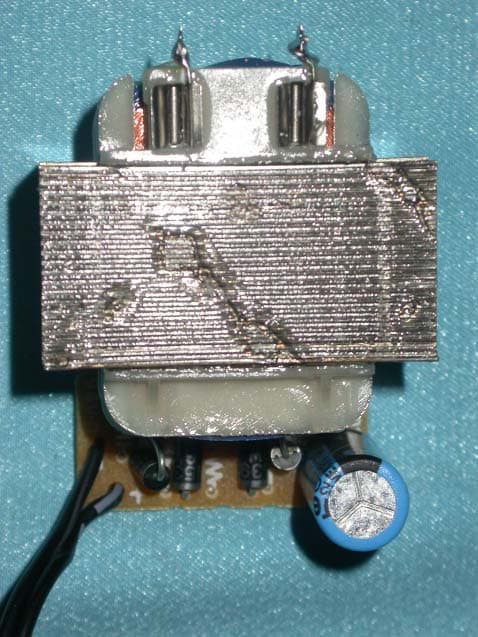
NRQRXOB31
Dec 21, 2003SecuCam AV100 - Transmitter
Equipment Class
DXX - Part 15 Low Power Communication Device Transmitter
NRQ-BROR01
Jan 05, 2003Bluetooth USB Adapter
Equipment Class
DSS - Part 15 Spread Spectrum TransmitterNRQ-BROR02
Oct 28, 2002Bluetooth USB Adapter
Equipment Class
DSS - Part 15 Spread Spectrum Transmitter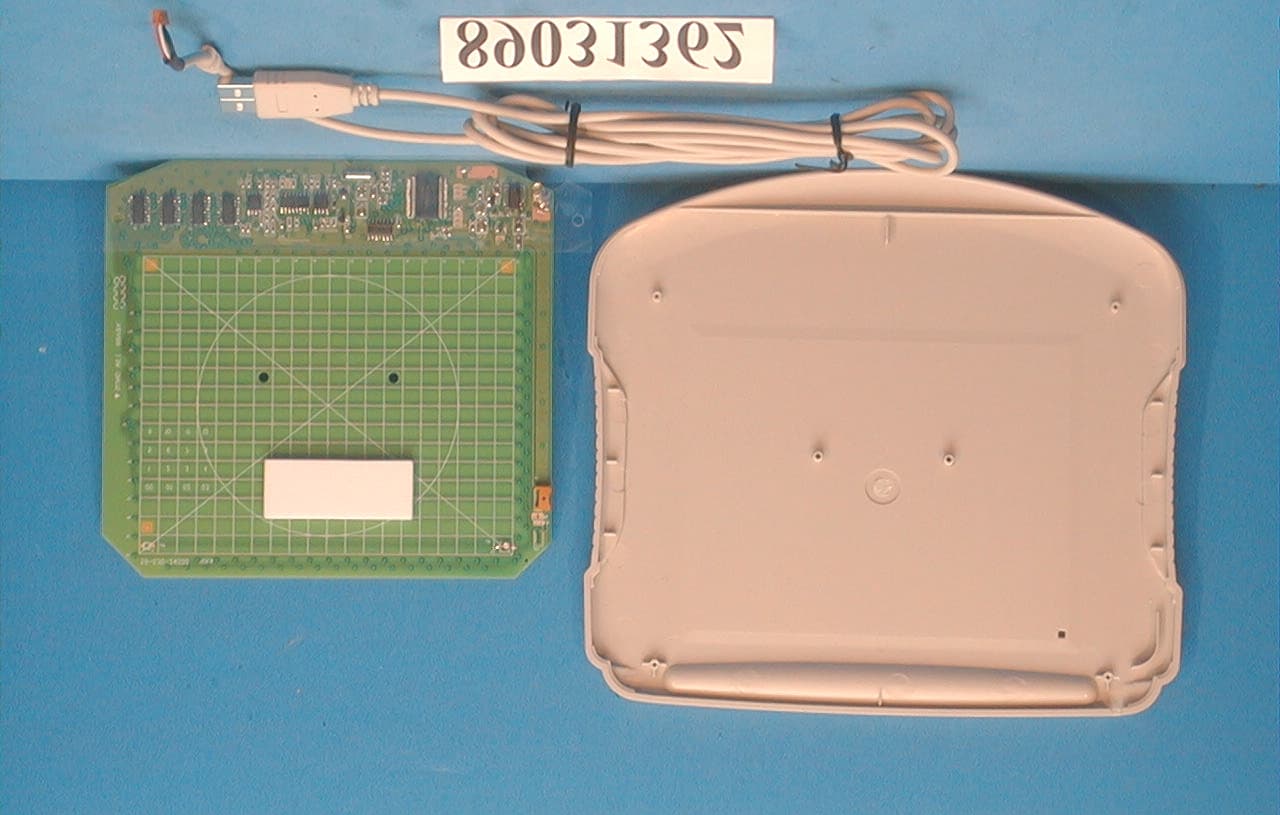
NRQUT4030M
Apr 25, 2000Tablet
Equipment Class
JBP - Part 15 Class B Computing Device Peripheral