O2MIFM-241MP3 Player
ISE Telecommunication Co Ltd
Click to zoom
Application Details
- Equipment Class
- JBP - Part 15 Class B Computing Device Peripheral
- Date of Grant
- Mar 08, 2005
- Application Purpose
- Original Equipment
- Date of Application
- Mar 08, 2005
- Equipment Note
- MP3 Player
- Company
- ISE Telecommunication Co Ltd
- Country
- South Korea
Documents & Files
Document Text
Text extracted from the exhibit documents filed with the FCC. Open a document above to read the original.
Users Manual
CONTENTS MP3 Player User Interface I. Basic Operation II. PLAYBACK function III. MODE operation IV. MENU V. Operating the TUNER VI. Recording VOICE VII. LINE-IN Function January 31, 2005 GABE Technology co., ltd. I. Basic Operation [ Name and Functions of Each Part ] KEY BASIC OPERATION Ⓝ To select menu mode and confirm the music file To select EQ mode or A-B repeat * Interval repeat: Play a selected interval repeatedly : Press A-B button once to select the beginning (A) point. : Press A-B button again to select the ending (B) point. * EQ mode: Press and hold the A-B button to display the current EQ. Everytime you press this button, the EQ mode scrolls in sequential order (NORMAL-ROCK-JAZZ-CLASSIC- POP-USR ) •/M To select function mode change or recoder/stop recording Adjust the REPEAT, SHUFFLE, INTRO of music. 1. : Play all track in the player and stop 2. : Play all track in the player repeatedly 3. : Ramdomly play all tracks in the player repeatedly 4. : Plays the beginning 10 seconds of each tracks in sequential order 5. : Play all tracks in the folder and stop 6. : Play all tracks in the folder repeatedly 7. : Ramdomly play all tracks in the folder and stop 8. : Plays the beginning 10 seconds of all tracks in the folder 9. : Play a single track and stop 10. : Play a single track repeatedly + To increase volume and to select sub-menu function - To decrease volume and to select sub-menu function ▪/ ▸ To start or stop playback for MP3 To select the previous music for MP3 or station for FM To move between main menu and sub-menu To select the next music for MP3 or station for FM To move between main menu and sub-menu HOLD Once you have slided the hold switch on the remote control, the other buttons on this remote control and main frame do not work A-B Re [ Instruction Manual and Basic Mode Function ] shortlong Ⓝ To select the music Preset function A-B A-B repeatMemory functionMemory delete •/M record start/stoprecord start/stop record start/stop Re + Volume up - Volume down ▪/▸ Turn on/off Start/stop Recording pause To select the stereo/mono To play a recorded file To pause recording To play a recorded file To select the previous music To change frequency Adjust recording quality Adjust recording quality To select the next music To change frequency Adjust recording quality Adjust recording quality HOLD Hold release Line inKEY Tuner MusicVoice INSTRUCTION MANUAL AND NOTE * Note: Connect the USB cable to the PC after playback stops to avoid errors ** Note: To using the USB, line-in cable and earphone free 1. To select a music saved in memory, press the Ⓝ button and find the music by pressing the VOL + or VOL - button. (+: To advance, -: To reverse, : To select previous folder, Ⓝ: To select music) 1. Stop playback 2. Press the Ⓝ button 3. Select the files to delete by using VOL + or VOL - 4. Press the •/M button. FILE DELETE and FILE NAME is displayed on the LCD Select "YES" by using + and - to delete. Then press Ⓝbutton 1. Stop playback 2. Press the Ⓝ button 3. Select the files to delete by using VOL + or VOL - 4. Press the •/M button. REMOVE DIR and DIR NAME is displayed on the LCD Select "YES" by using + and - to delete. Then press Ⓝbutton * NOTE: The recorded file is saved as VORC001 in the voice folder. So you can not delete a basic folder (Tuner,Voice,Audio) Connect the USB cable to the USB port of the computer Deleting files on the player Deleting folders on the player To select the music file II. PLAYBACK function -Dec - SPL rate - BIT rate - RPT repeat -RPT shuffle -RPT dir - Hold -Battery -Equalizer -Volume - RPT intro III. MODE operation 1. Music mode ⇒Push the •/Mbutton and then press the button to confirm in the Music mode. 2. Tuner mode ⇒Push the •/Mbutton and then press the button to confirm in the Tuner mode. 3. Voice mode ⇒Push the •/Mbutton and then press the + button to confirm in the Voice mode. 4. Line-in mode ⇒Push the •/Mbutton and then press the –button to confirm in the line-in mode. 1. Press and hold the Ⓝbutton to display the menu system. 2. It is composed of 4 main menu with sub-menus. 3. When you select a sub-menu, you can set your preference to be displayed. 4. Press the or button to move between main menu and sub-menu. 5. To press the +,-, , button, adjust of each other function . 6. Press the Ⓝbutton in final sub-menu, it is setting and move to previous menu. IV. MENU [ System Mode ] * Automatically turns power off after a fixed time. ( Time range can be set from 1 to 120 minutes by a minute) ⇒Use the +, -button to adjust time. *Automatically turns power off at stop mode. ( Time range can be set from 1 to 120 minutes by a minute) ⇒Use the +, -button to adjust time. *When ON, player resumes to previous place in song after stop or power off. ⇒Use the +, -button. * Support 7 languages. Music title for the MP3 files is dependent on the version of the PC operating system that was used to create it. (For example, if a MP3 file is created in Korean version of windows, the languages setting should be Korean for proper title display) ⇒Use the +,-or button. + - + - + - + - + - + - Ⓝ Ⓝ Ⓝ Ⓝ Ⓝ Ⓝ Ⓝ Ⓝ + - [ Display Mode ] * You can adjust the time that the backlight stays on. (OFF-3SEC-5SEC-ON) ⇒Use the +, -button. * Adjust LCD contrast of remote control. ⇒Use the+, -button. * ON: Display track with ID3 Tag information. OFF: Display track with file name. ⇒Use the +, -button. * Adjust Scroll speed by 1x / 2x / 3x. ⇒Use the +, -button. + - + - + - Ⓝ Ⓝ Ⓝ Ⓝ [ Sound Mode ] * Balance your sound to the right or left or keep it in the center according to your preference. ⇒Use the +, -button. (To press the +button, increasing R01, R02··· and To press the –button, increasing L01, L02···) * You can adjust the sound to your preference. ⇒ Select the frequency step to set using the button. ⇒ Adjust the level using the +,-button. * Adjust sound speed of player. ⇒Use the +,-button. + - + - + - Ⓝ Ⓝ Ⓝ Ⓝ * When activated, volume increases gradually at playback mode to prevent sudden loudness. …
Text truncated - open the document above for the full version.
Block Diagram
1 2 3 4 5 6 78 ABCD 8 7 6 5 4 3 2 1 D CBA IFM-241 BLOCK DIAGRAM DECODER TCC-723 USB CONNECTOR DC/DC CONVERTER POWER BATTERY AAAx1 12MHz AUDIOEARPHONELINE_INMIC LCD NAND FLASHMEMORY DATA 8BITCONTROL 5BITCONTROL 7BIT USB SIGNALAUDIO SIGNAL 1.5V 3V2.5V1.8V
External Photos
FCC ID. : O2MIFM-241 File No. : E053R-001 It should not be reproduced except in full, without the written approval of ONETECH. FCC-003 (Rev.0) HEAD OFFICE : #505 SK APT. Factory 223-28, Sangdaewon 1 Dong, Jungwon-Gu, Seongnam-City, Kyunggi-Do, 462-121, Korea (TEL: +82-31-746-8500, FAX: +82-31-746-8700) EMC Testing Dept : 426-1 Daessangryung-Ri, Chowol-Myun, Kwangju-City, Kyunggi-Do 464-860 Korea. (TEL: +82-31-765-8289, FAX: +82-31-766-2904) ONETECH Testing & Evaluation Lab. FCC ID. : O2MIFM-241 File No. : E053R-001 It should not be reproduced except in full, without the written approval of ONETECH. FCC-003 (Rev.0) HEAD OFFICE : #505 SK APT. Factory 223-28, Sangdaewon 1 Dong, Jungwon-Gu, Seongnam-City, Kyunggi-Do, 462-121, Korea (TEL: +82-31-746-8500, FAX: +82-31-746-8700) EMC Testing Dept : 426-1 Daessangryung-Ri, Chowol-Myun, Kwangju-City, Kyunggi-Do 464-860 Korea. (TEL: +82-31-765-8289, FAX: +82-31-766-2904) ONETECH Testing & Evaluation Lab. FCC ID. : O2MIFM-241 File No. : E053R-001 It should not be reproduced except in full, without the written approval of ONETECH. FCC-003 (Rev.0) HEAD OFFICE : #505 SK APT. Factory 223-28, Sangdaewon 1 Dong, Jungwon-Gu, Seongnam-City, Kyunggi-Do, 462-121, Korea (TEL: +82-31-746-8500, FAX: +82-31-746-8700) EMC Testing Dept : 426-1 Daessangryung-Ri, Chowol-Myun, Kwangju-City, Kyunggi-Do 464-860 Korea. (TEL: +82-31-765-8289, FAX: +82-31-766-2904) ONETECH Testing & Evaluation Lab.
ID Label/Location Info
FCC ID. : O2MIFM-241 Report No. : E053R-001 It should not be reproduced except in full, without the written approval of ONETECH. FCC-003 (Rev.0) HEAD OFFICE : #505 SK APT. Factory 223-28, Sangdaewon 1 Dong, Jungwon-Gu, Seongnam-City, Gyunggi-Do, 462-121, Korea (TEL: +82-31-746-8500, FAX: +82-31-746-8700) EMC Testing Dept : 426-1 Daessangryung-Ri, Chowol-Myun, Kwangju-City, Gyunggi-Do 464-860 Korea. (TEL: +82-31-765-8289, FAX: +82-31-766-2904) ONETECH Testing & Evaluation Lab. IDENTIFICATION LABEL: PROPOSED FCC ID LABEL Due to the label size, only the FCC ID shall be permanently affixed to the bottom side of the equipment and other information shall be placed in the instruction manual. FCC ID. : O2MIFM-241
Internal Photos
FCC ID. : O2MIFM-241 File No. : E053R-001 It should not be reproduced except in full, without the written approval of ONETECH. FCC-003 (Rev.0) HEAD OFFICE : #505 SK APT. Factory 223-28, Sangdaewon 1 Dong, Jungwon-Gu, Seongnam-City, Kyunggi-Do, 462-121, Korea (TEL: +82-31-746-8500, FAX: +82-31-746-8700) EMC Testing Dept : 426-1 Daessangryung-Ri, Chowol-Myun, Kwangju-City, Kyunggi-Do 464-860 Korea. (TEL: +82-31-765-8289, FAX: +82-31-766-2904) ONETECH Testing & Evaluation Lab. FCC ID. : O2MIFM-241 File No. : E053R-001 It should not be reproduced except in full, without the written approval of ONETECH. FCC-003 (Rev.0) HEAD OFFICE : #505 SK APT. Factory 223-28, Sangdaewon 1 Dong, Jungwon-Gu, Seongnam-City, Kyunggi-Do, 462-121, Korea (TEL: +82-31-746-8500, FAX: +82-31-746-8700) EMC Testing Dept : 426-1 Daessangryung-Ri, Chowol-Myun, Kwangju-City, Kyunggi-Do 464-860 Korea. (TEL: +82-31-765-8289, FAX: +82-31-766-2904) ONETECH Testing & Evaluation Lab. FCC ID. : O2MIFM-241 File No. : E053R-001 It should not be reproduced except in full, without the written approval of ONETECH. FCC-003 (Rev.0) HEAD OFFICE : #505 SK APT. Factory 223-28, Sangdaewon 1 Dong, Jungwon-Gu, Seongnam-City, Kyunggi-Do, 462-121, Korea (TEL: +82-31-746-8500, FAX: +82-31-746-8700) EMC Testing Dept : 426-1 Daessangryung-Ri, Chowol-Myun, Kwangju-City, Kyunggi-Do 464-860 Korea. (TEL: +82-31-765-8289, FAX: +82-31-766-2904) ONETECH Testing & Evaluation Lab. FCC ID. : O2MIFM-241 File No. : E053R-001 It should not be reproduced except in full, without the written approval of ONETECH. FCC-003 (Rev.0) HEAD OFFICE : #505 SK APT. Factory 223-28, Sangdaewon 1 Dong, Jungwon-Gu, Seongnam-City, Kyunggi-Do, 462-121, Korea (TEL: +82-31-746-8500, FAX: +82-31-746-8700) EMC Testing Dept : 426-1 Daessangryung-Ri, Chowol-Myun, Kwangju-City, Kyunggi-Do 464-860 Korea. (TEL: +82-31-765-8289, FAX: +82-31-766-2904) ONETECH Testing & Evaluation Lab.
Test Report
Page 1 of 12 FCC ID. : O2MIFM-241 Report No. : E053R-001 It should not be reproduced except in full, without the written approval of ONETECH. FCC-003 (Rev.0) HEAD OFFICE : #505 SK APT. Factory 223-28, Sangdaewon 1 Dong, Jungwon-Gu, Seongnam-City, Kyunggi-Do, 462-121, Korea (TEL: +82-31-746-8500, FAX: +82-31-746-8700) EMC Testing Dept : 426-1 Daessangryung-Ri, Chowol-Myun, Kwangju-City, Kyunggi-Do 464-860 Korea. (TEL: +82-31-765-8289, FAX: +82-31-766-2904) ONETECH Testing & Evaluation Lab. ELECTROMAGNETIC EMISSION C OMPLIANCE REPORT FOR FCC CLASS B CERTIFICATION Test Report No. : E053R-001 Applicant : ISE Telecommunication Co., Ltd. Address : 35-7, GUJANG-RI, PALTAN-MYEON, HWASEONG-SHI, KYONGGI-DO, 445-911, KOREA Manufacturer : ISE Telecommunication CO., LTD. Address : 35-7, GUJANG-RI, PALTAN-MYEON, HWASEONG-SHI, KYONGGI-DO, 445-911, KOREA Type of Equipment : MP3 PLAYER (Peripheral Device for Class B Computing Device) FCC ID. : O2MIFM-241 Model Name : IFM-241 Serial number : N/A Total page of Report : 12 pages (including this page) Date of Incoming : December 04, 2004 Date of Issuing : March 03, 2005 SUMMARY The equipment complies with the requirements of FCC CFR 47 PART 15 SUBPART B, Class B. This test report contains only the results of a single test of the sample supplied for the examination. It is not a general valid assessment of the features of the respective products of the mass-production. Prepared by: Reviewed by: S. H. Name/ Project Engineer G. W. Lee/ Chief Engineer EMC Div. EMC Div. ONETECH Corp. ONETECH Corp. Page 2 of 12 FCC ID. : O2MIFM-241 Report No. : E053R-001 It should not be reproduced except in full, without the written approval of ONETECH. FCC-003 (Rev.0) HEAD OFFICE : #505 SK APT. Factory 223-28, Sangdaewon 1 Dong, Jungwon-Gu, Seongnam-City, Kyunggi-Do, 462-121, Korea (TEL: +82-31-746-8500, FAX: +82-31-746-8700) EMC Testing Dept : 426-1 Daessangryung-Ri, Chowol-Myun, Kwangju-City, Kyunggi-Do 464-860 Korea. (TEL: +82-31-765-8289, FAX: +82-31-766-2904) ONETECH Testing & Evaluation Lab. CONTENTS Page 1. VERIFICATION OF COMPLIANCE .............................................................................................................................3 2. GENERAL INFORMATION............................................................................................................................................4 2.1 PRODUCT DESCRIPTION.................................................................................................................................................4 2.2 MODEL DIFFERENCES:..................................................................................................................................................4 2.3 RELATED SUBMITTAL(S) / GRANT(S)............................................................................................................................4 2.4 TEST SYSTEM DETAILS..................................................................................................................................................4 2.5 TEST METHODOLOGY....................................................................................................................................................5 2.6 TEST FACILITY...............................................................................................................................................................5 3. SYSTEM TEST CONFIGURATION...............................................................................................................................6 3.1 JUSTIFICATION...............................................................................................................................................................6 3.2 MODE OF OPERATION DURING THE TEST.......................................................................................................................6 3.3 CABLE DESCRIPTION.....................................................................................................................................................6 3.4 NOISE SUPPRESSION PARTS ON CABLE.........................................................................................................................6 3.5 EQUIPMENT MODIFICATIONS........................................................................................................................................7 3.6 CONFIGURATION OF TEST SYSTEM...............................................................................................................................7 4. PRELIMINARY TEST ......................................................................................................................................................7 4.1 AC POWER LINE CONDUCTED EMISSION TEST............................................................................................................7 4.2 RADIATED EMISSION TEST............................................................................................................................................7 5. FINAL RESULT OF MEASURMENT ............................................................................................................................8 5.1 CONDUCTED EMISSIONS TESTS.....................................................................................................................................8 5.2 RADIATED EMISSION TEST..........................................................................................................................................10 6. FIELD STRENGTH CALCULATION ..........................................................................................................................11 7. LIST OF TEST EQUIPMENT........................................................................................................................................12 Page 3 of 12 FCC ID. : O2MIFM-241 Report No. : E053R-001 It should not be reproduced except in full, without the written approval of ONETECH. FCC-003 (Rev.0)…
Text truncated - open the document above for the full version.
Test Setup Photos
FCC ID. : O2MIFM-241 File No. : E053R-001 It should not be reproduced except in full, without the written approval of ONETECH. FCC-003 (Rev.0) HEAD OFFICE : #505 SK APT. Factory 223-28, Sangdaewon 1 Dong, Jungwon-Gu, Seongnam-City, Kyunggi-Do, 462-121, Korea (TEL: +82-31-746-8500, FAX: +82-31-746-8700) EMC Testing Dept : 426-1 Daessangryung-Ri, Chowol-Myun, Kwangju-City, Kyunggi-Do 464-860 Korea. (TEL: +82-31-765-8289, FAX: +82-31-766-2904) ONETECH Testing & Evaluation Lab. Conducted Emission Test FCC ID. : O2MIFM-241 File No. : E053R-001 It should not be reproduced except in full, without the written approval of ONETECH. FCC-003 (Rev.0) HEAD OFFICE : #505 SK APT. Factory 223-28, Sangdaewon 1 Dong, Jungwon-Gu, Seongnam-City, Kyunggi-Do, 462-121, Korea (TEL: +82-31-746-8500, FAX: +82-31-746-8700) EMC Testing Dept : 426-1 Daessangryung-Ri, Chowol-Myun, Kwangju-City, Kyunggi-Do 464-860 Korea. (TEL: +82-31-765-8289, FAX: +82-31-766-2904) ONETECH Testing & Evaluation Lab. Radiated Emission Test
Contact Information
Applicant
Jang-Seo Park(Manager)
Test Firm
ONETECH Corp.Gea-Won Lee
Technical Specifications
| # | Rule Parts | Frequency Range | Power Output |
|---|---|---|---|
| 1 | 15B | - | - |
Other Applications from ISE Telecommunication Co Ltd

O2MIS928E
May 06, 2002RF Lighting Device
Equipment Class
8CC - Part 18 Consumer Device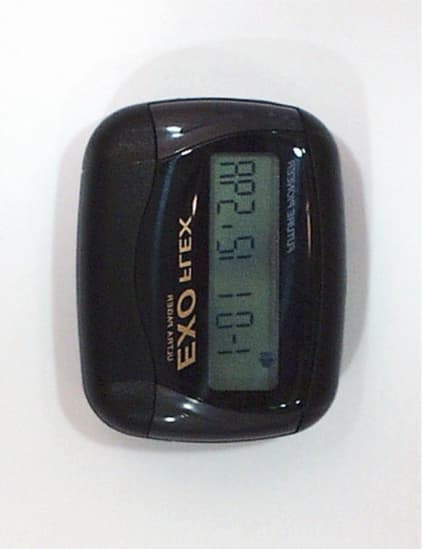
O2MISP5900F
Oct 11, 2000Pager Receiver
Equipment Class
CXX - Communications Rcvr for use w/ licensed Tx and CBs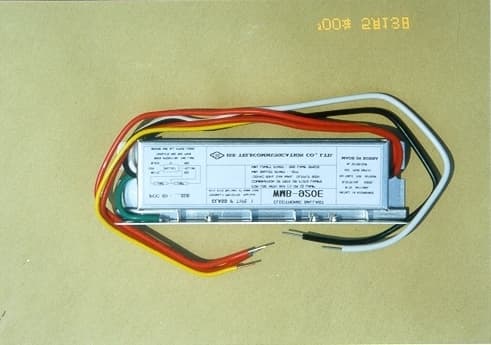
O2MISE
Jun 01, 2000Electric Ballast
Equipment Class
8CC - Part 18 Consumer Device