O33AR18004 Line Alphanumeric ReFlex Pager
Advantra International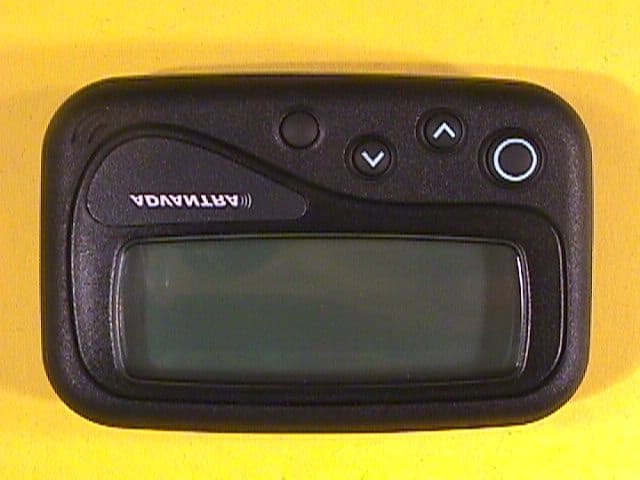
Click to zoom
Application Details
- Equipment Class
- PCT - PCS Licensed Transmitter worn on body
- Date of Grant
- Sep 27, 2000
- Application Purpose
- Original Equipment
- Date of Application
- Jun 21, 2000
- Equipment Note
- 4 Line Alphanumeric ReFlex Pager
- Frequency Range
- 896.00000000 - 902.00000000
- Company
- Advantra International
- Country
- Belgium
Documents & Files
Document Text
Text extracted from the exhibit documents filed with the FCC. Open a document above to read the original.
Users Manual
MessengerAR1800 1 The Advantra Messenger AR1800 Congratulations on your purchase of the Advantra Messenger AR1800 pager. Compact and feature rich, the AR1800 provides you with leading two-way communication technology.To get the most from your AR1800 , please take a few minutes to read this guide. Contents at a Glance Safety Instructions ............................. 3 Navigation Map .................................. 4 Basic Features ..................................... 6 Message Features .......................... 10 Settings ................................................ 20 Turning Off & On ............................. 20 © 2000, Advantra UK Ltd 2 ContentsFor the safety of yourself and others ........... 3Pager Navigation Map ...................................... 4Basic Features ..................................................... 6Pager Features 6 Fitting the Battery 7 Default Screen 8 Status Icons 8 Message Icons 9 Contacting your Pager 9 Subscription Services 9 Call Alert Reminder 9 Message Features ............................................ 10Viewing the In-Box 10 Replying to a message 11 Viewing Information Service Messages 12 Viewing Messages in a Folder 13 Moving a Message 14 Sending a Message to the Trash Can 15 Displaying the Next Message 16 Setting a Message Reminder 17 Send All Messages to the Trash Can 18 Play Message as a Melody 19 Settings ............................................................... 20Turning your Pager Off & On 20 Selecting Vibrate Mode (Toggle Vibrate) 21 Setting Single Shot and Daily Alarms 22 Setting Date and Time 24 Setting Folder Alerts 25 Auto Data Play (ADP) Alerts 26 Setting Quiet Time 27 Setting Screen Contrast 28 Setting Message Zoom Mode 29 Setting Hot Key Mode 30 Setting Alert Volume Mode 31 Setting Move/Delete Item Menu Order 32 Setting Over-The-Air Time Adjustment 33 Making a Service Request 34 Using the About Pager Features 35 3 For the safety of yourself and others:Read these instructions. Keep these instructions. Heed all warnings. You must obey all operatingrequirements posted or announced for two-way radio, mobile phones and two-way pagers.In common with all two-way pagers, the AR1800 incorporates a low power transmitter. When the pager isswitched ON the transmitter will periodically transmit to post replies and maintain a link with your serviceprovider’s network. Compared with most other mobile equipment the transmitter uses low power (150 milli-W)and only operates periodically for a short duration (around160 milli-seconds).Planes, Hospitals and Other AreasSwitch OFF your pager whilst near medical equipment, within healthcare and Hospital facilities and whilst onboard any aircraft. Switch OFF your pager when entering a blasting area. Avoid bringing your pager into areaswhere the atmosphere may contain explosive gasses or particles.Lanyard/ChainOnly use attachments/accessories specified by the manufacturer. The lanyard (or chain), if supplied with yourpager, is for securing your pager only and for no other purpose. It is possible that in certain circumstances it couldcause injury if used otherwise.ServicingRefer all servicing to qualified service personnel. Contact your service provider for more information.FCC Compliance StatementThis device complies with part 15 of the FCC rules. Operation is subject to the condition that this device does notcause harmful interference. 4 Pager Navigation Map In-Box (pg 10) 15 Service 112 Service 203 Service 316 Service 4 Info Services (pg 12) GeneralAddressesContactsReminders Folders (pg 13) 04 In-Box06 Info Services FoldersSettings Call me when youI will be late duThe meeting willTake the rest of 1:36Am Sat Jan 1 Storing 04NewMsgs StartHere The number and choice of informationservices will be determined by yourservice providerThe name of the Service Request mayvary. Your service provider determinesthe function of this item. Not all serviceproviders support this item 5 RepliesMove MessageSend To TrashNext MessageReminderDel All MessagesPlay As Melody pg 11pg 14pg 15pg 16pg 17pg 18pg 19 Move MessageSend To TrashNext MessageReminderDel All MessagesPlay As Melody pg 14pg 15pg 16pg 17pg 18pg 19 Turn Pager OffToggle VibrateSet AlarmsSet Date & TimeSet Folder AlertsSet Quiet TimeSet ContrastSet ZoomSet Hot KeySet VolumeSet Move/DeleteOta TimeService RequestAbout Pager pg 20pg 21pg 22pg 24pg 25pg 27pg 28pg 29pg 30pg 31pg 32pg 33pg 34pg 35 6 Pager Features Basic Features Display Lanyard/Chain Loop OK button Use to accept a selection.UP button Use to highlight menuitems or increment aselected value.DOWN button Use to highlight menuitems or decrement aselected value.BACK/BACKLIGHT button Use to go back one menulevel without accepting thelatest changes. Press and holdto turn on the backlight. 7 2. 1. 3. 4. Fitting the BatteryFit a new battery when the warning icon is displayed or the Battery Status Indicator showslow charge à Note: When the battery becomes low, a short beepwill sound every minute until a button is pressed. Battery Status Indicator This is displayed on the default screen. The more bars shown, the better the battery charge,e.g. Battery Full Battery Empty See page 20 for details about Turning your Pager Off & On 8 Status Icons One or more messages queued for transmissionAll alerts set to vibrate (pg 21)Unread information service messages (pg 12)Priority message receivedQuiet Time feature set (pg 27)Alarm set (pg 22) or message reminder set (pg 17)Vibrate alert set for personal messages (pg 25)Audible alert set for personal messages (pg 25)Low battery warning (pg 7)Unread personal messages (pg 10)Pager switched off (pg 20)Indicates internal tests being performed - mayappear briefly when a new battery is installed. Default ScreenThis screen is shown if a key is pressed when thedisplay is blank, or if the Back key is used to escapeall the way to the top level. 1:36Am Sat Jan 1 Full Service The level of service may vary and depends on thecoverage offered in the area you are using yourAR1800…
Text truncated - open the document above for the full version.
External Photos
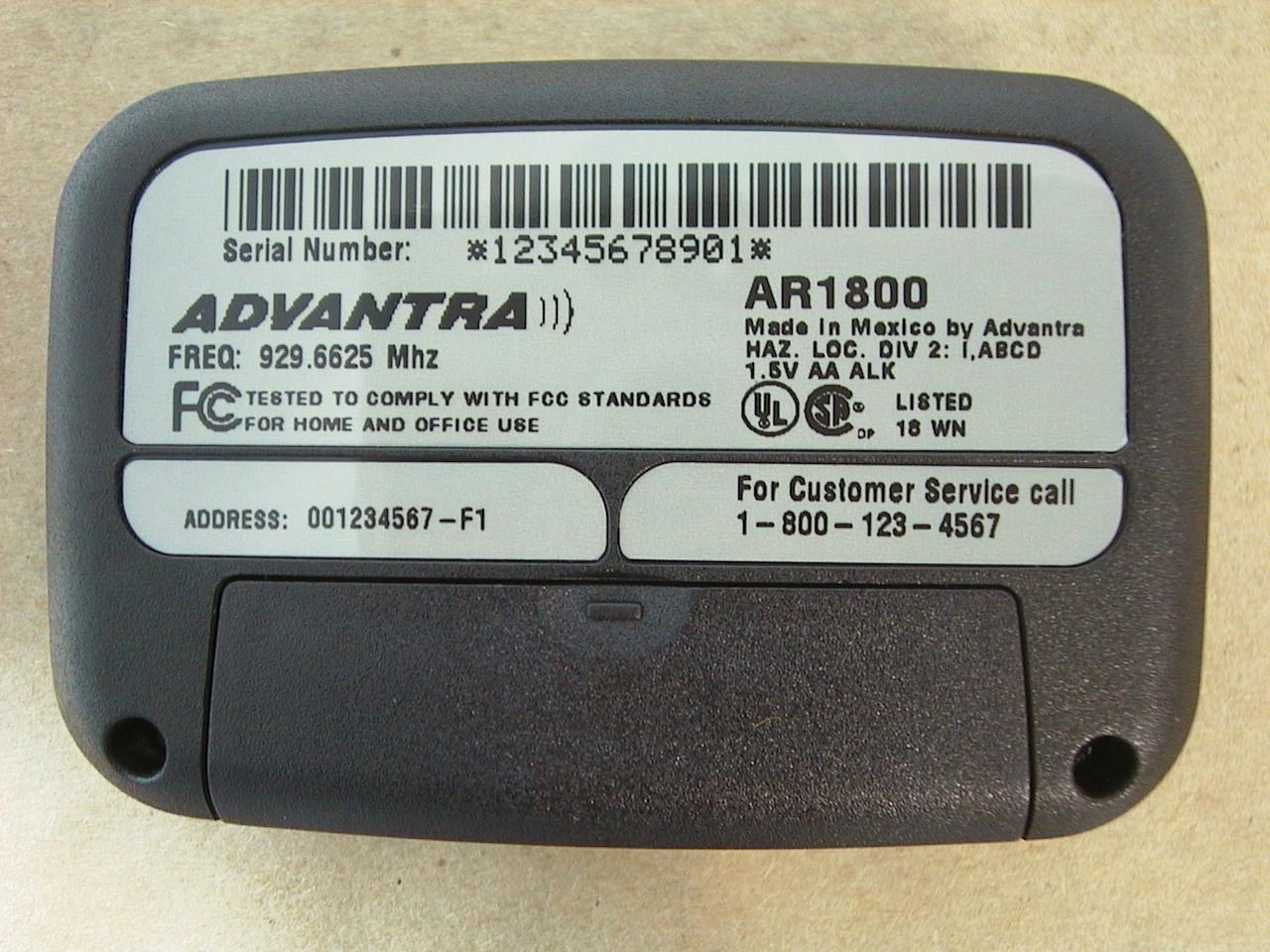
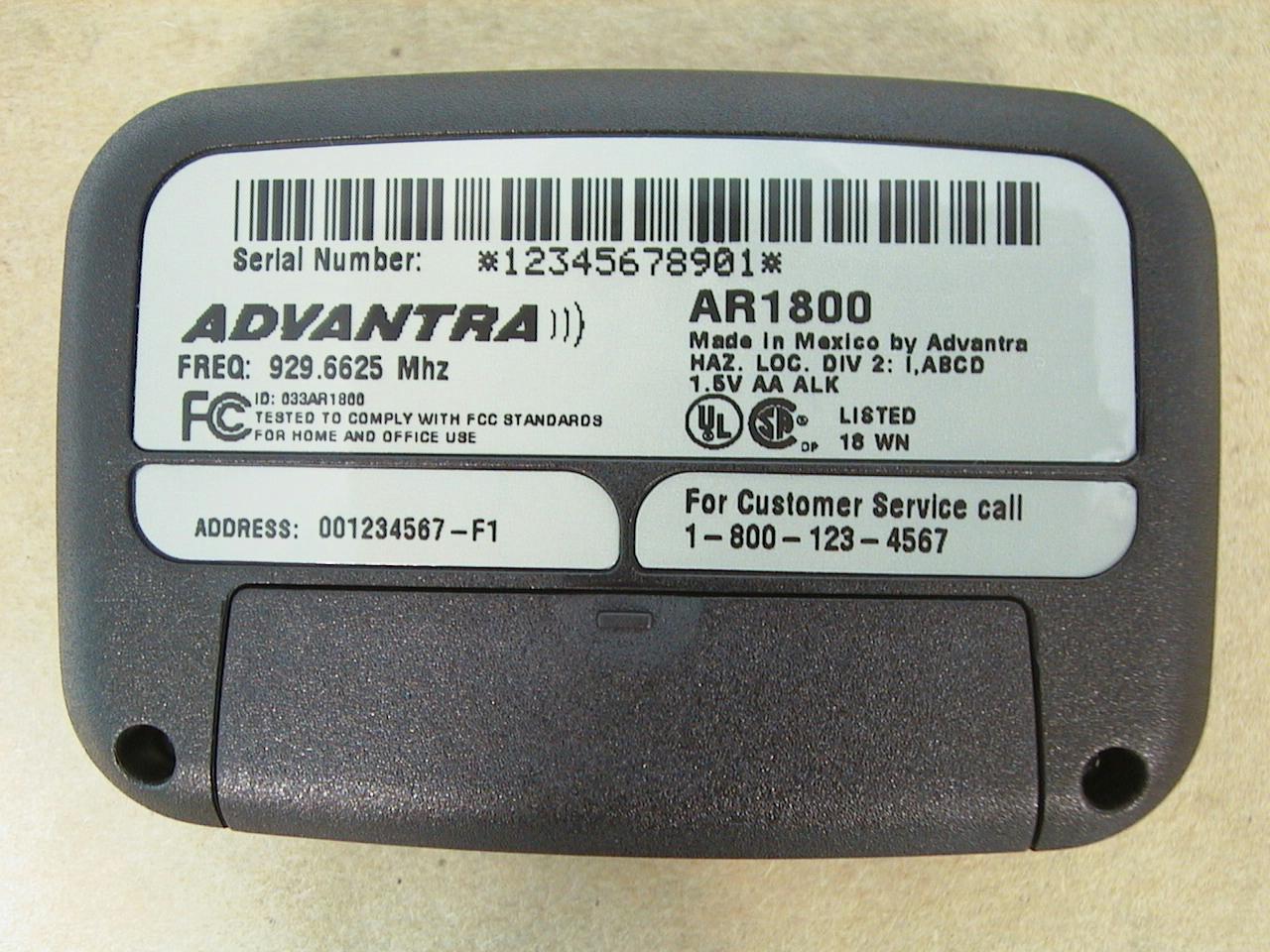
Intertek Testing Services Date of Test: 5/20/00 Advantra (UK) Limited, 4 Line Alphanumeric ReFlex PagerModel AR1800 EXTERNAL PHOTOGRAPHS FCC ID: XXAR1800FCC Part 90 & Part 24 Intertek Testing Services Date of Test: 5/20/00 Advantra (UK) Limited, 4 Line Alphanumeric ReFlex PagerModel AR1800 EXTERNAL PHOTOGRAPHS FCC ID: XXAR1800FCC Part 90 & Part 24
Internal Photos
Intertek Testing Services Date of Test: 5/20/00 Advantra (UK) Limited, 4 Line Alphanumeric ReFlex PagerModel AR1800 INTERNAL PHOTOGRAPHS FCC ID: XXAR1800FCC Part 90 & Part 24 Intertek Testing Services Date of Test: 5/20/00 Advantra (UK) Limited, 4 Line Alphanumeric ReFlex PagerModel AR1800 INTERNAL PHOTOGRAPHS FCC ID: XXAR1800FCC Part 90 & Part 24 Intertek Testing Services Date of Test: 5/20/00 Advantra (UK) Limited, 4 Line Alphanumeric ReFlex PagerModel AR1800 INTERNAL PHOTOGRAPHS FCC ID: XXAR1800FCC Part 90 & Part 24 Intertek Testing Services Date of Test: 5/20/00 Advantra (UK) Limited, 4 Line Alphanumeric ReFlex PagerModel AR1800 INTERNAL PHOTOGRAPHS FCC ID: XXAR1800FCC Part 90 & Part 24 Intertek Testing Services Date of Test: 5/20/00 Advantra (UK) Limited, 4 Line Alphanumeric ReFlex PagerModel AR1800 INTERNAL PHOTOGRAPHS FCC ID: XXAR1800FCC Part 90 & Part 24 Intertek Testing Services Date of Test: 5/20/00 Advantra (UK) Limited, 4 Line Alphanumeric ReFlex PagerModel AR1800 INTERNAL PHOTOGRAPHS FCC ID: XXAR1800FCC Part 90 & Part 24 Intertek Testing Services Date of Test: 5/20/00 Advantra (UK) Limited, 4 Line Alphanumeric ReFlex PagerModel AR1800 INTERNAL PHOTOGRAPHS FCC ID: XXAR1800FCC Part 90 & Part 24 Intertek Testing Services Date of Test: 5/20/00 Advantra (UK) Limited, 4 Line Alphanumeric ReFlex PagerModel AR1800 INTERNAL PHOTOGRAPHS FCC ID: XXAR1800FCC Part 90 & Part 24 Intertek Testing Services Date of Test: 5/20/00 Advantra (UK) Limited, 4 Line Alphanumeric ReFlex PagerModel AR1800 INTERNAL PHOTOGRAPHS FCC ID: XXAR1800FCC Part 90 & Part 24 Intertek Testing Services Date of Test: 5/20/00 Advantra (UK) Limited, 4 Line Alphanumeric ReFlex PagerModel AR1800 INTERNAL PHOTOGRAPHS FCC ID: XXAR1800FCC Part 90 & Part 24 Intertek Testing Services Date of Test: 5/20/00 Advantra (UK) Limited, 4 Line Alphanumeric ReFlex PagerModel AR1800 INTERNAL PHOTOGRAPHS FCC ID: XXAR1800FCC Part 90 & Part 24 Intertek Testing Services Date of Test: 5/20/00 Advantra (UK) Limited, 4 Line Alphanumeric ReFlex PagerModel AR1800 INTERNAL PHOTOGRAPHS FCC ID: XXAR1800FCC Part 90 & Part 24 Intertek Testing Services Date of Test: 5/20/00 Advantra (UK) Limited, 4 Line Alphanumeric ReFlex PagerModel AR1800 INTERNAL PHOTOGRAPHS FCC ID: XXAR1800FCC Part 90 & Part 24
Operational Description
FCC ID O33AR1800 Correspondence Refernce number 16327 731 confirmation number EA97995 1.) Please submit a copy of the user manual as required by Section 2.1033(c)(3) of the Commission's R&R. The user guide will be submitted through www.fcc.gov, el ec tro n i c f il i ng , OEET Eq u ip men t Au tho ri za ti o n El ec tro n i c F i l in g , Ad d Attachments. 2.) The emissions mask under Section 90.210(j) applies to units with non-filtered signals. You did not provide a justification for use of the limits under Section 90.210(i). Our transmitted signal is made by frequency modulating an oscillator. The modulating AF signal is a 4 level FSK signal and is filtered in order to suppre ss adjacent channel emissions and other unw anted emissions. The filter is a Gaussian premodulation filter. The 3 dB cut-off frequency of the gaussian filter is 2,350 Hz. The gaussian filter is made of tw o parts, the digital filter and the analogue filter. Together they form the gaussian filter. So the refor e mission mask under sec tion 90.210(I) is appropriated. 3.) A necessary bandwidth calculation should be provided. Using the values you supplied for "M" and "D", we get 2(9600/4) + 2(2.4) = 9.6 kHz which should be used in the emission designator. Hereby we confirm tha t 2(9600/4) + 2(2.4) = 9.6 kHz is a correct calculation for the bandwith which should be used in the emission designator.
RF Exposure Info
Intertek Testing ServicesDate of Test: 5/20/00 Advantra (UK) Limited, 4 Line Alphanumeric ReFlex Pager Model AR1800 Report # 99030958B2FCC Part 2 SAR Evaluation 1.3 Test plan reference FCC rule part 2.1093, FCC Docket 96-326 & Supplement C to OET Bulletin 65 1.4 System test configuration 1.4.1 System block diagram & Support equipment The diagram shown below details test configuration of the equipment under test . S: Shielded U: Unshielded F: With Ferrite Core Support equipment Equp. #EquipmentManufacturerModel #S/N #FCC ID ------ Intertek Testing ServicesDate of Test: 5/20/00 Advantra (UK) Limited, 4 Line Alphanumeric ReFlex PagerModel AR1800 FCC ID: XXAR18003FCC Part 2 SAR Evaluation 1.4.2 Test Position The EUT was configured for testing in a typical fashion (as a customer would normally use it), and in the confines as outlined in C95.1 (1992) and Supplement C of OET 65 (1998). The EUT was placed in the intended use position, i.e. touching the human body or hand. Please refer to figure 1 below for the position details: Side ViewTop View Figure 1: Intended use position Figure 2 shows the location of antenna inside the EUT: Figure 2: Antenna Location Flat Phantom EUT Flat Phantom EUT Bottom of EUTAntenna Antenna Intertek Testing ServicesDate of Test: 5/20/00 Advantra (UK) Limited, 4 Line Alphanumeric ReFlex PagerModel AR1800 FCC ID: XXAR18005FCC Part 2 SAR Evaluation 2.2 Configuration Photographs Worst-Case SAR measurement Intertek Testing ServicesDate of Test: 5/20/00 Advantra (UK) Limited, 4 Line Alphanumeric ReFlex PagerModel AR1800 FCC ID: XXAR18006FCC Part 2 SAR Evaluation 2.2 Configuration Photographs - Continued Worst-Case SAR measurement
RF Exposure Info
Intertek Testing Services Date of Test: 5/20/00 Advantra (UK) Limited, 4 Line Alphanumeric ReFlex PagerModel AR1800 FCC ID: XXAR1800 14 FCC Part 2 SAR Evaluation 6 APPENDIX A - SAR EVALUATION DATA Please note that the graphical visualization of the phone position onto the SAR distribution gives only limited information on the current distribution of the device, since the curvature of the head results in graphical distortion. Full information can only be obtained either by H-field scans in free space or SAR evaluation with a flat phantom. Powerdrift is the measurement of power drift of the device over one complete SAR scan. Intertek Testing Services Date of Test: 5/20/00 Advantra (UK) Limited, 4 Line Alphanumeric ReFlex PagerModel AR1800 FCC ID: XXAR1800 15 FCC Part 2 SAR Evaluation Intertek Testing Services Date of Test: 5/20/00 Advantra (UK) Limited, 4 Line Alphanumeric ReFlex PagerModel AR1800 FCC ID: XXAR1800 16 FCC Part 2 SAR Evaluation Intertek Testing Services Date of Test: 5/20/00 Advantra (UK) Limited, 4 Line Alphanumeric ReFlex PagerModel AR1800 FCC ID: XXAR1800 17 FCC Part 2 SAR Evaluation Intertek Testing Services Date of Test: 5/20/00 Advantra (UK) Limited, 4 Line Alphanumeric ReFlex PagerModel AR1800 FCC ID: XXAR1800 18 FCC Part 2 SAR Evaluation Intertek Testing Services Date of Test: 5/20/00 Advantra (UK) Limited, 4 Line Alphanumeric ReFlex PagerModel AR1800 FCC ID: XXAR1800 19 FCC Part 2 SAR Evaluation Intertek Testing Services Date of Test: 5/20/00 Advantra (UK) Limited, 4 Line Alphanumeric ReFlex PagerModel AR1800 FCC ID: XXAR1800 20 FCC Part 2 SAR Evaluation
Test Report
A1365 Adams Ct. Menlo Park, CA 94025 Advantra (UK) Limited, Model No. AR1800Date of Test: April 30, 2000 FCC ID: XXXAR1800 Report # 99030958A7FCC Part 90 6.3Test Configuration Setup - Radiated Emission
Test Setup Photos
Intertek Testing Services Date of Test: 5/20/00 Advantra (UK) Limited, 4 Line Alphanumeric ReFlex PagerModel AR1800 TEST SETUP PHOTO FCC ID: XXAR1800FCC Part 90 & Part 24
Contact Information
Applicant
Bernard Vandekerckhove(Chief Executive Officer)
Technical Contact
Intertek Testing ServicesGaspara Lim
[email protected](650) 463-2900
1365 Adams Court · Menlo Park, California · United States
Non-Technical Contact
AdvantraFrederic boes
[email protected]32-57-22-17-11
Test Firm
Intertek Testing Services NA Inc.John Quigley
Technical Specifications
| # | Rule Parts | Frequency Range | Power Output | Emission | Tolerance |
|---|---|---|---|---|---|
| 1 | 24,90 | 896 MHz - 902 MHz | 130.00 mW | 9K60F1D | 0.9000000000 ppm |
Other Applications from Advantra International
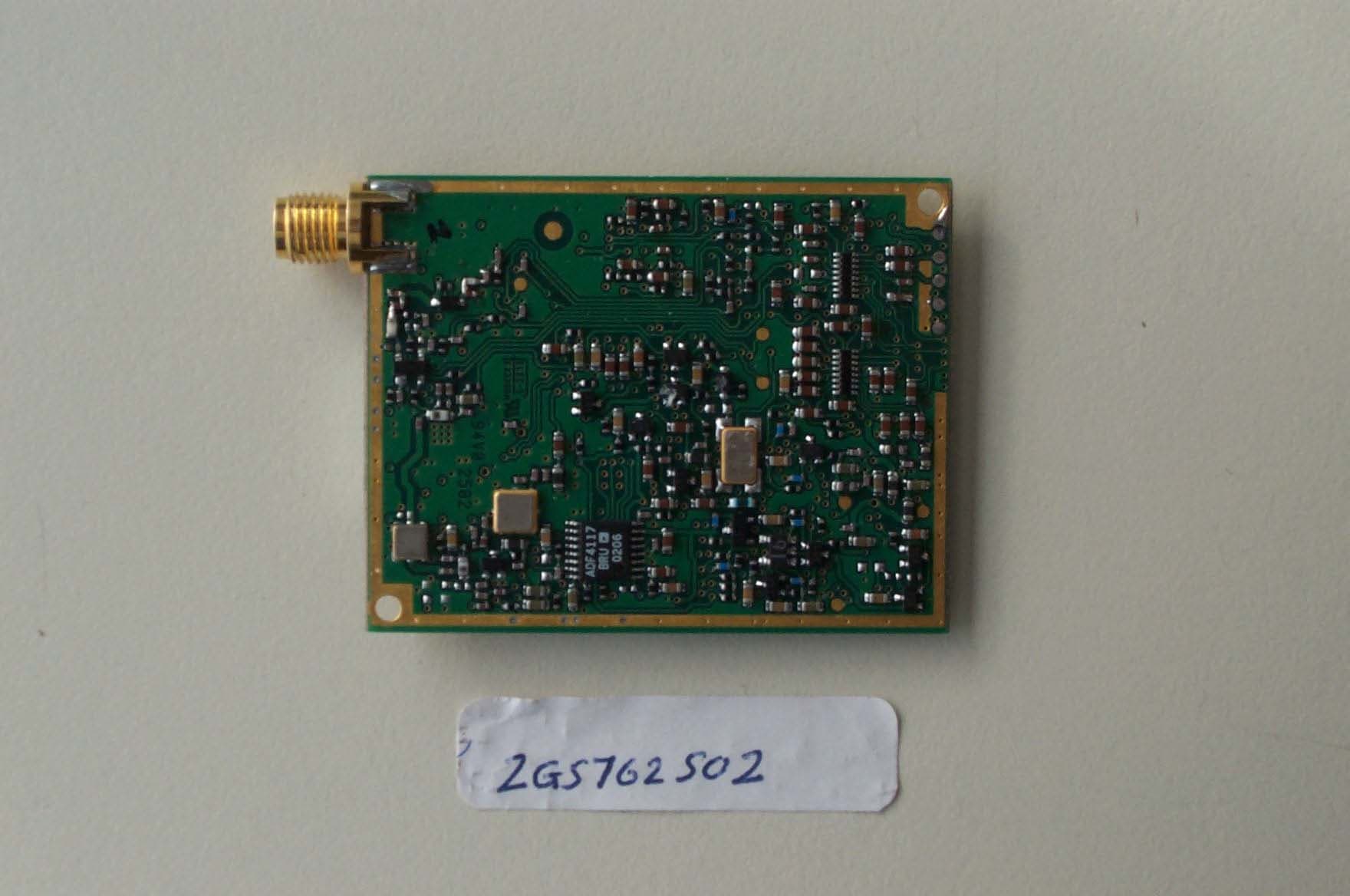
O33AR100
Nov 17, 2002AR100
Equipment Class
PCB - PCS Licensed Transmitter
O33AR200
Aug 29, 2002TNB - Licensed Non-Broadcast Station Transmitter
Equipment Class
TNB - Licensed Non-Broadcast Station Transmitter